Expandi vs Salesflow: Sales Engagement Platform Comparison
Compare Expandi and Salesflow side by side. See pricing, features, and integrations to choose the right sales engagement platform for your needs.

Expandi and Salesflow are both multichannel LinkedIn and email outreach platforms starting at $99 per month. Expandi focuses on LinkedIn-first sequences with conditional branching, profile warm-up, and safety limits, while Salesflow offers adaptive multichannel campaigns with a unified inbox, campaign analytics, and an AI assistant called Ariel. The better fit depends on team size and required features.
Key takeaways
- Expandi and Salesflow both start at the same price point of $99 per month.
- Expandi offers 2 pricing tiers, Business at $99 per month and Agency at contact sales pricing, compared to Salesflow's 5 tiers.
- Salesflow's lower tiers scale down to $24.99 per month for Enterprise teams of 100 or more seats, added in batches of 10.
- Expandi includes a conditional sequence builder with if/action branching, profile auto warm-up, and dedicated country-based IP addresses per account.
- Salesflow includes a unified inbox for LinkedIn and Sales Navigator conversations, campaign intelligence and analytics, and an AI GTM employee called Ariel.
Reviewed and updated September 4, 2026
Expandi vs Salesflow: Sales Engagement Platform Comparison
If you are comparing multi-channel sales outreach and engagement tracking tools, Expandi and Salesflow will likely both appear on your radar. They share some surface-level similarities, but the details reveal important differences in pricing, capability, and target audience.
The Quick Answer
By each vendor's own wording, Expandi lists multichannel outreach sending connection requests, messages and email follow-ups in one sequence and conditional sequence builder with if/action branching, while Salesflow lists multichannel dynamic outreach that adapts to prospect behaviour and combined email and linkedin campaigns. A capability both offer can appear under different names, so read both feature lists below.
Both start at the same price point ($99/mo), so the decision comes down to features and workflow fit.
If your priority is coordinating outreach across email, phone, and social channels, both tools target it. The right choice depends on your budget, team size, and the specific capabilities you need most.
Understanding the Core Difference
Expandi is Cloud-based LinkedIn outreach tool that sends connection requests, messages and email follow-ups in one sequence, with a conditional sequence builder, profile warm-up and per-account safety limits.
Salesflow is Social and email outreach platform that combines LinkedIn and email into adaptive multichannel campaigns, with a unified inbox, condition-based sequences and cross-channel campaign reporting.
The two platforms take different approaches to solving the same core challenge.
Pricing Comparison

Expandi Pricing (as of September 2026)
| Plan | Price | Contacts |
|---|---|---|
| Business | $99/mo | Unlimited Campaigns Number |
| Agency | Contact Sales | +10 Seats |
Source: Expandi Pricing
Salesflow Pricing (as of September 2026)
| Plan | Price | Contacts |
|---|---|---|
| Basic | $99/mo | Team size: 1+ users, minimum 1 seat |
| Starter | $70/mo | Team size: 5+ seats |
| Pro | $39.95/mo | Team size: 20+ seats |
| Agency | $29.98/mo | Team size: 50+ seats, seats added in batches of 5 |
| Enterprise | $24.99/mo | Team size: 100+ seats, seats added in batches of 10 |
Source: Salesflow Pricing
Pricing Analysis
Both platforms start at the same $99/mo price point. The decision comes down to which feature set and tier structure works better for your expected usage.
Salesflow offers 5 pricing tiers compared to Expandi's 2, giving you more granularity as you scale.
Features Breakdown
- Multichannel outreach sending connection requests, messages and email follow-ups in one sequence
- Conditional sequence builder with if/action branching
- Profile auto warm-up
- Smart algorithms for daily limit ranges
- Campaign prioritization across multiple campaigns
- Unlimited number of campaigns
- and 4 more listed below
- Multichannel dynamic outreach that adapts to prospect behaviour
- Combined email and LinkedIn campaigns
- Unified inbox for LinkedIn and Sales Navigator conversations
- Inbox management with reminders, snooze and scheduled sending
- Campaign intelligence and analytics across LinkedIn and email
- Ariel, the Salesflow AI GTM employee
- and 4 more listed below
Expandi Key Features
- Multichannel outreach sending connection requests, messages and email follow-ups in one sequence
- Conditional sequence builder with if/action branching
- Profile auto warm-up
- Smart algorithms for daily limit ranges
- Campaign prioritization across multiple campaigns
- Unlimited number of campaigns
- Image and GIF personalization
- Video personalization
- Dedicated country-based IP address per account
- Step-by-step campaign statistics with a blacklist feature
Salesflow Key Features
- Multichannel dynamic outreach that adapts to prospect behaviour
- Combined email and LinkedIn campaigns
- Unified inbox for LinkedIn and Sales Navigator conversations
- Inbox management with reminders, snooze and scheduled sending
- Campaign intelligence and analytics across LinkedIn and email
- Ariel, the Salesflow AI GTM employee
- Whitelabel URL and access customisation
- UI customisation with your own branding
- API access
- Early feature access on higher tiers
The two lists below are a diff of each vendor's own feature list by exact wording, so a capability both tools offer can appear on either side under a different name.
Listed only by Expandi
- Multichannel outreach sending connection requests, messages and email follow-ups in one sequence
- Conditional sequence builder with if/action branching
- Profile auto warm-up
- Smart algorithms for daily limit ranges
- Campaign prioritization across multiple campaigns
- Unlimited number of campaigns
- Image and GIF personalization
- Video personalization
- Dedicated country-based IP address per account
- Step-by-step campaign statistics with a blacklist feature
Listed only by Salesflow
- Multichannel dynamic outreach that adapts to prospect behaviour
- Combined email and LinkedIn campaigns
- Unified inbox for LinkedIn and Sales Navigator conversations
- Inbox management with reminders, snooze and scheduled sending
- Campaign intelligence and analytics across LinkedIn and email
- Ariel, the Salesflow AI GTM employee
- Whitelabel URL and access customisation
- UI customisation with your own branding
- API access
- Early feature access on higher tiers
Integration Ecosystem

Expandi Integrations
Expandi connects with: HubSpot, Pipedrive, Salesforce, Sendspark, LinkedIn Sales Navigator, Webhooks.
Salesflow Integrations
Salesflow connects with: HubSpot, LinkedIn Sales Navigator, Zapier, API.
Shared Integrations
Both tools integrate with: HubSpot, LinkedIn Sales Navigator.
Integrations listed only by Expandi: Pipedrive, Salesforce, Sendspark, Webhooks.
Integrations listed only by Salesflow: Zapier, API.
Use Case Recommendations
Best Fit for Expandi
- Organizations with complex tech stacks needing broad integration support (6 integrations)
- Enterprise buyers who prefer custom pricing and dedicated support
- SDR teams running multi-channel outreach sequences
- Sales managers tracking team engagement metrics
Best Fit for Salesflow
- SDR teams running multi-channel outreach sequences
- Sales managers tracking team engagement metrics
- Revenue teams coordinating email, phone, and social touches
Feature Comparison Summary
| Feature | Expandi | Salesflow |
|---|---|---|
| Starting Price | $99/mo | $99/mo |
| Top Tier Price | Contact Sales | $24.99/mo |
| Total Features Listed | 10 | 10 |
| Integrations | 6 | 4 |
Getting Started Checklist
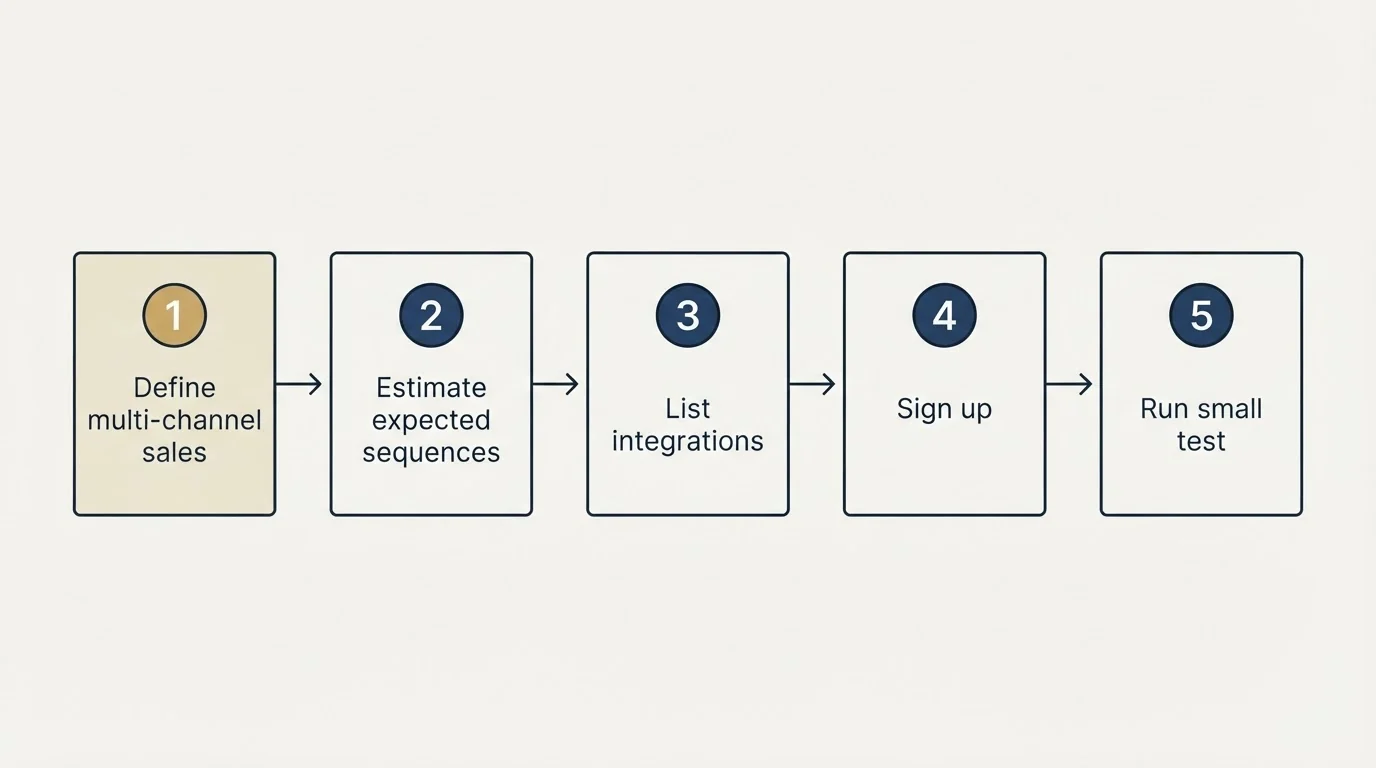
- Define your multi-channel sales outreach and engagement tracking requirements and monthly budget
- Estimate your expected sequences and engagement actions to find the right tier
- List the integrations your team currently relies on
- Sign up for free trials or demos of both platforms
- Run a small test with each tool before making a commitment
- Evaluate the onboarding experience and support quality
Final Thoughts
Expandi and Salesflow both serve the multi-channel sales outreach and engagement tracking market. Expandi offers a more accessible entry point at $99/mo, while Salesflow starts at $99/mo. Your decision should weigh pricing against the specific features that matter most for your workflow.
Start with a trial of each to see which platform fits your team's daily process. The best tool is the one your team actually uses consistently.
Pricing and features verified as of September 2026. Visit Expandi and Salesflow for current information.
Frequently asked questions.
Frequently asked questions- How much do Expandi and Salesflow cost?
- Both platforms start at $99 per month. Expandi has just two tiers, Business at $99 per month and an Agency tier with contact sales pricing for 10 or more seats. Salesflow has five tiers ranging from $99 per month down to $24.99 per month depending on team size, with seats added in batches as you scale.
- What is the main difference between Expandi and Salesflow?
- Expandi is described as a cloud-based LinkedIn outreach tool that sends connection requests, messages, and email follow-ups in one sequence with a conditional sequence builder and profile warm-up. Salesflow is described as a social and email outreach platform combining LinkedIn and email into adaptive multichannel campaigns with a unified inbox and cross-channel reporting.
- Does Salesflow have more pricing tiers than Expandi?
- Yes, Salesflow offers 5 pricing tiers compared to Expandi's 2 tiers. This gives Salesflow more granularity for teams scaling from 1 seat up to 100 or more seats, while Expandi's structure is simpler with a single paid plan plus a custom Agency option.
- What integrations does Expandi support?
- Expandi connects with HubSpot, Pipedrive, Salesforce, Sendspark, LinkedIn Sales Navigator, and Webhooks. These integrations allow Expandi's LinkedIn and email outreach sequences to sync with CRM and sales tooling workflows.
- Does Salesflow offer any AI features?
- Yes, Salesflow lists Ariel, described as the Salesflow AI GTM employee, among its key features. It also includes campaign intelligence and analytics across LinkedIn and email, which works alongside its adaptive multichannel outreach capabilities.
About the author.

Tim Carden is CMO / CTO at RevenueFlow, which builds and operates outbound revenue engines for B2B companies. Studied at McGill University.
Tim Carden · CMO / CTO
Connect on LinkedIn →Explore more.
Ready to scale your outreach?
We build GTM engines that book real meetings. See the receipts.
Related articles.
Artisan vs Expandi: Sales Engagement Platform Comparison
Compare Artisan and Expandi side by side. See pricing, features, and integrations to choose the right sales engagement platform for your needs.
Artisan vs Salesflow: Sales Engagement Platform Comparison
Compare Artisan and Salesflow side by side. See pricing, features, and integrations to choose the right sales engagement platform for your needs.
AroundDeal vs Leadspicker: Data Enrichment Tool vs Sales Engagement Platform Comparison
Compare AroundDeal (data enrichment tool) and Leadspicker (sales engagement platform) side by side. See pricing, features, and integrations to decide which one, or both, your stack needs.
GetSales.io vs Yet Another Mail Merge: Sales Engagement Platform vs Cold Email Platform Comparison
Compare GetSales.io (sales engagement platform) and Yet Another Mail Merge (cold email platform) side by side. See pricing, features, and integrations to decide which one, or both, your stack needs.
Gong vs NeverBounce: Sales Engagement Platform vs Data Enrichment Tool Comparison
Gong vs NeverBounce: what Gong's own pages say about enrichment, what NeverBounce's API returns about an address, and how each vendor prices.
ContactOut vs Luru: Data Enrichment Tool vs Sales Engagement Platform Comparison
Compare ContactOut (data enrichment tool) and Luru (sales engagement platform) side by side. See pricing, features, and integrations to decide which one, or both, your stack needs.