Cold Email for Product Launches: Complete Strategy Guide
Learn how to use cold email to generate buzz, secure early adopters, and drive momentum for your product launch with proven outreach strategies and templates.
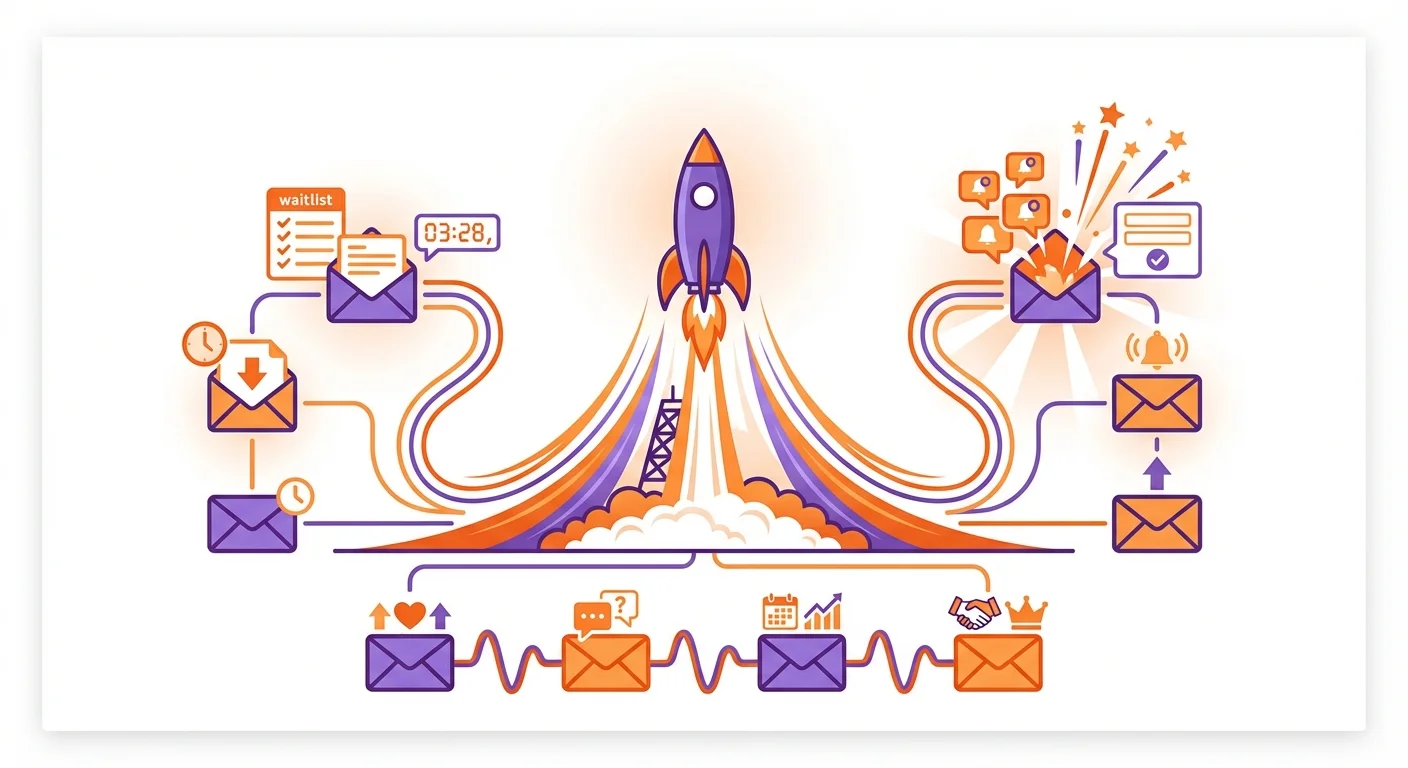
Cold email for a product launch works best as one message per audience, timed to the launch calendar: a waitlist invitation to early adopters, previews for analysts, beta invitations, then an announcement, an offer and a results note to separate segments. Tag every link with campaign parameters so signups can be attributed.
Key takeaways
- Sequence audiences rather than reminders: each launch audience gets one message written for it, and nobody gets the same premise twice.
- The personal part of a launch email is the reason line, why this person is hearing about the launch now, written once per audience.
- Apple's Mail Privacy Protection stops senders seeing opens, so compare reply rates by segment and attribute signups with campaign parameters.
- Google's sender guidelines require SPF or DKIM from every sender and a spam rate below 0.3%, with DMARC above 5,000 messages a day.
Reviewed and updated September 21, 2026
A product launch hands cold email something it rarely has: real news, a date, and a reason to write to a stranger this week rather than any other. Most launch outreach spends that on one announcement sent to everyone, then a string of reminders to everyone who did not answer.
This guide builds the product launch email sequence the other way round. Each audience gets one message written for it and timed to the launch calendar, personalised by the reason that person is hearing about the launch, with attribution set up before the first send.
Why cold email suits a launch
Launches fail for predictable reasons. Teams build in isolation and launch to an empty room. Cold email addresses that directly, because the announcement reaches the people chosen to hear it.
Direct access. Cold email reaches the job titles, company sizes and industries most likely to benefit, rather than waiting for them to find the launch.
Controlled timing. Campaigns go out when you decide, so outreach lines up with press, social and the rest of the launch.
Immediate feedback. Replies during launch week tell you how the market reads the positioning, pricing and value proposition.
Personal at scale. The personal part of a launch email is the reason line: why this person, at this company, is hearing about the launch now. Written per audience, it holds across hundreds of prospects.
Building Your Launch Outreach List
Launch outreach is only as good as the lists behind it, one per audience.
Identifying Ideal Launch Targets
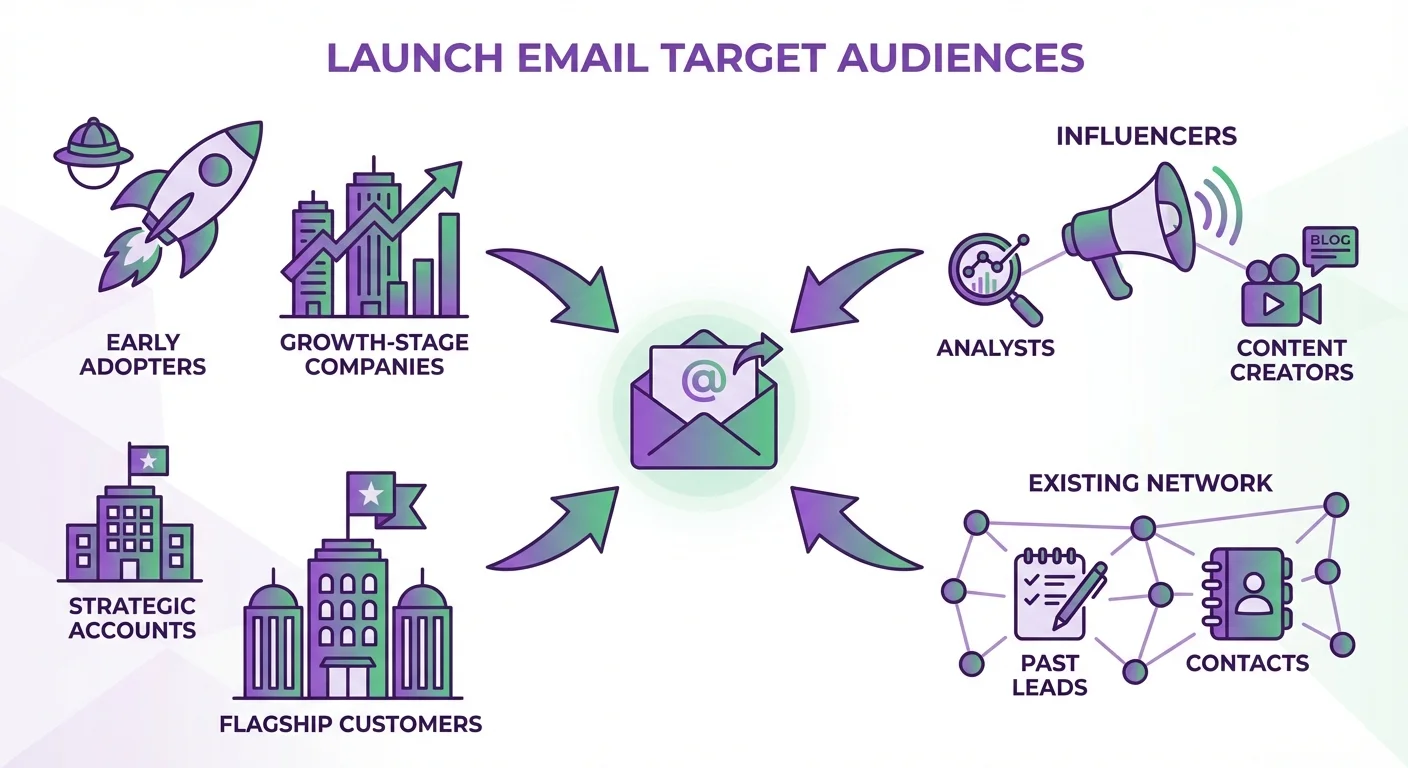
Your launch email list should include several distinct audiences, each requiring different messaging approaches.
Early adopters. Prospects who seek out new tools: companies that recently evaluated or implemented something similar, teams in a growth phase, and technical teams with a habit of experimenting.
Analysts and writers. Industry analysts covering your category, newsletter writers and consultants who advise on technology decisions. Their coverage reaches buyers you cannot list.
Strategic accounts. Larger accounts whose adoption would validate the positioning, with pain points the product addresses directly and budget cycles that line up with the launch.
Your existing network. Past customers, leads who evaluated but did not buy, and contacts from events. They already know you, so they need the news rather than an introduction.
List Building Tools and Techniques
LinkedIn Sales Navigator filters prospects by title, company size and industry, and saved searches surface new matches as they appear.
Intent data platforms like Bombora and G2's buyer intent product flag companies researching your category. Those accounts already have a reason to read a launch email.
Website visitor identification tools reveal companies visiting your site before launch, which have already shown interest.
Email verification through tools like ZeroBounce, NeverBounce, or Hunter ensures deliverability. Launching with an unverified list damages sender reputation at the worst possible time.
Product launch email sequence: one audience at a time
The best practice for a product launch email sequence is to sequence audiences, not reminders. Each template below goes to its own audience once, in the order the launch calendar needs them, and a person who does not answer is not written to again with the same premise.
Waitlist Building Emails
Waitlist campaigns create urgency while capturing interested prospects for launch day.
Subject: Early access to [Product Name] (launching [date])
Hi [Name],
We're launching [Product Name] on [date], and you're on this list because [specific reason they would care].
[Product Name] helps [target audience] achieve [primary outcome] by [brief mechanism]. I'm putting together a list of [industry/role type] professionals who want early access before the public launch. Spots are limited to ensure we can provide hands-on support during the initial rollout.
Would you like me to add you to the early access list?
[Your name]
Beta Feedback Request Emails
Securing beta users before launch provides testimonials and case studies for launch day while refining your product based on real usage.
Subject: Looking for feedback on [problem you solve]
Hi [Name],
Saw that [their company] has been [activity related to problem you solve]. We're building something that directly addresses [specific challenge], and I'd value your perspective.
[Product Name] launches in [timeframe], but we're opening a private beta next week for [number] companies who want early access in exchange for feedback.
Beta participants receive:
- Free access through [date]
- Direct line to our product team for feature requests
In return, we ask for 30 minutes of feedback calls and permission to reference your company as an early adopter (if you're satisfied with the experience).
Given your work on [specific project or initiative], your feedback would be particularly valuable. Would you be interested in joining the beta?
[Your name]
Influencer Preview Emails
Reaching analysts, journalists, and content creators before launch sets up coverage opportunities for launch day.
Subject: Preview: [Product Name] launching [date]
Hi [Name],
I've followed your coverage of [their topic area], particularly your piece on [specific article or content]. Your insights on [specific point] shaped how we approached [related aspect of your product].
We're launching [Product Name] on [date], and it may be relevant for your audience. We're taking a different approach to [category] by [key differentiator].
I'd be happy to provide a pre-launch demo, a founder interview or early access for your audience.
Would you have 20 minutes next week for a preview? No obligation to cover the launch.
[Your name]
Launch Day Email Campaigns
Launch-week emails turn pre-launch relationships into action while the momentum peaks. The announcement goes to waitlist joiners, who asked for it, and to strategic accounts; the offer goes to early adopters held back from the waitlist invitation. Each audience gets one.
Product Announcement Email
Subject: [Product Name] is live (and why it matters for [their industry/role])
Hi [Name],
Today we're publicly launching [Product Name], and you're among the first to hear.
[Product Name] helps [specific audience] solve [specific problem] in a fundamentally different way. Instead of [old approach], you can now [new capability] without [pain point of current solutions].
Here's what makes this different:
- [Key differentiator 1 with specific benefit]
- [Key differentiator 2 with specific benefit]
We're offering [launch incentive] for companies who sign up this week.
Would you like a 15-minute demo to see how [Product Name] could work for [their company]?
[Your name]
P.S. [Social proof element, like customer count, notable users, or funding announcement]
Early Adopter Special Offer
Subject: Launch week offer for [their company]
Hi [Name],
[Product Name] launched this week, and we're offering something special for our first 50 customers.
Companies who sign up this week receive:
- [Discount or pricing benefit]
- [Extended trial or guarantee]
After this week, standard pricing applies.
Based on [their company's situation], you could use [Product Name] to [specific use case]. We've already helped [similar company type] achieve [specific result].
Ready to claim your launch week offer? [Link] Or reply to schedule a quick demo first.
[Your name]
Launch Results Note to a Fresh Segment
It goes to a segment that has not heard from you yet, so it never refers to an earlier email.
Subject: What [number] [industry type] teams did in [Product Name]'s first week
Hi [Name],
[Product Name] launched last week. Since then:
- [Number] companies have signed up
- [Notable company or type] are already using it
- [Specific metric or milestone]
The response has confirmed what [industry type] teams told us before launch: [problem] is a real cost, and existing tools are not solving it. Given [their company's situation], [specific use case] looks like the closest fit.
Would a 15-minute demo be useful? Happy to show how [similar company] is using [Product Name] to [specific outcome].
[Your name]
Where we differ from standard practice
Much of the advice on this page reflects how outbound is commonly run. We run it differently, and since this page sits on our site it is worth saying where the difference is and what it costs us.
- A sequence of messages to each prospect over several weeks
- Later messages often land in the same email thread
- Every contact is reached more than once, so a distracted reader gets another chance
- The later messages go only to people who did not answer the first
- Reputation cost accrues on the sending domain across everything else it sends
- One message, then that campaign is finished for that contact
- No thread replies and no bumps
- A non-responding audience becomes a new campaign with a genuinely different premise, not a reminder
- More of the work moves into targeting and into the one message
- We reach each contact less often, and that is the cost we accept
The reasoning is mechanical rather than moral. A follow-up arrives underneath a message the recipient has already seen and chosen not to answer, so it is delivered to the population most likely to mark it as spam, and the reputation cost of that lands on the sending domain across every campaign running on it. We set that cost against the replies a sequence recovers and decided the trade was not worth it. The full argument, with the numbers from our own campaigns, is in why we stopped using follow-ups.
After launch week: new premises, not reminders
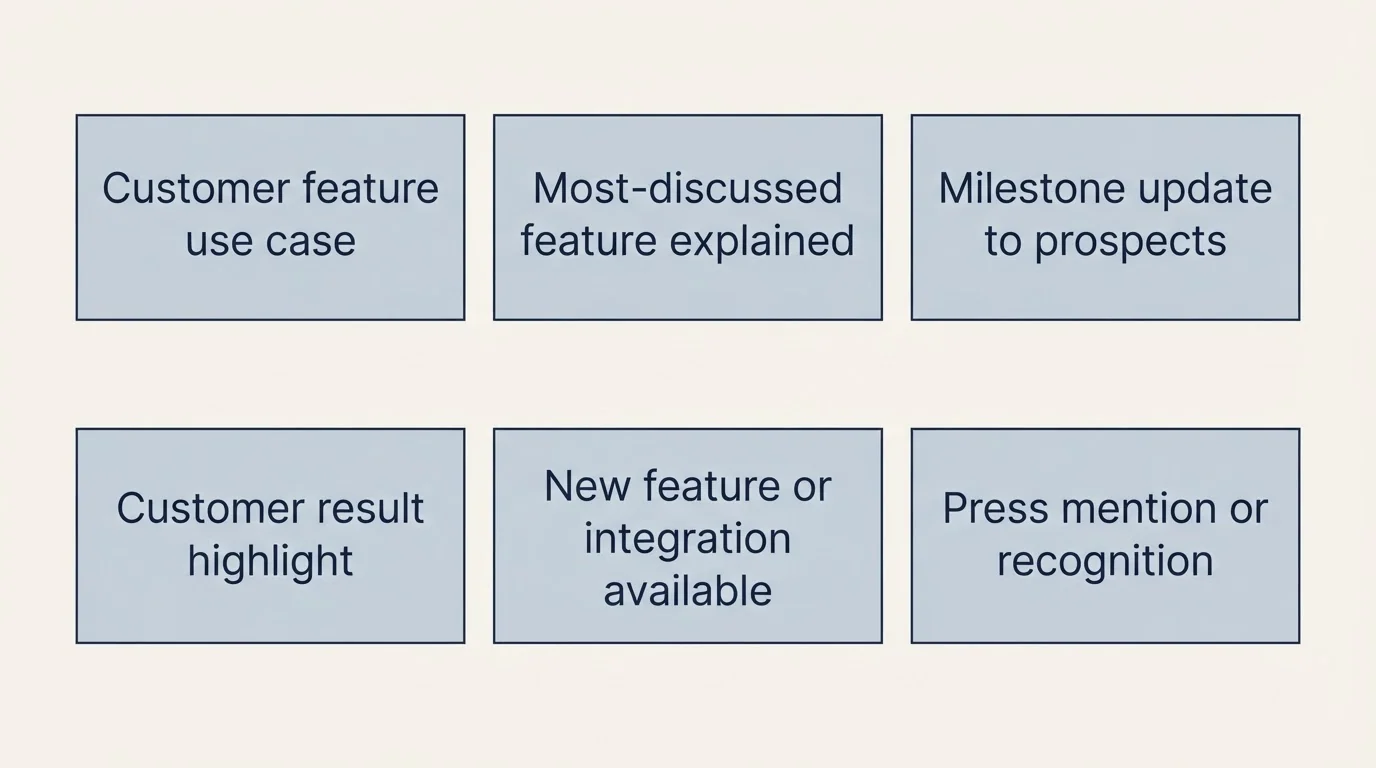
Most prospects will not convert during launch week. What reaches them next is a new campaign with a different premise, sent to a segment chosen for it, rather than a reminder about the launch they already ignored.
Feature Campaigns by Segment
Pick the feature that matches a problem one segment has, write to that segment about it, and repeat for the next segment with its own feature. Nobody receives two.
Feature campaign (from week two):
Subject: How [Company] used [Feature] to [achieve outcome]
Hi [Name],
One week into the [Product Name] launch, and we're already seeing fascinating use cases emerge.
[Customer Name] used our [specific feature] to [specific outcome with metrics]. What took them [old timeframe] now takes [new timeframe].
Here's what made the difference: [brief explanation of how feature works and why it matters].
Would it be relevant for [their company]?
[Your name]
Social Proof Updates to People Who Replied
This goes only to people who replied during the launch and have not yet bought, which makes it the next turn of a conversation they started rather than a bump. Keep it to one milestone, one customer result and one question: whether it is worth picking the conversation back up.
Measuring Launch Email Performance
Email Performance Metrics
Reply rates by segment, not open rates. Apple's Mail Privacy Protection "prevents senders from seeing if you've opened the email message they sent you", so an open rate now measures the reader's mail app as much as the message. Compare replies across segments: early adopters should reply more than cold strategic accounts, and if they do not, the targeting or the reason line needs work.
Reply sentiment. Track not just how many people respond, but what they say. Sort them into interest, questions, objections and refusals.
Demo booking rates. Track conversion from email to demo, and from demo to customer.
Unsubscribe and spam rates. Google's sender guidelines ask every sender to Gmail to keep spam rates reported in Postmaster Tools below 0.3%, and a launch week to large lists is when a sender is most likely to cross it. Monitor bounces, unsubscribes and spam complaints daily during launch week.
Attributing signups to the launch
Attribution is settled before the first send, not reconstructed afterwards. Google Analytics reads campaign parameters added to a link: utm_medium is the "marketing medium", utm_source the referrer, utm_campaign the product or promotion, and utm_content is used "to differentiate creatives". Give each audience its own source value and each template its own content value, and every signup that arrives through a launch email says which audience and which message produced it.
| Parameter | Google's definition | Launch example |
|---|---|---|
| utm_medium | Marketing medium, for example cpc, banner, email | |
| utm_source | Referrer, for example google, newsletter4, billboard | waitlist, analysts, strategic |
| utm_campaign | Product, slogan, promo code, for example spring_sale | product_launch |
| utm_content | Use to differentiate creatives | announcement, offer, results |
Business Impact Metrics
Attribute pipeline to the launch campaigns, compare customer acquisition cost against other channels with time, tools and data included, and track how long launch leads take to convert. Launch momentum should shorten that.
Common Launch Email Mistakes
Launching Without Warming Your Domain
Launching a large campaign from a new domain triggers spam filters and destroys your launch, so start warming any new sending domain well before launch; the timeline below starts eight weeks out. Authentication comes first. Google's sender guidelines require SPF or DKIM from every sender to Gmail, and SPF, DKIM and DMARC from anyone sending more than 5,000 messages a day to Gmail accounts.
| Requirement | Applies to |
|---|---|
| SPF or DKIM on sending domains | All senders |
| Valid forward and reverse DNS, TLS | All senders |
| Spam rate in Postmaster Tools below 0.3% | All senders |
| SPF and DKIM, plus DMARC (policy can be none) | Over 5,000 a day |
| One-click unsubscribe and a visible unsubscribe link on marketing messages | Over 5,000 a day |
Generic Messaging
Launch emails that could apply to any product fail to cut through inbox noise. Specificity about the product and about why this recipient is hearing about it is what earns a reply.
Reminding the Whole List
Sending the same list a second and third message about the same launch is the most common launch mistake, because each reminder lands on the people most likely to mark it as spam. Plan more audiences instead of more messages, and turn a non-responding audience into a new campaign with a different premise later.
Leaving Replies Waiting
Launch periods generate high response volumes. Prospects who reply deserve immediate attention. Staff appropriately to handle response volume, or you'll waste the engagement your emails generate.
Launch Email Timeline Template
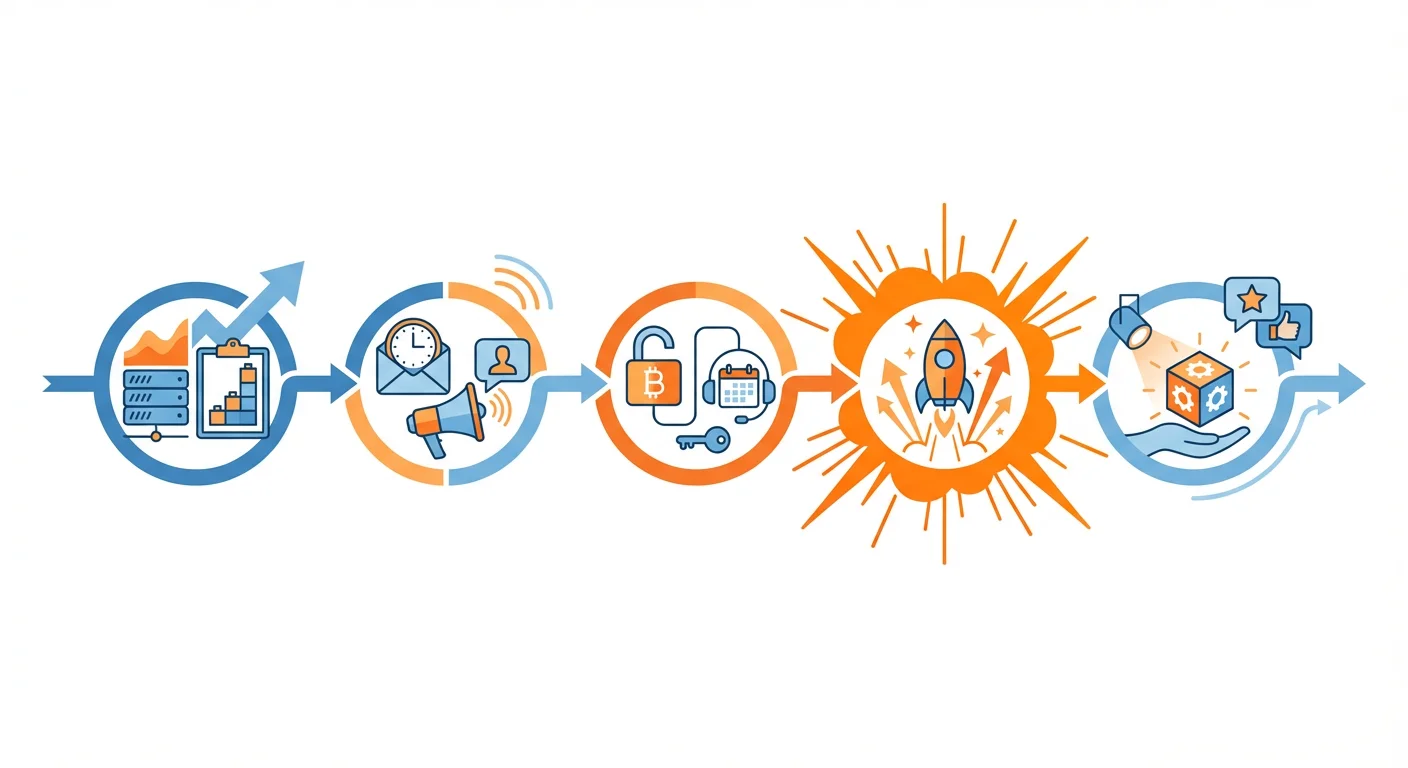
8 weeks before launch:
- Start warming any new sending domains
- Build and verify prospect lists, one per audience
- Draft one message per audience
- Tag every launch link with campaign parameters
4 weeks before launch:
- Send the waitlist invitation to most of the early adopter list, holding a slice back for launch week
- Send preview offers to analysts and writers
- Test templates on small slices of each list
2 weeks before launch:
- Send private beta invitations to beta candidates
- Confirm analyst preview calls
Launch week:
- Day 1: Announcement to waitlist joiners and to strategic accounts
- Day 3: Launch offer to the held-back early adopters
- Day 5: Launch results note to a fresh segment
- Every day: answer replies the same day
Post-launch (weeks 2-4):
- One feature campaign per segment
- Social proof updates to people who replied
- Non-responders held back for a later campaign with a new premise
Maximizing Your Launch Email Results
Build a list per audience. Start before launch so the day has commitments behind it. Give each audience one message written for it, tag every link so the signups can be attributed, and answer every reply the same day.
Ready to make your product launch a success? Our team helps companies plan and execute launch email campaigns that generate momentum from day one. Request your free custom campaign and let us help you reach your launch goals.
Related Reading
Frequently asked questions.
Frequently asked questions- What is the best email sequence for a product launch?
- Sequence the audiences rather than the messages. Early adopters get a waitlist invitation about four weeks out, analysts a preview, beta candidates an invitation two weeks out, then launch week brings an announcement to the waitlist and strategic accounts, an offer to early adopters and a results note to a fresh segment. Each person hears once.
- How do you personalize outreach for a new product launch?
- Put the personalisation in the reason line: why this person, at this company, is hearing about the launch now. A recent evaluation of similar tools, a growth phase or an article they wrote is a reason. Write that line per audience, then add one specific detail per recipient where the list supports it.
- How do you attribute signups to a product launch?
- Tag every launch link with Google Analytics campaign parameters before the first send: utm_medium set to email, utm_source naming the audience, utm_campaign naming the launch and utm_content naming the template. Each signup then shows which audience and which message produced it, and replies that become demos are counted in the CRM.
- Do open rates still work for measuring launch emails?
- Not reliably. Apple's Mail Privacy Protection prevents senders from seeing whether a message was opened, so open rates reflect the reader's mail app as much as the email. Reply rates by segment, demo bookings and attributed signups measure a launch campaign more honestly.
About the author.

Ben Carden is CRO at RevenueFlow, which builds and operates outbound revenue engines for B2B companies. Previously at Gartner Enterprise. Studied at London School of Economics.
Ben Carden · CRO
Connect on LinkedIn →Explore more.
Ready to scale your outreach?
We build GTM engines that book real meetings. See the receipts.
Related articles.
Cold Email for Affiliate Recruitment: Strategy Guide
Master cold email outreach to recruit high-performing affiliates who can drive significant revenue for your business with proven templates and strategies.
Cold Email for Reseller Partnerships: Strategy Guide
Learn how to use cold email to recruit resellers and channel partners who can expand your market reach and drive revenue through their existing customer relationships.