HubSpot CRM vs Salesforce: CRM Platform Comparison
An in-depth comparison of HubSpot CRM and Salesforce for real sales teams. Covers pricing, features, integrations, and which tool fits different team sizes and budgets.
HubSpot vs Salesforce comes down to who will run the CRM. Salesforce's sales pricing page runs Starter Suite $25, Pro Suite $100, Core $195, Advanced $395 and Max $550 a user a month, and only Starter Suite bills monthly. HubSpot's CRM is free for up to 2 users, with paid seats from $15 and a one-time onboarding fee at Professional.
Key takeaways
- Salesforce's sales pricing page lists Starter Suite $25, Pro Suite $100, Core $195, Advanced $395 and Max $550 a user a month, plus a Free Suite at $0 in its comparison table.
- Only Starter Suite carries the "Billed monthly or annually" label; every paid tier above it is billed annually, so ten Core seats are a committed $23,400 a year.
- HubSpot's Sales Hub serves pounds here, £7, £77 and £135 a seat, with required one-time onboarding fees of £1,310 at Professional and £3,050 at Enterprise.
- The practical fork is administration: a team that cannot name who will own Salesforce configuration has already answered the comparison, whatever the seat rates say.
Reviewed and updated September 21, 2026
Salesforce's sales pricing page now runs five paid rungs deep and the top one is $550 a user a month. Starter Suite at $25 is the only tier you can buy month to month; everything above it is billed annually on the page's own labels. HubSpot starts at nothing and charges a required one-time onboarding fee at Professional. So the first thing to know about HubSpot vs Salesforce is that neither ladder behaves the way a two-column comparison suggests.
HubSpot vs Salesforce: The Short Answer
Pick HubSpot when you want the CRM to be usable next week and marketing to share the record. Pick Salesforce when the requirement is customisation, governance and an ecosystem, and you have somebody to run it. On price, HubSpot's CRM product page starts its paid seats at $15 a month, and Salesforce's cheapest paid seat is $25 a user a month.
For a team weighing HubSpot against a work management platform rather than against another CRM, ClickUp vs HubSpot covers which of the two should own the customer record and how the connection between them behaves.
Teams that lean on HubSpot CRM for pipeline tracking often pair it with a data enrichment tool, so it helps to see how contact enrichment complements HubSpot.
The practical fork is administration rather than price. Salesforce assumes an administrator; HubSpot assumes an operator. A team that cannot name who will own the Salesforce configuration has already answered this comparison, whatever the seat rates say.
Searches for HubSpot vs Salesforce market share are asking which platform is larger, and this page does not rank them that way, because the share figures in circulation come from third-party trackers rather than from either vendor's own pages.
What HubSpot CRM And Salesforce Actually Are
HubSpot CRM is free for up to 2 users, with Sales Hub as the paid sales layer and Marketing, Service, Content and Data Hubs on the same record. Professional and Enterprise each carry a required one-time onboarding fee quoted separately from the seat rate.
Copper vs Freshsales pricing breakdown examines two more budget-friendly CRM options, weighing Google Workspace integration against AI-driven lead scoring.
Salesforce is the enterprise standard, and its sales pricing page now reads Starter Suite $25 and Pro Suite $100, then, under "Upgrade your suite to scale with Sales Cloud", Core $195, Advanced $395 and Max $550, per user per month, with a Free Suite at $0 in its edition comparison table. Only Starter Suite carries the page's "Billed monthly or annually" label; the four paid tiers above it say billed annually.
The capability split follows from that. Salesforce's edition comparison table lists sales territories, approval processes, forecasting and AppExchange, which are the things an organisation with process complexity needs. HubSpot's Sales Hub grid lists live chat, meeting scheduling, calling minutes and sequences, which are the things a growing team uses immediately.
Pricing Compared
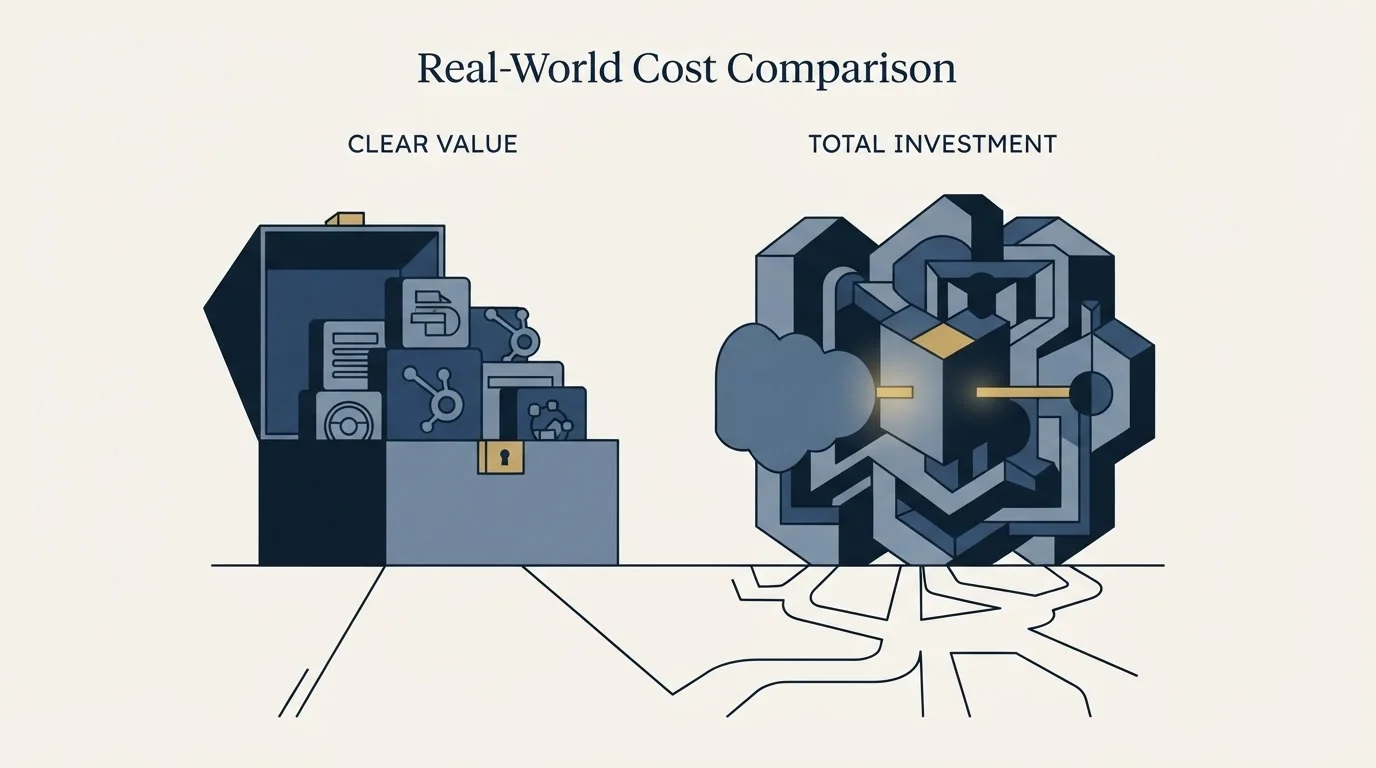
HubSpot CRM Pricing
| Sales Hub plan | "Starts at", per seat a month | Struck-through list price beside it |
|---|---|---|
| Free | £0, for up to 2 users | None |
| Starter | £7 | £18 |
| Professional | £77 | £85 |
| Enterprise | £135 | None; Talk to Sales |
HubSpot's sales pricing page geo-serves this network pounds, so those are the figures a fetch from here can prove. Two lines on that page matter more than the rates: Professional carries a required one-time onboarding fee of £1,310 and Enterprise one of £3,050, neither included in the per-seat number. Free is capped at 2 users. Each "Starts at" figure sits beside a struck-through list price, and the billing toggle beside them did not change the displayed figures when driven from here, so this page assigns neither number to a billing term. HubSpot's CRM product page serves dollars and prices a different product, its CRM seats, at "Starts at" $15, $50 and $75 a month per seat for Starter, Professional and Enterprise, with an asterisk on the Starter figure: "Discount available for new customers only."
Source: HubSpot Sales Hub pricing, HubSpot CRM
Salesforce Pricing
| Plan | Per user, per month |
|---|---|
| Free Suite | $0 (in the edition comparison table) |
| Starter Suite | $25 (billed monthly or annually) |
| Pro Suite | $100 (billed annually) |
| Core | $195 (billed annually) |
| Advanced | $395 (billed annually) |
| Max | $550 (billed annually) |
Only Starter Suite can be bought month to month. Every paid tier above it is billed annually on the page's own labels, and the page notes that "AI can be added to Core and above."
Source: Salesforce pricing
What ten seats costs over three years
Here is an invented but arithmetically honest example built from each vendor's own published units. It is illustrative only and no part of it comes from a customer.
Ten Salesforce Pro Suite seats at $100 a user a month is $1,000 a month, and the page bills it annually, so it is a committed $12,000 a year before any implementation work. Ten Core seats at the page's $195 is $1,950 a month, a committed $23,400 a year, and over three years the two come to $36,000 and $70,200. The jump between those two tiers is the real Salesforce decision: Pro Suite adds customization, automation, quoting and forecasting over Starter, and Core is where the page starts bundling AI, Slack Business+ and Tableau Next.
HubSpot at ten seats is ten paid Sales Hub seats plus the one-time onboarding fee if you land on Professional. Spread across ten seats and three years that fee is small; the same fee across three seats is not. It is the rare pricing line that gets cheaper per head as you grow.
At the pound price HubSpot serves here, the £1,310 Professional onboarding fee across ten seats is £131 a seat, paid once; across three seats it is about £437 a seat.
Neither number includes the cost that actually decides these deals. Salesforce implementations carry configuration work that HubSpot deployments usually do not, and that labour is larger than the licence gap for most teams under fifty people.
Who Should Pick Which
Pick Salesforce when you have process that must be enforced: territories, approval chains, complex forecasting hierarchies, or a compliance requirement that needs field-level control. The AppExchange also matters when your industry has a specialist tool that only integrates one way.
Pick HubSpot when time to value is the constraint and marketing needs the same database. It is the faster deployment by a wide margin, and its free tier lets you prove the shape of your pipeline before spending anything. Where neither test settles it, price both at the tier you actually need rather than at the entry rung.
The honest warning is about the middle. A fifteen-person team buying Salesforce because it is the standard usually ends up with a HubSpot-shaped configuration that cost three times as much to build.
What Each One Lists
Each vendor lists its capabilities tier by tier, and both products manage contacts, track opportunities, automate workflows and report on a pipeline, so read the lists as advertising rather than as a difference audit.
HubSpot's CRM product page gives each seat tier a short list of popular features. Free lists contact management, deal pipelines, CRM import, Breeze Assistant and a reporting dashboard. Starter adds required fields, permission sets, multiple currencies and no HubSpot branding. Professional adds an AI customer agent, duplicate management, standard contact scoring, calculated properties and custom reporting. Enterprise adds custom objects, organised teams, single sign-on and field-level permissions.
| Tier | Starts at | Popular features the page lists |
|---|---|---|
| Free | $0, no credit card | Contact management, deal pipelines, CRM import, Breeze Assistant, reporting dashboard |
| Starter | $15 a month per seat, new customers | Required fields, permission sets, multiple currencies, no HubSpot branding |
| Professional | $50 a month per seat | AI customer agent, duplicate management, contact scoring, calculated properties, custom reporting |
| Enterprise | $75 a month per seat | Custom objects, organise teams, single sign-on, field-level permissions |
Salesforce's edition comparison table is about control: sales territories, approval processes, customizable reports and dashboards, forecasting and AppExchange. Every one of those is a lever an administrator pulls. HubSpot's Sales Hub grid is about immediacy: live chat, conversational bots, meeting scheduling and calling are capabilities a rep turns on the day the account opens. That difference in who the feature is for is what the price gap and the deployment gap are both made of.
Integration Ecosystem

HubSpot's CRM product page points to the HubSpot Marketplace, which it says connects the free CRM "to over 2,000 popular business apps". Salesforce's pricing page says its products "integrate directly with many outside applications and systems", and for sources without a built-in integration it points to MuleSoft licences, integration partners or apps on AgentExchange. Its upper tiers also bundle Slack and Tableau Next outright.
So basic connectivity is not the question on either side. The Salesforce route, MuleSoft and a bundled analytics layer, is the toolkit of an organisation moving data between systems on purpose. The HubSpot route is a marketplace of ready connectors, which suits a team that wants the CRM to join the tools it already has.
Where HubSpot CRM And Salesforce Sit In A Cold Outbound Stack
Salesforce is the record that everything else reports into, and cold outbound sits well outside it. HubSpot is the record plus the marketing engine, and cold outbound still sits outside it.
Our own house rule keeps that boundary clean: we send one message per campaign and never bump a thread, so a sequencer living inside the CRM adds little. What the CRM owes us is a clean reply, a clean meeting and a forecast somebody trusts. Salesforce is stronger on the forecast and HubSpot on the speed of getting there, and neither should be bought as a sending tool.
Switching Between Them
Migrating from HubSpot to Salesforce is a project rather than an export. Map objects and fields first, decide what happens to marketing assets that have no Salesforce equivalent without an add-on, and plan configuration time before you plan a cutover date. The data moves easily; the process you had encoded in HubSpot workflows does not.
Coming the other way is faster and usually loses less than people fear, provided you audit what your Salesforce org actually uses. Many long-lived orgs carry custom objects nobody has queried in years. Budget the one-time onboarding fee if you land on HubSpot Professional, and run a full quarter's reporting in both before switching off the old system.
Getting Started

- Name the person who will own CRM configuration; if there is nobody, Salesforce is the wrong answer whatever it costs.
- List the process rules you must enforce, then check which are native rather than custom work on each side.
- Price Salesforce at the tier that carries the governance you need, not at Starter Suite, and remember only Starter Suite bills monthly.
- Price HubSpot including its one-time onboarding fee at your landing tier.
- Run the same pipeline through both trials and compare the forecast each produces against your own numbers.
Final Thoughts
Salesforce is bought for control and HubSpot for speed, and both pricing pages hide their real cost in a different place: Salesforce in the annual commitment above Starter Suite and the configuration labour, HubSpot in the one-time onboarding fee.
Decide who will own the system before you compare rates. That single answer predicts which of these two a team is still using in three years better than any feature grid.
Related Reading
- Pipedrive vs Salesforce: CRM Platform Comparison
- Sales forecasting software
- CRM integration
- Sales pipeline metrics
Wider shortlists are in Best HubSpot CRM Alternatives in 2026 and Best Salesforce Alternatives in 2026.
If you would rather have this run for you, RevenueFlow books qualified meetings on a pay-per-meeting basis and publishes client results.
Pricing and features are taken from the vendors' own pages. Verify current terms with the vendor before relying on them.
Frequently asked questions.
Frequently asked questions- Is HubSpot or Salesforce better?
- HubSpot is better when the CRM has to be usable next week and marketing must share the record. Salesforce is better when territories, approval processes or field-level control must be enforced and somebody will own the configuration. If nobody can own that work, the comparison is settled in HubSpot's favour before price comes into it.
- How much does Salesforce cost compared with HubSpot?
- Salesforce's sales pricing page lists Starter Suite at $25 a user a month, Pro Suite at $100, Core at $195, Advanced at $395 and Max at $550, with only Starter Suite billed monthly. HubSpot's CRM product page starts paid seats at $15, $50 and $75 a month, and its Sales Hub adds one-time onboarding fees at Professional and Enterprise.
- Do we need a Salesforce administrator?
- Effectively yes for anything past Starter Suite. The capabilities that justify Salesforce, sales territories, approval processes, field-level control and AppExchange, are configuration rather than settings. If nobody owns that work, the licence buys capability the team will not reach, and a HubSpot-shaped configuration ends up costing several times as much to build.
- Which one is faster to get live?
- HubSpot, by a wide margin for most teams under fifty people. Its free tier is usable the day you sign up and the paid tiers add capability rather than requiring configuration. Salesforce's strength is that it can be shaped to an unusual process, and that shaping is what takes the time.
About the author.

Tim Carden is CMO / CTO at RevenueFlow, which builds and operates outbound revenue engines for B2B companies. Studied at McGill University.
Tim Carden · CMO / CTO
Connect on LinkedIn →Explore more.
Ready to scale your outreach?
We build GTM engines that book real meetings. See the receipts.
Related articles.
HubSpot CRM vs Twenty: CRM Platform Comparison
Compare HubSpot CRM and Twenty side by side. See pricing, features, and integrations to choose the right CRM platform for your needs.
AroundDeal vs Salesflare: Data Enrichment Tool vs CRM Platform Comparison
Compare AroundDeal (data enrichment tool) and Salesflare (CRM platform) side by side. See pricing, features, and integrations to decide which one, or both, your stack needs.
Evaboot vs Microsoft Dynamics 365 Sales: Data Enrichment Tool vs CRM Platform Comparison
Compare Evaboot (data enrichment tool) and Microsoft Dynamics 365 Sales (CRM platform) side by side. See pricing, features, and integrations to decide which one, or both, your stack needs.
Agile CRM vs Copper: CRM Platform Comparison
Compare Agile CRM and Copper side by side. See pricing, features, and integrations to choose the right CRM platform for your needs.
Agile CRM vs LeadIQ: CRM Platform vs Data Enrichment Tool Comparison
Compare Agile CRM (CRM platform) and LeadIQ (data enrichment tool) side by side. See pricing, features, and integrations to decide which one, or both, your stack needs.
Kommo vs Luru: CRM Platform vs Sales Engagement Platform Comparison
Compare Kommo (CRM platform) and Luru (sales engagement platform) side by side. See pricing, features, and integrations to decide which one, or both, your stack needs.