How to Extract Data from Any API Without Writing Code
Waiting days for engineering help to pull API data? Here's the exact no-code workflow I use to extract thousands of records from any API using Cursor AI, over a cup of coffee.
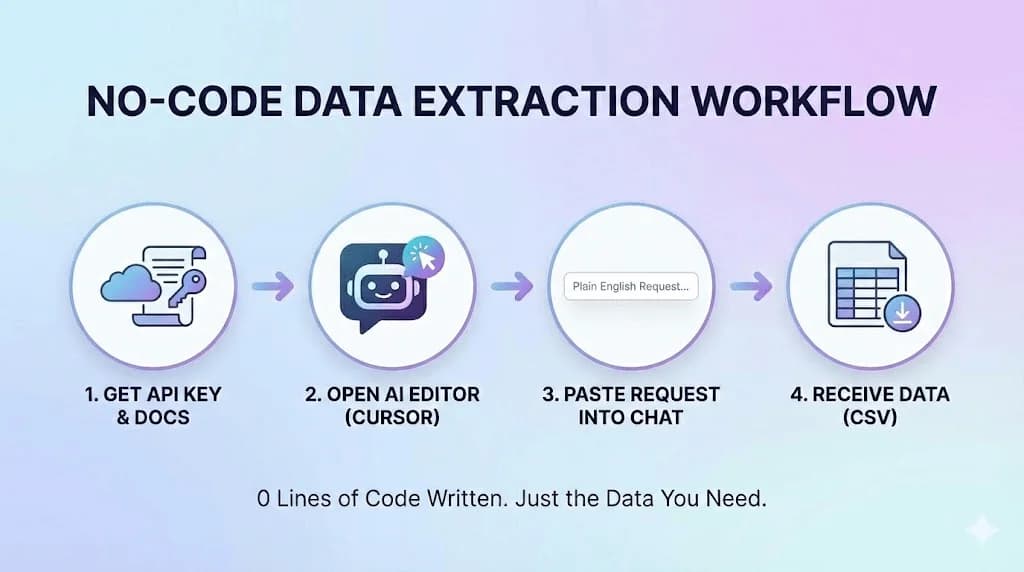
Use Cursor AI to extract data from any API without coding by pasting three items: your API key, the API documentation, and a plain English description of the data you need. Cursor reads the documentation, writes the necessary code, handles authentication and pagination, and exports your data to CSV in approximately two minutes, eliminating the 1-2 week wait for engineering support.
Key takeaways
- The workflow requires only four steps: obtain API credentials (5-10 minutes), open Cursor AI, paste your API key with documentation and plain English request, and receive formatted CSV data in approximately two minutes.
- This approach eliminates the traditional 1-2 week timeline that required engineering team involvement and multiple revision cycles.
- Accessible data sources include government APIs like SEC EDGAR and Census Bureau, industry-specific platforms like Zillow, business registries, and platform APIs from CRMs and marketing tools.
- Common API challenges like rate limits, pagination, and authentication are handled by instructing Cursor in plain English to add delays, retrieve all results, or manage specific authentication types.
- The article demonstrates this workflow by extracting 4,300 verified U.S. banks with names, addresses, and website URLs directly from an official API in two minutes.
Reviewed and updated September 10, 2026
How to Extract Data from Any API in 2 Minutes Without Writing Code
I just pulled a list of 4,300 verified U.S. banks in 2 minutes.
Not from a CSV download. Not from a data vendor. Directly from an official API.
Lines of code written by me: Zero.
Here's the thing about APIs: they're everywhere. Government databases. Financial institutions. Industry directories. Business registries.
Massive amounts of valuable data, sitting behind APIs, waiting to be extracted.
The problem? Normally, getting data from an API means one of two things:
- Waiting days for an engineer to help
- Giving up and doing it manually
Not anymore.
The No-Code API Workflow
There are only four steps:
- Step 1Get the API Key and Documentation
This step takes 5-10 minutes depending on the API provider.
- Step 2Open Cursor
You just need to be able to describe what you want.
- Step 3Paste Your Request
Your API key, the API documentation, and your plain English request.
- Step 4Receive Your Data
Two minutes later, I had a clean CSV file with 4,300 active U.S. banks.
Step 1: Get the API Key and Documentation
Every API requires authentication (usually an API key) and has documentation explaining how to use it.
For the bank data example:
- I found an official bank data API provider
- Signed up for an account (free tier available)
- Generated my API key from the dashboard
- Downloaded their API documentation (usually a PDF or web page)
This step takes 5-10 minutes depending on the API provider.
Step 2: Open Cursor
Cursor is an AI-powered code editor. It's free to start and runs on Mac, Windows, and Linux.
You don't need to know anything about code. You just need to be able to describe what you want.
Step 3: Paste Your Request
Here's the magic. You paste three things into Cursor's chat:
- Your API key (so the AI can authenticate requests)
- The API documentation (so the AI knows how to format requests)
- Your plain English request (what data you actually want)
For my bank data pull, I typed something like:
"Here's my API key: [key]. Here's the documentation: [pasted docs]. I want to get a list of all active U.S. banks with their names, addresses, and website URLs. Export everything to a CSV file."
That's it. That's the entire prompt.
Step 4: Receive Your Data
Cursor:
- Reads the documentation
- Understands the API structure
- Writes the necessary code
- Handles authentication
- Manages pagination (getting all results, not just the first page)
- Executes the requests
- Formats the data
- Exports to CSV
Two minutes later, I had a clean CSV file with 4,300 active U.S. banks, complete with website URLs.
Ready for enrichment in Clay. Ready for outreach. Ready for whatever I needed.
Why This Changes Everything
Before: The Old Way
Scenario: Marketing manager needs data from an API for a campaign.
Process:
- Submit request to engineering
- Wait 3-5 business days
- Engineer builds solution
- Review data, realize you need modifications
- Submit change request
- Wait another 2-3 days
- Finally get usable data
Timeline: 1-2 weeks Dependencies: Engineering team availability
After: The New Way
Process:
- Get API credentials (10 minutes)
- Open Cursor, paste request (2 minutes)
- Receive data
Timeline: 15 minutes Dependencies: None
The barrier between "technical" and "non-technical" is gone.
- Submit request to engineering
- Wait 3-5 business days
- Review data, realize you need modifications
- Dependencies: Engineering team availability
- Get API credentials (10 minutes)
- Open Cursor, paste request (2 minutes)
- Receive data
- Dependencies: None
Real Examples of APIs You Can Tap

Once you understand this workflow, you'll see APIs everywhere:
Government and Public Data
- SEC EDGAR (public company filings)
- Census Bureau APIs (demographic data)
- FDA databases (drug and device data)
- FDIC bank data (what I used)
- Patent databases
- Business registries
Industry-Specific APIs
- Real estate (Zillow, Redfin APIs)
- Healthcare (provider directories)
- Legal (court records, bar associations)
- Finance (market data, company financials)
Business Data
- Company registries
- Domain databases (WHOIS data)
- Job posting aggregators
- Review platforms
Platform APIs
- CRM data exports
- Marketing platform data
- Social media APIs
- Analytics platforms
Every one of these becomes accessible with the same workflow: API key + docs + Cursor + plain English request.
The Prompting Pattern
Here's the template I use for any API extraction:
Context: "I have an API key for [API name]: [paste key]
Here is the API documentation: [paste or link docs]"
Request: "I want to extract [specific data points] for [all/filtered subset of records].
Please:
- Handle pagination to get all results
- Save to a CSV file
- Include these columns: [list columns]
[Any specific filters or criteria]"
Cursor takes this and builds the solution. If there are errors, you paste them back and say "fix this."
Common API Patterns and How to Handle Them
Rate Limits
Most APIs limit how many requests you can make per minute/hour.
Tell Cursor: "This API has a rate limit of 100 requests per minute. Add appropriate delays."
Pagination
APIs often return results in pages (100 at a time, for example).
Tell Cursor: "Make sure to handle pagination and get all results, not just the first page."
Authentication Types
- API Key in header: Most common, Cursor handles this automatically
- OAuth: More complex, but Cursor can guide you through it
- Username/Password: Less common, straightforward
Data Formats
APIs return data in different formats (JSON, XML, CSV). Cursor converts whatever format to your desired output automatically.
What If Something Goes Wrong?

Error: "Invalid API Key"
- Double-check you copied the full key
- Verify the key is active in your dashboard
- Check if you need to whitelist your IP
Error: "Rate Limit Exceeded"
- Ask Cursor to add longer delays between requests
- Run the extraction in smaller batches
Error: "Endpoint Not Found"
- Verify the API documentation is current
- Check if the endpoint requires specific parameters
Error: "Authentication Failed"
- Some APIs require additional headers or parameters
- Paste the full error message into Cursor for debugging
For any error, the pattern is the same: copy the error, paste it into Cursor, say "fix this."
Going Deeper: Combining APIs
Once you're comfortable with single-API extraction, you can chain them together.
Example workflow:
- Pull company list from API A
- For each company, query API B for additional data
- Enrich with API C
- Output combined dataset
Tell Cursor exactly what you want:
"First, get all [companies] from [API A]. Then, for each company, look up their [data point] in [API B]. Combine everything into one CSV with columns: [list columns]."
This is where the power really compounds. You're building custom data pipelines that would cost tens of thousands of dollars from vendors.
The Mindset Shift
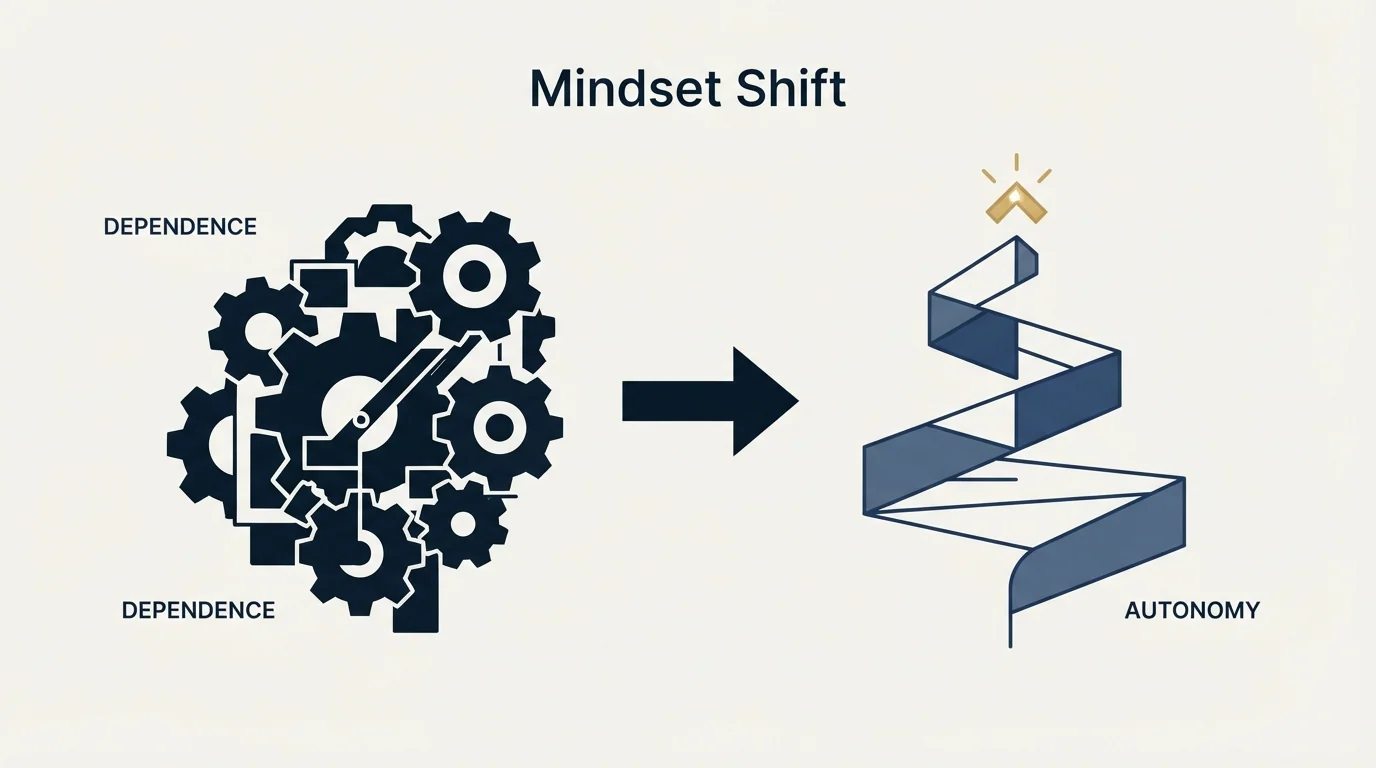
Stop categorizing yourself as "technical" or "non-technical."
The new divide is:
- People who figure things out (use tools, iterate, solve problems)
- People who wait for help (submit tickets, hope for availability)
APIs aren't scary. They're just doors to data.
Cursor is the key that opens them.
If you can clearly describe what you want, you can get it. The AI handles the translation between English and code.
Getting Started Today
Step 1: Install Cursor
Download from cursor.com. Free tier is generous enough for most projects.
Step 2: Find an API
Pick something relevant to your work:
- An industry database
- A government registry
- A platform you already use
Step 3: Get Credentials
Sign up, generate an API key, download the documentation.
Step 4: Make Your First Request
Start simple. "Give me a list of [X] with columns [Y] and [Z]."
Step 5: Iterate
Once you have the basics working, expand your request. Add filters. Chain APIs together.
The first one takes the longest. After that, you'll be extracting data from new APIs in minutes.
The Bottom Line
0 lines of code written. Just the data you need.
Every API in the world just became accessible to you. Government databases. Industry registries. Business platforms.
The data exists. The APIs exist. The AI exists.
The only question is whether you'll use them.
Related Reading
If you would rather have this run for you, RevenueFlow books qualified meetings on a pay-per-meeting basis and publishes client results.
Now that you have the data: Learn how to build complete scraping pipelines or find the right decision-makers with industry-specific job titles.
Frequently asked questions.
Frequently asked questions- How do I extract data from an API without knowing how to code?
- Use Cursor AI by pasting your API key, the API documentation, and a plain English request describing what data you want. Cursor reads the documentation, writes the code, handles authentication and pagination automatically, and exports your data to CSV. The entire process takes approximately two minutes once you have your API credentials.
- What types of APIs can I access with this no-code method?
- You can access government and public data APIs (SEC EDGAR, Census Bureau, FDIC bank data, FDA databases), industry-specific APIs (Zillow, Redfin, healthcare provider directories), business data sources (company registries, domain databases, job postings), and platform APIs from CRMs, marketing platforms, social media, and analytics tools. The same workflow applies to any API with available documentation.
- How do I handle API rate limits and pagination issues?
- Tell Cursor in plain English to manage these constraints. For rate limits, instruct Cursor to add appropriate delays between requests, such as 'This API has a rate limit of 100 requests per minute, add appropriate delays.' For pagination, specify 'Handle pagination and get all results, not just the first page.' Cursor automatically implements the necessary code to comply with these requirements.
- What should I do when I get an API error message?
- Copy the complete error message and paste it into Cursor with the instruction 'fix this.' For common errors like invalid API keys, verify you copied the full key and it's active in your dashboard. For rate limit errors, ask Cursor to add longer delays or run extractions in smaller batches. For authentication failures, paste the error message and Cursor will identify missing headers or parameters.
About the author.

Tim Carden is CMO / CTO at RevenueFlow, which builds and operates outbound revenue engines for B2B companies. Studied at McGill University.
Tim Carden · CMO / CTO
Connect on LinkedIn →Explore more.
Ready to scale your outreach?
We build GTM engines that book real meetings. See the receipts.
Related articles.
Lead Verification: What Each Check Actually Proves
Lead verification covers two different jobs. One asks whether a mailbox will accept mail, the other asks whether the person behind the row is real and lawful to contact.
5 ABM Campaign Examples and How Each One Is Built
Five worked account-based campaign examples, each built on the same five fields: account set, tier, plays in order, owner and handoff, and the exit condition.
Two Agencies, One Target List: Who Owns Which Accounts
Two outbound suppliers on one market will contact the same companies unless the buyer splits it first. How to cut the list, run the exclusion feed and check the overlap.
Last Outbound Agency Did Not Deliver: Locating the Failure
The leads were bad names a symptom and no stage. Four places an outbound engagement fails, the counts that separate them, and what to change in the next purchase.
HR Lead Generation: The Renewal Clock and Who Signs
An HR buyer who agrees with every word still cannot act outside their own renewal window. Which triggers are observable, and who signs.
IT Lead Generation: The Buyer Runs Your Playbook
Technology buyers evaluate outbound for a living, and their purchases carry a security review nobody in your meeting owns. Which triggers are real.