Woodpecker vs Yesware: Cold Email Platform Comparison
Compare Woodpecker and Yesware side by side. See pricing, features, and integrations to choose the right cold email platform for your needs.
Yesware pricing is per seat: Free at $0, Pro at $19, Premium at $45 and Enterprise at $85 a seat a month on monthly billing, or $15, $35 and $65 billed annually, with campaign recipients capped at 10 and 20 a month on Free and Pro. Woodpecker instead charges for contacted prospects, from $35 a month for 500.
Key takeaways
- Yesware's pricing page lists Pro at $19, Premium at $45 and Enterprise at $85 per seat a month on monthly billing, and $15, $35 and $65 on annual billing, beside a $0 free tier.
- Yesware caps campaign recipients at 10 a month on Free and 20 on Pro, so unlimited campaigns start at Premium's $45 a seat.
- Woodpecker's calculator prices contacted prospects: in US dollars $35 a month for 500, $67 for 2,000 and $99 for 4,000 on monthly billing, with unlimited team members and warm-ups bundled into each tier.
- Woodpecker's integrations page lists no Salesforce integration; its pricing page names HubSpot and Pipedrive two-way sync inside a $20 a month integrations add-on.
Reviewed and updated September 21, 2026
Yesware pricing is per seat. Its pricing page opens on monthly billing with Free at $0, Pro at $19, Premium at $45 and Enterprise at $85 a seat a month, falling to $15, $35 and $65 on annual billing, and it caps campaign recipients at 10 a month on Free and 20 on Pro. Woodpecker charges for the stranger who gets contacted instead: in US dollars, $35 a month buys 500 contacted prospects, and team members are unlimited on every tier.
That single difference in unit decides which of them gets cheaper as a programme grows and which one gets more expensive.
Yesware Pricing: Four Seat Tiers, Two Billing Terms
Yesware's pricing page lists four plans per seat a month. On monthly billing, the tab the page opens on, Free is $0, Pro $19, Premium $45 and Enterprise $85; the Annual tab lists Free Forever at $0, Pro at $15, Premium at $35 and Enterprise at $65. Free allows 10 campaign recipients a month and Pro 20, and unlimited campaigns start at Premium.
| Plan | Monthly billing | Annual billing | Campaign recipients | What the tier adds |
|---|---|---|---|---|
| Free | $0 | $0 | 10 a month | Basic open and attachment tracking, meeting scheduler, email support |
| Pro | $19 a seat | $15 a seat | 20 a month | Unlimited open, link and attachment tracking; personal activity and recipient engagement reports; phone support |
| Premium | $45 a seat | $35 a seat | Unlimited campaigns | Hide Yesware branding, unlimited teams, shared templates and campaigns, team reporting |
| Enterprise | $85 a seat | $65 a seat | Unlimited campaigns | Salesforce inbox sidebar, email, reply and calendar sync, bi-directional activity sync, Salesforce single sign-on |
Source: Yesware Pricing
Two details on the same page are worth reading before you buy. The plan card calls the free tier Free Forever, while the FAQ answers "Is there a free version of Yesware?" by describing a 14-day free trial with up to 10 campaign recipients a month; ask which applies to your account before relying on it. The FAQ also says annual billing saves up to 23%.
The campaign-recipient caps are the number to read first. Twenty recipients a month is a personal-outreach allowance rather than a campaign, which places Yesware alongside the inbox rather than alongside the sender.
Woodpecker Pricing: Contacted Prospects, Not Seats
Woodpecker's pricing page is a calculator priced on contacted prospects a month, in the visitor's currency: pounds on the fetch for this comparison, US dollars in its selector. In dollars, 500 contacted prospects cost $35 a month on monthly billing, 2,000 cost $67 and 4,000 cost $99; annual billing takes those to $24, $45 and $66. Team members and connected email accounts are unlimited on every tier.
| Contacted prospects a month | Monthly billing | Annual billing, per month | Emails a month included | Warm-ups included |
|---|---|---|---|---|
| 500 | $35 | $24 | 8,000 | 2 |
| 2,000 | $67 | $45 | 32,000 | 6 |
| 4,000 | $99 | $66 | 64,000 | 10 |
| 8,000 | $159 | $106 | 128,000 | 16 |
| 10,000 | $188 | $126 | 160,000 | 20 |
| 20,000 | $329 | $220 | 320,000 | 40 |
Source: Woodpecker Pricing
Around the tiers sit add-ons switched on individually: $29 a month per connected LinkedIn account, $5 a month per extra warm-up, $6 a month per Google or Microsoft email address bought through Woodpecker ($4 from Maildoso, Mailforge, Infraforge or Azure), $59 a month per dedicated Infraforge server, $20 a month for integrations, API, webhooks, MCP and CLI access, and $27 a month per active client on the agency panel. The page notes that prices do not include VAT, and its free trial runs 14 days or 100 cold emails, whichever limit you reach first.
The unit has a rule worth knowing. The calculator's tooltip says contacting someone several times a month in the same campaign counts once toward the limit, while contacting the same person in two separate campaigns counts as two.
Understanding the Core Difference
Woodpecker is a cold email platform priced on the people you actually contact rather than on seats or mailboxes, with warm-ups bundled into every tier and unlimited team members and connected email accounts included at no extra cost.
Yesware is an inbox productivity layer for Gmail and Outlook: open, link and attachment tracking, templates, a meeting scheduler and light multi-channel campaigns, sold per seat.
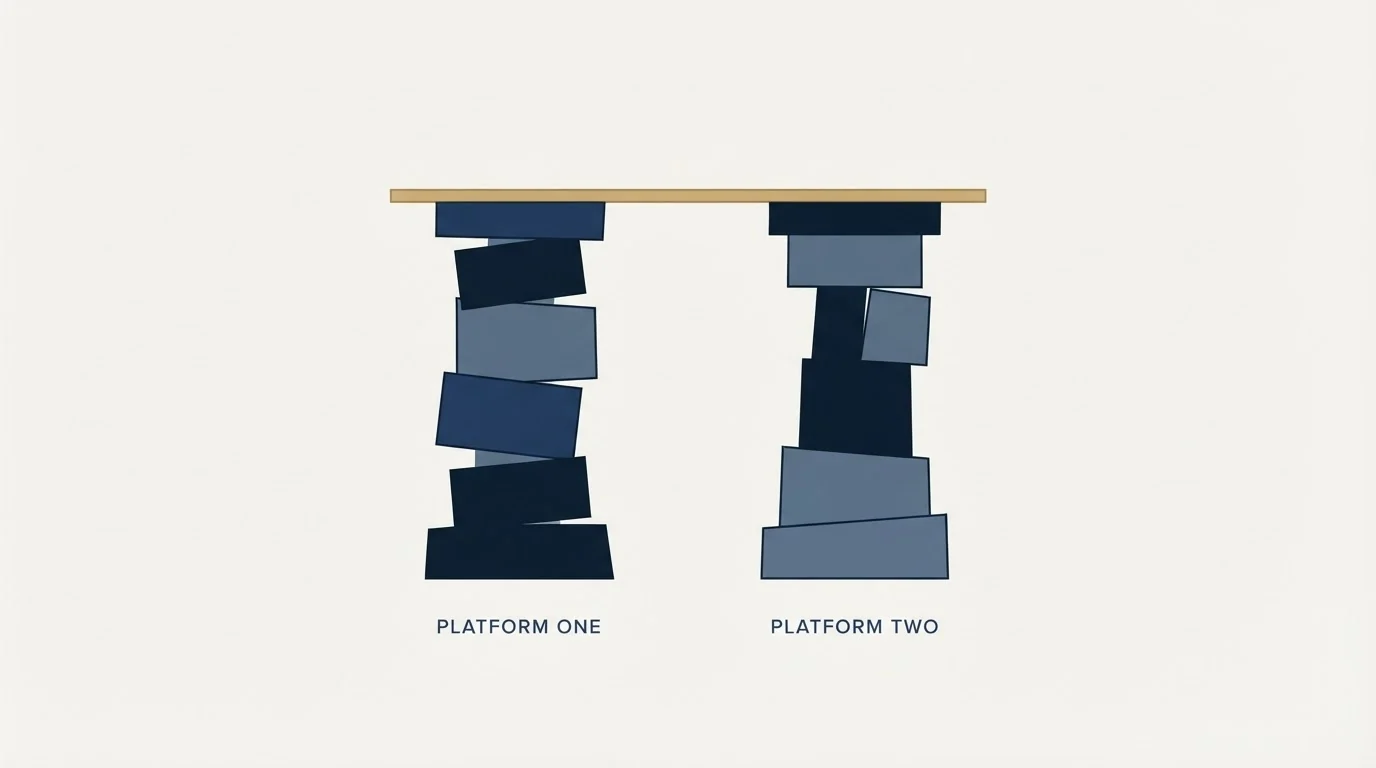
Read the two pages and the difference is visible in the unit each one meters. Woodpecker's page is a calculator: enter the prospects you expect to contact and it returns a price that falls per 100 as volume climbs, from $7.00 at 500 to $1.65 at 20,000 on monthly billing. Yesware's page is a seat ladder, and the gap between Pro at $19 and Premium at $45 is the gap between tracking your own email and running campaigns, so most teams that genuinely need Yesware for outreach need Premium.
What the Two Cost at a Realistic Volume
Take an invented but ordinary month: one operator, 2,000 prospects contacted, three sending mailboxes and warm-up running on each. The arithmetic below is illustrative and uses published list prices only.
On Woodpecker, the 2,000 tier is $67 a month on monthly billing, or $45 a month billed annually, and it already includes 6 warm-ups, so warming three mailboxes adds nothing. Buying the three Google or Microsoft addresses through Woodpecker would add $18 a month at $6 each; connecting your own adds nothing, because connected email accounts are unlimited. The team can be four people without changing the number.
On Yesware, 2,000 campaign recipients is above every published cap except Premium's unlimited campaigns, so the honest comparison is one Premium seat at $45 a month billed monthly, or $35 billed annually. For one person that is cheaper. Add three more people and Yesware becomes four Premium seats at $180 a month billed monthly, while Woodpecker's bill does not move. The crossover is set by headcount rather than by volume: at two Premium seats, $90 a month, Yesware already costs more than Woodpecker's $67.
| Illustrative month, 2,000 contacted | 1 person | 4 people |
|---|---|---|
| Woodpecker, 2,000 tier, monthly billing | $67 | $67 |
| Woodpecker, 2,000 tier, annual billing | $45 | $45 |
| Yesware Premium, monthly billing | $45 | $180 |
| Yesware Premium, annual billing | $35 | $140 |
Woodpecker's tier includes 6 warm-ups and unlimited team members; Yesware adds a seat per person.
Features Breakdown
Woodpecker's pricing page lists a sending feature set: free warm-up, inbox rotation, a centralized inbox, a deliverability monitor, adaptive sending, a domain audit for SPF and DKIM, condition-based campaigns, A/B tests of up to 5 versions, manual call, SMS and LinkedIn tasks, and an AI email writer. Yesware's lists an inbox feature set: unlimited open, link and attachment tracking from Pro up, email templates, a meeting scheduler, multi-channel campaigns with email, call and LinkedIn touches, personal and team reporting, and on Enterprise a Salesforce inbox sidebar with bi-directional activity sync.
Neither list is padding. They are lists for two different jobs, and the overlap is shallow: both can send a templated multi-step campaign, and both list LinkedIn steps. Read each as list membership; a feature on one page and not the other is a difference in what each vendor chose to publish.
Integration Ecosystem

Woodpecker's integrations page lists 26 tools, among them HubSpot, Pipedrive, Zoho, Zapier, Slack, Calendly, Google Sheets, Clay, Aircall and Hunter, and its pricing page sells integrations, API, webhooks, MCP and CLI access as one add-on at $20 a month, with HubSpot and Pipedrive listed as two-way syncs. Yesware's pricing page lists Salesforce, Zoom, Microsoft Teams, RingCentral, DocSend and LinkedIn Sales Navigator integrations, with the deep Salesforce features on Enterprise.
Yesware integrates inward, toward the CRM and the calendar, because its user is a rep working a pipeline. Woodpecker integrates outward, toward mailboxes, warm-up and data sources, because its user is an operator running a programme.
Does Woodpecker Integrate With Salesforce?
Not natively, on the evidence of its own pages. Woodpecker's integrations page lists 26 tools and none of them is Salesforce, its pricing page names HubSpot and Pipedrive two-way sync as its CRM connections, and its /integrations/salesforce/ address returns a page with no Salesforce content. The routes it lists for other systems are Zapier, its API and webhooks, all inside the $20 integrations add-on. A Salesforce team gets native sync from Yesware Enterprise.
Who Should Pick Which
Pick Woodpecker for cold outbound. The pricing unit matches the activity, team members are unlimited, and warm-ups come bundled with every tier, which is the shape a cold programme actually grows in.
Pick Yesware if the email is warm and the sender is a person. Tracking, templates and a scheduler for reps working named accounts is a real job, and Yesware is aimed at it squarely. Pro at $19 a seat covers a rep sending to 20 campaign recipients a month or fewer; above that, Premium at $45.
Pick Yesware Enterprise if Salesforce reporting is the point. At $85 a seat, its Salesforce sync and sidebar exist to tell a manager what the team sent, which is not something Woodpecker sets out to do.
Pick Woodpecker if the team is about to grow. Seat-priced tools punish headcount: two Premium seats already cost more than Woodpecker's 2,000-prospect tier.
Where each one sits in a cold outbound stack
Woodpecker is a sender and belongs in the sending slot. Yesware sits next to the inbox and belongs in the rep-productivity slot, which is a different layer of the same stack and is not in competition with a sender at all.
Our own doctrine keeps that slot deliberately thin: one message per campaign, no bumps and no thread replies, and volume spread across many low-volume mailboxes so no single address carries too much. Woodpecker's counting rule prices that honestly, since a prospect re-approached in a fresh campaign counts as a second contacted prospect. LinkedIn runs as its own motion rather than as a step inside an email sequence, because a second LinkedIn message lands under the one that was ignored and reads as a bump whatever the campaign structure says.
For a cold programme the sending slot needs mailbox count, rotation and warm-up, and the rep-productivity slot needs nothing at all until there are reps working replies. Buy in that order.
Switching between them
Moving from Yesware to Woodpecker is mostly an admin exercise, because there is little to migrate: templates are short, and campaign history in Yesware is a tracking record rather than a sending reputation.
Moving the other way is rarer and usually means the programme has stopped being cold. Before switching, export the reply history and the suppression list from whichever tool holds it, and plan the mailboxes before the tool. Domains, warm-up and sending volume are what decide whether the next campaign lands, and neither product changes that.
Feature Comparison Summary
| Woodpecker | Yesware | |
|---|---|---|
| Priced on | Contacted prospects a month | Seats |
| Entry price | $35 a month for 500 contacted prospects, monthly billing | Free, then $19 per seat a month |
| Team members | Unlimited, included | Each one is another seat |
| Connected email accounts | Unlimited, included | Tied to the seat |
| Campaign recipients | Set by the prospect tier | 10 a month Free, 20 a month Pro, unlimited on Premium |
| Warm-up | Bundled per tier, then $5 a month per extra account | Not on its pricing page |
| $29 a month per connected account | Sales Navigator sidebar and LinkedIn touches listed | |
| Salesforce | Not on its integrations page | Native, with sync on Enterprise |
| Best fit | Cold outbound at team scale | Reps tracking their own email |
Getting Started Checklist
- Count the prospects you expect to contact in a month. That is Woodpecker's meter and it is the only number its calculator needs.
- Count the people who need a login. That is Yesware's meter, and it is where seat pricing bites.
- Add Woodpecker's add-ons before comparing: extra mailboxes, warm-ups beyond the tier's bundle, LinkedIn accounts, the integrations add-on.
- Check Yesware's campaign-recipient cap against your actual list size before assuming a tier fits.
- Decide whether the email is cold or warm. That question settles this comparison faster than any price does.
- Confirm how contacts, replies and suppression lists export from whichever you pick.
Final Thoughts
Woodpecker is priced for contacting strangers and Yesware is priced for helping a rep work an inbox. Both are honest products doing what their pricing pages say.
The mistake to avoid is buying a seat-priced tracker for a volume job, discovering the recipient cap in week two, and concluding that cold email does not work.
Related Reading
- Best Woodpecker alternatives
- Best Yesware alternatives
- Instantly vs Yesware
- Saleshandy vs Yesware
- GMass vs Woodpecker
- Instantly vs Woodpecker
If you would rather have the sending run for you, RevenueFlow books qualified meetings on a pay-per-meeting basis and publishes client results.
Pricing and features are taken from the vendors' own pages. Verify current terms with the vendor before relying on them.
Frequently asked questions.
Frequently asked questions- How much does Yesware cost?
- Yesware's pricing page lists Free at $0, Pro at $19, Premium at $45 and Enterprise at $85 per seat a month on monthly billing, and Pro at $15, Premium at $35 and Enterprise at $65 on annual billing. Free allows 10 campaign recipients a month and Pro 20, so a team running real campaigns needs Premium or Enterprise.
- How much does Woodpecker cost for cold email?
- Woodpecker's calculator prices contacted prospects a month, in the visitor's currency. In US dollars on monthly billing, 500 prospects cost $35, 2,000 cost $67 and 4,000 cost $99, and annual billing lowers those to $24, $45 and $66 a month. Each tier bundles emails and warm-ups, team members are unlimited, and add-ons such as LinkedIn accounts cost extra.
- Does Woodpecker integrate with Salesforce?
- Not natively, going by its own pages. Woodpecker's integrations page lists 26 tools without Salesforce, and its pricing page names HubSpot and Pipedrive as its two-way CRM syncs. It lists Zapier, an API and webhooks inside a $20 a month integrations add-on, which is the route for other systems. Yesware Enterprise carries native Salesforce sync.
- Which one is cheaper for cold outbound?
- Woodpecker, once more than one person is involved. In an illustrative month of 2,000 contacted prospects its tier costs $67 on monthly billing whatever the team size, while Yesware needs a $45 Premium seat per person for unlimited campaigns. One seat is cheaper; two seats at $90 already cost more than Woodpecker.
About the author.

Tim Carden is CMO / CTO at RevenueFlow, which builds and operates outbound revenue engines for B2B companies. Studied at McGill University.
Tim Carden · CMO / CTO
Connect on LinkedIn →Explore more.
Ready to scale your outreach?
We build GTM engines that book real meetings. See the receipts.
Related articles.
GetSales.io vs Yet Another Mail Merge: Sales Engagement Platform vs Cold Email Platform Comparison
Compare GetSales.io (sales engagement platform) and Yet Another Mail Merge (cold email platform) side by side. See pricing, features, and integrations to decide which one, or both, your stack needs.
Enginy vs Success.ai: Sales Engagement Platform vs Cold Email Platform Comparison
Compare Enginy (sales engagement platform) and Success.ai (cold email platform) side by side. See pricing, features, and integrations to decide which one, or both, your stack needs.
Artisan vs Yet Another Mail Merge: Sales Engagement Platform vs Cold Email Platform Comparison
Compare Artisan (sales engagement platform) and Yet Another Mail Merge (cold email platform) side by side. See pricing, features, and integrations to decide which one, or both, your stack needs.
Growbots vs MailHeat: Cold Email Platform vs Email Warmup Tool Comparison
Compare Growbots (cold email platform) and MailHeat (email warmup tool) side by side. See pricing, features, and integrations to decide which one, or both, your stack needs.
Hexospark vs JustCall: Cold Email Platform vs Sales Engagement Platform Comparison
Compare Hexospark (cold email platform) and JustCall (sales engagement platform). See pricing, features, and integrations to decide which one, or both, your stack needs.
EmailBison vs Emelia: Cold Email Platform Comparison
Compare EmailBison and Emelia side by side. See pricing, features, and integrations to choose the right cold email platform for your needs.