Close vs Salesforce: CRM Platform Comparison
Compare Close and Salesforce side by side. See pricing, features, and integrations to choose the right crm platform for your needs.
Salesforce is better than Close when the CRM has to carry service, marketing or commerce as well as sales; Close is better for a sales team whose next action is a phone call. Close runs $19 to $149 a user a month billed monthly, or $9 to $139 annually. Salesforce runs $25 to $550 a user in US dollars.
Key takeaways
- Close's four plans cost $19, $49, $109 and $149 per user a month billed monthly, or $9, $35, $99 and $139 billed annually, with 500 to 2,000 AI credits per user that do not roll over.
- Salesforce's ladder runs Starter Suite $25, Pro Suite $100, Core $195, Advanced $395 and Max $550 per user a month in US dollars, with every rung above Starter billed annually.
- On annual billing, ten Close Growth seats cost $990 a month against $1,000 for ten Salesforce Pro Suite users and $1,950 for ten on Core, an illustrative comparison at list price.
- Close builds calling, a power dialer and SMS into the record and passes call costs through at around $0.02 a minute, while Salesforce's suites cover sales, service, marketing and commerce on one platform.
Reviewed and updated September 21, 2026
Close puts a power dialer inside the contact record and bundles AI credits with every seat, from $19 a user a month in US dollars. Salesforce sells a platform from $25 a user, prices its top rung at $550 and adds AI on top. So is Salesforce better than Close? For a sales team whose day runs on the phone, usually not, and at comparable rungs Close costs the same or less. For a company that needs service, marketing and commerce on one platform, Salesforce is the better buy and the price gap stops mattering.
Is Salesforce Better Than Close?
Salesforce is better when the CRM has to carry more than sales. Its suites put sales, service, marketing and commerce on one platform, and its Sales Cloud editions add conversation intelligence, sandboxes and paid AI. Close is better when the next action is a phone call: calling, SMS and email sit inside the record, and ten Growth seats cost about what ten Pro Suite users do.
A sales team of fifteen that wants to dial today is better served by Close. A company that needs service, marketing and commerce on the same object model is not.
Teams weighing this decision often want the neighbouring comparison too, and how the same platform compares against a lower-cost suite covers it.
Who Should Pick Which
Pick Close when calling is the motion. The dialer, the SMS and the email sit in the record rather than in an add-on, so a rep works one screen. Growth adds workflows and the power dialer, and Scale adds the predictive dialer and live call coaching, so the ladder is organised around how much dialling the team does rather than around company size.
Teams that rely on Close for pipeline tracking often still need a way to source fresh leads, which is where the close and contactout comparison explains how the two tools complement each other.
Pick Salesforce when the CRM has to hold more than sales. Its ladder is a platform ladder: Pro Suite adds quoting and forecasting, Core adds advanced pipeline management and conversation intelligence according to the pricing FAQ, and Advanced and Max add security, data capacity, planning tools and more AI rather than pipeline features. Close's pricing page lists no service desk or commerce catalogue; its integrations directory connects help desks such as Help Scout and LiveAgent instead.
Teams that also need to enrich and verify prospect data before it reaches the CRM might compare data enrichment platform options for that earlier stage of the pipeline.
The switching cost is the asymmetry to plan around. A team can leave Close in a quarter. A company that has built on Salesforce for three years cannot, and that is usually the reason it was chosen, so it should be a deliberate reason rather than an accident.
The Main Differences Between Close and Salesforce
Close is a CRM built around the phone, with a power dialer and SMS inside the record itself. Close is the CRM for a team whose next action is a call.
Salesforce is the enterprise CRM platform, sold as suites with Agentforce layered on top. Salesforce is bought for the platform underneath it rather than for the pipeline view.
One is bought for the next call and the other for the next five years. Four differences decide most evaluations, and each one comes from the two pricing pages:
- What a seat buys. Close prices seats plus usage: calling and SMS are passed through at cost, and AI work draws on monthly credits. Salesforce prices seats by edition and adds AI from Core and above.
- Where the AI sits. Chloe, Close's AI sales agent, is on every plan, with 500 to 2,000 AI credits per user a month that refresh with no rollover. Salesforce lists Agentforce for Sales as an add-on from $125 a user a month and includes Flex Credits per org on its upper editions.
- Calling. Close builds calling into every plan, with a power dialer from Growth and a predictive dialer on Scale. Salesforce's sales pricing page does not mention a dialer anywhere.
- Contract. Close sells monthly and annual plans, and monthly subscriptions can be upgraded, downgraded or cancelled anytime. Salesforce's FAQ says most of its products use annual contracts, and every rung above Starter Suite is billed annually.
Pricing Comparison
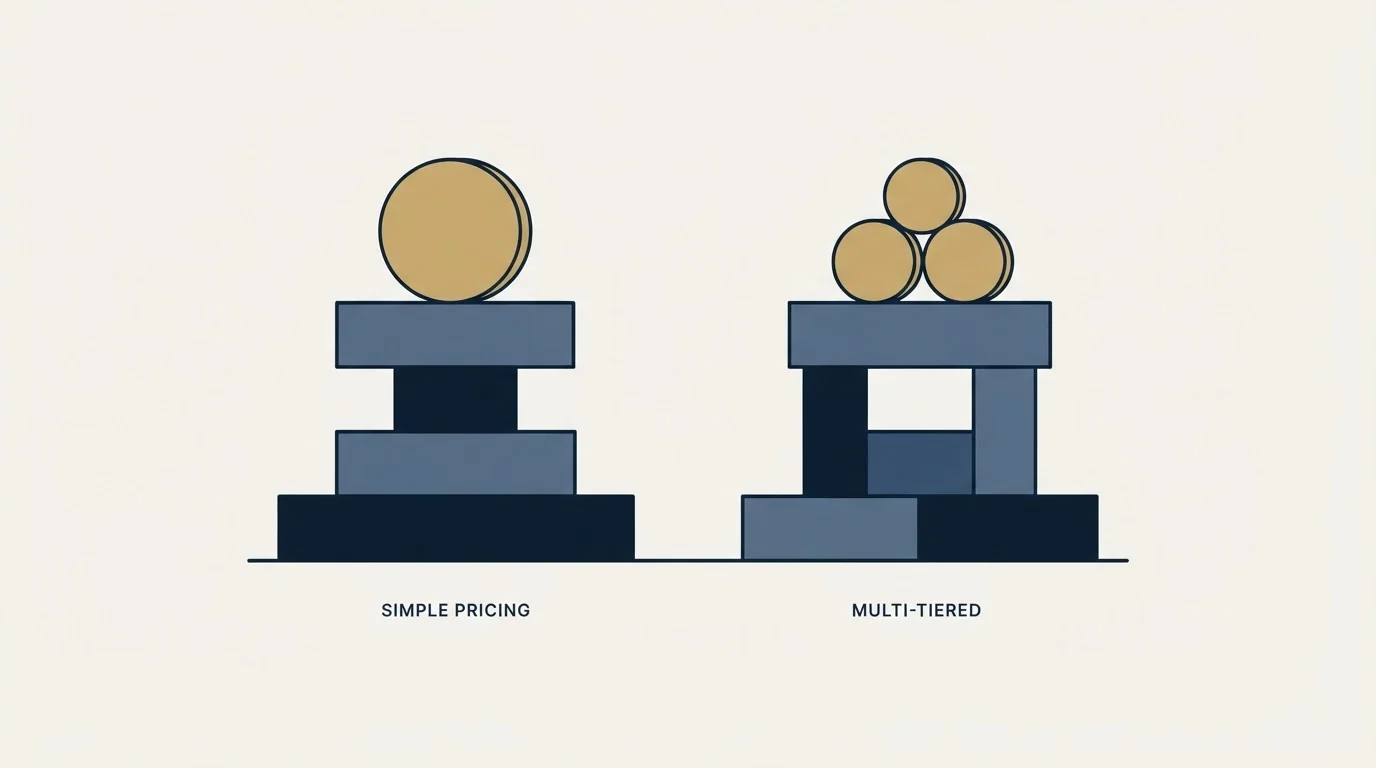
Close Pricing
| Plan | Price | What that rung carries |
|---|---|---|
| Solo | $19 | one user, up to 10k leads, no workflows |
| Essentials | $49 | unlimited contacts and leads, no workflows |
| Growth | $109 | automated workflows, power dialer, bulk email |
| Scale | $149 | predictive dialer, role-based access, live call coaching |
Billing basis: US dollars per user per month billed monthly; the same page shows $9, $35, $99 and $139 billed annually and advertises the annual saving as up to 50 percent.
Source: Close Pricing
Salesforce Pricing
| Plan | Price | What that rung carries |
|---|---|---|
| Free Suite | $0 | listed in the editions-comparison table rather than on a plan card |
| Starter Suite | $25 | lead, account, contact and opportunity management, sales flows and lead routing |
| Pro Suite | $100 | greater customization and automation, quoting and forecasting, AgentExchange |
| Core | $195 | Momentum, Slack Business+ and Tableau Next; the FAQ adds conversation intelligence |
| Advanced | $395 | enhanced security, more AI and expanded data capacity |
| Max | $550 | Agentforce for Sales, Salesforce Spiff, Sales Planning, Maps and Slack Enterprise+ |
Billing basis: US dollars per user per month. Starter Suite is the only rung billed monthly or annually at the same rate, and every rung above it is billed annually. The top three rungs are Sales Cloud editions sold above the two suites.
Source: Salesforce Pricing
Reading The Two Ladders Together
Close. Close is the CRM for a team whose next action is a call. Every tier bundles AI credits for Chloe, the AI agent Close puts on all plans, from 500 per user a month on Solo to 2,000 on Scale, and they do not roll over. Its most expensive seat, Scale at $149 billed monthly, still costs less than Salesforce Core at $195.
Salesforce. Salesforce is bought for the platform underneath it rather than for the pipeline view. Max includes 2.75M Flex Credits per org per year. The page states in its own copy that it is provided for information purposes only and subject to change, and that AI can be added to Core and above, so the ladder is the start of a quote rather than a price list.
Trials. Close offers a 14-day free trial with no credit card and a 30-day money-back guarantee after purchase. Salesforce offers a free 30-day trial of its Sales Cloud editions with no credit card.
How Salesforce Cost Compares With Close Cost
Matched rung for rung on annual billing, the two cost about the same for workflow automation, and Close costs roughly half as much once Salesforce's conversation intelligence is the benchmark. Ten Close Growth seats are $990 a month against $1,000 for ten Pro Suite users and $1,950 for ten on Core.
The arithmetic below is illustrative: the ten-person sales team is invented for the comparison, and list prices are the ones published on each vendor's own pricing page, in US dollars.
Ten seats of Close on Growth, the rung that carries workflows and the power dialer, are $99 per user per month billed annually, so $990 a month or $11,880 a year. Billed monthly the same seats are $109 each, so $1,090 a month, and every seat carries 1,500 AI credits that do not roll over. Ten Scale seats, for predictive dialling, are $139 each billed annually, so $1,390. Calls and texts come on top at cost; the page puts most outbound calls at around $0.02 a minute, so every 1,000 outbound minutes adds roughly $20.
Ten seats of Salesforce on Pro Suite, the rung its card describes as adding greater customization and automation, are $100 per user per month billed annually, so $1,000 a month. Core, the rung whose FAQ entry adds advanced pipeline management, opportunity scoring and conversation intelligence, is $195, so $1,950 a month or $23,400 a year. Starter Suite at $25 would be $250, but matching capability rather than matching the cheapest rung is what makes the numbers comparable at all.
The honest reading is that Close costs about the same as Pro Suite and roughly half of Core for a sales-only team, and that the comparison changes the moment a second department needs a licence, because Salesforce's two suites cover sales, service, marketing and commerce on the same seat.
What Each One Gives Up
What Close gives up. It is a sales CRM, so a company that later needs service, marketing or commerce in the same system has to leave rather than upgrade. Custom objects are on its pricing page, so the limit is scope rather than the data model. Workflows are absent from Solo and Essentials, which puts the first genuinely automated rung at $109 a user rather than at $19. The bundled AI credits do not roll over, so an unused month is spent.
What Salesforce gives up. Simplicity and time to value. The entry Starter Suite is cheap and carries none of the automation the comparison above assumes, so the real comparison starts at $100 a user on Pro Suite, or $195 on Core once conversation intelligence is part of the brief. Implementation is a project rather than a signup.
Features Breakdown
Close's pricing page lists
- Built-in forms, email, calling and SMS from Essentials
- Automated workflows, a power dialer and bulk email from Growth
- A predictive dialer, live call coaching and role-based access on Scale
- Chloe, an AI sales agent, on every plan
- Custom objects and 250 custom fields
Salesforce's pricing page lists
- Lead, account, contact and opportunity management
- Built-in sales flows and lead routing from Starter Suite
- Sales quoting and forecasting from Pro Suite
- Approval processes and sandboxes in the edition table
- Case management and knowledge in the collaboration table
- Slack and Tableau Next on the upper editions
Both panels describe what each vendor advertises about itself, which is a narrower claim than what is exclusive: the overlap between Close and Salesforce is wider than two lists side by side suggest.
Integration Ecosystem

Close Integrations
Close's integrations directory lists Gmail, Microsoft 365, Google Calendar, Zoom, Calendly, HubSpot, Segment, Zapier, Gong, Clay and WhatsApp among more than 100 connectors, and its pricing page adds Claude and ChatGPT. The pricing FAQ names built-in importers for HubSpot, Pipedrive and HighLevel.
Salesforce Integrations
Salesforce's pricing page lists email integration with Gmail or Outlook, Slack on its editions with Slack Business+ from Core, Tableau Next on the upper editions and access to AgentExchange from Pro Suite. Its FAQ points to MuleSoft, integration partners or AgentExchange apps for systems without a built-in integration.
Shared Integrations
Both vendors list Gmail, and both list Microsoft: Close syncs meetings and tasks with Microsoft 365 and calendars with Outlook, while Salesforce lists email integration with Outlook. Slack appears on Salesforce's pricing page and not in Close's directory, and Zapier appears in Close's directory and not on Salesforce's pricing page.
The lists above are the ones each vendor puts on its own site, and they are not exhaustive. Naming a connector under one tool and not the other says which integrations each company chose to advertise, and a connector missing from a published list is often still available through a general automation platform.
Switching Between Them
Moving from Salesforce to Close is a scope decision before it is a data migration. Approval processes, sandboxes, cases and anything built on the platform have no counterpart on Close's pricing page, so the first task is deciding what stops existing. Close's pricing page does list custom objects and 250 custom fields on every plan, which covers the sales data itself. Its FAQ names built-in importers for HubSpot, Pipedrive and HighLevel plus spreadsheet imports; Salesforce is not on that list, so plan on the spreadsheet route or on the migration help the FAQ offers.
Moving from Close to Salesforce is easier technically and slower in practice, because the platform expects configuration the smaller tool never asked for. Budget for an implementation rather than an import, and be specific about which Close behaviours are being reproduced, since call logging and SMS in the timeline are the two reps notice missing first.
Where Each One Sits In A Cold Outbound Stack
A CRM is downstream of cold outbound rather than part of it. The campaign holds the list and the send; the CRM holds what happens after somebody replies.
That boundary matters for this pair, because Close's calling features tempt teams into treating a call as a follow-up to an unanswered email. House practice sends one message per campaign with no bumps and no thread replies, and a call is a separate motion run by a person rather than the second step of a sequence. Close is a good tool for that motion and a bad excuse for blurring it.
Whether a booked meeting is qualified is agreed in writing before launch, in the CRM or out of it.
How To Run The Evaluation

A fortnight of real use answers more than a feature comparison does. The order below puts the questions that eliminate one of these tools before the questions that merely rank them. Scope comes first: service, marketing or commerce in the same system points to a Salesforce suite. The phone comes second: a sales team whose next action is a call belongs on Close Growth, or Scale for predictive dialling. Anyone left should run both trials on the same real accounts.
The Decision In One Table
| Close | Salesforce | |
|---|---|---|
| Entry paid rung | $19 monthly, $9 annually | $25 |
| What it charges for | seats, plus calling and SMS at cost | seats, plus add-ons such as Agentforce for Sales |
| Free option | No | Yes, Free Suite at $0 |
| Free trial | 14 days, no credit card | 30 days, no credit card |
| Where it sits | a CRM built around the phone, with a power dialer and SMS inside the record itself | the enterprise CRM platform, sold as suites with Agentforce layered on top |
Final Thoughts
Close is the better CRM for a sales team that lives on the phone, and on annual billing it is never the more expensive option at a comparable rung. Salesforce is the right answer when the CRM has to be a platform.
Both offer trials. Import the same fifty accounts into each and have a rep work a real day in both before deciding.
Related Reading
- Best Close Alternatives in 2026
- Best Salesforce Alternatives in 2026
- Close vs HubSpot CRM: CRM Platform Comparison
- Close vs Pipedrive: CRM Platform Comparison
- HubSpot CRM vs Salesforce: CRM Platform Comparison
If you would rather have this run for you, RevenueFlow books qualified meetings on a pay-per-meeting basis and publishes client results.
Pricing and features are taken from the vendors' own pages. Verify current terms with the vendor before relying on them.
Frequently asked questions.
Frequently asked questions- Is Salesforce better than Close?
- It depends on what the CRM has to hold. Salesforce is better when service, marketing or commerce must share a platform with sales, or when a team needs sandboxes, approval processes and conversation intelligence. Close is better for a sales team that lives on the phone, because calling, SMS and email sit inside the record and its rungs cost the same as Salesforce's or less.
- How does Salesforce cost compare with Close cost?
- On annual billing, Close Growth is $99 a user a month and Salesforce Pro Suite is $100, so ten seats cost $990 against $1,000. Salesforce Core, the rung its FAQ credits with conversation intelligence, is $195, or $1,950 for ten. Close adds calling at cost, around $0.02 a minute by its own page, while Salesforce sells AI such as Agentforce for Sales as an add-on.
- What are Close AI credits and do they carry over?
- They are the allowance for Chloe, the AI sales agent Close puts on every plan, and they refresh monthly with no rollover. Solo includes 500 per user a month, Essentials 1,000, Growth 1,500 and Scale 2,000, and additional credits are available to buy. A month where nobody uses Chloe is a month where that part of the subscription is simply spent.
- Is Close.io the same as Close?
- Yes. The close.io address now redirects to close.com, so a search for Close.io vs Salesforce leads to the same CRM this page compares. Close's pricing page lists four plans, Solo, Essentials, Growth and Scale, from $19 a user a month billed monthly, and a 14-day free trial that needs no credit card.
About the author.

Tim Carden is CMO / CTO at RevenueFlow, which builds and operates outbound revenue engines for B2B companies. Studied at McGill University.
Tim Carden · CMO / CTO
Connect on LinkedIn →Explore more.
Ready to scale your outreach?
We build GTM engines that book real meetings. See the receipts.
Related articles.
Close vs Membrain: CRM Platform Comparison
Compare Close and Membrain side by side. See pricing, features, and integrations to choose the right CRM platform for your needs.
AroundDeal vs Salesflare: Data Enrichment Tool vs CRM Platform Comparison
Compare AroundDeal (data enrichment tool) and Salesflare (CRM platform) side by side. See pricing, features, and integrations to decide which one, or both, your stack needs.
Evaboot vs Microsoft Dynamics 365 Sales: Data Enrichment Tool vs CRM Platform Comparison
Compare Evaboot (data enrichment tool) and Microsoft Dynamics 365 Sales (CRM platform) side by side. See pricing, features, and integrations to decide which one, or both, your stack needs.
Agile CRM vs Copper: CRM Platform Comparison
Compare Agile CRM and Copper side by side. See pricing, features, and integrations to choose the right CRM platform for your needs.
Agile CRM vs LeadIQ: CRM Platform vs Data Enrichment Tool Comparison
Compare Agile CRM (CRM platform) and LeadIQ (data enrichment tool) side by side. See pricing, features, and integrations to decide which one, or both, your stack needs.
Kommo vs Luru: CRM Platform vs Sales Engagement Platform Comparison
Compare Kommo (CRM platform) and Luru (sales engagement platform) side by side. See pricing, features, and integrations to decide which one, or both, your stack needs.