InboxAlly vs Lemwarm: Email Warmup Tool Comparison
Compare InboxAlly and Lemwarm side by side. See pricing, features, and integrations to choose the right email warmup tool for your needs.
Lemwarm is lemlist's email warm-up tool: $29 per email account a month on Essential, or $24 billed yearly, and included with every lemlist plan. InboxAlly is a deliverability platform priced by sender profile from $149 a month. At one inbox Lemwarm costs about a fifth as much; at twenty inboxes the two nearly meet.
Key takeaways
- Lemwarm's pricing page lists Essential at $29 and Smart at $49 per email account a month, or $24 and $40 billed yearly, with quarterly billing labelled Save 10%.
- lemlist's pricing page says lemwarm is included in all lemlist plans, and its Email plan lists at $69 a month, so three standalone Essential accounts at $29 already cost more.
- InboxAlly's pricing page lists Starter at $149, Plus at $645 and Premium at $1,190 a month, billed monthly in USD and metered by seed emails a day and sender profiles.
- At twenty inboxes Lemwarm Essential costs $580 a month against InboxAlly Plus at $645 if the inboxes sit on four sender profiles, so the headline gap nearly closes.
Reviewed and updated September 21, 2026
Lemwarm is lemlist's email warm-up tool, priced per email account at $29 a month on its Essential plan and included free with every lemlist plan. InboxAlly is priced per sender profile, and its entry plan, $149 a month, is about five times Lemwarm's per-account rate. At one inbox that gap looks absurd; at twenty inboxes it nearly closes, and the arithmetic below is where this comparison actually happens.
What Is Lemwarm?
Lemwarm is lemlist's email warm-up service. It exchanges automatic, human warm-up emails with a network its pricing page describes as 20k+ healthy domains, runs a technical setup check and produces deliverability reports. Essential costs $29 per email account a month, or $24 billed yearly; Smart costs $49, or $40, and adds warm-up on your real email templates.
The part most buyers miss is on lemlist's own pricing page. Its FAQ asks whether lemwarm and deliverability protection are included, and answers: "Yes. lemwarm and built-in deliverability protections are included in all plans". For anyone pricing lemwarm on its own, that sets a ceiling worth knowing. lemlist's Email plan lists at $69 a month, or $55 billed yearly, with unlimited users and email senders, and three standalone Essential accounts at $29 already cost $87. Check how many of your mailboxes the lemlist plan warms before buying lemwarm separately; the lemlist lemwarm comparison covers the bundle in detail, and the lemwarm alternatives roundup covers the wider field.
The Quick Answer
Lemwarm is a warm-up tool from lemlist, sold per email account, and it comes free with every lemlist plan. InboxAlly is a deliverability platform that happens to include warm-up, built around seed accounts that engage with your mail on purpose.
One is bought to keep a healthy domain healthy. The other is bought when placement has already gone wrong.
Teams weighing this decision often want the neighbouring comparison too, and how the same platform compares against a per-mailbox warm-up tool covers it.
Who Should Pick Which
Pick Lemwarm when the sending already runs on lemlist. The page states the reason plainly: every lemlist plan includes lemwarm. Paying separately for warm-up while already paying lemlist is a decision to make on purpose rather than by omission.
Pick InboxAlly when the problem is placement rather than maintenance. Its product set is wider than warm-up: sender reputation repair, list verification, inbox placement testing and a Google Postmaster integration sit on the same subscription. A domain that is already landing in spam needs diagnosis before it needs volume.
The per-account multiplier is the thing to check first. Lemwarm's $29 and $49 are per email account per month. A cold outbound setup running twenty inboxes multiplies that twenty times, and at that scale InboxAlly's sender-profile pricing stops looking expensive.
Understanding the Core Difference
InboxAlly is a deliverability platform rather than a warm-up tool, built on seed accounts that engage with your mail on purpose. You add its seed addresses to your own sends; its FAQ says it never requires access to your email accounts, sending platform or DNS. InboxAlly is bought to repair a reputation that is already damaged, and it carries list verification, placement testing and Google Postmaster data alongside the warm-up.
Lemwarm is the warm-up product from lemlist, sold per email account, and it warms each account by exchanging warm-up emails with its own network of healthy domains. Lemwarm is the natural choice for a team already sending from lemlist, and the page says why: every lemlist plan includes lemwarm.
One tool scales with the number of mailboxes; the other with the number of sending identities.
Pricing Comparison

InboxAlly Pricing
| Plan | Price | What that rung carries |
|---|---|---|
| Starter | $149 | 100 seed emails a day, 1 sender profile |
| Plus | $645 | 500 seed emails a day, 5 sender profiles |
| Premium | $1,190 | 1,000 seed emails a day, 10 sender profiles |
| Enterprise | Contact us | unlimited sender profiles |
Billing basis: billed monthly, in USD, and the page offers no annual option at all.
Source: InboxAlly Pricing
Lemwarm Pricing
| Plan | Monthly | Billed yearly | What that rung carries |
|---|---|---|---|
| Essential Plan | $29 | $24 | automatic warm-up, technical setup check, deliverability reports, human warm-up emails |
| Smart Plan | $49 | $40 | personalised warm-up emails, warm-up on your real templates, custom alerts, an industry-tailored network |
| Custom | Contact sales | Contact sales | more than 10 users: volume pricing, priority support |
Billing basis: per email account per month. The page opens on yearly billing, labelled Save 20%, and offers a quarterly option labelled Save 10%. Its served HTML prices the cards in US dollars; the browser used for this comparison rendered the same numbers with a pound sign, £29 and £24, so the figure does not change with the currency symbol.
Source: Lemwarm Pricing
Reading The Two Ladders Together
InboxAlly. The meter is sender profiles and seed volume rather than mailboxes, so the unit that costs money is a sending identity. Its pricing page says tiers scale the volume and never the capability, so inbox placement testing, DMARC reporting, the REST API and a dedicated Customer Success Manager sit on Starter as well as Premium. Premium adds a 1-hour setup session and weekly 30-minute strategy reviews.
Lemwarm. Lemwarm is the natural choice for a team already sending from lemlist, and the page says why: every lemlist plan includes lemwarm. Pricing is per email account, so a twenty-inbox cold outbound setup multiplies the card price by twenty.
Trials. InboxAlly offers 10 days free, no credit card, and Lemwarm offers no trial on its pricing page. lemlist's own plans start with a 14-day free trial.
What The Bill Actually Looks Like
The scenario below is a team warming twenty inboxes across four sending domains.
The arithmetic below is illustrative and the inbox count is invented for the comparison. List prices are the ones published on each vendor's own pricing page.
Lemwarm charges per email account, so twenty inboxes on Essential at $29 is $580 a month, and on Smart at $49 it is $980. The yearly toggle brings those to $24 and $40 an account, so $480 and $800, and lemwarm's pricing page also offers a quarterly option it advertises at 10 percent off.
InboxAlly does not count mailboxes. Its meter is sender profiles and seed volume, so the same twenty inboxes across four domains is a question about identities rather than accounts: Plus at $645 a month carries 5 sender profiles and 500 seed emails a day, which covers four domains if each is one profile, and Premium at $1,190 carries 10 profiles and 1,000 seed emails a day. There is no annual toggle at all; the page prices everything monthly in USD.
| Setup (illustrative) | Arithmetic | A month |
|---|---|---|
| Lemwarm Essential, monthly | 20 × $29 | $580 |
| Lemwarm Essential, billed yearly | 20 × $24 | $480 |
| Lemwarm Smart, monthly | 20 × $49 | $980 |
| Lemwarm Smart, billed yearly | 20 × $40 | $800 |
| InboxAlly Plus, four profiles | 5 profiles, 500 seeds a day | $645 |
The crossing points are easy to find. On monthly billing, Lemwarm Essential passes InboxAlly Starter's $149 at the 6th inbox ($174), and Smart passes it at the 4th ($196). Smart passes Plus's $645 at the 14th inbox ($686), while Essential stays under $645 until the 23rd.
So at one inbox Lemwarm is $29 against $149 and the comparison is not close. At twenty it is $580 against $645 for a product that also verifies lists and tests placement, and the comparison is genuinely open.
What Each One Gives Up
What InboxAlly gives up. Price, at low inbox counts, by a wide margin: the entry rung is roughly five times Lemwarm's per-account rate and carries a single sender profile. There is no annual toggle at all, so the usual way of discounting a subscription by paying up front is not available. Its meter is sender profiles rather than mailboxes, which is harder to size in advance than a per-account number.
What Lemwarm gives up. Everything beyond warm-up. Lemwarm's pricing page lists no list verification, no placement testing and no Postmaster integration, so a domain already landing in spam gets more warm-up traffic rather than a diagnosis. A lemlist customer gets part of that through lemlist instead: its plans list an email finder and verifier and deliverability testing. Per-account pricing scales linearly and unforgivingly, so the cost of a twenty-inbox setup is twenty times the card price, and at that point the comparison stops being obvious.
Features Breakdown
Lemwarm's pricing page
- Automatic email warm-up and human warm-up emails
- A warm-up network of 20k+ healthy domains
- A technical setup check and deliverability reports
- Smart Warm-up on your real email templates
- Smart Custom deliverability alerts and tips
- Smart A network tailored to your industry
InboxAlly's pricing page
- Seed engagement that pulls mail out of Spam and Promotions
- IA Score and IA Reputation sender scoring
- Inbox placement testing and live blacklist monitoring
- DMARC reporting and a full REST API
- Menu List verification and Google Postmaster data
- Support A dedicated Customer Success Manager
Both lists are what each vendor publishes about itself, so they describe what is advertised rather than what is exclusive. Lemwarm's list is about the warm-up traffic and how closely it resembles your real mail; InboxAlly's is about measuring where mail lands and moving it. The overlap between the two is wider than two lists side by side suggest, and the difference in emphasis is the useful part.
Integration Ecosystem

InboxAlly Integrations
InboxAlly does not connect to the mailbox. Its pricing page names three ways in: the full REST API, native integrations with HubSpot, Klaviyo and more, or any sending platform that can send to a list, carrying the seed addresses.
Lemwarm Integrations
Lemwarm's own pricing page names no integrations. lemlist's pricing page, which includes lemwarm, lists Google, Microsoft and SMTP sending and CRM integrations with HubSpot, Salesforce and Pipedrive, plus Zapier, Make, n8n and Clay.
What The Two Lists Mean
Lemwarm's integrations are lemlist's, which is another way of saying the same thing as its pricing page: it is built to sit inside lemlist. InboxAlly's list is where its data can flow, because the warm-up itself rides on whatever you already send.
Switching Between Them
Warm-up tools are unusually easy to swap, because neither holds anything but a history. Lemwarm is billed and switched off per email account; InboxAlly never connects to the mailbox, and leaving it means taking its seed addresses out of your sends.
The part that needs care is the overlap window. Stopping one warm-up and starting another leaves a gap in engagement signal exactly when a provider is watching, so run the new tool for a week before disconnecting the old one and accept the double charge for that month. Do not run both at full volume on the same inbox indefinitely; the point is continuity through the handover rather than more warm-up traffic.
Where Each One Sits In A Cold Outbound Stack
Warm-up sits underneath the campaign rather than inside it. It has no view of the list and no view of the message, and it should not. Warm-up is no fix for a bad list or a weak message: a verified list and one relevant email are still the job.
One message per campaign, with no bumps and no thread replies, puts more weight on placement than a multi-touch sequence does. A sequence gets several chances to land; a single send gets one, and a mailbox that is in the promotions tab has already failed. That is the argument for spending on the deliverability layer rather than on more sending volume.
Neither tool has any bearing on whether a booked meeting qualifies, which is agreed in writing before launch.
How To Run The Evaluation
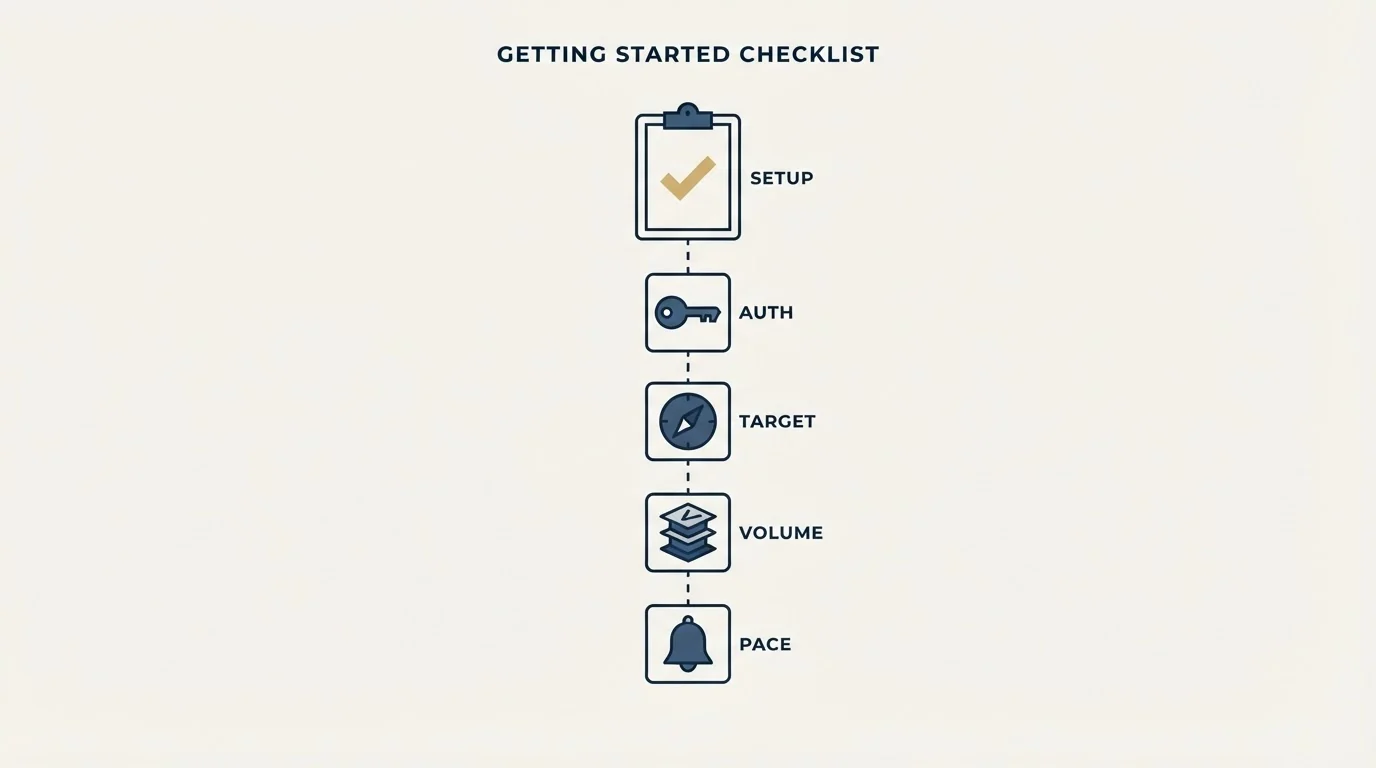
Run each tool for the window its vendor names before judging it; InboxAlly's FAQ puts most domains at 2 to 4 weeks and damaged ones at 4 to 8. Settle the questions that eliminate one of these tools before the ones that merely rank them.
The Decision In One Table
| InboxAlly | Lemwarm | |
|---|---|---|
| Entry paid rung | $149 a month, billed monthly | $29 per email account a month, $24 yearly |
| What it charges for | seed emails a day and sender profiles | email accounts |
| Free option | a 10-day free trial, no credit card | included with every lemlist plan; no trial on its page |
| Where it sits | a deliverability platform built to repair a damaged reputation | the warm-up product from lemlist, sold per email account |
Final Thoughts
Lemwarm is the obvious answer for a lemlist team and for anyone warming a handful of inboxes. InboxAlly earns its price when placement is already damaged, or when the inbox count is high enough that per-account pricing has caught up with it.
Count the inboxes and multiply before comparing the headline rates. That multiplication is the whole decision.
Related Reading
- Best InboxAlly Alternatives in 2026
- Best Lemwarm Alternatives in 2026
- InboxAlly vs Warmbox: Email Warmup Tool Comparison
- InboxAlly vs Mailreach: Email Warmup Tool Comparison
- Lemwarm vs Warmbox: Email Warmup Tool Comparison
If you would rather have this run for you, RevenueFlow books qualified meetings on a pay-per-meeting basis and publishes client results.
Pricing and features are taken from the vendors' own pages. Verify current terms with the vendor before relying on them.
Frequently asked questions.
Frequently asked questions- What is Lemwarm?
- Lemwarm is lemlist's email warm-up service. It exchanges automatic, human warm-up emails with a network its pricing page describes as 20k+ healthy domains, runs a technical setup check and produces deliverability reports. Essential costs $29 per email account a month, or $24 billed yearly, and Smart costs $49, or $40, adding warm-up on your real email templates.
- Is lemwarm included with lemlist?
- Yes. lemlist's pricing page answers the question directly: lemwarm and built-in deliverability protections are included in all plans, and lemwarm's own page says every lemlist plan includes lemwarm. lemlist's Email plan lists at $69 a month with unlimited users and email senders, so check how many mailboxes it warms before paying for lemwarm separately.
- What are the alternatives to Lemwarm?
- InboxAlly is one, built for repairing a damaged reputation: you add its seed addresses to your own sends, from $149 a month. Warmbox is another, selling plans of one, three or six inboxes from $19 a month on monthly billing. Which fits depends on whether the domain is healthy and how many inboxes you warm, since Lemwarm charges for every email account.
- Is InboxAlly worth it over Lemwarm?
- At one inbox, rarely: InboxAlly's Starter at $149 a month is about five times Lemwarm Essential at $29. It earns its price when placement is already damaged, since its pages list reputation repair, list verification, placement testing and Postmaster data, or when enough inboxes are warmed that per-account pricing catches up, around twenty inboxes on four sender profiles.
About the author.

Tim Carden is CMO / CTO at RevenueFlow, which builds and operates outbound revenue engines for B2B companies. Studied at McGill University.
Tim Carden · CMO / CTO
Connect on LinkedIn →Explore more.
Ready to scale your outreach?
We build GTM engines that book real meetings. See the receipts.
Related articles.
Growbots vs MailHeat: Cold Email Platform vs Email Warmup Tool Comparison
Compare Growbots (cold email platform) and MailHeat (email warmup tool) side by side. See pricing, features, and integrations to decide which one, or both, your stack needs.
Apollo.io vs Proofy: Data Enrichment Tool Comparison
Compare Apollo.io and Proofy side by side. See pricing, features, and integrations to choose the right data enrichment tool for your needs.
AroundDeal vs Leadspicker: Data Enrichment Tool vs Sales Engagement Platform Comparison
Compare AroundDeal (data enrichment tool) and Leadspicker (sales engagement platform) side by side. See pricing, features, and integrations to decide which one, or both, your stack needs.
AroundDeal vs Salesflare: Data Enrichment Tool vs CRM Platform Comparison
Compare AroundDeal (data enrichment tool) and Salesflare (CRM platform) side by side. See pricing, features, and integrations to decide which one, or both, your stack needs.
GetSales.io vs Yet Another Mail Merge: Sales Engagement Platform vs Cold Email Platform Comparison
Compare GetSales.io (sales engagement platform) and Yet Another Mail Merge (cold email platform) side by side. See pricing, features, and integrations to decide which one, or both, your stack needs.
Gong vs NeverBounce: Sales Engagement Platform vs Data Enrichment Tool Comparison
Gong vs NeverBounce: what Gong's own pages say about enrichment, what NeverBounce's API returns about an address, and how each vendor prices.