Lusha vs ZoomInfo: Data Enrichment Tool Comparison
An in-depth comparison of Lusha and ZoomInfo for real sales teams. Covers pricing, features, integrations, and which tool fits different team sizes and budgets.
ZoomInfo vs Lusha comes down to a quote against a price list. Lusha publishes a self-serve ladder: Free with 40 credits a month, Starter at $37.45 a month billed yearly for 4,800 credits, Pro $52.45, Premium $299.95 with five seats. ZoomInfo publishes no price and its pricing page could not be read; expect a seat-based, quote-driven purchase.
Key takeaways
- Lusha's rendered pricing page lists Free at 40 credits a month, Starter at $37.45 a month billed yearly for 4,800 credits, Pro at $52.45 for 7,200 with two free seats, and Premium at $299.95 for 40,800 with five free seats.
- Lusha's credits are granted upfront for the year and, per its own FAQ, unused credits are reset at the end of the annual cycle, so plan the allowance as a yearly budget.
- ZoomInfo publishes no price and its pricing page returned HTTP 403 to a plain request and a rendered document too short to read, so no ZoomInfo figure appears on this page.
- Match rate on your own ICP is the only comparison that decides the outcome: run the same list through Lusha's free tier and a ZoomInfo trial before signing either.
Reviewed and updated September 18, 2026
ZoomInfo vs Lusha is a comparison between a quote and a price list. ZoomInfo does not publish a price, and on every read attempted for this page its pricing page returned HTTP 403 to a plain request and served a rendered document too short to read. Lusha publishes a full self-serve ladder with credit allowances and seat counts on the page. That asymmetry is not a footnote to this comparison, it is the comparison, and it should shape how you run the evaluation.
ZoomInfo vs Lusha: which should you choose?
Pick Lusha if you want to know what you will pay before you talk to anybody. Its ladder runs from a free tier at 40 credits a month to Premium at $299.95 a month billed yearly for 40,800 credits, with seats bundled and the annual allowance granted upfront.
Pick ZoomInfo if you need enterprise breadth and have a procurement process that can handle a quote-based purchase. It is the larger platform by reputation and reach, and it will not tell you the price until it knows your headcount.
What we can compare honestly is one published ladder against a process. That is less satisfying than two tables, and it is what the vendors' own surfaces support.
The seat count is where the two models diverge most. Lusha bundles seats into the tier, so a five-person team on Premium pays one figure and shares 40,800 credits, and the page's Premium tier adds credit allocation so one person cannot drain the pool. A seat-based quote prices the five people first and the volume second, which suits a large team with light usage and penalises a small team with heavy usage. Know which of those two shapes you are before either conversation starts, because it decides the answer before any data-quality test does.
One publishes, the other does not

Lusha pricing
| Plan | Billed yearly | Credits and seats |
|---|---|---|
| Free | $0 a month, billed monthly | 40 credits a month, 1 seat |
| Starter | $37.45 a month | 4,800 credits a year, 1 seat |
| Pro | $52.45 a month | 7,200 credits a year, 2 free seats |
| Premium | $299.95 a month | 40,800 credits a year, 5 free seats |
| Scale | Contact sales | custom credits and seats |
Three mechanics on that page are worth more than the headline rates. Credits are granted upfront for the whole year rather than monthly, and the page's own FAQ says any unused credits are reset at the end of the annual cycle, so a heavy month is not throttled and a quiet year is not banked. Seats are bundled rather than charged: one on Starter, two free on Pro, five free on Premium. And the billing toggle reads "Pay yearly (25% off)", so the figures above are the yearly-billed rates; the monthly rates behind that toggle were not rendered in the read this page is built from, and are not quoted here.
Source: Lusha pricing
ZoomInfo pricing
We publish no ZoomInfo figure in this article, and here is exactly why. Every read attempted for this page, plain and through a headless browser, came back either as HTTP 403 or as a rendered document too short to contain a pricing table. A non-200 is a failed fetch. It is not evidence that ZoomInfo publishes no price, and it is not evidence that it does, so no figure is carried here, current or stale.
What is well established about ZoomInfo's commercial model, and what you should therefore prepare for, is that it is quote-based, seat-based and typically annual. Expect the conversation to start with your team size.
Source: ZoomInfo pricing, which did not respond to us
How to evaluate a vendor that will not publish
This is the genuinely useful part of a comparison like this one, and it generalises past ZoomInfo to any enterprise data vendor.
Get the unit before the number. Ask what a credit is, what exhausts one, and whether an unused allowance rolls over. Lusha answers all three on its page: one credit reveals a contact, credits are granted upfront for the year, and the allowance does not roll forward. Make the other vendor answer the same three questions before discussing price.
Ask what the seat count does to the quote. A seat-based enterprise contract usually prices on users first and volume second, which is the reverse of a self-serve ladder. That means a small team with high volume and a large team with low volume get very different answers, and only one of those shapes suits a cold outbound operation.
Run the same list through both. A trial or a free tier tells you the match rate on your actual ICP, which is the only quality measure that matters and the one no comparison article can give you. Lusha's free tier is 40 credits a month, which is enough to sample and not enough to build.
Price the exit. Annual commitments with upfront allowances are the norm in this category on both sides. Ask what happens to unused credits and what the renewal terms are, because those decide the real cost of being wrong.
Treat a blocked page as a fact about access, not about the product. Ours was consistent across plain HTTP and headless, which usually indicates bot filtering. It says nothing about the data.
Where the two sit on capability
Every claim below is about what a vendor lists on its own surfaces. The ZoomInfo column is drawn from its published integration and product listings rather than from today's page, for the reason above.
Lusha lists
- Verified emails and phone numbers as the core unit
- A published self-serve ladder with a free tier
- Credits granted upfront for the year
- Seats bundled: 1, 2 free and 5 free by tier
- Buying intent topics, unlimited results on Premium
- API, CSV enrichment and webhooks from Pro
- Team management and credit allocation on Premium
ZoomInfo lists
- A quote-based enterprise commercial model
- Contact and company data at enterprise breadth
- Intent data across a large topic set
- Integrations with Salesforce, HubSpot, Outreach and Salesloft
- Marketo and Dynamics 365 among its published connectors
- Workflow and orchestration products beyond the data itself
- No published self-serve tier
The one structural difference that is safe to state is the commercial model, because both vendors demonstrate it rather than claim it: one has a checkout and the other has a form.
Who should pick which
Switching between them
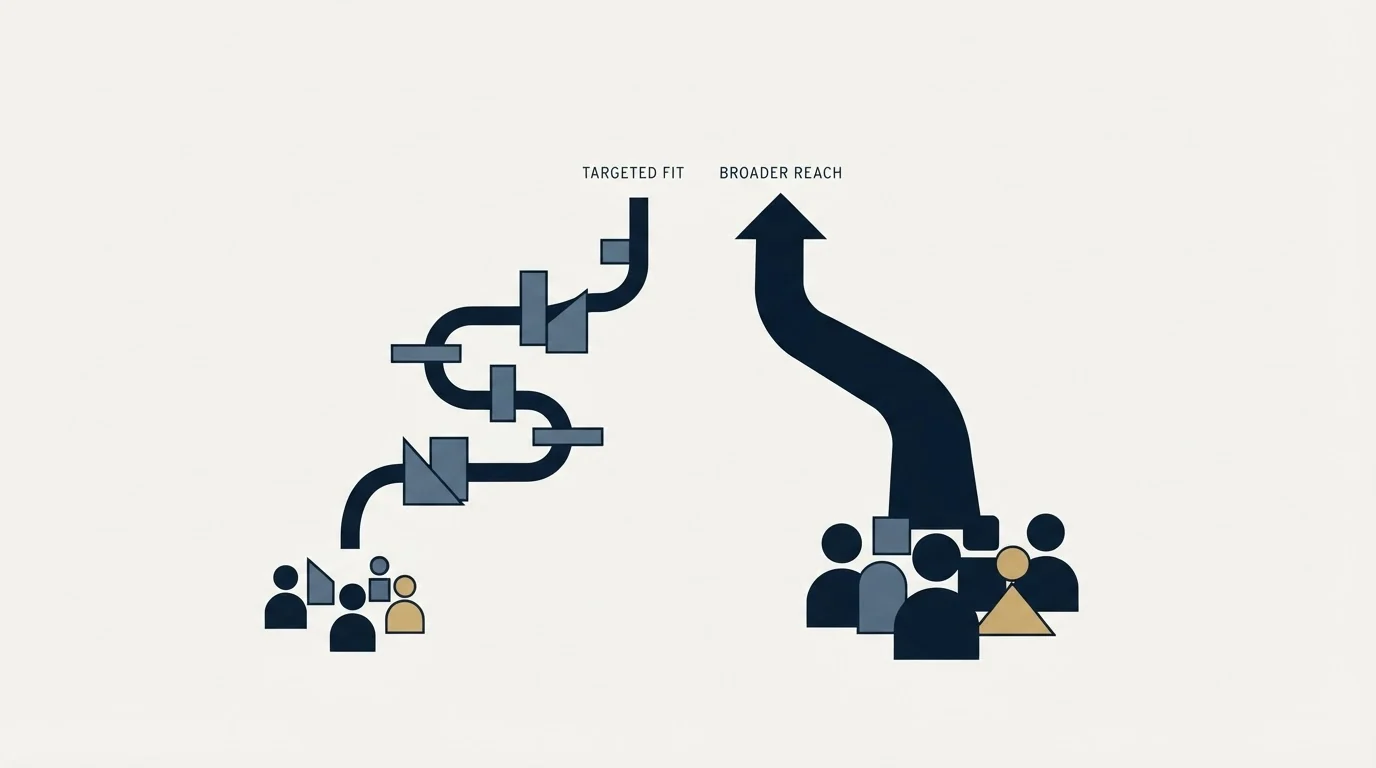
Data vendors are easier to change than sending infrastructure, and harder to change than people expect, mostly for contractual reasons.
Time the move to a renewal. Both sides of this comparison work on annual commitments with allowances granted upfront. Leaving mid-term means abandoning the unused balance, which can dwarf the saving that prompted the move.
Re-verify rather than trusting an export. Contact data ages, and a record that was correct when enriched is not necessarily correct now. Treat a migration as a reason to re-verify the active list rather than as a reason to trust the file you exported.
Check which integrations you actually use. Both vendors list the same major CRMs and sequencers. What differs is the depth of the sync, and the only way to know is to check the specific fields your workflow depends on before committing.
Do not carry an unverified suppression list. Whoever you have contacted, whoever replied, whoever asked not to be contacted again: that record belongs to you and needs to survive the change of provider intact. It is not something either vendor holds on your behalf.
Where enrichment sits in a cold outbound stack
Enrichment sits upstream of everything, which is why the quality question outranks the price question and why neither is answerable from a comparison article.
The reason is arithmetic. A wrong record costs you the credit, the sending capacity, and a small amount of sender reputation if the address bounces. A right record costs you the credit. So a provider with a materially better match rate on your specific ICP is worth paying more per credit for, and a provider with a worse one is expensive at any price. That is not something either vendor's pricing page can tell you, which is why the run-the-same-list advice above is the most valuable paragraph in this article.
The way we run campaigns raises the stakes further. One message per prospect per campaign, no bumps and no thread replies, so a stale address is not corrected by a later touch. The first send is the whole campaign for that person.
Meetings are qualified against criteria agreed in writing before launch rather than against a data provider's confidence score. For the wider field see the enrichment tool roundup.
The decision, in one paragraph

If you want to know the price, Lusha is the vendor that will tell you: a free tier at 40 credits a month, Starter at $37.45 billed yearly for 4,800 credits a year, and Premium at $299.95 for 40,800 with five seats included. ZoomInfo is a quote, and its pricing page could not be read for this page, plain or rendered, so no figure is published for it rather than a stale one. Run the same target list through both before signing anything, because match rate on your own ICP is the only comparison that decides the outcome and it is the one no article can do for you.
Related Reading
- Best Lusha Alternatives in 2026
- Best ZoomInfo Alternatives in 2026
- Datanyze vs Lusha: Data Enrichment Tool Comparison
- Clay vs Lusha: Data Enrichment Tool Comparison
- Best Data Enrichment Tools for Cold Email Teams
If you would rather have the list built and the campaign run for you, RevenueFlow books qualified meetings on a pay-per-meeting basis and publishes client results.
Pricing and features are taken from the vendors' own pages. Verify current terms with the vendor before relying on them.
Frequently asked questions.
Frequently asked questions- ZoomInfo vs Lusha: which should you choose?
- Pick Lusha if you want to know the price before talking to anyone: its page lists a free tier, Starter at $37.45 a month billed yearly for 4,800 credits, and Premium at $299.95 for 40,800 with five seats. Pick ZoomInfo if you need enterprise breadth and have procurement that can run a quote-based, seat-based purchase. Run the same list through both first, because match rate on your ICP decides it.
- How much does Lusha cost compared with ZoomInfo?
- Lusha's rendered pricing page lists Free at $0 with 40 credits a month, Starter at $37.45 a month billed yearly, Pro at $52.45 and Premium at $299.95, with credits granted upfront for the year. ZoomInfo lists no price at all: its pricing page could not be read for this comparison, and its model is quote-based and typically annual, so the comparison is a published ladder against a conversation that starts with your headcount.
- Does Lusha have a free plan?
- Yes. Lusha's pricing page lists a Free plan at $0 a month, billed monthly, with 40 credits a month and one seat and no credit card required. Its credit table prices an email at one credit and a phone number at five, so 40 credits is enough to sample match rate on a small segment and not enough to build a list. Use it as the test before paying for any tier on either vendor.
- What happens to unused Lusha credits at the end of the year?
- Lusha's own pricing FAQ says annual plans grant all credits up front and any unused credits are reset at the end of the annual cycle. That means a paid Lusha plan is a yearly budget rather than a rolling balance: a heavy month is not throttled, but a quiet year is not banked. Size the tier to the list you will actually build, and time any switch to a renewal so the balance is not abandoned.
About the author.

Tim Carden is CMO / CTO at RevenueFlow, which builds and operates outbound revenue engines for B2B companies. Studied at McGill University.
Tim Carden · CMO / CTO
Connect on LinkedIn →Explore more.
Ready to scale your outreach?
We build GTM engines that book real meetings. See the receipts.
Related articles.
Apollo.io vs Proofy: Data Enrichment Tool Comparison
Compare Apollo.io and Proofy side by side. See pricing, features, and integrations to choose the right data enrichment tool for your needs.
AroundDeal vs Leadspicker: Data Enrichment Tool vs Sales Engagement Platform Comparison
Compare AroundDeal (data enrichment tool) and Leadspicker (sales engagement platform) side by side. See pricing, features, and integrations to decide which one, or both, your stack needs.
AroundDeal vs Salesflare: Data Enrichment Tool vs CRM Platform Comparison
Compare AroundDeal (data enrichment tool) and Salesflare (CRM platform) side by side. See pricing, features, and integrations to decide which one, or both, your stack needs.
Gong vs NeverBounce: Sales Engagement Platform vs Data Enrichment Tool Comparison
Gong vs NeverBounce: what Gong's own pages say about enrichment, what NeverBounce's API returns about an address, and how each vendor prices.
ContactOut vs Luru: Data Enrichment Tool vs Sales Engagement Platform Comparison
Compare ContactOut (data enrichment tool) and Luru (sales engagement platform) side by side. See pricing, features, and integrations to decide which one, or both, your stack needs.
Evaboot vs Microsoft Dynamics 365 Sales: Data Enrichment Tool vs CRM Platform Comparison
Compare Evaboot (data enrichment tool) and Microsoft Dynamics 365 Sales (CRM platform) side by side. See pricing, features, and integrations to decide which one, or both, your stack needs.