MailRush.io vs Mailshake: Cold Email Platform Comparison
Compare MailRush.io and Mailshake side by side. See pricing, features, and integrations to choose the right cold email platform for your needs.
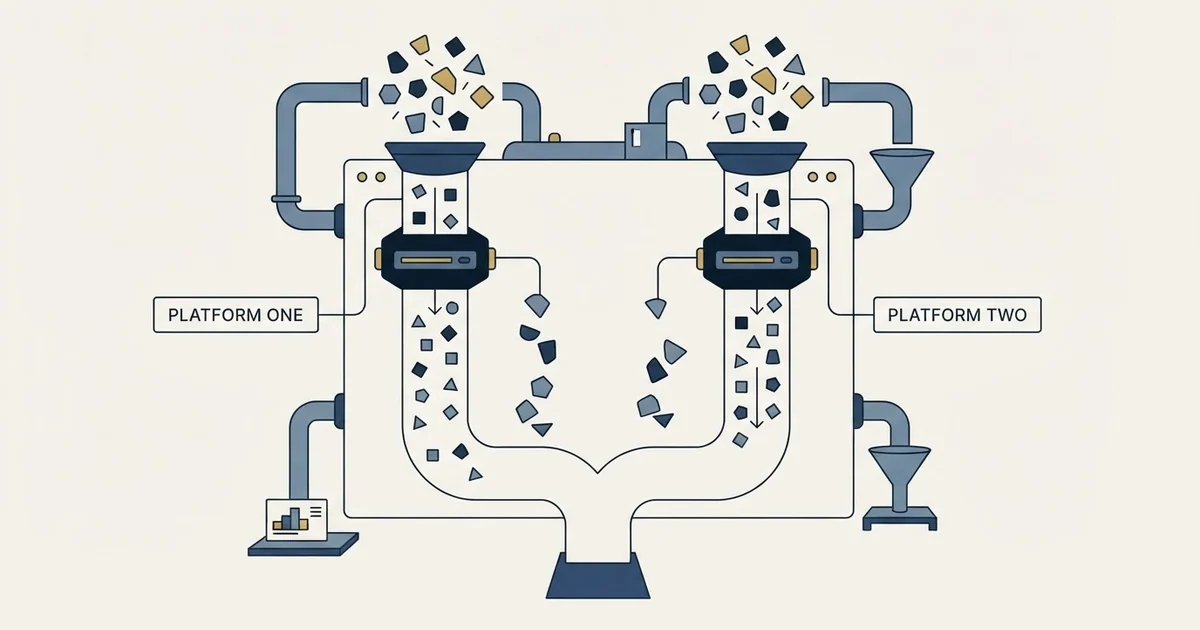
MailRush.io vs Mailshake comes down to the meter. MailRush.io costs $19, $39 and $99 a month with unlimited senders, capping emails, contacts and campaigns. Mailshake costs $29, $49 and $99, or $25, $45 and $85 yearly, and caps sending addresses at 1, 2 and 10, with unlimited sends above Starter.
Key takeaways
- MailRush.io's pricing page lists Starter, Pro and Scale at $19, $39 and $99 a month for 5,000, 10,000 and 25,000 emails, with unlimited senders on every plan.
- Mailshake's plans cost $29, $49 and $99 a month, or $25, $45 and $85 billed yearly, and cap sending addresses at 1, 2 and 10.
- MailRush.io offers a free 14-day trial with no credit card; Mailshake's FAQ says there is no free trial and it collects payment up front.
- Mailshake's pricing page lists no LinkedIn automation; its top self-serve plan adds a power dialer with 5 phone numbers.
Reviewed and updated September 21, 2026
MailRush.io vs Mailshake is a choice between two different meters. MailRush.io lets you connect as many sending mailboxes as you like and caps emails, contacts and campaigns instead, from $19 a month. Mailshake caps the sending addresses on each plan, 1 on Starter, 2 on Email Outreach and 10 on Sales Engagement, and lifts the send limit above Starter. Compare Mailshake pricing with MailRush's plan by plan, and the cheaper tool turns on how many mailboxes you send from.
MailRush.io vs Mailshake: The Quick Answer
MailRush.io is the cheaper of the two for small and multi-mailbox programs: $19, $39 and $99 a month, unlimited senders on every plan, and a free 14-day trial. Mailshake costs $29, $49 and $99 a month, or $25, $45 and $85 billed yearly, caps sending addresses per plan, and has no free trial. Above 25,000 emails a month, MailRush.io's pricing page stops at Scale, while Mailshake's Sales Engagement sends without a monthly cap.
MailRush.io, at mailrush.io, is cold email software that sends from your own SMTP/IMAP mailboxes or from a ready-to-go MailRush.io account, with warmup and email validation on every plan. Mailshake is a sales engagement platform that adds a power phone dialer on its top self-serve plan and sells a Data Finder for prospect emails.
Compare Mailshake Pricing With MailRush.io
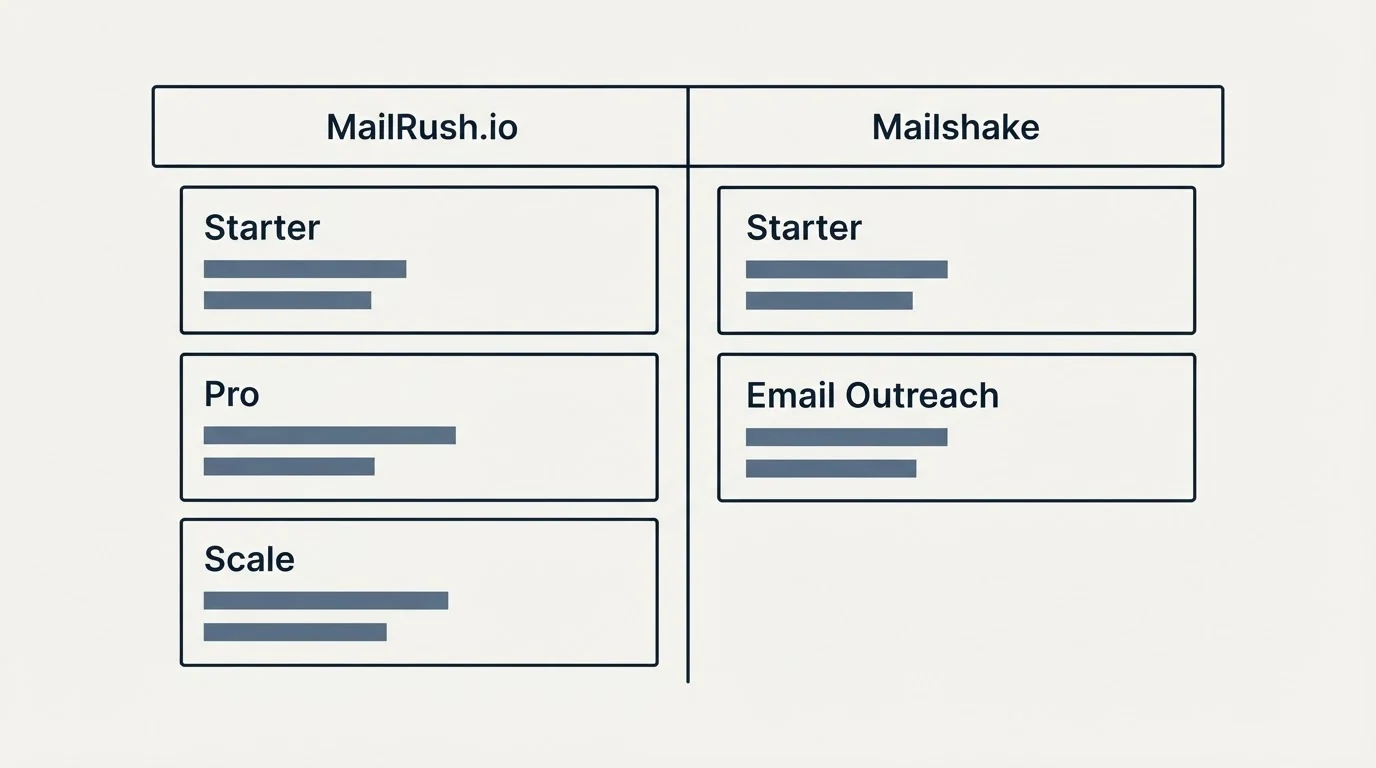
MailRush.io Pricing
| Plan | Monthly | Emails a month | Emails a day | Contacts | Campaigns | Email validations |
|---|---|---|---|---|---|---|
| Starter | $19 | 5,000 | 1,000 | 1,000 | 5 | 1,000 |
| Pro | $39 | 10,000 | 1,500 | 30,000 | 10 | 3,000 |
| Scale | $99 | 25,000 | 3,000 | 50,000 | 10 | 4,000 |
Every MailRush.io plan lists unlimited senders and unlimited email accounts, email warmup, API access and webhooks, and Zapier integrations; Scale adds all integrations and priority support, which Pro also carries. Each plan starts with a free 14-day trial, no credit card required, and can be cancelled anytime.
Source: MailRush.io Pricing
Mailshake Pricing
| Plan | Monthly | Billed yearly | Sending addresses | Email sends a month | Data Finder credits |
|---|---|---|---|---|---|
| Starter | $29 | $25 a month | 1 | 1,500 | 50 |
| Email Outreach | $49 | $45 a month | 2 | Unlimited | 50 |
| Sales Engagement | $99 | $85 a month | 10 | Unlimited | 2,500 |
| Agency Plan | Talk to sales | Talk to sales | Unlimited | Unlimited | Not listed |
Every Mailshake plan lists unlimited uploaded contacts, unlimited email warmup, unlimited campaigns and unlimited email verification. The pricing page shows each plan's yearly rate beside its monthly one, and its FAQ says there is no free trial: Mailshake collects payment up front. Add-ons include Data Finder at $19 a month, or $17 billed yearly, and Ready to Use Mailboxes at $12 a month, or $11 yearly.
Source: Mailshake Pricing
What Each Plan Actually Meters
The two ladders cap different things, so they cross in an unusual place. MailRush.io never charges for a sending address; it charges for monthly sends, contacts and campaigns. Mailshake never charges for contacts; it charges for sending addresses, and for sends only on Starter. Take a program sending up to 1,500 emails a month to 1,000 contacts, which both entry plans cover on volume. MailRush.io Starter costs $19 whether it sends from one mailbox or ten. Mailshake costs $29 for one sending address, $49 for two and $99 for three to ten.
MailRush.io's own caps bite elsewhere. Starter holds 1,000 contacts, so a list of 3,000 moves to Pro at $39, and Scale tops out at 25,000 emails a month. Campaigns are capped too, at 5 on Starter and 10 on Pro and Scale, where Mailshake lists unlimited campaigns on every plan.
A Worked Cost at Four Sizes
The four cases below are illustrative: the volumes are invented, and the prices are the vendors' own monthly list prices.
One mailbox sending 1,500 emails a month fits MailRush.io Starter at $19 and Mailshake Starter at $29, or $25 billed yearly. Three mailboxes sending 4,000 emails a month to 3,000 contacts put MailRush.io on Pro at $39, because Starter holds 1,000 contacts, and Mailshake on Sales Engagement at $99, because Email Outreach allows 2 sending addresses; the gap is $60 a month. Ten mailboxes sending 20,000 emails a month land both on $99: MailRush.io Scale and Mailshake Sales Engagement. Ten mailboxes sending 40,000 a month is past MailRush.io's highest published allowance of 25,000, while Mailshake Sales Engagement still covers it with unlimited sends.
One mailbox, 1,500 emails. MailRush.io Starter $19; Mailshake Starter $29, or $25 billed yearly.
Three mailboxes, 4,000 emails, 3,000 contacts. MailRush.io Pro $39; Mailshake Sales Engagement $99. A $60 gap.
Ten mailboxes, 20,000 emails. MailRush.io Scale $99; Mailshake Sales Engagement $99. Level.
Ten mailboxes, 40,000 emails. Past MailRush.io's 25,000 cap; Mailshake Sales Engagement still covers it.
Illustrative arithmetic only. The volumes are invented for the comparison.
Validation, Data and Mailboxes
The two also differ in what comes bundled around the sending. MailRush.io includes 1,000, 3,000 and 4,000 email validations by plan, so a list is checked inside the tool up to that count. Mailshake lists unlimited email verification on every plan, plus Data Finder credits for finding prospect emails: 50 on Starter and Email Outreach and 2,500 on Sales Engagement, with Data Finder also sold as an add-on at $19 a month. A team that builds its list inside the sending tool leans toward Mailshake; a team that arrives with a verified list loses nothing on MailRush.io.
Mailboxes follow the same split. MailRush.io offers a ready-to-go MailRush.io account beside your own SMTP/IMAP mailboxes, and Mailshake sells Ready to Use Mailboxes at $12 a month. Starter's send cap also reads differently in daily terms: Mailshake's 1,500 a month is about 50 a day across a 30-day month, while MailRush.io Starter allows 5,000 a month with a daily ceiling of 1,000.
Features Side by Side
MailRush.io's plan comparison lists the same features on every plan: unlimited senders, email warming, email validation, API access and webhooks, Zapier integrations, spintax, email follow-ups, a suppression list, an email copy spam assessment, email personalization and unsubscription automation. Mailshake's Starter lists automated email sequences, A/B testing and AI email writing with SHAKESpeare; Email Outreach adds email rotation, a unified inbox and Salesforce, Pipedrive and HubSpot integrations; Sales Engagement adds 5 phone numbers and a power phone dialer with unlimited free minutes to North American numbers. Mailshake's pricing page lists no LinkedIn automation on any plan. These are list-membership claims, so check a specific need against the other vendor's pages before treating it as missing.
MailRush.io lists, every plan
- Unlimited senders and email accounts
- Email warming and email validation
- API access, webhooks and Zapier
- Spintax and email follow-ups
- Suppression list and unsubscription automation
- Email copy spam assessment
Mailshake lists
- Unlimited contacts, warmup and campaigns
- A/B testing and AI email writing
- Email Outreach Email rotation and a unified inbox
- Email Outreach Salesforce, Pipedrive and HubSpot
- Sales Engagement Power dialer and 5 phone numbers
- Add-on Data Finder and ready-to-use mailboxes
Integration Ecosystem
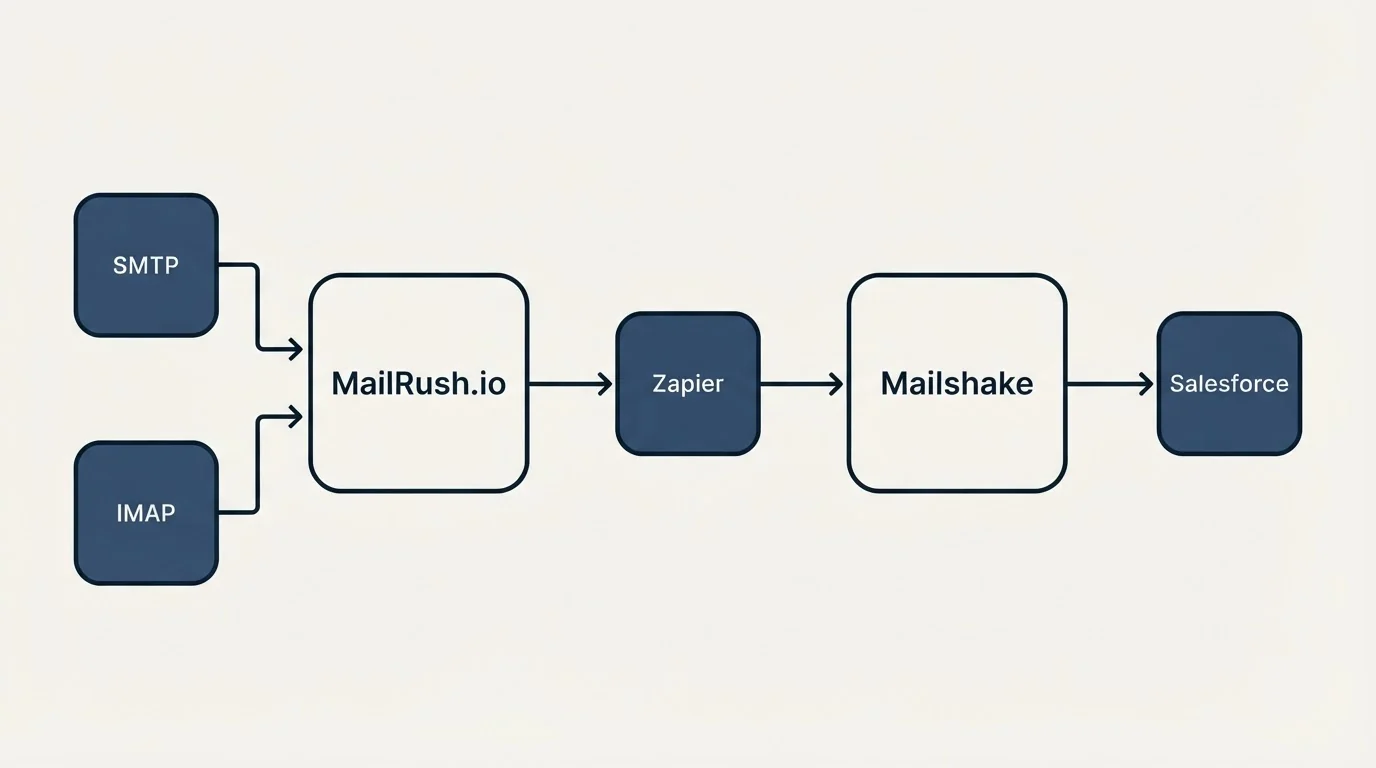
MailRush.io connects to any SMTP/IMAP mailbox and lists API access, webhooks and Zapier on every plan, with all integrations included on Scale. Mailshake lists mail accounts from any provider on every plan, and native Salesforce, Pipedrive and HubSpot integrations plus 1,000+ integrations via Zapier from Email Outreach up.
Zapier appears on both pricing pages. A team that wants its CRM connected natively is looking at Mailshake's Email Outreach or above; a team happy to route through Zapier or an API can stay on MailRush.io's cheaper plans.
Who Should Pick Which
Pick MailRush.io when you send from several mailboxes at modest volume. Unlimited senders on every plan mean the mailbox count never moves the bill, and a free 14-day trial lets you test it without a card.
Pick Mailshake when volume passes 25,000 emails a month or the dialer matters. Sales Engagement sends without a monthly cap from up to 10 addresses and adds a power dialer.
Pick Mailshake when native CRM sync is a requirement, since Salesforce, Pipedrive and HubSpot sit on Email Outreach and above.
For the wider field, see the alternatives to Mailshake, a breakdown of Mailshake's price and the alternatives to MailRush.io.
Where Each One Sits In A Cold Outbound Stack
Both tools occupy the sending slot. House practice keeps that slot thin: one message per campaign, no bumps and no thread replies, and volume spread across many low-volume mailboxes so no single address carries too much. That doctrine suits MailRush.io's unlimited senders and runs into Mailshake's address caps, and it also makes MailRush.io's campaign cap matter: a team that runs every message as its own campaign reaches 5 or 10 campaigns faster than a team running long sequences. Follow-up and sequence features on both sides are the vendors'; house practice does not use them.
Neither tool decides whether a meeting counts. That is agreed in writing before launch, against criteria the client sets, and it is never contingent on budget, timing or job title.
Getting Started Checklist
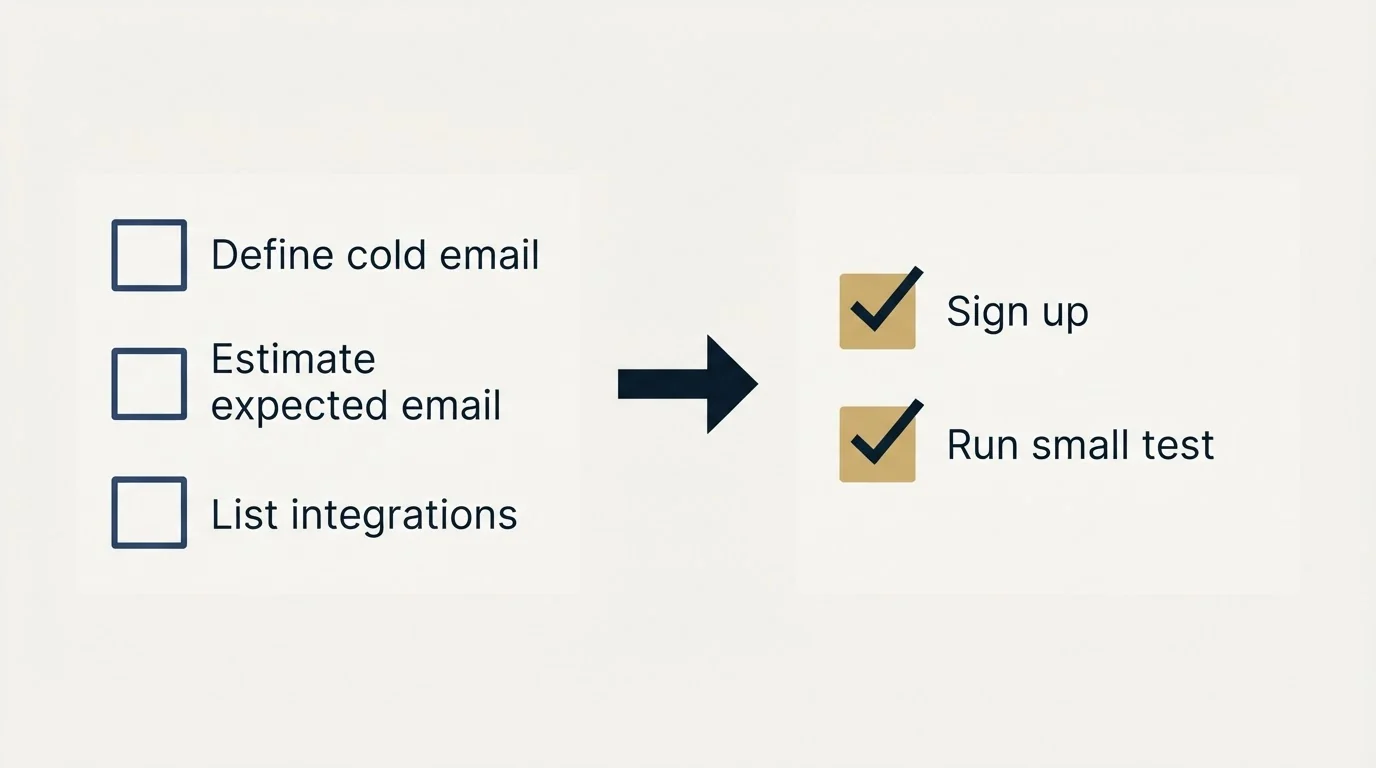
- Count the mailboxes you send from: past 2, Mailshake means Sales Engagement.
- Count monthly emails and contacts: past 25,000 emails, MailRush.io's pricing page stops at Scale.
- Count campaigns: MailRush.io allows 5 on Starter and 10 above.
- Trial MailRush.io free for 14 days; budget for Mailshake's first month, since it has no free trial.
- Decide whether the CRM connects natively or through Zapier.
- Compare yearly prices on Mailshake before committing: $25, $45 and $85 a month.
Final Thoughts
MailRush.io and Mailshake price the same job on opposite meters. MailRush.io ignores how many mailboxes you connect and caps sends, contacts and campaigns; Mailshake ignores contacts and caps sending addresses. Count your mailboxes and your monthly sends, and one of the two tables usually answers the question on its own.
Related Reading
- Best Mailshake Alternatives
- Mailshake Price
- Best MailRush.io Alternatives
- Instantly vs Mailshake
- Instantly vs MailRush.io
If you would rather have the sending run for you, RevenueFlow books qualified meetings on a pay-per-meeting basis and publishes client results.
Pricing and features are taken from the vendors' own pages. Verify current terms with the vendor before relying on them.
Frequently asked questions.
Frequently asked questions- How does MailRush.io compare with Mailshake?
- They meter different things. MailRush.io lets you connect unlimited senders and caps monthly emails, contacts and campaigns, from $19 a month. Mailshake caps sending addresses per plan, 1, 2 and 10, and sends without a monthly limit above Starter. For several mailboxes at modest volume MailRush.io is cheaper; above 25,000 emails a month MailRush.io's pricing page stops at Scale.
- How much does Mailshake cost?
- Mailshake's pricing page lists Starter at $29 a month, Email Outreach at $49 and Sales Engagement at $99, or $25, $45 and $85 a month billed yearly. The Agency Plan is priced by sales. Starter allows 1 sending address and 1,500 sends a month; the higher plans send without a monthly cap from 2 or 10 addresses.
- How much does MailRush.io cost?
- MailRush.io's pricing page lists Starter at $19 a month for 5,000 emails and 1,000 contacts, Pro at $39 for 10,000 emails and 30,000 contacts, and Scale at $99 for 25,000 emails and 50,000 contacts. Every plan has unlimited senders, warmup and email validation, and starts with a free 14-day trial without a credit card.
- Does Mailshake have a free trial?
- No. Mailshake's pricing FAQ says it collects payment up front and offers concierge onboarding, deliverability training and support resources instead. MailRush.io does offer a free 14-day trial with no credit card required, so the cheaper way to test both is to trial MailRush.io first and budget for one month of Mailshake.
About the author.

Tim Carden is CMO / CTO at RevenueFlow, which builds and operates outbound revenue engines for B2B companies. Studied at McGill University.
Tim Carden · CMO / CTO
Connect on LinkedIn →Explore more.
Ready to scale your outreach?
We build GTM engines that book real meetings. See the receipts.
Related articles.
GetSales.io vs Yet Another Mail Merge: Sales Engagement Platform vs Cold Email Platform Comparison
Compare GetSales.io (sales engagement platform) and Yet Another Mail Merge (cold email platform) side by side. See pricing, features, and integrations to decide which one, or both, your stack needs.
Enginy vs Success.ai: Sales Engagement Platform vs Cold Email Platform Comparison
Compare Enginy (sales engagement platform) and Success.ai (cold email platform) side by side. See pricing, features, and integrations to decide which one, or both, your stack needs.
Artisan vs Yet Another Mail Merge: Sales Engagement Platform vs Cold Email Platform Comparison
Compare Artisan (sales engagement platform) and Yet Another Mail Merge (cold email platform) side by side. See pricing, features, and integrations to decide which one, or both, your stack needs.
Growbots vs MailHeat: Cold Email Platform vs Email Warmup Tool Comparison
Compare Growbots (cold email platform) and MailHeat (email warmup tool) side by side. See pricing, features, and integrations to decide which one, or both, your stack needs.
Hexospark vs JustCall: Cold Email Platform vs Sales Engagement Platform Comparison
Compare Hexospark (cold email platform) and JustCall (sales engagement platform). See pricing, features, and integrations to decide which one, or both, your stack needs.
EmailBison vs Emelia: Cold Email Platform Comparison
Compare EmailBison and Emelia side by side. See pricing, features, and integrations to choose the right cold email platform for your needs.