Mailshake Pricing: You Buy Users to Get Mailboxes
Mailshake prices per user and attaches the mailbox allowance to those users, so a two-person team needing four sending inboxes has to buy a four-user plan.

Mailshake prices per user, and each user carries a mailbox allowance: one on Starter, two on Email Outreach, up to five on Sales Engagement. The pricing page serves the yearly term by default at $25, $45 and $85 per user per month, against $29, $49 and $99 monthly.
Key takeaways
- Sending capacity is bought in users: the help documentation states each user allows one connected mail account on Starter, two on Email Outreach and up to five on Sales Engagement.
- The pricing page serves the yearly term by default, showing $25, $45 and $85 per user per month with the monthly prices of $29, $49 and $99 struck through beside them.
- The pricing card and the help documentation disagree on mailbox allowances, with the Sales Engagement card advertising ten email addresses against the doc's five per user.
- Subscriptions cannot be paused, downgrades produce account credit rather than refunds, and campaign data is deleted 30 days after a subscription expires.
Reviewed and updated August 28, 2026
Mailshake's pricing page is priced per user, and the number of email accounts you are allowed to connect is attached to those users. That one design decision produces a result buyers rarely expect: to get more mailboxes, you buy more people, whether or not those people exist.
The vendor's own help documentation states it without hedging. On the Starter plan each user allows one connected mail account. On Email Outreach each user allows two. On Sales Engagement each user allows up to five. Then it works an example: two teammates who need four sending mailboxes on Starter must buy a four-user plan, "you need a 4 user plan to get that many mail accounts, but you can still add 2 more users."
That is the real pricing model, and it is not visible from the plan cards alone.
What the page serves by default
The pricing page loads with the yearly term already selected. Its own configuration says so, carrying "term":"yearly" with the yearly block styled as active while the monthly block is served with display:none. So the figures a visitor sees first are the yearly ones, with the monthly price struck through beside them.
| Plan | Yearly, per user per month | Monthly, per user | Email addresses per user |
|---|---|---|---|
| Starter | $25 | $29 | 1 |
| Email Outreach | $45 | $49 | 2 |
| Sales Engagement | $85 | $99 | Up to 5 |
| Agency | Talk to sales | Talk to sales | Unlimited |
The help documentation converts those into annual per-user totals in its worked examples: $299 for Starter, $530 for Email Outreach and $999 for Sales Engagement.
Starter, Email Outreach and Sales Engagement, per the help docs
From the help doc's own worked example
From the same worked example
The two surfaces disagree, and the docs are the useful one
The pricing page's Sales Engagement card advertises "10 email addresses per account." The help documentation says each Sales Engagement user allows up to five mail accounts, and its worked example describes a two-user Sales Engagement plan connecting up to ten.
Both statements are consistent if the card's figure describes a two-user minimum and the doc's figure describes the per-user rate. Neither page says that, and a buyer reading only the card would size a plan wrongly. The same ambiguity sits on the other tiers: the Starter card says "1 email address per account" while the doc says one per user.
Take the per-user figures from the documentation when you model this, because they are the ones the vendor uses in its own arithmetic. Then confirm the total in the checkout before committing, on the general principle that a checkout figure beats a marketing card whenever the two disagree.
The vendor's own example does not add up
One more reason to check rather than trust. The help page's first worked example reads: "4 users X $299 = $897 / year." Four multiplied by 299 is 1,196. The figure 897 is three users at $299.
The other two examples in the same block are arithmetically fine: two users at $999 gives $1,998, and two users at $530 gives $1,060. So this is a stray error in one line rather than a different price list, but it is a useful reminder that a published number is a claim, not a fact, and the cheap check is multiplication.
Working out what a real setup costs
The question to answer before shopping is how many sending mailboxes the programme needs, because that number, divided by the per-user mailbox allowance, sets the user count you have to buy.
- Step 1Count sending mailboxes
How many inboxes the campaign needs to spread across
- Step 2Pick the tier by allowance
One, two or up to five mail accounts per user
- Step 3Divide and round up
Mailboxes divided by allowance gives the users you must buy
- Step 4Multiply by the per-user price
Yearly or monthly, whichever term you are on
- Step 5Add the add-ons
Data Finder and managed mailboxes are billed separately
Here is an invented illustration of that method, with no measured results in it. A team wanting eight sending mailboxes on Email Outreach, where each user carries two, needs four users. On the yearly term that is four times $45 per month. The same eight mailboxes on Starter, where each user carries one, needs eight users at $25. The cheaper-looking tier is more expensive for that requirement, and the crossover moves again on Sales Engagement, where each user carries up to five. Run the division before reading the sticker prices, because the tier with the lowest headline is frequently not the tier with the lowest total.
The add-ons
Two extras are priced on the same page, both showing the yearly figure first with the monthly figure beside it.
Data Finder at $17 per month yearly, $19 monthly, for finding business contact information by role, location or company. The Starter and Email Outreach plans each include 50 free Data Finder credits, and Sales Engagement includes 2,500.
Ready to Use Mailboxes at $11 per month yearly, $12 monthly, described as automatically creating email addresses so that a struggling one can be swapped out. This is the managed-infrastructure line, and it is the one to price carefully if the plan is to scale by adding inboxes, because it stacks on top of the user count those inboxes already forced you to buy.
Also on the page: unlimited email sends on Email Outreach and above, with Starter capped at 1,500 sends per month; unlimited uploaded contacts, campaigns, warmup and verification on every tier; and email rotation arriving at Email Outreach rather than at Starter.
What "unlimited sends" is measuring
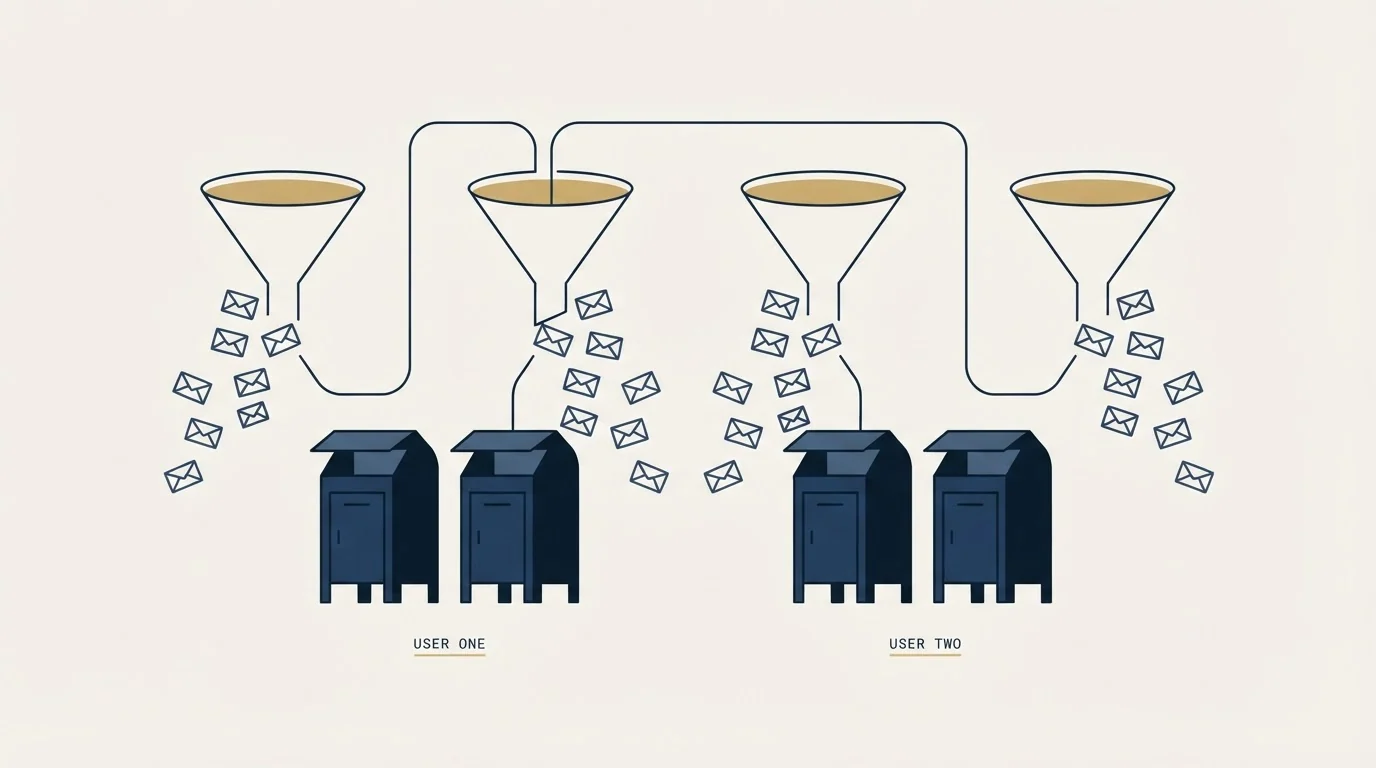
Email Outreach and above advertise unlimited email sends, and Starter caps them at 1,500 per month. That distinction is real, and it is also not the ceiling that governs a live campaign.
The platform sends through mail accounts you connect from your own provider, and the pricing page says so directly: mail accounts from any provider. Whatever your provider allows per mailbox per day is what you can actually send, and no plan on this page changes it. Unlimited, here, means the vendor is not adding a second cap on top of your provider's.
The practical consequence loops back to the mailbox allowance. If capacity is set by mailboxes and mailboxes are set by users, then the sending ceiling of a per-user plan is your provider's daily limit multiplied by the seats you bought. That is why email rotation, which arrives at Email Outreach rather than Starter, is a more important line on this ladder than the send count is. Rotation is what lets a campaign spread across the mailboxes you have already paid for instead of leaning on one.
One clause for existing customers
The help documentation carries a note for anyone holding a lifetime deal: AppSumo plans have a fixed seat limit that cannot be raised inside the plan. Additional seats beyond that limit are charged at current pricing, and the docs direct you to contact support to add them.
If your Mailshake account arrived through one of those deals, the mailbox arithmetic above still applies to any expansion, at today's rates rather than the rate you locked in. Work out the seats your target mailbox count implies before assuming the deal covers the growth.
Billing mechanics worth knowing before you commit

The help documentation is specific about how the money moves, and three of its answers change decisions.
Billing is in advance for the upcoming period, on the anniversary of your signup date, and billing dates cannot be changed. Upgrades are prorated and charged immediately, with a preview before you confirm. Downgrades produce an account credit rather than a refund, applied against your next charge.
Subscriptions cannot be paused. The documentation states that campaign data is deleted 30 days after a subscription expires, which makes cancellation a data decision as well as a billing one. Export before the clock starts.
Where this model fits and where it fights you
Per-user pricing with per-user mailbox allowances suits a real sales team: several people, each sending from their own mailbox, each needing a seat anyway. In that shape the allowance is free capacity rather than a tax, and Sales Engagement's five accounts per user is generous.
Apollo versus Mailshake compared across categories weighs a broad multi-channel orchestration platform against a specialized cold email tool, useful context once seat math is settled.
It fights an outbound programme that is one operator running many mailboxes, because that is precisely the case where mailboxes outnumber people and every extra inbox forces a phantom seat. Platforms that meter on prospects or volume rather than on users are structurally cheaper for that shape, and the crossover is computable from both vendors' published tables.
For the direct comparisons, Mailshake vs Saleshandy sets it against a prospect-metered platform, GMass vs Mailshake against a mailbox-native one, and Instantly vs Mailshake against a platform-native one. Migration options are in the best Mailshake alternatives and the category map is in cold email software.
Another angle worth weighing is scope rather than mailboxes alone, and Groove by Clari compared with Mailshake contrasts a Salesforce-native multi-channel platform against a specialized cold email tool.
One note on how we run campaigns, because it changes which line items matter. We send one message per campaign, with no bumps and no thread replies, and re-engagement is a new campaign on a new angle rather than another step. On that model the sequence builder is not the deciding feature and the cost per unit of sending capacity is, which is why the mailbox allowance above is the row worth reading first.
If the question underneath the pricing research is whether outbound will produce meetings for your offer, our free campaign answers it with a live list and live copy before any seat commitment.
Pricing and features verified as of mid-2026. Verify current terms with the vendor before relying on them.
Frequently asked questions.
Frequently asked questions- How much does Mailshake cost?
- The pricing page opens on the yearly term showing Starter at $25, Email Outreach at $45 and Sales Engagement at $85 per user per month, with monthly rates of $29, $49 and $99 beside them. The help documentation converts those to annual per-user totals of $299, $530 and $999. An agency plan is quoted rather than published.
- How many email accounts can I connect to Mailshake?
- It depends on how many users you buy. The help documentation states one connected mail account per user on Starter, two per user on Email Outreach and up to five per user on Sales Engagement. Its own example describes two teammates needing four mailboxes on Starter, who must buy a four-user plan to get them.
- Does Mailshake really allow unlimited sending?
- Email Outreach and above advertise unlimited sends and Starter caps them at 1,500 a month, but the real ceiling is your own email provider's. Mailshake sends through mail accounts you connect from any provider, so daily limits remain whatever that provider allows. Unlimited here means no second cap on top of your provider's.
- What happens to my data if I cancel Mailshake?
- The help documentation states that all campaign data is deleted 30 days after a subscription expires, and that subscriptions cannot be paused. Cancelling stops future billing while access continues to the end of the paid cycle. Export campaigns, replies and suppression lists before that 30-day window starts running.
About the author.

Ben Carden is CRO at RevenueFlow, which builds and operates outbound revenue engines for B2B companies. Previously at Gartner Enterprise. Studied at London School of Economics.
Ben Carden · CRO
Connect on LinkedIn →Explore more.
Ready to scale your outreach?
We build GTM engines that book real meetings. See the receipts.
Related articles.
Saleshandy Pricing: Four Tiers, Two Ceilings
Saleshandy publishes four Outreach tiers from $25 to $209 a month on the annual term, each with an active-prospect ceiling and a monthly email ceiling.
Yesware Pricing: The Tier Where Outbound Actually Starts
Yesware's $19 Pro tier caps campaigns at 20 recipients a month. The first plan that lets you run real outbound volume is Premium at $45 per seat.
Saleshandy Review: The Meter Is Prospects, Not Seats
Every Saleshandy Outreach tier includes unlimited email accounts and no per-seat fee. What it meters instead is active prospects and monthly email volume.
Is GMass Free? The Trial Cap and the 2026 Prices
GMass has a free trial rather than a free plan: seven days, 50 messages a day, no external SMTP. Here is what the paid plans cost per mailbox after January 2026.
Lemlist API: What You Can Automate, and What You Cannot
The lemlist API uses HTTP Basic auth with a leading colon, limits every route to 20 requests per 2 seconds per key, and ships on every published plan.
GMass Review: What the 4.8 Rating Measures
GMass carries a 4.8 from 9.2K Chrome Web Store ratings, and its own FAQ says subscribing cannot raise Gmail's limits. Both facts belong in the same review.