Yesware Pricing: The Tier Where Outbound Actually Starts
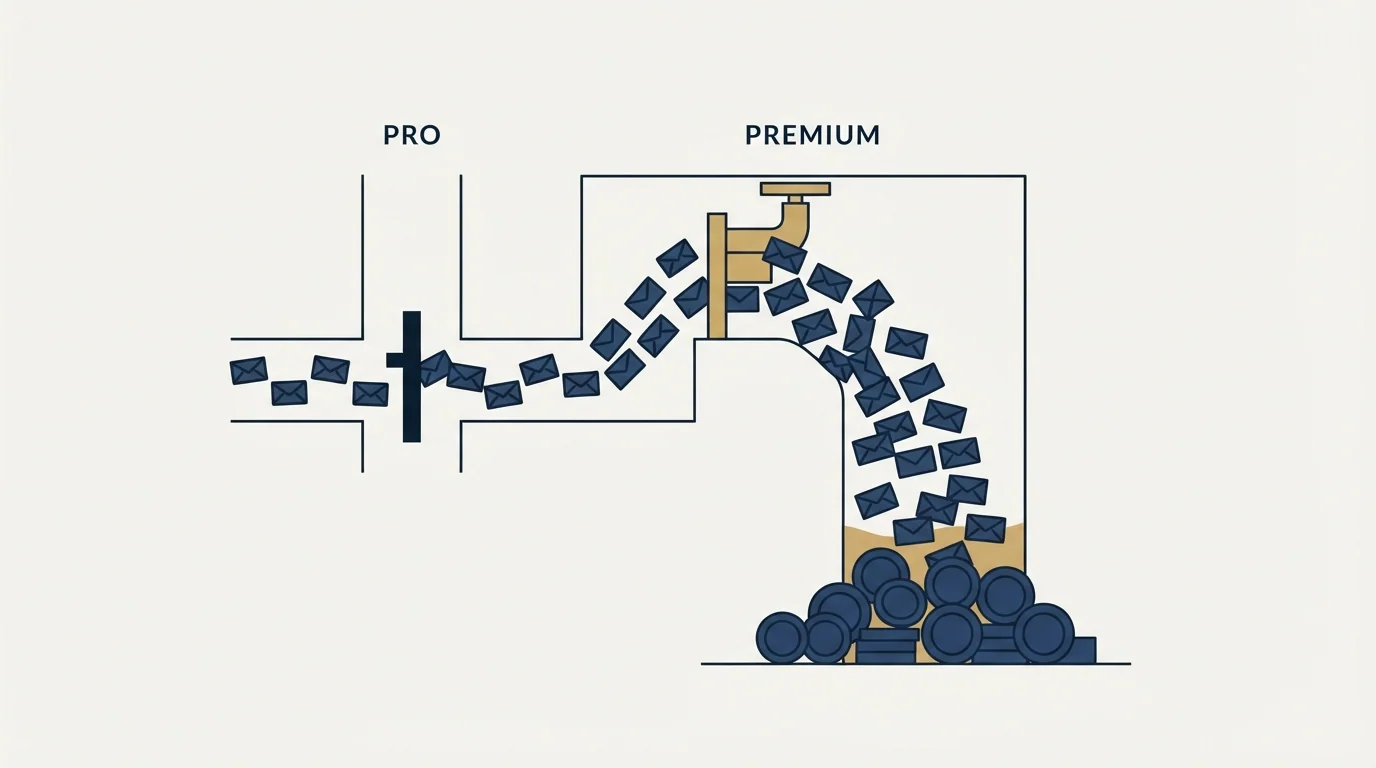
Yesware's $19 Pro tier caps campaigns at 20 recipients a month. The first plan that lets you run real outbound volume is Premium at $45 per seat.
Yesware publishes four tiers per seat per month: Free at $0, Pro at $19, Premium at $45 and Enterprise at $85, with annual rates of $0, $15, $35 and $65. Campaign recipients are capped at 10 a month on Free and 20 on Pro, so Premium is the first outbound tier.
Key takeaways
- The page opens on the monthly tab showing Free at $0, Pro at $19, Premium at $45 and Enterprise at $85 per seat, with annual rates of $0, $15, $35 and $65.
- Recipients added to campaigns are capped at 10 a month on Free and 20 a month on Pro, going unlimited only at Premium, which is the real entry price for outbound.
- Free and Pro differ mainly on a time window: tracking on the free tier is limited to emails sent less than 24 hours ago, and Pro is also capped at five users.
- The Prospector database is a separate subscription and its own page contradicts itself, showing the same 600-credit package as both 50 and 40 credits per month.
Reviewed and updated August 28, 2026
Yesware's plan page publishes a Pro tier at $19 per seat per month. Further down the same page, in the complete feature list, sits the row that decides whether that number means anything to an outbound team: Recipients Added to Campaigns. On Free it reads 10 per month. On Pro it reads 20 per month.
Twenty recipients a month is not an outbound programme. It is a trial with a price on it. The first tier that lets you run campaigns at any real volume is Premium, and that changes the entry price for outbound from $19 to $45.
All figures here come from yesware.com/plans-and-pricing, fetched on 16 August 2026.
The published ladder, in both billing states
The page opens on the Monthly tab. The markup confirms it: the Monthly tab carries the current-tab class and the monthly pane is the active one, with Annual behind the second tab. So the numbers a visitor sees first are the monthly ones.
| Plan | Monthly, per seat | Annual, per seat per month | Campaign recipients per month |
|---|---|---|---|
| Free | $0 | $0 | 10 |
| Pro | $19 | $15 | 20 |
| Premium | $45 | $35 | Unlimited |
| Enterprise | $85 | $65 | Unlimited |
The annual term takes roughly 21 to 24 percent off each paid tier. That is a normal discount for this category and it is not where the interesting decision is.
Per month, from the complete feature list
Premium, per seat per month, monthly term
Enterprise, per seat per month, monthly term
What each tier is really for
Read the ladder by capability rather than by price and it resolves into four distinct products.
Free is an email tracking tool. Open, link and attachment tracking are present, and they are limited on this tier to emails sent less than 24 hours ago. That limit is stated repeatedly in the feature table and it is easy to miss when comparing against tools that track indefinitely. Free also carries two event types in the meeting scheduler and two calendars for colleague calendaring.
Pro is the same tracking tool, unlimited. The 24-hour window comes off, link and attachment tracking go unlimited, and reporting arrives. Campaigns are still capped at 20 recipients a month, and the number of users is capped at five. Pro is priced and shaped for an individual seller who wants to know when their emails are opened.
Premium is the first outbound plan. Recipients go unlimited, campaigns go unlimited, teams go unlimited, Yesware branding can be removed, and team reporting and shared templates arrive. If you are buying this product to run outbound sequences, this is the row your comparison starts on.
Enterprise is the Salesforce plan. Everything in Premium plus the Salesforce integration in depth: inbox sidebar, sent and reply sync, calendar sync, background sync, bi-directional activity sync, retroactive sync, adding leads and contacts to campaigns from Salesforce, importing list views into campaigns, single sign-on and trusted IP ranges. The page's own description of the tier is "For powerhouse sales teams who use Salesforce CRM," which is an unusually honest bit of tier naming.
- Step 1Need tracking only
Free covers it, limited to emails sent under 24 hours ago
- Step 2Need tracking without the window
Pro removes the 24-hour limit and adds reporting
- Step 3Need to run campaigns
Premium is the first tier where recipients are unlimited
- Step 4Need Salesforce in the loop
Enterprise carries the sync features and SSO
The prospecting database is a separate bill
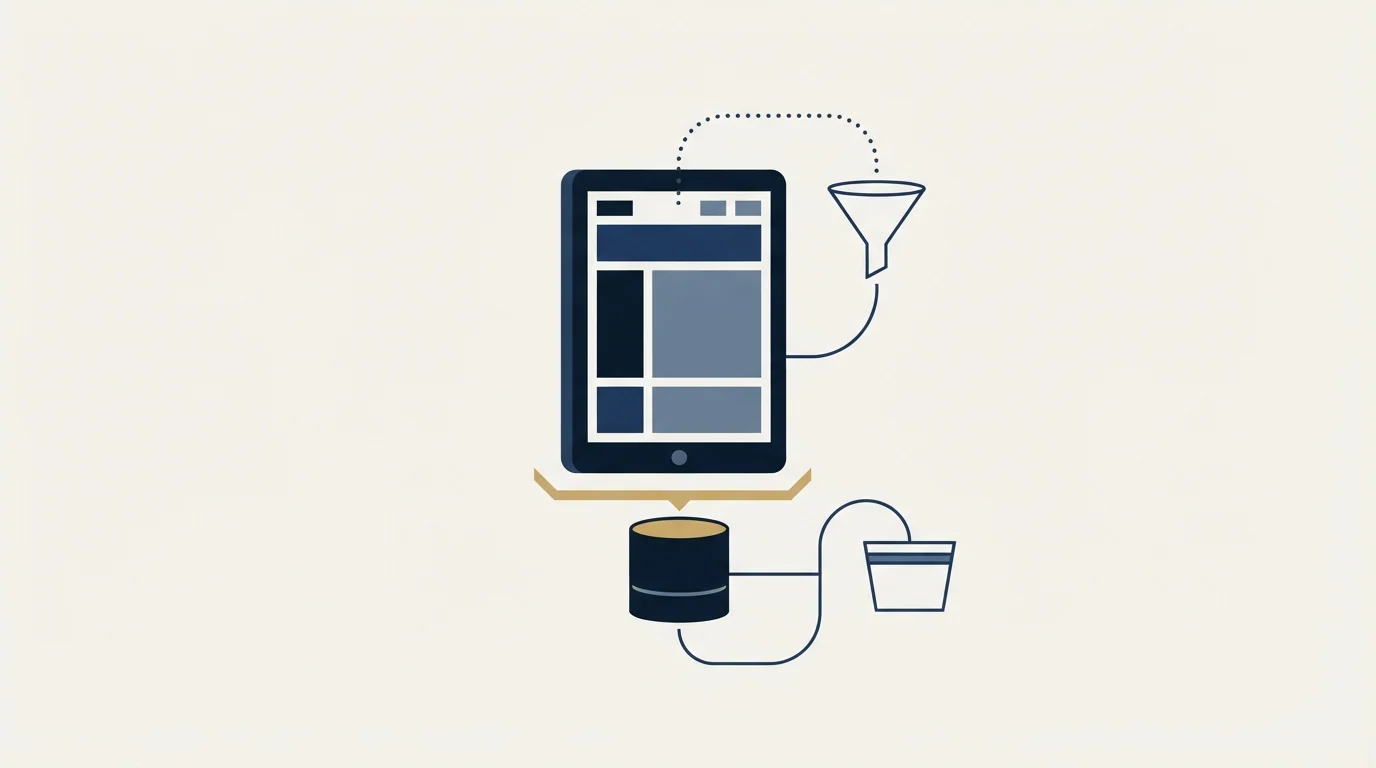
Yesware sells a contact database, Prospector, as an add-on rather than as part of the plan. Its two published packages are Starter at 600 credits per year and Growth at 3,000 credits per year.
Cognism's credit-based pricing breakdown explains how contact database costs stay hidden behind a sales quote rather than a published number.
The pricing here needs care, because the page contradicts itself. The Starter card shows $37.50 per month billed annually, with $49.50 per month as the alternative. The Growth card shows $125 per month billed annually, and then repeats the same $49.50 figure that appears on the Starter card, which is almost certainly a template artefact rather than a real price. The credit figures disagree too: one table renders Starter as 600 per year and 50 per month, and a second table renders the same package as 600 per year and 40 per month. Growth appears as 3,000 per year with 250 per month in one place and 200 per month in another.
Six hundred divided by twelve is 50, so the first pair is internally consistent and the second is not. What matters for a buyer is that neither figure can be treated as settled from the page alone. If the credit allowance is load-bearing for your decision, get it confirmed in writing before purchase rather than reading it off the marketing page.
This is a general habit worth keeping. A vendor's own pages contradict each other more often than buyers expect, and the correct response is to attribute a figure to the surface it appeared on and to disclose the disagreement rather than pick the friendlier number.
The scheduler is a plan feature too
Yesware bundles a meeting scheduler, and it is tiered like everything else. Free carries two event types and two calendars for colleague calendaring. The paid tiers carry unlimited event types. Removing Yesware branding from the booking page arrives at Premium, alongside the same branding removal on the email side.
That matters for anyone comparing this against a standalone scheduling tool. If a booking link is part of your outbound motion, the scheduler included here removes a separate subscription, and the tier that makes it presentable to prospects is the same tier that unlocks campaigns. Buyers evaluating the sending features alone tend to undercount that.
- Yes: Recipients added to campaigns per month, by tier
- Yes: Whether tracking is limited to emails sent under 24 hours ago
- Yes: The user cap on Pro, which is five
- Yes: Which tier carries the Salesforce sync you need
- Depends: Whether Prospector credits are a second subscription for you
- No: Assume the headline seat price is the outbound price
Where the real cost sits for an outbound team
The headline seat price is rarely the number that decides a sending tool. Three others do more work.
The tier that unlocks the capability you need. For outbound that is Premium, at $45 monthly or $35 on the annual term, not the $19 Pro figure that appears in most comparison tables.
The number of seats. This platform prices per seat, and everything is billed per user. A five-person team on Premium is buying five times the sticker.
The data. If your lists come from Prospector, the credit package is a second subscription running alongside the seats, and credits are the meter that empties fastest when prospecting goes well.
Here is an invented example to show the shape, with no measured results in it. A four-person team wanting real campaign volume and a modest data allowance is paying for four Premium seats plus one Prospector package. The seats are the predictable part; the credits are the part that gets topped up mid-quarter. Run that arithmetic with your own headcount before comparing against a platform that meters on prospects rather than on people, because the two shapes cross over at a team size you can calculate.
The trial, and what it will not tell you
Every paid tier on the page carries a "Try free" button, and Free is published as a permanent plan rather than a countdown. That is a generous arrangement and it has one blind spot for an outbound evaluation.
A trial that starts on Free or Pro is a trial of the tracking product, because those are the tiers where campaigns are capped at 10 and 20 recipients a month. You can confirm that the extension installs cleanly, that templates work and that tracking fires, and you will learn nothing about how the campaign engine behaves at volume, how it paces sends, or what happens when a mailbox starts to struggle. Those questions only open up on the tier you would actually buy.
Plan the evaluation accordingly. Test the inbox experience on the free tier, then move the volume questions into a paid month on Premium rather than trying to infer them from a capped account.
Which shape suits which team
Yesware is fundamentally an inbox-native sales tool. It lives in Gmail and Outlook, its strongest features are tracking, templates and the Salesforce relationship, and its campaign functionality is a capable addition to that rather than the centre of the product.
That makes it a strong fit for a Salesforce-centred sales team doing warm and semi-warm outreach from real mailboxes, where activity logging back into the CRM is the point and volume is moderate. The Enterprise tier exists for exactly that team, and the sync feature list is deeper than most competitors publish.
Teams weighing deal intelligence against inbox-native sending can see how the two categories differ in Gong compared with Yesware.
It is a weaker fit for high-volume cold outbound across many mailboxes and domains, where the sensible architecture separates sending identity from business identity and capacity grows by adding inboxes rather than seats. Per-seat pricing works against that model directly, since the thing you need more of is mailboxes and the thing you are billed for is people.
For the head-to-head reads, GMass vs Yesware covers the mailbox-native contrast and Instantly vs Yesware covers the platform-native one. The closest per-seat competitor is broken down in our Mailshake pricing read, the migration options are in the best Yesware alternatives, and the wider category map is in cold email software.
We run one message per campaign, with no bumps and no thread replies, and re-engagement is a new campaign on a new angle. On that model the sequence depth a tool advertises matters far less than what it charges per unit of sending capacity, which is why the recipient ceiling above is the row worth reading twice.
If the underlying question is whether outbound produces meetings for your offer, our free campaign answers it with a live list before any per-seat commitment.
Pricing and features verified as of mid-2026. Verify current terms with the vendor before relying on them.
Frequently asked questions.
Frequently asked questions- How much does Yesware cost?
- The plans page publishes four tiers per seat per month. On the monthly tab, which is the one the page opens on, Free is $0, Pro is $19, Premium is $45 and Enterprise is $85. Switching to the annual tab gives $0, $15, $35 and $65, a saving of roughly 21 to 24 percent on each paid tier.
- Which Yesware plan do I need for cold outreach?
- Premium, because that is where campaign recipients go unlimited. The feature table caps recipients added to campaigns at 10 per month on Free and 20 per month on Pro, which is not enough for any real programme. Comparisons that quote the $19 Pro price against other outbound platforms are comparing the wrong tier.
- Is the Yesware free plan worth using?
- As an email tracking tool, yes. It carries basic open and attachment tracking, the meeting scheduler with two event types, and 10 campaign recipients a month. The catch is stated repeatedly in the feature table: tracking on the free tier is limited to emails sent less than 24 hours ago, so older threads go dark.
- What does the Prospector add-on cost?
- The page publishes Starter at 600 credits per year for $37.50 a month billed annually, and Growth at 3,000 credits per year for $125 a month billed annually. Read the credit figures carefully: the same page renders the monthly allowance for those packages as 50 and 250 in one table and 40 and 200 in another. Get it confirmed before purchase.
About the author.

Ben Carden is CRO at RevenueFlow, which builds and operates outbound revenue engines for B2B companies. Previously at Gartner Enterprise. Studied at London School of Economics.
Ben Carden · CRO
Connect on LinkedIn →Explore more.
Ready to scale your outreach?
We build GTM engines that book real meetings. See the receipts.
Related articles.
Mailshake Pricing: You Buy Users to Get Mailboxes
Mailshake prices per user and attaches the mailbox allowance to those users, so a two-person team needing four sending inboxes has to buy a four-user plan.
Saleshandy Pricing: Four Tiers, Two Ceilings
Saleshandy publishes four Outreach tiers from $25 to $209 a month on the annual term, each with an active-prospect ceiling and a monthly email ceiling.
Saleshandy Review: The Meter Is Prospects, Not Seats
Every Saleshandy Outreach tier includes unlimited email accounts and no per-seat fee. What it meters instead is active prospects and monthly email volume.
The Yesware Plugin: Three Surfaces, Two Compatibility Lists
Yesware installs as a Chrome extension, an Outlook add-in or a Salesforce sidebar. Which surface you get, what each supports, and the tier that gates the CRM half.
Is GMass Free? The Trial Cap and the 2026 Prices
GMass has a free trial rather than a free plan: seven days, 50 messages a day, no external SMTP. Here is what the paid plans cost per mailbox after January 2026.
Yesware Email Tracking: What the Open Notification Proves
Yesware tracks opens, clicks and attachment views from inside Gmail and Outlook. What each event proves, what every tier costs, and why an open is not a trigger.