Cold Email Software: What to Evaluate Beyond Features
Feature lists across these products are nearly identical and therefore useless for choosing. The questions that actually separate them, and what to ask a vendor.
Cold email tools publish near-identical feature lists, so features cannot separate them. What differs is how sending distributes across mailboxes, whether suppression is global or per campaign, how replies are classified, what happens to bounces, and how the pricing unit scales.
Key takeaways
- Every product in this category lists the same features, so a feature comparison table cannot tell you which to buy.
- Whether suppression is global or per campaign is the single most consequential difference, and it is rarely on the pricing page.
- The pricing unit matters more than the price: per seat, per mailbox and per contact scale very differently as you grow.
- Ask how replies are classified rather than whether replies are detected, because every tool claims detection and they differ enormously in accuracy.
Reviewed and updated September 2, 2026
Open four cold email software pricing pages in four tabs and read the feature lists side by side. Unlimited email accounts. Inbox rotation. Built-in warmup. Unified inbox. A/B testing. Analytics. Integrations. The lists are close to interchangeable, which means the feature list has stopped being a way to choose and has become a way to qualify.
The differences that decide whether a tool works for your programme sit one level below the bullet points, in how each of those features is implemented. Almost none of it appears on a marketing page, and all of it is answerable by asking the vendor a direct question during a trial.
Products marketed as an AI email sender are cold email software with a generation layer bolted on, so evaluate them on the same axes as everything else here: sending infrastructure, domain and mailbox control, and what the platform does when a variable comes back empty.
Why the feature lists converged
The category standardised fast. Every product in it now sends from many mailboxes, rotates between them, offers some form of warmup, shows replies in one place, and reports opens and replies. A capability that was a differentiator two years ago is table stakes now, and vendors list table stakes because buyers scan for them.
So a feature list is useful for one thing: eliminating a product that is missing something you need. It cannot rank the products that have everything, and every serious product in this category has everything. The ranking has to come from implementation.
Below are the seven questions that separate them, each with what a good answer looks like. Ask them in a demo, in a support chat, or in the documentation, and note which vendors answer specifically.
1. How sending is distributed across mailboxes
Every product says inbox rotation. The implementations differ in ways that determine whether you can actually run twenty mailboxes safely.
Ask whether the daily cap is set per mailbox or per campaign. A per-campaign cap divided across mailboxes behaves badly when a campaign is paused or a mailbox is added mid-flight. Ask whether sending is spread across the sending window or fired in a block at the start of it, and whether there is randomisation between messages. Ask what happens when one mailbox disconnects mid-campaign: the good answer is that its share is held rather than silently redistributed onto the remaining mailboxes, because redistribution pushes the survivors above their intended volume on exactly the day something is already wrong.
Ask, finally, whether one mailbox's daily volume can be viewed and adjusted independently. Ramping a new domain requires per-mailbox control, and a product that only exposes a campaign-level number cannot express a ramp. The reason that matters is covered in how long to warm up a cold email domain.
2. Whether suppression is global or per campaign
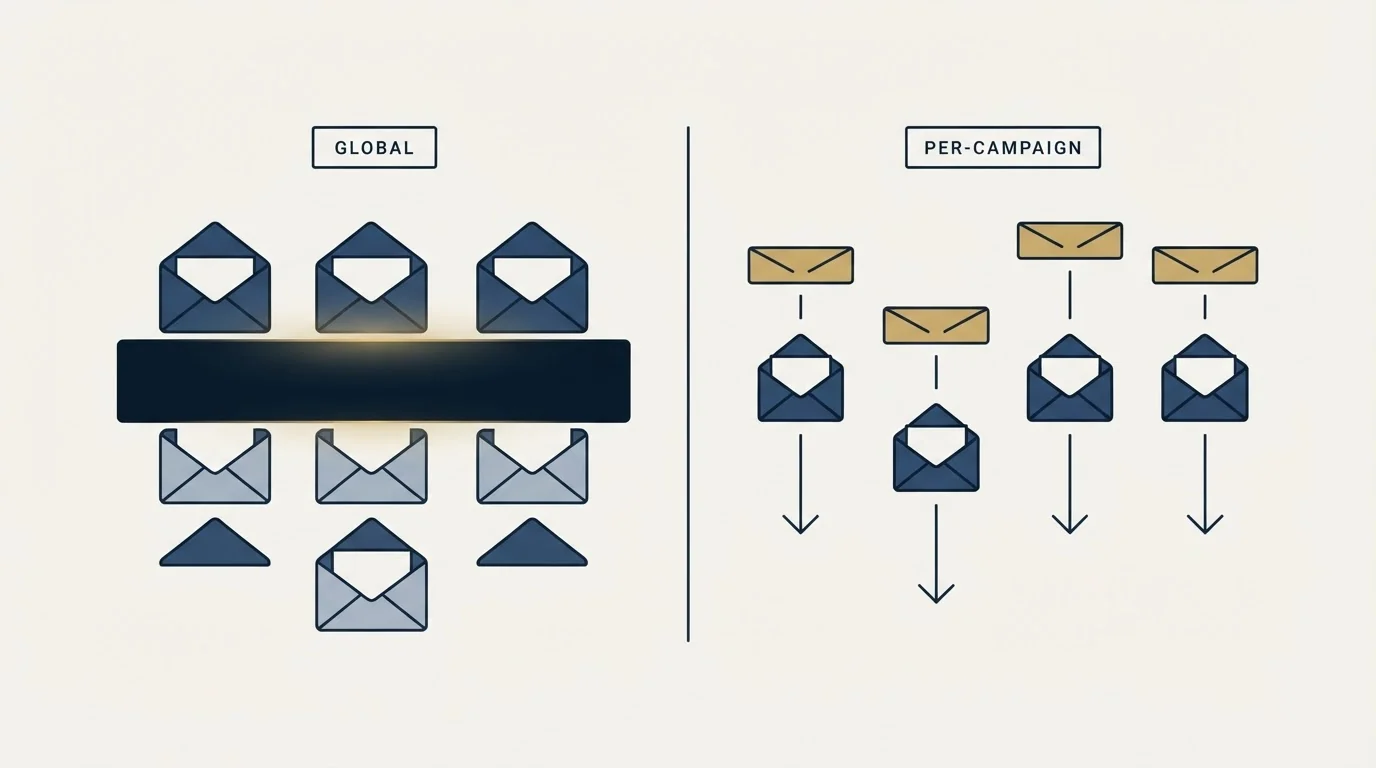
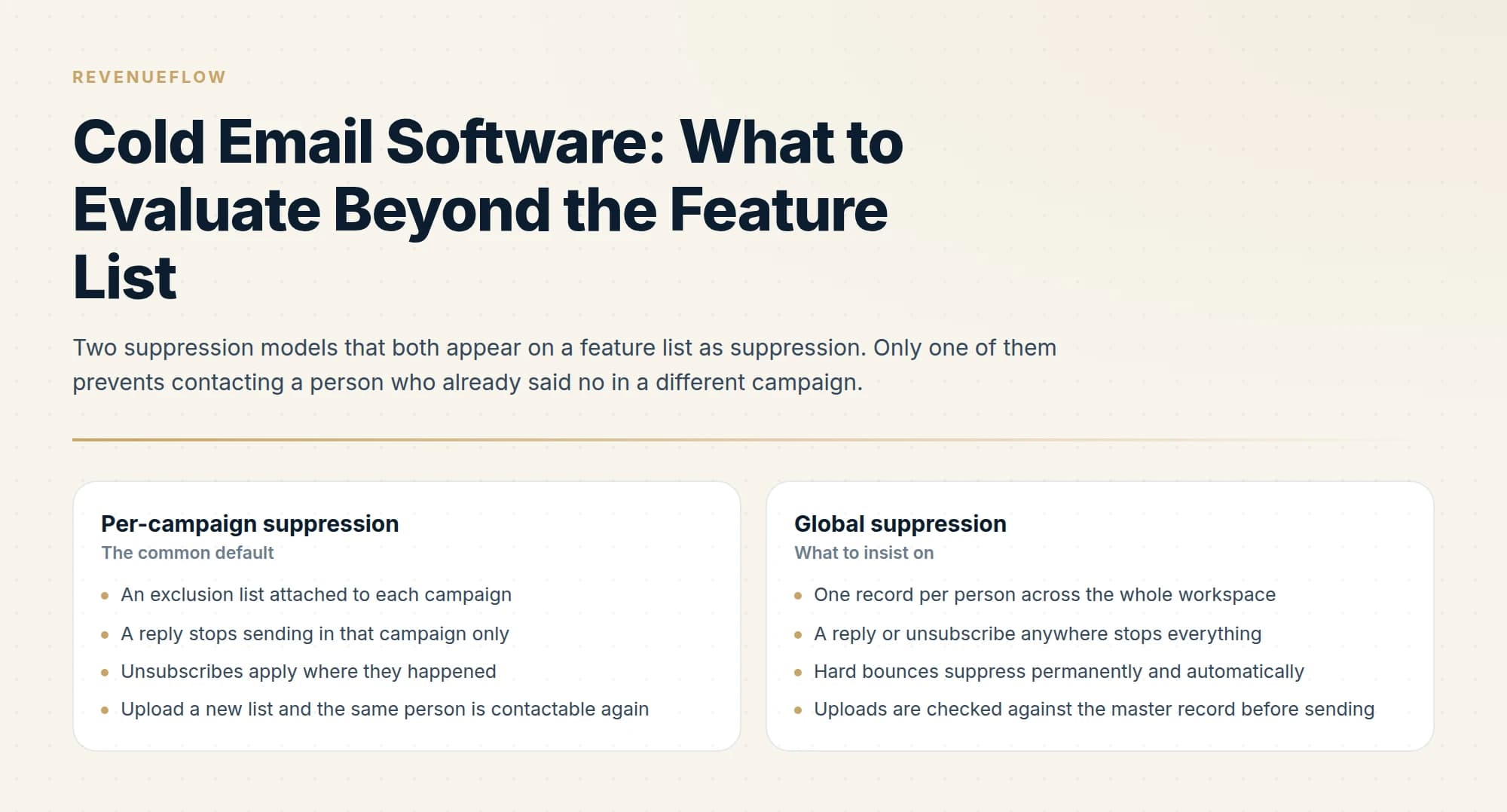
This is the highest-consequence difference in the category and the one least likely to be on the feature list.
- An exclusion list attached to each campaign
- A reply stops sending in that campaign only
- Unsubscribes apply where they happened
- Upload a new list and the same person is contactable again
- Requires you to maintain the master list outside the tool
- One record per person across the whole workspace
- A reply or unsubscribe anywhere stops everything
- Hard bounces suppress permanently and automatically
- Uploads are checked against the master record before sending
- Blocks a person already queued in another live campaign
The specific questions: does an unsubscribe apply workspace-wide or campaign-wide. Does a negative reply in one campaign stop scheduled sends in others. What key does deduplication use, email address or name plus company, given the same person changes both of the latter. Can a domain be suppressed, not only an address, so a customer account or a live opportunity can be excluded wholesale. And can the tool detect that a lead you are uploading is already pending in another active campaign.
That last one is the check that prevents the same person receiving two of your messages in the same week from two different sending domains. It is rare, and it is worth asking about explicitly.
3. How replies are detected and classified
Ask how detection works before asking how classification works, because the second depends on the first. Detection over IMAP polling has a latency floor, and the poll interval is a number the vendor knows. Threading matters too: a reply is matched to a sent message by Message-ID and References headers, and a tool that matches on subject line alone will mis-thread anything the recipient renames.
Then classification. A meaningful share of what arrives back is not human: out-of-office autoresponders, ticket acknowledgements, delivery delay warnings, mailbox-full notices. Ask what the tool does with each, because counting them as replies inflates the only metric you are steering on. Ask whether classification is rules-based or model-based, whether you can correct a misclassification, and whether the correction is used.
Then ask what happens automatically. Since we send one message per campaign and never send follow-ups, stopping a sequence is not the point. The action that matters is propagation: a negative reply should suppress that person everywhere, and a positive reply should notify a human immediately rather than waiting to be found in a shared inbox. Ask whether a reply triggers a webhook in real time or shows up on a dashboard.
4. What happens to bounces
Bounce handling is where products quietly differ most, because most bounces arrive asynchronously as delivery status notifications to the return path rather than as an error at send time.
Ask whether the tool distinguishes hard from soft bounces, and what it does with each. A hard bounce should suppress the address permanently and globally. A soft bounce should retry within a limit and then stop. Ask whether a bounce spike pauses the campaign automatically and at what threshold, since an unattended campaign against a bad list can do real damage to a domain before a human notices.
Then ask where bounce rate is visible. Per campaign is the standard view and it is the least useful one. Per sending mailbox and per sending domain is what tells you whether the problem is your list or one specific domain, and a product that only reports per campaign forces you to run experiments to learn something the data already knows. The upstream fix belongs to list hygiene, covered in email verification tools, and the reputation consequences are measured in Google Postmaster Tools.
5. Whether warmup is included, and what it does while you send
Instantly and Smartlead bundle warmup into their sending plans. Standalone warmup products are priced separately per mailbox: MailReach, for instance, sells warmup with spam testing from $25 per mailbox per month, falling to $19.50 from six mailboxes, and states that the initial warmup phase should last 14 days minimum with no campaigns sent during it, while advising that warming continues alongside campaigns afterwards.
Both models are defensible, and the question to ask is what the bundled version actually does. Does warmup keep running once a mailbox is sending campaigns, or does it stop. Does warmup volume count against the mailbox's daily sending cap, and is that visible. Is there a warmup health score per mailbox, and can a campaign be blocked from using a mailbox whose score has dropped. The tool survey itself is in email warmup services.
6. API and webhook quality

The API is the axis that decides whether the tool can ever be part of a larger system, and it is almost never demoed.
Ask which events fire webhooks. Sent, delivered, bounced, replied, unsubscribed is the useful set, and a product that only fires on reply cannot drive anything downstream. Ask whether webhooks carry the payload or only an ID requiring a callback. Ask whether the API can create campaigns, upload leads, attach mailboxes and read per-mailbox statistics, or whether it is read-only reporting with a write path that exists only in the interface.
Then ask the unglamorous questions, because they decide how much work an integration is: are rate limits documented, is pagination cursor-based or offset-based, do list endpoints return a reliable total, and is there a sandbox. A vendor who can answer those from memory has an API their own team uses.
7. How the pricing unit scales
Do not compare headline prices across products with different units. Compare what each unit does to your bill as the programme grows, because the units respond to growth in completely different ways.
Bulk marketing platforms invite that same unit comparison and then rule the use case out in policy, a split MailerLite's plan ladder and complaint ceiling makes explicit.
- Yes: Is the unit a seat, a connected mailbox, a stored contact, or a sent email
- Yes: Model the bill at three times your current mailbox count, since that is how cold email grows
- Yes: Confirm whether warmup is inside the plan or billed separately per mailbox
- Yes: Check whether stored contacts are billed forever or only while active in a campaign
- Yes: Ask what happens to suppressed and bounced contacts in the billed count
- Depends: Ask whether separate workspaces per client or brand cost extra
- No: Compare two headline monthly prices without normalising the unit
Per-seat pricing punishes teams and ignores mailbox count, which is the thing that actually scales in cold email. Per-mailbox pricing tracks the real cost driver and gets expensive precisely when you are doing the safe thing by spreading volume across more mailboxes. Per-contact pricing interacts badly with suppression, since a suppressed contact you must retain in order to keep suppressing them may still be billable. Ask which one you are buying, then model it at three times your current mailbox count.
The compliance surface is an evaluation axis
Google's bulk sender requirements apply to senders of more than 5,000 messages a day to Gmail: SPF and DKIM authentication, DMARC on the sending domain, spam rates in Postmaster Tools kept below 0.30%, and one-click unsubscribe on marketing and subscribed messages. One-click unsubscribe means the List-Unsubscribe and List-Unsubscribe-Post headers, per RFC 2369 and RFC 8058, plus an endpoint that handles the POST the mailbox provider sends.
Ask whether the software adds those headers, whether it hosts the unsubscribe endpoint, and whether a one-click unsubscribe lands in global suppression automatically. A product that renders an unsubscribe link in the body and does nothing at the header level has met the visible half of the requirement.
Running a trial that tests any of this
Two weeks of a trial spent building a campaign tests the interface. Spend it testing the mechanics instead.
- Step 1Connect several mailboxes, not one
Rotation, per-mailbox caps and health reporting only become visible with a real pool. Disconnect one mid-campaign and watch what happens to its share.
- Step 2Send to addresses you control, including bad ones
Include a known-invalid address to trigger a hard bounce and confirm it is classified, suppressed globally and reported per mailbox.
- Step 3Reply to yourself three ways
A human reply, an out-of-office autoresponder, and a negative reply. Check the classification and check whether the negative reply suppresses that address in a second campaign.
- Step 4Call the API before you commit
Create a campaign, upload a lead, read per-mailbox stats, and register a webhook. An hour here predicts the next two years of integration work.
What to do with the answers

There is no ranking here, and any list that promises one is ranking on features or on affiliate revenue. The right tool depends on your mailbox count, whether you run one brand or several, whether anything downstream needs the data, and how much you value global suppression relative to price.
What a buyer can do is score the same seven questions across a shortlist and see which vendor answers specifically instead of generally. Specific answers correlate with implementations that exist. The prior decision, whether to buy a platform at all rather than running a mail provider plus scripts, is covered in build versus buy at every volume tier, and the head-to-head product landscape is in cold email platforms.
The short version
Feature lists in this category converged, so they can eliminate products and cannot rank them. Seven implementation details do the ranking: how sending is distributed across mailboxes and what happens when one drops out, whether suppression is global or per campaign, how replies are detected and classified and what propagates from them, whether bounces are classified and suppressed globally and reported per mailbox, whether warmup is included and whether it continues during campaigns, whether the API and webhooks can carry a real integration, and which unit the pricing scales on.
Add the compliance surface to that list, specifically whether the tool implements one-click unsubscribe at the header level and feeds it into global suppression. Then run a trial that connects several mailboxes, deliberately produces a hard bounce, replies to itself three different ways, and calls the API, because those four exercises answer more than any demo.
We run this stack ourselves as part of our outbound engagements, one message per campaign with no follow-up sequences, so the parts we care about most are suppression and reply propagation. You can see what a campaign would look like for your market.
Vendor pricing and stated warmup guidance verified as of mid-2026. Google bulk sender requirements are per Google's published documentation as of mid-2026. Verify current terms with the vendor before relying on them.
Frequently asked questions.
Frequently asked questions- How do I choose cold email software?
- Ignore the feature list, since they are nearly identical, and evaluate the mechanics instead: how sending distributes across mailboxes, whether suppression applies globally or only per campaign, how replies are classified, how bounces are processed, and whether the pricing unit scales the way your usage will.
- What is the most important feature in cold email software?
- Global suppression. A tool that only prevents duplicate sends within a single campaign will eventually message someone who already replied or unsubscribed elsewhere. That is the most damaging error the software can make, and it is not something the feature list usually distinguishes.
- Does cold email software affect deliverability?
- Indirectly but materially. How the tool distributes sends across mailboxes, whether it respects per-mailbox limits, how it schedules and paces sending, and whether it includes warmup all shape the pattern receivers observe. The tool does not create reputation, but it can spend it quickly.
- What should I ask a cold email software vendor?
- Ask whether suppression is global, how replies are classified and what happens to ambiguous ones, how bounces are handled and whether hard bounces are suppressed automatically, whether warmup is included or billed separately, and what happens to your data and sending history if you leave.
About the author.

Ben Carden is CRO at RevenueFlow, which builds and operates outbound revenue engines for B2B companies. Previously at Gartner Enterprise. Studied at London School of Economics.
Ben Carden · CRO
Connect on LinkedIn →Explore more.
Ready to scale your outreach?
We build GTM engines that book real meetings. See the receipts.
Related articles.
Email Tracking Software: Six Tools, Priced and Capped
Streak, Mailsuite, Right Inbox, Mixmax, Yesware and HubSpot compared on free-tier caps and published prices, plus what an open event still proves.
MailerLite Pricing: What Each Plan Costs
MailerLite's plan ladder priced from its own page on 30 August 2026, and the four published thresholds that decide whether a cold list can use it.
Salesforge Pricing: Where the Meter Actually Sits
Salesforge charges nothing per mailbox and meters five other things instead. What the two plans cost, how the credit pools drain, and where the inbox bill reappears.
Yesware Email Tracking: What the Open Notification Proves
Yesware tracks opens, clicks and attachment views from inside Gmail and Outlook. What each event proves, what every tier costs, and why an open is not a trigger.
Lemlist Review: Read the Sender Cap Before the Feature List
Lemlist's feature list runs past seventy items and none of them decides the purchase. The senders-per-user question does, and the pricing page states it twice.
Mixmax Pricing: Sequences Cost $20 More Than the Headline
Mixmax sells four products that share an inbox. The rates in both billing states, which tier actually sends sequences, and the add-ons the seat price leaves out.