Cold Email Outreach Platforms: Build vs Buy by Volume
Whether you need a platform at all, what one gives you that raw SMTP does not, and the volume points where building it yourself stops making sense.
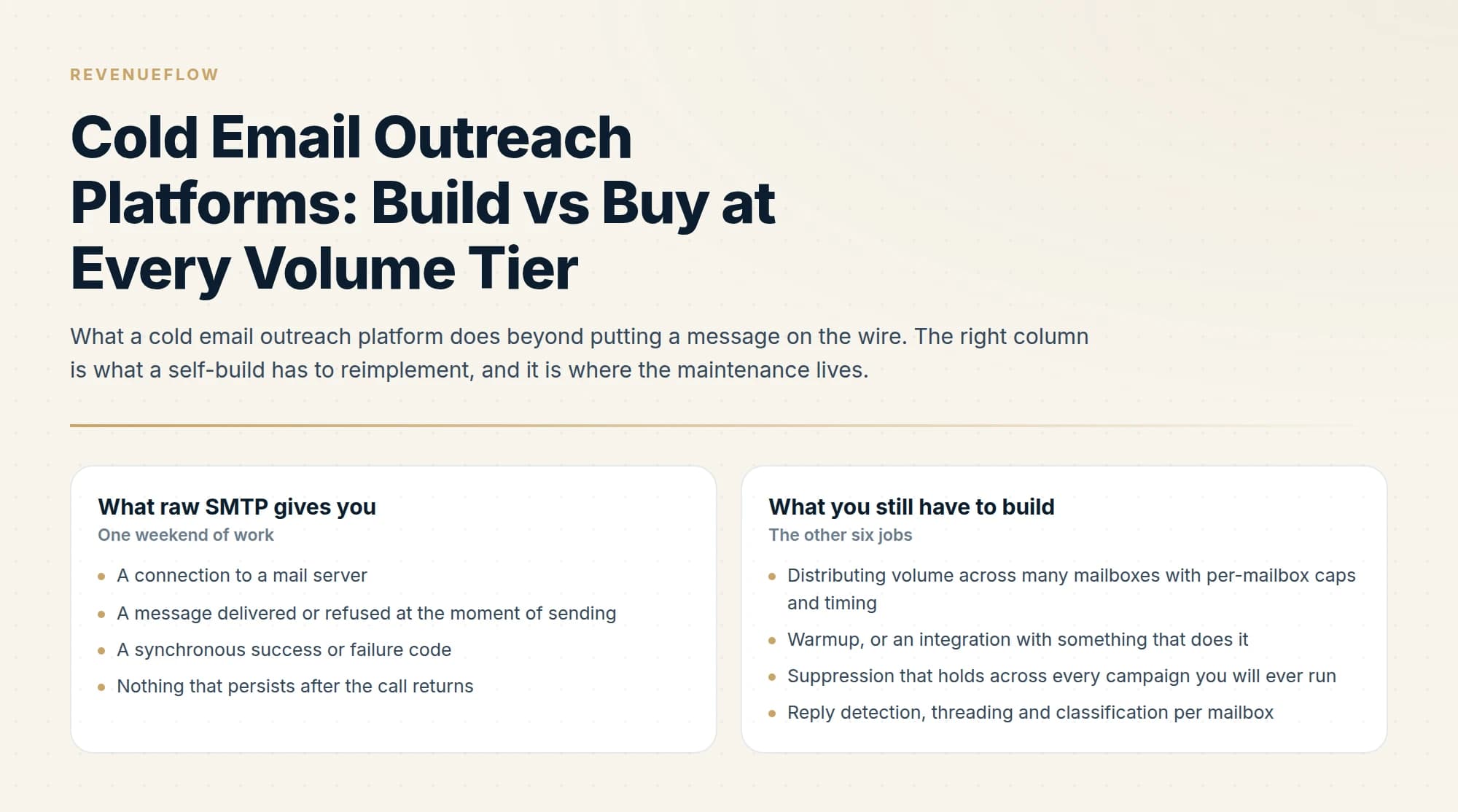
A cold email platform provides inbox rotation, warmup, reply detection, suppression, sending schedules and bounce handling on top of raw SMTP. Building those yourself is feasible at low volume and becomes a maintenance burden as mailbox count grows, which is where the decision usually flips.
Key takeaways
- Raw SMTP sends mail. Everything that makes cold email work at volume, from inbox rotation to suppression, is the layer a platform sells you.
- Suppression across campaigns is the first thing that breaks in a self-built system, and it is the failure with the worst consequences.
- Reply detection and bounce processing are deceptively hard, because they are pattern matching against messy real-world mail rather than simple parsing.
- The maintenance cost of a self-built sender is ongoing and invisible in the original build estimate.
Reviewed and updated September 1, 2026
The build case always starts the same way. An SMTP library, a CSV of five hundred contacts, a loop, and a rendered template. It works the first Tuesday, it works the second Tuesday, and somewhere around the sixth week it emails a person who already replied "not interested" three campaigns ago, because nothing in the loop ever knew about them.
That is the real build versus buy question. The send loop is a weekend. Everything that remembers what happened after the send is the product you are deciding whether to buy.
What sending actually requires beyond sending
A cold email API is the build side of this decision sold as a component, and the list below is what the API does not give you: rotation policy, warmup, deferral handling and reply routing are the work, and the send call is the easy part.
ContactOut and Outreach's differing roles clarify why sourcing contact data and orchestrating outbound sequences remain separate jobs many teams run together.
Strip a cold email outreach platform down and it is doing seven jobs. One of them is transmitting mail. The other six are state and scheduling, and they are the reason the category exists.
- A connection to a mail server
- A message delivered or refused at the moment of sending
- A synchronous success or failure code
- Nothing that persists after the call returns
- Distributing volume across many mailboxes with per-mailbox caps and timing
- Warmup, or an integration with something that does it
- Suppression that holds across every campaign you will ever run
- Reply detection, threading and classification per mailbox
- Asynchronous bounce processing from delivery notifications
- Sending windows, timezones, and holding sends when a mailbox disconnects
The forcing function is mailbox count. Provider limits mean volume cannot live in one mailbox: in Google Workspace, a standard account can send 2,000 messages a day to 3,000 unique recipients, of which 2,000 may be external, with trial accounts held to 500. Those are hard stops, and a responsible cold sender operates far below them anyway. Our own planning figure is roughly 20 sends per mailbox per day, so a programme contacting a few hundred people a day is a programme running across a dozen or more mailboxes.
The moment there is more than one mailbox, every one of those six jobs becomes a distributed-state problem instead of a script. Which mailbox sent to which person, which mailbox is over its cap today, which mailbox has a reply sitting in it that nobody has processed, and which mailbox just lost its OAuth token at 3am.
What breaks first when you self-build, in order
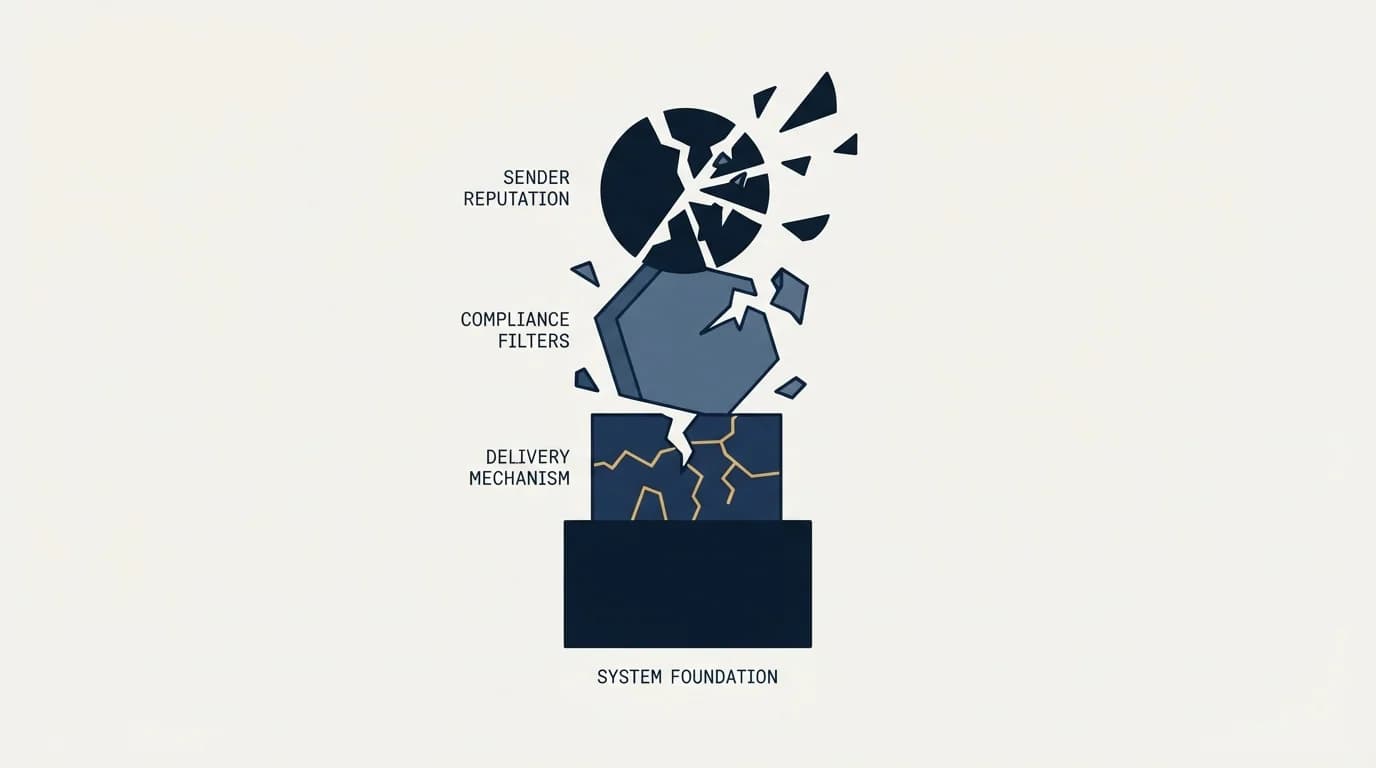
Teams that build usually get the sending right and then discover the failures in a predictable sequence. It is worth knowing the order, because each one is more expensive than the last and none of them announces itself.
Suppression breaks first, and it breaks quietly. The version everyone builds is a per-campaign opt-out list, because that is the version the current campaign needs. The failure arrives one campaign later, when the same person is in a different list under a different campaign and nothing joins the two. Suppression has to be global by construction: one record per person across every campaign, keyed on the email address rather than on name and company, because the same human turns up with a new job title and a new company string constantly and a name match misses them.
The categories that must be global are larger than most builds anticipate. Anyone who replied, positively or negatively. Anyone who unsubscribed, anywhere. Anyone who hard bounced. Every address at a customer's domain, a current vendor's domain, or an active opportunity. And anyone already queued in another live campaign, which is the one almost nobody builds, because it requires knowing about pending sends in a campaign other than the one you are launching.
That last category is the difference between a suppression list and a conflict check. A suppression list answers "have we contacted this person". A conflict check answers "is another campaign about to contact this person tomorrow". Send two campaigns over overlapping lists without one and both campaigns march through the shared portion, each unaware of the other.
Reply handling breaks second, and it breaks loudly. Detecting a reply means connecting to each mailbox over IMAP, polling it, threading incoming mail against what you sent using Message-ID and References headers, and then deciding what each message is. A meaningful share of what comes back is not a human reply at all: out-of-office autoresponders, delivery delay notifications, ticketing system acknowledgements, and mailbox-full warnings. Treat those as replies and your reply rate is fiction. Treat them as nothing and you miss the genuine reply buried in the same folder.
Then something has to happen. Because we send one message per campaign and never bump, there is no follow-up sequence to halt, which removes the most commonly cited reason for reply detection. What remains is more important. A negative reply has to suppress that person across every campaign, immediately, or a person who said no hears from you again from a different mailbox. A positive reply has to reach a human within the hour, because reply latency is one of the few levers that reliably decides whether a conversation turns into a meeting.
Bounce processing breaks third, and it breaks your reputation. A bounce is not the SMTP response you got at send time. Most bounces arrive minutes or hours later as a separate delivery status notification sent to your return path, in a format that varies by provider, and something has to receive that mailbox, parse the notification, extract the original recipient, classify the failure as permanent or transient, and suppress permanently on the former without suppressing on the latter. Skip this and you keep sending to dead addresses, which is the single most direct way to convince a mailbox provider that your list is purchased.
- Step 1Sending works
Messages leave, recipients receive them, and the loop looks finished. This is the part that takes a weekend.
- Step 2Suppression leaks
A per-campaign opt-out list cannot stop a repeat contact from a different campaign. Nobody notices until a prospect points it out.
- Step 3Replies pile up
Autoresponders are counted as replies, genuine replies sit unread in one of fifteen mailboxes, and negative replies never propagate to other campaigns.
- Step 4Bounces accumulate
Delivery notifications arrive asynchronously to the return path and are never parsed, so invalid addresses stay in the rotation and reputation degrades.
Where the answer flips
The tier that matters is mailbox count rather than contact count, because mailbox count is what turns scheduling and state into real problems.
One person, one mailbox, low tens of sends a day. A mail provider and a merge tool is genuinely enough. Sending is manual enough that a human is the suppression list, replies land in a mailbox somebody actually reads, and bounces are visible because there are few of them. Buying a platform here mostly buys reporting.
One team, several mailboxes, low hundreds a day. This is where the answer flips, and it flips because of mailbox rotation rather than volume. Multiple mailboxes require per-mailbox caps, a schedule, health monitoring, warmup on each one, and a shared suppression record that all of them respect. That is a system, and it is a system whose components sit outside your product's competence. Buy.
A related limitation shows up in per-seat tools, where a review of Mailshake's mailbox limits shows mailbox count tied directly to how many seats a team buys.
Multiple clients or brands, thousands a day. Buy, and choose on the axes that actually differ, since every product in the category lists the same features. The multi-workspace boundary matters here: suppression, sender pools and reporting have to be separable per client, and that separation is architectural rather than a setting.
Sending as a feature of your own product. Different question entirely, and here building can be correct. If your application sends on behalf of your users, an outreach platform is the wrong shape and a transactional mail provider plus your own logic is the right one.
- Yes: Sending volume needs more than one mailbox to stay within safe per-mailbox limits
- Yes: More than one campaign will run against overlapping audiences over time
- Yes: Replies need to reach a human within the hour, from any of several mailboxes
- Yes: New sending domains will be added, each needing warmup and a ramp
- No: Sending is a feature of your own product rather than a go-to-market activity
- Depends: An engineer is available for bounce parsing and token refresh failures indefinitely
What building really costs after it works

The estimate that goes wrong is the one that treats the thing as finished when it works, because the parts most likely to move afterwards are the parts you do not control.
Mailbox authentication moves. OAuth tokens expire, providers change consent screens, and a token refresh failure at 3am means a mailbox silently stops sending until somebody investigates why the day's volume was down by a twelfth.
The compliance surface moves, with a precedent that is easy to check. Google's bulk sender requirements took effect for senders of more than 5,000 messages a day to Gmail from February 2024, requiring SPF and DKIM authentication, DMARC on the sending domain, spam rates in Postmaster Tools kept below 0.30%, and one-click unsubscribe support on marketing and subscribed messages. One-click unsubscribe means specific headers, List-Unsubscribe and List-Unsubscribe-Post, per RFC 2369 and RFC 8058, plus an endpoint that correctly handles the POST request the mailbox provider sends. A platform shipped that. A self-build got a ticket.
Deliverability diagnosis moves too, and it is the cost nobody budgets. When placement drops, somebody has to determine whether the cause is a domain, a mailbox, the copy, the list, or an authentication change, and on a self-build that person is an engineer working without the per-mailbox and per-domain reporting a platform would have given them. The cold email deliverability guide covers the diagnosis itself; the point here is who is doing it and what else they were meant to be building.
Set against that, the licence cost of a platform is usually the smaller number, and it is a number you can predict.
When buying is still not enough
Buying a platform does not buy the layer underneath it. Domains, mailboxes, DNS records and warmup remain yours regardless of which product sends the mail, and every one of them is a place a programme fails. Authentication has to be published per sending domain, which is covered in our SPF, DKIM and DMARC guide, and each new domain needs its warmup and ramp period before it carries campaign volume, which is covered in how long to warm up a cold email domain.
Platforms also differ far more in these mechanics than their feature lists suggest, and the feature lists are close to identical. Which product to pick, and the questions that actually separate them, is a separate exercise: what to evaluate beyond the feature list covers the criteria, and how to choose a cold email platform covers the selection process.
The short version

The send loop is the cheap part of a cold email outreach platform. The expensive parts are distributing volume across mailboxes under per-mailbox caps, warmup, global suppression, reply detection and classification, asynchronous bounce processing, and scheduling. Provider limits force multiple mailboxes at modest volume, and multiple mailboxes turn each of those from a script into shared state.
Self-builds fail in a fixed order: suppression leaks across campaigns first and silently, reply handling drowns in autoresponders second, and unparsed bounce notifications damage reputation third. The answer flips at the point you need more than one mailbox, which arrives well below the volume most teams expect, and the ongoing cost is not the build but the compliance surface and provider authentication moving underneath it.
Building is defensible when sending is a feature of your own product. For a go-to-market programme, buy the platform and spend the engineering time on the list and the offer.
We run the whole stack, from domains and warmup through sending and reply handling, as part of our outbound engagements, and we send one message per campaign with no follow-up sequences. You can see what a campaign would look like for your market.
Google sending limits, bulk sender requirements and one-click unsubscribe specifications are per Google's published documentation as of mid-2026. Verify current requirements with the provider before relying on them.
Sources: Google email sender guidelines, Gmail sending limits in Google Workspace
Frequently asked questions.
Frequently asked questions- Do I need a cold email platform?
- At very low volume from a single mailbox, a mail provider and careful manual work can be enough. Once you are rotating across multiple mailboxes, tracking suppression across campaigns and handling replies and bounces at scale, the platform is doing work that is genuinely tedious to rebuild.
- Can I just use Gmail or Outlook for cold email?
- You can send from them, and at low volume some people do. What they do not provide is inbox rotation across mailboxes, campaign-level suppression, reply classification, bounce processing or sending schedules. Those absences are what limit the approach rather than the sending itself.
- What breaks first when you build your own sender?
- Suppression across campaigns. It is easy to prevent duplicate sends inside one campaign and much harder to guarantee that someone who replied or unsubscribed anywhere is excluded everywhere. That failure sends a second message to someone who already said no, which is the most damaging mistake available.
- When does building your own make sense?
- When your requirements genuinely differ from what platforms offer, when you have engineering capacity to maintain it indefinitely, or when volume is high enough that per-mailbox pricing outweighs the build. The maintenance is the part that gets underestimated, because sending is never finished.
About the author.

Ben Carden is CRO at RevenueFlow, which builds and operates outbound revenue engines for B2B companies. Previously at Gartner Enterprise. Studied at London School of Economics.
Ben Carden · CRO
Connect on LinkedIn →Explore more.
Ready to scale your outreach?
We build GTM engines that book real meetings. See the receipts.
Related articles.
Email Tracking Software: Six Tools, Priced and Capped
Streak, Mailsuite, Right Inbox, Mixmax, Yesware and HubSpot compared on free-tier caps and published prices, plus what an open event still proves.
QuickMail Pricing: Volume Bands, Not Seat Counts
QuickMail charges on monthly sends and stored contacts rather than seats. The three bands, the missing annual option, and the inbox billing its own pages disagree about.
GMass Mail Merge: Sending Inside Gmail, and What It Costs
GMass runs the merge inside Gmail, which removes every setup step and hands your sending ceiling and your reputation to Google in the same move.
Yesware Email Tracking: What the Open Notification Proves
Yesware tracks opens, clicks and attachment views from inside Gmail and Outlook. What each event proves, what every tier costs, and why an open is not a trigger.
Mailshake Review: Sends Are Unlimited, Mailboxes Are Not
Mailshake's $49 tier advertises unlimited sends and allows two email addresses. How mailboxes are really bought, and where two vendor pages state the limit differently.
Lemlist Pricing: Plan Tiers and Credit Costs vs Instantly
Lemlist prices per user with a sender cap where Instantly gives unlimited mailboxes. Which is cheaper depends on whether your constraint is headcount or mailboxes.