Mailshake Review: Sends Are Unlimited, Mailboxes Are Not
Mailshake's $49 tier advertises unlimited sends and allows two email addresses. How mailboxes are really bought, and where two vendor pages state the limit differently.
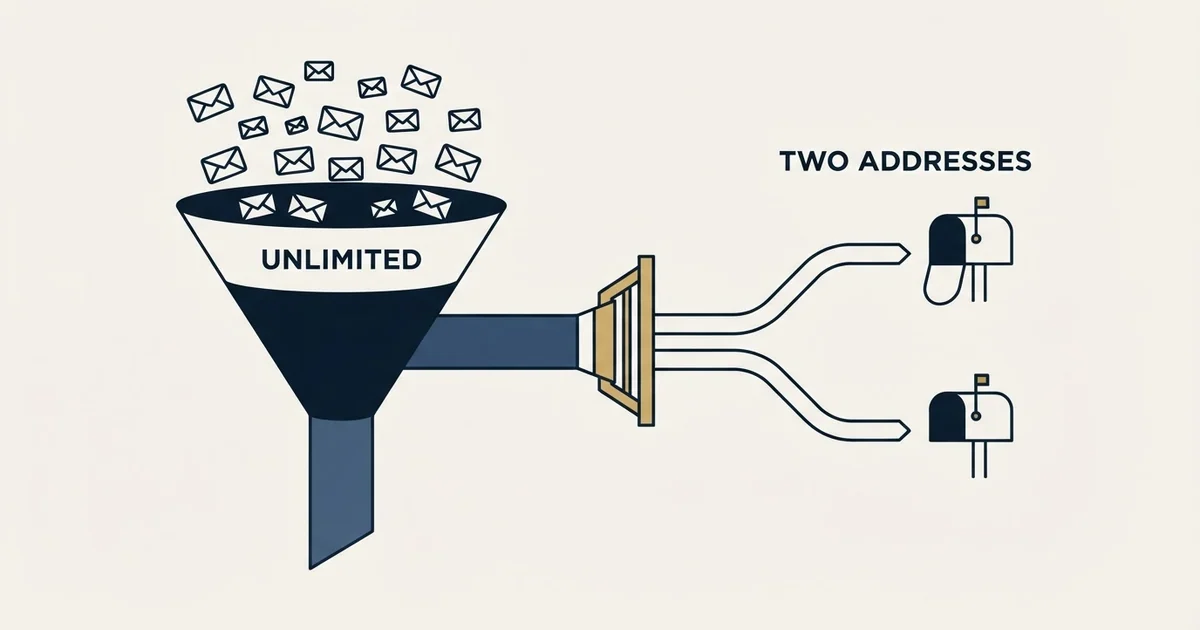
Mailshake is a per-seat sales engagement platform sending through mail accounts you connect. Its pricing page publishes Starter at $29 a month with one email address and 1,500 sends, Email Outreach at $49 with two addresses and unlimited sends, and Sales Engagement at $99 with ten. Mailboxes scale with seats, and there is no free trial.
Key takeaways
- Mailshake's pricing page pairs unlimited sends on the $49 Email Outreach tier with an allowance of two email addresses, and the mailbox line rather than the send line is what constrains cold outbound.
- Mailboxes are bought by buying seats: the pricing page's own FAQ says each paid user allows one connected mail account on Starter, and endorses paying for users you do not have in order to connect more mailboxes.
- Mailshake's help centre states five mail accounts per user on Sales Engagement while the pricing card presents ten per account, so the same limit is described two ways across two of the vendor's own surfaces.
- There is no free trial, the vendor states payment is collected up front, refunds are not issued on cancellation, and campaign data is deleted thirty days after a subscription expires.
Reviewed and updated September 1, 2026
Mailshake's second tier advertises unlimited email sends for $49 a month. The same plan card, four lines further down, allows two email addresses. For anyone buying this to run cold outbound, the second number is the one that decides the purchase, and almost no comparison page quotes it.
That gap is the reason to review this product on its structure rather than on its feature list. Everything below is verified against mailshake.com/pricing and Mailshake's own help centre, both fetched 16 August 2026, with each figure attributed to the page it appeared on. We run Email Bison for sending, so this is a documentation read rather than an account of operating the tool.
What Mailshake is
Mailshake email outreach is a sales engagement platform that sends through mail accounts you connect rather than through infrastructure it provides. Its own pricing page states it works with Gmail, G Suite, Office 365, most Outlook and Exchange accounts, and most any email address supporting SMTP and IMAP connections.
The product spans automated email sequences, A/B testing, an AI writing feature the vendor calls SHAKESpeare, a data finder for prospect contact details, a lead inbox it names Lead Catcher, and a dialer on the top tier. The pricing page's own summary claims more than 100,000 sales teams use it, which is a vendor-presented figure on a sales page rather than an audited one.
The architecture matters more than any of that. Because the mail leaves through accounts you own, the reputation and the sending ceiling are yours, and the platform's job is orchestration. That is the same shape as most of this category, and it makes the per-mailbox economics the axis worth reviewing on.
The plans, in both billing states
Mailshake renders monthly and annual prices into the same page, so both are named separately here. Per the pricing page as served on 16 August 2026:
| Plan | Monthly | Annual, per month | Email addresses | Sends per month |
|---|---|---|---|---|
| Starter | $29 | $25 | 1 | 1,500 |
| Email Outreach | $49 | $45 | 2 | Unlimited |
| Sales Engagement | $99 | $85 | 10 | Unlimited |
| Agency | Talk to sales | Talk to sales | Unlimited | Unlimited |
Every tier carries unlimited uploaded contacts, unlimited campaigns, unlimited email warmup and unlimited email verification. Data finder credits run at 50 free on the two lower tiers and 2,500 on Sales Engagement. Email rotation across connected accounts starts at the $49 tier, not at Starter. The top tier adds five phone numbers, a power dialer and unlimited dialer minutes to North American numbers.
Two add-ons sit below the plans and are priced separately: Data Finder at $19 a month, or $17 on annual billing, and a service the page calls Ready to Use Mailboxes at $12 a month, or $11 annually, described as automatically creating dozens of email addresses and switching away from any that runs into trouble.
The only tier with a send cap
On the tier whose sends are unlimited
Read the per-user note below before budgeting
The FAQ states payment is collected up front
The mailbox count is per seat, and the pages disagree about it

This is the part worth ten minutes before signing, because two of Mailshake's own surfaces describe the same limit differently.
The pricing page presents mailbox allowances as plan attributes: one email address per account on Starter, two on Email Outreach, ten on Sales Engagement. The FAQ on that same page describes something else: with each user you pay for, your team may connect one mail account, so you might choose to pay for three users but only have one person on your team in order to connect three mail accounts.
Mailshake's help centre article on pricing, last updated 12 February 2025, states the per-user version explicitly and gives a different multiplier for the top tier. On Starter, each user allows one connected mail account. On Email Outreach, each user allows two. On Sales Engagement, each user allows up to five. Its worked example for Sales Engagement takes two users and reaches ten mail accounts, which reconciles with the pricing page's ten only if that ten is read as five per user across two seats.
So the honest reading is that mailboxes are bought by buying seats, and the pricing card's numbers describe a single-seat account. The vendor's own FAQ endorses the workaround of buying seats you have no people for, purely to raise the mailbox allowance, which tells you how the model behaves in practice.
One caution about that help article as a budgeting source. Its Starter example reads four users times $299 equals $897 a year, and those figures do not multiply out, since four times $299 is $1,196. The other two examples on the page are internally consistent. Take the plan rates from the pricing page and do the arithmetic yourself.
The per-user annual figures on that 2025 help article are $299 for Starter, $530 for Email Outreach and $999 for Sales Engagement. Multiplying the current pricing page's annual per-month rates by twelve, which is arithmetic performed here rather than a figure either page publishes, gives $300, $540 and $1,020 a year. Those are close enough to be the same product and different enough that quoting the older page would misstate the bill.
What the caps mean for cold outbound
Cold sending volume comes from spreading messages across many mailboxes each sending modestly, which is what inbox rotation describes, because mailbox providers evaluate behaviour per mailbox rather than per campaign. Unlimited sends on a two-mailbox plan is therefore an allowance you cannot safely use.
Work the arithmetic as an invented illustration rather than a quotation. A programme wanting twenty sending mailboxes, on the published Email Outreach rate of two mailboxes per seat, needs ten seats. At the published $45 annual per-seat monthly rate that is $450 a month before a single domain, mailbox licence or warmup service is bought. The same twenty mailboxes on the published Sales Engagement rate of five per seat need four seats, at $85 each on annual billing, which is $340 a month. Both totals are arithmetic performed here on Mailshake's published rates rather than quoted prices, and the shape is what matters: the cheaper configuration is the more expensive tier, because the tier that costs more per seat needs fewer of them.
That inversion is the single most useful thing to know before choosing. It also explains the Ready to Use Mailboxes add-on, which sells the mailbox estate the seat model otherwise makes expensive.
Lemlist's sender cap review examines the same tension between an unlimited-senders claim and a per-seat mailbox limit that decides real sending capacity.
The domains and mailboxes themselves sit outside every plan on every platform in this category, and they are usually the larger line item. Cold email infrastructure covers what that estate actually requires, and warming it is its own cost, which email warmup services covers.
- Ten seats to reach twenty mailboxes
- $45 per seat per month on annual billing
- $450 a month before domains and warmup
- Email rotation included at this tier
- Four seats to reach twenty mailboxes
- $85 per seat per month on annual billing
- $340 a month before domains and warmup
- Adds a dialer and 2,500 data finder credits
- Count mailboxes first, then seats, then the tier
- The higher tier can be the cheaper configuration
- The Agency plan removes the ceiling entirely
- Neither price includes the domains or the mailboxes
Mailshake integrations, and where they start

The integrations question has a tier answer. Salesforce, Pipedrive and HubSpot connections, along with more than a thousand integrations via Zapier, a browser extension, a unified inbox, a prospects view and email template management, are listed on the Email Outreach tier and above. The Starter plan's included-features block does not carry them.
Mailshake's own documentation carries a dedicated Salesforce article, and the pricing page repeats the CRM trio on both upper tiers. For anyone whose reason to buy is CRM activity logging, that puts the practical entry price at $49 a month rather than $29, and the scope of what syncs is worth getting in writing rather than from a feature grid.
What the billing terms commit you to
Three FAQ answers on the pricing page and the help article change the shape of the commitment more than any feature does.
There is no free trial. The FAQ states payment is collected up front, offering concierge onboarding, deliverability training and support resources in its place. Every competitor named on our Mailshake alternatives roundup that offers a free tier or trial is, on this axis alone, a cheaper evaluation.
Billing charges ahead for the upcoming period, upgrades are prorated immediately, and downgrades produce an account credit rather than a refund. The help article states there are no refunds or pro-rated refunds for cancellation, and that a subscription cannot be paused.
Campaign data is deleted thirty days after a subscription expires. That is a reasonable policy and an easy one to be surprised by, so export before the clock starts if the history matters.
- Yes: Count the sending mailboxes you need first, since seats are how you buy them.
- Depends: Confirm the mailbox-per-user multiplier for the tier you want, because two vendor pages state it differently.
- Yes: Check that Starter's 1,500 monthly sends covers the plan, since it is the only capped tier.
- Yes: Price the domains, mailboxes and warmup separately, because no tier includes them.
- No: Note that evaluation costs money, since there is no free trial.
- Yes: Export campaign data before a subscription lapses, since it is deleted after thirty days.
Where it fits, and where it does not
Mailshake suits a small sales team sending from their own named mailboxes, wanting sequences, tracking and CRM logging without running separate sending infrastructure. At one or two mailboxes per person that model is coherent and the price is fair.
Teams weighing whether email-only sequencing is enough versus a multi-channel orchestration layer can compare how Groove and Mailshake diverge on channels, pricing and workflow fit.
Multi-channel orchestration platforms extend beyond that comparison too, and Apollo.io's broader outreach approach against Mailshake examines database scale, channels and where each tool fits a workflow.
It fits poorly where volume has to come from a mailbox estate rather than from headcount, because every additional mailbox is priced as an additional seat. That is a structural mismatch rather than a criticism: per-seat platforms are built for named reps working named accounts. Where the shape is wrong, cold email software sets the alternatives side by side, and sender reputation explains why the mailbox count is the lever in the first place.
One position of ours is worth stating plainly, because the product sells the opposite as a headline feature. We run one message per campaign, with no bumps and no thread replies. Automated follow-up stages are described here as the vendor describes them, and they are not a capability we buy on. A second contact at RevenueFlow is a new campaign with a genuinely different angle, usually triggered by a new signal rather than by a timer.
The verdict
Mailshake is a competent per-seat sales engagement platform whose published caps deserve more attention than its published prices. Unlimited sends arrive with two mailboxes at $49, mailboxes scale with seats rather than with plans, and the vendor's own pricing page and help centre state the multiplier differently for the top tier.
Read the mailbox line before the feature list, count seats from the mailbox estate you need, and remember that evaluating it costs money because there is no trial.
If the goal is booked meetings rather than a platform to run campaigns from, see what a first campaign looks like and we will build the list, write the copy and run the infrastructure.
Plan prices, mailbox allowances, add-on rates and billing terms verified as of mid-2026 against mailshake.com/pricing and Mailshake's help centre, each figure attributed above to the page it appears on. The pricing page renders monthly and annual states in one document; both are named. Verify current terms with the vendor before relying on them.
Frequently asked questions.
Frequently asked questions- How many mailboxes can I connect to Mailshake?
- It depends on seats rather than on the plan alone. The pricing page lists one address on Starter, two on Email Outreach and ten on Sales Engagement, while the FAQ and the help centre describe those as per-user allowances. The help centre's Sales Engagement example reaches ten mailboxes across two users, which reconciles the two readings at five per seat.
- Is Mailshake good for cold email at volume?
- It fits teams sending from their own named mailboxes rather than programmes that need a mailbox estate. Because mailboxes come with seats, every extra sending address is priced as another user, and the cheaper configuration is often the more expensive tier because it needs fewer seats. Volume programmes usually want a platform priced on throughput instead.
- Does Mailshake have a free trial?
- No. Its pricing FAQ states that payment is collected up front, and offers concierge onboarding, deliverability training and support resources in place of a trial. Evaluating Mailshake therefore costs at least one billing period, which is a real difference against competitors offering a free tier or a time-limited trial.
- What happens to my campaigns if I cancel?
- Access continues to the end of the billing period already paid for, since the subscription is prepaid and the help centre states that no refunds or pro-rated refunds are issued. Campaign data is then deleted thirty days after the subscription expires, so export anything you want to keep before that window closes. Subscriptions cannot be paused.
About the author.

Ben Carden is CRO at RevenueFlow, which builds and operates outbound revenue engines for B2B companies. Previously at Gartner Enterprise. Studied at London School of Economics.
Ben Carden · CRO
Connect on LinkedIn →Explore more.
Ready to scale your outreach?
We build GTM engines that book real meetings. See the receipts.
Related articles.
QuickMail Pricing: Volume Bands, Not Seat Counts
QuickMail charges on monthly sends and stored contacts rather than seats. The three bands, the missing annual option, and the inbox billing its own pages disagree about.
GMass Mail Merge: Sending Inside Gmail, and What It Costs
GMass runs the merge inside Gmail, which removes every setup step and hands your sending ceiling and your reputation to Google in the same move.
Email Tracking Software: Six Tools, Priced and Capped
Streak, Mailsuite, Right Inbox, Mixmax, Yesware and HubSpot compared on free-tier caps and published prices, plus what an open event still proves.
Amplemarket Publishes One Price: What to Ask
Amplemarket's pricing page names $600 a month for two users and Custom for everything above. What that tier includes, and the six questions the page leaves open.
The Mixmax Chrome Extension: Five Scopes and Ten Conflicts
Mixmax publishes the exact Google scopes its extension requests and the extensions it collides with. What to check before a rollout, and the error that needs an admin.
The Yesware Plugin: Three Surfaces, Two Compatibility Lists
Yesware installs as a Chrome extension, an Outlook add-in or a Salesforce sidebar. Which surface you get, what each supports, and the tier that gates the CRM half.