QuickMail Pricing: Volume Bands, Not Seat Counts
QuickMail charges on monthly sends and stored contacts rather than seats. The three bands, the missing annual option, and the inbox billing its own pages disagree about.

QuickMail publishes three monthly plans with no annual option: Starter at $49 for 5,000 sends and 1,000 contacts, Growth at $99 for 100,000 sends and 25,000 contacts, and Agency at $299 for 500,000 sends and 100,000 contacts. Users are free and the tier is set by volume rather than by seats.
Key takeaways
- QuickMail prices on throughput and stored contacts rather than on people or mailboxes, so the mailbox estate that carries the volume does not by itself move the bill.
- The send cap rather than the headline decides the tier: the pricing page publishes 5,000 sends a month on the $49 Starter plan, which a modest twenty-mailbox programme clears easily, putting the practical floor at the published $99 Growth tier.
- The pricing page advertises unlimited email senders on every tier while a second QuickMail page states that you are charged for the inboxes you connect, and no per-inbox rate is published anywhere.
- QuickMail states it sends through the connected mailbox's own provider rather than proprietary servers, so a Gmail inbox sends over Google's IPs and placement rests on your own domains and mailboxes.
Reviewed and updated September 1, 2026
QuickMail's pricing page puts "Unlimited Email Senders" on all three plans. A second QuickMail page, selling the same idea, says the company will only charge you for the actual inboxes you connect to send from. Both are live, neither mentions the other, and no per-inbox rate appears anywhere on the pricing page.
Reconciling those two sentences is the first job for anyone budgeting this tool, because the whole appeal of QuickMail's model rests on which of them is operative. Everything below is verified against quickmail.com's own pricing and unlimited-users pages, both fetched 16 August 2026, with each statement attributed to the page it appears on. We run Email Bison for sending, so this is a documentation read rather than an account of operating the product.
The published tiers
QuickMail publishes three self-serve plans. The page carries no annual option and no billing toggle at all, so every figure below is a monthly rate and there is no annual discount to hunt for.
| Plan | Monthly | Uploaded contacts | Emails sent per month | Workspaces |
|---|---|---|---|---|
| Starter | $49 | 1,000 | 5,000 | 1 |
| Growth | $99 | 25,000 | 100,000 | 1 |
| Agency | $299 | 100,000 | 500,000 | 2, extra at $49 each |
Every tier carries unlimited email senders, unlimited LinkedIn accounts, unlimited users, the AutoWarmer service the page names as MailFlow, and Zapier. API access starts at Growth. Webhooks appear only on Agency. Support moves from expert to priority at Growth.
The trial terms are unusually clear. Fourteen days, a card required at signup, and an explicit commitment that the card is not charged and no subscription is created when the trial ends. The page gives its reason for asking for the card: preventing bulk account creation by spammers.
The cap that decides whether $49 is the real entry price
Twenty times Starter for twice the price
Agency includes two
Card required, no charge when it ends
The tiers are volume bands, and that is the whole model
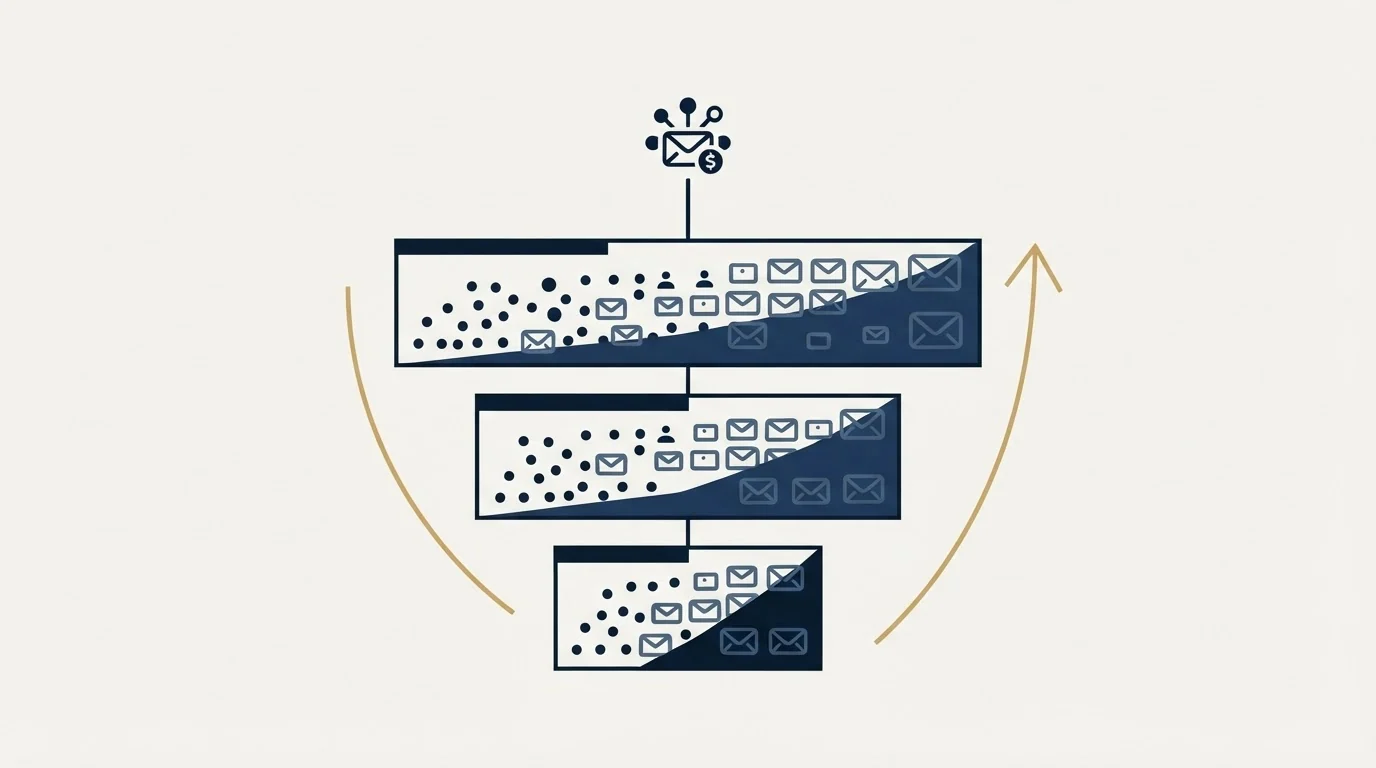
Most tools in this category price on people or on mailboxes. QuickMail prices on throughput and storage: how many emails leave per month, and how many contacts sit in the account. Users are free, senders are advertised as unlimited, and the tier is chosen by the size of the programme rather than by the size of the team.
That inverts the arithmetic every per-seat comparison teaches. A per-seat platform gets more expensive as the mailbox estate grows, because mailboxes are usually bought by buying seats. A volume-banded platform does not care how many mailboxes carry the volume, only how much volume there is.
Work an invented illustration to see where the bands actually fall, using QuickMail's published caps rather than any campaign of ours. A programme running twenty sending mailboxes at a conservative thirty messages each per working day sends roughly six hundred a day, which is around thirteen thousand a month across a twenty-two-day month. That clears Starter's five thousand comfortably, so the real entry point for that shape of programme is Growth at $99, not the $49 headline. The same programme at forty mailboxes is around twenty-six thousand a month, still inside Growth's hundred thousand. Those totals are arithmetic performed here on the vendor's published caps, not quotations.
The lesson generalises past the specific numbers. On this model the question that sets the bill is your monthly send volume, and the mailbox count only matters through the volume it produces. Sizing that volume honestly, including the headroom that inbox rotation needs to spread it, is the whole of the exercise.
Contact storage is the second dimension and it is the one that catches agencies. A thousand uploaded contacts on Starter is a small list by cold-outbound standards, and contacts accumulate rather than reset, so the storage cap tends to bind before the send cap does on any account that keeps its history.
The unlimited-senders question, unresolved on the vendor's own pages
Here is the contradiction stated precisely, because it moves the bill more than any tier choice.
The pricing page lists "Unlimited Email Sender" on Starter and "Unlimited Email Senders" on Growth and Agency, under a header that reads "Unlimited Email and LinkedIn Senders". Its FAQ reinforces the same idea from the seat side: QuickMail does not charge per seat, and any number of team members can be added at no additional cost.
The unlimited-users page agrees about people and then says something different about inboxes. It states that most tools charge extra for every additional seat, that QuickMail does not, and that it will only charge you for the actual inboxes you connect to QuickMail to send emails from. The sentence appears twice on that page in slightly different words.
A buyer cannot settle this from the published pages, and the honest position is to say so rather than to pick the reading that flatters the product. Ask two questions in writing before signing: whether connected inboxes are billed at all on the self-serve tiers, and if so at what rate, since no rate is published. Our reading is that the seat claim is the load-bearing one on the pricing page and that the inbox sentence describes the pricing philosophy rather than a live line item. That is a reading, not a fact, and the difference between the two is a real number on an invoice.
- Unlimited email senders on every tier
- Unlimited LinkedIn accounts on every tier
- Unlimited users, with no per-seat charge
- The tier is set by contacts and monthly sends
- Team members cost nothing to add
- You pay for the inboxes you connect to send from
- No per-inbox rate is published anywhere
- Auditing tracks who changed what, and when
- Get the inbox billing basis in writing
- Ask what an inbox costs if it is billed at all
- Confirm the send and contact caps for your tier
- Price the domains and mailboxes separately, since no tier includes them
What the sending architecture answers do tell you

Two FAQ answers on the pricing page are more useful than most of the feature list, because they describe how mail actually leaves.
QuickMail states that it does not send through proprietary servers. It automates sending from the email account connected as an inbox, so the IP address belongs to that email provider. The example the page gives is that a Gmail inbox sends over Google's IPs, and an Outlook inbox is sent by Microsoft's servers, with QuickMail telling the provider to send to particular addresses.
That is the correct architecture for cold outbound and worth understanding rather than skimming. It means placement rests on your own domains and mailboxes rather than on a shared pool the vendor manages, so sender reputation accumulates where you can act on it. It also means the platform cannot rescue a badly configured estate: authentication, domain age and per-mailbox behaviour still decide outcomes, which is what the deliverability guide works through.
Since QuickMail is built for cold email execution rather than multi-channel orchestration, the Apollo cross-category comparison explains where a sales engagement platform fits alongside it.
The company is also unambiguous about what the tool is for. Its FAQ answers a question about emailing people who have not opted in by stating plainly that it is a cold outreach tool, and a separate answer confirms it sells no lead generation or cold email services, only the platform. Both are useful positioning statements to have in writing when a compliance conversation starts.
- Yes: Estimate monthly send volume first, since the tier is a volume band.
- Yes: Count stored contacts as a cumulative total, because they do not reset each month.
- Yes: Check whether 5,000 sends a month covers the programme, since that is Starter's ceiling.
- Depends: Get the inbox billing basis in writing, because two vendor pages describe it differently.
- Yes: Budget domains, mailboxes and their licences separately, since no tier includes them.
- No: Expect an annual discount, since the page publishes monthly rates only.
What the price does not include
No plan on any platform in this category includes the sending estate, and it is consistently the larger line. Domains, mailbox licences, and the warmup that makes them usable are bought separately, and a comparison that sets a $49 platform against a $99 one while ignoring twenty mailbox licences is comparing the smaller half of two bills.
QuickMail bundles its AutoWarmer into every tier, which removes one of those lines. The rest stay, and cold email infrastructure covers what the estate actually requires. If the comparison is against the unlimited-mailbox end of the market, Instantly pricing sits on the same axis, and the QuickMail alternatives roundup covers the field. For the category shapes, cold email software sets them side by side.
Since QuickMail's volume-banded pricing is built for campaign execution rather than orchestration, Groove by Clari comparison explains where a Salesforce-native engagement platform fits instead.
One position of ours is worth stating as policy rather than as a comment on the tool, because volume-banded pricing quietly rewards the opposite behaviour. We run one message per campaign, with no bumps and no thread replies. A pricing model that sells throughput makes multi-step sequences look free at the margin, and the cost they carry is not on the invoice: it is per-mailbox volume without added information, which is exactly what mailbox providers filter on. A second contact here is a new campaign with a genuinely different angle.
The short version

QuickMail prices on volume and stored contacts rather than on seats, which makes it structurally friendlier to a mailbox estate than any per-seat tool in the category. The bands are $49 for 5,000 sends and 1,000 contacts, $99 for 100,000 sends and 25,000 contacts, and $299 for 500,000 sends and 100,000 contacts, all monthly, with no annual option published.
Size the tier from your real monthly volume rather than from the headline, watch the contact cap as it accumulates, and settle the inbox billing question in writing, because the vendor's own two pages do not settle it.
If the underlying question is how much sending capacity a programme needs rather than which tier to buy, see what a first campaign looks like and we will size the estate with you.
Plan rates, caps, trial terms and sending-architecture statements verified as of mid-2026 against quickmail.com/pricing and quickmail.com/unlimited-users, each attributed above to the page it appears on. The pricing page publishes monthly rates only. Verify current terms with the vendor before relying on them.
Frequently asked questions.
Frequently asked questions- How much does QuickMail cost?
- Its pricing page publishes Starter at $49 a month, Growth at $99 and Agency at $299, with no annual billing option and no annual discount shown. Extra workspaces on the Agency plan are $49 each. Those rates buy the platform only: domains, mailbox licences and the estate behind them are bought separately, as they are on every platform in this category.
- Which plan do I need?
- Work it out from monthly send volume rather than from team size. Starter allows 5,000 sends and 1,000 stored contacts, Growth allows 100,000 sends and 25,000 contacts, and Agency allows 500,000 sends and 100,000 contacts. The contact cap is cumulative rather than monthly, so on a long-running account it tends to bind before the send cap does.
- Does QuickMail really charge nothing for extra users or senders?
- Its pricing page says so, listing unlimited users and unlimited email senders on every tier and stating there is no per-seat charge. Its unlimited-users page says team members are free and that you pay for the inboxes you connect to send from. The pages do not reconcile, so get the inbox billing basis in writing before signing.
- Whose servers does QuickMail send from?
- Yours. The vendor states it does not send through proprietary servers and instead automates sending from the connected account, so a Gmail inbox is sent by Google and an Outlook inbox by Microsoft, using those providers' IP addresses. That means deliverability rests on your own domains, mailboxes and authentication rather than on a pool the vendor manages.
About the author.

Ben Carden is CRO at RevenueFlow, which builds and operates outbound revenue engines for B2B companies. Previously at Gartner Enterprise. Studied at London School of Economics.
Ben Carden · CRO
Connect on LinkedIn →Explore more.
Ready to scale your outreach?
We build GTM engines that book real meetings. See the receipts.
Related articles.
GMass Mail Merge: Sending Inside Gmail, and What It Costs
GMass runs the merge inside Gmail, which removes every setup step and hands your sending ceiling and your reputation to Google in the same move.
Mailshake Review: Sends Are Unlimited, Mailboxes Are Not
Mailshake's $49 tier advertises unlimited sends and allows two email addresses. How mailboxes are really bought, and where two vendor pages state the limit differently.
Lemlist Pricing: Plan Tiers and Credit Costs vs Instantly
Lemlist prices per user with a sender cap where Instantly gives unlimited mailboxes. Which is cheaper depends on whether your constraint is headcount or mailboxes.
Email Tracking Software: Six Tools, Priced and Capped
Streak, Mailsuite, Right Inbox, Mixmax, Yesware and HubSpot compared on free-tier caps and published prices, plus what an open event still proves.
The Yesware Plugin: Three Surfaces, Two Compatibility Lists
Yesware installs as a Chrome extension, an Outlook add-in or a Salesforce sidebar. Which surface you get, what each supports, and the tier that gates the CRM half.
QuickMail Review: The Warm-Up It Handed Off
QuickMail retired its own warmer for a MailFlow integration and sends through your provider's servers. Two documented facts that decide the fit faster than a rating.