Email Warmup Services: What They Do and What They Cost
What warmup actually does, what the market charges, how long vendors say it takes, and why the published evidence for how much it helps is thinner than the marketing.
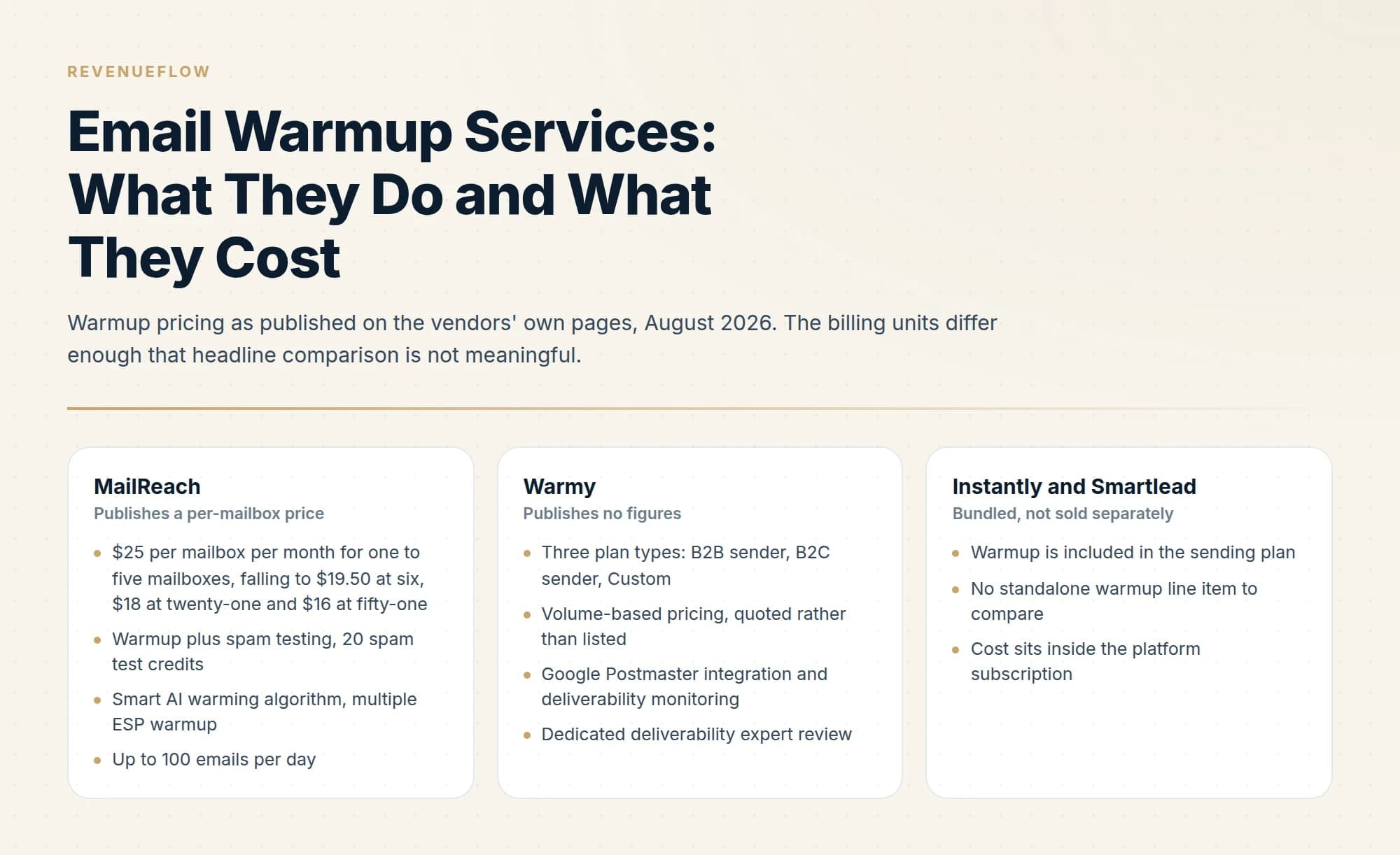
Email warmup services automate sending and interaction between managed mailboxes to build a new domain's sending reputation before real campaigns start. MailReach publishes a per-mailbox rate from $25 a month, falling to $19.50 from six mailboxes and $16 above fifty, and advises at least fourteen days of warmup with no campaigns sent during that phase.
Key takeaways
- MailReach publishes a per-mailbox rate from $25 a month, falling to $19.50 from six mailboxes and $16 above fifty, and states the initial warmup phase should last at least fourteen days with no campaigns sent during it.
- Vendors advise keeping warmup running alongside live campaigns rather than switching it off once sending begins.
- Several sending platforms including Instantly and Smartlead bundle warmup, so a separate subscription can be duplicated spend.
- Third-party pricing roundups routinely disagree with vendor pages, so check the vendor's own site before budgeting.
Reviewed and updated September 5, 2026
A brand new sending domain has no history at all, and mailbox providers treat unknown senders cautiously. Warmup services exist to give that domain a history before you point real campaigns at it, and the category has settled into a fairly consistent product with an unusually inconsistent pricing story: one vendor publishes a per-mailbox figure, another publishes nothing, and two large platforms fold the whole thing into their sending subscription.
Here is what these services actually do, what the vendors themselves say they charge, how long they say it takes, and where the evidence gets thin.
GMass ran a free warmup service and published a post announcing its shutdown, which is a reminder that a bundled warmup tool is a vendor decision rather than a permanent feature.
What a warmup service does
The mechanism is the same across the category. The vendor operates a large pool of managed mailboxes. Your mailbox joins the pool, and mail is sent and interacted with between those mailboxes, building a record of your domain and address sending mail that gets engaged with rather than ignored.
Gmail warmup names the same product pointed at a Google Workspace mailbox, and neither the mechanism nor the evidence for it changes because the mailbox happens to be a Gmail one.
That is the honest description, and it is roughly as specific as the vendors get. The interaction logic is the product, so most describe it in general terms. MailReach, for instance, names a "Smart AI warming algorithm" and multiple ESP warmup on its pricing page without publishing how the algorithm decides anything. Treat unpublished mechanics as normal for the category and price accordingly.
Warmup sits inside a wider set of tool categories that are easy to conflate. Placement testing uses a seed list, a set of real monitored inboxes across Gmail, Outlook, Yahoo and others, and sending to it shows which folder you landed in at each provider. GlockApps is a common example. Monitoring tools watch DNS records, IPs and domains against blacklists continuously and alert on change. Combined platforms pair software with expert support: Folderly splits into Inbox Insights for placement analysis, a core module for warmup and spam-trigger fixes, and Pulse for monitoring and alerts. Warmup is only the first of those, and buying it does not get you the other three.
Recruiters comparing specific vendors against these categories can see a curated shortlist in best warmup tools for recruiters.
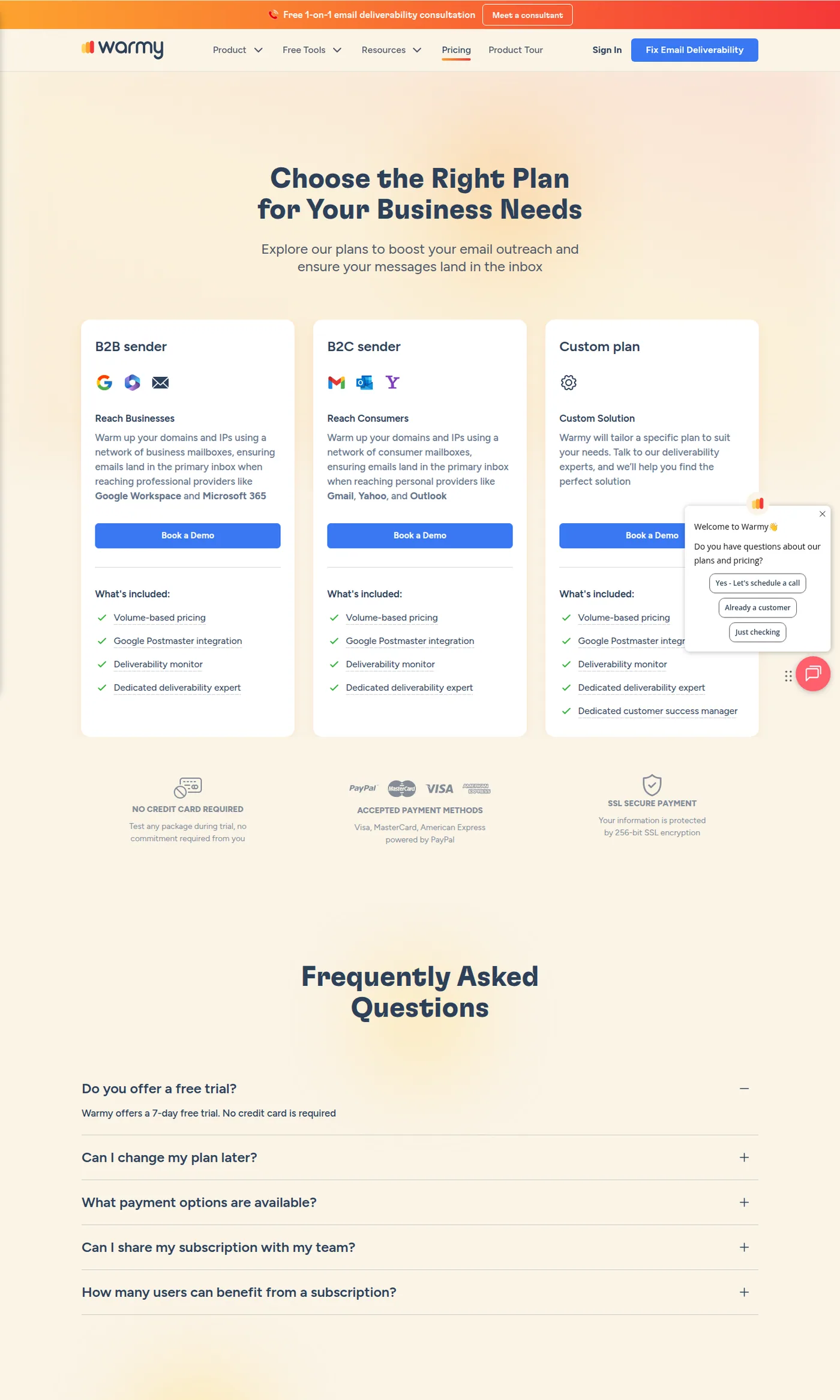
Warmy publishes plan types and inclusions but no monthly figures, quoting by volume instead. Captured 11 August 2026.
What the vendors publish
- $25 per mailbox per month for one to five mailboxes, falling to $19.50 at six, $18 at twenty-one and $16 at fifty-one
- Warmup plus spam testing, 20 spam test credits
- Smart AI warming algorithm, multiple ESP warmup
- Up to 100 emails per day
- Domain and inbox health checks: blacklist, SPF, DKIM, DMARC, ETS
- Reputation tracking dashboard
- Three plan types: B2B sender, B2C sender, Custom
- Volume-based pricing, quoted rather than listed
- Google Postmaster integration and deliverability monitoring
- Dedicated deliverability expert review
- 7-day free trial, no card
- Upgrade, downgrade or cancel anytime
- Warmup is included in the sending plan
- No standalone warmup line item to compare
- Cost sits inside the platform subscription
The billing unit is the first thing to normalise. MailReach's rate is per mailbox per month and steps down with volume, so the figure that matters to you is the band your mailbox count falls in, multiplied by that count. A programme running twenty mailboxes is looking at $390 a month at the published rate before any volume terms you negotiate, and a programme running a hundred is at $1,950. Per-mailbox pricing scales linearly with exactly the thing cold email programmes scale, which is why the headline number reads cheap and the invoice does not.
Warmy sits at the other end. No figures on the page at all, three plan shapes, and pricing that varies by volume. What it does publish is the shape of the product: Google Postmaster integration, deliverability monitoring, and a dedicated deliverability expert reviewing the account. That last item is a service component rather than a software one, and service components are the usual reason a vendor stops publishing a price.
Instantly and Smartlead bundle warmup into their sending plans rather than selling it separately, which makes their warmup effectively free at the point of use and impossible to price-compare. If you are already on one of those platforms, the marginal cost of a standalone warmup tool is real and the marginal benefit is the thing you have to establish.
Do not trust the roundups on price
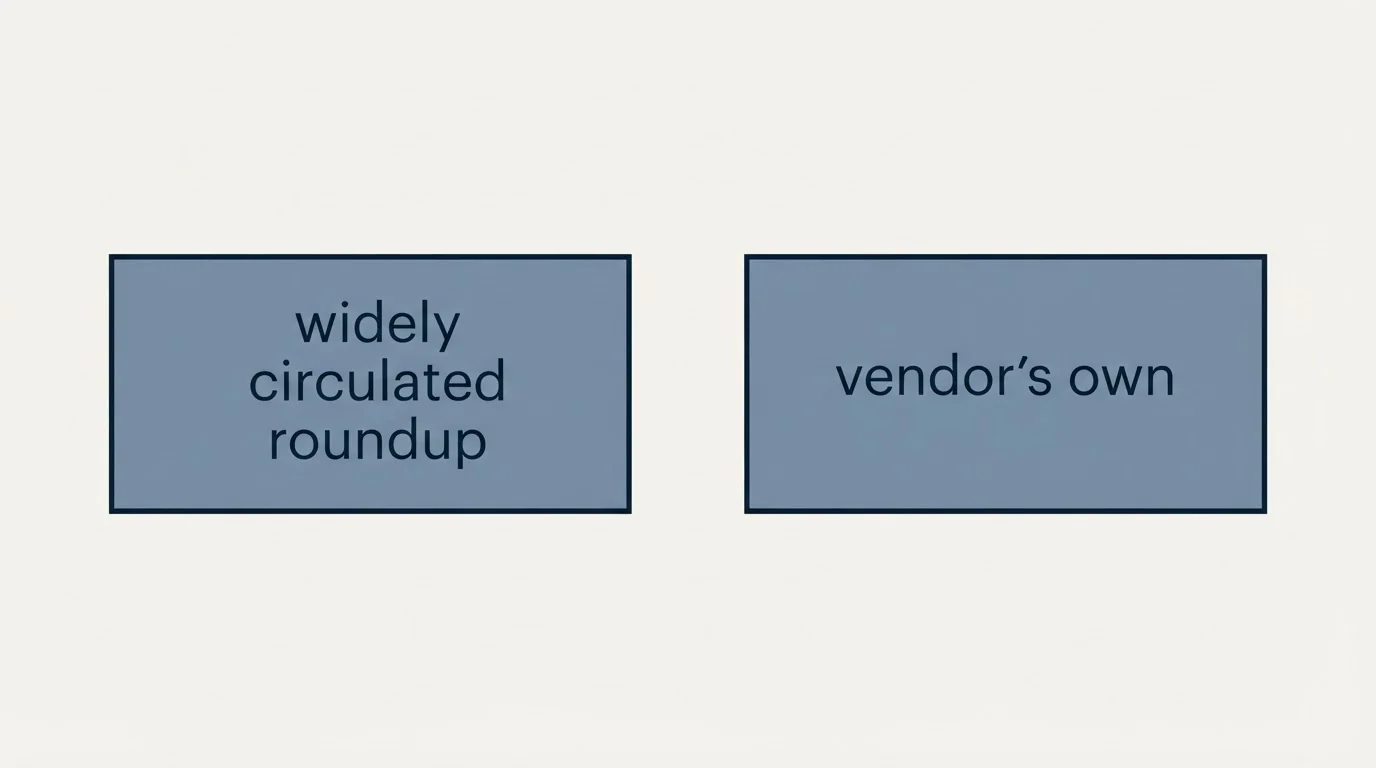
This category has a specific and well-populated trap. Warmup tool listicles rank high, get copied, and carry figures that do not match the vendors' own pages.
| Where the figure came from | Warmy | MailReach |
|---|---|---|
| A widely circulated roundup | $49 to $189 per inbox | $25 |
| The vendor's own pricing page | No figures published at all | $19.50 per mailbox per month |
Neither listicle figure survives contact with the source. One invents a published range for a vendor that publishes nothing, and the other is roughly 28% above the actual rate. Both would have been reproduced in a budget without anyone noticing, because they look precise.
The rule is boring and it holds: cite the vendor page or say nothing. If you are building a comparison for a procurement decision, open every pricing page yourself on the day you build it, and record the date next to each figure.
How long warmup takes
Only one of the vendors above states a duration, and it is worth quoting exactly. MailReach's guidance is that "the initial warmup phase should last 14 days minimum. No campaigns should be sent during this phase." It also advises keeping warming running "as long as you send campaigns and between them", which reframes warmup as a continuous background process rather than a one-off onboarding step.
Warmy publishes no duration and no guarantee.
- Before day 1Records published first
SPF, DKIM and DMARC in place on the sending domain before any warmup traffic. Warmup cannot compensate for authentication that does not pass.
- Days 1 to 14Initial warmup phase
MailReach states this should last 14 days minimum and that no campaigns should be sent during it.
- Day 15 onwardCampaigns begin, warming continues
MailReach advises keeping warming running as long as you send campaigns and between them.
- OngoingWatch the receiver-side signal
Google requires spam rates in Postmaster Tools to stay below 0.30% for bulk senders.
Fourteen days is a floor from one vendor rather than an industry standard, and the vendor stating it also sells the service. Take it as the minimum any serious operator will suggest rather than as a researched finding.
Being honest about the evidence
Warmup is close to universal practice in cold email, and independent evidence for how much it moves inbox placement is thin. The public material is overwhelmingly vendor-published or vendor-adjacent, and vendor claims are vendor claims.
That does not make warmup wrong. Building sending history before sending at volume is sound on first principles, and every large mailbox provider's published guidance treats sender reputation as central. What it does mean is that you should be sceptical of any specific number attached to warmup, particularly percentage improvements in inbox placement, and you should not accept a vendor's own measurement of its own effect as independent.
The good news is that the outcome is measurable on your side, cheaply, with tools that have nothing to sell you on warmup. Google Postmaster Tools reports your domain's spam rate directly, and Google's bulk sender requirements put the threshold at below 0.30% for anyone sending 5,000 or more messages a day to Gmail. Placement testing against a seed list tells you which folder you are landing in per provider. Run both before and during warmup on your own domains and you have your own evidence, which beats anybody's case study. The setup side is covered in our Google Postmaster Tools guide.
What warmup cannot fix
The most expensive mistake in this category is buying warmup to solve a problem warmup does not touch. Warmup builds sending reputation. It does not repair a broken configuration underneath it.
Suppression matching is another problem sitting underneath it, where casing that splits one person into two rows lets a suppressed contact receive another message.
- Yes: A new domain with no sending history at all
- Yes: A dormant domain being brought back into use
- Yes: Maintaining reputation between campaign sends
- No: An SPF record over the DNS lookup limit returning permerror
- No: A missing or misconfigured DMARC record
- No: A domain or IP currently on blacklists
- No: Copy that gets marked as spam by the people receiving it
- Depends: Sending volume that outpaces what the mailboxes can support
Two of those deserve pointing at directly. An SPF record over its ten-lookup ceiling returns permerror, which means SPF is not passing at all, and no amount of warmup traffic changes that: the fix is in the record, covered in SPF records for cold email. A domain sitting on blacklists needs delisting rather than reputation building, and the process is in the blacklist check and recovery guide. Authentication generally, including why a sending domain needs its own DMARC record rather than inheriting the parent's, is in DMARC policy not enabled.
Worth noting that MailReach's inclusions cover some of this diagnostically. Its domain and inbox health checks look at blacklist status, SPF, DKIM, DMARC and ETS, so the tool will tell you the underlying record is broken. It will not fix it, and the warmup traffic runs regardless.
Buying decision
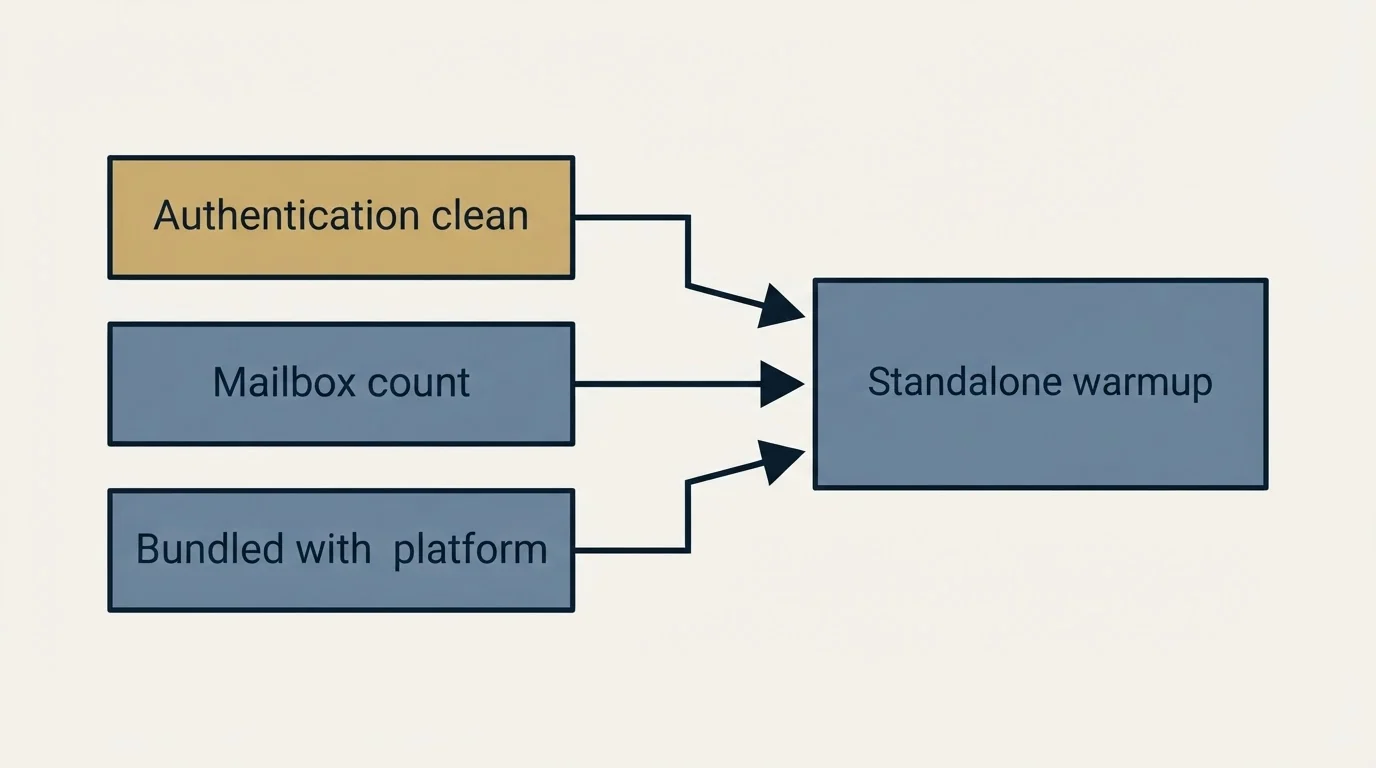
Three questions settle it. How many mailboxes are you running, since per-mailbox pricing scales with your fleet and a hundred-mailbox programme is a materially different purchase from a five-mailbox one. Are you already on a sending platform that bundles warmup, in which case the standalone tool has to justify itself against something you already pay for. And is your authentication actually clean, because warmup on a domain with a broken record is money spent on the wrong layer.
If the answer to the last one is uncertain, that is the thing to resolve first, and the ongoing maintenance side of it is in the cold email deliverability guide.
The short version
Warmup services send and interact with mail between managed mailboxes to build sending reputation on a new or dormant domain. MailReach publishes a per-mailbox rate that falls with volume: $25 a month for one to five mailboxes, $19.50 for six to twenty, $18 for twenty-one to fifty and $16 above that, on monthly billing, for an all-in-one plan covering warmup and spam testing, with up to 100 emails per day, domain and inbox health checks, and a reputation dashboard. Warmy publishes no figures at all, selling B2B, B2C and Custom plans priced by volume with a dedicated deliverability expert included and a 7-day free trial. Instantly and Smartlead bundle warmup into their sending plans.
On duration, MailReach states the initial phase should last 14 days minimum with no campaigns sent during it, and advises keeping warming running alongside campaigns thereafter. Independent evidence for how much warmup shifts placement is thin, third-party roundups routinely misquote the prices, and warmup fixes nothing about a broken SPF record, a missing DMARC record or a blacklisted domain.
We run sending infrastructure, including domains, authentication and warmup, as part of our outbound engagements, and outbound sending stays on separate domains from the primary company domain so a reputation problem in one cannot reach the other. You can see what a campaign would look like for your market.
Pricing and features verified against the vendors' own pages as of mid-2026. Verify current terms with the vendor before relying on them.
Sources: MailReach pricing, Warmy pricing, Google email sender guidelines
Frequently asked questions.
Frequently asked questions- What does an email warmup service actually do?
- It automatically sends messages from your mailbox to a network of managed mailboxes and has them opened, replied to and moved out of spam, which builds a pattern of positive engagement. The intent is to establish sending reputation for a new domain or mailbox before real campaigns begin.
- How long does email warmup take?
- MailReach states that the initial warmup phase should last at least fourteen days, with no campaigns sent during that period, and advises keeping warmup running alongside campaigns afterwards. Other vendors suggest longer initial periods, so treat any single figure as that vendor's guidance rather than a standard.
- How much do email warmup services cost?
- MailReach publishes a per-mailbox rate from $25 a month, falling to $19.50 from six mailboxes and $16 above fifty, for warmup with spam testing included. Warmy publishes no figures at all and prices by volume with expert review included. Because costs are per mailbox, the total scales directly with how many sending inboxes your operation runs.
- Does email warmup actually work?
- Vendors report that it does and the mechanism is plausible, since providers weigh engagement signals. Independent published evidence quantifying the effect is thin, and warmup cannot compensate for a bad list or volume a domain has not earned. Treat it as one input to reputation rather than a fix.
About the author.

Tim Carden is CMO / CTO at RevenueFlow, which builds and operates outbound revenue engines for B2B companies. Studied at McGill University.
Tim Carden · CMO / CTO
Connect on LinkedIn →Explore more.
Ready to scale your outreach?
We build GTM engines that book real meetings. See the receipts.
Related articles.
Email Warmup Tools: What Actually Moves Placement
Warmup pools are now free in every major sending tool. What the mechanism actually is, why nobody publishes controlled placement data, and the levers that do work.
Migrating Cold Email Tools Without Losing Domain Reputation
Domain reputation survives a platform switch. Warmup schedules, sending caps and suppression lists do not. How to sequence a migration so mailboxes come through intact.
How Lemwarm Works: The Network, the Ramp and the Score
What lemwarm's pool of real inboxes does, how the ramp is sized in the vendor's own numbers, what the score is made of, and where the tool stops.
Mailwarm Pricing: The Page Opens on Its Yearly Tab
Mailwarm's pricing tabs open on yearly and the plans meter daily volume rather than mailboxes. Both tabs, the overage rate, the no-trial rule and the per-mailbox cost.
MailReach Pricing: The Headline Rate Is the Second Band
MailReach prices warmup on a slider with four mailbox bands and two billing states. Every band at both states, and why the printed rate is not the entry rate.
Manyreach Pricing: Credits Buy Sends and Warmup Alike
Manyreach prices in credits rather than seats: a one-time pack or a monthly refill. What a credit buys, the two IP figures on one page, and where a pack beats a plan.