Email Address Capitalization: What It Changes for Senders
Capitalization in an email address does not decide delivery. It decides whether two rows are one person, and that is where a suppression list quietly fails.
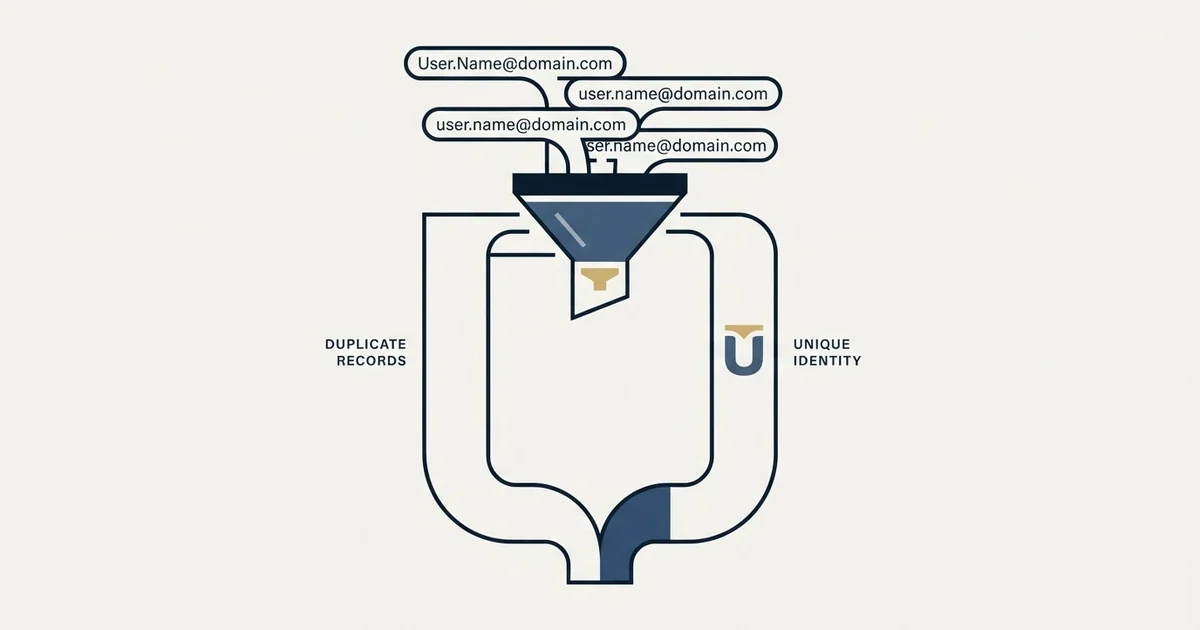
RFC 5321 says the local part of an email address, before the at sign, MUST BE treated as case sensitive, while the domain is not, and it discourages relying on the difference. In practice capitalization does not decide delivery; it decides whether dedupe, suppression and unsubscribe matching treat two casings as one person.
Key takeaways
- RFC 5321 states that "The local-part of a mailbox MUST BE treated as case sensitive" and that mailbox domains are not case sensitive.
- The same specification tells SMTP implementations to preserve the case they are given and calls exploiting the difference discouraged.
- Google's help page says dots do not matter in consumer Gmail addresses but do change the address on a work or school domain.
- Send the address exactly as supplied and run every dedupe, suppression, unsubscribe and reply match against a lower-cased copy.
Reviewed and updated September 18, 2026
An unsubscribe arrives from J.Doe@example.com. It gets written to the suppression list exactly as it was typed. Six weeks later the same person is sourced again, this time as j.doe@example.com, and the suppression check compares the two strings character by character and finds no match. The message goes out, and the second complaint is worse than the first.
That is the version of this question that costs a sending team something. On paper, RFC 5321 says the email local-part is case sensitive and the domain is not; in practice, capitalization in an email address almost never decides whether a message is delivered. It decides whether two rows in your database are one person, and everything expensive about it happens on that side of the line.
Is The Email Local-Part Case Sensitive Under RFC 5321?
Yes, on paper. RFC 5321 states that "The local-part of a mailbox MUST BE treated as case sensitive" and that "SMTP implementations MUST take care to preserve the case of mailbox local-parts", while "Mailbox domains follow normal DNS rules and are hence not case sensitive." The same paragraph adds that exploiting that sensitivity "impedes interoperability and is discouraged".
The specification splits the address in two and treats the halves differently. Anything to the right of the at sign can be upper case, lower case or mixed, and it resolves to the same host. On the half to the left, the specification says the opposite of what the popular answer says, and it names the consequence: for some hosts, the user "smith" is different from the user "Smith".
The qualifier is the part worth carrying away. The standard permits a receiving host to distinguish two casings, tells every sender to preserve what it was given, and advises operators not to build anything that depends on the distinction.
Read as an instruction to a sending team, that is a clean rule. Send the address as you received it. Never re-case a local part on the way out, because the host that treats the two as different mailboxes is a host you cannot enumerate in advance.
| Source | What it publishes | What it settles |
|---|---|---|
| RFC 5321 | Local part case sensitive; domain not; preserve the case you are given | The rule for the address |
| Google's Gmail help | Dots ignored on consumer Gmail; on a work domain dots change the address | Dots, not capitalization |
| Microsoft Exchange Online docs | The case-sensitive qualifier SMTP marks the primary address | The prefix, not the mailbox name |
What the two providers you can actually read publish
Pipedrive's page on this question states that major providers like Gmail, Outlook and Yahoo treat addresses as case-insensitive for both delivery and account matching, and Mailchimp's page goes further and says email address syntax is not case sensitive, which the specification contradicts. Neither links a Google, Microsoft or specification page saying so, and there is a reason for that.
Google's own help page is titled "Dots don't matter in Gmail addresses" and answers the neighbouring question rather than this one. It says "If someone accidentally adds dots to your address when emailing you, you'll still get that email." and tells the reader "you own all dotted versions of your address". It also carries the clause that matters far more to anyone building a B2B list, which is that on a work or school domain "dots do change your address". The page does not carry a statement about capitalization, and a rule that cannot be found on a vendor surface is not a fact that belongs in an article as one.
Microsoft's Exchange Online documentation, on the page for adding and removing email addresses on a mailbox (last updated 2025-04-30), is where case turns out to be genuinely load-bearing in a Microsoft tenant. Describing the proxy address syntax, the page states that "The address with the case-sensitive qualifier SMTP is the primary SMTP address." The upper-case prefix marks the primary address, and the page calls the other addresses on the mailbox proxy addresses. That is a rule about the protocol qualifier in front of the address rather than about the mailbox name, and an administrator who normalises the wrong string there changes which address a tenant sends from.
So the honest position for a sender is narrower than the SERP's. The standard settles the domain half and hands the local part to the receiving host. One provider publishes a dot-folding rule and a warning that it inverts on business domains. The other publishes a case rule about the prefix rather than the mailbox. Everything else circulating on this question is inference from observed behaviour, and observed behaviour is a reasonable basis for a sending decision as long as nobody dresses it up as documentation.
Delivery is not where this costs anything

In practice a message addressed to Firstname.Lastname at a company domain reaches the same mailbox as the lower-case version, and it does so at every provider an outbound team is likely to meet. That is an observation about how hosts are configured rather than a guarantee any of them publishes, and RFC 5321's own advice explains why it holds: an operator who made the two casings resolve to different mailboxes would be generating support tickets forever.
Which means the capitalization in an address is not a deliverability lever. It does not raise a spam score, it does not affect authentication, and it is not why a campaign landed in the junk folder. The things that decide placement are infrastructure and list quality, and the diagnosis order for a placement problem is set out in our guide to spam words and what actually triggers a filter.
Where casing genuinely costs money
Four comparisons happen in an ordinary outbound stack, and every one of them can be performed case-sensitively by accident.
Deduplication inside a list. Two sources hand you the same person under different casing and the upload treats them as two rows. That is how a single account receives the same campaign twice, which is the failure our email list cleaning page prices against the cost of the send.
Suppression and do-not-contact matching. This is the expensive one. A suppression list stores what it was given, a new list arrives cased differently, and a person who asked not to be contacted is contacted. Nothing in the send logs looks wrong afterwards.
Unsubscribe processing. The same failure wearing a compliance jacket. An unsubscribe is a promise about a person, not about a string, and a case-sensitive match breaks that promise silently.
Reply and bounce attribution. A reply arriving from a differently cased address fails to join back to the record that produced it, so the campaign under-reports its own results and the person stays in the sending pool.
A worked example, and these figures are invented to show the shape rather than measured on any real list. Take a list of 4,000 rows assembled from three sources. If 3 percent of the rows appear twice under different casing, an invented rate picked to show the shape, that is 120 duplicate sends into 120 accounts that were meant to receive one message each. None of those sends bounces, none of them fails, and the only visible symptom is a reply rate that looks slightly worse than it should.
The normalisation rule, and the one place it goes wrong
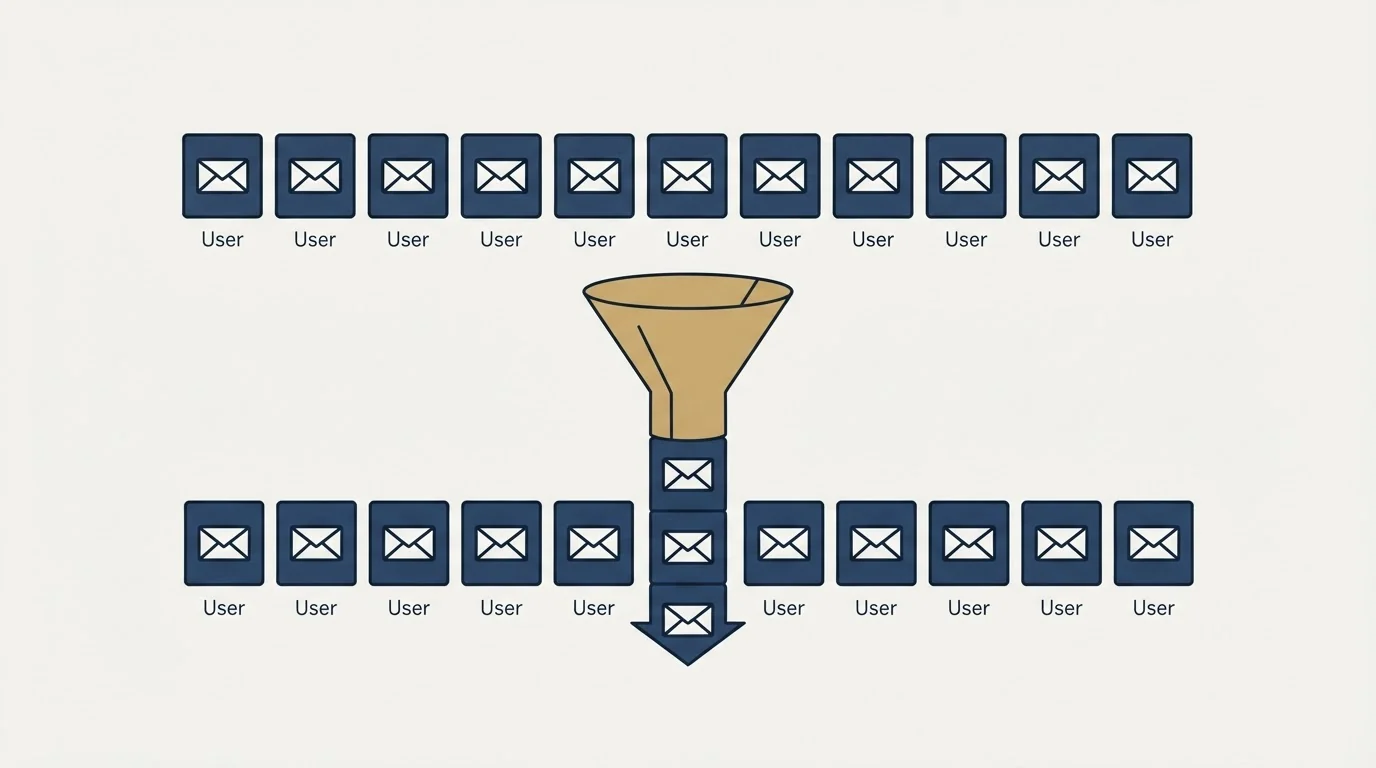
Lower-casing the domain is safe under the specification, which settles that half outright. Lower-casing the local part is safe as a comparison key and unwise as a replacement for the value you send.
One trap sits inside that rule. Because Google folds dots on consumer Gmail addresses, a comparison key that only lower-cases still reads the dotted and undotted spellings of the same consumer Gmail local part as two separate people, and at gmail.com they are one inbox. It is tempting to fold dots out of every key to fix that. Do not: Google's own page says dots do change the address on a work or school domain, and business lists are built on exactly those domains. Fold dots only for gmail.com itself, and leave every other domain alone.
The second trap is a verifier or CRM that normalises for you without saying so. A tool that silently lower-cases on import is doing the right thing to the key and the wrong thing to the value if it overwrites the original, and you will not find out until an address at one of the rare case-sensitive hosts stops resolving.
| Two spellings | Domain | One inbox? |
|---|---|---|
| johnsmith and john.smith | gmail.com | Yes, dots don't matter |
| jo.hn.sm.ith and johnsmith | gmail.com | Yes, the same owner |
| john.smith and johnsmith | yourdomain.com | No, dots change the address |
Verification tooling deserves the same one-off check, and the wider question of what a verifier can and cannot settle for you is covered in our comparison of email verification tools. A team switching verifiers can run the same two-casing test on any NeverBounce alternative before moving its lists. The tier that no verifier resolves in either casing is the accept-all one, described in catch-all domain.
The question people are usually asking
The pages ranking for this phrase answer two different questions, and the second one is about capitalization in a subject line or in body copy rather than in an address. There the answer is different and the stakes are real.
What the style authorities rule on email subject line capitalization, and what the published tests actually measured, is set out in email subject line capitalization.
There, the house position is short. Writing in capitals is a reader problem before it is a filter problem, because it reads as shouting from a stranger, and a stranger has one sentence to sound like a person. Filters do not work from a word list either, which is the argument our subject line guidance and the placement diagnosis in spam words both make. If a campaign is landing badly, the address casing is not the variable to test; the bounce numbers to compare it against sit in our cold email bounce rate benchmarks.
The short version
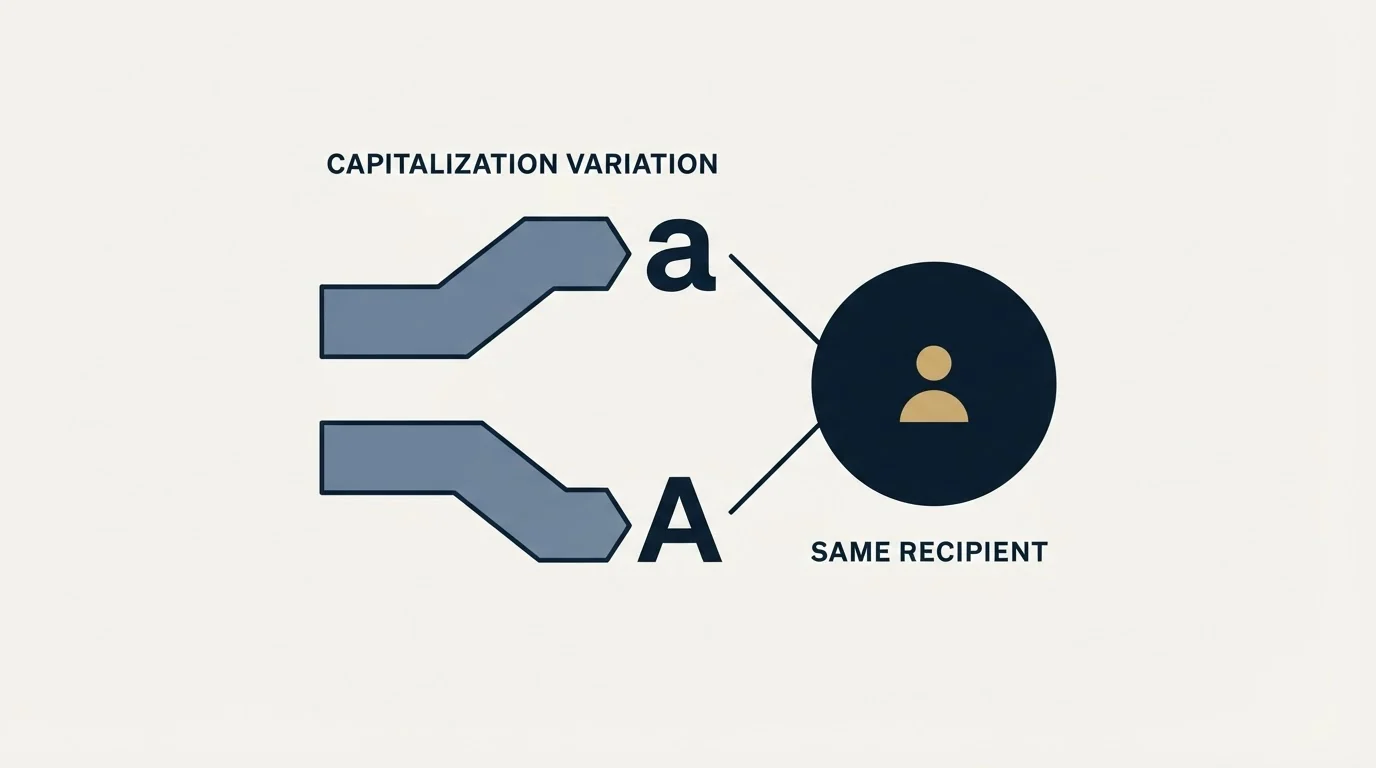
Capitalization in an email address does not decide delivery, and the reason it does not is that receiving hosts choose not to make it decide delivery. RFC 5321 settles the domain half, then states that "The local-part of a mailbox MUST BE treated as case sensitive.", requires implementations to preserve the case they receive, and calls depending on the difference discouraged. Google publishes a dot-folding rule for consumer Gmail with a warning that it inverts on business domains, and the page fetched here settles nothing about case. Microsoft publishes a case-sensitive rule about the SMTP qualifier in front of a proxy address rather than about the mailbox name.
The operating rule that falls out of all three is one line. Preserve the address you were given for sending, derive a lower-cased key beside it, and run every dedupe, suppression, unsubscribe and reply match against the key. Teams that skip the second clause of that sentence do not get bounces. They get duplicate sends, a suppression list that quietly fails, and a reply rate that undercounts itself.
If you would rather have the list hygiene, the sending infrastructure and the suppression discipline built and run for you against your own market, start a free campaign and we will put the whole motion together.
RFC 5321 quotations are taken from the specification as served by rfc-editor.org. The Gmail rule is taken from Google's own help page, and the Exchange Online proxy address rule from Microsoft's documentation page. Verify current provider behaviour on the vendor's own pages before relying on it.
Sources: RFC 5321, Google: dots in Gmail addresses, Microsoft: email addresses for a mailbox in Exchange Online, Pipedrive on capitalization in email, Mailchimp on case sensitivity
Frequently asked questions.
Frequently asked questions- Is the local part of an email address case sensitive under RFC 5321?
- Yes, as written. RFC 5321 states that "The local-part of a mailbox MUST BE treated as case sensitive" and that SMTP implementations must preserve the case they receive, so for some hosts "smith" and "Smith" are different users. It also says exploiting that sensitivity impedes interoperability and is discouraged, which is why receiving hosts in practice route both casings to one mailbox.
- Does capitalization in an email address affect delivery?
- Almost never. Receiving hosts choose not to make casing decide delivery, following the specification's advice against depending on it, and it has no effect on spam scoring or authentication. Where casing costs money is inside a sending stack: a case-sensitive comparison treats two casings as two people and breaks dedupe, suppression, unsubscribes and reply attribution.
- Are email domains case sensitive?
- No. RFC 5321 says "Mailbox domains follow normal DNS rules and are hence not case sensitive", so anything to the right of the at sign can be written in upper case, lower case or a mixture and still resolves to the same host. Lower-casing the domain is therefore safe even in the stored value, which is not true of the local part.
- Should I lower-case email addresses before sending?
- No. Keep the address exactly as supplied for the send, because RFC 5321 tells implementations to preserve the case of local parts and a rare host may honour it. Derive a lower-cased copy beside it and use that copy for every comparison: dedupe, suppression, unsubscribe matching and joining replies and bounces back to the record.
About the author.

Tim Carden is CMO / CTO at RevenueFlow, which builds and operates outbound revenue engines for B2B companies. Studied at McGill University.
Tim Carden · CMO / CTO
Connect on LinkedIn →Explore more.
Ready to scale your outreach?
We build GTM engines that book real meetings. See the receipts.
Related articles.
Choosing a NeverBounce Alternative: Name Your Reason
Three reasons teams leave NeverBounce, each pointing at a different replacement, plus how to run a two-vendor split test on your own list that actually settles it.
Kickbox Pricing: The Ladder and the Opt-In Rule
Kickbox publishes a complete thirteen-step verification ladder, and an anti-spam policy that rules out purchased and harvested lists entirely.
The ZeroBounce API: Auth, Rate Limits and What to Store
ZeroBounce publishes three different answers to its own rate-limit question. Here is which one to build against, plus the statuses no API can decide for you.
ZeroBounce Pricing: The Three Things Buyers Miss
What the ZeroBounce pricing page actually publishes, which billing state it shows by default, and the credit rules that decide what a buyer really pays.
BriteVerify: What It Verifies and the Price to Ask For
BriteVerify checks email, phone and postal address under Validity, and publishes no rate card on any surface that returns a page. What that means for buyers.
NeverBounce Under ZoomInfo: What Buying Verification Changes
NeverBounce serves no pricing page to automated requests, so here is what its own surfaces do show, and what changes when your verifier belongs to a data platform.