The ZeroBounce API: Auth, Rate Limits and What to Store
ZeroBounce publishes three different answers to its own rate-limit question. Here is which one to build against, plus the statuses no API can decide for you.
The ZeroBounce v2 validation API authenticates with an api_key query parameter against api.zerobounce.net, and its quickstart publishes a ceiling of 80,000 requests in 10 seconds on the single validation endpoint. Two other vendor surfaces say that endpoint carries no rate limit at all, so build against the specific figure and handle the temporary block.
Key takeaways
- Three ZeroBounce surfaces answer the rate-limit question differently: the marketing FAQ and the quickstart introduction both say the single validation endpoint has no limit, while the quickstart's own rate-limit section publishes 80,000 requests in 10 seconds and a one-minute block for exceeding it.
- Unknown results never consume a credit, per the documentation's own repeated wording, so re-checking a greylisted or timed-out address later costs nothing.
- The timeout parameter accepts 3 to 60 seconds and returns unknown rather than an error when it fires, which is what makes a short inline check safe at signup.
- Store status and sub_status verbatim rather than a derived boolean: an address nobody could check and an address that failed a check need opposite handling.
Reviewed and updated September 1, 2026
A signup form posts an address, and the handler behind it has to settle something the product spec never mentioned: whether to hold a new user on a spinner while a third party opens an SMTP connection to their mail server, or to let them through and sort the address out afterwards. ZeroBounce publishes enough detail to decide that properly, spread across a marketing page, a documentation site and a set of SDK repositories that do not entirely agree with one another.
One note on sourcing before the numbers. The ZeroBounce API quickstart is a JavaScript-rendered documentation site, so its content arrives in the page payload rather than in server-rendered markup. Every figure below was pulled out of the raw bytes of that page, of the email validation API page, or of the vendor's own .NET SDK repository on GitHub.
Auth is a query parameter, and that shapes your logging
The quickstart documents the single validation call as GET /v2/validate against https://api.zerobounce.net/v2/validate, with api_key, email and ip_address supplied as query parameters. Two regional variants exist, api-us.zerobounce.net and api-eu.zerobounce.net, and the page attaches an explicit consent note to the US host saying that data is processed on servers in the United States.
A key in the query string is convenient and it leaks easily. Access logs, proxy logs, error trackers and browser history all capture full URLs by default, so a client that logs request URLs verbatim will write the key into places you did not intend. Strip or mask the api_key parameter in whatever logging middleware sits in front of the call, and do it before the first production request rather than after the first audit. The API page notes you can generate up to five API keys, which is enough to give each service its own credential and revoke one without taking the others down.
The docs also cover the failure shape for a bad credential. GET /v2/getcredits returns {"Credits":-1} when the key is invalid, which is a successful HTTP response carrying a sentinel value. Code that only checks status codes will read that as healthy.
The rate limit, and the three answers to it

This is the part worth reading twice, because the vendor's own surfaces publish three different answers.
The quickstart's introduction to the single email validator says the endpoint "can be called asynchronously and is not currently rate-limited". Further down the same document, under the heading "API Validation V2 Rate Limits", it publishes a maximum of 80,000 requests in 10 seconds against the three /v2/validate hosts, rising to 100,000 for ZeroBounce ONE customers, and states that "Exceeding this limit will result in a temporary block for 1 minute." Separately, the FAQ on the marketing API page says the single email validator and bulk file management endpoints "feature no rate limit on the number of emails, files, or file sizes you may send."
The Lusha API guide breaks down how per-key rate limits scale across plans and how each call gets metered twice, by data point and by result.
- Single validator and bulk file management 'feature no rate limit'
- Batch endpoint: up to 200 emails, 5 uses per minute
- The surface a buyer reads before integrating
- 'This endpoint can be called asynchronously and is not currently rate-limited'
- Sits directly above the parameter table for /v2/validate
- The surface a developer reads first
- 80,000 requests in 10 seconds on /v2/validate
- 100,000 for ZeroBounce ONE customers
- Exceeding it means a temporary block for 1 minute
- Bad API key requests 200 times in 1 hour means a longer block
Treat the specific number as the operative one. Only one of those three statements describes something that can fail your job at three in the morning, and it is the one carrying a figure. Build against 80,000 requests in 10 seconds, and write the handler for the block.
The same document gives /v2/getcredits its own budget: 80,000 requests in an hour, 100,000 for ZeroBounce ONE, before a block lasting a day. That is a generous allowance and it is also the endpoint people are most tempted to call in a loop. Polling your credit balance once per verification turns one job into two, against a much tighter window than the validation call itself.
Both endpoints carry the same trap for a broken credential: 200 bad API key requests in an hour triggers a temporary block, an hour on the validation host and a day on the credits host. A misconfigured worker retrying a rejected key in a tight loop can therefore lock out the correctly configured worker sitting beside it. Fail fast on auth errors instead of retrying them.
Enrichment APIs commonly meter two independent systems, one governing call frequency and one governing spend, which is the shape the Apollo API guide works through. ZeroBounce keeps them simpler: one credit per address, one rate limit per request window, and an exemption on the credit side described below.
The status vocabulary, and the two entries that need a human rule
The validation response carries a status and a sub_status. The quickstart documents status as one of valid, invalid, catch-all, unknown, spamtrap, abuse, do_not_mail, and the vendor's .NET SDK README lists the identical seven values, which is a useful independent confirmation of the same vocabulary from a page that is not JavaScript-rendered.
Five of those seven are decidable in code. Two are not.
catch-all means the receiving server accepts every recipient it is offered, so nobody can confirm the mailbox exists. The response also carries a catchall_domain boolean and the quickstart describes it plainly, noting that emailing an invalid address on such a domain might not bounce. What you do with that result is a commercial decision about your own risk appetite, not a data question, and it is covered properly in what a catch-all domain looks like in a live campaign.
unknown means the probe did not resolve inside the time allowed, and the quickstart is direct about the cause: "If we encounter a slow mail server or a mail server with a greylisting algorithm, you will get an unknown result." The documented sub_status vocabulary carries the detail, including greylisted, timeout_exceeded, mail_server_did_not_respond, mail_server_temporary_error, failed_smtp_connection and antispam_system. Those describe conditions on the receiving server rather than facts about the address, which is why the same address can return a different verdict hours later. Greylisting in particular exists to reject a first attempt and accept the second.
The pricing consequence is favourable and it is stated repeatedly across the documentation: the API "will never consume a credit for any unknown result". An unknown costs you nothing, so re-checking one later is not a double charge for the same address.
Two more sub_status values are worth wiring into your own rules rather than treating as noise. role_based and role_based_catch_all identify shared mailboxes, and the blanket instinct to drop them is wrong at the small end of the market, which the role-based email entry explains. possible_typo arrives alongside a did_you_mean suggestion, which is the single highest-value field on the whole response if you are validating at signup, because it converts a rejection into a correction the user can accept with one tap.
Where the call belongs in the request path
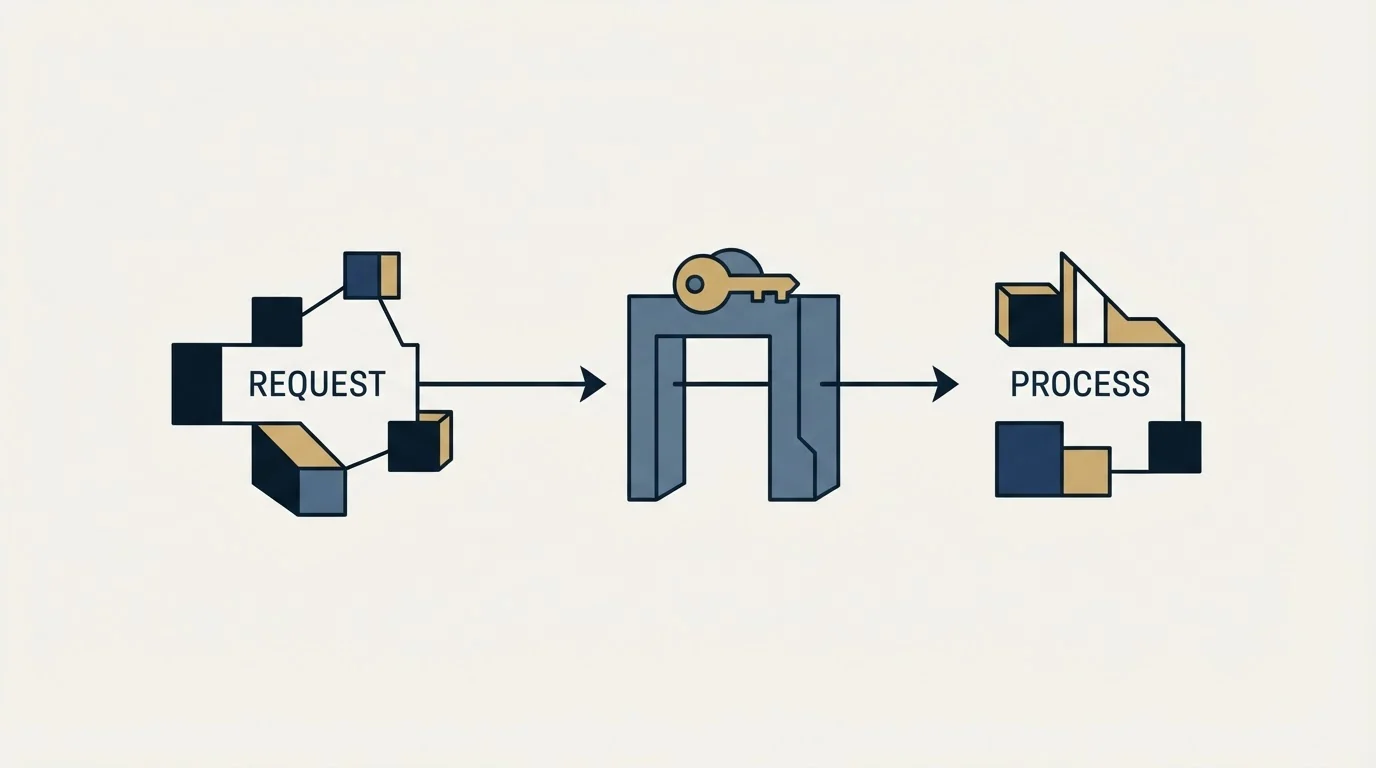
The quickstart is unusually specific about latency, and the numbers decide the architecture for you.
It states the API response time is between one second and 30 seconds, that 96 to 98 percent of domains return in 1 to 5 seconds, that all major ISPs respond in 1 to 3 seconds, and that a handful of domains running Postfix or Dovecot carry a 20-second connection time for real-time validation. The timeout parameter accepts a duration from 3 to 60 seconds, and when it is hit the API returns unknown or greylisted rather than an error.
- Step 1Accept the submission
Persist the record first. A verification outage must never be able to block a signup.
- Step 2Call /v2/validate with a short timeout
Three to five seconds covers the large majority of domains per the published response-time figures.
- Step 3Act on a decisive verdict inline
Block invalid, offer the did_you_mean correction, let valid through.
- Step 4Queue everything else
Unknown, catch-all and any timeout go to a background worker. Unknown results consume no credit.
- Step 5Re-check the queue later
Greylisted and temporary server errors resolve on a second attempt hours later, without paying twice.
The short timeout is the whole trick. Set at the documented floor of 3 seconds it still covers the major ISPs the docs put at 1 to 3 seconds, and it abandons the 20-second Postfix tail, where abandoning returns a usable unknown rather than an exception. The SDKs expose the same idea at the transport layer: the .NET wrapper documents requestTimeOut and readTimeOut settings and notes that when the timeout occurs an unknown result is returned.
For greylisted addresses specifically, the API offers something better than a naive retry. Adding greylist_processing to a normal /v2/validate call enables reprocessing, and the documentation gives two ways to collect the answer: reattempt the request after 30 minutes, or supply a callback_url and receive the result as a webhook. Read the billing note before choosing the webhook: credits are deducted on a successful pickup or a successful callback, a callback counts as successful when your endpoint responds 200 or 201, and duplicate webhook requests are allowed, so "if you make the same request twice, you can expect two callbacks. Each callback will be charged." An endpoint that 500s and gets retried by your own infrastructure is a billing event, not just an error.
What to store per address

The credit meter has no memory of what you already know, so your own store is the only thing standing between you and paying twice for the same answer.
- Yes: status and sub_status verbatim, not a boolean you derived from them
- Yes: processed_at, so a re-check policy can be written in terms of age
- Yes: catchall_domain, which is a property of the domain and can be reused across every address on it
- Yes: mx_found and mx_record, cheap to reuse and slow-moving
- Yes: did_you_mean, so a correction offered once can be offered again
- Yes: unknown verdicts with their sub_status, so a retry policy can tell greylisting from a dead server
- No: A derived valid/invalid flag as the only stored field
- Depends: free_email and domain_age_days where fraud scoring uses them
Three habits follow from that list.
Store the verdict, not your interpretation of it. A boolean throws away the distinction between an address nobody can check and an address that was checked and failed, and those need opposite handling. The response also carries mx_found, mx_record, free_email, domain_age_days and an smtp_provider field the docs mark as beta, several of which describe the domain rather than the mailbox and can be cached once and reused across every address you hold on it.
Give domain-level facts a longer life than mailbox-level facts. Whether a domain publishes MX records and whether it accepts all recipients changes rarely. Whether one particular person still works there changes constantly, so a single expiry policy across both either discards stable data or serves stale mailbox verdicts. When the stale half needs replacing rather than re-checking, that is a sourcing problem and the provider order in a waterfall is the cheaper way to solve it.
Dedupe before the call, not after. Validation costs one credit per address on the API page's own terms, with AI Scoring adding one further credit per email per service, so the same address arriving twice in one job is two charges for one answer. As an illustration, and the numbers here are invented rather than measured: on a 40,000-row file where 30,000 rows already carry a stored verdict, checking only the 10,000 unresolved rows is a quarter of the credits of re-running the file. The saving is entirely a property of your storage discipline.
The sandbox makes all of this testable for free. The quickstart publishes a set of addresses such as catch_all@example.com, greylisted@example.com and timeout_exceeded@example.com that return a specific status and sub_status on demand, and states that testing with them will not use any of your credits. Every branch in your handler can be exercised against a real API response before a single credit is spent.
Batch, files, and picking the right endpoint
Three ingestion shapes exist, and they have genuinely different limits.
POST /v2/validatebatch accepts a batch of up to 200 emails with a rate limit of five uses per minute, per the FAQ on the API page, and the quickstart adds that the endpoint can take up to 70 seconds to return results for the entire batch and that no SDK is available for it. Its own timeout parameter accepts 10 to 120 seconds, wider than the single call's 3 to 60.
The file endpoints, sendfile, filestatus, getfile and deletefile, run on a separate bulk host and carry the loosest terms of the three: the quickstart states there is no restriction on file size, number of emails, or number of files, subject only to having the credits to cover the submission. sendfile takes a return_url that is called back on completion, so a large list does not need polling at all.
That gives a clean rule. Single call at the point of collection. Batch where you need answers to a moderate set inside one request. Files for anything list-sized, with the return_url callback instead of a poll loop. Pushing a whole list through the single endpoint is permitted by the published ceiling and still costs you retry logic, credit accounting and a poll loop you would not otherwise write. The verdicts are the same either way, and so is what they do to your bounce rate once you act on them.
On price, one sentence is enough here: validation is charged per credit at one credit per address, and the current rate card, including the monthly and annual toggle, lives on the ZeroBounce pricing page.
The part the API cannot decide

An address that comes back catch-all or unknown has been handled correctly by the API and handed straight back to you. Deciding what happens to it is a judgement about how much bounce risk you are willing to carry on a sending domain, and it is the same judgement whichever vendor you buy from. The honest comparison of the tools in this category, including which ones charge for unresolvable results and which do not, is in the email verification tools breakdown.
MillionVerifier sits in our own email-finding waterfall as a required stage, and no address reaches a campaign without passing it, as a matter of policy rather than as a preference between vendors. The rule underneath it is about evidence: if nobody can show the mailbox exists, it is not eligible to be sent to.
If you would rather have the verification, the list building and the sending run for you than wire it together yourself, get a free campaign plan and we will map the path for your market.
Pricing and features verified as of mid-2026. Verify current terms with the vendor before relying on them.
Sources, all first-party and all fetched 13 August 2026: ZeroBounce email validation API quickstart, the email validation API page, and the vendor's .NET SDK repository.
Frequently asked questions.
Frequently asked questions- What is the ZeroBounce API rate limit?
- The quickstart's rate-limit section publishes a maximum of 80,000 requests in 10 seconds against the /v2/validate hosts, rising to 100,000 for ZeroBounce ONE customers, with a one-minute temporary block for exceeding it. Two other vendor surfaces describe that endpoint as having no rate limit, so treat the published figure as the operative one.
- How do you authenticate against the ZeroBounce API?
- The api_key is passed as a query parameter alongside email and ip_address on a GET to api.zerobounce.net/v2/validate, with regional variants on api-us and api-eu. Because the credential travels in the URL, mask it in your logging middleware. The account dashboard allows up to five keys, so each service can carry its own.
- Does ZeroBounce charge for unknown results?
- No. The documentation states in several places that the API requires an active credit balance and will never consume a credit for any unknown result. Validation is charged at one credit per address, with AI Scoring adding one further credit per email per service. That exemption is what makes re-checking a greylisted address later economically free.
- Should verification run at form submit or in the background?
- Both, split by latency. The docs put typical response time at one to five seconds for 96 to 98 percent of domains, with a 20-second tail on some hosts, so call the API inline with a short timeout, act on a decisive verdict, and queue anything that returns unknown or catch-all for a background re-check that costs no extra credit.
About the author.

Tim Carden is CMO / CTO at RevenueFlow, which builds and operates outbound revenue engines for B2B companies. Studied at McGill University.
Tim Carden · CMO / CTO
Connect on LinkedIn →Explore more.
Ready to scale your outreach?
We build GTM engines that book real meetings. See the receipts.
Related articles.
The NeverBounce API: What It Automates and Hands Back
NeverBounce refuses automated requests on its marketing pages and renders its docs in JavaScript. Here is the v4 API, read from surfaces that answer a fetcher.
ZeroBounce Pricing: The Three Things Buyers Miss
What the ZeroBounce pricing page actually publishes, which billing state it shows by default, and the credit rules that decide what a buyer really pays.
BriteVerify: What It Verifies and the Price to Ask For
BriteVerify checks email, phone and postal address under Validity, and publishes no rate card on any surface that returns a page. What that means for buyers.
NeverBounce Under ZoomInfo: What Buying Verification Changes
NeverBounce serves no pricing page to automated requests, so here is what its own surfaces do show, and what changes when your verifier belongs to a data platform.
Email Address Capitalization: What It Changes for Senders
Capitalization in an email address does not decide delivery. It decides whether two rows are one person, and that is where a suppression list quietly fails.
Kickbox Pricing: The Ladder and the Opt-In Rule
Kickbox publishes a complete thirteen-step verification ladder, and an anti-spam policy that rules out purchased and harvested lists entirely.