Waterfall Enrichment: The Provider Order From Unit Costs
Verification costs about a thirtieth of a paid lookup, and that ratio decides the whole design. Provider ordering, catch-all reality, and the defect nobody instruments.
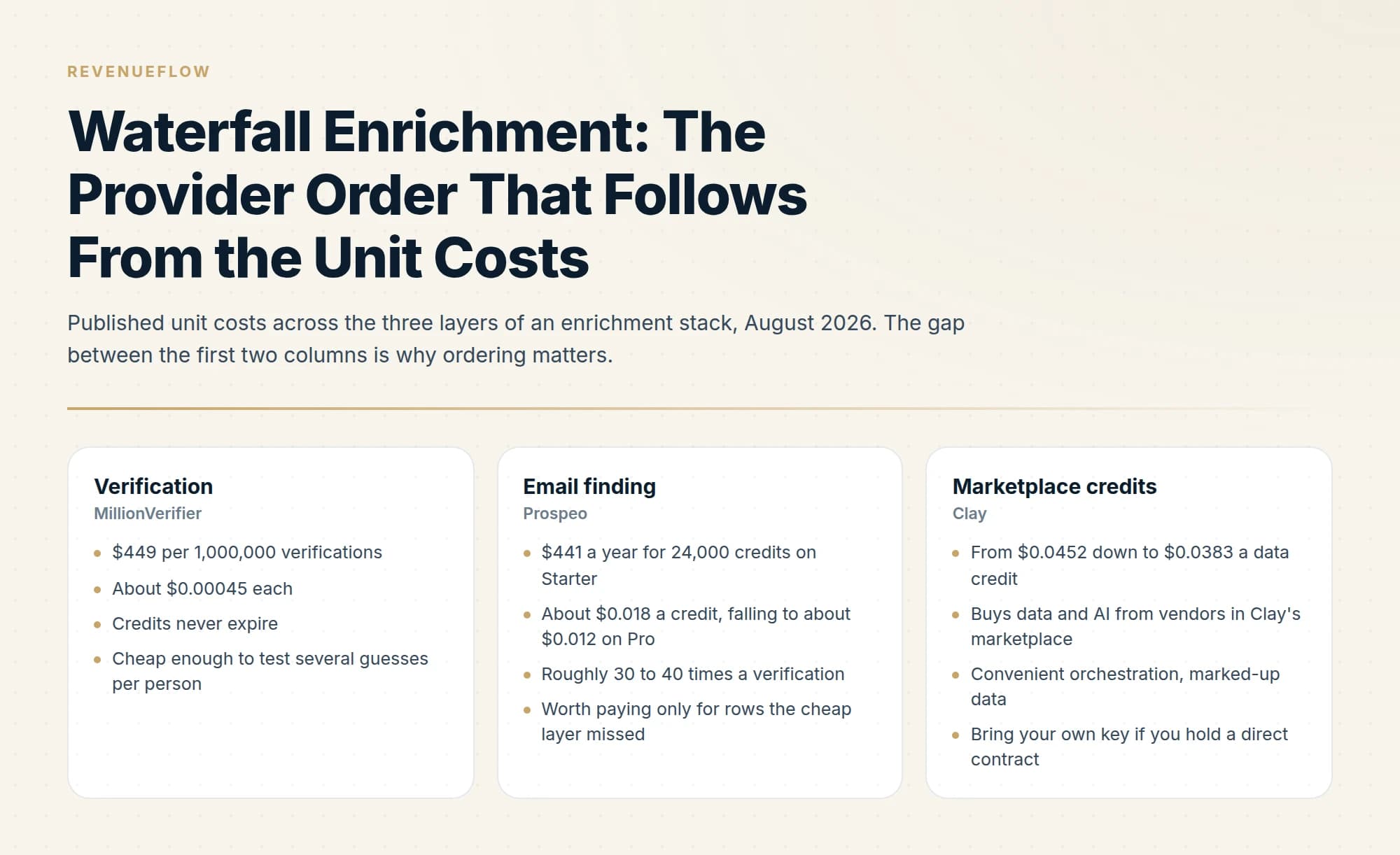
Order enrichment providers by unit cost, cheapest first, because each stage only sees what the previous one missed. Verification runs around $0.00045 an address against roughly $0.018 for a paid lookup, so generating and checking candidate patterns resolves much of a list before any finder is paid, and those addresses arrive already verified.
Key takeaways
- MillionVerifier lists 1 million verifications for $449, about $0.00045 each, against roughly $0.018 for a Prospeo lookup on its Starter tier.
- A verifier that does not charge for unknown and catch-all results makes brute-forcing several candidate patterns per person nearly free.
- Caching every lookup permanently and logging every discarded result matter more than which providers you pick.
- The defect that verification cannot catch is a valid mailbox belonging to the wrong person, which needs a domain-agreement audit split by provider.
Reviewed and updated September 5, 2026
Verifying an email address costs about a thirtieth of what finding one costs. MillionVerifier lists 1 million verifications for $449, which is $0.00045 each. Prospeo's Starter plan is $441 a year for 24,000 credits, which is about $0.018 a lookup.
That ratio is the entire argument for waterfall enrichment, and it is why the order of your providers matters more than which providers you use.
Choosing which providers belong in the waterfall is a separate question from ordering them, and consultants comparing options can consult a roundup of enrichment tools for consultants.
What a waterfall is
A waterfall runs providers in sequence rather than in parallel, stops at the first success, and only pays the next provider for the rows the previous one missed.
B2B lead enrichment is the name most vendors sell this job under, and the provider order below is what decides whether the same file costs a few dollars or a few hundred.
ZoomInfo's own enrichment mechanics show how a vendor waterfall handles credits, matches and errors inside a single platform rather than across providers.
The naive alternative is to send every row to your best provider and accept the misses. That is simpler and it wastes money in two directions at once: you pay full price for rows a cheaper source would have resolved, and you throw away the 30 to 50 percent of rows a second source would have found.
The ordering rule follows from the cost ratio above. Cheap and probabilistic first, expensive and definitive last.
- Step 1Derive candidates for free
Company domain plus a name gives a small set of likely patterns. Generating them costs nothing.
- Step 2Verify the candidates
At well under a cent each, verification is cheap enough to test several patterns per person.
- Step 3Pay a finder for the misses
Rows with no verified pattern go to a paid lookup, at roughly thirty times the unit cost.
- Step 4Pay a second finder for what remains
Coverage differs by provider, geography and seniority, so a second source earns its place on the tail.
This is the stack we run: MillionVerifier brute-force first, then Prospeo, then Findymail. Verification is doing the cheap work of testing guesses, and the paid finders only ever see rows that survived it.
Choosing which providers deserve a slot in that stack differs by industry, and legal teams comparing enrichment tools can weigh options built for compliance-sensitive outreach in the legal services enrichment tool comparison.
The arithmetic that makes the order obvious
Run the same 1,000 contacts two ways, using published rates.
Finder first. Every row goes to a paid lookup at roughly $0.018. That is $18 before you have verified anything, and you still need to verify what comes back, because a returned address is a claim rather than a fact.
Verify first. Generate four candidate patterns per person and verify all four: 4,000 verifications at $0.00045 is $1.80. Say that resolves half the list. The remaining 500 rows go to a paid finder at $0.018, which is $9. Total $10.80, and every address has been verified as a side effect.
The saving is real but it is not the main point. The main point is that the verify-first order produces verified addresses for the rows it resolves, whereas the finder-first order produces claims you then have to pay again to check.
- $449 per 1,000,000 verifications
- About $0.00045 each
- Credits never expire
- Cheap enough to test several guesses per person
- $441 a year for 24,000 credits on Starter
- About $0.018 a credit, falling to about $0.012 on Pro
- Roughly 30 to 40 times a verification
- Worth paying only for rows the cheap layer missed
- From $0.0452 down to $0.0383 a data credit
- Buys data and AI from vendors in Clay's marketplace
- Convenient orchestration, marked-up data
- Bring your own key if you hold a direct contract
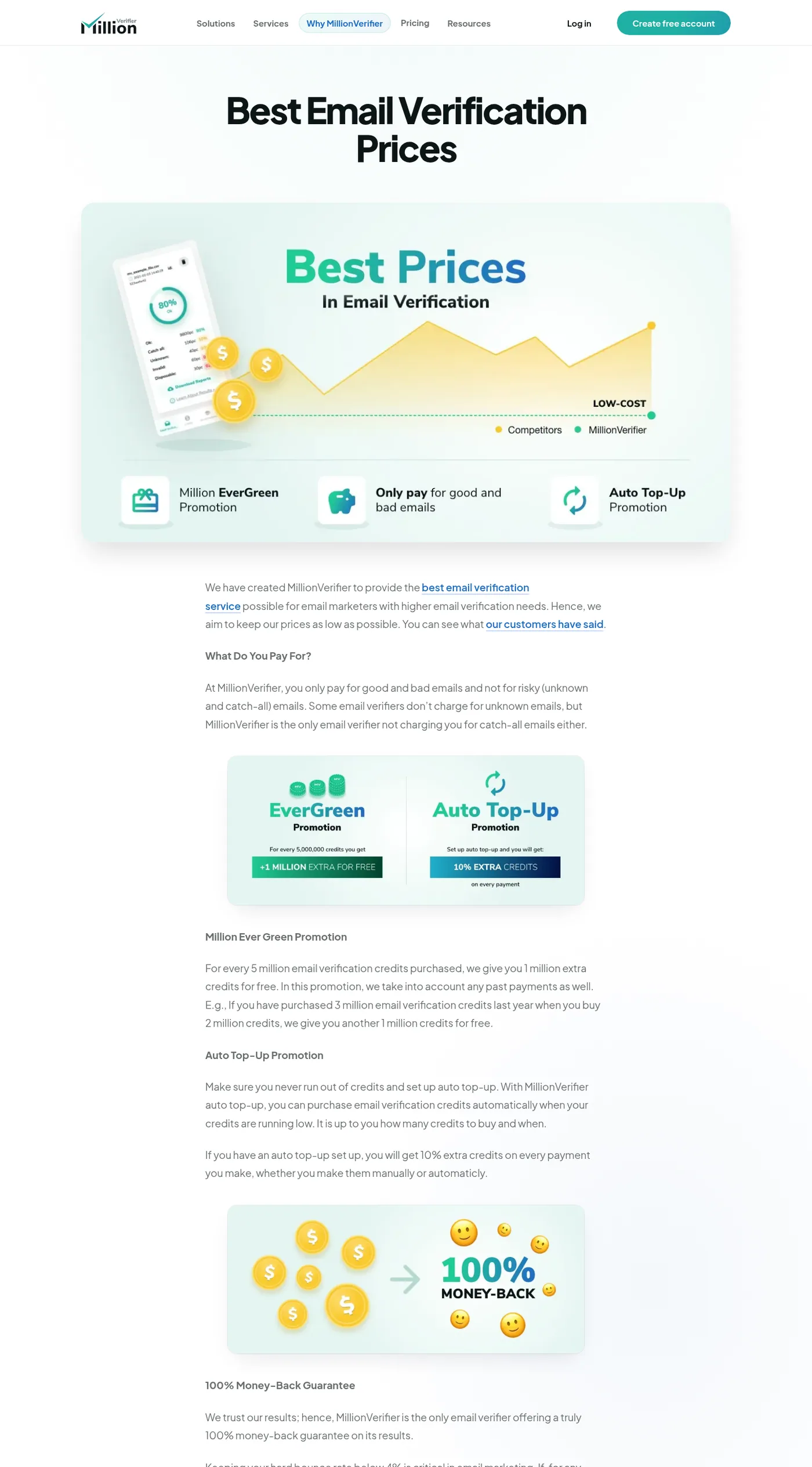
MillionVerifier's published pricing explainer, captured mid-2026.
The billing detail that changes waterfall design
Buyers asking what the cost per enriched contact is are asking about a number that moves by an order of magnitude with volume and hit rate, which is why the order below matters more than any single provider's rate card.
Verifiers differ in what they charge for, and it shapes how aggressively you can guess.
MillionVerifier states that you "only pay for good and bad emails and not for risky (unknown and catch-all) emails", and claims to be "the only email verifier not charging you for catch-all emails either".
If unknown results are free, brute-forcing candidate patterns costs you only the definitive answers, which makes generating four or five candidates per person cheaper than the arithmetic above assumes. If your verifier bills every check, generate fewer candidates and rank them by likelihood first. Read your own verifier's billing terms before designing the guess step, because that single line decides how wide the top of your waterfall can be.
Catch-all domains, and the honest answer
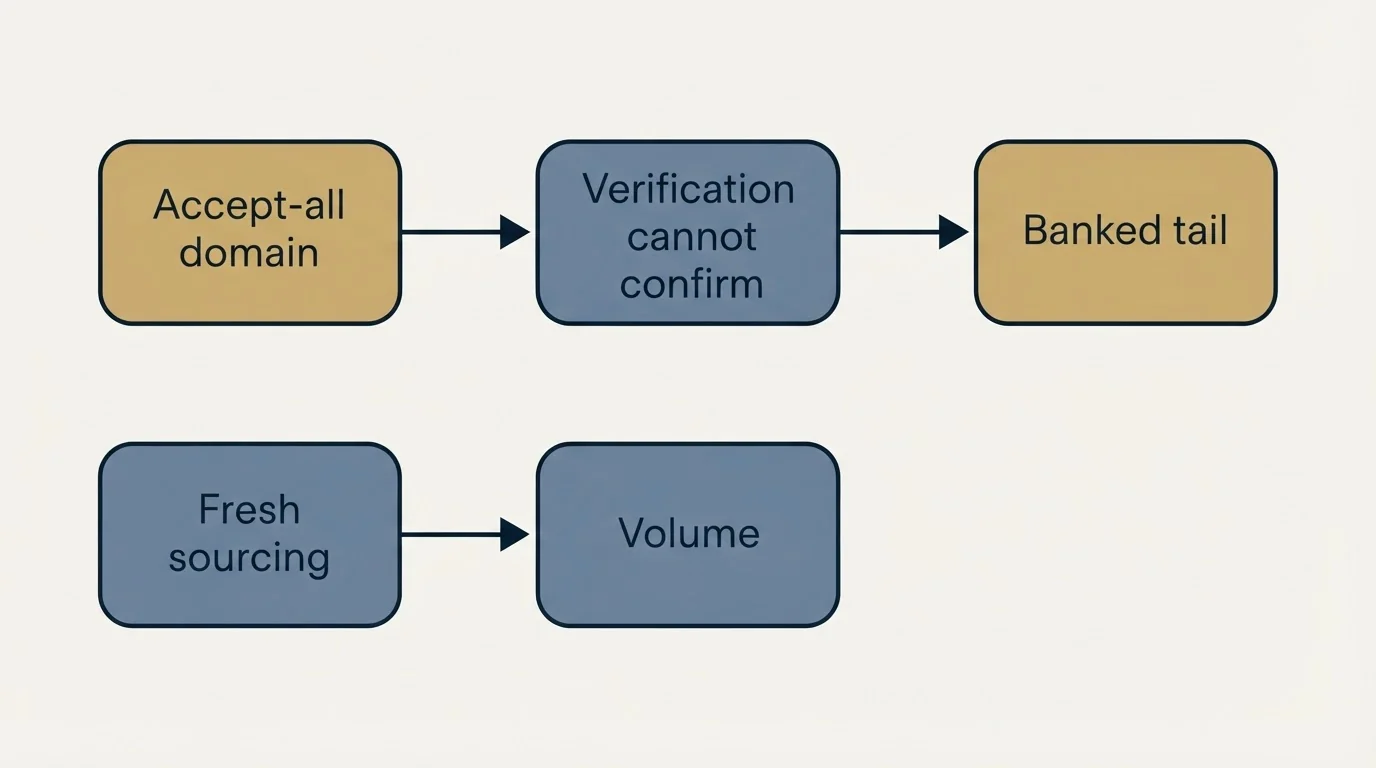
Accept-all domains break the model. The mail server accepts everything, so verification cannot confirm that a specific mailbox exists, and every candidate comes back as catch-all.
There is no cheap way around this. Paid providers that offered their own deliverability judgement on catch-all domains are the usual answer, and we retired ours in mid-2026 without replacing it, because the alternatives we would consider were either banned on our own standards or unproven.
What we do instead is bank the catch-all tail as a preserved artifact and get volume from fresh sourcing. That is less satisfying than a technical fix and it is the honest position: sending to an unverifiable address on a shared sending domain risks the deliverability of every other campaign on that infrastructure. The cold email deliverability guide covers why that risk is not worth a few extra rows.
The failure mode nobody instruments
A waterfall's cost is easy to measure and its accuracy is not, so the defect that matters usually ships undetected.
The failure is a valid mailbox belonging to the wrong person. A provider returns an address that verifies cleanly, deliverability is fine, and it reaches the person's previous employer, or a different person with a similar name, or a company that merely shares a brand word. Verification cannot catch this, because the mailbox genuinely exists. Bounce rate cannot catch it either.
We found this by auditing the domain of each resolved address against the company the row claimed. On lanes resolved through the cheap waterfall above, the flagged rows were almost entirely benign: about 1.4% turned out to be genuine misjoins, mostly legacy domains and corporate parents. On one lane resolved through a bulk enrichment provider, the same audit found demonstrable defects in roughly a third of flagged rows, and every one of them came from the bulk provider rather than the waterfall.
The transferable part is the test, not our numbers. It costs nothing to run.
- Yes: Compare each resolved email's domain against the company on the row
- Yes: Read a sample of mismatches by hand rather than trusting the rate
- Yes: Split the audit by which provider resolved the row
- No: Treat a shared brand word as a match
- No: Assume a clean bounce rate means the identities are right
- Depends: Corporate parents and legacy domains, which are usually legitimate
Splitting by provider is the step that turns a vague quality worry into an actionable one. An overall mismatch rate tells you the list has a problem. A rate per provider tells you which stage of your waterfall to fix.
Two implementation details that cost us money
Log what you discard. We had two bugs where the pipeline threw away addresses we had already paid for, one on a catch-all verdict and one where a subdomain was stripped before comparison. Neither produced an error. Both looked exactly like the provider having found nothing, which is the point: a discarded paid result and a provider miss are indistinguishable unless you log the discard.
Cache every lookup permanently. The same person appears across lists, campaigns and quarters, and paying twice for one address is pure loss. A persistent cache keyed on the person, checked before the waterfall runs, is the single highest-return piece of infrastructure in the whole stack.
Both of these matter more than provider selection. The difference between a good and a mediocre provider is a few percentage points of coverage. The difference between caching and not caching is paying for the same row repeatedly, forever.
Data decays, so re-verify rather than re-enrich
An enriched list is accurate on the day it was built and slowly stops being accurate afterwards. People change jobs, companies get acquired, and domains get retired.
The cheap way to manage that is to exploit the same cost ratio the waterfall is built on. Run the old list back through verification, which costs fractions of a cent per address, and only send the rows that now fail through the paid waterfall again. Re-running every row through paid lookups to confirm what you already had correctly is the expensive way to reach the same place.
Timestamp each row with the date its address was resolved. It costs nothing and it converts "is this list still good" from a judgement call into a filter you can apply.
Concurrency, and the provider that will not take it
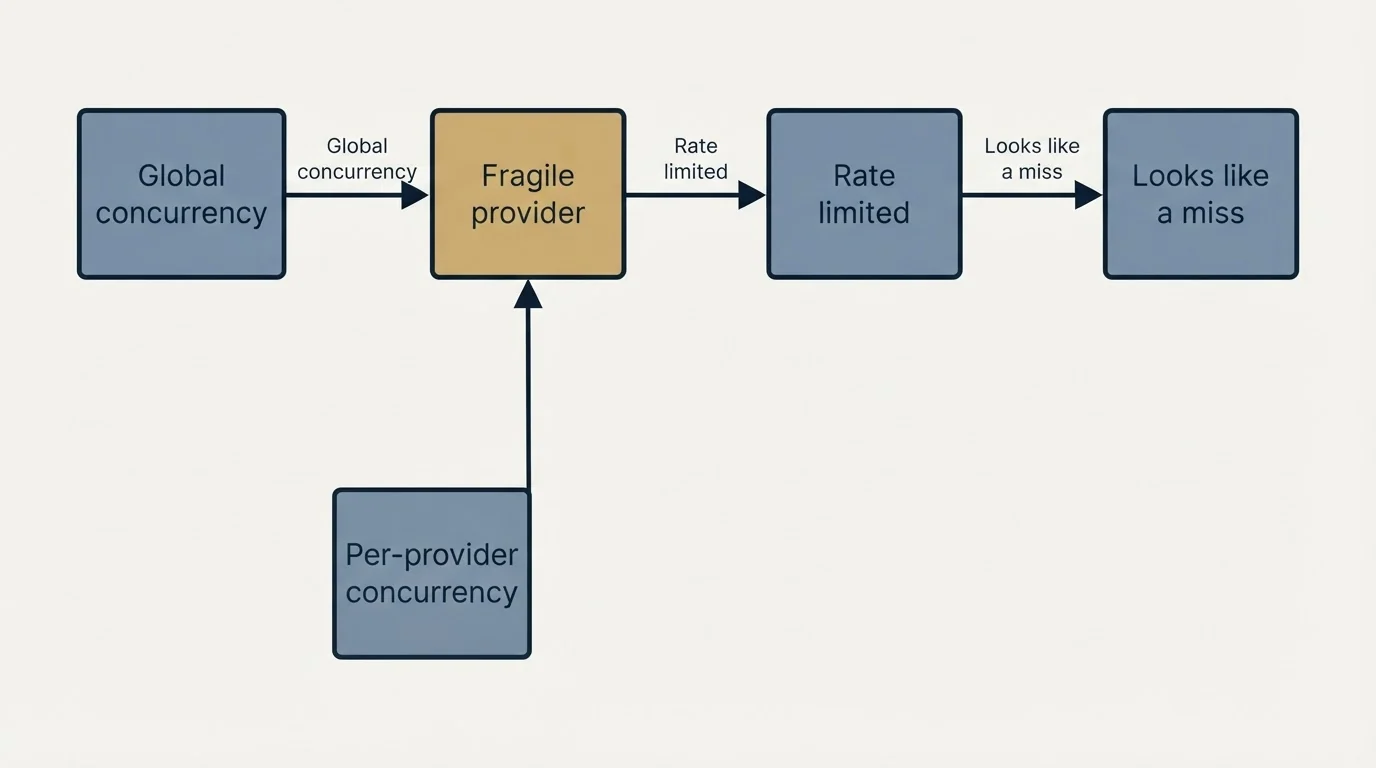
One operational note that costs real time if you learn it the hard way: providers tolerate very different request rates, and the limit is rarely documented prominently.
In our own stack the verification and third-stage finder tolerate high parallelism comfortably, while the middle provider needs roughly a fifth of the concurrency the others take before it starts refusing requests. A pipeline tuned to the fastest provider will hammer the fragile one into rate limiting, and rate-limited requests can fail in ways that look identical to a miss, which quietly understates that provider's coverage in any comparison you run.
Two rules follow. Set concurrency per provider rather than globally. And when a provider's hit rate looks disappointing, check its error and throttle responses before concluding its coverage is poor, because a throttled request that returns empty is not the same as a lookup that found nothing.
What we deliberately do not do
No fourth paid stage. After the third provider the marginal cost per additional address rises steeply while the quality of what you recover falls. The tail gets banked rather than bought.
No relaxing the verification gate to increase volume. Letting unverified addresses through raises the list size and lowers the deliverability of everything sharing that infrastructure.
No provider whose accuracy we cannot audit. After the identity-error finding above, any new source has to survive a domain-agreement audit on a real sample before it goes into the waterfall.
Where a list genuinely runs out, the answer is fresh sourcing rather than a fourth vendor. Our guides to Clay enrichment and the end-to-end workflow cover the build side, and email finder tools covers how to compare providers on your own list rather than on their published claims.
The short version
Order your providers by unit cost, because verification is roughly thirty times cheaper than a paid lookup and can do most of the work. Read your verifier's billing terms before deciding how many candidate patterns to guess. Cache everything, log every discard, and audit resolved domains against the row's company by provider, because the expensive defect is a valid mailbox belonging to the wrong person and nothing else in the stack will catch it.
If you would rather have a verified list and a campaign running than build this yourself, you can see what a campaign would look like for your market.
Provider pricing verified against each vendor's own published pages as of mid-2026. Accuracy figures are from our own internal audits of client enrichment runs and are specific to those lanes. Verify current terms with vendors before relying on them.
Sources: MillionVerifier pricing, MillionVerifier prices explainer, Prospeo pricing, Clay pricing
Frequently asked questions.
Frequently asked questions- What is waterfall enrichment?
- Running data providers in sequence rather than in parallel, stopping at the first success, so each provider only gets billed for rows the previous one failed to resolve. It exists because no single provider covers everyone, and because provider unit costs differ enough that the order changes what a list costs to enrich.
- Which provider should go first in an email waterfall?
- The cheapest one, which for most stacks means verification rather than a paid finder. Generating likely address patterns from a name and domain costs nothing, and checking them costs a fraction of a cent, so a large share of a list resolves before any paid lookup runs, and those addresses are verified as a side effect.
- How do you handle catch-all domains?
- Accept-all servers accept everything, so verification cannot confirm a specific mailbox and every candidate returns catch-all. There is no cheap technical fix. We bank the catch-all tail as a preserved artifact and get volume from fresh sourcing, because sending to unverifiable addresses risks deliverability for every campaign on that infrastructure.
- How do you check enrichment accuracy?
- Compare each resolved address's domain against the company on the row, then read the mismatches by hand and split the results by which provider resolved each row. Verification and bounce rates both pass a valid mailbox that belongs to the wrong person, so this audit catches a defect class nothing else in the stack sees.
About the author.

Ben Carden is CRO at RevenueFlow, which builds and operates outbound revenue engines for B2B companies. Previously at Gartner Enterprise. Studied at London School of Economics.
Ben Carden · CRO
Connect on LinkedIn →Explore more.
Ready to scale your outreach?
We build GTM engines that book real meetings. See the receipts.
Related articles.
Apollo.io Email Finder: How It Works and What It Costs
How Apollo resolves an email lookup, what waterfall enrichment charges when it finds nothing, and how to test any finder's accuracy on your own market.
FullEnrich Pricing: You Pay Only for Found Data
FullEnrich spends credits only on data it finds and verifies, and a mobile number costs ten times a work email. The bands, and the mix that decides the bill.
Typeform Alternatives: Read the Response Meter First
Typeform meters responses with a hard ceiling and counts seats inside the plan. What Tally, Fillout, Formbricks and Jotform count instead, from their own pricing pages.
Lead Verification: What Each Check Actually Proves
Lead verification covers two different jobs. One asks whether a mailbox will accept mail, the other asks whether the person behind the row is real and lawful to contact.
Drift Competitors: What Replaced It and What Each Costs
Drift is retired and drift.com now serves a Salesloft page. What the successors publish about price, who owns them now, and which one fits which job.
LeadMagic Pricing: What a Credit Buys Per Endpoint
LeadMagic publishes two different per credit rates for the same plan, and both are right. The four tiers, the endpoint costs, and the clock that separates them.