ZoomInfo Data Enrichment: The Sync and Where Credits Go
ZoomInfo sells enrichment under four product names. What a sync writes to a CRM record, where the credits go, and how to tell a fuller record from a correct one.
ZoomInfo sells enrichment through Operations, GTM Studio waterfall enrichment, Data-as-a-Service and its API. The contact enrich reference states that each record returned charges a credit unless it is already under management, with no charge for a no-match or an error. Pricing is quoted rather than published, and the credit usage guide the docs link is not live.
Key takeaways
- ZoomInfo's Salesforce and HubSpot integration pages split the work into Import, Export and Data Management, which makes 'install the ZoomInfo integration' an ambiguous line in a project scope.
- The contact enrich reference states each returned record charges a credit unless that record is already under management, and that no credit is charged for a No match response or an error.
- ZoomInfo's pricing page states each export costs one credit, while its Sales product page states ZoomInfo uses platform-based access rather than per-credit constraints. Get your contract's answer in writing.
- Completeness is the easiest enrichment metric to improve and the least informative one to report. The test that matters is what happens to bounce and reply behaviour once you send.
Reviewed and updated September 1, 2026
A contact record in your CRM says "VP Marketing", carries a mobile number nobody has answered since 2023, and sits next to a duplicate of itself created by a form fill last March. Enrichment is the category that promises to fix all three, and ZoomInfo sells several products into it. Which one you are buying, what a sync does to the record once it lands, and where the credits go are separate questions, and the vendor answers them on separate pages.
This is a practitioner's read of ZoomInfo enrichment: what it does to a CRM record, how the integration is actually wired, where the cost shows up quietly, and how to tell whether a record came back better rather than merely fuller.
The vendor's name for the file-based half of this is Enhance: you upload a list, map at least one usable identity combination, and credits are drawn only for records that match, which makes the match rate the number that decides the bill rather than the row count you started with.
What ZoomInfo sells under the word "enrichment"
There is no single enrichment product. There are four surfaces, and they overlap.
ZoomInfo Operations is the one positioned for CRM hygiene. The Operations product page states that the platform automates deduplication, continuous verification and multi-vendor enrichment, and describes it as maintaining a clean CRM by normalising formats and updating records to prevent decay. That is the sales-facing framing of what most teams mean when they say enrichment.
GTM Studio carries the waterfall. ZoomInfo's waterfall enrichment page defines the method the same way most practitioners do: filling in missing emails or mobile numbers when the primary source has nothing, evaluating previously processed data from multiple sources, and returning only the highest-confidence alternative along with source attribution. That page also states waterfall enrichment is included at no additional cost and draws on 25+ additional vendors. The same page states GTM Studio is currently in an early access program phase and that its pricing is tailored per customer, so treat availability as something to confirm on your own account rather than assume.
Data-as-a-Service is the separate track. ZoomInfo's own FAQ distinguishes it from GTM Studio: DaaS is for data and operations teams integrating large standard and custom datasets directly into existing systems, while GTM Studio is the operator-facing canvas.
GTM Studio itself gets a fuller treatment in a separate piece covering workflow orchestration and buying signals, including what it bundles and replaces.
The API is where the mechanics are documented most precisely, and it is worth reading even if you never write a line against it, because it tells you exactly what the platform will and will not do to a record. More on that below.
Pricing across all of these is quoted rather than published. ZoomInfo does not publish a rate card on any of its pricing surfaces, and no figure appears in this article for that reason. If you want the buying-motion detail, that is its own conversation with your account team.
The integration path, in the shape your CRM actually takes
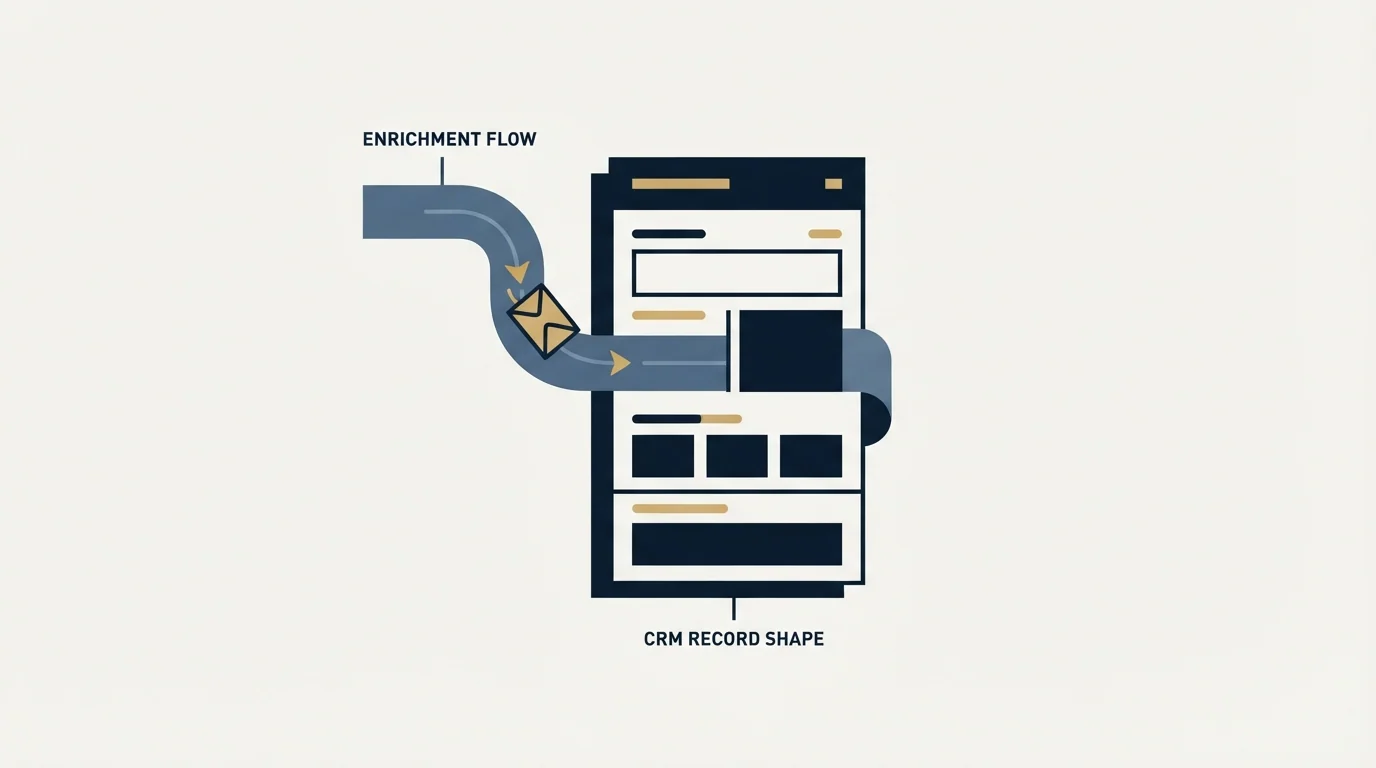
The reason people search for the verb rather than the noun is that they are about to wire something up. Here is the shape.
ZoomInfo's Salesforce integration page describes a bi-directional sync and splits the capability into three named pieces. Import brings your CRM context into ZoomInfo, which is what powers advanced search filters, Copilot signals, automation and scoring. Export pushes ZoomInfo intelligence back into the CRM, through either a seller action or an automation. Data Management is the layer above export, described on the same page as complex CRM enrichment and deduplication. The page also lists UI-level pieces: a Salesforce native app that embeds the ZoomInfo interface inside Salesforce, and the Chrome extension, which matches its side pane to whichever record you are looking at.
HubSpot is named as two components rather than one. ZoomInfo's HubSpot integration page names "ZoomInfo Enrich for HubSpot" and the "ZoomInfo HubSpot Connector", and links a separate implementation guide for each. If you are scoping a HubSpot build, that split is the first thing to pin down, because a plan that says "install the ZoomInfo integration" is ambiguous on that page.
The same three ZoomInfo-side capabilities, Import, Export and Data Management, appear on both integration pages. The CRM-specific pieces are what differ.
- Step 1Match
You supply input criteria or record IDs. ZoomInfo's enrich reference recommends searching first, then enriching by ID, so the match is decided before the write.
- Step 2Select fields
The caller picks which fields come back with an outputFields list, and can require completeness with requiredFields.
- Step 3Return and charge
Each returned record charges a credit unless it is already under management. No match and error responses are not charged.
- Step 4Write to CRM
Export or Data Management writes into Salesforce or HubSpot. Overwrite behaviour is your configuration, not a default you inherit.
- Step 5Verify before sending
An address that arrived from any enrichment source still gets verified immediately before it is used, which is the only place a bad record is cheap to catch.
What happens when an incoming value disagrees with what you already have
This is the question that decides whether an enrichment project helps or quietly corrupts a database, and it does not have a universal answer, because it is configuration rather than product behaviour.
What ZoomInfo does document precisely is the API-side control. The contact enrich reference states that you select which fields you want returned using an outputFields list, and that you can also use a requiredFields list to indicate which fields must be available for a record to be returned at all. Its own example: include jobTitle in requiredFields and no contact without a recorded job title comes back, even when it is a perfect match on every other input. That is a completeness lever, and it is the caller's decision rather than the platform's.
Field access is separately gated. The same reference tells callers to use the Lookup Enrich endpoint to see, per field, whether their account has access to it, and directs anyone without access to contact their ZoomInfo Account Manager for purchasing options. So "the field is empty" and "your contract does not include that field" are different failures that can look identical in a CSV.
Three decisions to settle in writing before the first sync runs, whichever CRM you are on:
- Which fields ZoomInfo is allowed to overwrite, which fields it may only fill when blank, and which it must never touch. Job title and company name are usually safe to refresh. Owner, lifecycle stage and anything a human typed deliberately usually are not.
- What counts as a duplicate, and which record survives a merge. Deduplication is named on the Operations page as an automated capability, which means the matching rule is doing real work and you should know what it is.
- Who reviews the first batch. Run a small slice, read the rows, then widen. The pattern is the same one that applies to any bulk data operation: the failure you can see on fifty rows costs nothing, and the same failure on fifty thousand is a cleanup project.
Where enrichment quietly costs you
The credit model is documented in two places on ZoomInfo's own surfaces, and they do not agree.
On the API side, the contact enrich reference states that each record returned charges a credit from your account unless that record is already under management, and that no credit is charged when the endpoint fails to find the record and returns "No match" or returns an error. That is a clean, quotable rule, and the "already under management" clause is the important half: re-enriching a record you already own behaves differently from acquiring a new one.
On the product side, ZoomInfo's pricing page states that each export costs one credit and that credits require a minimum bulk purchase. The ZoomInfo Sales product page, meanwhile, answers the credit question by saying ZoomInfo uses platform-based access rather than per-credit constraints. Both statements sit on the vendor's own site. Rather than pick a winner, take the contradiction to your account team and get the answer that applies to your contract in writing, because the two framings imply very different behaviour at volume.
- Each record returned charges a credit, unless that record is already under management.
- No credit is charged for a 'No match' response or an error.
- Enrich endpoints accept up to 25 records per call.
- Field-level access is gated by entitlement, with purchasing routed to your Account Manager.
- The pricing page states each export costs one credit.
- The pricing page states credits require a minimum bulk purchase.
- The ZoomInfo Sales page states ZoomInfo uses platform-based access rather than per-credit constraints.
- No rate card is published on any of these surfaces.
There is one more gap worth knowing about before you model any of this. ZoomInfo's API reference repeatedly links a "Credit Usage and Limits" guide, and that page is not published: it returns a 404 on both the standard and the enterprise documentation paths. The single document that would let a buyer model credit burn precisely is the one link that does not resolve.
Practical consequence: your credit consumption is a function of how many records you ask for, not how many turn out to be useful. A run that returns 10,000 records charges for 10,000 records whether or not any of them survive your own quality gate. That is exactly why the field-level controls matter. Requiring a field you actually need suppresses records you would have discarded anyway, and a suppressed record is a record you did not buy.
Judging whether a record came back better
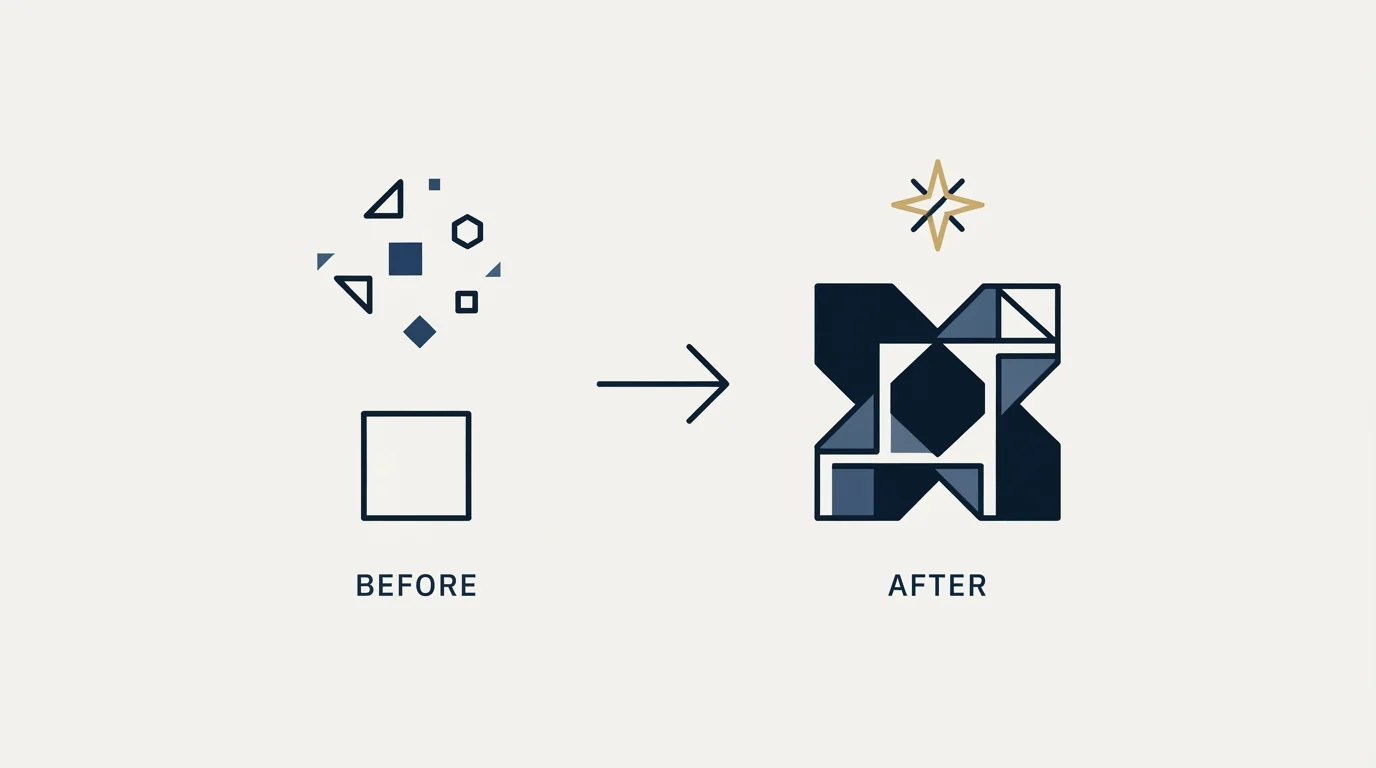
Here is the part most enrichment coverage skips. A record that looks fuller is not automatically a record that is more correct, and completeness is the easiest metric to improve and the least informative one to report. Fill rate goes up the moment you buy anything.
The place the truth surfaces is downstream, when you use the data. For outbound teams that means deliverability and reply behaviour, because a wrong mailbox does not present as a data-quality alert. It presents as a bounce, and enough of them presents as a sending-domain problem that outlives the campaign that caused it.
So the honest test of an enrichment source is not the number of cells it filled. It is what happens when you act on those cells.
Our own practice, and this is policy rather than a result we are claiming: every address entering a campaign is verified immediately before upload, whatever source it came from and however recently that source verified it. Enrichment output is treated as a claim to be checked, not a fact to be trusted, and the check happens at the last possible moment rather than at import time, because a mailbox that was live in March is not evidence about August. If you want the vendor landscape for that step, we compare the options in email verification tools, and BriteVerify is a reasonable place to start reading if your stack is Salesforce-centric.
Three questions that separate a useful enrichment source from an expensive one:
- What does it do when it does not know? A source that returns a confident guess is worse than one that returns nothing, because nothing is a gap you can see. Watch for pattern-guessed addresses arriving as though they were verified.
- Does the mailbox belong to the person at the company you targeted? A valid address at the person's previous employer passes every verification check and fails the only test that matters. This is the failure mode that verification cannot catch, so it needs a separate check against the domain you actually intended.
- What happened when you sent? Bounce rate and reply rate on enriched records against a baseline of records that were already clean is the only comparison that measures the enrichment rather than the vendor's marketing.
- Yes: Named list of fields ZoomInfo may overwrite, fill-if-blank, or never touch
- Yes: Duplicate-matching rule agreed, and which record survives a merge
- Yes: requiredFields set to the fields you genuinely need, so unusable records are suppressed rather than bought
- Yes: Field entitlement confirmed against your contract before anyone builds on a field
- Yes: Credit behaviour on re-enrichment of records already under management confirmed in writing
- Yes: First batch limited to a slice small enough for a human to read row by row
- Yes: Verification step sitting between enrichment output and any send
- No: Assuming a fuller record is a more correct one
Where this sits against the alternatives

If you are choosing rather than configuring, the comparison shape is different. ZoomInfo vs Clay covers the platform-versus-orchestration decision, which is the real fork for teams who want to run a waterfall across several sources rather than buy one. Clay enrichment goes deeper on building a waterfall that does not waste credits, which is the discipline that makes any multi-source setup affordable. And if you are still building a shortlist, our best data enrichment tools for B2B SaaS roundup does the listicle job so this page does not have to. The category definition, if you need it for an internal doc, sits in the CRM enrichment glossary entry.
Agencies weighing a broader shortlist before committing to one vendor can review enrichment tools built for agencies, which compares top options side by side.
The summary a buyer needs: ZoomInfo's enrichment is well documented at the API level, sold under several product names that overlap, priced by quote, and metered by a credit model its own pages describe in two incompatible ways. None of that makes it a bad choice. It does mean the questions that decide your outcome are configuration and contract questions, and they are answerable before you spend anything.
If your enrichment project exists because outbound is not producing meetings, the data layer is one input among several. We build and run the campaigns end to end, and you can see what that looks like on your own market with a free campaign.
Pricing and features verified as of mid-2026. Verify current terms with the vendor before relying on them.
Frequently asked questions.
Frequently asked questions- Will ZoomInfo enrichment overwrite fields I already have?
- That is your configuration rather than a platform default, which is why it needs deciding before the first sync. Name the fields ZoomInfo may overwrite, the fields it may only fill when blank, and the fields it must never touch. Job title and company name are usually safe to refresh. Record owner, lifecycle stage and anything a human typed deliberately usually are not.
- How does ZoomInfo charge credits for enrichment?
- ZoomInfo's contact enrich API reference states that each record returned charges a credit from your account, unless that record is already under management, and that no credit is charged when the endpoint returns No match or an error. Its pricing page separately states each export costs one credit and that credits require a minimum bulk purchase.
- What is ZoomInfo waterfall enrichment?
- ZoomInfo's waterfall enrichment page describes it as filling missing emails or mobile numbers when the primary source has none, evaluating previously processed data from multiple sources and returning only the highest-confidence alternative with source attribution. The same page states it is included at no additional cost, draws on 25+ additional vendors, and that GTM Studio is in an early access phase.
- How do I know whether an enriched record is actually better?
- Fill rate rises the moment you buy anything, so it proves very little. Judge the source downstream instead. Verify every address immediately before you use it, check that the mailbox belongs to the person at the company you targeted rather than a previous employer, and compare bounce and reply behaviour against records that were already clean.
About the author.

B2B cold email experts helping companies generate qualified leads through done-for-you outreach campaigns.
RevenueFlow Team
Explore more.
Ready to scale your outreach?
We build GTM engines that book real meetings. See the receipts.
Related articles.
Firmographic Data Providers: What Six of Them Publish
Six firmographic data providers read from their own pages: the fields each sells, the coverage each states, how the data is delivered, and who prints a price.
Bookyourdata Pricing: 25 Packs, Priced Per Contact
Bookyourdata sells credits in twenty-five packs with no subscription. The dated ladder, the per-contact rates rendered in the browser, the guarantee rule and BeSpoke.
Is Clay Free? The Free Plan, the Trial and Where Each Stops
Clay's free plan, its 14-day trial and the no-charge-on-a-miss rule are three different things. What each holds and where it stops, from clay.com on 19 September 2026.
Seamless.AI Email Finder: How It Works, What a Credit Buys
How Seamless.AI's email finder resolves a contact in real time, what one Universal Credit buys, the Total AI score on every address, and what the Chrome extension reads.
LeadIQ Salesforce Integration: What Syncs, What Blocks It
How LeadIQ's Salesforce integration works, from LeadIQ's own help centre: per-user OAuth, Lead or Contact, domain matching, duplicates, API calls and plan gates.
Snitcher Pricing: The $49 Table Is the Annual Rate
Snitcher's visible price table is the annual-billing ladder. The ten bands at both billing states, the unique-company meter, and the rules on a help page.