A Clay Lead Generation Workflow, End to End, With Real Costs
Six stages from an ICP definition to a campaign that can send, with published unit costs attached and the stage that decides whether the rest was worth paying for.
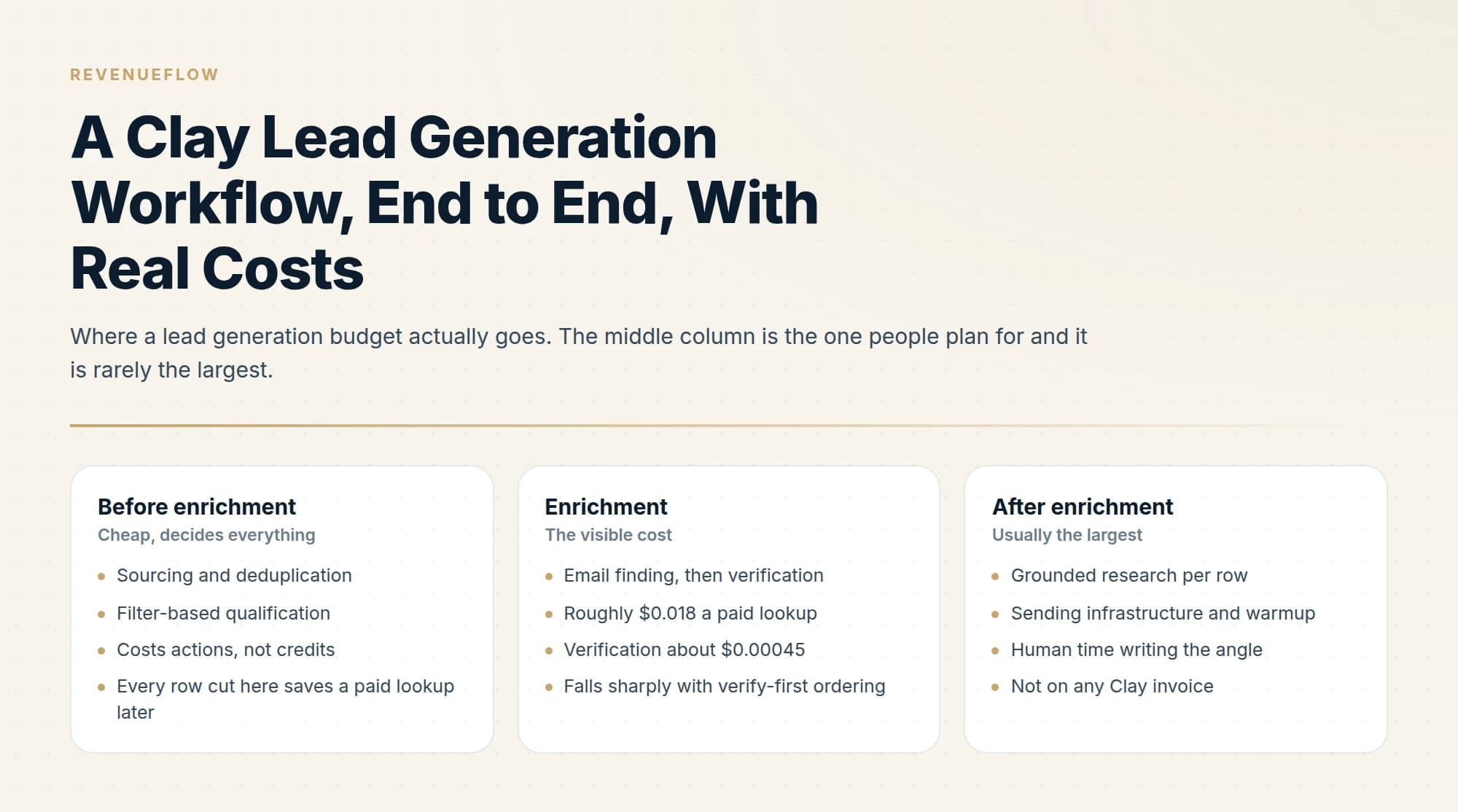
Order the workflow so each stage cuts rows before the next, more expensive one runs: source and deduplicate, qualify, find people, verify, research, then hand off to sending. Qualifying with filters before any paid lookup is the decision that sets the budget, and sending infrastructure usually costs more than the enrichment did.
Key takeaways
- Each stage costs more per row than the one before it, so qualifying after enriching is the most expensive common mistake in the workflow.
- Gating research behind a successful contact resolution removes a third to a half of rows before the priciest per-row stage.
- Verification at roughly $0.00045 an address against about $0.018 for a paid lookup is why the find stage runs verify-first.
- Sending infrastructure, domains and warmup sit outside Clay's pricing entirely and frequently cost more than the enrichment line.
Reviewed and updated September 5, 2026
Most Clay walkthroughs stop at the table. The interesting part is what the whole thing costs once a list becomes a campaign, because the per-row price of enrichment is a small fraction of the decision and the stages nobody prices are where the money goes.
Since the value in this market has shifted from owning records to running the workflow layered above them, the database versus workflow shift explains why ZoomInfo's repricing tracks that same move.
This is a full workflow, stage by stage, with the published unit costs attached and the arithmetic shown for a 2,000-company build.
The workflow, end to end
- Step 1Define and source companies
Turn the ICP into filters, produce a company list, and deduplicate it against everything you have contacted before.
- Step 2Qualify the companies
Cut the rows that do not match before you spend anything on finding people at them.
- Step 3Find the people
Resolve the right titles at each company, then run the email waterfall on those people only.
- Step 4Verify
One verification pass over everything resolved, whatever provider found it.
- Step 5Research for relevance
Grounded facts for the rows that survived, used to make the message specific.
- Step 6Hand off to sending
Push to the sequencer with suppression applied and one message per campaign.
The ordering is deliberate: every stage cuts rows, and each stage costs more per row than the one before it. Qualifying after enriching is the most common and most expensive mistake in the whole workflow.
Clay list building is that ordering read in one direction, and getting it wrong is what separates a build costing a few dollars from one costing several hundred for the same finished list.
Stage costs, with published numbers
Clay bills in two currencies. Its pricing page defines actions as measuring "platform usage: enrichment & GTM execution" and data credits as buying "data & AI from vendors in Clay's marketplace". Data credits run from $0.0452 down to $0.0383 each depending on tier; actions run from $0.0036 down to $0.0024.
Clay's role as an enrichment engine rather than a relationship manager becomes clearer alongside how Clay compares with Copper, which contrasts sourcing tools with CRM platforms.
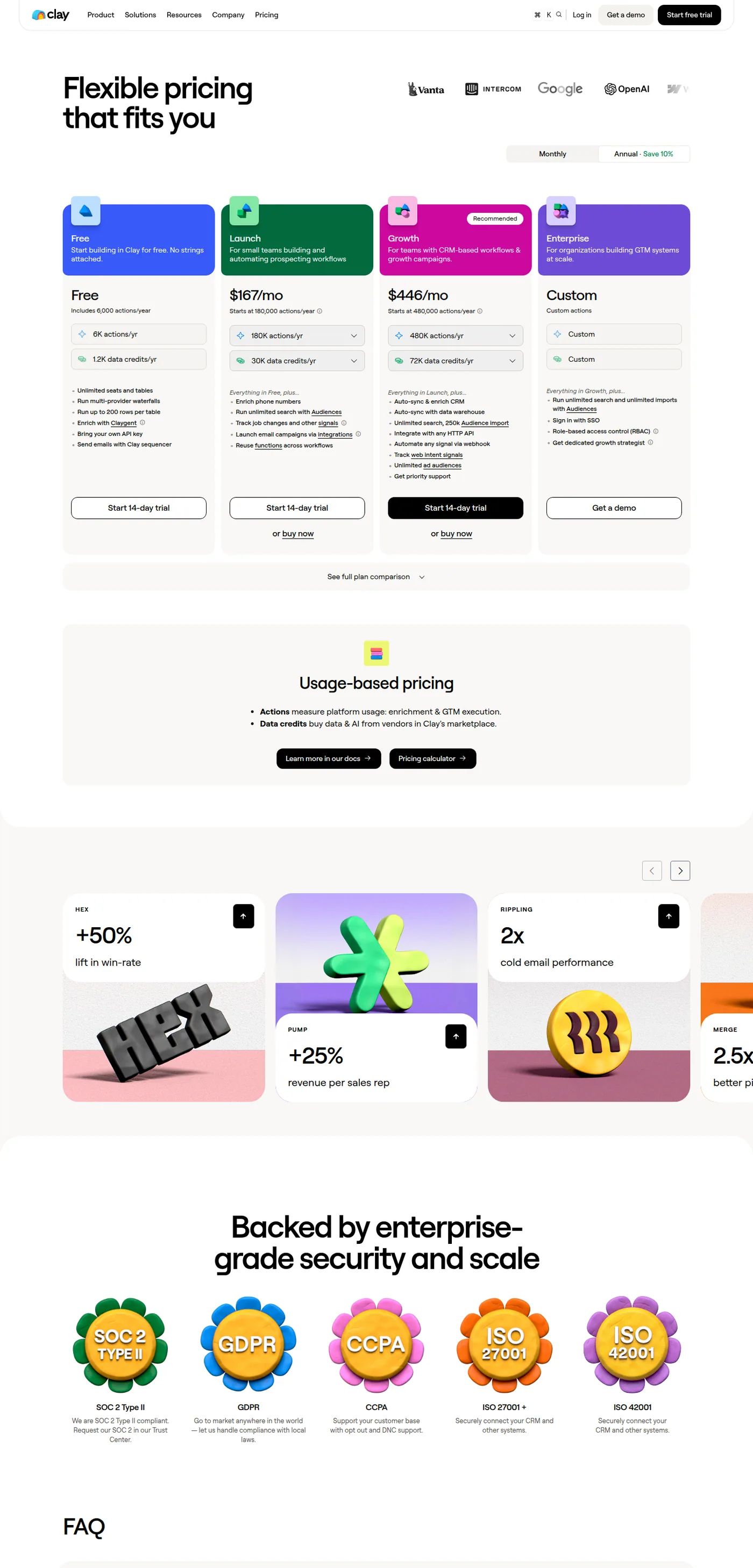
Clay's published pricing, captured mid-2026. Per-unit figures in this article are calculated from these allowances.
Take 2,000 companies through the workflow, assuming a 60% qualification rate and two contacts per surviving company.
Sourcing and dedupe costs actions rather than credits, and the row count is at its highest here. A few thousand actions is a few dollars. Dedupe is free and pays for itself immediately if your list overlaps prior campaigns.
Qualification cuts 2,000 companies to about 1,200. If you qualify with filters, this is close to free. If you qualify with an AI agent reading each company's site, you are paying per row at the top of the funnel, which is the most expensive place to pay for anything. Filter first, then use the agent only on genuine borderline cases.
Finding people at 1,200 companies at two contacts each is 2,400 person-rows. Email resolution is the real cost centre, and running verification before paid lookups is what keeps it down: verification at roughly $0.00045 an address against a paid lookup at roughly $0.018 means guessing and checking is around thirty times cheaper than buying. The mechanics are in our waterfall enrichment guide.
Verification across everything found is the cheapest line on the sheet and the one never worth skipping.
Research should run only on rows that resolved to a reachable person. Gating it behind the waterfall typically removes a third to a half of the rows before the most expensive per-row stage, and researching a company you cannot contact anyone at has no possible payoff.
Sending is outside Clay's pricing entirely. Inboxes, domains and warmup are a separate budget, and on most builds they cost more than the enrichment did.
Inbound tooling sits outside this budget too, and what replaced Drift for inbound routing only pays once there is demand arriving to be caught.
- Sourcing and deduplication
- Filter-based qualification
- Costs actions, not credits
- Every row cut here saves a paid lookup later
- Email finding, then verification
- Roughly $0.018 a paid lookup
- Verification about $0.00045
- Falls sharply with verify-first ordering
- Grounded research per row
- Sending infrastructure and warmup
- Human time writing the angle
- Not on any Clay invoice
Where the companies come from
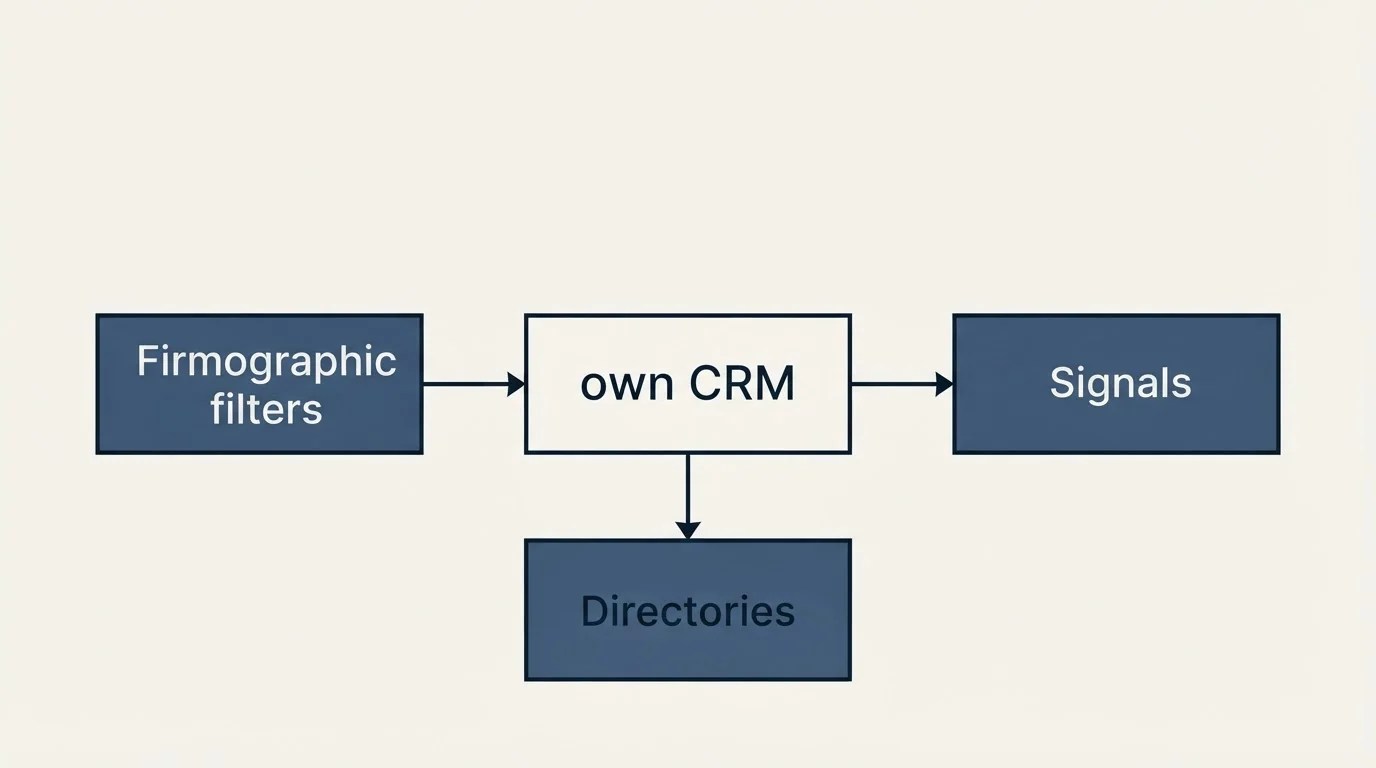
Stage one has more options than people use, and the source shapes everything downstream because it determines which identifiers each row carries.
Your own CRM is the cheapest source and the most overlooked. Closed-lost, churned, disqualified-too-early and never-worked accounts are real companies that already passed some version of a fit check, and they arrive with history attached.
Firmographic filters expand a pattern into volume quickly. The weakness is that size and revenue figures are frequently modelled rather than reported, so a headcount band is noisier than it looks and some of your qualification stage exists to correct for it.
Signals produce smaller and better lists: companies hiring for a role, opening locations, adopting a technology, announcing funding. These date quickly, which is a feature if you work them promptly and a liability if a build takes three weeks.
Directories and marketplaces are useful for niche ICPs where firmographic databases are thin, and they usually arrive as a company name and a website with no people attached, which pushes more work onto stage three.
The identifier point matters more than it sounds. A source that gives you LinkedIn URLs makes contact resolution substantially easier than one giving you company names alone, and that difference shows up as cost per usable row two stages later.
What to measure at each stage
A workflow you cannot diagnose is one you will rebuild from scratch every time it disappoints. Five numbers, recorded per build, make the next build better.
Qualification rate. Companies surviving stage two divided by companies sourced. A very high rate means your filters are loose and you are paying to qualify rows that should have been excluded at source.
Contacts per qualified company. How many usable people you resolve per surviving company. This is the number that decides whether a list has enough depth to work an account properly.
Email resolution rate, split by stage. What share resolved from pattern verification against what share needed a paid lookup. If the cheap stage is resolving very little, your input data quality is the problem rather than your provider choice.
Research coverage. What share of contactable rows got a grounded fact worth using. Rows without one still send, using a segment message rather than a specific one.
Cost per contactable row. Total spend divided by rows that reached the sequencer. This is the number to compare across builds, and it is the one that tells you whether a change actually helped.
None of these need a dashboard. They are five cells in the same spreadsheet you already use to plan the build, and they turn each campaign into evidence for the next one.
The stage that decides the whole build
Qualification is where a workflow becomes cheap or expensive, and it happens before any provider is called.
The instinct is to enrich everything and filter later, because enrichment feels like the productive step. That inverts the cost curve. Every unqualified company you enrich costs a lookup for two contacts you will never message, and on a loosely filtered list that is easily half the spend.
Set the ICP as filters at the source where you can. Use judgement only on the rows that filters genuinely cannot separate, and record why each borderline row was kept, because those reasons are how the filters improve next time. Our guide to building a target list you can actually work covers the criteria side.
Handing off to sending without breaking anything
The last stage is where a technically clean list becomes a campaign, and it is where the constraints stop being about cost.
Clay email sequencing integrations are the mechanics of this stage, and the parts that decide whether it works are the push into whichever sequencer you already run, the field mapping it carries, and the suppression applied before the upload rather than after it.
Suppression is applied before upload, not after. Existing customers, live opportunities, anyone who has already replied or unsubscribed, and anyone currently enrolled in another live campaign. A duplicate send to someone already in a sequence is the most avoidable damage in outbound.
One message per campaign. We do not build sequences or bumps. If the first message earns nothing, the account returns to the pool for a different angle later rather than receiving a follow-up into the same thread.
The rendered output gets checked, not the source fields. An empty merge value produces a greeting with no name, and a company field carrying a legal entity or a truncated string reads as machine output however good the copy is. Check what will actually send.
- Yes: Every address verified after the waterfall, not before
- Yes: Resolved domains audited against the company on the row
- Yes: Suppression applied for customers, live deals and prior repliers
- Yes: Rendered subject and body checked, not just the source columns
- No: Follow-up steps configured in the sequencer
- Depends: Rows with no grounded research, which can still send a segment message
What this workflow does not solve
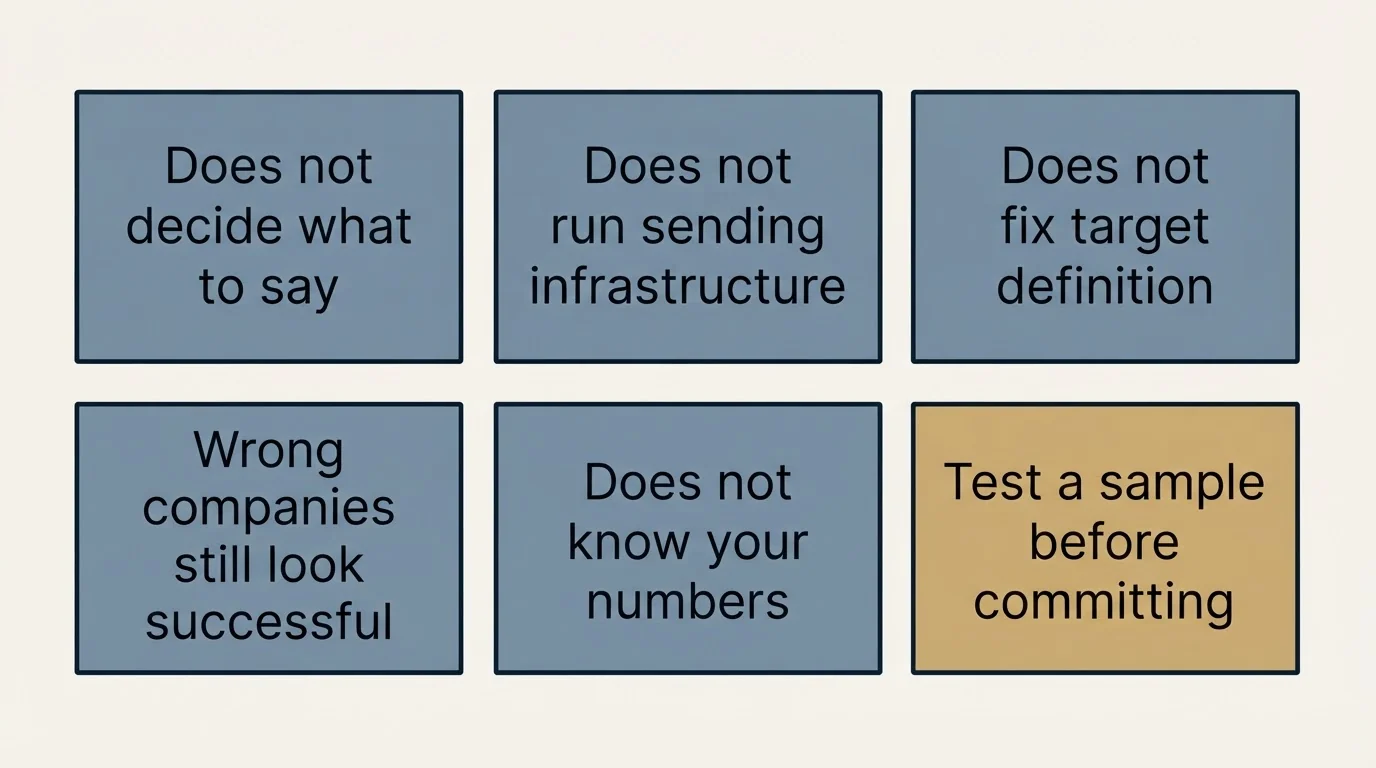
Clay orchestrates data. It does not decide what to say, and the message is what determines whether any of the preceding spend returns anything.
It also does not run sending infrastructure. Domains, inboxes, warmup and deliverability are a separate system with separate failure modes, and a perfectly enriched list sent from cold infrastructure lands in spam. The cold email deliverability guide covers that half.
It does not fix a target definition either. A workflow executed perfectly against the wrong companies produces a clean, verified, well-researched list of people who will not buy, and every stage of it will have looked successful while it ran.
And it does not remove the need to know your own numbers. The per-unit costs above are published and stable; your hit rate, your qualification rate and your reply rate are not, and they vary more between ICPs than any tooling decision does. Run 200 rows before committing to a plan tier, as covered in our Clay pricing analysis.
The short version
Order the workflow so every stage cuts rows before the next, more expensive stage runs: source, qualify, find, verify, research, send. Qualify with filters before paying for anyone, gate research behind a successful contact resolution, and verify once at the end. The enrichment line is the one everyone budgets for and it is rarely the largest; sending infrastructure and human writing time usually are.
If you would rather have the list built, the copy written and the campaign running than assemble the stack, you can see what a campaign would look like for your market.
Clay pricing verified against clay.com/pricing as of mid-2026, with per-unit costs calculated from its published allowances. Provider unit costs are from each vendor's own published pricing. Verify current terms before relying on them.
Sources: Clay pricing, MillionVerifier pricing, Prospeo pricing
Frequently asked questions.
Frequently asked questions- What does a Clay lead generation workflow look like end to end?
- Six stages: define and source companies, qualify them, find the right people and resolve emails, verify everything, research the survivors for relevance, then hand off to a sequencer with suppression applied. The ordering matters because every stage cuts rows and each one costs more per row than the last.
- How much does it cost to build a list in Clay?
- It depends far more on your qualification rate and hit rate than on Clay's rates. The published unit costs are stable: data credits from $0.0452 down to $0.0383, actions from $0.0036 down to $0.0024. What varies is how many rows survive each stage, which is why a 200-row sample beats any published estimate.
- Should I qualify companies before or after enrichment?
- Before, always. Every unqualified company you enrich costs lookups for contacts you will never message, and on a loosely filtered list that can be half the spend. Use filters at the source where possible and reserve judgement-based qualification for rows filters genuinely cannot separate.
- What does Clay not handle in this workflow?
- It does not decide what to say, and the message determines whether any preceding spend returns anything. It also does not run sending infrastructure: domains, inboxes, warmup and deliverability are a separate system, and a perfectly enriched list sent from cold infrastructure lands in spam.
About the author.

Ben Carden is CRO at RevenueFlow, which builds and operates outbound revenue engines for B2B companies. Previously at Gartner Enterprise. Studied at London School of Economics.
Ben Carden · CRO
Connect on LinkedIn →Explore more.
Ready to scale your outreach?
We build GTM engines that book real meetings. See the receipts.
Related articles.
5 ABM Campaign Examples and How Each One Is Built
Five worked account-based campaign examples, each built on the same five fields: account set, tier, plays in order, owner and handoff, and the exit condition.
Field Marketing in B2B: What a Programme Costs Per Meeting
Two different practices answer to the name field marketing. The B2B one runs dinners and roadshows for named accounts, and it divides like any other channel.
Average Landing Page Conversion Rate: What It Measures
Four published answers to one question span more than four to one. What each dataset actually counted, and why none of them applies to a page fed by cold outbound.
Two Agencies, One Target List: Who Owns Which Accounts
Two outbound suppliers on one market will contact the same companies unless the buyer splits it first. How to cut the list, run the exclusion feed and check the overlap.
Last Outbound Agency Did Not Deliver: Locating the Failure
The leads were bad names a symptom and no stage. Four places an outbound engagement fails, the counts that separate them, and what to change in the next purchase.
IT Lead Generation: The Buyer Runs Your Playbook
Technology buyers evaluate outbound for a living, and their purchases carry a security review nobody in your meeting owns. Which triggers are real.