Apollo.io Email Finder: How It Works and What It Costs
How Apollo resolves an email lookup, what waterfall enrichment charges when it finds nothing, and how to test any finder's accuracy on your own market.
Apollo's email finder returns an email ID in four places: search in the web app, the free Chrome extension, bulk CSV or CRM enrichment, and the People Enrichment API. On the API a returned email costs 1 credit, 9 with a mobile number, and waterfall enrichment typically adds 1 to 4 credits, sometimes billed even when nothing is found.
Key takeaways
- Apollo's email finder lives in four places, web app search, a free Chrome extension, bulk CSV and CRM enrichment, and the People Enrichment API, all reading one contact database.
- A person enrichment that returns an email costs 1 credit and 9 if a mobile number is also returned, so leaving phones off an email-only job is the largest saving.
- Email waterfall enrichment typically uses 1 to 4 credits and can pass 20, and some waterfall vendors consume credits per lookup even when no data is found.
- A returned address is a claim rather than a verified mailbox, so judge any finder on cost per verified deliverable address from your own 100 contact test.
Reviewed and updated September 18, 2026
Apollo's email finder is two mechanisms wearing one name. The first is a lookup against Apollo's own contact database, which either has the person or does not. The second is waterfall enrichment, which sends the request out to third-party data vendors you configure and charges you according to what comes back, and sometimes according to what does not.
Knowing which one answered your request changes how much you should trust the address and how much it cost you. Apollo documents both, and the documentation is more candid than most vendors manage.
How to find an email ID with Apollo's email finder
An email ID is simply an email address, and Apollo's email finder returns one in four places. Apollo's own email finder page lists them: search in the web app by name, company or job title, the free Chrome extension, bulk enrichment of a CSV or a CRM, and the People Enrichment API. All four read the same contact database, which that page sizes at 240M contacts.
Web app
Search
Find a person by name, company or job title, with 65+ filters. The page says lists export up to 25 contacts at a time with free CSV export.
Browser
Chrome extension
Free to download, works on every plan including the free one, and needs an Apollo account. It runs on company websites, inside a CRM and in Gmail.
Bulk
CSV and CRM enrichment
Upload names and companies and get emails back, or let it update Salesforce and HubSpot records automatically.
Developers
People Enrichment API
The same lookup from your own code, with optional waterfall enrichment across third-party vendors. Costs are published per call.
If you only need a handful of addresses, the search box or the extension is the whole answer. The mechanics below matter once you are finding addresses by the thousand, because that is where the credit rules start deciding the bill.
How a lookup actually resolves
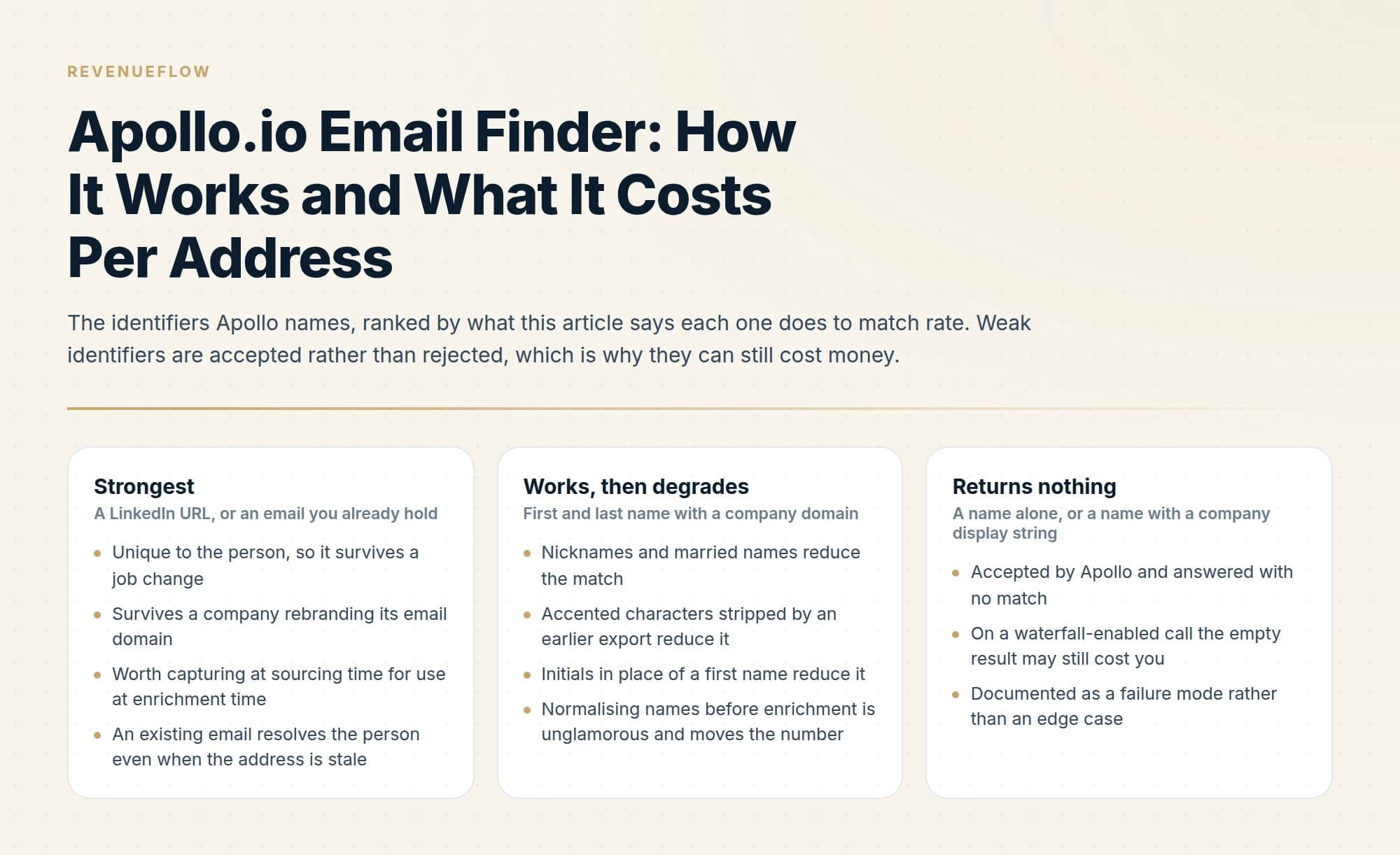
The people enrichment endpoint takes what you know about a person and returns what Apollo holds. Match rates depend heavily on the identifier you supply, and Apollo names the ones that work: first name and last name together, a LinkedIn URL, or an email address.
Anything weaker than that is a documented failure mode rather than an edge case. Apollo states that requests with missing or insufficient identifiers may be accepted but return no matches or fail validation. The request succeeds, the response is empty, and on a waterfall-enabled call it may still have cost you credits.
That asynchronous split catches people out. A waterfall call returns immediately with demographic data, a request ID and a status of accepted, partial_accepted or failed. The email addresses themselves are delivered to a webhook URL you supply when the vendors finish. If you have not stood up a publicly reachable HTTPS endpoint to receive them, the request runs and the results have nowhere to go.
What the credits actually buy
Apollo's published costs for the email path are specific enough to budget from.
A person enrichment returning demographics or an email costs 1 credit. It costs 9 if a mobile phone number is also returned, because the phone carries an 8-credit surcharge. If you only want email addresses, not requesting phone numbers is the single largest saving available on this endpoint.
Email waterfall enrichment typically consumes 1 to 4 credits, though Apollo notes some vendor configurations or successful higher-cost matches can push past 20. And the line worth pinning to the wall: some waterfall vendors consume credits per lookup even when no data is found.
Phone numbers follow the same pattern at a higher price. Apollo's API pricing page says phone waterfall enrichment typically uses 8 to 25 credits and that some configurations reach 45 or more, which is the arithmetic behind leaving phones off an email-only job.
That last rule inverts how people usually think about enrichment spend. Your cost is driven by attempts, not by successes, which means a poorly targeted list is expensive precisely because it does not work. Match rate stops being only a quality metric and becomes the main cost variable.
Accuracy is a question the documentation cannot answer

Here is where we will be straight with you rather than helpful in the wrong direction.
We have not run a controlled accuracy test of Apollo's email finder. We do not send from Apollo. Our own stack is Email Bison for sending, HeyReach for LinkedIn, and a MillionVerifier, Prospeo and Findymail waterfall for finding addresses, so any accuracy figure we published for Apollo would be borrowed from someone else's test or invented, and neither belongs in a decision you are making with money. Apollo publishes a figure of its own: the Chrome extension page claims a 98% email accuracy rate across its database. That is a vendor describing its whole dataset, and it says nothing about the rate on your market.
What is worth saying instead is that a returned address is a claim, not a verified mailbox, and that is true of every provider including the ones we use. Apollo's enrichment tells you it found something. Whether that mailbox exists and accepts mail is a separate question answered by a verifier, and skipping that step is how bounce rates climb.
Seamless.AI's finder attaches a confidence score to every address for the same reason, and the Seamless.AI email finder sets out how that score is built and what one credit buys.
Two of those lines carry most of the value. Match rate and accuracy are different numbers, and a provider optimising the first will hand you plausible-looking addresses that bounce. Cost per verified deliverable address is the only figure that compares providers honestly, because it folds in the misses you paid for.
Catch-all domains deserve their own handling. On an accept-all mail server every address verifies as neither valid nor invalid, so a list heavy in enterprise domains will produce a large ambiguous tier that no verifier can resolve. Counting those as successes inflates every accuracy claim you will read, including ones vendors make in good faith.
Give it better inputs
Match rate responds to input quality more than to anything else you can control, and the identifiers are not equally useful.
A LinkedIn URL is the strongest single identifier you can supply, because it is unique to the person and does not change when they switch employer or when a company rebrands its email domain. If your sourcing motion captures profile URLs, keep them; they are worth more at enrichment time than a name and company string.
First and last name together with a company domain works well and degrades badly. Nicknames, married names, accented characters stripped by an earlier export, and initials in place of first names all reduce the match. Normalising names before enrichment is unglamorous and it moves the number.
An existing email is useful even when the address you hold is stale, because it can resolve the person and return their current details.
What does not work is a name alone, or a name plus a company display string with no domain. Apollo accepts those and returns nothing, and on a waterfall-enabled call that empty result may still cost you.
| What you supply | What happens | Why |
|---|---|---|
| A LinkedIn URL strongest | Resolves the person directly | Unique to the person, so it survives a job change and a company rebranding its email domain |
| An email you already hold strong | Resolves the person even when the address is stale | Returns their current details, so old lists are worth keeping |
| First and last name with a company domain works, then degrades | Matches well on clean names | Nicknames, married names, stripped accents and initials all reduce the match. Normalise names first |
| A name alone, or a name with a company display string returns nothing | Accepted by Apollo and answered with no match | On a waterfall-enabled call the empty result may still cost you |
What to do with the misses

Every enrichment run produces a tail of people it could not resolve, and the default handling of that tail is usually wrong in one of two directions.
Discarding it loses real work. These are contacts you already identified as fitting your ICP, and the sourcing effort behind them does not become worthless because one provider had no record. Bank the tail as a preserved artifact with the date and the provider that missed.
Re-running it repeatedly is the opposite error and it is expensive. A person Apollo could not resolve today is very likely a person it cannot resolve next week, and on a waterfall-enabled call each retry may bill again for the same absence. Cache the miss with a timestamp and set a re-check interval measured in months rather than days.
The middle path is to record what you tried. Store the identifier you queried with and the provider that came back empty, so that a later attempt with a better identifier, a LinkedIn URL you did not have the first time, is recognisably a different query rather than a repeat of the same one.
Verification is a separate job, and it is not optional
The gap between "an address was returned" and "an address is safe to send to" is where deliverability damage happens. A bounce is not a neutral event: mailbox providers read bounce rate as a sender-quality signal, and a bad batch degrades placement for everything else sending from that domain.
Our sequence is find, then verify, then send, with verification run fresh rather than trusted from whenever the record was first created. Addresses decay continuously as people change jobs, and an address verified four months ago is an assumption rather than a fact. The cold email bounce rate benchmarks cover what a healthy rate looks like, and the deliverability guide covers the wider infrastructure that bounce rate feeds into.
One address per company, not three
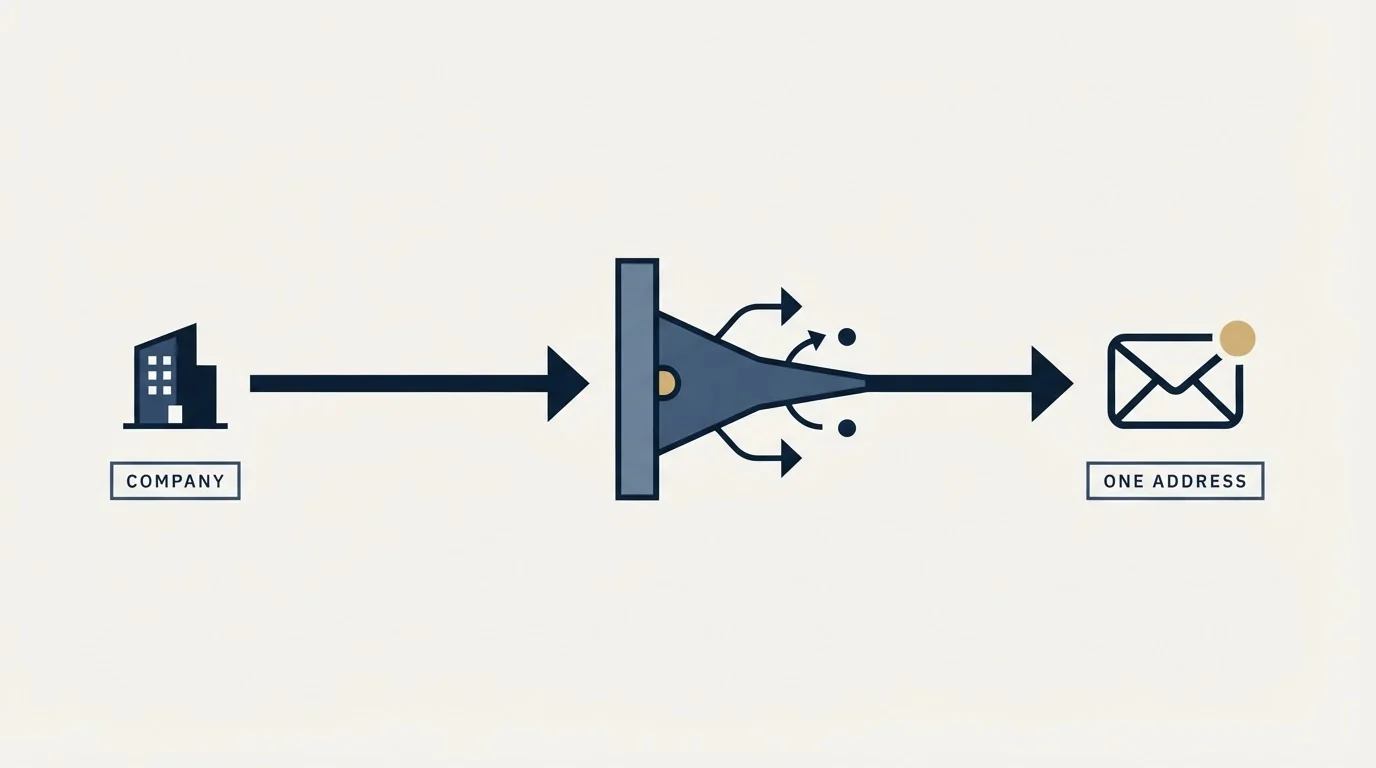
A rule that saves credits and prevents a specific kind of damage.
When a list contains several contacts at the same company, the temptation is to enrich all of them and email whoever resolves. That multiplies enrichment cost across people you were never going to contact, and it creates a worse problem at send time: several messages from the same sender landing at one domain in a short window is a pattern mail filters are built to notice.
Decide who you actually want at each company before enriching, and enrich that person. If they do not resolve, fall back to the next-best contact rather than running all of them in parallel. It is slower per company and considerably cheaper per conversation.
Using Apollo for finding without inheriting the risk
If Apollo is your data layer, the clean architecture is to let it do what it is good at and keep the consequences separate.
Teams weighing whether Apollo should also drive outreach itself, rather than just enrichment, can compare its orchestration strengths against a dedicated execution tool in Apollo versus Klenty for cold email campaigns.
Since Apollo's enrichment feeds a pipeline somewhere downstream, teams deciding how sourced contacts flow into a CRM can weigh that handoff in Apollo and Copper compared for lead flow.
Enrich in bulk, cache aggressively including negative results so you do not pay twice for the same miss, verify independently before anything is queued to send, and send from infrastructure that is not tied to your data vendor's account. The domain-safe workflow sets that out step by step, and the API guide covers the caching and credit mechanics underneath it.
One cost to fold into the model: Apollo consumes export credits whenever a contact leaves the platform, including CSV exports and API enrichment synced to an outside system. An architecture that verifies elsewhere is an architecture that exports constantly, so budget for it rather than discovering it. The pricing breakdown covers how that meter works.
We run sourcing, verification and sending for clients on a pay-per-qualified-meeting basis, which puts the match rates and the bounce rates on our side of the line rather than yours. You can see what a campaign would look like for your market.
Enrichment credit costs, waterfall behaviour, identifier requirements and webhook mechanics are per Apollo's developer documentation, last updated 28 July 2026 for waterfall enrichment and 18 July 2026 for API pricing, both fetched 11 August 2026. No accuracy figures for Apollo are stated here because we have not tested it. Verify current terms with Apollo.
Sources: Waterfall enrichment, Apollo API pricing and credits, People enrichment reference
Frequently asked questions.
Frequently asked questions- How do I find an email ID in Apollo?
- An email ID is an email address, and Apollo gives you four ways to get one. Search for the person by name, company or job title in the web app, open their profile or company site with the free Chrome extension, upload a CSV of names and companies for bulk enrichment, or call the People Enrichment API from your own code.
- Is the Apollo email finder free?
- Partly. Apollo's pages say the Chrome extension is free to download and works on every plan including the free tier, and that you need an Apollo account to use it. Its email finder page describes free CSV export of up to 25 contacts at a time. Beyond that, lookups consume credits, and the allowance depends on your plan.
- How many credits does an Apollo email lookup cost?
- Apollo's API pricing page lists a person enrichment at 1 credit when demographics or an email come back, and 9 credits if a mobile number is also returned. Email waterfall enrichment typically uses 1 to 4 credits, some configurations pass 20, and some waterfall vendors consume credits per lookup even when no data is found.
- How accurate is Apollo's email finder?
- Apollo's Chrome extension page claims a 98% email accuracy rate across its database. We have not tested it and do not send from Apollo, so we publish no figure of our own. A returned address is a claim, not a verified mailbox. Test 100 contacts from your own market and verify every address independently before sending.
About the author.

Ben Carden is CRO at RevenueFlow, which builds and operates outbound revenue engines for B2B companies. Previously at Gartner Enterprise. Studied at London School of Economics.
Ben Carden · CRO
Connect on LinkedIn →Explore more.
Ready to scale your outreach?
We build GTM engines that book real meetings. See the receipts.
Related articles.
LeadMagic Pricing: What a Credit Buys Per Endpoint
LeadMagic publishes two different per credit rates for the same plan, and both are right. The four tiers, the endpoint costs, and the clock that separates them.
FullEnrich Pricing: You Pay Only for Found Data
FullEnrich spends credits only on data it finds and verifies, and a mobile number costs ten times a work email. The bands, and the mix that decides the bill.
Apollo.io for Lead Generation: Protecting Your Domain
Search, enrich, verify, then send somewhere else. A four-stage Apollo workflow that keeps credit costs down and keeps sending reputation away from your data vendor.
Typeform Alternatives: Read the Response Meter First
Typeform meters responses with a hard ceiling and counts seats inside the plan. What Tally, Fillout, Formbricks and Jotform count instead, from their own pricing pages.
Drift Competitors: What Replaced It and What Each Costs
Drift is retired and drift.com now serves a Salesloft page. What the successors publish about price, who owns them now, and which one fits which job.
Lead Verification: What Each Check Actually Proves
Lead verification covers two different jobs. One asks whether a mailbox will accept mail, the other asks whether the person behind the row is real and lawful to contact.