Kickbox Pricing: The Ladder and the Opt-In Rule
Kickbox publishes a complete thirteen-step verification ladder, and an anti-spam policy that rules out purchased and harvested lists entirely.
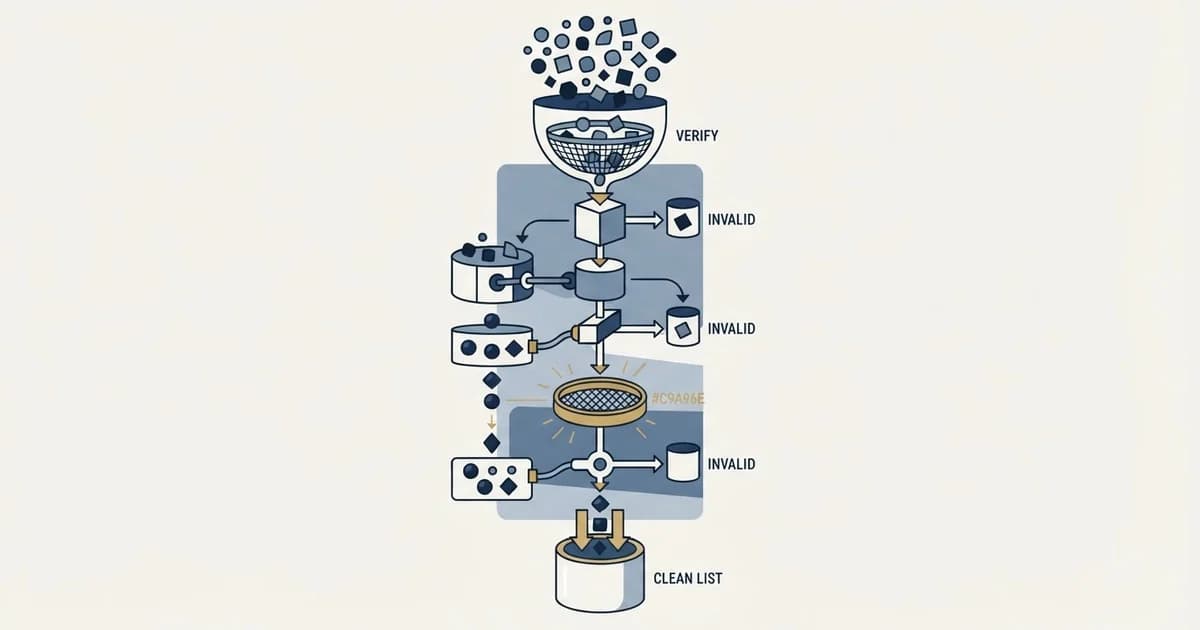
Kickbox publishes thirteen verification steps, from 100 free to 1,000,000 for $2,999, or $10 down to $3 per thousand, with unknown results refunded. Its terms expire credits a year after purchase, and its anti-spam policy allows only opted-in recipients, naming purchased, harvested and permuted lists as prohibited.
Key takeaways
- Kickbox's pricing page lists 13 steps: 500 for $5, 10,000 for $70, 100,000 for $500 and 1,000,000 for $2,999, with the first 100 free.
- Per thousand, the rate falls from $10.00 at up to 2,500 verifications to $3.00 at a million, derived from the package totals.
- Kickbox's terms expire verification credits one year from purchase and bill in advance with no refunds, so volume only saves if used.
- Its anti-spam policy requires opted-in recipients and prohibits purchased, harvested, permutation-generated and appended lists.
Reviewed and updated September 21, 2026
Kickbox puts a complete verification price ladder on one page, headed "Flexible pricing options for organizations of any size", running from 100 addresses free to a million for $2,999 with no subscription and no quote gate. It is one of the more transparent rate cards in the category.
Kickbox's anti-spam policy, on a different host, sets the condition plainly: "all recipients must have opted-in to receive communications from the verifying entity", and "Purchased lists may not be used with the Services, regardless of the source or permission status". For a cold outbound team, those two sentences decide the purchase before the price does.
Both facts come from Kickbox's own pages. Neither condition appears on the comparison pages ranking for this vendor's pricing, and the ladder two of them print is materially higher than the one the vendor shows.
Kickbox pricing: the published ladder
Thirteen volume steps sit on Kickbox's pricing page in US dollars. They are 100 verifications free, 500 for $5, 1,000 for $10, 2,500 for $25, 5,000 for $40, 10,000 for $70, 25,000 for $150, 50,000 for $275, 100,000 for $500, 250,000 for $1,100, 500,000 for $1,800, 750,000 for $2,400 and 1,000,000 for $2,999. Above a million it reads "Need more than 1M verifications? Talk to us for custom pricing or volume discounts", and it flags in-page that "This volume qualifies for enterprise pricing".
The unit rate falls from a cent per address at a thousand to about three tenths of a cent at a million, a factor of roughly three across the ladder. That is a normal shape for this category, and the useful comparison is against the per-thousand rates in the wider verification tool comparison, where the same job is priced from under a dollar per thousand at the top of the volume curve to eight dollars per thousand at the bottom.
Two terms on that page improve the effective rate. Under a heading reading "Unknown Verification Results Are Free" it explains: "If we can't provide a definitive result to you, we'll refund the credit." The credit can then be spent re-verifying the same address later or on a different one. And its homepage opens with "Your first 100 verifications are free!"
One term works the other way, and it is not on the pricing page at all. Its terms of service read: "Email verification credits automatically expire one (1) year from the date of purchase." The same document adds that "Kickbox Services are billed in advance and are non-refundable", with no refunds or credits for partial service or for volume that goes unused. So the volume rate at the bottom of the ladder is a real discount only if the credits are consumed inside twelve months.
Two ranking pages print a ladder the vendor does not show

Two of the pages ranking for this vendor's price were re-read for this page, and both quote a ladder above the one on Kickbox's own page.
Bouncer's Kickbox pricing page summarises the vendor as one where "The pricing starts at $5 for 500 verifications and goes up to $4,000 for 1,000,000 verifications", and lists 10,000 verifications at $80, 25,000 at $200, "50,000 verifications: $400", 100,000 at $800, 250,000 at $1,500, 500,000 at $2,500 and 1,000,000 at $4,000. SyncGTM's Kickbox review lists 10,000 at $70 to $80, 50,000 at $400, 100,000 at $800 and 1,000,000 at $4,000, with a note against the 50,000 row reading "Monthly subscription at $159/mo includes 50K" and one against the 100,000 row reading "ZeroBounce is cheaper at this tier".
Set those against Kickbox's own page, whose steps run 10,000 at $70, 25,000 at $150, 50,000 at $275, 100,000 at $500, 250,000 at $1,100, 500,000 at $1,800 and 1,000,000 at $2,999. The two ranking pages are about 45 percent higher at 50,000, 60 percent higher at 100,000 and a third higher at a million.
The two pages agree with each other, which is the trap. A reader who compares them finds a consistent ladder and concludes the price is settled, when the vendor's own page says something else and neither ranking page says when its figures were read.
So the habit is worth more than the arithmetic. Treat a price on any third-party page as undated unless it names the day, and open the vendor's own page in the same sitting. That costs a minute and it is the difference between a budget and a guess.
Reading the vendor's own page has its own traps, since a pricing page that renders against three controls shows a different figure depending on where each one sits.
One figure has no counterpart on the vendor's page at all. SyncGTM's note reads "Monthly subscription at $159/mo includes 50K", and no subscription appears anywhere on Kickbox's own pricing page. That makes it a third-party description of a commercial arrangement rather than a published rate, and it wants confirming with the vendor before it goes in a budget.
The opt-in restriction, in the vendor's own words
An anti-spam policy sits on Kickbox's documentation host, and its scope is unusually explicit.
Kickbox opens it by requiring that "all recipients must have opted-in to receive communications from the verifying entity", explains that an opt-in can occur via a sign-up form on a website, a point-of-sale form or a physical sign-up sheet, and then states that "Purchased lists may not be used with the Services, regardless of the source or permission status".
Kickbox then lists the prohibited uses directly. You may not "verify harvested email addresses from web sites or other sources", "verify purchased lists (whether they are opt-in or not)", verify permutations of email addresses, which it calls directory harvesting, or verify addresses generated via email appending. The terms of service carry the matching clause about addresses obtained from a third party or obtained indirectly without the recipients' knowledge and consent.
The Kickbox policy also spells out enforcement rather than leaving it implied. Where non-opted-in verification is suspected, it undertakes to "review your verifications for patterns common to harvested and other non-opted-in lists" and to review any abuse complaint, and it reserves the right to prohibit use of the services at its sole discretion.
| What it costs | Who may use it | |
|---|---|---|
| Headline | Thirteen published steps, no quote gate | Only recipients who opted in to hear from you |
| In your favour | Unknown results refunded; first 100 free | Inbound, signup and CRM lists fit |
| Against you | Credits expire a year after purchase | Purchased, harvested, permuted and appended lists prohibited |
| Enforcement | Billed in advance, non-refundable | Verifications reviewed for non-opted-in patterns |
For an inbound list, a signup file or a CRM database being cleaned before a migration, none of that restricts anything and the price ladder is the whole decision. For a cold outbound list assembled from a data provider, the restriction is the decision, and it is better established before the credits are bought than after the account is reviewed.
What one credit buys

Three result buckets sit on the Kickbox homepage. It labels the first "Deliverable Safe to send addresses", meaning valid and active mailboxes. The second is Risky, which it fills with disposable or temporary addresses, role-based addresses such as info@ and sales@, and accept-all domains. The third is Undeliverable, meaning invalid or fake addresses and syntax errors.
Deliverable
- Safe to send addresses
- Valid, active mailboxes
Risky
- Disposable or temporary
- Role-based, such as info@
- Accept-all domains
Undeliverable
- Invalid or fake addresses
- Typos and syntax errors
The accept-all placement is the honest one and it matters more than the rate. An accept-all server answers yes to every address at the domain whether the mailbox exists or not, so no verifier can confirm a mailbox behind one. Kickbox files those addresses as Risky rather than scoring them Deliverable, which is the correct behaviour and also the thing that decides your real cost per usable address on an enterprise B2B list, where accept-all domains are common.
The arithmetic that follows is the one to run. If a fifth of a list sits behind accept-all domains, the price per address you can actually act on is a quarter higher than the ladder suggests, before any of the undeliverable results are subtracted. The same effect is worked through in email list cleaning, where cost per thousand is compared against the cost of a bad send rather than against another vendor's rate card.
Two Kickbox products draw on the same credits, under a homepage banner reading "Fast, Reliable, & Accurate Email Verification": bulk Email List Verification for cleaning a file before a send, and an Email Verification API for catching typos and invalid addresses at the point of capture on forms and signups. The API case is where the opt-in policy fits most naturally, since an address captured on your own form is by definition one the recipient submitted.
How this compares on the axes that matter

Against the alternatives, the interesting comparisons are not on the headline rate.
ZeroBounce does not charge for unknown results either and bundles inbox placement tests and blacklist monitoring into the same subscription, which changes the calculus if you would otherwise buy those separately. MillionVerifier buckets results as Good, Risky or Bad and refunds credits on results it cannot verify with certainty, and prices near the bottom of the category's per-thousand range. Emailable is worth reading for the same reason as this page: what one credit actually buys.
The axis nobody publishes comparably is accuracy, because no two vendors run against a shared test set and they differ on whether unknowns and accept-alls are counted at all. The only test that answers your question is a split of a thousand of your own addresses across two vendors, sent, and compared against cold email bounce rate benchmarks.
Our position on this class of tool
We verify every list before it is sent, because verification is the cheapest deliverability insurance available and a bounce rate is the fastest way to lose a sending domain. We run a cheap pass across the whole list first and reserve the expensive steps for what the cheap pass cannot resolve.
We hold accept-all contacts rather than mailing them, and we do not use pattern-guessing tools to declare an address behind an accept-all server valid. That rule costs us reach on enterprise lists and it is what keeps bounce rates low enough that domains survive.
The provider-terms question is part of that same discipline rather than a separate compliance exercise. A vendor whose published policy says your list type may not be verified with its service is telling you something operationally useful before you spend anything, and the honest response is to buy a tool whose terms match the motion rather than to hope the review never happens.
The short version
A complete thirteen-step ladder runs from 100 verifications free to 1,000,000 for $2,999 on Kickbox's pricing page, working out from roughly a cent per address at a thousand to about three tenths of a cent at a million.
Unknown results are refunded and the first 100 are free. "Email verification credits automatically expire one (1) year from the date of purchase" under Kickbox's terms of service, and services are billed in advance and non-refundable, so the volume rate is only a discount if the volume is consumed.
Two ranking pages re-read for this page, Bouncer's, which summarises the ladder as running "up to $4,000 for 1,000,000 verifications", and SyncGTM's, both put 50,000 at $400 and 100,000 at $800, well above the vendor's $275 and $500. Read the vendor's page, and note the date on everything else.
The published anti-spam policy restricts the service to opted-in recipients and names purchased lists, harvested addresses, permutations and appended addresses as prohibited, with verifications reviewed for patterns common to non-opted-in lists. For a cold outbound list that clause, not the rate card, is the decision.
If the underlying question is how to build a list worth verifying in the first place, see what a first campaign produces.
Rates, result buckets, terms and policy language checked against Kickbox's own pricing page, homepage, terms of service and anti-spam policy. The third-party figures are attributed to the named pages on Bouncer and SyncGTM. Figures are US dollars, and the per-verification and per-thousand rates are derived from the package totals on Kickbox's page. A promotional discount code shown on the pricing page is not reflected in the figures above. Verify current terms with the vendor before relying on them.
Frequently asked questions.
Frequently asked questions- How much does Kickbox cost?
- Kickbox's pricing page lists thirteen steps in US dollars: the first 100 verifications free, then 500 for $5, 1,000 for $10, 10,000 for $70, 100,000 for $500 and 1,000,000 for $2,999, with custom pricing above a million. That is $10 per thousand at the small end and about $3 at a million, and unknown results are refunded.
- Do Kickbox credits expire?
- Yes. Kickbox's terms of service state that email verification credits automatically expire one year from the date of purchase, and that services are billed in advance and are non-refundable. The pricing page does not mention the expiry, so a large pack is only cheaper per address if the volume is actually verified within twelve months.
- Can I use Kickbox for cold email lists?
- Not under its published anti-spam policy. It requires that all recipients have opted in to receive communications from the verifying entity, says purchased lists may not be used regardless of source or permission status, and names harvested addresses, permutations and appended addresses as prohibited. Kickbox reviews verifications for patterns common to non-opted-in lists.
- Why do other sites show higher Kickbox prices?
- Bouncer's and SyncGTM's Kickbox pages quote 50,000 verifications at $400, 100,000 at $800 and a million at $4,000, against the $275, $500 and $2,999 on Kickbox's own page. Neither page says when its figures were read, so open the vendor's pricing page in the same sitting before budgeting on any third-party number.
About the author.

Tim Carden is CMO / CTO at RevenueFlow, which builds and operates outbound revenue engines for B2B companies. Studied at McGill University.
Tim Carden · CMO / CTO
Connect on LinkedIn →Explore more.
Ready to scale your outreach?
We build GTM engines that book real meetings. See the receipts.
Related articles.
Email Address Capitalization: What It Changes for Senders
Capitalization in an email address does not decide delivery. It decides whether two rows are one person, and that is where a suppression list quietly fails.
The ZeroBounce API: Auth, Rate Limits and What to Store
ZeroBounce publishes three different answers to its own rate-limit question. Here is which one to build against, plus the statuses no API can decide for you.
ZeroBounce Pricing: The Three Things Buyers Miss
What the ZeroBounce pricing page actually publishes, which billing state it shows by default, and the credit rules that decide what a buyer really pays.
BriteVerify: What It Verifies and the Price to Ask For
BriteVerify checks email, phone and postal address under Validity, and publishes no rate card on any surface that returns a page. What that means for buyers.
Choosing a NeverBounce Alternative: Name Your Reason
Three reasons teams leave NeverBounce, each pointing at a different replacement, plus how to run a two-vendor split test on your own list that actually settles it.
NeverBounce Under ZoomInfo: What Buying Verification Changes
NeverBounce serves no pricing page to automated requests, so here is what its own surfaces do show, and what changes when your verifier belongs to a data platform.