MillionVerifier for B2B Outbound: Result Buckets and Prices
A practical read of MillionVerifier's result buckets, what its credits really cost at each volume, and the honest case for and against routing a B2B list through it.
MillionVerifier returns every address in one of three buckets, and only the middle one needs a decision. Confirmed addresses upload, rejected addresses get suppressed, and unresolved ones are mostly catch-all domains. Its homepage publishes an entry price of $39, 50,000 credits for $89 at $0.00178 each, and 1,000,000 for $449, with credits that never expire.
Key takeaways
- The homepage slider defaults to 50,000 emails and displays $89, or $0.00178 per credit, against an entry price published on the same page as $39.
- Credits never expire, and the published price of $449 for 1,000,000 verifications works out at roughly $0.00045 per credit, a fourfold drop across the ladder.
- Two MillionVerifier pages label the same results differently: Good, Risky and Bad on the homepage screenshot against Valid, Invalid and Risky on the catch-all service page.
- The 99%+ accuracy figure and the 30% to 40% catch-all recovery range are vendor claims published with no method, so neither is comparable to any rival's number.
Reviewed and updated September 2, 2026
MillionVerifier for B2B Outbound: Result Buckets, Credit Prices, and Who Should Skip It
Fifty thousand addresses cost $89 to run through MillionVerifier at the price its homepage slider shows by default. The spend is trivial. What you are actually buying is a set of verdicts on each address, and the value of the whole purchase turns on what your team does with the middle bucket rather than on the accuracy percentage in the headline.
This is a practical read of those verdicts, what the credits cost, and where the tool stops being the right answer. If you want the category laid out side by side against ZeroBounce, Bouncer, DeBounce and the rest, that comparison already exists in our email verification tools breakdown. This page stays on one vendor.
The buckets, and what each one is really telling you
MillionVerifier's own surfaces do not use one consistent vocabulary for its results, which is worth knowing before you go looking for a column name.
The product screenshot on the MillionVerifier homepage shows a finished list split into Good, Risky and Bad. The catch-all verifier service page describes the same outcomes as Valid, Invalid and Risky, and says resolved addresses land "directly into your standard 'Valid' and 'Invalid' download columns". Two pages, two labels for the same three outcomes. Confirm the exact column headings inside the app before you write a script that keys on them.
One warning about that homepage screenshot. It displays a sample list at Good 83%, Risky 4% and Bad 13%. Those are illustration values inside a marketing mockup of the dashboard, not a published distribution, and no B2B list should be planned around them.
Here is the operator reading of each bucket.
Good, or Valid. The mailbox was confirmed to exist. Upload it. There is nothing further to decide, though a confirmed mailbox still tells you nothing about whether the person is worth contacting, and role addresses like info@ and sales@ frequently verify perfectly while being the wrong recipient entirely. Screen those separately against your own policy on role-based email.
Bad, or Invalid. The receiving server rejected the recipient. Drop it and suppress it, permanently. Sending anyway buys you a hard bounce, and hard bounces are the mechanism by which a sending domain gets reputationally punished. There is no clever segment for this bucket.
Risky. This is the bucket you are paying an operator to think about. It holds the addresses nobody could confirm either way, and on a B2B list it is dominated by catch-all domains, where the receiving server accepts every recipient regardless of whether the mailbox exists. A verifier cannot resolve those through the SMTP conversation alone. What you do with them is a risk decision about your own domain rather than a data-quality question the vendor can answer for you.
- Upload and send
- Still screen role addresses like info@ and sales@ separately
- No further verification decision to make
- The only bucket that needs a human decision
- Drop, isolate, or recover the address from another source
- Judge it against your own domain risk, not the vendor's marketing
- Drop and suppress permanently
- Sending anyway buys a hard bounce
- No segment makes this bucket safe
The catch-all claim, and how to read it
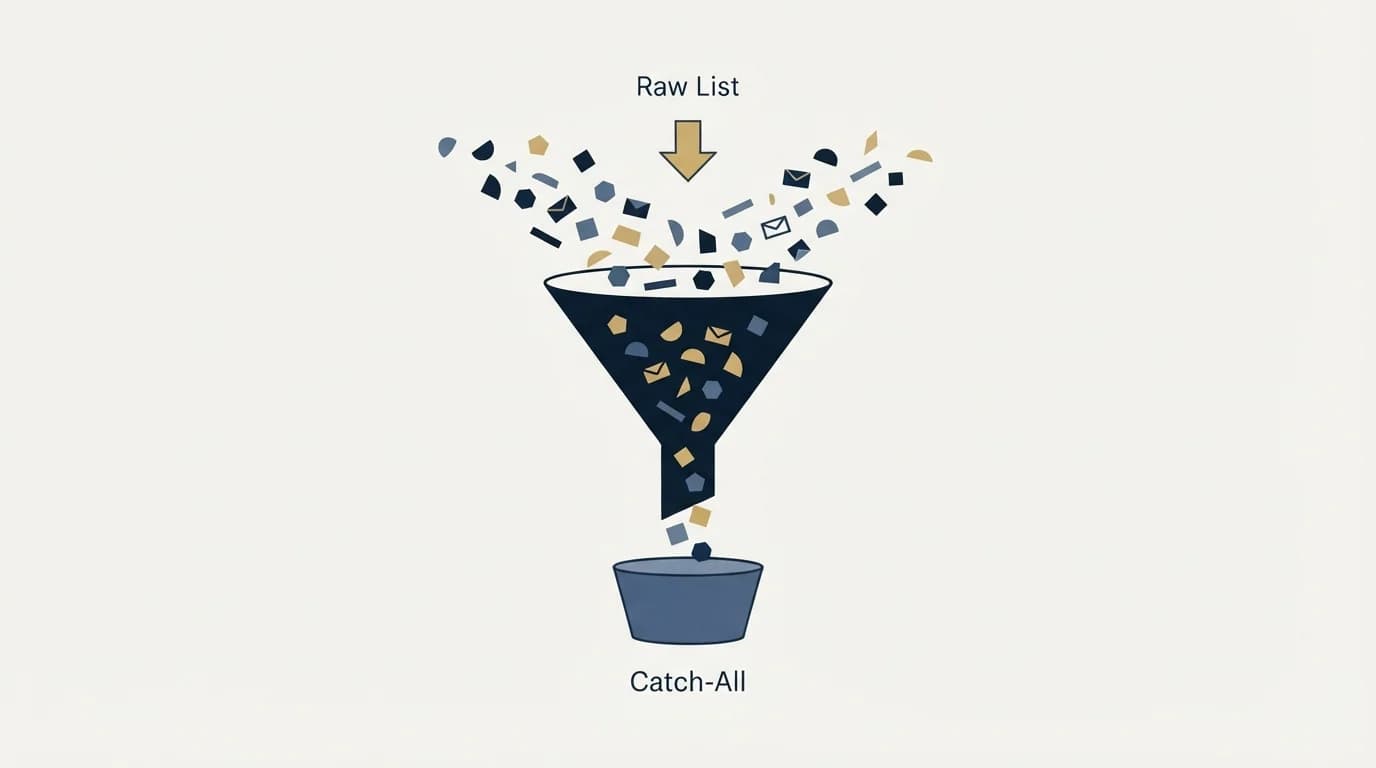
MillionVerifier markets catch-all handling as a built-in feature rather than an add-on. Its catch-all service page states that the deep-level check "costs exactly one standard verification credit", that the engine succeeds in "resolving 30% to 40% into safe, valid leads", and that "MillionVerifier does not charge you credits for any email that results in an 'Unknown' or unresolved 'Catch-All' status". The homepage carries the same promise in shorter form as "Advanced catch-all verification at no extra cost".
Read those as three separate claims with three different weights.
The commercial terms are the strong part. Not being charged for an unresolved result, and paying one credit rather than two for the deep check, are terms the vendor controls completely and can be held to on an invoice. The same page's "Risky Email Refund", described on the homepage as a "Full refund on any email we can't verify with certainty", sits in the same category.
The 30% to 40% recovery figure is a vendor claim about outcomes, published with no method, no sample and no date. It may well be right. It is not evidence, and it is not comparable to any other vendor's recovery number, because the category has no common test set that would make two such figures mean the same thing. Treat it as a reason to try the tool on your own list rather than as a number to put in a forecast.
The practical move is to run a real slice of your own data and count. Take a batch, note how many addresses land in Risky, and check whether the deep check moved a meaningful share of your particular domains. Enterprise-heavy B2B lists behave very differently from SMB lists here, and your industry mix decides the answer far more than the vendor does.
What it costs
MillionVerifier sells credits rather than seats or monthly plans. The homepage states "Buy credits once. Use them forever", and "Credits never expire" appears twice on that page.
Neighbouring vendors sell credits the same way, though Kickbox's anti-spam policy bars purchased lists whatever the permission status behind them.
The pricing lives on the homepage behind a volume slider, and the homepage's own Pricing navigation link is an anchor back to that slider rather than a link to a separate pricing page. The slider defaults to 50,000 emails, and at that default the page displays "Only $89" and "$0.00178 per credit". That default matters, because it is the number a visitor sees first and the one most write-ups quote.
Those are the published figures on that page, in full:
| Figure | As published on the homepage |
|---|---|
| Entry price | "Plans From $39" |
| Slider default, 50,000 emails | "Only $89", at "$0.00178 per credit" |
| One million verifications | "1 Million verifications for $449" |
| Above 50 million | "Volume pricing available above 50M" |
Divide the published million-credit price by a million and the rate works out at roughly $0.00045 per credit, against $0.00178 at the 50,000 default. That is a fourfold drop in unit cost across the ladder, which is the single most useful thing in the pricing model: buying in one large block rather than several small ones changes what verification costs you by more than switching vendors usually would.
Comparing ladders across vendors is worth doing before committing to a block, and the DeBounce credit ladder breakdown lays out its rungs alongside where the accuracy guarantee gets narrowed.
Two honest limits on the numbers above. That table really is the whole of it: the served page carries exactly four currency figures, so the intermediate rungs on the slider, at 25,000, 100,000, 500,000 and upward, are not in the page a visitor is sent and cannot be quoted here. And the catch-all service page states a rate of "as low as $0.00017 per email", which does not reconcile with either figure on the homepage. Where a vendor's own two pages disagree, take the disagreement itself as the finding and confirm the live number in the checkout before you commit a budget.
Here is what that ladder does to a real budget, using invented volumes. The numbers below are illustrative, not measured. A team cleaning 40,000 addresses a month, buying a fresh block each month at roughly the 50,000 rate, spends around $0.00178 on every address it checks. The same team buying its year in one 1,000,000 credit block at $449 pays roughly $0.00045 per address for the identical work, and still has credits left in month thirteen because they do not expire. The saving comes from the purchase decision rather than from anything the tool does differently.
Trying it costs nothing. The homepage offers "100 free credits" with "No credit card required".
"Plans From $39"
The slider default, at $0.00178 per credit
About $0.00045 per credit
"Volume pricing available above 50M"
The honest verdict: who it fits, who it does not

It fits teams verifying large volumes irregularly. Credits that never expire suit a business that cleans 200,000 addresses one quarter and 20,000 the next, because there is no monthly allocation to waste. It fits price-sensitive buyers, since the published ladder is at the cheap end of the category. And it fits B2B senders with heavy catch-all exposure who would otherwise be paying a second vendor to re-test that segment.
On the plumbing, the homepage lists the credit product as covering a single-address checker, CSV list verification, a bulk verifier, an "Email Verifier API" and "ESP integrations import", and advertises "40+ Ready-to-Use Integrations" alongside a "99.9% Uptime" claim for the API. The footer displays "GDPR Compliant" and "SOC 2 Controls" badges. If procurement is going to ask for compliance paperwork, ask for the actual report rather than accepting the badge, since a footer badge is a design element and an attestation is a document.
It fits less well if you want deliverability tooling in the same subscription. Inbox placement testing, blocklist monitoring and authentication checks are a separate purchase elsewhere in the category, so a team that wants one invoice for verification plus deliverability testing is shopping against a different shape of product. It also fits badly if you need a contractual accuracy commitment, because what is published is a marketing figure rather than a measured one.
Bouncer splits its offering the same way, selling verification credits separately from a monthly Deliverability Kit, a distinction worth understanding before comparing the two vendors' pricing and product split.
Which brings up the thing to be most careful about. The homepage advertises a "99%+ Accuracy Rate" and states that "Independent tests rank us #1" without naming a test, a tester or a date. It also displays "Rated 4.6 / 5" alongside a claim of "70,000+ businesses". Those are things the page says about itself. Every serious vendor in this category publishes a number in this shape, none of them share a benchmark, and comparing two of them is comparing two pieces of marketing.
- Yes: Run the free credits on a real slice of your own list, not a sample the vendor picks
- Yes: Count what share of your list lands in Risky, since that is the bucket that costs you time
- Yes: Confirm the live checkout price, because the homepage slider and the catch-all page state different per-credit rates
- Yes: Confirm the exact result column names in the app before scripting against them
- No: Treat the accuracy percentage and the star rating as marketing, not evidence
- No: Expect the published catch-all recovery range to hold on the list in front of you
Where verification sits in the stack

Every address our own email-finding waterfall produces is checked through MillionVerifier before it reaches a campaign. That is a policy about ordering the work rather than a performance claim, and the reasoning is that a verification credit is the cheapest step in the chain by a wide margin. Anything that can be resolved by the cheap check should never reach a more expensive one.
The step after it is finding addresses that verification could not rescue, which is a different job with different economics. If your list is losing a meaningful share of good-fit accounts to the Risky bucket, the answer is usually a waterfall enrichment step or a dedicated email finder tool rather than a different verifier, because no verifier can confirm a mailbox the receiving server refuses to confirm.
Then measure the result where it actually shows up. Verification protects exactly one number, your bounce rate, and through it your sending domain. Watch it against the cold email bounce rate benchmarks rather than against the vendor's accuracy claim, because the bounce rate is the only figure in this conversation that is measured on your own sending.
Want the verification and enrichment path built and run for your list? Get a free campaign plan.
Pricing and features verified as of mid-2026. Verify current terms with the vendor before relying on them.
Frequently asked questions.
Frequently asked questions- How much does MillionVerifier cost?
- Its homepage sells credits rather than monthly plans, and states an entry price of $39. The volume slider defaults to 50,000 emails, where the page displays $89 and $0.00178 per credit, and it publishes 1,000,000 verifications for $449 with volume pricing available above 50 million. Credits never expire, and 100 free credits are offered with no card.
- What do the Good, Risky and Bad results actually mean?
- Good means the mailbox was confirmed, so upload it. Bad means the receiving server rejected the recipient, so drop and suppress it permanently. Risky means nobody could confirm it either way, and on a B2B list that bucket is dominated by catch-all domains. Note that the catch-all service page calls the same three outcomes Valid, Invalid and Risky.
- Can MillionVerifier confirm catch-all addresses?
- Its catch-all service page claims a deep check that resolves 30% to 40% of them into valid or invalid at one standard credit, and states that unresolved results are not charged at all. That recovery range is published with no method or sample, so treat it as a reason to test on a real slice of your own list rather than as a planning number.
- Is it better than the other verification tools?
- Nobody can answer that from published figures, because every vendor markets an accuracy percentage and none of them test against a shared benchmark. On price and terms it sits at the cheap end, with credits that never expire and catch-all handling included. It fits less well if you also want inbox placement and blocklist monitoring in one subscription.
About the author.

Tim Carden is CMO / CTO at RevenueFlow, which builds and operates outbound revenue engines for B2B companies. Studied at McGill University.
Tim Carden · CMO / CTO
Connect on LinkedIn →Explore more.
Ready to scale your outreach?
We build GTM engines that book real meetings. See the receipts.
Related articles.
ZeroBounce Pricing: The Three Things Buyers Miss
What the ZeroBounce pricing page actually publishes, which billing state it shows by default, and the credit rules that decide what a buyer really pays.
BriteVerify: What It Verifies and the Price to Ask For
BriteVerify checks email, phone and postal address under Validity, and publishes no rate card on any surface that returns a page. What that means for buyers.
NeverBounce Under ZoomInfo: What Buying Verification Changes
NeverBounce serves no pricing page to automated requests, so here is what its own surfaces do show, and what changes when your verifier belongs to a data platform.
The ZeroBounce API: Auth, Rate Limits and What to Store
ZeroBounce publishes three different answers to its own rate-limit question. Here is which one to build against, plus the statuses no API can decide for you.
Choosing a NeverBounce Alternative: Name Your Reason
Three reasons teams leave NeverBounce, each pointing at a different replacement, plus how to run a two-vendor split test on your own list that actually settles it.
The NeverBounce API: What It Automates and Hands Back
NeverBounce refuses automated requests on its marketing pages and renders its docs in JavaScript. Here is the v4 API, read from surfaces that answer a fetcher.