Choosing a NeverBounce Alternative: Name Your Reason
Three reasons teams leave NeverBounce, each pointing at a different replacement, plus how to run a two-vendor split test on your own list that actually settles it.

Start by naming your reason for leaving. Wanting to buy without a sales call, worrying about a data-platform owner holding your list, and being billed for results you cannot use each point at a different replacement. Then split a representative sample of your own list between two vendors, send to both, and compare actual bounce rates against published benchmarks.
Key takeaways
- Accuracy percentages in vendor listicles are not comparable, because no verifier publishes to a shared benchmark and each one decides what counts as correct.
- Sort your switching trigger into commercial friction, the data relationship or credit economics first, because the right replacement differs for each and a generic shortlist optimises a variable that may not be your problem.
- A fair split test needs a random split, identical sending infrastructure and copy, one catch-all policy applied to both halves, and rejection counts recorded alongside bounce rates.
- If both halves bounce far above published benchmarks, the vendors agreed and the data source is the constraint, so a third verifier will not help.
Reviewed and updated September 1, 2026
Choosing a NeverBounce Alternative: Name Your Reason, Then Test It on Your Own List
Most searches for a NeverBounce alternative end on a listicle of twelve verifiers with an accuracy percentage beside each one. That format cannot help you, for two reasons. Nobody publishes those percentages to a shared benchmark, so the column is not comparable across rows. And the twelve tools are not interchangeable answers to one question, because the reason a team leaves determines which replacement is even relevant.
So this page does the other two jobs. First, work out which of three switching triggers is yours, because each one points at a different kind of replacement. Then run the only test that settles it, which is a split of your own list rather than anyone's benchmark.
Three triggers, three different replacements
Teams leave a verifier for reasons that look similar in a support ticket and are completely different in what they imply. Sorting yours into one of these before you shortlist anything saves a month.
- Symptom: pricing needs a quote, renewal needs a conversation
- What you need: a published rate card and self-serve checkout
- What does not matter: feature depth you were never going to use
- Symptom: unease about what happens to an uploaded list
- What you need: a processor with written retention and deletion terms
- What does not matter: price, within reason. This is a contract question
- Symptom: charged for unknowns, credits expiring, minimums you undershoot
- What you need: refund or free handling of uncertain results, credits that roll
- What does not matter: the headline per-thousand rate
Trigger one: you want to buy without a sales call
NeverBounce's own LinkedIn company page is published under the name NeverBounce by ZoomInfo, and carries ZoomInfo's Vancouver, Washington location. Platform-owned tools in this category tend to be quoted rather than listed, because the verifier is one line on a larger agreement. On top of that, neverbounce.com returned HTTP 403 to every automated request made on 13 August 2026, including the pricing page, so the current rate card is not readable from outside a browser at all.
The NeverBounce API breakdown covers what its verification calls automate and where it deliberately leaves the spend and staleness decisions to you.
If that is your trigger, the replacement category is a verifier that publishes a rate card and lets you buy on a card. Those exist and they are easy to check yourself. The MillionVerifier homepage publishes "Plans From $39" and "1 Million verifications for $449", alongside a stated policy that credits never expire and a "Risky Email Refund" giving a full refund on any address it cannot verify with certainty. The Bouncer pricing page publishes "you can start as low as $8, which gives you 1,000 email addresses you can verify" and "100,000 credits cost $400", with credits that do not expire. Both figures belong to those pages on the date they were read, not to the vendors in perpetuity, so open them before you budget.
Naming those two is not a recommendation over anything else. It is a demonstration that the category you are looking for is real and that its members are checkable in a minute, which is exactly the property you are switching to obtain.
Trigger two: your verifier's parent sells the data you compete on
This one is a contract question wearing a product question's clothes. Verification requires uploading your list. Where the vendor also sells contact data commercially, the agreement rather than the marketing site should tell you what is retained from that upload, for how long, whether anything derived from it feeds a shared dataset, and what is deleted on termination.
Every serious verifier will answer those questions in writing. The point of naming this as a distinct trigger is that price comparisons cannot resolve it and feature tables cannot either. If this is your reason, your shortlist is defined by whose data-processing addendum you can live with, and the cheapest acceptable option on that list wins. Do not let a listicle talk you into optimising a variable that was never your problem.
Trigger three: your credits behave differently than you expected
The headline rate is rarely the real cost. Three terms move it more than the per-thousand price does: whether unknown and catch-all results are billed, whether credits expire, and whether there is a monthly minimum you routinely undershoot. A verifier at a higher advertised rate that refunds uncertain results and rolls credits forward can be cheaper in practice than a lower-rate competitor that bills everything and resets the counter each month.
If this is your trigger, the replacement is chosen on terms rather than on rate. Read the refund policy on uncertain results, read the credit expiry line, and check the minimum against your actual monthly volume rather than your best month.
The test that settles it: split your own list

Once you have a shortlist of two, stop reading comparison pages. The variable that moves your bounce rate most is where the addresses came from and what niche you sell into, and no vendor's published figure accounts for either. A list scraped from directories and a list built from a finder API will behave differently through the same tool.
- Step 1Take a representative sample
Pull a slice of a list you would genuinely send to, drawn from your normal source and your normal niche. Not your cleanest segment.
- Step 2Split it randomly
Split into two halves at random, not by industry, seniority or domain. Any structure in the split becomes the result you measure.
- Step 3Run each half through one vendor
Incumbent through one, candidate through the other. Record what each one accepted, rejected and returned as uncertain.
- Step 4Send to both
Same copy, same sending infrastructure, same window. A verifier's verdict is a prediction, and only a send tests it.
- Step 5Compare bounce rates, not verdicts
Measure hard bounces per delivered attempt on each half and read them against published benchmarks.
Step five is the one people skip. A verifier's own report tells you how many addresses it liked, which is a statement about the tool. Only the send tells you how many actually existed. Compare each half's result against cold email bounce rate benchmarks so you know whether the difference between your two halves is meaningful or noise.
Watch the rejection rate as well as the bounce rate. A verifier that rejects far more of your list will show a lovely bounce rate on what survives, while quietly deleting reachable people. The pairing of those two numbers is the actual comparison: how many contacts did each tool cost me, and what did each one buy me in protection.
What a fair split test has to control for
An unfair split test is worse than none, because it produces a confident number pointing the wrong way.
- Yes: Both halves drawn from the same source at the same time, so data age matches
- Yes: Random split, with no sort by domain, seniority or industry left in it
- Yes: Same sending infrastructure and same warmup state for both halves
- Yes: Same copy and same sending window, so reputation effects land equally
- Yes: Catch-all results handled identically on both sides, and counted separately
- Depends: Sample large enough that a handful of bounces cannot swing the rate
- Yes: Rejection counts recorded, not just bounce rates on the survivors
The catch-all line is the one that quietly breaks tests. Accept-all servers accept the recipient probe for every address, so no verifier can confirm a mailbox on a catch-all domain. If one tool marks those as risky and you drop them, while the other marks them acceptable and you send, you have compared two catch-all policies rather than two verifiers, and the tools were incidental to the result. Decide the policy first, apply it to both halves, and report the catch-all volume as its own number.
The sample-size line carries a maybe rather than a yes because the right size depends on your baseline. A handful of bounces on a small sample is noise. If your two halves land within a rounding error of each other, the honest conclusion is that the vendors are indistinguishable on this list, and you should then choose on the trigger you identified at the top of this page.
The fourth possibility: the verifier was never the problem
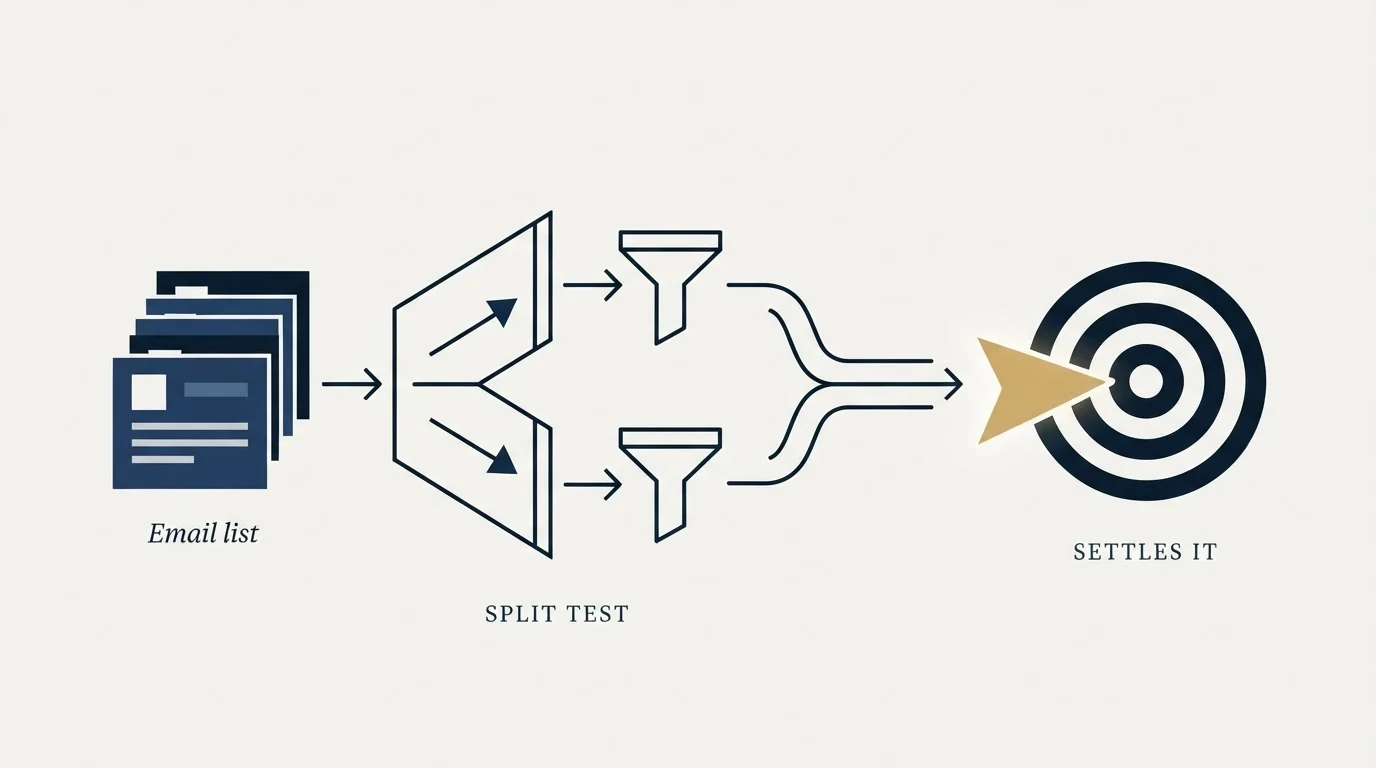
There is a case the shortlist cannot help with, and the split test is how you find it. If both halves come back with bounce rates well above the published benchmarks, the two vendors agreed with each other and both were right. Your addresses are genuinely stale or genuinely guessed, and a third verifier will report the same thing in different colours.
That result points upstream, at the data source. Contact records decay continuously as people change roles and companies restructure, so a list that verified cleanly six months ago is not a clean list today. A verifier can only tell you which addresses are dead now. It cannot invent a working address for someone whose mailbox closed, and it cannot repair a list built from pattern-guessed permutations of a naming convention.
The question of separating a data problem from a sending problem also shapes bundled tools, as the ListKit bundle breakdown explains before any price comparison starts.
The symptom to look for is a high rejection rate on both sides paired with a stubborn bounce rate on what survived. That combination says the raw list is the constraint, and the fix is a better source or a re-source of the same accounts, not a swap of the tool that measures them.
Worth being blunt about the sequence: switching verifiers is a cheap change with a small ceiling on the improvement it can deliver. Fixing where the addresses come from is a larger change with a much higher ceiling. Run the diagnosis before you spend the month.
Migrating without leaving a gap

Two practical notes for the changeover. Keep the incumbent live until the replacement has processed a full cycle of your normal volume, because verifiers differ on how they handle large jobs and you want that discovered on an overlap rather than on a deadline. And carry your suppression history across before you send anything: bounced addresses, complainers and unsubscribes belong to you rather than to the vendor, and re-sending to a known bad address because the record stayed behind is a self-inflicted wound.
Whichever tool you land on, the discipline underneath matters more than the logo. Verification is a gate you run every list through, every time, before anything is uploaded to a campaign. Each address our waterfall finds is put through MillionVerifier before it is uploaded to a campaign, as a matter of policy rather than as a claim about any tool's accuracy. For how the main options in this category differ on handling and terms, our email verification tools guide covers the field, and waterfall enrichment covers what to do about the contacts your verifier refuses to confirm.
Want this run for you rather than evaluated by you? Get a free campaign plan and we will show you the verification path we would use on your list.
Pricing and features verified as of mid-2026. Verify current terms with the vendor before relying on them.
Frequently asked questions.
Frequently asked questions- Why do NeverBounce comparison pages disagree on the price?
- Because they are reconstructing it. The neverbounce.com host returned HTTP 403 to automated requests in mid-2026, including the pricing page, so third parties cannot read the current rate card either. Several of those pages also sell a competing verifier, which gives them a commercial reason for the figure to look unflattering. Read the vendor's own page.
- How big should a verifier split test be?
- Big enough that a handful of bounces cannot swing the rate, which depends on your normal baseline rather than on a fixed number. If the two halves land within a rounding error of each other, the honest reading is that the vendors are indistinguishable on that list, and you should choose on commercial terms instead of chasing a bigger sample.
- How do catch-all addresses distort the comparison?
- An accept-all server accepts every address, so no verifier can confirm a mailbox there. If one tool flags those as risky and you drop them while the other passes them and you send, you have compared two catch-all policies rather than two verifiers. Fix the policy first, apply it to both halves, and report catch-all volume as its own number.
- Should I keep the old verifier running during the switch?
- Yes, until the replacement has processed a full cycle of your normal volume. Vendors differ in how they handle large jobs, and an overlap is a cheaper place to discover that than a deadline. Carry your suppression history across before sending anything, because bounces, complaints and unsubscribes belong to you rather than to the old tool.
About the author.

Tim Carden is CMO / CTO at RevenueFlow, which builds and operates outbound revenue engines for B2B companies. Studied at McGill University.
Tim Carden · CMO / CTO
Connect on LinkedIn →Explore more.
Ready to scale your outreach?
We build GTM engines that book real meetings. See the receipts.
Related articles.
Email Address Capitalization: What It Changes for Senders
Capitalization in an email address does not decide delivery. It decides whether two rows are one person, and that is where a suppression list quietly fails.
ZeroBounce Pricing: The Three Things Buyers Miss
What the ZeroBounce pricing page actually publishes, which billing state it shows by default, and the credit rules that decide what a buyer really pays.
BriteVerify: What It Verifies and the Price to Ask For
BriteVerify checks email, phone and postal address under Validity, and publishes no rate card on any surface that returns a page. What that means for buyers.
NeverBounce Under ZoomInfo: What Buying Verification Changes
NeverBounce serves no pricing page to automated requests, so here is what its own surfaces do show, and what changes when your verifier belongs to a data platform.
Kickbox Pricing: The Ladder and the Opt-In Rule
Kickbox publishes a complete thirteen-step verification ladder, and an anti-spam policy that rules out purchased and harvested lists entirely.
The ZeroBounce API: Auth, Rate Limits and What to Store
ZeroBounce publishes three different answers to its own rate-limit question. Here is which one to build against, plus the statuses no API can decide for you.