Mailjet Pricing: What Each Tier Costs at Your Volume
Mailjet's page renders against three controls, so a quoted figure means little without them. The ladder as served, what each tier adds, and the VAT line.

Mailjet pricing, read at the page's defaults of US dollars, monthly billing and 15,000 emails a month, runs Free at $0, Starter at $9, Essential at $19 and Premium at $29, with Custom quoted. Premium scales to $499 at 500,000 emails, Essential stops at 50,000, annual billing takes 10% off, and prices exclude VAT.
Key takeaways
- Three controls change every figure on Mailjet's pricing page: currency, billing period and monthly volume, which load as US dollars, monthly and 15,000 emails.
- Essential costs $19 at 15,000 emails and $40 at 50,000 and goes no higher, while Premium runs $29, $59, $112, $265 and $499 up to 500,000 emails.
- The free plan is capped at 200 emails per day as well as 6,000 a month, and that daily ceiling is the limit most small senders meet first.
- Mailjet's FAQ says listed prices exclude VAT and are subject to French VAT, and that overage beyond a plan is still sent and billed.
Reviewed and updated September 19, 2026
Mailjet pricing starts at $0 for 6,000 emails a month and, at the page's default band of 15,000 emails a month, runs $9, $19 and $29 for the three paid plans before a quoted Custom tier. The pricing page ships three controls above its plan cards, and the figure you read depends on all three. One control reads "Currency $ USD € EUR £ GBP", a second reads "Monthly Annual (10% discount)", and a third asks how many emails you want to send per month. Each holds a default in the served markup: US dollars, monthly billing and fifteen thousand emails a month. Every figure below names the settings it was read at, and moving any one of the three changes it.
That sounds pedantic until you set two third party summaries of this product beside each other and find they disagree. They usually disagree because one of them read the page at a different volume band. Rates also move: at the default band, Essential and Premium read $19 and $29 on the page today, two dollars above the figures this page carried when it was first written.
Disagreement gets worse when the vendor publishes nothing, which is the state HG Insights meters and contract term documents after finding no figure on any company surface.
Mailjet pricing: the plan ladder at the default settings
At Mailjet's defaults of 15,000 emails a month, billed monthly in US dollars, the pricing page shows Free at $0, Starter at $9, Essential at $19 and Premium at $29 a month, with Custom quoted. Annual billing takes 10% off, which the page shows as $8.10, $17.10 and $26.10 a month billed annually, and every listed price excludes VAT.
The page headlines itself "Pay as you grow" and opens with the sentence "I want to send 15,000 emails/month" beside the volume control. At that band the cards read as follows.
| Plan | Monthly rate | Sending allowance | Contact ceiling |
|---|---|---|---|
| Free | $0 | 6,000 emails a month, 200 emails per day | 1,000 contacts |
| Starter | $9 | 8,000 emails a month, no daily sending limit | 2,000 contacts |
| Essential | $19 | 15,000 emails a month, no daily sending limit | Unlimited contacts |
| Premium | $29 | 15,000 emails a month, no daily sending limit | Unlimited contacts |
| Custom | Quoted | High volume, stated as enterprise | Custom |
Two things about that table need saying rather than leaving to inference.
The Free and Starter rows show their own allowances rather than the fifteen thousand the selector is set to, because each plan starts at the band it starts at. So the table gives the entry rate for each plan alongside the volume that entry rate buys.
And the higher bands only appear when the selector moves. Its volume list reads "8,000 15,000 50,000 100,000 250,000 500,000 More". The served page carries every band's rates inside a script that the cards render from, while its visible text shows only the cards for the selected band, so the next section reads them with the selector moved in a browser.
The billing period is the last of the three controls. The period control on the page reads "Monthly Annual (10% discount)" and holds Monthly as its selected option in the served markup, so the rates above are monthly ones.
Pay as you grow
"I want to send 15,000 emails/month" 1
Currency: $ USD · € EUR · £ GBP 2
Monthly · Annual (10% discount) 3
- 1Volume, seven stops from 8,000 to More. Essential stops at 50,000 emails; above that only Premium and Custom scale.
- 2Currency, dollars by default. At the 15,000 band Essential reads $19, €18 or £16.
- 3Billing period, monthly by default. Annual shows Essential at $17.10 a month, billed annually.
What Mailjet costs at 50,000, 100,000 and 500,000 emails
Moving the volume selector in a browser shows how the two upper plans scale, and where one of them stops. In US dollars, billed monthly, Essential is $19 at 15,000 emails and $40 at 50,000, and it goes no further: at 100,000 and above its card still reads 50,000 emails a month. Premium carries on, at $59 for 50,000, $112 for 100,000, $265 for 250,000 and $499 for 500,000, and at 100,000 the page moves its "Most popular" badge from Essential to Premium. The selector's last stop, More, leaves only the Custom card, with no rate on it.
| Emails a month | Essential | Premium | Premium per 1,000 emails |
|---|---|---|---|
| 15,000 | $19 | $29 | $1.93 |
| 50,000 | $40 | $59 | $1.18 |
| 100,000 | $40 (50,000 emails) | $112 | $1.12 |
| 250,000 | $40 (50,000 emails) | $265 | $1.06 |
| 500,000 | $40 (50,000 emails) | $499 | $1.00 |
The last column is arithmetic on the page's own figures, the monthly price divided by thousands of emails, and not a rate Mailjet publishes. It shows the shape of the ladder: Premium's price per thousand emails roughly halves between 15,000 and 500,000.
The same controls in euros and pounds give Starter at €8 and £7, Essential at €18 and £16 and Premium at €27 and £24 at the 15,000 band. One stop could not be driven: moving the slider to 8,000 left the page showing 15,000, so no 8,000 figure is quoted here.
What each step up actually buys
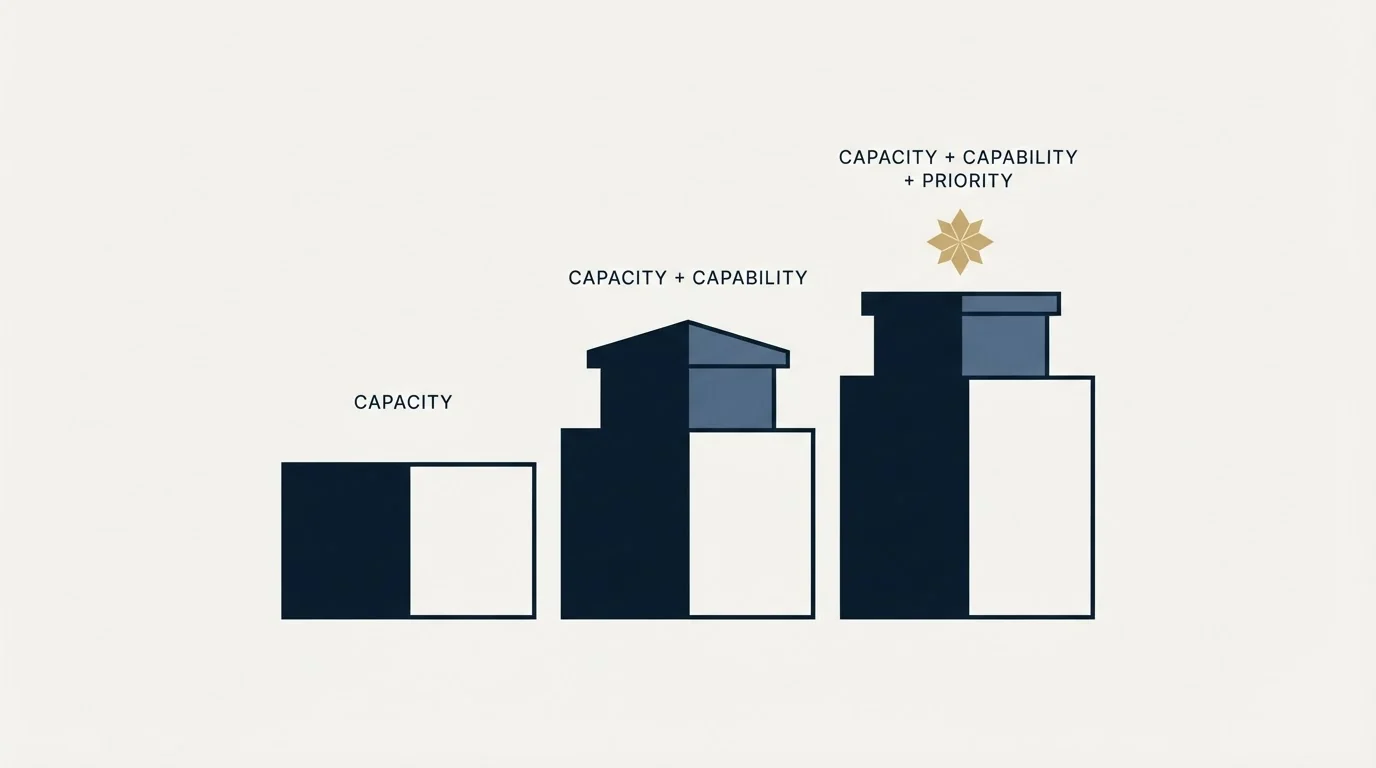
The cards carry short feature lists and the comparison matrix underneath them carries the detail. Read together, the ladder is less about sending capacity than about what surrounds the sending.
The free plan's ceiling of 200 emails per day is the Mailjet rate limit most small senders meet first. Starter adds two thousand contacts over the free tier's thousand, a brand kit, anonymous tracking, online customer support and one subaccount, and it removes the daily sending ceiling. That last item is the one that matters most in practice, because a daily cap is what breaks a campaign that would otherwise fit comfortably inside a monthly allowance.
Upgrades do not always add on every axis, and Crossbeam's seat inversion is the clearest case, where the free plan carries more operator seats than the entry paid one.
Essential is the tier where the list stops being a constraint. Contacts become unlimited, segmentation arrives, AI assisted content creation arrives, and the plan includes five hundred email address validations and five hundred email previews a month. It also adds a custom unsubscribe page and removes the Mailjet logo from sent mail, which is the point at which the tool stops advertising itself to your recipients.
Premium adds advanced statistics, automations, landing pages, two thousand email previews a month, team and account management, priority support, and a dedicated IP that the matrix qualifies as available on request from the hundred thousand plan upward. Subaccounts move from one on the lower three plans to up to twenty on Premium and unlimited on Custom. The matrix also lists phone and chat support starting at the 50,000 band, and Premium's card adds 2,000 email address validations on plans of 100,000 and up.
Custom is the tier with no rate on it, and the inclusions its own card lists are the deliverability ones, opening "Dedicated Technical Account Manager Dedicated IP Strategy" and running on through IP performance monitoring, blocklist monitoring, deliverability reports, activity logs, comprehensive onboarding and training, and a service level agreement. That composition is worth noticing. Mailjet's enterprise tier is sold on the operational work of keeping mail delivered as much as on volume, which is the same work covered from the infrastructure side in what breaks first when you scale sends.
The currency line, and the VAT line
Two disclosures on this page are worth quoting because they are the sort of thing that silently corrupts a comparison.
The currency control reads "Currency $ USD € EUR £ GBP" and the served markup marks the dollar option as the selected one. That is unusual for a European vendor. Several pricing pages in this category quietly serve local currency based on the requesting address with nothing on the page announcing it, so a figure read from one location and a figure read from another are both correct and different. Mailjet does not do that. It offers the choice and defaults to dollars.
The tax position is stated outright in the page's own frequently asked questions: "Unless otherwise mentioned, all the prices featured on our website do not include VAT and are subject to the French VAT." The same answer adds that European companies can be exempt if they provide an intra-Community VAT number when they sign up. Mailjet is a French company and part of Sinch, and the sentence tells a European buyer that the listed rate is not the invoiced rate, while telling a buyer outside the European Union to check what applies. It also names the jurisdiction, which most vendors leave to the checkout.
The same FAQ block states that the free plan requires no credit card at signup and that monthly plans carry no engagement, so a subscription can be stopped and the account returned to the free tier.
Three further billing mechanics sit in that block and none of them appears on the plan cards. On payment methods the page says "You can subscribe to a prepaid account (the minimum deposit is $50USD)." alongside wire transfer and card, adds that renewals are drawn from that prepaid balance, and states that cheques are not accepted. Going over a plan limit does not stop the sending: the page says the additional emails are still sent and billed, and the answer ends "See price per additional 1,000 emails beyond plan limit." with no rate and no link in the served page, so the overage price is one to ask Mailjet for before a heavy month. And unused email credits do not roll over, expiring at the end of each billing cycle. A team whose sending is lumpy across the month is paying for the peak band every month, or paying overage on the peak, and there is no averaging in between.
Whether this is your tool at all

Mailjet's own pages point at two different buyers, and being straight about that is more useful than picking one.
Its case study library, twenty six entries at the time of reading, is dominated by consumer facing brands: a department store, a football league, a hosting company, an outdoor app, a travel business, media publishers and a car sharing service. That is a newsletter and transactional email customer base. Its French language marketing solutions page reads entirely differently, describing business to business marketing automation, nurturing business to business leads across a long purchase cycle, qualifying leads by behaviour and sector, and measuring campaign contribution to pipeline. Both pages belong to the vendor, and the second one is written for the reader this site serves.
The practical split is a job split rather than a company split. A business to business team that sends a monthly newsletter, a product notification stream and a set of transactional messages from one place is inside Mailjet's stated scope and the entry rates are low enough that the decision is not a project. A team choosing a pure sending relay for application mail is answering a narrower question, and the relay comparison in what running your own SMTP server actually costs and the free tier comparison in free SMTP relay servers are the better places to start. Mailjet already appears in the second of those, on its free tier numbers.
For a straight rate comparison against a neighbouring tool at a similar size, MailerLite's published prices sit in the same band and are read the same way.
Sizing comes down to four questions, in order. Does your worst sending day exceed the free tier's 200 emails? Does your stored list exceed Starter's 2,000 contacts? Do you need automations and landing pages, or more than 50,000 emails a month, which only Premium covers? And do you need the service level agreement and dedicated account manager that only the quoted Custom tier lists?
The question the price cannot answer

A rate card tells you what sending costs and nothing about whether the mail arrives. That is the more expensive variable and it is the one the published plans only touch at the quoted tier, where the deliverability services live.
Two practical notes follow from that. A dedicated IP is a commitment rather than an upgrade, because a fresh IP has no reputation and has to be warmed before volume is safe, and the same platform that sells you the IP will not do that work for you below the enterprise tier. And provider side limits sit underneath every sending tool regardless of what you pay it, which is why email sending limits by provider is worth reading before sizing anything.
One boundary is worth stating plainly because the category invites the mistake. A marketing email platform is the wrong place to run cold outbound. Cold sending belongs on separate domains and separate warmed mailboxes so that a bad week in prospecting cannot damage the deliverability of the newsletter, the receipts and the password resets that share a marketing platform's reputation. Our own position on outbound is documented policy rather than a claim about outcomes: we run email and LinkedIn, on our own sending infrastructure, with one message per campaign and no bumps or thread replies.
If the reason you are pricing an email tool is that the pipeline is thin rather than that the sending is expensive, the sequencing is worth checking first. See what a campaign built for your market produces before sizing a plan around a list you have not built yet.
Pricing is taken from Mailjet's own pricing page, read at its default settings of US dollars, monthly billing and fifteen thousand emails a month, and again with the volume, currency and billing controls moved in a browser. Rates move and the page renders against your selections; verify current terms with the vendor before relying on them.
Sources: Mailjet pricing, Mailjet case studies, Mailjet B2B marketing automation
Frequently asked questions.
Frequently asked questions- How much does Mailjet cost per month?
- At the page's default band of 15,000 emails a month, billed monthly in US dollars, Mailjet's pricing page shows $0 for Free, $9 for Starter, $19 for Essential and $29 for Premium, with Custom quoted. Annual billing shows $8.10, $17.10 and $26.10 a month. Change the volume band, the currency or the billing period and every figure moves.
- Is the Mailjet free plan actually usable?
- For small transactional volumes, yes. It covers 6,000 emails a month and 1,000 contacts with no credit card at signup. The limit most teams hit first is the 200 emails per day ceiling, which sits underneath the monthly allowance, so a single campaign send to a few hundred contacts can fail on a plan that looks large enough.
- What does Mailjet cost at 100,000 emails a month?
- With the selector moved to 100,000, Mailjet's pricing page shows Premium at $112 a month in US dollars, billed monthly. Essential cannot go that high: its card stays at 50,000 emails for $40. Premium continues to $265 at 250,000 and $499 at 500,000, and beyond that the page offers only the quoted Custom tier.
- What does the annual plan save?
- Mailjet's billing selector offers Monthly, the state the page loads in, and Annual with a stated 10% discount. At the 15,000 band the annual view shows Starter at $8.10, Essential at $17.10 and Premium at $26.10 a month, billed annually. A figure copied from the page is a monthly rate unless the reader changed the control.
About the author.

Tim Carden is CMO / CTO at RevenueFlow, which builds and operates outbound revenue engines for B2B companies. Studied at McGill University.
Tim Carden · CMO / CTO
Connect on LinkedIn →Explore more.
Ready to scale your outreach?
We build GTM engines that book real meetings. See the receipts.
Related articles.
Graymail vs Spam: What the Difference Costs a Sender
Graymail is a claim about a sending pattern. Spam is a claim about intent. They respond to different repairs, and confusing them sends teams to rewrite copy.
Email Warmup Tools: What Actually Moves Placement
Warmup pools are now free in every major sending tool. What the mechanism actually is, why nobody publishes controlled placement data, and the levers that do work.
Instantly.ai Review: What the Plans Include and Who It Suits
Instantly gives unlimited inboxes on every paid plan and meters contacts and send volume instead. What that changes, where each tier runs out, and who it fits.
Migrating Cold Email Tools Without Losing Domain Reputation
Domain reputation survives a platform switch. Warmup schedules, sending caps and suppression lists do not. How to sequence a migration so mailboxes come through intact.
Smartlead Review: Unlimited Mailboxes and What the Plans Cap
Smartlead includes unlimited mailboxes on every plan and bundles verification on the upper tiers. What rotation does, what it cannot do, and where the ceilings bite.
Warmy.io: The Pricing Page Publishes No Price
Warmy.io's pricing page ranks first for its own pricing and publishes no figure. What it does publish, how that absence was verified, and how to get a comparable quote.