Smartlead Review: Unlimited Mailboxes and What the Plans Cap
Smartlead includes unlimited mailboxes on every plan and bundles verification on the upper tiers. What rotation does, what it cannot do, and where the ceilings bite.
Smartlead includes unlimited email accounts on every plan and meters sends, contacts and verified emails instead. Tiers run US$39, US$94, US$174 and US$379 a month, and the upper two bundle verified prospect emails free rather than charging the US$59 monthly add-on that Base and Pro carry.
Key takeaways
- Smartlead states that all plans include unlimited email accounts at no extra cost, so mailbox count never changes the subscription price.
- Verified prospect emails cost US$59 a month extra on Base and Pro, and are included free on Unlimited Smart and Prime.
- Rotation distributes volume across mailboxes but does not change the aggregate spam and bounce signals mailbox providers actually measure.
- Smartlead does not publish API rate limits, directing users to contact support, where Instantly publishes exact figures.
Reviewed and updated September 5, 2026
Smartlead's own FAQ answers the question most buyers arrive with: "All Smartlead plans include unlimited email accounts at no extra cost. You can connect as many mailboxes as you need and scale your outbound without paying per account." That is a direct quote from its pricing page, and it puts Smartlead in the same structural camp as Instantly and against tools that bill per mailbox.
So the interesting question is not what Smartlead charges for mailboxes. It is what it charges for instead, where the tiers actually cap you, and whether the rotation everyone talks about does what people assume.
This is a documentation-grounded assessment. We run Email Bison for sending and HeyReach for LinkedIn, so we do not operate Smartlead and no performance figures here are ours. Everything below comes from Smartlead's own pricing page and API documentation, fetched 11 August 2026.
Smartlead email campaigns run through mailboxes you connect rather than through Smartlead's own servers, which is what the plan caps below are really pricing.
The plans
| Plan | Monthly | Yearly equivalent | Contacts | Sends per month | Verified emails |
|---|---|---|---|---|---|
| Base | US$39 | US$32.50 | 2,000 | 6,000 | 2,000 |
| Pro | US$94 | US$78.30 | 30,000 | 90,000 | 30,000 |
| Unlimited Smart | US$174 | US$144.50 | Unlimited | 150,000 | 50,000 |
| Unlimited Prime | US$379 | US$314.60 | Unlimited | 500,000 | 170,000 |
Yearly billing is advertised at 17% off. Prime adds 3 SmartServers with OAuth and includes multiple client workspaces.
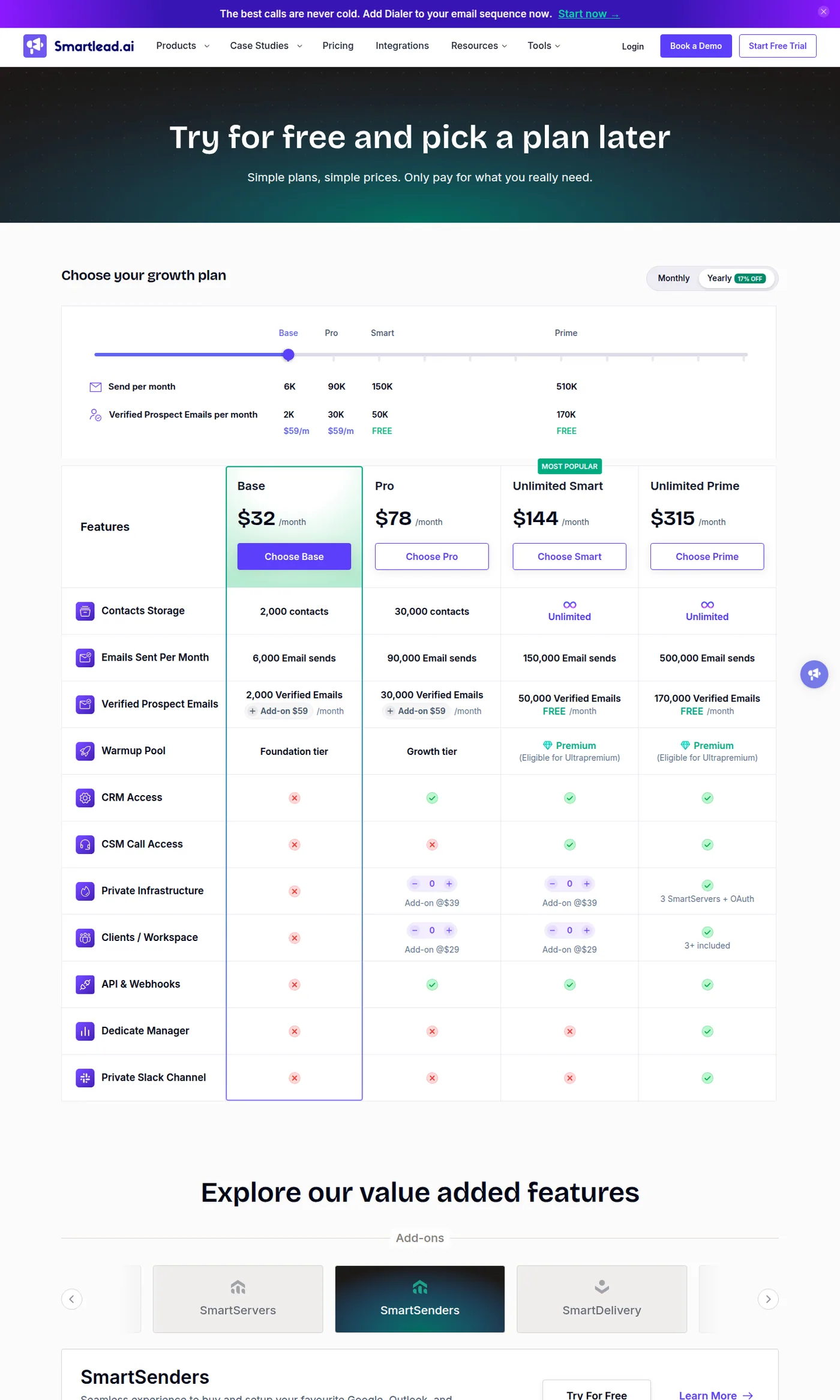
The verified-email allocation is a real differentiator and it is easy to skim past. Base and Pro carry a US$59 a month add-on for verified prospect emails, while Smart and Prime include that allocation free. On Smart that is 50,000 verified emails a month bundled into the price, which is a genuine cost saving against paying a separate verification vendor, and it is a large part of why the jump from Pro to Smart is better value than the raw price difference suggests.
What actually caps you
- Emails sent per month, 6,000 to 500,000
- Contacts stored, capped on Base and Pro then unlimited
- Verified prospect emails, 2,000 to 170,000
- Client workspaces, which matters for agencies
- Private infrastructure, via SmartServers on Prime
- Email accounts connected, with no per-mailbox charge
- Warmup across all connected mailboxes
- Automatic rotation across those mailboxes
- The dimension most competitors price on
Send volume is the number to size against. Base at 6,000 emails a month is roughly 200 a day, which is a handful of mailboxes running conservatively and not a programme. Pro at 90,000 a month is around 3,000 a day, which is a real operation. The middle of the range is where most teams land, and the contact ceiling on Pro at 30,000 will usually bind before the send ceiling does if your motion contacts each person once.
Inbox rotation, and what it does not do
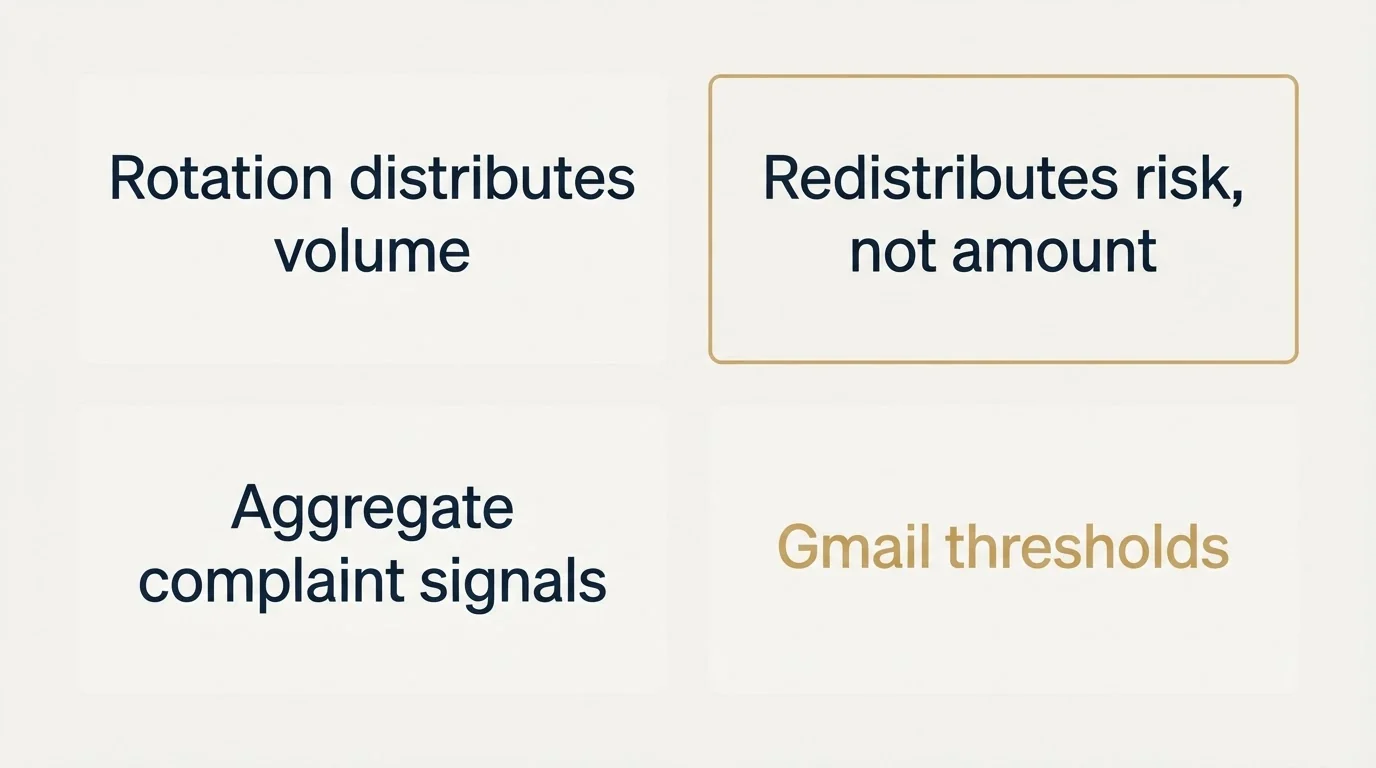
Smartlead documents rotation clearly: it automatically rotates sending across all connected mailboxes within a campaign, which distributes send volume evenly, protects individual sender reputation, and improves deliverability by avoiding high-volume spikes from a single address. Its API documentation gives the same rationale in terms of distributing load, avoiding ESP sending limits, building reputation across accounts and increasing volume.
The mechanism is real and the reasoning is sound. Per-mailbox volume is one of the things recipient systems respond to, so spreading 500 sends across twenty mailboxes genuinely presents differently from concentrating them in five.
What rotation does not do is make the underlying sending safe. Twenty mailboxes sending a poorly targeted list to a badly built audience produce twenty mailboxes with reputation problems rather than five. Rotation changes the distribution of risk, not the amount of it. Teams that read rotation as permission to increase total volume usually discover this within a month, because the aggregate signals that mailbox providers actually measure, spam complaints and bounce rates, are unaffected by how many addresses the sending was spread across.
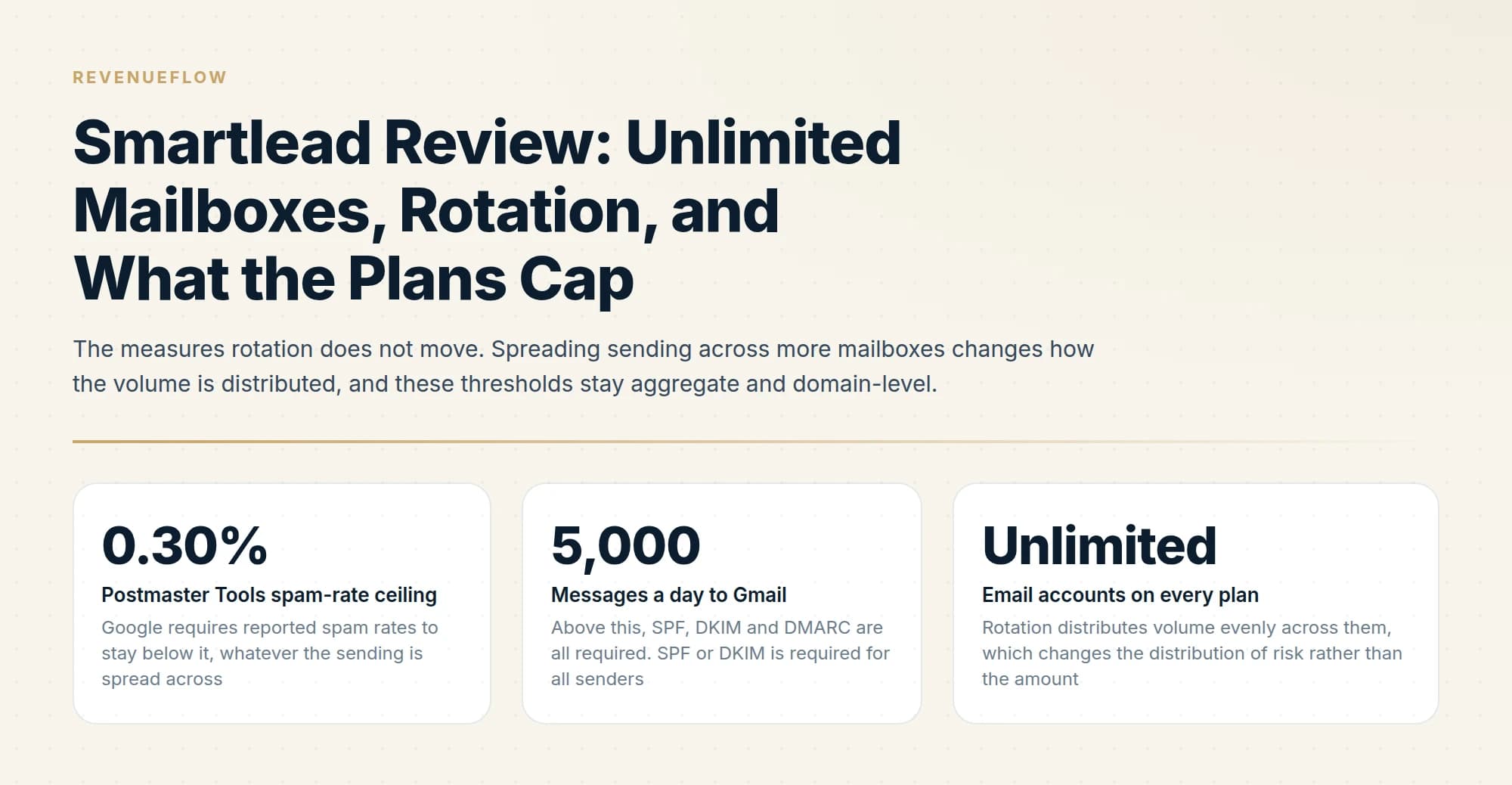
Google publishes the relevant thresholds directly: spam rates reported in Postmaster Tools must stay below 0.30%, SPF or DKIM is required for all senders, and SPF, DKIM and DMARC are all required above 5,000 messages a day to Gmail. Those are aggregate, domain-level measures. No rotation scheme changes them.
Google requires reported spam rates to stay below it, whatever the sending is spread across
Above this, SPF, DKIM and DMARC are all required. SPF or DKIM is required for all senders
Rotation distributes volume evenly across them, which changes the distribution of risk rather than the amount
The verification bundle is the underrated feature
Smart and Prime include 50,000 and 170,000 verified prospect emails a month respectively, where Base and Pro charge US$59 a month for the allocation.
That matters more than it looks, because verification is not optional and it is not free anywhere else. An enriched or sourced address is a claim that a mailbox exists, not confirmation it accepts mail, and addresses decay continuously as people change roles. Sending unverified is how bounce rates climb, and bounce rate is read by mailbox providers as a sender-quality signal that degrades placement for everything else on the domain.
So every serious cold email operation is paying a verification vendor. A plan that folds that allocation in at no extra cost removes a subscription from the stack, and it changes the tier comparison: Pro at US$94 plus the US$59 add-on is US$153, against Smart at US$174 with unlimited contacts and a larger send ceiling.
The caveat is volume matching. If you verify 200,000 addresses a month, Smart's 50,000 does not cover you and the bundled allocation stops being the deciding factor. Check your real monthly verification volume against the tier before treating it as a saving.
The unlimited-mailbox trap
Both Smartlead and Instantly advertise unlimited email accounts, and the same caution applies to both.
Unlimited in the platform does not mean free in reality. Every mailbox is a real Google or Microsoft seat on a real domain that you purchase, authenticate, warm and maintain somewhere else. At scale that infrastructure is usually a larger line item than the sending platform itself, and a pricing model that removes the per-inbox charge quietly encourages acquiring more mailboxes than the list justifies.
The right sizing question runs the other way round. Start from how many genuinely well-qualified contacts you can reach per month, divide by a conservative per-mailbox daily volume, and buy that many mailboxes. Buying capacity first and finding a list to fill it is how domains get burned. The pricing breakdown works through that arithmetic at 10, 50 and 200 mailboxes.
The API, briefly
Smartlead's API is documented and capable, with campaign, lead, email-account and sequence management, plus webhooks for EMAIL_SENT, EMAIL_OPENED, EMAIL_CLICKED, EMAIL_REPLIED, EMAIL_BOUNCED and EMAIL_UNSUBSCRIBED.
Two design choices are worth knowing before you build. Authentication passes the API key as a query parameter rather than a header, which means keys can end up in server logs, proxy logs and browser history in a way header-based auth avoids. And rate limits are not published: Smartlead's documentation says they vary by subscription plan and directs you to contact support, returning 429 with a recommendation to implement exponential backoff. Instantly publishes exact figures by contrast, which makes capacity planning easier. The Smartlead API guide covers both in detail.
What we cannot tell you
Two limits on this assessment, stated plainly.
No deliverability figures from us. We run Email Bison, so there are no placement rates, bounce rates or uptime observations here from operating Smartlead at volume. Anyone quoting those numbers should be able to say how they measured them, and most cannot.
No review-platform ratings. G2, Capterra and TrustRadius all block automated retrieval, so we did not load those pages and are not restating counts we could not see. Read them directly and weight reviews from teams whose ICP and volume resemble yours, because a tool that works well at 6,000 sends a month and one that works well at 500,000 are being judged on different things.
What this assessment can do is tell you what the product commits to in writing, which is the part that survives contact with a sales conversation.
Who it suits
- Yes: You want verification bundled rather than bought separately
- Yes: You run an agency and need multiple client workspaces
- Yes: You run many mailboxes at conservative per-mailbox volume
- No: You need published rate limits for capacity planning before you build
- No: You want header-based API authentication as a security requirement
- Depends: Your contact count is large but your send volume per contact is low
The rate-limit line is not a minor complaint if you intend to build. Unpublished limits mean you cannot size a pipeline before writing it, cannot tell a client what throughput to expect, and cannot distinguish a rate-limited job from a stalled one without your own instrumentation. Ask support for the figures in writing before committing to an integration, and record the date, since they are plan-dependent.
The agency case is the strongest one. Bundled verification on Smart, unlimited contacts, unlimited mailboxes and included client workspaces make the per-client economics work in a way that per-inbox pricing does not.
A different limitation surfaces when teams need multi-channel orchestration rather than pure cold email, which is where Gong's sales engagement approach compares against Smartlead's execution focus.
For the closest comparison on the same model, the Instantly review covers where the two differ, and lemlist pricing covers the per-user alternative. If you are weighing alternatives more widely, we keep a list of Smartlead alternatives. Whichever you choose, the deliverability guide covers the layer that decides the outcome.
We run outbound for clients on a pay-per-qualified-meeting basis, so the platform choice and the infrastructure risk sit with us. You can see what a campaign would look like for your market.
Smartlead plan pricing, inclusions, the unlimited-mailbox statement and the rotation description are per Smartlead's pricing page, and API behaviour per Smartlead's API documentation, both fetched 11 August 2026. Google sender requirements are per Google's published guidelines, same date. Prices exclude tax; verify current terms with Smartlead before purchasing.
Sources: Smartlead pricing, Smartlead API introduction, Google email sender guidelines
Frequently asked questions.
Frequently asked questions- How much does Smartlead cost?
- Smartlead's published plans are Base at US$39 a month, Pro at US$94, Unlimited Smart at US$174 and Unlimited Prime at US$379, with yearly billing advertised at 17% off. Verified prospect emails are a US$59 monthly add-on on Base and Pro, and included free on the two Unlimited tiers.
- Does Smartlead limit how many mailboxes I can connect?
- No. Smartlead's pricing page states that all plans include unlimited email accounts at no extra cost and that you can connect as many mailboxes as you need without paying per account. What the plans do cap is emails sent per month, contacts stored, and the verified prospect email allocation.
- Does Smartlead's inbox rotation improve deliverability?
- It distributes send volume across connected mailboxes, which avoids high-volume spikes from any single address and is genuinely protective. It does not change the aggregate signals that decide placement, such as spam complaint rate and bounce rate, so rotation redistributes risk rather than reducing it.
- Is Smartlead better than Instantly?
- They share the unlimited-mailbox model, so the differences are elsewhere. Smartlead bundles verified emails free on its upper tiers and includes client workspaces, which suits agencies. Instantly publishes exact API rate limits and offers infrastructure isolation on its top tier. Compare total cost at your actual send volume.
About the author.

Tim Carden is CMO / CTO at RevenueFlow, which builds and operates outbound revenue engines for B2B companies. Studied at McGill University.
Tim Carden · CMO / CTO
Connect on LinkedIn →Explore more.
Ready to scale your outreach?
We build GTM engines that book real meetings. See the receipts.
Related articles.
Instantly.ai Review: What the Plans Include and Who It Suits
Instantly gives unlimited inboxes on every paid plan and meters contacts and send volume instead. What that changes, where each tier runs out, and who it fits.
Smartlead Pricing: What It Costs at 10, 50 and 200 Mailboxes
Mailboxes are free on every Smartlead plan, so the price is the same at 10 or 200. What changes is send volume, contacts and verification. Here is the arithmetic.
Graymail vs Spam: What the Difference Costs a Sender
Graymail is a claim about a sending pattern. Spam is a claim about intent. They respond to different repairs, and confusing them sends teams to rewrite copy.
ZeroBounce Pricing: The Three Things Buyers Miss
What the ZeroBounce pricing page actually publishes, which billing state it shows by default, and the credit rules that decide what a buyer really pays.
BriteVerify: What It Verifies and the Price to Ask For
BriteVerify checks email, phone and postal address under Validity, and publishes no rate card on any surface that returns a page. What that means for buyers.
Choosing a NeverBounce Alternative: Name Your Reason
Three reasons teams leave NeverBounce, each pointing at a different replacement, plus how to run a two-vendor split test on your own list that actually settles it.