The Smartlead API: Webhooks, Rate Limits, and Reply Handling
Smartlead authenticates by query parameter and does not publish rate limits. What that means for how you build, plus the six webhook events and how to handle replies.
Smartlead's API uses a query-parameter API key against a v1 base URL, and does not publish rate limits, saying they vary by plan and returning 429 with exponential backoff advised. Six webhook events cover sends, opens, clicks, replies, bounces and unsubscribes.
Key takeaways
- Authentication passes the API key as a query parameter, so full-URL logging captures it in server, proxy and CDN logs.
- Rate limits are not published and vary by subscription plan, so build backoff and self-throttling before building volume.
- Six webhook events are documented, and EMAIL_REPLIED and EMAIL_BOUNCED are the two worth wiring directly into human workflows.
- Open events fire when a tracking pixel loads, which privacy proxies do pre-emptively, so lead scoring on opens is unreliable.
Reviewed and updated August 28, 2026
Two things about the Smartlead API shape every integration built against it, and both are visible in the first page of its documentation. Authentication passes your API key as a query parameter rather than a header. And rate limits are not published: the documentation says they vary by subscription plan and directs you to contact support.
The Smartlead growth teardown examines how this same API-first architecture became a distribution channel powering the company's bootstrapped rise.
Neither is a dealbreaker. Both change how you should build, and the second one changes how you should test. Everything below is from Smartlead's own API documentation, fetched 11 August 2026.
A Smartlead Slack notification is one of these webhooks with a Slack incoming-webhook URL on the other end: Smartlead posts the event, your receiver decides what is worth interrupting a channel for, and the filtering belongs on your side rather than in the connector.
The basics
The base URL is https://server.smartlead.ai/api/v1, and authentication is a query parameter: ?api_key=YOUR_API_KEY appended to the request.
Query-parameter authentication has a specific operational consequence worth planning for. Anything that logs full URLs captures the key with them, which includes web server access logs, reverse proxies, CDN logs, application error trackers and browser history if a request is ever made from a front end. Header-based schemes avoid that by default because most logging strips or ignores headers.
Three mitigations if you build against it. Keep every call server-side so the key never reaches a browser. Scrub query strings in your own logging and error reporting before they are written. And rotate the key on a schedule rather than treating it as permanent, since you cannot be certain where copies of it have been recorded.
Rate limits, and the fact that they are not published
Smartlead's documentation states that rate limits vary by subscription plan and asks you to contact customer support for your figures. Exceeding them returns a 429 status code, and the documentation recommends implementing exponential backoff.
That is a meaningful difference from the neighbouring product. Instantly publishes exact numbers, 100 requests a second and 6,000 a minute, shared across an entire workspace regardless of how many API keys it holds. You can capacity-plan against a published figure before writing a line of code. With Smartlead you cannot, so the burden moves to your implementation.
- Step 1Ask support for your plan's figures
Smartlead's documentation directs you to do exactly this. Get it in writing and record the date, since it is plan-dependent and may change.
- Step 2Build backoff before you build volume
Exponential backoff on 429 is not an optimisation here. It is the only thing standing between you and a stalled job.
- Step 3Rate-limit yourself deliberately
Set your own ceiling below whatever support quotes, so a plan change or an undocumented burst limit does not break the integration.
- Step 4Alert on sustained 429s
An occasional 429 is normal. A sustained run of them means your job is not progressing, which looks identical to a job with nothing to do.
That last step matters more than it sounds. A worker hitting rate limits and retrying quietly is indistinguishable, from the outside, from a worker that has finished its queue. Report sustained failures explicitly rather than letting backoff absorb them silently.
Webhooks and reply handling

This is the strongest part of the API for outbound work, because replies are the events you actually care about and polling for them is wasteful.
Smartlead publishes six webhook events:
| Event | Fires when |
|---|---|
EMAIL_SENT | After successful delivery |
EMAIL_OPENED | When the tracking pixel loads |
EMAIL_CLICKED | When a tracked link is clicked |
EMAIL_REPLIED | When a reply is received |
EMAIL_BOUNCED | When an email fails to deliver |
EMAIL_UNSUBSCRIBED | When the unsubscribe link is clicked |
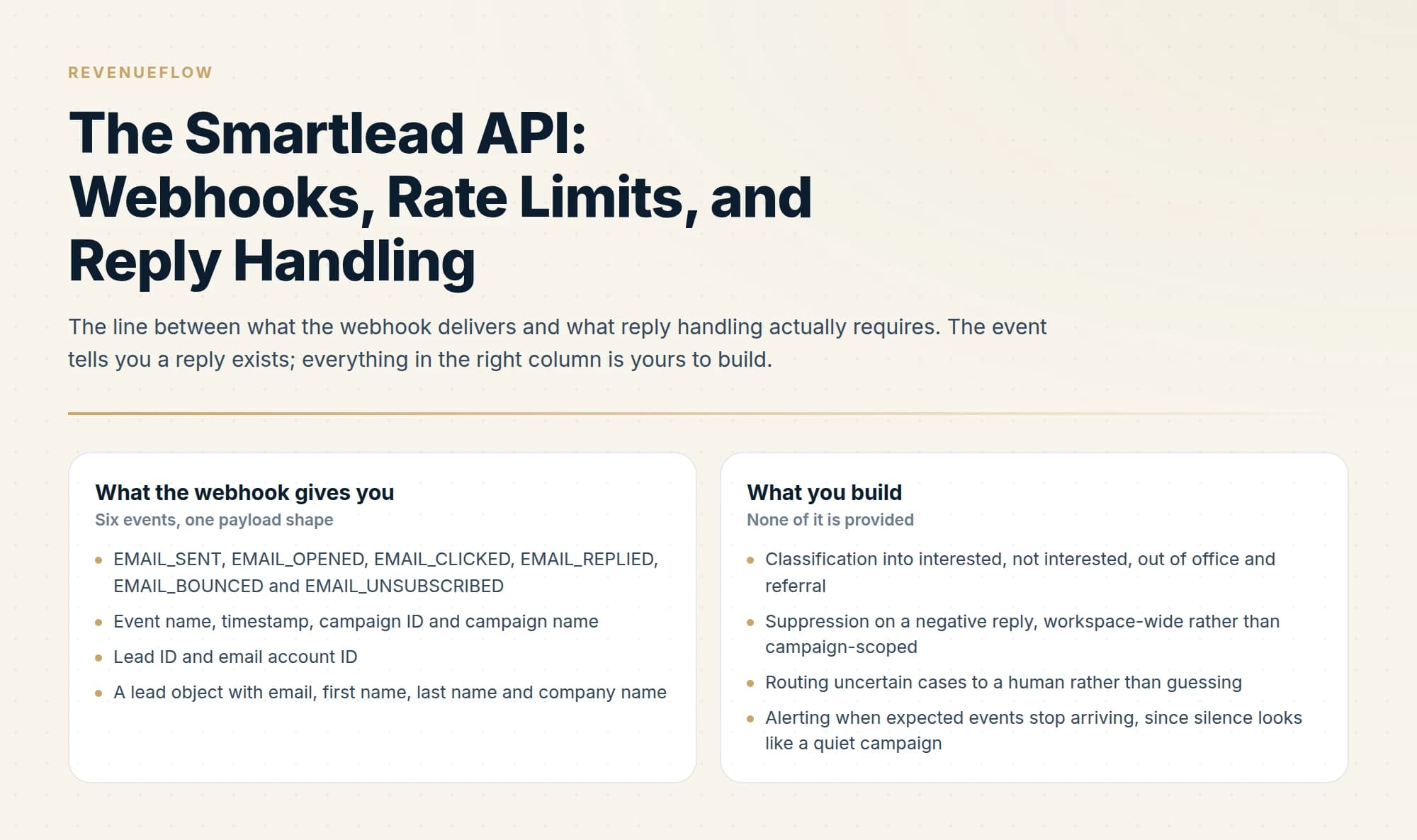
The payload carries the event name, a timestamp, the campaign ID and name, the lead ID, the email account ID, and a lead object with email, first name, last name and company name.
EMAIL_REPLIED is the one to build around. A reply is the only event in that list that requires a human decision, and the gap between the reply landing and somebody acting on it is where most outbound value is lost. Wire it directly into wherever your team actually works rather than into a dashboard someone checks.
EMAIL_BOUNCED deserves equal attention and usually gets none. Bounces are the leading indicator on deliverability, and treating them as a passive statistic means you find out about a list problem after it has already cost you sender reputation. Route bounces somewhere that a rising rate is visible in hours rather than at the end of a campaign. Google measures the related signal directly and requires spam rates in Postmaster Tools below 0.30%.
Treat EMAIL_OPENED with suspicion. Open tracking fires when a tracking pixel loads, and privacy proxies at the major mailbox providers load images pre-emptively on the recipient's behalf. An open event is evidence that a pixel loaded somewhere, not that a person read anything. Building lead scoring on opens produces confident nonsense.
Webhooks against polling
Worth a sentence on why webhooks are the right default here, because the alternative is tempting when you are already calling the API.
Polling for new replies means repeatedly asking a rate-limited API whether anything changed, and the answer is usually no. On an API whose limits are unpublished, that is a poor use of an unknown budget, and it introduces a delay equal to your polling interval on the one event where speed matters most.
The case for polling is reconciliation rather than primary delivery. Webhooks can be missed: your endpoint is down for a deploy, a delivery fails, a payload is malformed. A daily reconciliation pass that pulls recent campaign activity and compares it against what your system recorded catches those gaps, and it runs once rather than continuously.
So: webhooks for the event stream, a low-frequency pull for reconciliation, and never a tight polling loop as the primary mechanism.
Building a reliable receiver

- Yes: Respond 200 immediately and process asynchronously, so slow work never times out the delivery
- Yes: Handle duplicate deliveries idempotently, keyed on event plus lead plus timestamp
- Yes: Log the raw payload before parsing, so a schema change is diagnosable
- Yes: Alert when expected events stop arriving, not only when they fail
- No: Assuming an open event means a human read the message
- No: Doing CRM writes and enrichment inline in the webhook handler
- Depends: Whether you need reply classification, which the webhook does not provide
The fourth line is the one people skip, and it is the same failure the rate-limit section describes from another angle. A webhook endpoint that stops receiving events looks exactly like a campaign with no activity. Monitor for the absence, because silence is ambiguous and only your own expectation of volume disambiguates it.
On reply classification: the webhook tells you a reply arrived, not whether it was interested, a referral, an out-of-office or an unsubscribe request in prose. That classification is your problem, and it is worth solving properly, because routing every reply to a human for triage is what makes reply handling expensive at volume.
Classifying replies is the part worth building well
The webhook hands you a reply. What kind of reply it is determines what should happen next, and that classification is the difference between a reply stream a human can keep up with and one that buries them.
The categories that matter operationally are narrower than they first appear. Interested goes to a human immediately, because response speed is one of the largest levers on whether a conversation becomes a meeting. Not interested should trigger a suppression write, workspace-wide rather than campaign-scoped, so the person stops receiving anything from you rather than only from the campaign they answered. Out of office is not a signal about interest at all and should not be routed to anyone, though the return date is worth capturing. Referral to a colleague is a genuine opportunity that generic handling loses, because it looks like a non-answer.
Two design points follow. Suppression on a negative reply should be workspace-wide, since a person who said no to one campaign has said no, and receiving a second pitch from the same company afterwards is the failure everyone remembers. And the classifier should route uncertain cases to a human rather than guessing, because the cost of a misrouted interested reply is far higher than the cost of a human glancing at an ambiguous one.
None of this is provided by the webhook, which is the point. The event tells you a reply exists; everything above is yours to build.
One more reason to get this right: reply handling is where the value of the whole campaign is realised or lost. Every prior step, the sourcing, the verification, the infrastructure and the copy, exists to produce replies, and a reply that sits unread for two days has had most of its value removed by the delay.
- EMAIL_SENT, EMAIL_OPENED, EMAIL_CLICKED, EMAIL_REPLIED, EMAIL_BOUNCED and EMAIL_UNSUBSCRIBED
- Event name, timestamp, campaign ID and campaign name
- Lead ID and email account ID
- A lead object with email, first name, last name and company name
- Classification into interested, not interested, out of office and referral
- Suppression on a negative reply, workspace-wide rather than campaign-scoped
- Routing uncertain cases to a human rather than guessing
- Alerting when expected events stop arriving, since silence looks like a quiet campaign
What else the API covers

The documented surface includes campaign management, lead management, email account configuration, sequence building with delays and A/B testing, and analytics. Email accounts can be SMTP, OAuth-connected Gmail, or OAuth-connected Microsoft 365, and Smartlead rotates sending across connected accounts automatically within a campaign.
A different limitation to weigh is workflow scope rather than API mechanics, and the Groove and Smartlead comparison explains why cold email execution and broader sales orchestration often complement rather than compete.
A related limitation worth weighing is category scope, and the Apollo and Smartlead comparison explains why multi-channel outreach orchestration and dedicated cold email execution tend to complement each other.
Warmup is exposed as account settings, with warmup_enabled, max_email_per_day and daily_rampup controlling whether it runs and how fast volume climbs. That is a useful lever programmatically: a new mailbox can be provisioned, warmed and brought into rotation without anybody opening the interface.
For the wider product picture, the Smartlead review covers rotation and the plan caps, and the pricing breakdown covers what each tier includes. If you are comparing automation surfaces, the Instantly API guide covers the published-limits alternative, and what warmup tools actually do covers the settings above in context.
We build and run this kind of integration for clients on a pay-per-qualified-meeting basis, so the reply handling and the monitoring sit with us. You can see what a campaign would look like for your market.
Base URL, authentication scheme, rate-limit policy, webhook events, payload shape and warmup settings are per Smartlead's API documentation, fetched 11 August 2026. Instantly's published rate limits are per Instantly's developer documentation, same date. Google's spam-rate threshold is per Google's published sender guidelines. Verify current behaviour with Smartlead before building.
Sources: Smartlead API introduction, Smartlead webhooks, Smartlead email accounts
Frequently asked questions.
Frequently asked questions- How do I authenticate with the Smartlead API?
- Pass your API key as a query parameter, appending it to the request URL against the base URL at server.smartlead.ai/api/v1. Because full URLs are commonly logged, keep all calls server-side, scrub query strings from your own logs and error reporting, and rotate the key periodically rather than treating it as permanent.
- What are the Smartlead API rate limits?
- Smartlead does not publish them. Its documentation says limits vary by subscription plan and directs you to contact customer support, and exceeding them returns a 429 with exponential backoff recommended. Ask support for your plan's figures in writing, then set your own ceiling below whatever they quote.
- What webhook events does Smartlead support?
- Six of them: EMAIL_SENT, EMAIL_OPENED, EMAIL_CLICKED, EMAIL_REPLIED, EMAIL_BOUNCED and EMAIL_UNSUBSCRIBED. The payload carries the event name, a timestamp, the campaign ID and name, the lead ID, the email account ID, and a lead object with email, first name, last name and company name. Replies and bounces are the two worth wiring straight into human workflows rather than into a dashboard.
- How should I handle replies from the Smartlead webhook?
- Respond 200 immediately and process asynchronously, so slow downstream work never times out the delivery. Handle duplicates idempotently and log the raw payload before parsing. The webhook tells you a reply arrived but not what kind, so classification into interested, out-of-office or opt-out is your own problem to solve.
About the author.

B2B cold email experts helping companies generate qualified leads through done-for-you outreach campaigns.
RevenueFlow Team
Explore more.
Ready to scale your outreach?
We build GTM engines that book real meetings. See the receipts.
Related articles.
Calendly API: What You Can Automate and What You Cannot
Read access runs on any plan, webhooks need a paid one, and programmatic deletion is Enterprise-only. The scope decision that quietly breaks integrations, first.
Salesloft API: Rate Limits, Auth and What to Cache
The Salesloft rate limit is a shared team budget of 600 cost per minute, and deep pages cost thirty times an ordinary call. What that changes about caching.
Apollo and Clay Integration: What Connects, Who Meters What
Clay's docs list one Apollo source and eleven actions. How the account connects, which way each action moves data, and which vendor bills each step.
Salesforce API Integration: Pick the Interface, Then Code
Salesforce sells programmatic access as a line item and publishes four interfaces. Which one each job belongs on, and what breaks in production but never in a sandbox.
The Attio API: Two Rate Limits, Only One Behaves
Attio caps its API at 100 reads and 25 writes per second, then prices list queries by complexity score. That second limit grows as your workspace does.
The Pipedrive API: A Daily Token Budget
Pipedrive prices API calls rather than counting them. The published token budget, the cost of each endpoint type, and the two ceilings a sync has to respect.