The Pipedrive API: A Daily Token Budget
Pipedrive prices API calls rather than counting them. The published token budget, the cost of each endpoint type, and the two ceilings a sync has to respect.
Pipedrive meters its API with a daily token budget rather than a request count. The published formula is 30,000 base tokens multiplied by a plan multiplier and the seat count, shared across the company account. Endpoint costs differ sharply, with search the most expensive, and a separate two-second burst limit applies per token.
Key takeaways
- The daily allowance is 30,000 base tokens multiplied by the plan multiplier (Lite 1, Growth 2, Premium 5, Ultimate 7) and the number of seats, and it is shared by every integration on the account.
- Published endpoint costs range from 2 tokens for a single read to 40 for a search, so the lookup strategy decides the cost of a sync more than the record count does.
- Burst limits run on a rolling two-second window per token, and OAuth apps are published at four times the API-token allowance on the same plan.
- Storing the Pipedrive record identifier and moving change detection to webhooks removes most of the spend, because both replace repeated searches with cheap reads.
Reviewed and updated September 1, 2026
The Pipedrive API does not count your requests. It prices them, and the price varies by endpoint.
That single design choice is what surprises teams building their first sync. A nightly job that reads two thousand deals and a nightly job that runs two thousand searches make the same number of HTTP calls and consume wildly different amounts of the same daily allowance. One of them finishes. The other stops partway through with a 429 and no obvious reason, because nothing in the request count explains it.
The daily token budget, and the formula behind it
Pipedrive's developer documentation describes a token-based rate limiting system in which each request consumes a number of tokens from a daily allowance, and once that allowance is exhausted further requests are blocked until it resets.
The documentation gives the calculation directly. The daily budget is 30,000 base tokens multiplied by a subscription plan multiplier, multiplied by the number of seats, plus any purchased API token top-ups. The plan multipliers it lists are Lite at 1, Growth at 2, Premium at 5 and Ultimate at 7.
Three consequences follow from that formula and each one matters at design time.
The budget belongs to the company account rather than to an integration. The documentation states it is shared among all users within the account, which means every integration you run, plus anything a colleague wired up through a no-code tool last quarter, draws from the same pool. An integration that behaved fine in isolation can start failing because somebody else's automation went live.
Seats are in the formula. A team that halves its seat count to save on licences also halves its API budget, and nothing in the seat-reduction workflow mentions that. The same arithmetic runs the other way, which is the only good news here: growing the team grows the allowance without anyone asking for it.
The budget is for API traffic only. The documentation is explicit that it covers requests authenticated by API tokens or OAuth tokens and does not touch actions performed directly in the Pipedrive interface. A user clicking through records is not spending your integration's allowance.
- 30,000 base tokens
- multiplied by the plan multiplier
- multiplied by the number of seats
- plus any purchased API token top-ups
- Shared across every user in the company account
- Lite: 1
- Growth: 2
- Premium: 5
- Ultimate: 7
- A plan upgrade is also an API-capacity upgrade
- Actions taken in the Pipedrive interface
- Anything authenticated outside API or OAuth tokens
- The budget resets at midnight in the server's timezone
- That reset time may not match yours
- Usage is visible in the API Usage Dashboard under Company Settings
What each call actually costs
The documentation publishes a cost per endpoint type, and the spread across them is the part worth internalising.
Reading a single entity costs 2 tokens. Reading a list of entities costs 20. Updating a single entity costs 10. Deleting a single entity costs 6, and deleting a list costs 10. Searching for entities costs 40, which makes search the most expensive operation on the published list by a factor of twenty against a single read.
The documentation adds one more thing that is easy to miss and worth acting on: the available API v2 endpoints are described as performance-optimised, with lower token costs than the original v1 endpoints. If an integration was written against v1 and has never been revisited, some part of its daily spend is paying for that.
Put those costs beside a realistic job and the shape of the problem appears. The arithmetic in the next paragraph is invented for illustration and describes no real integration.
Take a company on Growth with ten seats. The formula gives 30,000 multiplied by 2 multiplied by 10, which is 600,000 tokens a day. A sync that searches for a matching person before writing each of five thousand records spends 40 tokens on each search and 10 on each update, so 250,000 tokens, comfortably inside the allowance. Change the design so that it searches twice per record, once on email and once on domain, and the same job costs 450,000. Nothing about the data changed. The lookup strategy did.
That is the practical reading of a token model. It converts a design question that used to be invisible into a line item you can compute before writing the code.
Burst limits are a second, separate ceiling

Sitting on top of the daily budget is a rolling short-window limit, and the documentation is precise about how it applies: burst rate limiting is considered per token rather than per company, and it operates on a rolling two-second window at the individual user level.
The published limits differ by authentication type, and the gap is large. For API token requests the documentation lists Lite at 20 requests per 2 seconds, Growth at 40, Premium at 100 and Ultimate at 120. For OAuth apps the same tiers are listed at 80, 160, 400 and 480. Four times the headroom for the same plan, decided entirely by how you authenticated.
The Search API is carved out separately. The documentation states its burst limits are consistent across all authentication types and subscription plans, listing 10 requests per 2 seconds on every tier. Search is therefore both the most expensive endpoint in tokens and the most tightly throttled in bursts, which is a strong hint about how Pipedrive expects it to be used.
One more asymmetry is stated outright: only high volume traffic coming from api_token integrations will be blocked under the abuse protection the documentation describes. Between that, the burst gap and the fact that a personal API token belongs to a person who can leave, the case for building on OAuth rather than a token pasted into a config file is not really an argument any more.
- Step 1Burst window
A rolling two-second window, per token. x-ratelimit-limit, x-ratelimit-remaining and x-ratelimit-reset are returned on the response, so a client can pace itself without guessing.
- Step 2Daily budget
Company-wide tokens. x-daily-requests-left reports remaining POST and PUT capacity for the day, calculated in UTC, and the documentation notes it applies only to api_token requests.
- Step 3Early warning
Automated email to company administrators at 75 percent of the daily budget, per the vendor's own description of the notification, then again at 100 percent.
- Step 4Hard stop
Further requests are rejected with 429 and stay blocked until the budget resets at midnight in the server's timezone, which may not be your midnight.
Designing a sync that does not hit either ceiling
Four choices carry most of the weight, and all four are cheaper to make now than to retrofit.
Stop searching for records you can address directly. Search costs 40 tokens and is capped at 10 requests per 2 seconds regardless of plan. Storing the Pipedrive identifier against your own record the first time you resolve it turns every subsequent touch into a 2-token read. This is the single largest saving available and it costs one column.
Let Pipedrive tell you what changed. Webhooks remove the polling loop that most integrations start life as, and the documentation names them explicitly among the ways to avoid being rate limited. A job that reads everything nightly to find the few things that moved is paying list-endpoint prices for information the platform would have pushed for free.
Read the headers you are already receiving. Every response carries the burst counters, and the daily counter arrives alongside them for token-authenticated calls. A client that reads them and slows down is a few lines of work. A client that ignores them and retries on 429 without backing off is the misconfiguration the abuse protection exists to catch.
Decide which system owns each field before the first write. A token budget punishes chatty two-way syncs hardest, and most chatty two-way syncs exist because nobody decided where a given fact is authoritative. That decision is upstream of the API entirely, and the same reasoning applies to any CRM you connect: settle it once and the integration gets smaller.
Since ownership decisions often hinge on how a CRM fits alongside other sales tools, see how Pipedrive's pipeline focus contrasts with a sales engagement platform in this comparison with a sales engagement tool.
What the API will not do

It will not create demand. Every endpoint operates on records that exist because somebody already did the work of finding and contacting a company, which is the assumption most quietly broken when an integration is scoped as a pipeline project.
It will not clean your data. Writing a record through an API is the same act as typing it into the interface, performed faster and at greater volume. Where the incoming data is stale, the integration is an efficient way to spread that. CRM enrichment covers the separate job of filling and refreshing those fields, and data decay covers why the problem returns whether or not you solve it once.
It will not decide who gets a record. Assignment rules live in the product's own automation, and an integration that wants to make routing decisions is either recreating that logic outside the tool or driving the tool's configuration from outside. Lead routing covers the rule sets and why they decay.
It will not survive an unowned token. A personal API token is tied to a person, inherits that person's permissions and stops working when their account does.
- Yes: Compute the daily budget from your own plan and seat count, so the ceiling is a number rather than a surprise.
- Yes: Authenticate through OAuth rather than a personal API token, for the burst headroom and the ownership.
- Yes: Store the Pipedrive record identifier on your side so later lookups are cheap reads rather than searches.
- Yes: Move change detection to webhooks instead of a nightly full read.
- Yes: Handle 429 with backoff, and read the rate-limit headers rather than retrying blind.
- Depends: Check whether the endpoints you use have v2 equivalents, which the docs describe as lower cost.
- Yes: Name one owner per field before the first two-way write.
Where this sits in an outbound stack
Scheduling and sending systems report activity. A CRM reports belief. The integration worth building first is the one that closes the loop between what was sent and what happened to it, which is the same conclusion the write-up of the Smartlead API reaches from the sending side and the Apollo.io API reaches from the data side.
Apollo.io versus Pipedrive comparison explains why the two tools work best paired rather than treated as competitors.
That framing also decides how much of this work to do at all. A sync that keeps contact state accurate is load-bearing, because a list that has already been contacted is not available. A sync that mirrors nine fields nobody reads is a recurring token cost and a recurring maintenance cost against no decision. If the CRM itself is still an open question, the CRM options for SDR teams and the Pipedrive alternatives are the earlier decision, and Pipedrive against Salesforce is the comparison most teams are actually running.
What to take away
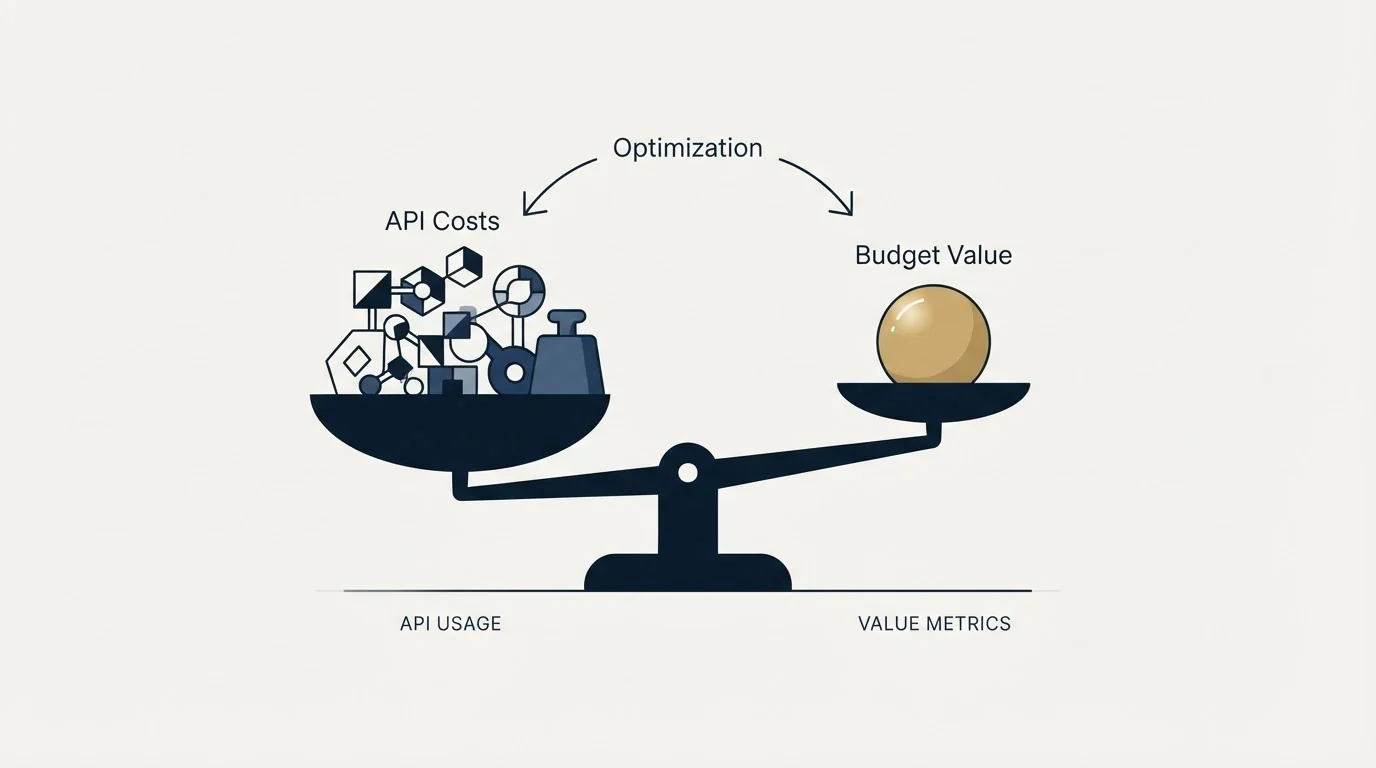
Pipedrive prices API calls rather than counting them, so the meaningful unit is tokens per job and not requests per job. The budget is 30,000 base tokens multiplied by the plan multiplier and the seat count, shared across the whole company account, and it resets on the server's midnight rather than yours.
Search is the expensive endpoint at 40 tokens and the throttled one at 10 requests per 2 seconds on every plan, so an integration that stores identifiers instead of searching repeatedly is both cheaper and faster. OAuth carries four times the burst allowance of an API token on the same plan, which settles the authentication question on its own.
None of that produces a meeting. It keeps the record of meetings honest. Where the constraint is the number of companies willing to take one, RevenueFlow books qualified meetings on a pay-per-meeting basis, against a qualification standard agreed in writing before launch.
Platform behaviour, token costs and rate limits verified as of mid-2026 against Pipedrive's own developer documentation as served. Verify current terms with the vendor before relying on them.
Frequently asked questions.
Frequently asked questions- How many API calls does Pipedrive allow per day?
- There is no single call limit. Pipedrive publishes a daily token budget calculated as 30,000 base tokens multiplied by a subscription plan multiplier and the number of seats, plus any purchased top-ups. Because endpoints cost different numbers of tokens, the same budget buys very different numbers of requests depending on which ones a job uses.
- Why is my Pipedrive integration getting a 429?
- Two separate ceilings return that status. The rolling two-second burst limit trips when a client sends too fast, and the response headers report how much of that window is left. The daily token budget trips when the account's whole allowance is spent, and the documentation states requests stay blocked until it resets at midnight in the server's timezone.
- Is OAuth better than an API token for Pipedrive?
- For anything durable, yes, on two counts. The published burst limits for OAuth apps are four times the API-token limits on the same plan, and the documentation notes that high volume traffic blocking applies to api_token integrations. A personal token also belongs to one person's account and stops working when their permissions change.
- What is the most expensive Pipedrive endpoint to call?
- Search, on the published cost list. A search costs 40 tokens against 2 for a single-entity read, and its burst limit is fixed at 10 requests per two seconds across every plan and authentication type. Resolving a record once and storing its identifier converts every later touch into the cheap read instead of repeating the expensive search.
About the author.

B2B cold email experts helping companies generate qualified leads through done-for-you outreach campaigns.
RevenueFlow Team
Explore more.
Ready to scale your outreach?
We build GTM engines that book real meetings. See the receipts.
Related articles.
Salesforce API Integration: Pick the Interface, Then Code
Salesforce sells programmatic access as a line item and publishes four interfaces. Which one each job belongs on, and what breaks in production but never in a sandbox.
Pipedrive Sequences: A 250-Item Cap and What the Tool Is For
Ten steps, 250 items and a per-sequence sending authorisation. Pipedrive's caps describe the audience the feature was designed for more clearly than its feature list.
CRM Integration: Rate Limits, Auth, and What to Cache
Connecting a CRM is easy. Surviving rate limits, record locks, merge ceilings and a field-mapping decision nobody wrote down is the part that fails eighteen months later.
Reply.io Salesforce Integration: The Sixteen Sync Steps
Reply's support article lists sixteen sync steps, two profiles, required field mappings and a two-hour cadence. What the native Salesforce integration moves.
CRM Setup: The Objects, Stages and Write-Back Loop
A vendor neutral CRM setup for an outbound team: the object model, stage exit criteria, the required field set, ownership rules and the campaign write-back loop.
Cold Outreach Automation: Where the Line Sits
Cold outreach automation is seven decisions, not one purchase. Four stages automate cleanly, two produce confident nonsense, and one is the feature we decline.