Pipedrive Sequences: A 250-Item Cap and What the Tool Is For
Ten steps, 250 items and a per-sequence sending authorisation. Pipedrive's caps describe the audience the feature was designed for more clearly than its feature list.
Pipedrive Sequences builds ordered email and activity workflows for deals or leads on Growth and higher plans. A sequence holds up to 10 steps and 250 items, locks to one item type at first enrollment, and needs each user to authorise automated sending per sequence. Removing that authorisation makes queued steps fail.
Key takeaways
- Sequences requires Growth or higher, and so does email sync, so the tier that unlocks the feature is the tier that unlocks the mailbox it sends through.
- A sequence caps at 10 steps and 250 items and locks to deals or leads permanently once the first record is enrolled.
- Automated sending needs an authorisation given per user and per sequence, and removing it makes the scheduled step fail with no later step running.
- Enrollment can be automated while the most important exit, marking a sequence completed after a reply, stays a manual action somebody has to own.
Reviewed and updated September 1, 2026
Two numbers in Pipedrive's Sequences documentation describe the tool more honestly than any feature list: a sequence can hold up to 10 steps, and you can add up to 250 items to it. Those caps are not a limitation to work around. They tell you who the feature was built for, which is a rep working a named book of deals rather than a programme mailing strangers at volume.
Pipedrive's own framing agrees. Its knowledge base article on Sequences, last updated 10 March 2026, describes the feature as a way to build structured, repeatable workflows for deals and leads using manual emails and follow-up tasks, giving a team consistency while keeping a personal touch.
Where it sits and what gates it
Sequences is available on Growth and higher plans, per the note at the top of Pipedrive's article and its published plan feature table. It lives under Pulse in the left sidebar.
Because Pipedrive covers pipeline and deal tracking rather than lead sourcing, the Apollo.io and Pipedrive comparison clarifies where a data enrichment tool fits alongside it.
Teams weighing a lead sourcing tool against their CRM can see a similar breakdown in the Lusha and Pipedrive comparison, which frames enrichment and pipeline tracking as complementary rather than competing.
One adjacent gate matters more than it looks. Pipedrive's plan table puts email sync on Growth, Premium and Ultimate as well, and not on Lite. A sequence that sends email is sending through a mailbox synced to Pipedrive, so the two gates arrive together and the tier that unlocks the feature is the tier that unlocks the mailbox behind it.
Creating a sequence starts from a template or from scratch, and the first decision is whether the sequence is for deals or leads. That setting determines what you can enroll, and Pipedrive is explicit that it locks: once a sequence has one or more enrollments of an item type, whether those enrollments completed or failed, it is bound to that type permanently. Choose deliberately, because the fix is a new sequence rather than a setting change.
Steps come in two shapes. Add an activity opens the activity composer, where you set a due date and fill in type, assignee, priority and notes. Draft an email opens the email composer, where you set a reminder to send, choose sender and recipient, write the message, use any email templates already in the account, and attach the sequence owner's signature. Drafted email steps surface in the Pulse feed so the owner knows when one is waiting.
- Up to 10 steps
- Up to 250 items, whether deals or leads
- One item type per sequence, locked after the first enrollment
- Steps are activities or emails, drafted or automated
- Growth, Premium and Ultimate only
- Email sync is on the same three plans, and sequences send through it
- Bulk enrollment needs the bulk select items permission
- Automated sending needs a per-user, per-sequence authorisation
Automated sending is authorised twice, and it can fail closed
The most interesting thing in the documentation is not the automation. It is the consent model Pipedrive wrapped around it.
An email step can be switched from a draft to an automated send with a "Send automatically" toggle in the step's Details section, at which point Pipedrive sends it on the user's behalf at the scheduled time with no manual action. Pipedrive adds that an automated email is scheduled at the specified time and cannot be edited afterwards, which is worth knowing before anyone queues a week of them.
Before that works, each user has to enable an "Authorize automated and delegated sending" toggle, and Pipedrive states the shape of that consent in unusually careful language: it is given per user, not company-wide, and it applies per sequence, not globally across all sequences. An admin cannot switch it on for the team, and switching it on once does not carry to the next sequence.
Then the failure behaviour, which is the part to design around. Pipedrive documents that if consent is removed after an email has been scheduled, the sequence fails at the moment that step was meant to send. The deal is categorised as failed in the sequence, and no further steps execute. So a rep who revokes the toggle, or leaves and has their authorisation cleaned up, silently ends every sequence that depended on it, and the evidence is a status on the Overview tab rather than an alert.
That Overview tab is where the state lives: it lists enrolled items with In Progress, Completed and Failed counts, filters by status and owner, and supports bulk removal. Checking it is a job somebody has to own, in the same way that checking a failed integration is.
- Yes: The sending user has enabled the authorisation toggle on this specific sequence, not just on an earlier one
- Yes: Somebody owns the Overview tab and reads the Failed count on a schedule
- Yes: The item type was chosen deliberately, since the sequence locks to deals or leads at first enrollment
- Yes: The content is final, since a scheduled automated email cannot be edited
- Yes: There is a named route for marking a sequence completed when someone replies elsewhere
- Depends: Leavers' sequences are reassigned before their authorisation is removed
- No: Relying on automatic enrollment while the exit stays entirely manual
Enrollment, exit, and the control that matters most
Items reach a sequence three ways: from the sequence builder using the "Add items to sequence" button, from an individual deal or lead detail view, or in bulk from the deal list view or the Leads Inbox, which requires the bulk select items permission. Pipedrive also documents automatic enrollment driven by its automation engine, so a field change or a stage move can enroll a record without a person deciding in the moment.
The exit is the control worth configuring first. Pipedrive provides a manual "Mark as completed" action, visible only while a sequence is in progress, and names the reasons plainly: the person replied through another channel, converted outside the flow, or asked to opt out. Marking a sequence completed cannot be undone, and the timestamp of the action appears in the sequence builder.
Read that list of reasons next to the automatic enrollment feature and the operational risk is obvious. Enrollment can be automated; the most important exit is manual. A sequence that enrolls on a stage change and relies on a human noticing a reply in a different inbox will keep sending to somebody who already answered, and the person who has to catch it is the person the automation was meant to relieve.
- Step 1Per-user consent
Each user enables Authorize automated and delegated sending. An admin cannot grant it on their behalf.
- Step 2Per-sequence consent
The authorisation applies to that sequence only, so a second sequence needs the toggle again.
- Step 3The step schedules
An automated email is scheduled for its time and cannot be edited once queued.
- Step 4Consent removed
The step fails at send time, the item is marked failed, and no later step in that sequence runs.
Sequences and Automations are different tools
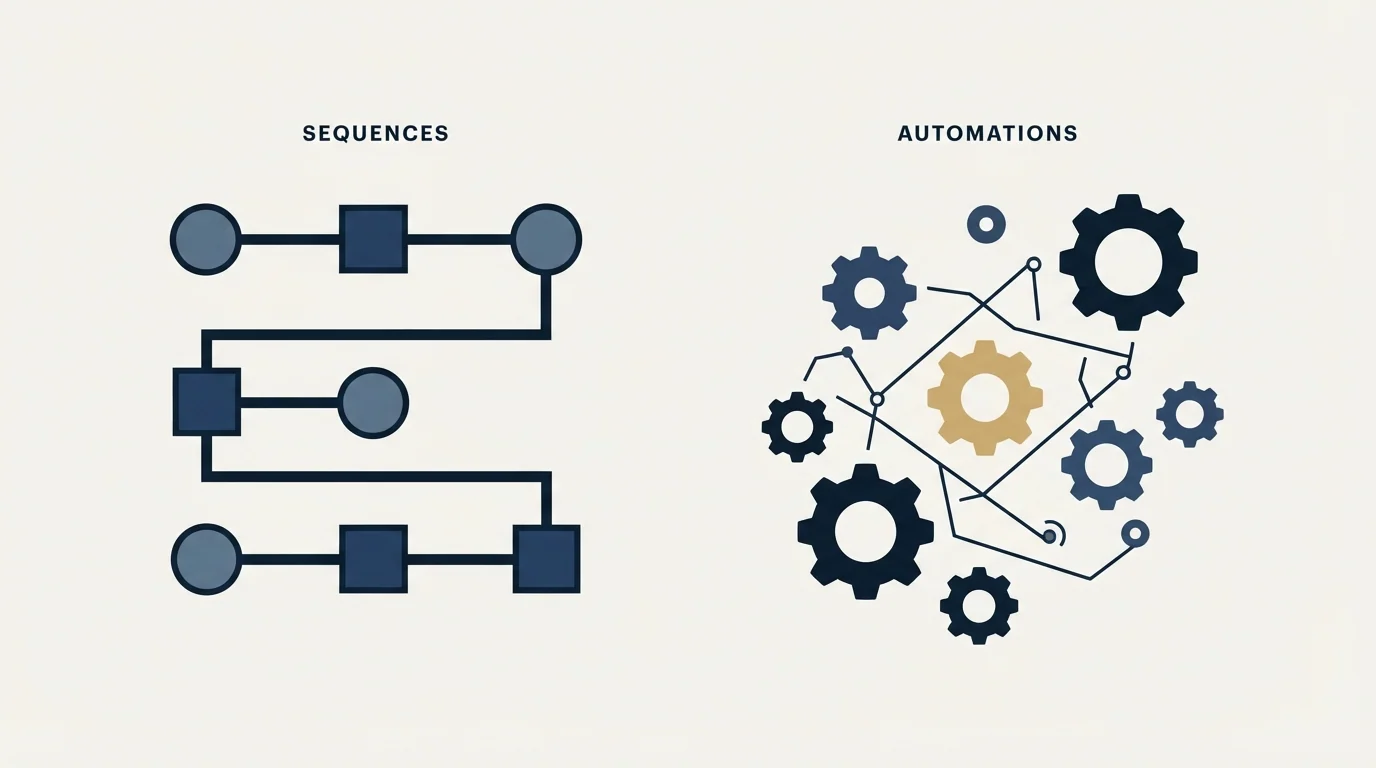
Pipedrive draws the line itself, and it is a useful one. Automations handle a wide variety of tasks automatically, such as updating fields or assigning deals. Sequences focus specifically on structured communication, which Pipedrive frames as suited to high-touch sales processes where timing and personalisation matter. The two combine, with an automation enrolling deals or leads into a sequence.
The practical translation is that Automations is the rules engine for internal state and Sequences is the surface for outward communication. Anything that changes a record belongs in the first. Anything a prospect will read belongs in the second, where the consent toggle and the manual completion control exist precisely because a human should be in the loop.
Keeping that boundary tidy also keeps the failure modes separable. An automation that stops running leaves a field stale, which is annoying and recoverable. A sequence that keeps running after somebody replied sends a message to a person who already answered, which is not recoverable and costs goodwill in a way no dashboard records. Putting the two capabilities in one workflow makes the second failure look like the first on any status screen.
Where our own practice differs, and why
We do not use follow-up sequences for cold outbound, and since this page is about a sequencing feature it is worth saying exactly where that position starts and stops.
RevenueFlow runs one message per campaign. No thread replies, no bumps. A person who did not answer a cold message stays in the addressable pool and becomes a candidate for a later campaign built on a genuinely different premise, which is a new campaign with its own list and its own subject line rather than an extra step attached to the old one. The reasoning is structural: every step after the first is delivered, by construction, only to people who already declined to answer, which concentrates complaint risk on the least receptive audience, and the reply lift is measured inside the sequence while the reputation cost is paid across the whole sending domain. The full argument is in why we run one-message campaigns instead, and the complaint rate is the signal that argument turns on.
None of that is an argument against Pipedrive's implementation, which is careful. It is an argument about the audience. Where the recipient initiated contact, has an existing commercial relationship, or opted in, silence is ambiguous rather than an answer, and multi-step follow-up is the correct tool. That is the population Pipedrive is describing when it talks about high-touch processes and 250 named records.
The second boundary is infrastructural and it applies whoever is sending. A sequence email leaves through a mailbox synced to Pipedrive, which is a real person's mailbox carrying contracts, invoices, renewals and support threads. Volume from that identity puts all of it on one reputation with the receiving mailbox provider, and a bad month in prospecting becomes a deliverability problem in customer correspondence. Prospecting at any scale belongs on separate domains and separate warmed mailboxes, which is the whole subject of cold email infrastructure, with placement watched through Google Postmaster Tools.
The 250-item cap is, read charitably, Pipedrive agreeing with that. A tool intended to carry cold volume would not stop there.
Where we sit
RevenueFlow does not sell Pipedrive, resell it, or take a fee for configuring it. We run cold email and LinkedIn outbound on Email Bison and HeyReach, and everything above is a documentation-grounded read of a feature we do not operate for ourselves.
The half we do run is the one that creates the conversations a sequence then tries to keep warm. Our campaigns send one message per prospect with nothing scheduled behind it, priced per qualified meeting against criteria agreed in writing before launch. You can see what that produces on your own market with a free campaign.
If the platform question is still open, what outbound needs from a CRM covers the requirement and the Pipedrive alternatives roundup covers the field.
The plan gate, the 10-step and 250-item caps, the item-type lock, the per-user and per-sequence authorisation for automated sending, the failure behaviour when consent is removed, and the manual completion control are per Pipedrive's own knowledge base, fetched 16 August 2026. Verify current terms with the vendor before relying on them.
Frequently asked questions.
Frequently asked questions- Which Pipedrive plans include Sequences?
- Pipedrive's knowledge base places Sequences on Growth and higher plans, which its published plan feature table confirms alongside Premium and Ultimate. Lite has neither Sequences nor email sync, so an upgrade to reach the feature also reaches the mailbox connection the feature depends on to send anything at all.
- How many contacts can go into one Pipedrive sequence?
- Pipedrive documents a limit of 250 items per sequence, counting deals or leads, and a maximum of 10 steps. A sequence is also bound to one item type: once a deal or a lead has been enrolled, whether it completed or failed, that sequence cannot be switched to the other type.
- Why did my Pipedrive sequence stop partway through?
- The usual documented cause is the authorisation for automated sending being removed after a step was scheduled. Pipedrive states the sequence then fails at the moment that step was due to send, the item is categorised as failed, and no further steps execute. The Overview tab carries the failed count.
- Should cold outbound run through Pipedrive Sequences?
- We run one message per campaign and no bumps, so we would not use a follow-up sequence on strangers regardless of the tool. Separately, sequence email leaves through a mailbox synced to Pipedrive, which is a real person's inbox carrying contracts and support threads, and cold volume there risks that reputation.
About the author.

B2B cold email experts helping companies generate qualified leads through done-for-you outreach campaigns.
RevenueFlow Team
Explore more.
Ready to scale your outreach?
We build GTM engines that book real meetings. See the receipts.
Related articles.
CRM Setup: The Objects, Stages and Write-Back Loop
A vendor neutral CRM setup for an outbound team: the object model, stage exit criteria, the required field set, ownership rules and the campaign write-back loop.
Cold Outreach Automation: Where the Line Sits
Cold outreach automation is seven decisions, not one purchase. Four stages automate cleanly, two produce confident nonsense, and one is the feature we decline.
The Pipedrive API: A Daily Token Budget
Pipedrive prices API calls rather than counting them. The published token budget, the cost of each endpoint type, and the two ceilings a sync has to respect.
Pipedrive Calling: Native Surfaces, Marketplace Dialers
Pipedrive's knowledge base says it has no built-in calling integration. What ships natively is a set of shortcuts to your phone, and the dialer is a second subscription.
Pipedrive and PandaDoc: The Two Plan Gates
PandaDoc places its Pipedrive integration on Business and Enterprise plans and requires each user to install it individually. Both facts precede any configuration.
Pipedrive Smart Docs: Your Documents Live in Your Drive
Smart Docs saves every document to the Google Drive, OneDrive or SharePoint account you connect. Template access, versions and backups all follow from that.