Google Postmaster Tools for Cold Email: Reading Metrics
Every Postmaster Tools dashboard explained, including the reputation tiers Google is retiring from v2, and the action to take at each for cold outbound.
Google Postmaster Tools reports Gmail's own data on mail you send to personal Gmail accounts. In Postmaster Tools v2 the headline view is Compliance status, with spam rate, authentication, encryption, delivery errors and feedback loop; the Domain and IP Reputation dashboards will be retired, so cold senders should read compliance and spam rate first.
Key takeaways
- Postmaster Tools only reports mail sent to personal Gmail and googlemail addresses, not Google Workspace inboxes, so cold email data is a sample.
- Postmaster Tools v2 keeps every dashboard except Domain and IP Reputation, which Google says will be retired; the legacy interface still shows them for now.
- Gmail requires every sender to keep the spam rate below 0.3 percent and recommends below 0.10 percent; only DKIM-authenticated mail counts.
- Read Compliance status first, then spam rate, delivery errors and authentication; report a delivery issue only once all four are clean.
Reviewed and updated September 21, 2026
Google Postmaster Tools is the only place Gmail tells you the truth about your sending. Every other deliverability signal you have access to is inference: seed tests, open rates, reply rates, third-party inbox placement scores. Postmaster Tools reports what Gmail itself recorded.
Open rates are the signal most often over-read, and why an open event stopped meaning much compares the six tracking tools that still report it.
It is also narrower than most people assume, and for cold email specifically it has a structural blind spot worth understanding before you rely on it.
Postmaster Tools v2 and the retiring reputation dashboards
Google launched a new version of Postmaster Tools, v2, in 2024 and is moving senders onto it. Its deprecation page says every dashboard in the old interface is available in v2 except Domain Reputation and IP Reputation, "which will be retired", and the v2 API leaves both out. Google has postponed switching off the legacy interface, so the reputation dashboards can still be read there for now, but they are on their way out. Google's stated reasons are that reputation data is not easily actionable, that changes in sender behaviour are slow to reflect in it, and that it can mislead because reputation is only one of many factors in deliverability.
For cold email that moves the weekly read. The Compliance status dashboard, v2's headline view, and the spam rate take the place the four reputation tiers used to hold, with delivery errors as the tie-breaker.
Legacy interface (v1)
- Still reachable: Google postponed its retirement
- The only place Domain and IP Reputation still show
- Its v1 API is being retired
Postmaster Tools v2
- Every other dashboard, plus Compliance status
- Report a delivery issue to Google
- A v2 API with compliance and domain endpoints
What it covers and what it does not
Postmaster Tools reports on messages sent to personal Gmail accounts, meaning @gmail.com and @googlemail.com addresses. Mail you send to Google Workspace business addresses does not appear. Most B2B cold email lands in Workspace inboxes, so the data you see is a sample of your consumer-domain traffic rather than a picture of your whole campaign.
That sample is still the best proxy available, because Gmail applies the same core reputation machinery to both. Treat it as an early warning system rather than a full report card, and pair it with bounce rate and reply rate data from your sending platform.
Setup takes minutes: add the domain you authenticate with, meaning the DKIM (d=) domain or the SPF Return-Path domain, and verify ownership with the TXT or CNAME record Google provides. Add every sending domain you own, not just the primary one, and add subdomains separately if you want their dashboards apart from the parent's.
The dashboards, one by one
| Dashboard | What it shows | In v2 |
|---|---|---|
| Compliance status | Each sender requirement: Compliant, Needs work or No data found | Yes |
| Spam rate | Share of inbox-delivered mail marked as spam | Yes |
| Domain reputation | A quality rating for your sending domain | No, retiring |
| IP reputation | A quality rating for your sending IPs | No, retiring |
| Authentication | Share passing SPF, DKIM and DMARC | Yes |
| Encryption | Share sent over TLS | Yes |
| Delivery errors | Share rejected or temporarily failed, by reason | Yes |
| Feedback loop | Tagged campaigns marked as spam | Yes |
Compliance status
Each of Gmail's sender requirements gets one of three states: Compliant, Needs work, or No data found. This is the fastest triage screen in the product. If authentication, TLS, PTR records, unsubscribe headers, or spam rate are out of line, this dashboard names which one before you have to interpret any graphs.
"No data found" is common for cold email domains and usually means volume to personal Gmail is too low for Google to evaluate, not that something is broken. After you fix a Needs work item, Google says the change can take up to 7 days to show.
Spam rate
Google defines it as the percent of your messages that are delivered to an engaged recipient's inbox and then marked as spam by that recipient, and it counts only DKIM-authenticated mail.
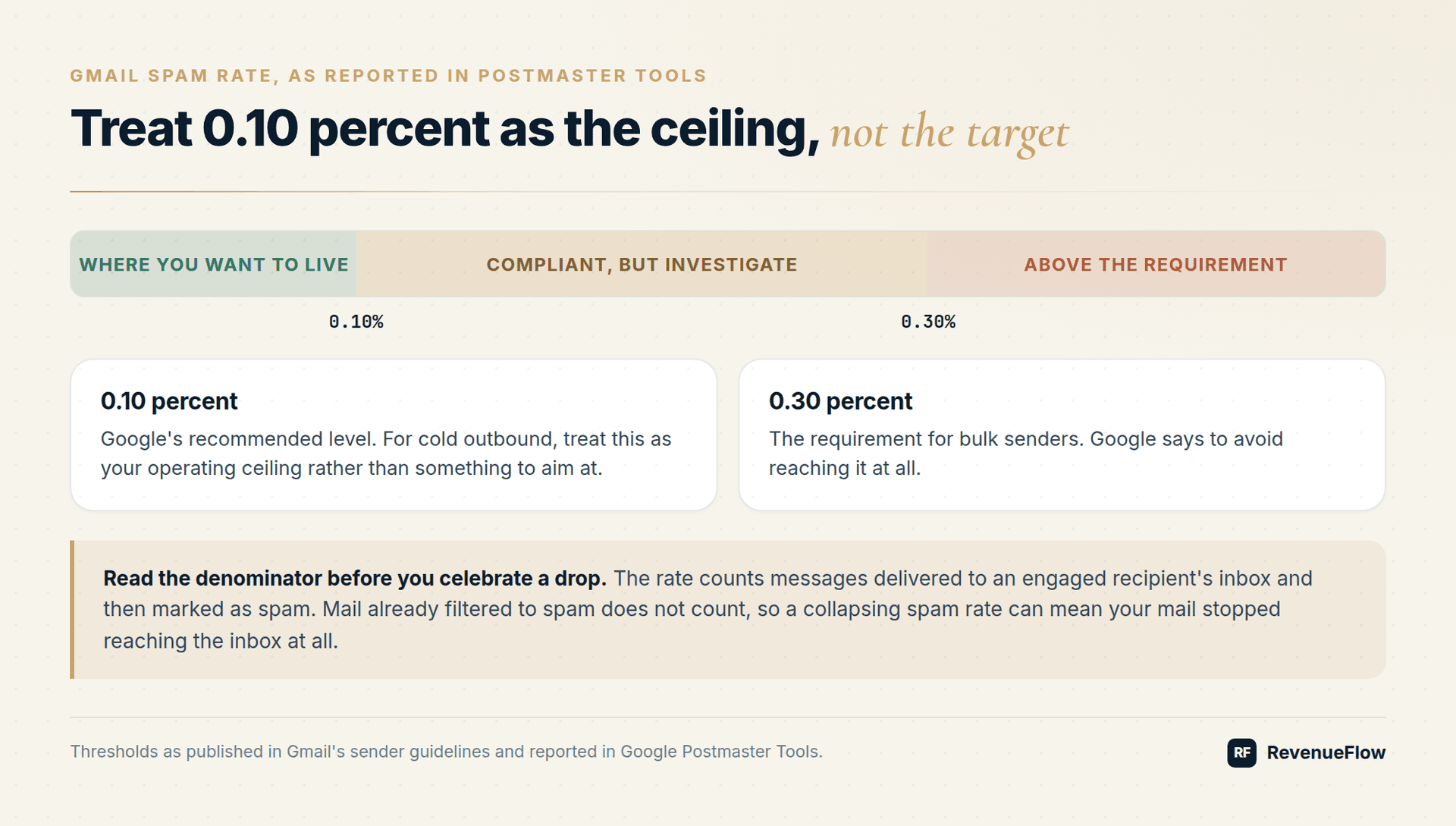
Two implications people miss. First, the denominator is inbox-delivered mail to engaged recipients, so messages already filtered to spam do not count. A collapsing spam rate can mean your mail stopped reaching the inbox at all. Second, it is a recipient action, so it measures how your copy and targeting land, not your infrastructure.
The thresholds: Gmail's sender guidelines require every sender to keep the Postmaster Tools spam rate below 0.3 percent, and recommend staying below 0.10 percent and never reaching 0.30 percent. For cold outbound, treat 0.10 percent as the ceiling, not the target. Compare against cold email spam rate benchmarks before deciding whether a spike is yours or seasonal.
Domain and IP reputation, while they last
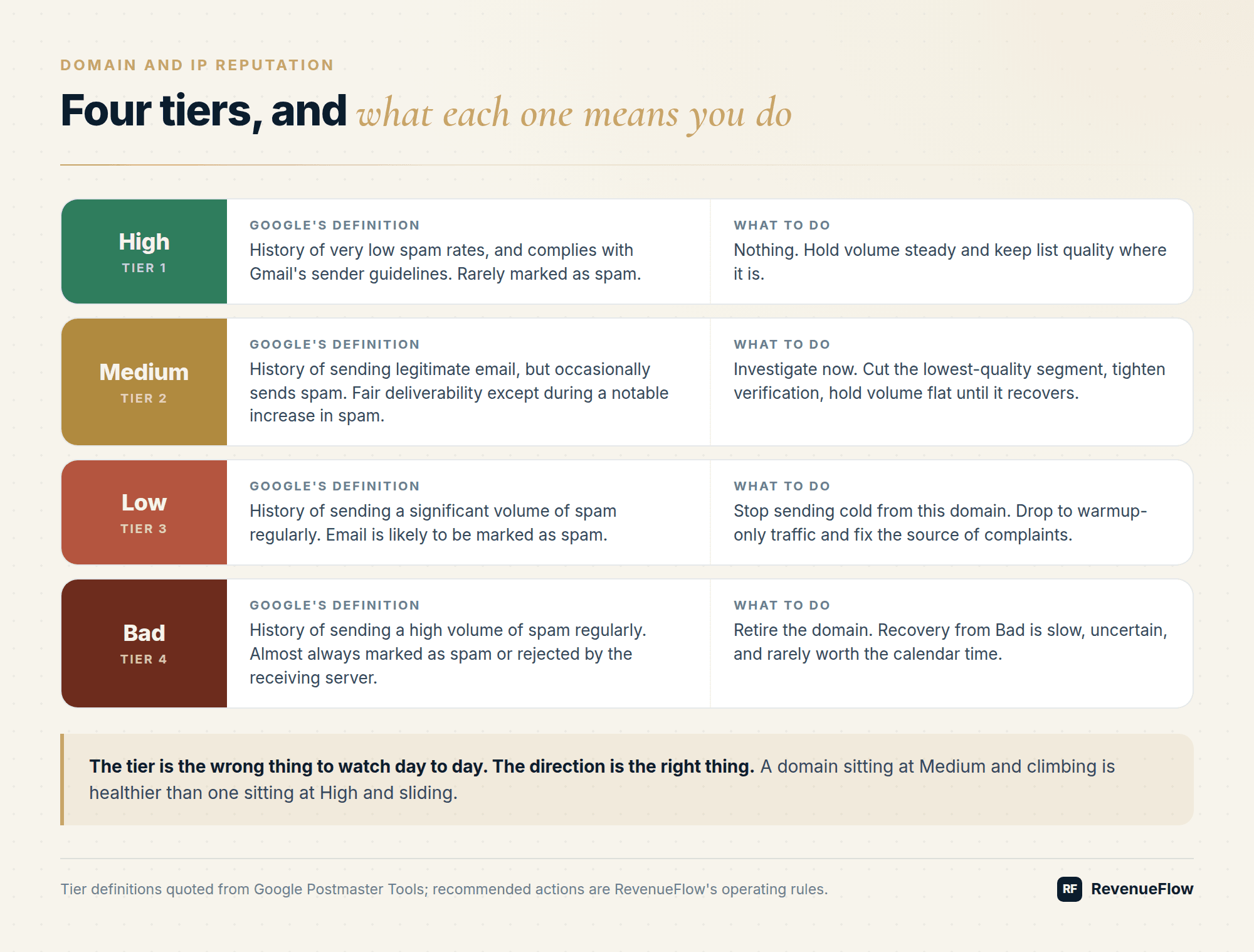
Both still show in the legacy interface and use the same four-tier scale. Google's own definitions, useful for as long as the dashboards remain:
| Tier | Google's definition | What to do |
|---|---|---|
| High | History of very low spam rates, and complies with Gmail's sender guidelines. Email from this domain or address is rarely marked as spam by Gmail. | Nothing. Hold volume steady and keep list quality where it is. |
| Medium | History of sending legitimate email, but occasionally sends spam. Most email from this domain or address has a fair deliverability rate, except when there's a notable increase in spam. | Investigate now. Cut the lowest-quality segment, tighten verification, hold volume flat until it recovers. |
| Low | History of sending a significant volume of spam regularly. Email from this domain or address is likely to be marked as spam. | Stop sending cold from this domain. Drop to warmup-only traffic and fix the source of complaints. |
| Bad | History of sending a high volume of spam regularly. Email from this domain or address is almost always marked as spam or rejected by the receiving server. | Retire the domain. Recovery from Bad is slow, uncertain, and rarely worth the calendar time. |
Domain reputation follows the From domain. IP reputation follows the sending IP, which on shared infrastructure you do not control alone. If your domain reputation is High while IP reputation is Medium, the problem belongs to your provider's neighbourhood, not your list.
The tier is the wrong thing to watch day to day. The direction is the right thing. A domain sitting at Medium and climbing is healthier than one sitting at High and sliding.
Authentication
Percentage of your mail passing SPF, DKIM, and DMARC. Anything below 100 percent on a domain you fully control means a sending source is misconfigured. Find it before it costs you anything, using the SPF, DKIM, and DMARC setup guide and your DMARC aggregate reports.
Encryption
Percentage of authenticated traffic carried over TLS, inbound and outbound. Modern providers are at or near 100 percent. A dip points at a misconfigured relay.
Delivery errors
Percentage of authenticated mail rejected or temporarily failed, broken out by reason. This is where rate limiting, policy blocks, and bad recipients surface with Gmail's own wording. When a campaign goes quiet, this dashboard tells you whether Gmail is throttling you before your platform's bounce log does.
Feedback loop
Spam rates for campaigns tagged with a feedback loop identifier. Only useful if your sending platform sets FBL headers, which most cold email platforms do not. Skip it unless yours does.
Fix any requirement marked Needs work first. Changes can take up to 7 days to show.
Read it as a direction against 0.10 percent, and treat a falling rate beside falling volume as a warning.
Rejections and temporary failures by reason: this is where throttling shows first.
100 percent on domains you control; anything less is a misconfigured source.
When all four are clean and mail still lands in spam, file it from v2.
Report a delivery issue
Postmaster Tools v2 lets a domain owner report mail that is wrongly classified as spam or phishing, rejected, or failing temporarily. Google only takes the report when the domain is verified, you are its owner, the domain meets the sender guidelines, and the message you report is DKIM and SPF authenticated with a From domain that matches. That makes it a last step rather than a first one: clean compliance and authentication are the entry ticket.
What to do at each reputation tier
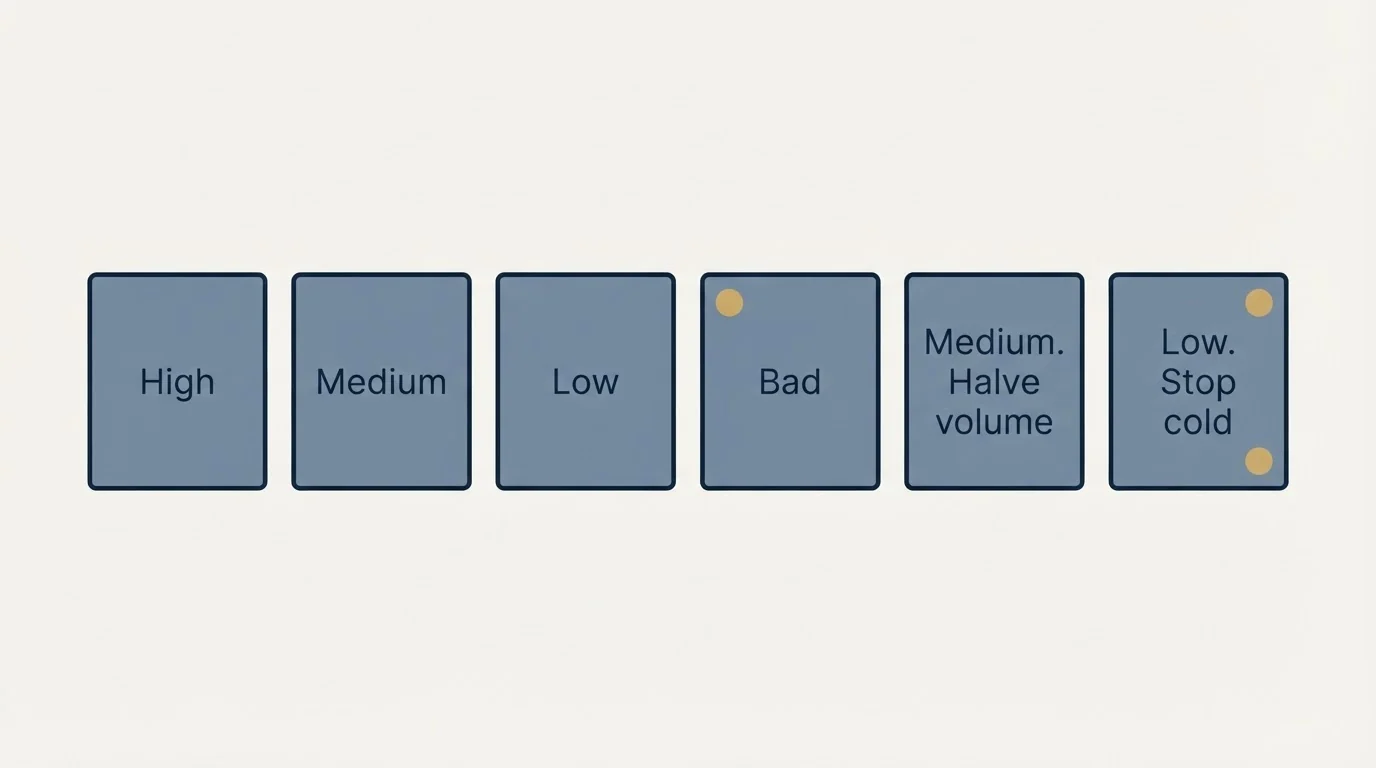
Where the legacy dashboards still show a tier, the actions below apply; where they do not, run the same ladder on spam rate and delivery errors. The honest operating rule is that reputation is a lagging indicator with a slow recovery curve. By the time a domain reads Low, the sends that caused it happened weeks ago.
- High and stable. Keep going. Increase volume in small steps and watch spam rate rather than reputation for the first signal.
- High and falling. Look at what changed 7 to 14 days ago: a new list source, a new copy angle, a volume jump. Roll that change back before the tier moves.
- Medium. Halve volume on that domain, cut the weakest list segment, and verify everything you are about to send. Do not add new copy variables while you are diagnosing.
- Low. Stop cold sending from the domain entirely. Some operators try to warm their way out; in practice the calendar cost usually exceeds the cost of a replacement domain.
- Bad. Retire it and make sure the replacement domain does not share the same list, copy, or sending pattern that got you here.
This is why we maintain 3x sending capacity for every client campaign. Domains degrade, and the operators who survive it are the ones with spare capacity already warmed.
How often to look, and what to look at first
A dashboard nobody opens on a schedule is a dashboard that gets read after the damage. The cadence that works for cold outbound is weekly for the portfolio and daily for anything already moving.
Weekly, across every domain. Open compliance status first, because it names the failing requirement without asking you to interpret a graph. Then read spam rate as a direction rather than a level: three flat weeks followed by a reading half again as high is a trend worth acting on, even when every one of those readings sits inside Gmail's recommended ceiling.
Daily, on any domain that moved. A domain that dropped a reputation tier, or whose delivery errors spiked, gets read every morning until it settles. What you are watching for is whether the change you made had any effect, and reputation moves slowly enough that a week of daily reads is normal.
Read the graphs together rather than one at a time. The combinations carry more than the individual numbers. Authentication below 100 percent alongside a delivery error spike points at a misconfigured sending source. A falling spam rate alongside falling delivery volume is not an improvement: it usually means less of your mail is reaching an inbox where anyone could complain about it.
Write down what you changed and when. Reputation is a lagging indicator with a slow recovery curve, so the only way to attribute a change is to have a record of what happened one to two weeks before it. A one-line change log per domain is enough and it is the difference between diagnosing and guessing.
The cold email blind spot
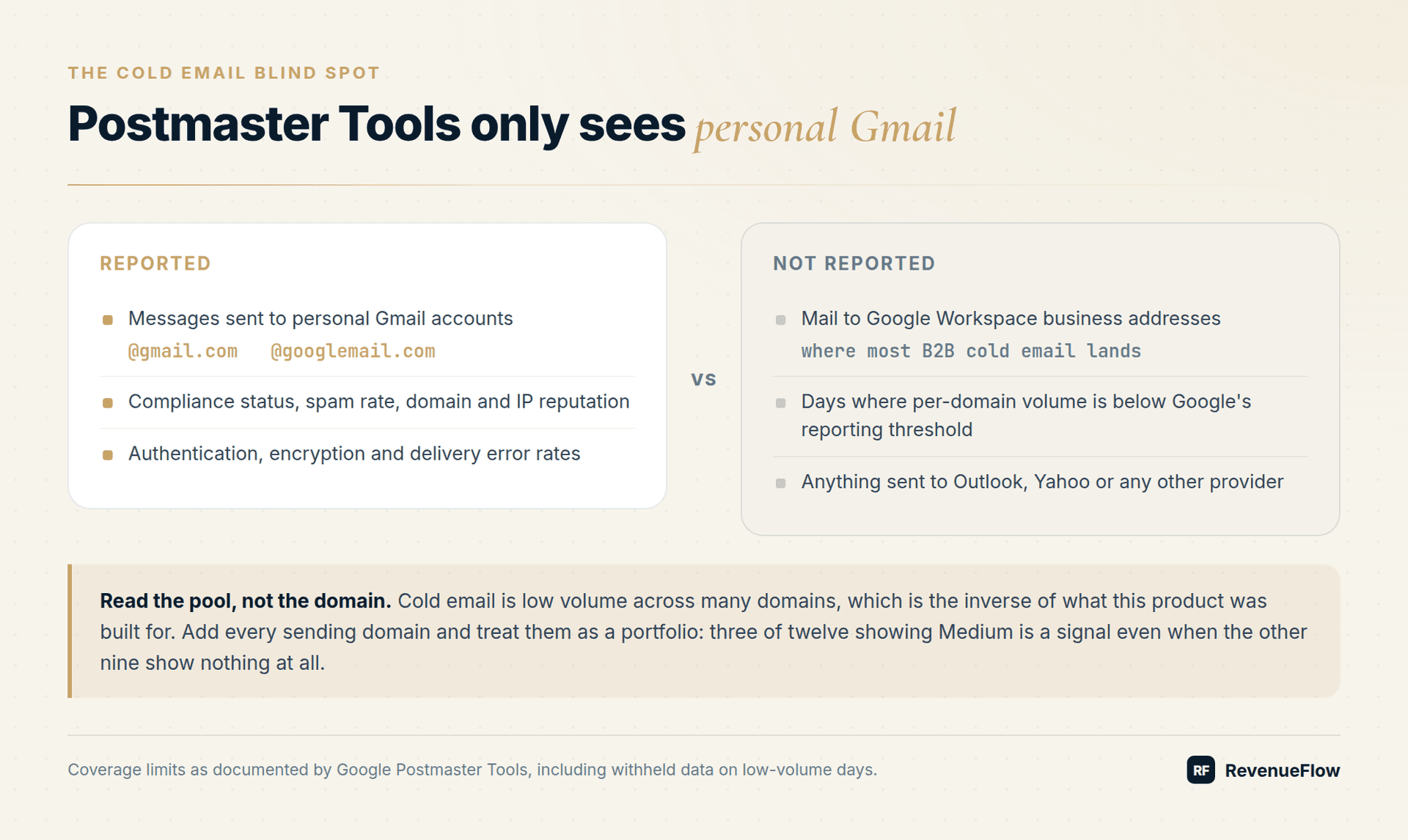
Postmaster Tools was built for bulk senders running high volume through few domains. Cold email is the inverse: low volume across many domains. Two consequences.
First, per-domain volume to personal Gmail is often below Google's reporting threshold, so you get sparse data or none at all. Google withholds data on low-volume days to protect user privacy. The fix is to add every domain and read them as a portfolio: if three of your twelve domains show Medium, that is a signal even when the other nine show nothing.
Second, reputation is domain-level, so a single bad list dropped onto one domain does not poison the rest. That is the argument for domain separation, and it only works if you are actually monitoring each domain rather than assuming the pool is fine.
Running the portfolio rather than the domain
Reading twelve domains one at a time is how the pattern gets missed. Two habits make a portfolio readable.
Group domains by what they have in common: the list source they sent to, the copy angle they carried, the provider they were bought from, the week they were warmed. A problem that follows one of those groupings is a problem with that thing rather than with the domains, and it is invisible when each domain is read on its own.
Then keep spare warmed capacity, so that retiring a domain is a decision rather than an emergency. A pool with no slack forces you to keep sending from a domain you have already diagnosed as failing, which is how a Medium becomes a Low.
Pair the dashboards with a blacklist check whenever delivery errors spike, keep verification tight enough that bounces never contribute, and keep your compliance footing solid so complaints stay rare in the first place. For the wider picture, the deliverability guide covers what to change once the data tells you something is wrong.
Want someone watching these dashboards across your whole domain pool? Get a free campaign plan and we will show you how the monitoring is set up.
Frequently asked questions.
Frequently asked questions- Did Google remove domain reputation from Postmaster Tools?
- From the new version, yes. Google's deprecation page says every legacy dashboard is available in Postmaster Tools v2 except Domain and IP Reputation, which will be retired, and the v2 API leaves them out. Google has postponed switching off the legacy interface, so the reputation dashboards can still be read there for now.
- What does the Postmaster Tools compliance status dashboard show?
- It lists each Gmail sender requirement, such as authentication, DMARC, TLS, one-click unsubscribe and spam rate, with one of three states: Compliant, Needs work or No data found. No data found usually means too little volume to personal Gmail to evaluate, and a fix can take up to 7 days to show.
- What spam rate does Gmail allow?
- Gmail's sender guidelines require every sender to keep the spam rate reported in Postmaster Tools below 0.3 percent, and recommend staying below 0.10 percent and never reaching 0.30 percent. The rate is the share of inbox-delivered, DKIM-authenticated mail that engaged recipients mark as spam.
- Does Postmaster Tools show Google Workspace recipients?
- No. Google says Postmaster Tools data only applies to messages sent to personal Gmail accounts, those ending in @gmail.com or @googlemail.com. Most B2B cold email lands in Workspace inboxes, so treat the dashboards as an early warning sample and pair them with bounce and reply data from your sending platform.
About the author.

Ben Carden is CRO at RevenueFlow, which builds and operates outbound revenue engines for B2B companies. Previously at Gartner Enterprise. Studied at London School of Economics.
Ben Carden · CRO
Connect on LinkedIn →Explore more.
Ready to scale your outreach?
We build GTM engines that book real meetings. See the receipts.
Related articles.
SURBL Blacklist: What It Lists and How to Get Removed
SURBL tests the domains inside your message rather than your sending IP. Which of its six lists fired, what the bitmask means, and the fix that works.
SMTP Reply Codes: What Each Class Instructs
The digits are a verdict and the text is the reason. Separating an address failure from a policy refusal before reacting is what decides whether the fix works.
SMTP Relay: What It Is, How It Routes Mail, and Where It Breaks
An SMTP relay passes mail on toward its destination. Buying one means renting somebody else reputation, subject to their rules about what you may send.
No-Reply Email Address: What It Costs a Sender
A no-reply address is defensible on a receipt and indefensible on a cold message, because the reply is the entire product of a first contact.
Email Tracking Software: Six Tools, Priced and Capped
Streak, Mailsuite, Right Inbox, Mixmax, Yesware and HubSpot compared on free-tier caps and published prices, plus what an open event still proves.
Transactional Email: The Class That Needs Its Own Domain
A transactional email is triggered by the recipient's own action and expected by them. The reason it needs separating from marketing and cold mail is reputation.