Email Blacklist Check and Recovery: How to Delist
How to check Spamhaus, Barracuda, and Microsoft for a listing, the exact delisting path for each, and the sending habits that prevent a second listing.
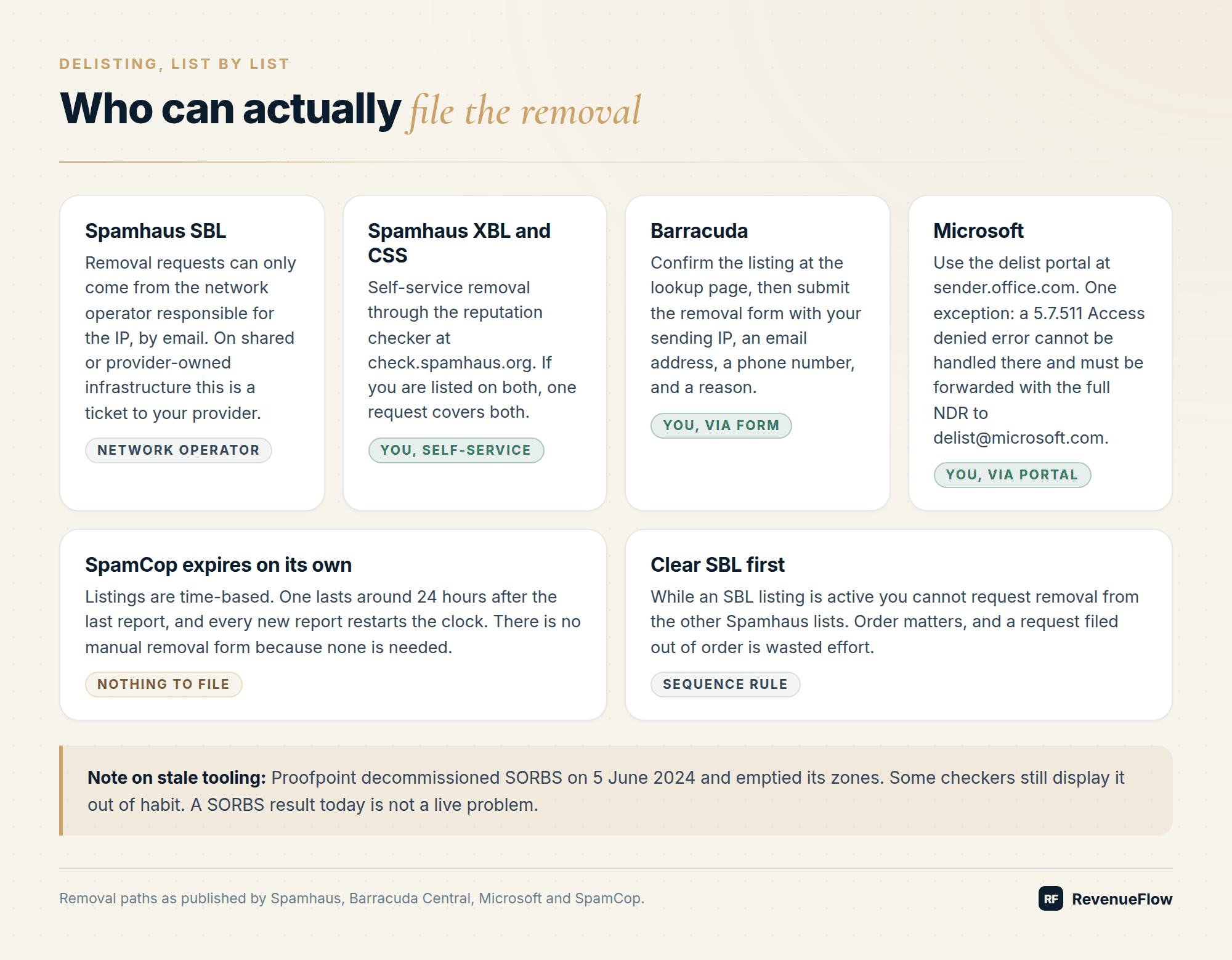
Check your sending IP and domain at check.spamhaus.org, barracudacentral.org/lookups, and MXToolbox. Fix the root cause first, whether that is bounces, a compromised mailbox, a volume spike, or a listed link domain. Then delist: Spamhaus SBL through your network operator, XBL and CSS self-service, Barracuda and Microsoft by form.
Key takeaways
- Spamhaus SBL removal can only be requested by the network operator responsible for the IP, while XBL and CSS offer self-service removal and one request covers both when co-listed.
- An active SBL listing blocks removal requests for Spamhaus's other lists, so SBL has to be cleared first.
- SORBS was decommissioned by Proofpoint on 5 June 2024 and its zones emptied, so a SORBS result from any checker today is stale tooling rather than a live listing.
- SpamCop listings are time-based and expire roughly 24 hours after the last report, with every new report restarting the clock and no manual removal form.
- Microsoft delisting runs through sender.office.com, except for 5.7.511 Access denied errors, which must be forwarded to delist@microsoft.com with the full NDR.
- Spamhaus DBL and URI blocklists cover domains found in message bodies, so a listing can come from a link you included rather than your sending infrastructure.
Reviewed and updated September 5, 2026
Email Blacklist Check and Recovery: How to Delist and Stay Off
A blacklisting announces itself the same way every time. Volume is normal, then bounces spike, and the rejection strings start naming a list you have never heard of. Meanwhile half your sends still go through, because each receiving server chooses which lists to consult.
Here is how to find out what you are on, how to get off each of the major ones, and the habits that stop it happening again.
People search for this as blacklist mail, email blacklist, or a mailbox blacklist, and all three name the same thing: a published list of sending IPs or domains that receiving servers query before accepting a message.
First, confirm it is actually a blocklist
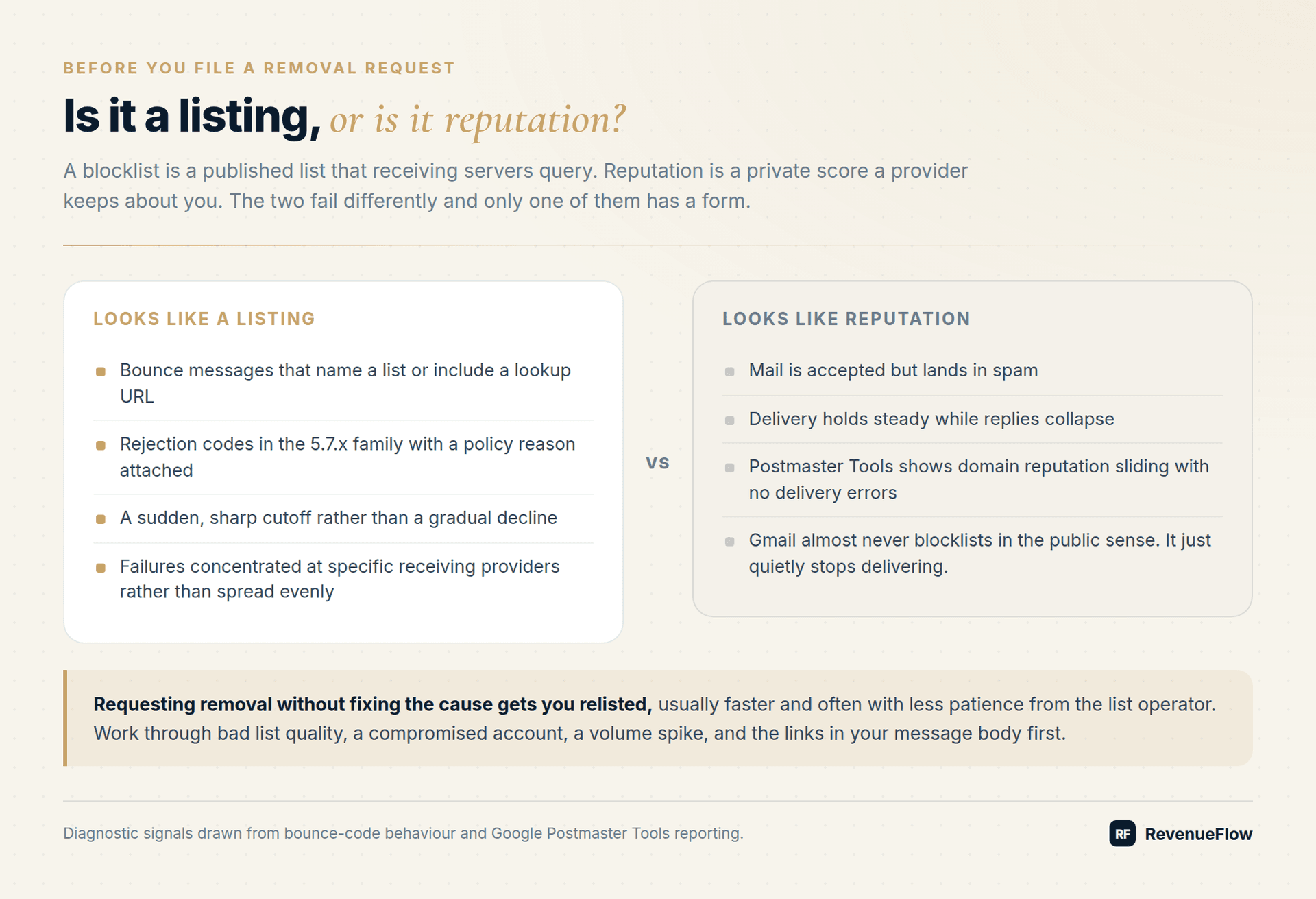
Blocklist (the accurate term; blacklist is the term people search for) means your sending IP or domain appears on a published list that receiving servers query. That is different from poor reputation, which is a private score a provider keeps about you. Gmail almost never blocklists in the public sense. It just quietly stops delivering.
Signs you are looking at a listing rather than a reputation problem:
- Bounce messages that name a list or include a lookup URL.
- Rejection codes in the 5.7.x family with a policy reason attached.
- A sudden, sharp cutoff rather than a gradual decline.
- Failures concentrated at specific receiving providers rather than spread evenly.
Signs it is reputation instead: mail is accepted but lands in spam, delivery holds steady while replies collapse, and Google Postmaster Tools shows domain reputation sliding without any delivery errors.
How to check
| Tool | What it checks | Where |
|---|---|---|
| MXToolbox blacklist check | Your IP or domain across dozens of public lists in one query | mxtoolbox.com/blacklists.aspx |
| Spamhaus IP and Domain Reputation Checker | SBL, CSS, XBL, PBL, DBL and combined ZEN | check.spamhaus.org |
| Barracuda lookup | Barracuda Reputation Block List | barracudacentral.org/lookups |
| Microsoft SNDS | Your IP's standing with Outlook, Hotmail, and Live | sendersupport.olc.protection.outlook.com |
| Google Postmaster Tools | Gmail's own reputation and delivery error view | postmaster.google.com |
Two things to know before you read the results.
Check the right identifier. Most lists cover IP addresses. Spamhaus DBL and the URI blocklists cover domains found in message bodies, which means a listing can be triggered by a link you included, not by your sending infrastructure at all.
SORBS is gone. Proofpoint decommissioned SORBS on 5 June 2024 and emptied its zones. Some checkers still display it out of habit. A SORBS result today is stale tooling, not a live problem.
A SORBS blacklist row on a checker today is a reading of an empty list, because the service's own termination notice states that it has been decommissioned, that it will no longer contain reputation data, and that all queries will return NXDOMAIN.
Reading a blacklist checker report
All of the tools above run one-off checks free, so the practical question is not which email blacklist checker to pay for: it is how to read what a free one returns. A multi-list checker queries dozens of lists in one pass, and the alarming-looking result, two or three hits on lists you have never heard of alongside a clean Spamhaus row, is usually noise. Most aggregated lists are consulted by almost no real receiving infrastructure. Weight the rows by the ranking in the next section, and cross-check anything else against your bounce logs. A list that no rejection string has ever named has probably never cost you a send.
Two habits make a checker report trustworthy. Confirm any serious hit at the list operator's own lookup rather than the aggregator's cache, because the operator's answer is the current one and delisting starts there anyway. And apply the stale-tooling test from above: a checker still displaying SORBS rows is reporting on a list that no longer exists.
Which lists actually matter
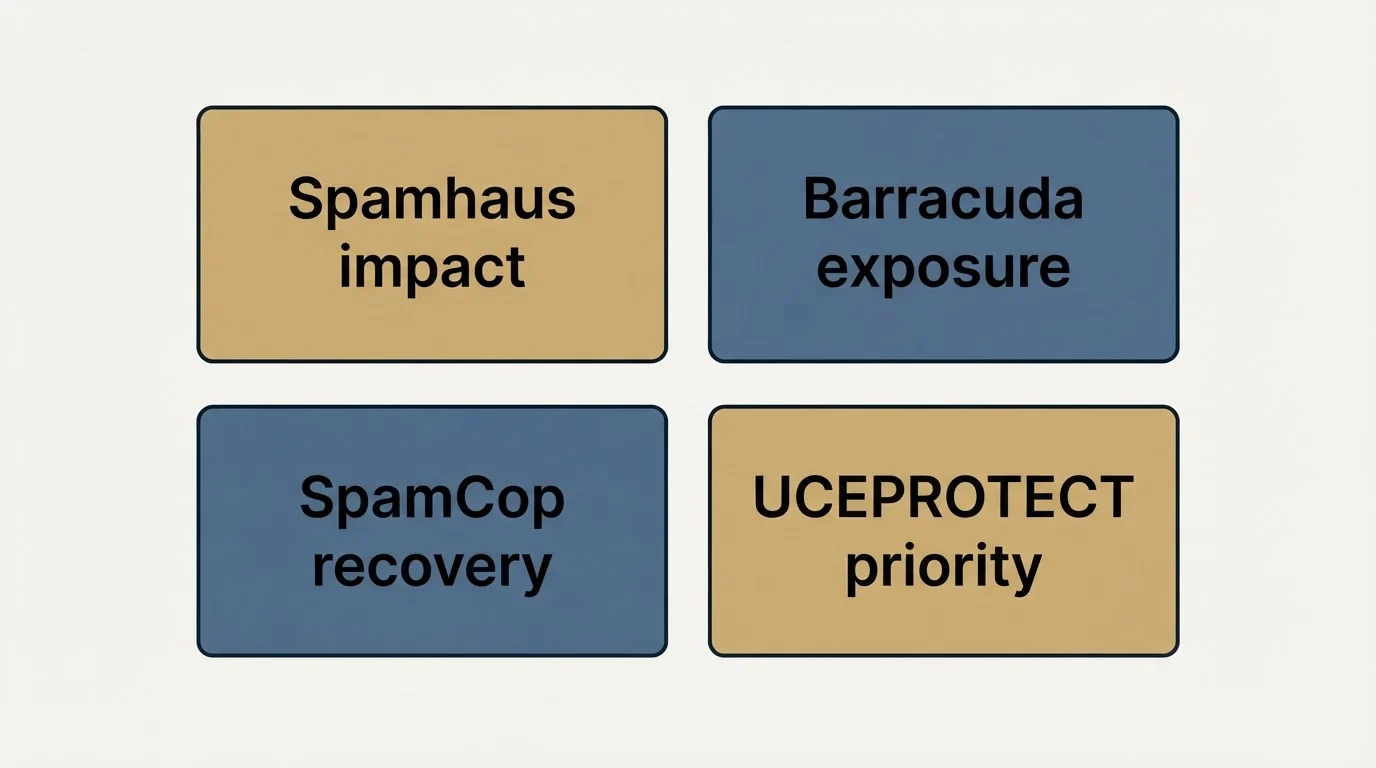
The lists that blacklist spammers are not equally consequential, and sorting them by how much damage a listing does is the whole of the triage.
Not equally. Sorted by how much damage a listing does:
- Spamhaus is the one that hurts. Its lists are consulted by a very large share of receiving infrastructure. SBL covers IPs engaged in spam activity, CSS combines spam source data, XBL covers compromised machines, PBL covers IP ranges that should not be sending mail directly, and DBL covers domains. ZEN bundles SBL, XBL, and PBL for a single query.
- Barracuda (BRBL) matters in proportion to how many of your prospects sit behind Barracuda filtering, which in mid-market B2B is a meaningful share.
- SpamCop (SCBL) is time-based and self-clearing. A listing lasts around 24 hours after the last report, and every new report restarts the clock. There is no manual removal form because none is needed.
- UCEPROTECT levels 2 and 3 list entire netblocks and autonomous systems rather than individual senders, so you can be listed for a neighbour's behaviour. Few major providers consult those levels, and the service charges for expedited removal. Treat a level 2 or 3 hit as low priority unless a specific recipient tells you it blocked them.
The escalation thresholds that pull a whole allocation in, and the automatic free removal that runs alongside the paid option, are set out in how a UCEPROTECT Level 2 listing clears.
The level 3 list is the one people arrive at by name, written UCEPROTECTL3 after its dnsbl-3.uceprotect.net zone, and it lists the whole autonomous system your provider sits in rather than anything you did.
Diagnose before you delist
Requesting removal without fixing the cause gets you relisted, usually faster and often with less patience from the list operator. Work through the four root causes first.
- No: Bad list quality: a bounce spike from unverified addresses is the most common trigger
- No: A compromised account or open relay, sending spam you never wrote
- No: A volume spike: going from 50 to 500 a day on a young domain looks exactly like a spammer's ramp
- No: Content and links: a DBL or URI listing points at a domain in your message body
Bad list quality. A bounce spike from unverified addresses is the most common trigger, and hitting a recycled spam trap is the most damaging version of it. Run the list through proper verification and check your bounce rate against the benchmarks.
A compromised account or open relay. If a mailbox password leaked, your infrastructure is sending spam you never wrote. Check outbound logs for volume you cannot account for, force password resets, and confirm the relay is not open.
A volume spike. Going from 50 to 500 a day on a young domain looks exactly like a spammer's ramp. Providers respond to the shape of the curve, not your intentions.
Content and links. A DBL or URI listing points at a domain in your message body: a shortener, a tracking domain, a partner site. Swap the link and the listing has nothing to attach to.
Delisting, list by list
Spamhaus
Start at check.spamhaus.org, which replaced the old Blocklist Removal Center. Then:
- SBL. Removal requests can only come from the network operator responsible for the IP, by email. If you are on shared or provider-owned infrastructure, this is a ticket to your provider, not something you can file yourself.
- XBL and CSS. Self-service removal through the reputation checker. If you are listed on both, one request covers both.
- PBL. A single IP can be excluded through the form on its listing page. Removing a subnet requires the ISP, because PBL entries are managed by network operators in the Spamhaus ISP portal.
- Order matters. While an SBL listing is active, you cannot request removal from the other lists. Clear SBL first.
Barracuda
Look the IP up at barracudacentral.org/lookups, confirm the listing, then submit the removal request form at barracudacentral.org/rbl/removal-request with your sending IP, an email address, a phone number, and a reason. Fix the cause before submitting. Practitioner reports put typical clearance at 12 to 48 hours once the underlying issue is resolved.
Microsoft
Use the delist portal at sender.office.com, entering the address that received the non-delivery report and the IP named in the error. You will get a confirmation email with a link to complete the request, and restrictions can take 24 hours or longer to lift. One exception: a 5.7.511 Access denied error cannot be handled by the portal. Forward the full NDR, including the code and IP, to delist@microsoft.com.
SpamCop
Nothing to do. Stop the behaviour generating reports and the listing expires on its own.
Not listed anywhere and still failing?
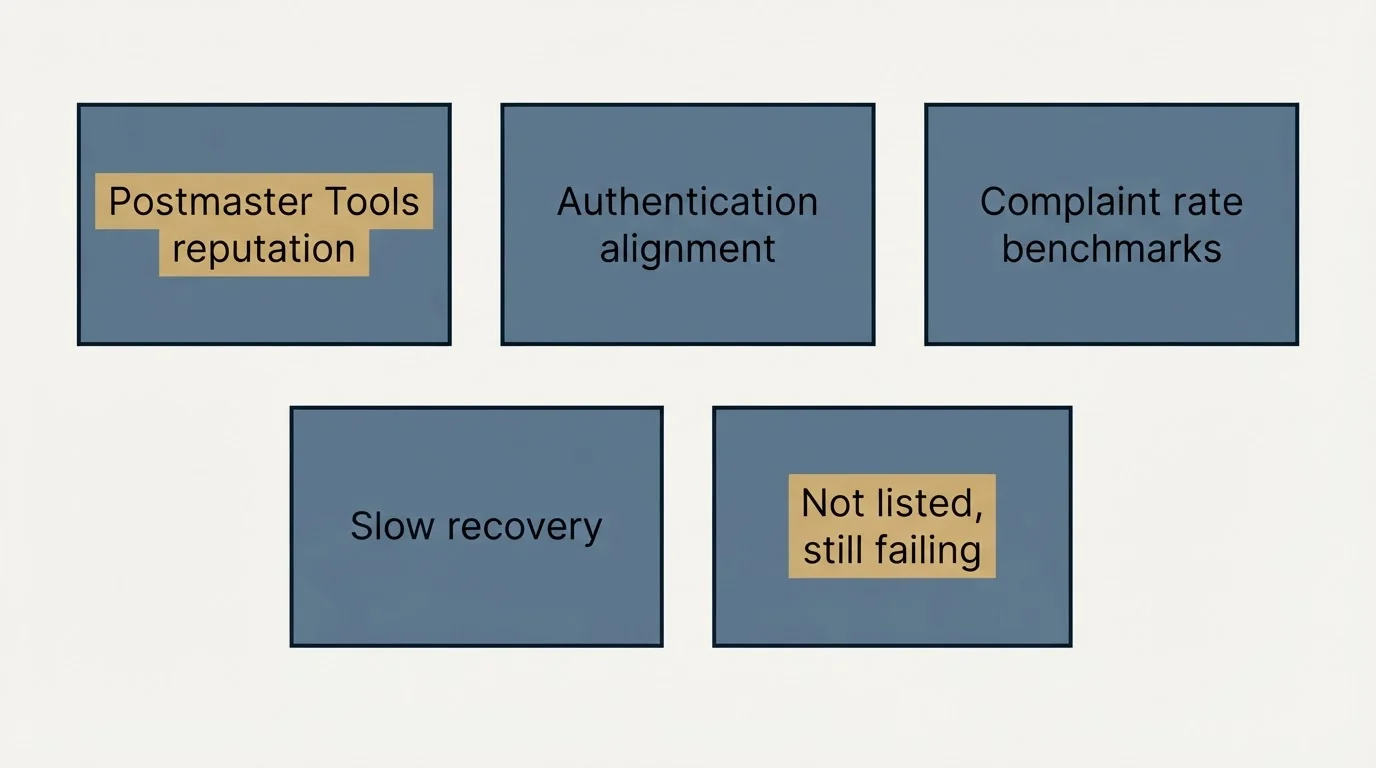
Then it is reputation, not a blocklist, and the fix is different. Check domain reputation and the delivery errors dashboard in Postmaster Tools, confirm SPF, DKIM, and DMARC all pass and align, and compare your complaint rate to spam rate benchmarks. Reputation recovers slowly and does not respond to forms.
Staying off
- Verify before every send, not once a quarter. Bounces are the fastest route back onto a list.
- Ramp volume gradually on new domains and hold per-domain daily caps rather than pushing one domain hard.
- Separate sending domains from your primary domain so a listing never touches corporate mail.
- One purpose per domain. Mixing cold outbound with transactional or newsletter traffic means one problem contaminates all three.
- Monitor continuously. A weekly automated blocklist check plus DMARC aggregate reports catches listings while they are still cheap to fix.
- Keep spare warmed capacity. We maintain 3x sending capacity for every client campaign precisely so a listing is an inconvenience rather than an outage, and we buy 3x more email infrastructure than we need for the same reason.
- Keep complaint rates low at the source. Relevant targeting and a clean opt-out do more for your listing risk than any monitoring tool, and they also keep you inside what the law requires.
The broader playbook lives in the cold email deliverability guide.
Want infrastructure that is monitored and replaced before a listing costs you a campaign? Get a free campaign plan and we will show you how the domain pool is built.
Frequently asked questions.
Frequently asked questions- How do I check if my email domain or IP is blacklisted?
- Run the sending IP and the domain through MXToolbox's blacklist check for a broad sweep, then confirm anything it flags at check.spamhaus.org and barracudacentral.org/lookups. Check both identifiers, because some lists cover IPs while Spamhaus DBL and the URI blocklists cover domains appearing in message bodies.
- How long does it take to get delisted from a blacklist?
- It varies by list. SpamCop clears automatically about 24 hours after the last report. Barracuda typically clears within 12 to 48 hours of a removal request once the cause is fixed. Microsoft says restrictions can take 24 hours or longer. Spamhaus SBL depends on how quickly your network operator files the request.
- Why did I get relisted right after being delisted?
- Because the underlying behaviour never changed. Delisting is a request to re-evaluate, not a fix. Work through the four usual causes first: unverified addresses generating bounces or hitting spam traps, a compromised mailbox sending mail you did not write, a sudden volume increase, or a listed link domain in your message body.
- Does being on UCEPROTECT actually matter?
- Usually not much. UCEPROTECT levels 2 and 3 list whole netblocks and autonomous systems rather than individual senders, so you can appear because of a neighbour's behaviour. Few major receiving providers consult those levels, and the service charges for expedited removal. Prioritise it only if a specific recipient reports being blocked because of it.
- My IP is not on any blacklist but my emails still go to spam. Why?
- That is a reputation problem rather than a listing. Public blocklists and provider-side reputation scores are separate systems, and Gmail in particular rarely blocklists publicly. Check domain reputation and delivery errors in Google Postmaster Tools, confirm SPF, DKIM, and DMARC pass and align, and look at your complaint rate.
About the author.

Ben Carden is CRO at RevenueFlow, which builds and operates outbound revenue engines for B2B companies. Previously at Gartner Enterprise. Studied at London School of Economics.
Ben Carden · CRO
Connect on LinkedIn →Explore more.
Ready to scale your outreach?
We build GTM engines that book real meetings. See the receipts.
Related articles.
SURBL Blacklist: What It Lists and How to Get Removed
SURBL tests the domains inside your message rather than your sending IP. Which of its six lists fired, what the bitmask means, and the fix that works.
SMTP Reply Codes: What Each Class Instructs
The digits are a verdict and the text is the reason. Separating an address failure from a policy refusal before reacting is what decides whether the fix works.
SMTP Relay: What It Is, How It Routes Mail, and Where It Breaks
An SMTP relay passes mail on toward its destination. Buying one means renting somebody else reputation, subject to their rules about what you may send.
No-Reply Email Address: What It Costs a Sender
A no-reply address is defensible on a receipt and indefensible on a cold message, because the reply is the entire product of a first contact.
Email Tracking Software: Six Tools, Priced and Capped
Streak, Mailsuite, Right Inbox, Mixmax, Yesware and HubSpot compared on free-tier caps and published prices, plus what an open event still proves.
Transactional Email: The Class That Needs Its Own Domain
A transactional email is triggered by the recipient's own action and expected by them. The reason it needs separating from marketing and cold mail is reputation.