Calendly API: What You Can Automate and What You Cannot
Read access runs on any plan, webhooks need a paid one, and programmatic deletion is Enterprise-only. The scope decision that quietly breaks integrations, first.
Calendly allows GET and POST requests on any subscription plan, while webhooks and the Scheduling API require a paid one. Three endpoints are Enterprise-only: listing activity entry logs, deleting invitee data and deleting scheduled event data. A user-generated token sees only that user's data; organisation-wide access needs an admin or owner token.
Key takeaways
- A token generated by a user reaches only that user's data, including which events fire its webhooks, so organisation-wide integrations need an admin or owner token.
- Deleting invitee data and deleting scheduled event data are Enterprise-only endpoints, which makes programmatic erasure a top-tier capability rather than a standard one.
- The API help article and the pricing page use different plan names, listing Essentials, Professional and Basic against a pricing page selling Free, Standard, Teams and Enterprise.
- Cancellation webhooks are the most commonly wasted signal, and scheduled events minus cancellations is the denominator most inbound reporting cannot otherwise produce.
Reviewed and updated August 29, 2026
The most consequential line in Calendly's API documentation is not about endpoints. It says that a token generated by a user only allows access to data linked to that specific user, while a token generated by an admin or owner allows calls across the whole organisation.
Teams that skip past that sentence build an integration on a personal token, watch it work perfectly in testing, and then discover in production that it can see one rep's meetings out of thirty. The fix is a rebuild of the auth layer, and it is entirely avoidable.
Calendly integrations divide into three groups that matter to a sales team: the native connectors listed per tier on the pricing page (HubSpot, Mailchimp, Stripe, PayPal and Zapier at Standard, Salesforce, Marketo and Pardot at Teams, Microsoft Dynamics at Enterprise), the webhooks described here, and everything else built through the API.
Connecting Zoom is the integration people ask about most, and it behaves like the rest of them: authorise once, pick the conferencing option on the event type, and the meeting link is generated per booking rather than reused, which is what stops two invitees landing in the same room.
Calendly documents the API on its own developer portal at developer.calendly.com, which is where a Calendly developer starts rather than in the product help centre.
Calendly and Zapier connect through a native connector listed from the Standard tier upward, writing into the same events the API exposes, and it is the right choice when the trigger you want is already in the Zapier directory.
The marketing-automation connectors follow the same tier ladder as the CRM ones: ActiveCampaign and Mailchimp sit with the Standard-tier connectors, so a nurture handoff is gated by plan rather than by API work.
UTM parameters ride in on the embed and land as hidden fields on the booking, which is how a booked meeting keeps the campaign that produced it rather than arriving as direct traffic.
Connector platforms like ManyChat reach the same events through Calendly's native integrations rather than the raw API, which is the right choice when your trigger already exists there.
What the API is, and what it costs
Calendly's help documentation describes the API as a way to connect your systems with its scheduling platform, automating tasks, syncing data and improving scheduling. Requests are authenticated with a personal access token, and OAuth 2.0 is available for integrating an application properly.
Access is tiered, and the tiering is unusual. The documentation states that developers can make GET and POST requests to API endpoints on behalf of a Calendly user on any subscription plan, including the free entry tier. So read access is broadly available.
Webhooks and the Scheduling API endpoints are different. Those require the Calendly user to hold a paid subscription. Three endpoints are restricted further, to Enterprise alone: listing activity entry logs, deleting invitee data, and deleting scheduled event data.
Deciding whether a paid tier is worth it recurs elsewhere, and Pipedrive's sequence workflow limits show how enrollment caps and per-user authorisation define what the tool can automate.
One caveat on the plan names. The API help article lists availability across plans called Free, Essentials, Professional, Standard, Teams with an SSO add-on, and Enterprise, and refers to a Basic plan in its body text. The pricing page, fetched the same day, sells four plans: Free, Standard, Teams and Enterprise. Essentials, Professional and Basic are not on it. Vendor pages contradicting each other is ordinary, and the practical response is to confirm the plan requirement with support before designing around it rather than to pick whichever page is more convenient.
- GET and POST requests on behalf of a user
- Personal access token authentication
- OAuth 2.0 for application integrations
- Organisation user management: invite, revoke, remove
- Webhooks for scheduled, rescheduled and cancelled events
- Scheduling API endpoints
- Real-time notification into your own systems
- The basis of any event-driven integration
- List activity entry logs
- Delete invitee data
- Delete scheduled event data
- Programmatic deletion is a top-tier capability
The deletion endpoints are a compliance detail, not a convenience
That third column deserves more attention than it usually gets. Deleting invitee data and deleting scheduled event data are the endpoints an automated data-subject request would use, and both are Enterprise-only.
The consequence is straightforward. An organisation that receives erasure requests at any volume, and that wants to honour them programmatically across its systems, cannot do so through this API below the Enterprise tier. Below it, the same obligation still exists and is met by hand.
That is not a criticism of the pricing decision. It is a planning fact that belongs in the same conversation as the per-seat rate, because a manual erasure process has a cost too, and it is paid by whoever ends up owning the queue rather than by the software budget. If a scheduling tool is going to hold invitee records at scale, work out which side of that line you are on before the first request arrives.
What you can genuinely automate

The useful integrations fall into a small number of shapes, and all of them are event-driven rather than poll-driven once webhooks are available.
Writing meetings into your own systems. Webhooks notify you when a meeting is scheduled, rescheduled or cancelled. That is enough to keep a CRM, a data warehouse or an internal dashboard current without anyone exporting anything, and it is the integration that pays for itself fastest because it removes manual logging.
Teams piping meeting events into a CRM often face the same native-versus-marketplace question for phone calls, and Pipedrive's calling options map out what logs where.
Reacting to cancellations. A cancellation webhook is the trigger for whatever should happen next, and it is the event teams most often leave on the floor. A meeting that cancels is a signal with a short half-life, and a system that notices within seconds behaves differently from a rep who notices on Thursday.
Reconciling what actually happened. Scheduled and cancelled events together give you the denominator most teams cannot produce: how many booked meetings survived to the calendar date. That number is the input to nearly every honest measure of an inbound motion, and it lives in this API rather than in a CRM's opportunity table.
Managing the organisation itself. The API can invite users to an organisation, revoke invitations and remove users. Joiners and leavers are a real administrative cost at any scale, and seat count on an annual plan is money, so wiring this into whatever your company already uses for onboarding is a small piece of work with a recurring return.
What it will not do for you
The API is a control surface over a scheduling product, and it inherits that product's boundaries.
It does not create demand. Every endpoint operates on meetings that somebody already wanted to book, which sounds obvious and is the assumption most quietly broken when an integration is scoped as a pipeline project.
It does not decide who should take a meeting. Routing rules live in the product's routing forms rather than in the API, so an integration that wants to make assignment decisions is either recreating that logic outside the tool or driving the tool's own configuration. Lead routing covers the rule sets themselves and why they decay.
It does not verify anything a booker typed. Form answers arriving through a webhook are claims, exactly as they were on the form, and an integration that treats them as facts has automated the propagation of guesses.
It does not survive a token owned by a person who leaves. A personal access token is tied to the user who generated it, which brings us back to the scope question.
Teams weighing similar token and access-scope tradeoffs elsewhere will find the ZoomInfo API guide covers how subscription tier and entitlement gate what you can pull.
It also does not remove the need to think about rate limits and retries. Any integration driven by webhooks has to cope with duplicate deliveries, out-of-order arrivals and the occasional outage at either end, and a handler that assumes each event arrives exactly once will eventually write a meeting into a CRM twice. Idempotency on your side is cheaper than reconciliation later, and it is the part of this work that a demo never surfaces.
Getting the auth right the first time
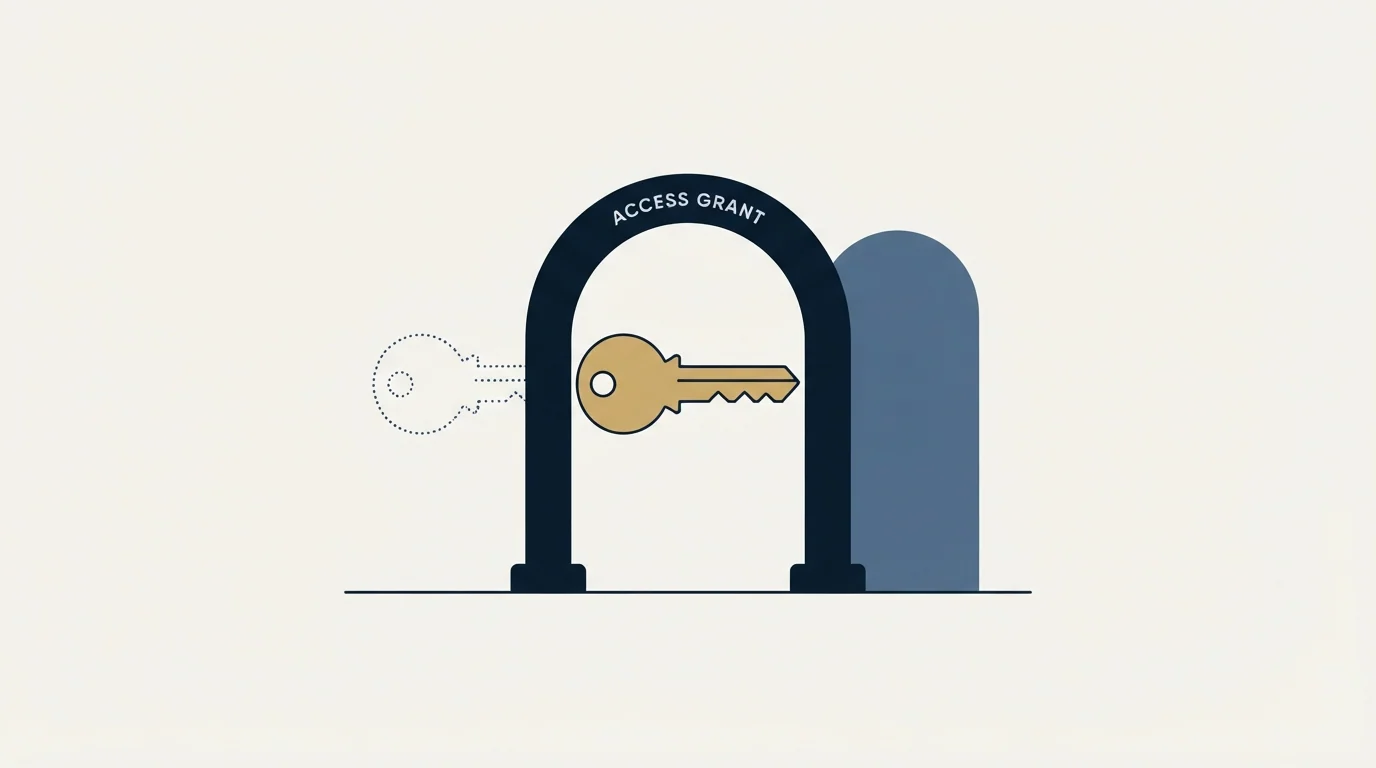
The token creation flow is short. From the Integrations page, choose API and webhooks, select the option to get a token, name it, create it, and then enter a verification code sent by email to complete the process. The documentation is explicit that personal access tokens should be kept private and secure, in the same way as a password.
Two decisions matter more than the mechanics.
The first is whose account generates the token. An admin or owner token can act across the organisation or within groups; a user token is confined to that user, including which events trigger its webhooks. For any integration that is meant to represent the company rather than one person, the token has to come from an admin or owner account.
The second is that a personal access token belongs to a human, and humans leave. A token generated from an individual's account is a dependency on that individual's account continuing to exist with the same permissions. For anything durable, OAuth 2.0 is the documented path and is worth the extra setup, and where a personal token is used regardless, it should belong to an owned service account with a named owner and a review date rather than to whoever happened to build the integration.
- Yes: Confirm with support which current plan the endpoints you need require.
- Yes: Generate the token from an admin or owner account if the integration is organisation-wide.
- Yes: Use OAuth 2.0 for anything that must outlive one person's account.
- Yes: Decide where cancellation events go, since that is the signal most often dropped.
- Depends: Check whether programmatic deletion is required, since it is Enterprise-only.
- Yes: Store the token as a secret with an owner and a rotation date.
Where this sits in a working stack
Scheduling data is one of three feeds an inbound motion needs, and it is the one that reports reality rather than intent.
A CRM records what a rep believes will happen. A marketing platform records what was sent. The scheduling API records which meetings were actually booked and which of them survived to the day, and joining that to the other two is what turns an activity report into something a forecast can rest on.
The same pattern shows up across the outbound stack, and the reasoning transfers directly from the equivalent write-up of Smartlead's API: the integration worth building first is the one that closes the loop between what you did and what happened, not the one that automates the most steps. For the wider category, sales engagement platforms covers where scheduling sits relative to the sending layer.
What to take away
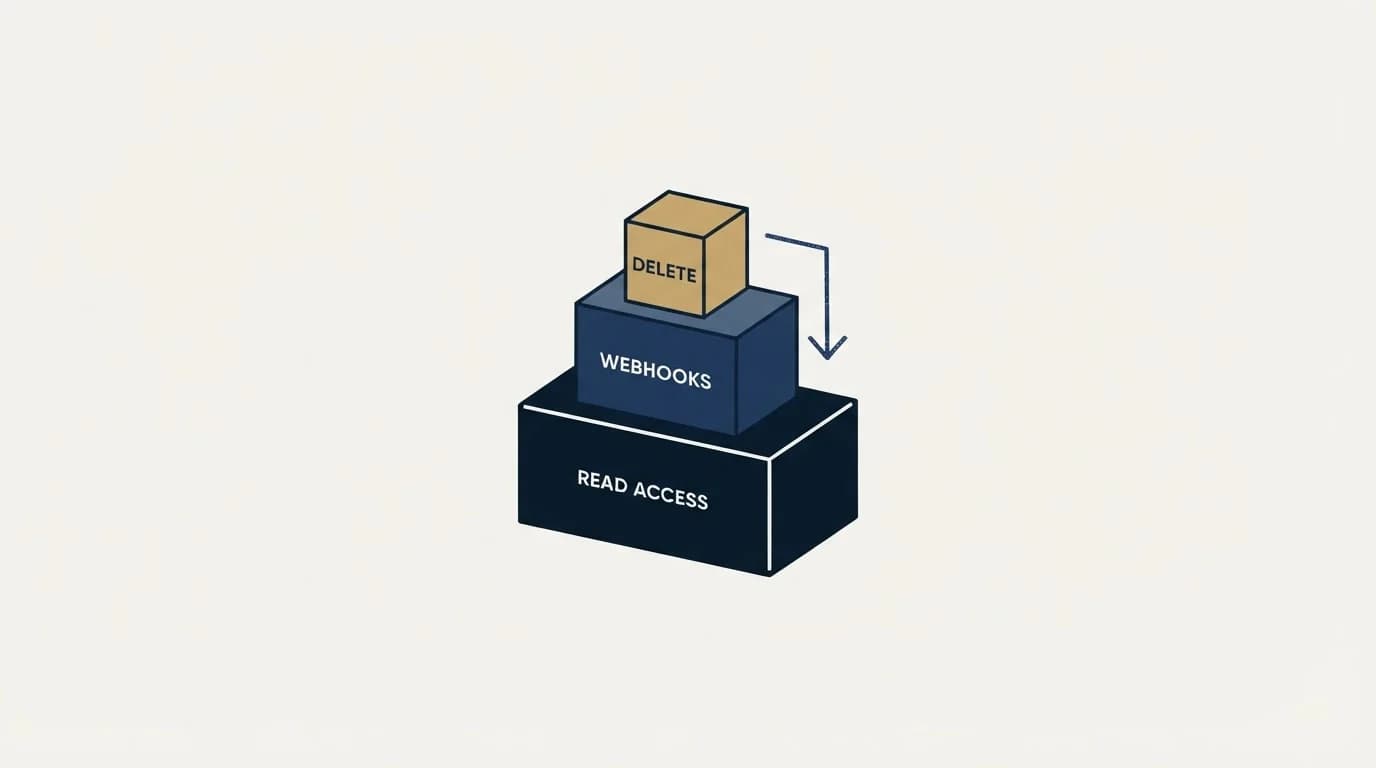
Read access is available on any plan, webhooks and Scheduling API endpoints need a paid one, and the three deletion and audit-log endpoints are Enterprise-only, which makes programmatic erasure a top-tier capability rather than a standard one.
Generate the token from an admin or owner account if the integration represents the company, and prefer OAuth 2.0 for anything durable. Wire cancellations into something that reacts, because that event is the one most teams waste. Confirm the plan requirement with support, since the API documentation and the pricing page use different plan names.
The API reports meetings. It does not produce them. If the constraint is the number of people asking for time rather than the plumbing behind the calendar, RevenueFlow books qualified meetings on a pay-per-meeting basis, against criteria agreed in writing before launch, and the b2b appointment setting guide sets out how that work is structured. Where the gap is upstream demand, inbound lead generation is the better starting point.
Product behaviour and plan requirements verified as of mid-2026 against calendly.com's own help and pricing pages as served. Verify current terms with the vendor before relying on them.
Frequently asked questions.
Frequently asked questions- Is the Calendly API free to use?
- Read and write requests are available on any subscription plan, including the free entry tier, using a personal access token. Webhooks and the Scheduling API endpoints require the Calendly user to hold a paid subscription. Three endpoints covering activity logs and data deletion are restricted to Enterprise regardless of what else you have.
- How do I authenticate with the Calendly API?
- Requests use a personal access token, generated from the Integrations page under API and webhooks, with an emailed verification code completing the process. OAuth 2.0 is the documented path for integrating an application. Generate the token from an admin or owner account for anything representing the organisation, and treat the token like a password.
- What can Calendly webhooks tell me?
- Webhooks notify your systems in real time when a meeting is scheduled, rescheduled or cancelled. That is enough to keep a CRM or warehouse current without manual logging, to react to a cancellation while the signal is fresh, and to calculate how many booked meetings survived to their calendar date. Webhooks require a paid plan.
- Can I delete invitee data through the Calendly API?
- Only on the Enterprise plan. Deleting invitee data and deleting scheduled event data are both listed as Enterprise-only endpoints. Below that tier the obligation to honour an erasure request still exists and is met by hand, so work out which side of that line you are on before invitee records accumulate at scale.
About the author.

B2B cold email experts helping companies generate qualified leads through done-for-you outreach campaigns.
RevenueFlow Team
Explore more.
Ready to scale your outreach?
We build GTM engines that book real meetings. See the receipts.
Related articles.
Salesloft API: Rate Limits, Auth and What to Cache
The Salesloft rate limit is a shared team budget of 600 cost per minute, and deep pages cost thirty times an ordinary call. What that changes about caching.
Calendly Workflows: Seven Triggers and One Boundary
Calendly Workflows fire automated email and text on seven published triggers. The limits that catch people out, and the line between correspondence and bumping.
Pipedrive Calling: Native Surfaces, Marketplace Dialers
Pipedrive's knowledge base says it has no built-in calling integration. What ships natively is a set of shortcuts to your phone, and the dialer is a second subscription.
Calendly Alternatives: What to Move To, and What You Give Up
Cal.com, TidyCal and SavvyCal sorted by the job you are hiring a scheduler for, with each vendor's own published rates and what the free tiers really cover.
Calendly vs Setmore: Per Seat Against Unlimited Users
Setmore prices Pro at $5 USD per user a month on annual billing; Calendly charges per seat for routing and CRM sync. Free tiers, prices and which problem each solves.
ScheduleOnce vs Calendly: The Product Is Now OnceHub
ScheduleOnce is OnceHub now, and its tiers bundle phone numbers Calendly does not sell. Published prices, where routing sits, and what a security review costs on each.