Calendly vs Setmore: Per Seat Against Unlimited Users
Setmore prices Pro at $5 USD per user a month on annual billing; Calendly charges per seat for routing and CRM sync. Free tiers, prices and which problem each solves.
Setmore vs Calendly: Setmore suits service businesses where customers pick a service and a staff member, with Free for up to 4 users and Pro at $5 USD per user a month billed annually. Calendly suits sales teams that route leads and sync meetings to a CRM, priced per seat, £8 or £13 yearly as displayed here.
Key takeaways
- Setmore's Pro card lists unlimited users at $5 USD per user a month on annual billing and $12 monthly, and its Free plan covers up to 4 users with unlimited appointments.
- Calendly displayed pounds here: Standard £8 and Teams £13 a seat a month billed yearly, £10 and £17 monthly; its own price data lists $10 and $16 in US dollars.
- Calendly's Teams plan lists round-robin, lead qualification and routing, and sending meetings to Salesforce, which Setmore's pricing page does not list.
- Removing vendor branding and automated reminders are paid features on Calendly, while Setmore's Free plan includes payments and one email reminder.
Reviewed and updated September 21, 2026
Setmore vs Calendly looks like a feature grid and turns out to be a pricing question. Both charge per person, but they are built for different bookers. Setmore's Pro plan is $5 USD per user a month on annual billing with no cap on how many users an account adds, and its Free plan covers up to 4 users. Calendly charges per seat and spends its upper tiers on routing and CRM sync. Once that is clear, most of the decision makes itself, because the two pricing models suit two genuinely different businesses.
Here is what each vendor publishes today, and the test that decides which one a B2B team should be holding.
Setmore vs Calendly: which one should you choose?
Setmore vs Calendly comes down to who is booking whom. Setmore suits a business whose customers pick a service and a staff member, with a Free plan for up to 4 users and Pro at $5 USD per user a month billed annually. Calendly suits sales teams that route visitors to the right rep and push meetings into a CRM, priced per seat.
The rest of this page shows why. Both pricing pages open on their discounted annual view, so every figure below says which billing state it comes from.
The pricing models point at different buyers
Setmore's pricing page shows two plans. Free covers up to 4 users at $0 per user per month. Pro is the part worth reading carefully: its card says unlimited users at $5 USD per user a month on annual billing, the state the page selects by default, and $12 when the toggle is switched to monthly. Unlimited users means there is no cap on how many people an account adds; each one is still a user on the bill.
Calendly's pricing page served pounds to this article's browser. With yearly billing selected, Standard is £8 per seat a month and Teams £13, advertised as saving 20% and 24% against monthly, where they read £10 and £17. The currency menu offers US dollars and euros, and it would not switch under automation, so the dollar figures come from the page's own price data: Standard at $10 a seat billed yearly or $12 monthly, and Teams at $16 or $20. Enterprise starts at $15k a year from 50 seats and is available in USD only. The page also states the rule that sets the bill: seats are required for users who connect calendars and host meetings, and invitees need no seat.
The phrase doing the work in Setmore's table is "unlimited users" at a low per-user price. A salon with nine staff, a clinic with twelve practitioners, or a training business with a rotating bench of contractors can put everyone on Pro for $5 a head on annual billing, and the first four can start on Free. Calendly's seat price buys routing and CRM connections that a service business rarely needs, which is why it is sold to a different shape of organisation.
| Plan | Price a user | What it adds |
|---|---|---|
| Setmore Free | $0, up to 4 users | Unlimited appointments, payments, a branded booking page, 1 email reminder |
| Setmore Pro | $5 / $12 USD | Unlimited users, SMS and email reminders, 2-way calendar sync, branding removal, API access |
| Calendly Free | Always free | One event type, one calendar connection, one-on-one scheduling |
| Calendly Standard | £8 / £10 a seat | Unlimited event types, automations and reminders, HubSpot, Stripe and PayPal |
| Calendly Teams | £13 / £17 a seat | Round-robin, lead qualification and routing, meetings sent to Salesforce |
| Calendly Enterprise | From $15k a year | Starts at 50 seats; Salesforce lookup routing, SSO and SAML |
What each free tier actually gives you
Free tiers are where these two diverge most sharply, and the difference is more instructive than the paid comparison.
Setmore's free plan gives up to 4 users, unlimited appointments, payment acceptance, a branded booking page, email confirmations and one email reminder. It is a working booking system for a small business, deliberately, because the upgrade trigger the vendor is designing for is a fifth member of staff or the features Pro adds: SMS reminders, two-way calendar sync and removing Setmore's branding.
Calendly's free tier gives one event type, one calendar connection and one-on-one scheduling. That single event type is the entire funnel design: the moment you want a fifteen-minute intro call and a forty-five-minute demo to be different links with different rules, you are on a paid plan. The free tier is a personal booking link rather than a small booking system, and it is exactly enough for one person booking one kind of meeting. What sits above it is set out in Calendly pricing.
For a B2B seller that constraint bites almost immediately, since a discovery call and a technical follow-up are rarely the same length or the same attendees.
The features that decide it for an outbound team

Strip away the shared surface, which is genuinely similar, and three things separate them for anyone booking meetings off outbound rather than off a shop front.
Routing. Deciding which person or which meeting type a given visitor is offered, based on what they answer on the way in, is the feature that separates a personal link from a team booking system. Calendly's Teams plan lists it as qualify, route and schedule leads, beside round-robin and team scheduling, and the line between a personal link and a team booking system is set out in what the Calendly booking app does. Setmore's pricing page lists no routing feature; its booking page is built for customers choosing services, classes and staff.
CRM sync. An outbound meeting that does not land in the CRM as a record attached to the right contact creates reconciliation work every week. Calendly sells this up the plan ladder: Standard connects HubSpot and Mailchimp, Teams sends meetings to Salesforce, and Enterprise adds routing with a Salesforce lookup and Microsoft Dynamics. What the automation surface can and cannot reach is covered in the Calendly API.
Distribution across a team. Sending a lead to whoever is free, or to whoever owns the account, is a round-robin problem, and it is a different problem from letting a customer choose their usual stylist. Setmore's model answers a different version of that question, since a customer picking their usual staff member is a preference rather than a distribution rule.
Setmore answers a question those three do not touch: how does a customer who found us book time with the right member of staff, and pay for it. That is a real question, and it is not the outbound question.
Where Setmore wins on merit
The case for Setmore in a B2B setting is narrower than the case against it, and it is real.
If your team is large and your booking need is simple, the per-seat model is genuinely punishing and Setmore is genuinely cheaper. A twenty-person services team that needs nothing more sophisticated than an availability page is paying for routing it will never configure. Take an illustrative and entirely invented comparison, using round numbers to show the shape rather than a result to expect: twenty people on Setmore Pro at $5 per user per month billed annually is $100 a month, and the same twenty on Calendly Teams at the $16 a seat in its yearly price data is $320. In the pounds the page displays here, twenty Teams seats are £260 a month billed yearly. The gap widens with every hire.
Setmore's Free card lists accepting payments, while Calendly's pricing page lists Stripe and PayPal payments from Standard up, and for a business charging for the meeting itself, that is the whole product.
Removing the vendor's branding from a booking page is a paid-tier setting on both products, which surprises people who assumed a free plan meant an unbranded one. Setmore's plan table puts it on Pro only, and Calendly's comparison marks it not included on Free and included on every paid plan.
Reminders, and the no-show problem underneath them

The feature both vendors put on a comparison table, and the one buyers most often decide on for the wrong reason, is reminders.
Setmore includes email reminders on its free tier, one per appointment, and its pricing page lists automated SMS reminders on Pro, with two reminders instead of one, subject to a fair use policy. That fair-use qualifier is the part to read, because a booking volume that makes SMS worth having is also the volume most likely to meet a fair-use ceiling, and the page does not publish where it sits. Ask before you build a process on it.
Calendly lists reminders inside its automations from Standard up, and its comparison table marks automated meeting reminders as not included on Free. The question on a paid plan is which triggers you attach them to. The reminder is also a piece of copy rather than a setting, and what to send once someone has already missed the slot is a separate template problem, covered in the no-show email template.
Setmore
- Free Email confirmations and 1 email reminder
- Pro 2 reminders, by email or SMS
- Pro SMS subject to a fair use policy
Calendly
- Free Automated meeting reminders not included
- Standard Automations and reminders
- Teams The same, plus routing and round-robin
Underneath the feature comparison sits a fact neither vendor will tell you: reminders reduce no-shows and do not eliminate them, and the biggest single driver of whether a booked meeting happens is how well qualified the person was when they booked. A prospect who booked because a message was relevant turns up. A prospect who booked because a form was easy does not, and no amount of reminder configuration changes that. This is the reason a scheduling comparison should not be where a pipeline problem gets solved.
The second-order effect is worth naming too. A no-show costs more than the slot, because the reserved time was unavailable to everyone else and the follow-up work lands on a person rather than on the tool. When a team measures reminders, it usually measures the send. What it should measure is meetings held against meetings booked, which is a number the scheduling tool can show you and neither pricing page mentions.
The comparison neither vendor makes
Both pricing pages answer "what does it cost per person". Neither answers the question a sales team should be asking, which is what a booked meeting costs and how many of them arrive.
A scheduling tool is a conversion step near the end of a chain. It cannot generate demand, it cannot qualify beyond the rules you write into it, and its failure mode is quiet: a link that offers slots in the wrong timezone, an availability window that filled up, a confirmation that landed in a spam folder. The cost per booked meeting is decided long before the calendar, which is why the same arithmetic is worked through against the whole chain in B2B appointment setting, and why the standard for what counts as a meeting worth having belongs in writing before launch rather than in a tool setting.
If the honest answer is that neither of these is quite right, the wider field, and what you give up moving to each option, is set out in Calendly alternatives.
The short version
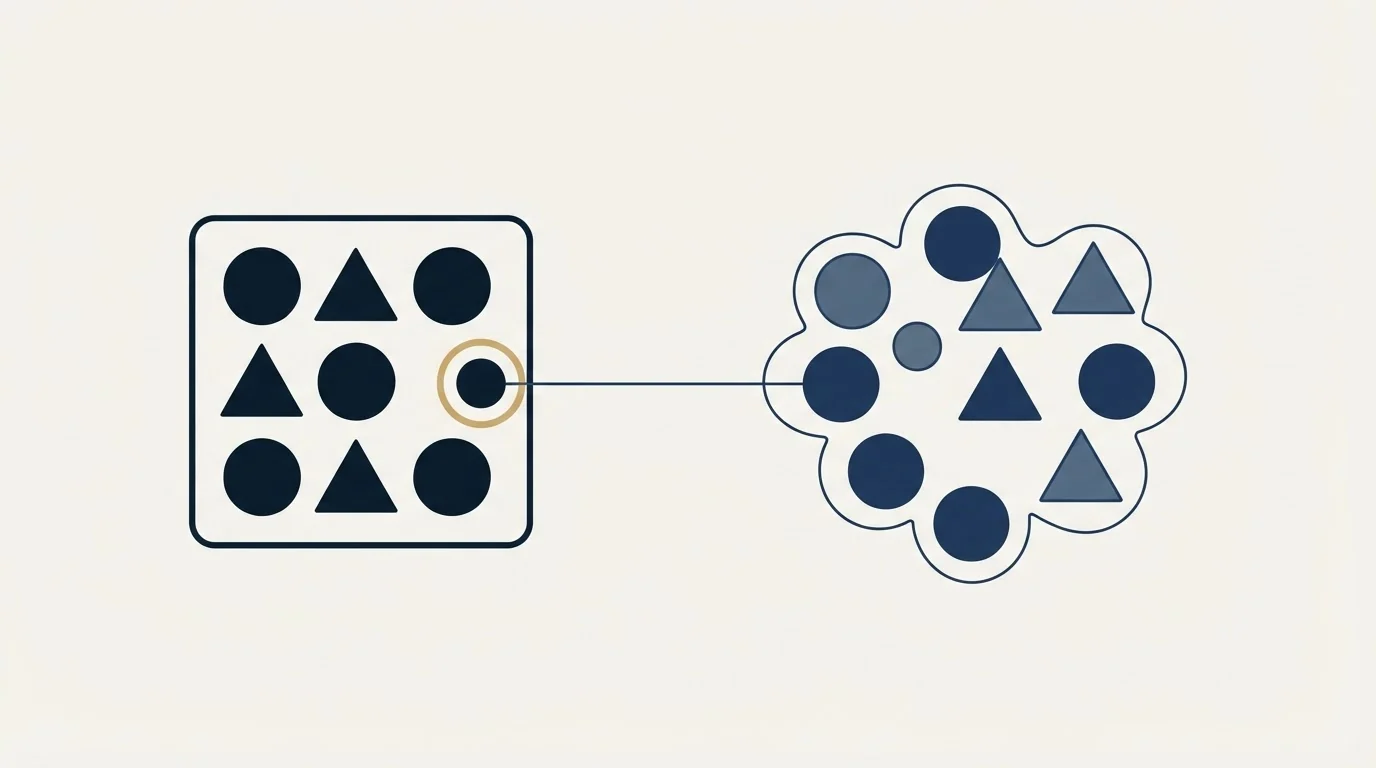
Setmore is priced for organisations that add people: unlimited users on Pro at $5 USD per user per month on annual billing, $12 on monthly, and a free plan covering up to 4 users with unlimited appointments and payments included. Calendly is priced per seat, at £8 on Standard and £13 on Teams billed yearly in the pounds it displays here ($10 and $16 in its dollar price data), with a free tier that gives one event type and an Enterprise floor of $15k a year.
Choose Setmore when the buyer picks a service and a person, and the headcount is what grows. Choose Calendly when the visitor has to be routed to the right person, and the meeting has to arrive in a CRM. And read both pricing pages in the billing state you will actually be charged in, because each one defaults to the annual view.
Whichever link you send, the constraint on booked meetings is usually supply rather than software. See what a campaign built on your ICP would produce.
Pricing and features are taken from the vendors' own pages. Verify current terms with the vendor before relying on them.
Frequently asked questions.
Frequently asked questions- Setmore vs Calendly: which is better?
- It depends on who is booking. Setmore is built for businesses whose customers choose a service and a staff member, and its Pro plan costs $5 USD per user a month on annual billing with no cap on users. Calendly is built for sales teams that route visitors to the right rep and send meetings into HubSpot or Salesforce, and it charges per seat for that.
- Is Setmore cheaper than Calendly?
- For a team, usually yes. Setmore Pro is $5 USD per user a month on annual billing, while Calendly's own price data lists Standard at $10 and Teams at $16 a seat billed yearly. Twenty people on Setmore Pro cost $100 a month against $320 on Calendly Teams. The question is whether you need the routing and CRM features Calendly's seat price is buying.
- What does Calendly's free plan include?
- Calendly's pricing page lists one event type, one calendar connection, one-on-one scheduling, a customizable booking page and the browser extension. Its comparison table marks automated meeting reminders and removing Calendly branding as not included on Free. The single event type is the upgrade trigger: an intro call and a demo on different links need Standard.
- Can Setmore handle B2B sales scheduling?
- It can book meetings well, and its Free plan covers up to 4 users with unlimited appointments. Its pricing page does not list routing a visitor to the right person, round-robin distribution or sending meetings to a CRM, which are the features Calendly sells on Standard and Teams. If your process needs those, Setmore will fight you. If not, the per-user saving is real.
About the author.

B2B cold email experts helping companies generate qualified leads through done-for-you outreach campaigns.
RevenueFlow Team
Explore more.
Ready to scale your outreach?
We build GTM engines that book real meetings. See the receipts.
Related articles.
Calendly Workflows: Seven Triggers and One Boundary
Calendly Workflows fire automated email and text on seven published triggers. The limits that catch people out, and the line between correspondence and bumping.
ScheduleOnce vs Calendly: The Product Is Now OnceHub
ScheduleOnce is OnceHub now, and its tiers bundle phone numbers Calendly does not sell. Published prices, where routing sits, and what a security review costs on each.
Calendly API: What You Can Automate and What You Cannot
Read access runs on any plan, webhooks need a paid one, and programmatic deletion is Enterprise-only. The scope decision that quietly breaks integrations, first.
Zoom Scheduler vs Calendly: Round-Robin, Routing, CRM Sync
Both tools book meetings the same way. The difference is packaging: round-robin, routing forms and Salesforce sync sit on Calendly Teams and on Zoom's entry paid tier.
Calendly Alternatives: What to Move To, and What You Give Up
Cal.com, TidyCal and SavvyCal sorted by the job you are hiring a scheduler for, with each vendor's own published rates and what the free tiers really cover.
Calendly Pricing: Every Plan and What Changes With Seats
Calendly's published rates read as annual by default. What each tier unlocks, why the same page shows three currencies, and where the non-profit discount lives.