Zoom Scheduler vs Calendly: Round-Robin, Routing, CRM Sync
Both tools book meetings the same way. The difference is packaging: round-robin, routing forms and Salesforce sync sit on Calendly Teams and on Zoom's entry paid tier.
Zoom Scheduler vs Calendly is a packaging question: both book meetings the same way, and round-robin, routing forms and Salesforce sync sit on Calendly's Teams plan, £13 a seat a month as rendered here, and on Zoom's entry paid Scheduler tier at £3.74 a user, which is also included in three Zoom Workplace suite tiers.
Key takeaways
- Zoom's FAQ says Scheduler is included in Workplace Business, Business Plus and Enterprise Plus, so a team on one of those tiers should use what it already pays for first.
- Calendly's three team capabilities, round-robin, qualify-and-route and Send meetings to Salesforce, sit on Teams at £13 a seat as rendered; routing on a Salesforce lookup is Enterprise only, from $15k a year in USD.
- Zoom's paid Scheduler tier lists round-robin, routing forms, Salesforce sync, six calendars and SMS reminders at £3.74 a user a month billed annually, excluding VAT.
- Both pricing pages localise currency by the visiting connection, so price the seats from the country the invoice is paid from and check each page's billing toggle before comparing.
Reviewed and updated September 18, 2026
A team that already pays for Zoom licences and is about to add Calendly seats is making a purchase decision twice. The first question is whether the scheduling tool bundled into the suite does the job. The second, which decides it, is whether the specific capability that team needs sits on a tier they would actually buy. Both products publish their plans, and the plan boundary is where a Zoom Scheduler vs Calendly comparison lives, because the core booking mechanic is close to identical on either side.
Zoom Scheduler and Calendly both read connected calendars, expose the free slots on a booking page, let an invitee take one, and write the meeting back. What separates them is which of round-robin distribution, routing forms and CRM sync is included at the price the buyer was planning to pay.
Zoom Scheduler vs Calendly: Which One Do You Need?
For a team already on a Zoom Workplace tier that includes Scheduler, use what is paid for first: Zoom's FAQ says "Zoom Scheduler is included in Zoom Workplace Business, Business Plus, and Enterprise Plus subscriptions", and the standalone Scheduler line renders here at £3.74 a user a month billed annually. For a team without Zoom, Calendly is the standalone product, and the three capabilities an outbound team asks about, round-robin, routing forms and Salesforce sync, sit on its Teams plan at £13 a seat a month as rendered here. Pick Calendly when the scheduling seat has to stand on its own or route on a Salesforce lookup, which only its Enterprise tier lists. Pick Zoom Scheduler when the suite is already in the building and the entry paid tier already lists the three.
The two products are not sold the same way
Calendly is sold as a standalone product with its own ladder. Calendly's pricing page, with the billing toggle in its default "Billed yearly" state and its currency selector reading "£ GBP" for this connection, publishes a Free plan, Standard at £8 per seat per month, Teams at £13 per seat per month, and an Enterprise tier that "Starts at $15k /yr", "Starts at 50 seats" and is "Available in USD only". Standard and Teams each carry an "Add Notetaker & Callie" line for the AI add-ons, which are priced separately.
Zoom Scheduler is sold as part of a suite and also as its own line. The FAQ on Zoom's Scheduler pricing page states that "Zoom Scheduler is included in Zoom Workplace Business, Business Plus, and Enterprise Plus subscriptions". The same page sells two positions: a standalone Scheduler tier at £3.74 a user a month, and a "Workplace Business Bundle" at £14.58 that carries "All of Scheduler" inside the wider suite. A footnote adds that "All plans are billed annually as a single upfront charge" and that the monthly rates shown are the annual total divided by twelve.
That structural difference matters before any feature does. A Calendly seat is a scheduling seat. A Zoom Scheduler entitlement is either an add-on to an account the company already has, or a reason to move a whole team onto a suite tier they were not otherwise buying.
A comparable contrast plays out among CRM vendors, where outreach features spread across plans shows Pipedrive assembling its stack from add-ons against Salesmate bundling the same capability into one tier.
What each plan publishes
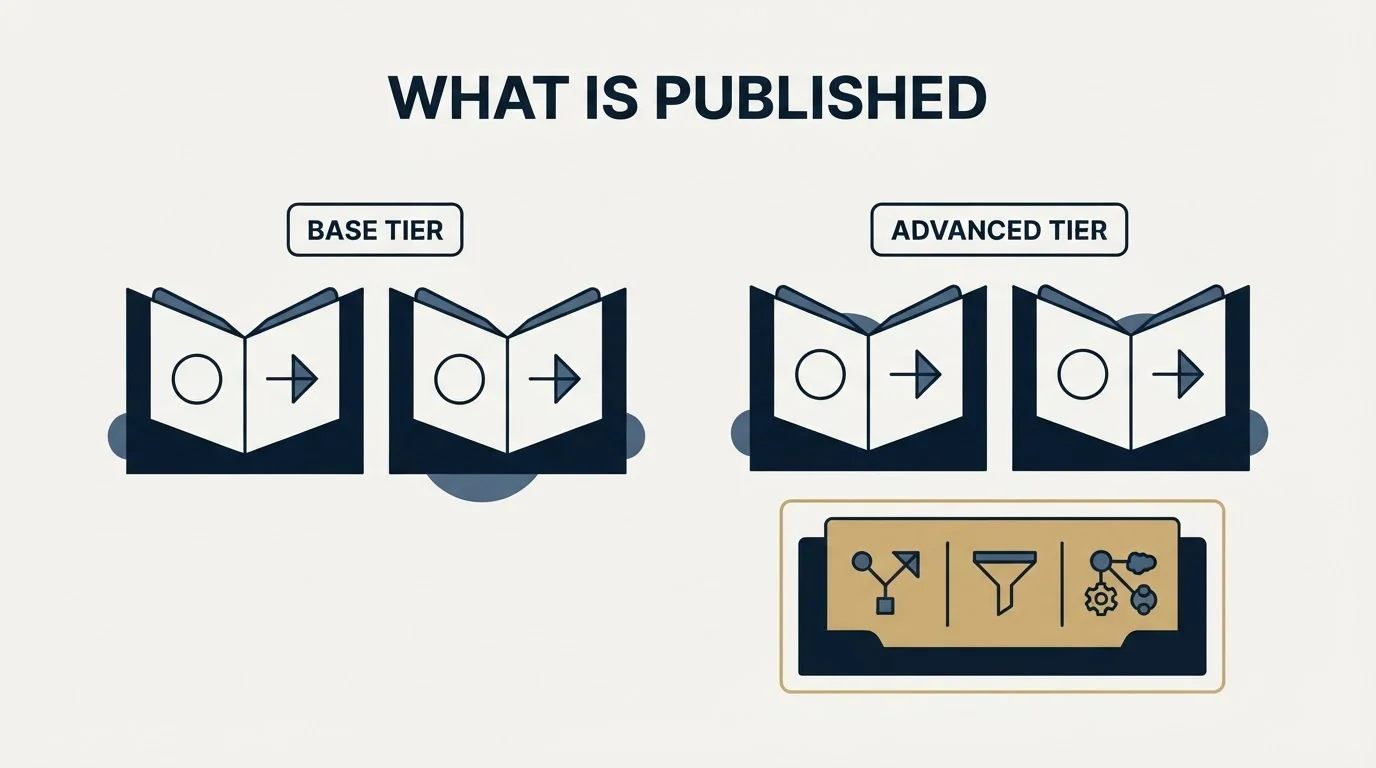
Both vendors put their tier contents on the pricing page rather than behind a sales call, so a side-by-side is available without asking anyone.
On the Calendly side, the Free plan publishes "One event type" and "One calendar connection". Standard publishes "Unlimited event types", "Connect multiple calendars" (six in the comparison table), "Automations & reminders", "Connect Hubspot, Mailchimp" and payments through "Connect Stripe, PayPal". Teams adds the three lines that decide most outbound purchases: "Round-robin & team scheduling", "Qualify, route, & schedule leads" and "Send meetings to Salesforce", along with "Connect Marketo, Pardot", "Centrally managed event types" and an optional SSO add-on. Enterprise adds "Route with Salesforce lookup", "Connect Microsoft Dynamics", "Enable SSO & SAML", "Domain control", "Audit log compliance" and a "Data deletion API".
On the Zoom side, the paid Scheduler tier publishes "Unlimited booking pages", "Connect up to 6 calendars", "Schedule round-robin and group meetings", "Automate email and SMS reminders for attendees", "Remove Zoom Scheduler branding", "Qualify and route leads with routing forms", "Sync scheduled meetings to Salesforce" and "View analytics and insights to optimize bookings". Its Stripe line carries a footnote reading "Available in US and UK only", while the FAQ on the same page says "At this time, there is no way to collect payments through Zoom Scheduler." The two statements disagree on one page, so treat payment collection on Zoom as a question for the vendor rather than a published capability.
| Capability | Calendly | Zoom Scheduler |
|---|---|---|
| Round-robin distribution | Teams, £13 a seat | Paid Scheduler, £3.74 a user |
| Routing forms to qualify and route leads | Teams | Paid Scheduler |
| Booked meetings synced to Salesforce | Teams | Paid Scheduler |
| Routing on a Salesforce lookup | Enterprise only, USD | Not listed |
| SMS reminders to attendees | Not listed | Paid Scheduler |
| Six connected calendars | Standard, £8 a seat | Paid Scheduler |
| Payment collection at booking | Standard, Stripe and PayPal | Page disagrees with itself |
The routing boundary is the whole comparison
Read those two lists next to each other and one pattern does the work. The three capabilities an outbound team asks about, distributing meetings across reps, screening an invitee before the slot is confirmed, and getting the meeting into Salesforce, sit on Calendly's Teams plan and on Zoom's entry-level paid Scheduler tier.
That is a genuine difference in packaging rather than a difference in whether the feature exists. A team that wants round-robin from Calendly is choosing between the Standard price and the Teams price, £8 against £13 a seat as rendered here. A team that wants round-robin from Zoom Scheduler is choosing between whatever its suite already includes and the cheapest paid line on the page.
Two qualifications keep that from being a verdict.
The first is depth. A pricing page names a capability, and naming it says nothing about how far it goes. Calendly publishes routing forms on Teams and a distinct line on Enterprise, "Route with Salesforce lookup", which routes on what the CRM already knows about the person rather than on what they typed into the form. That distinction is the difference between a form answer and a verified record, and only one of the two vendors' pricing pages surfaces it at all. What a rule-based form can and cannot settle is covered in round-robin assignment and lead routing, and neither product changes that boundary.
The second is that a routed meeting is not a qualified one. Routing decides who takes the call and in which order. Whether the meeting counts is a separate agreement, written down before anything sends, and the house standard is that the criteria for a qualified appointment are agreed in writing before launch rather than argued after a booking.
The currency question the two pages create
Anyone building a spreadsheet from those figures needs to know how they were obtained. Both pricing pages localise by the requesting connection. Zoom's page, fetched from a UK-served address, renders every Scheduler figure in pounds with "excludes VAT" printed beside each one. Calendly's page, requested from the same machine, rendered pounds too on this read, with its currency selector showing "£ GBP", and an earlier read of the same page from the same place had served dollars. So the currency a visitor sees is a property of the visit, and the one figure Calendly pins to a currency is Enterprise, "Available in USD only".
The two published figures above are therefore comparable only because they happened to arrive in the same currency this time. Anyone deciding on cost should open both pages from the location the invoice will be paid from, note the billing toggle state on each (Calendly defaults to yearly billing; Zoom's Scheduler page defaults to "Annually (Save up to 16%)" and bills the year as one charge), and add VAT to the Zoom side where it applies.
The seat arithmetic is the easy part and the part most likely to be wrong. To make the shape visible with invented numbers: a hypothetical eight-person team on Calendly Teams at the rendered £13 per seat per month works out at £104 per month and £1,248 per year at that rate. The same eight people on Zoom's standalone Scheduler at £3.74 a user a month is £29.92 per month and £359.04 per year before VAT, billed up front. Those figures are illustrative arithmetic on published prices as rendered here, not a quote.
What neither price tells you
Both products convert demand that already exists into a slot. Neither creates it, and the cost that decides whether the tooling was worth anything is the cost of the meeting rather than the cost of the seat, which is the arithmetic in pay per appointment pricing.
Three practical points sit outside both pricing pages.
Where the link lives decides more than which tool generated it. A booking link that arrives in the reply to a message someone actually wanted is taken; the same link pasted into a first touch is usually ignored. That is a copy decision, covered in how a B2B appointment setting motion is built, and it does not change with the vendor.
Attendance is a settings problem on either platform. Notice periods, buffers and how far ahead a slot can be booked are the controls that decide whether a booked meeting is attended, and both products expose them. What happens after an empty slot is a separate piece of work with its own copy, which is what a no-show email template is for.
The stack question is whether scheduling should be a line item at all. For teams already carrying a sales engagement platform, scheduling is often bundled somewhere they are not looking, which is worth checking before adding a seat, and the tradeoffs are laid out in sales engagement platforms.
What to take away

For a team already on a Zoom Workplace tier that includes Scheduler, the honest first step is to use what is already paid for and see whether anything is missing, because the entitlement is published rather than hidden. For a team without that, the comparison narrows to whether the three team capabilities are needed: they sit on Calendly's Teams plan and on Zoom's entry paid tier, and that packaging difference is the substance of the decision. Only a team that has to route on what Salesforce already knows about a person is pushed to one vendor, and to its Enterprise tier.
For a team that only needs one person's booking link, both free positions publish the same shape, one booking page and one connected calendar, and the reason to pay is a second calendar rather than a feature. Anyone whose problem is that too few people want the meeting has a demand problem, and no booking page reaches it. That work starts with the message, and a free campaign plan is a more useful place to spend the next hour than a feature grid.
One house note, because it changes how a booking link gets used: RevenueFlow runs one message per campaign, with no bumps and no thread replies, so the link goes into the message that has to earn the reply on its own rather than into a follow-up that is never sent. The cold email format that surrounds it does more for the booking rate than the scheduling vendor does.
Pricing and features are taken from the vendors' own pages. Verify current terms with the vendor before relying on them.
Frequently asked questions.
Frequently asked questions- What is the difference between Zoom Scheduler and Calendly?
- The booking mechanic is close to identical: both read connected calendars, show free slots on a page and write the meeting back. The difference is packaging. Calendly is a standalone product with its own ladder, and its team capabilities sit on the Teams plan. Zoom Scheduler is a line inside Zoom Workplace, included in three suite tiers, with the same team capabilities on its entry paid tier.
- Is Calendly or Zoom Scheduler cheaper?
- As rendered from this connection, Zoom's standalone Scheduler is £3.74 a user a month billed annually and excluding VAT, against Calendly Standard at £8 and Teams at £13 a seat a month on yearly billing. For a team already on Zoom Workplace Business, Business Plus or Enterprise Plus, Scheduler is included. Both pages localise currency, so open them from where the invoice is paid.
- Does Zoom Scheduler have round-robin like Calendly?
- Yes. Zoom's Scheduler pricing page lists "Schedule round-robin and group meetings" on its paid Scheduler tier, beside routing forms to qualify and route leads and syncing scheduled meetings to Salesforce. Calendly lists round-robin and team scheduling, qualify-and-route and Send meetings to Salesforce on its Teams plan. Only Calendly lists routing on a Salesforce lookup, and only on Enterprise.
- Which should a sales team choose, Calendly or Zoom Scheduler?
- Use Zoom Scheduler if the team already sits on a Workplace tier that includes it, because the entitlement is published and costs nothing extra. Choose Calendly when the scheduling seat has to stand alone, when HubSpot, Marketo or Pardot form routing is part of the brief, or when meetings must route on what Salesforce already knows about a person, which only Calendly Enterprise lists.
About the author.

B2B cold email experts helping companies generate qualified leads through done-for-you outreach campaigns.
RevenueFlow Team
Explore more.
Ready to scale your outreach?
We build GTM engines that book real meetings. See the receipts.
Related articles.
Calendly Workflows: Seven Triggers and One Boundary
Calendly Workflows fire automated email and text on seven published triggers. The limits that catch people out, and the line between correspondence and bumping.
How Calendly Works: The Settings That Decide the Meeting
Calendly shows a stranger your open slots without exposing your calendar. What it connects, what each event-type setting controls, and where the tool stops.
Calendly vs Setmore: Per Seat Against Unlimited Users
Setmore prices Pro at $5 USD per user a month on annual billing; Calendly charges per seat for routing and CRM sync. Free tiers, prices and which problem each solves.
ScheduleOnce vs Calendly: The Product Is Now OnceHub
ScheduleOnce is OnceHub now, and its tiers bundle phone numbers Calendly does not sell. Published prices, where routing sits, and what a security review costs on each.
Calendly API: What You Can Automate and What You Cannot
Read access runs on any plan, webhooks need a paid one, and programmatic deletion is Enterprise-only. The scope decision that quietly breaks integrations, first.
Calendly Alternatives: What to Move To, and What You Give Up
Cal.com, TidyCal and SavvyCal sorted by the job you are hiring a scheduler for, with each vendor's own published rates and what the free tiers really cover.