Calendly Pricing: Every Plan and What Changes With Seats
Calendly's published rates read as annual by default. What each tier unlocks, why the same page shows three currencies, and where the non-profit discount lives.
Calendly pricing starts with a free plan. For a United States visitor, Standard is $10 per seat per month billed yearly or $12 monthly, Teams is $16 yearly or $20 monthly, and Enterprise starts at $15,000 a year from 50 seats. On annual Teams plans, seats beyond 30 are billed at lower tiered rates.
Key takeaways
- Calendly's pricing page defaults to yearly billing: Standard $10 and Teams $16 per seat per month for a United States visitor, rising to $12 and $20 when the toggle is switched to monthly.
- Enterprise starts at $15k a year and 50 seats and is available in USD only, while single sign-on is also sold as an optional add-on on Teams.
- Calendly publishes a price list per market: Standard is 10 USD, 8 GBP and 10 EUR and Teams 16 USD, 13 GBP and 16 EUR a seat a month on annual billing.
- Calendly's help centre publishes tiered Teams pricing on annual plans: the first 30 seats stay at $16, later bands fall to $12 from seat 301, and Teams Plus is $8 more at every band.
Reviewed and updated September 18, 2026
Calendly's pricing page loads with the yearly billing toggle already selected, and that one default explains most of the confusion about Calendly pricing. In the default state Standard reads $10 and Teams $16 per seat per month; click "Billed monthly" and the same cards read $12 and $20. Free is described as "Always free", and Enterprise "Starts at $15k /yr", "Starts at 50 seats" and is "Available in USD only".
The badges beside the yearly figures are the gap between those two states: "Save 17%" on Standard and "Save 20%" on Teams, as the page renders them for a visitor in the United States. Anyone budgeting from the first screen is budgeting for an annual commitment, whether they noticed the toggle or not.
So the Calendly cost per month that a budget line needs depends on which toggle state produced it. The yearly rate is what you pay each month on an annual agreement, the monthly rate is the price of being able to leave, and the two are worth keeping separate in any spreadsheet a finance team will read.
Calendly pricing: how much does it cost?
Calendly has a free plan and prints three paid prices on its pricing page. For a visitor in the United States, Standard costs $10 per seat per month billed yearly or $12 billed monthly, Teams costs $16 yearly or $20 monthly, and Enterprise starts at $15,000 a year from 50 seats. On annual billing, Teams Plus adds Notetaker and Callie for $8 more per seat per month, according to Calendly's help centre.
Cancelling a Calendly subscription is a downgrade rather than a deletion: the plan has to be stepped down before the renewal date on the billing page under My Account, the account then continues on the free tier, and the paid features stop at the end of the period already paid for.
Essentials and Professional are legacy plan names Calendly no longer sells; the help centre lists both under legacy plans, so a team or a quote still citing either is describing a tier the vendor no longer sells.
The free plan is one event type and one connected calendar, which is why it stops being enough the moment a second meeting type exists.
Calendly branding on a free booking page is the free tier advertising itself: the comparison table lists "Remove Calendly branding" on every paid plan and not on Free.
You do not have to pay to use Calendly at all: the free plan runs indefinitely on one event type and one connected calendar, and the paid tiers start where a second meeting type or a second person does.
A Calendly organization is, in the vendor's billing vocabulary, the account itself: on the Free plan it is just you, and anyone you invite joins it. The admin capabilities people go looking for under that word are tier-gated rather than universal: managed event types an admin can lock and assign, a shared team page, branded booking pages and single sign-on each appear at a different step on the ladder below, which is why the answer to what an organization can do is really an answer about which plan you are on.
What each step up actually unlocks
Plan names tell you almost nothing. The feature boundaries are what decide which tier a sales team ends up on, and they sit in specific places.
Free connects one calendar and allows one event type. Standard lifts both of those to unlimited event types and six calendar connections, and adds the integrations most teams assume are table stakes: HubSpot, Mailchimp, Stripe, PayPal, Zapier and webhooks, plus automated reminders.
Teams is where the sales-specific machinery starts. The page lists round-robin meetings, qualifying and routing leads, sending meetings to Salesforce, and connections to HubSpot, Marketo and Pardot. If the reason you are buying a scheduler is that inbound demo requests need to reach the right rep, Teams is the entry point rather than Standard, and the gap between the two is $6 per seat per month on yearly billing and $8 on monthly. The comparison table also marks SAML single sign-on as an add-on on Teams, so SSO on its own does not force the Enterprise conversation.
Since that sales machinery is exactly what buyers compare against alternatives, Zoom's competing scheduler tier is worth checking before settling on Teams.
Enterprise adds routing with Salesforce lookup, Microsoft Dynamics, SSO and SAML as standard, domain control, audit log compliance and a data deletion API, and its card states a floor on both axes: "Starts at $15k /yr" and "Starts at 50 seats". Spread across those 50 seats, $15,000 a year works out at $25 per seat per month, which is arithmetic from the two published floors rather than a figure Calendly prints. At that price the decision is rarely about features. It is about whether security has made audit logging, domain control or automated provisioning non-negotiable, because the comparison table marks domain control and SCIM provisioning on Enterprise only.
Standard
$10 yearly, $12 monthly
- Unlimited event types, six calendars
- HubSpot, Mailchimp, Stripe, PayPal, Zapier, webhooks
- Automations and reminders
No round-robin
Teams
$16 yearly, $20 monthly
- Round-robin and team scheduling
- Qualify, route and schedule leads
- Send meetings to Salesforce
- SSO as an optional add-on
Where sales teams land
Enterprise
From $15k a year and 50 seats
- Route with Salesforce lookup
- SSO and SAML, domain control
- Audit log and a data deletion API
USD only
Standard Plus and Teams Plus add Notetaker recaps and the Callie assistant to the plan they are named after.
The currency question, and why a quoted figure can be right and wrong at once
The page carries structured data listing each paid plan once per currency. Standard appears at 10 USD, 8 GBP and 10 EUR a seat a month on annual billing, and Teams at 16 USD, 13 GBP and 16 EUR. Enterprise appears once, in dollars, and its card says "Available in USD only".
Those are separate price lists rather than conversions. A pound is worth more than a dollar, so a straight conversion of $10 would land above £8 rather than below it, and the euro figures match the dollar figures exactly. Calendly has set a number per market, and the reward for committing to a year differs by market too: to a visitor in the United Kingdom the page renders Teams at £13 yearly against £17 monthly under a "Save 24%" badge, where the dollar card says "Save 20%".
Unlike Calendly's public per-seat rates, ZoomInfo's undisclosed pricing structure hides even its model behind a mandatory quote request.
The practical consequence is that a price copied out of a pricing page depends on where the reader was standing. Anyone quoting a per-seat figure into a budget document should say which currency list it came from, because a UK buyer and a US buyer reading the same page see different numbers and both are correct.
| Plan | USD | GBP | EUR |
|---|---|---|---|
| Standard | $10 yearly $12 monthly | £8 yearly £10 monthly | €10 yearly |
| Teams | $16 yearly $20 monthly | £13 yearly £17 monthly | €16 yearly |
| Yearly badge | Save 17% and 20% | Save 20% and 24% | not read |
What the page publishes about paying by invoice

Two thresholds sit in the FAQ and they matter more than they look. Payment by invoice is available on the Standard or Teams plan at $5,000, and on Enterprise at $15,000. Below those figures the purchase runs on a card, or on PayPal for customers outside the United States.
For a finance team that requires purchase orders and invoices for software, that turns a per-seat decision into a contract-size decision. A team paying $16 per seat per month annually reaches $5,000 at roughly 26 seats, which is arithmetic from the published rate rather than a figure Calendly prints.
Non-profit pricing is real and unpublished
The pricing FAQ answers the question directly. Calendly states that it offers special pricing to qualified non-profit organisations and asks readers to contact its customer support specialists for details, with support@calendly.com given as the address.
What the page does not publish is the size of the discount or the qualification test. Several third-party pages state a specific percentage. None of them is Calendly, and a discount figure carried only on a site that sells a competing scheduler or sells procurement advice is not a source worth putting in a budget. The reliable move is to write to the address on the page before modelling the cost, and to ask what documentation qualifies an organisation while you are there.
Because Calendly's exact discount math stays hidden, it is worth seeing how Lusha's credit-based pricing model decides what each contact record actually costs.
Volume pricing on Teams is published, in the help centre
Volume discounting for larger teams is published, though on Calendly's help centre rather than its pricing page. Teams and Teams Plus both carry tiered pricing on annual plans: the first 30 seats stay at the full rate, and each seat beyond that is billed at the rate of the band it falls in, down to $12 a seat on Teams from seat 301. Teams Plus follows the same bands at $8 more per seat per month.
The help centre's own worked example is a 40-seat Teams plan: seats 1 to 30 at $16 each per month and seats 31 to 40 at $14.50. That comes to $625 a month, or $7,500 a year, an average of about $15.63 a seat, which is arithmetic from the published bands rather than a figure Calendly prints. At 50 seats the same bands give $770 a month and $9,240 a year, and 50 seats is where the Enterprise card starts, at $15,000.
The trial and the renewal, which are the two dates that cost money
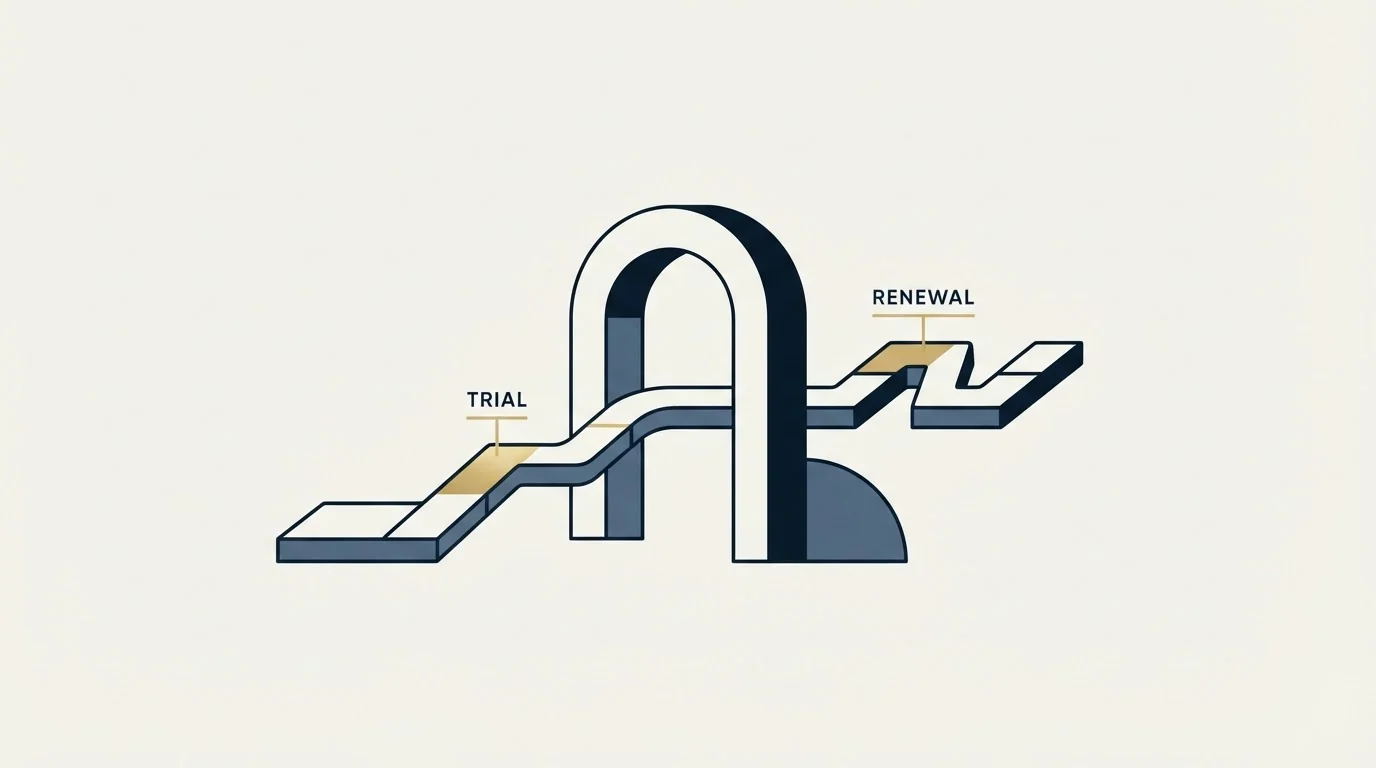
The FAQ answers both, and neither answer is unusual. They are worth reading anyway, because the combination of an annual default and an automatic renewal is where scheduling spend quietly becomes permanent.
The trial runs 14 days, and Calendly's billing help describes it as two weeks of the Teams plan, after which the account is automatically downgraded to the Free tier rather than charged, and team members invited into a trial join at no cost and get downgraded with everyone else at the end of it. That makes a genuine multi-user pilot possible without a purchase, which is the right way to find out whether the routing behaviour matches how your team actually splits inbound before committing a year of seats to it.
Renewal runs the other way. Paid subscriptions renew automatically for the same subscription period unless the plan is downgraded before the renewal date, and seats are added or removed from the billing page under My Account. The billing help adds two lines that matter here: seats are billed whether they are filled or not, and downgrades and removed seats take effect at the end of the current billing cycle. On an annual plan that means the decision point arrives once a year and passes silently if nobody diarised it. A team that grew by four people mid-year and never revisited the seat count is paying for the peak, and a team that shrank is paying for people who left.
Put the renewal date in a calendar owned by a person rather than by the finance system, and audit the seat list against the current team the week before it. That is a five-minute task that recovers real money on an annual commitment, and it is the single most common piece of scheduling spend nobody reviews.
Modelling the real number
The per-seat rate is rarely the number that decides anything, because a scheduling tool is bought to produce meetings and the meaningful unit is the cost of a meeting that happens.
Work the arithmetic in that direction. The figures below are invented for illustration and are not drawn from any campaign: a ten-person sales team on Teams at $16 per seat per month costs $1,920 a year, and if that team books 40 meetings a month between them, the scheduling layer adds $4 to each meeting. At four meetings a month it adds $40. Nothing about the tool changed between those two outcomes. The volume of inbound did.
That is why seat count is a poor proxy for value here. Seats scale with headcount and the software cost scales with seats, while the return scales with how many people actually want a meeting. A team adding seats faster than it is adding inbound demand is buying a rising cost against a flat benefit.
Where the cost comparison usually goes wrong

Scheduling software is cheap against nearly anything else in a sales stack, and that is what makes the comparison misleading. A ten-seat Teams subscription costs less per year than a fortnight of one salesperson. Arguing over the six-dollar gap between two tiers is rarely where the money is.
The larger number sits upstream. A booking link converts demand that already exists, so the cost that decides whether the stack pays for itself is the cost of creating the demand in the first place. Teams that measure scheduling spend carefully and demand-generation spend loosely have the ratio backwards, and the cost of a booked appointment is the figure that answers the question the seat price only looks like it answers.
Two related decisions are worth taking at the same time. Whether meetings get produced in-house or bought is covered in the comparison of appointment setting services, and the same arithmetic run across setters, agencies and software sits in the breakdown of AI appointment setters against human setters. Both start from cost per meeting rather than cost per seat, which is the unit that survives a budget review.
What to take away
Calendly publishes both billing states, three currency lists and, in its help centre, the volume bands, provided you read the toggle state, the currency and the help pages rather than the headline number.
Standard at $10 per seat per month on yearly billing, $12 monthly, covers an individual or a small team that needs a reliable booking link. Teams at $16, or $20 monthly, unlocks routing and round-robin, which is the only reason a sales team is usually on the paid tiers at all, and each seat past 30 costs less on an annual plan. Enterprise starts at $15,000 a year and 50 seats, and is a security and administration purchase more than a scheduling one. The non-profit discount exists and is not published, so it is an email rather than a calculation.
None of those tiers books a meeting. They receive one. If the constraint is that not enough people are asking for time, RevenueFlow books qualified meetings on a pay-per-meeting basis, against a qualification standard agreed in writing before launch, and the b2b appointment setting guide sets out how that work is structured.
Pricing and features are taken from the vendors' own pages. Verify current terms with the vendor before relying on them.
Frequently asked questions.
Frequently asked questions- How much does Calendly cost per month?
- It depends on the billing toggle. Calendly's pricing page shows Standard at $10 and Teams at $16 per seat per month when billed yearly, and $12 and $20 when billed monthly, as rendered for a visitor in the United States. The Free plan costs nothing and covers one event type and one calendar. Enterprise is priced per year instead, starting at $15,000 and 50 seats.
- Does Calendly charge less per seat for larger teams?
- Yes, on annual Teams and Teams Plus plans. Calendly's help centre lists tiered pricing where the first 30 seats stay at the full rate and later seats cost less on Teams: $14.50 for seats 31 to 50, $14 for 51 to 100, $13.50 for 101 to 200, $13 for 201 to 300 and $12 from seat 301. A 40-seat Teams plan therefore costs $625 a month.
- Does Calendly charge the same price in every currency?
- No. The markets carry their own price lists rather than conversions. The page's structured data lists Standard at 10 USD, 8 GBP and 10 EUR and Teams at 16 USD, 13 GBP and 16 EUR per seat per month on annual billing. The yearly saving differs too: a visitor in the United Kingdom sees Teams at £13 yearly against £17 monthly, under a 24% saving badge.
- What happens when the Calendly free trial ends?
- At the end of the 14-day trial the account is automatically downgraded to the Free tier rather than charged, and anyone invited into the trial is downgraded with it. Calendly's billing help describes the trial as two weeks of the Teams plan. Upgrading is done from the billing page at any time, and paid plans renew automatically unless they are downgraded before the renewal date.
About the author.

B2B cold email experts helping companies generate qualified leads through done-for-you outreach campaigns.
RevenueFlow Team
Explore more.
Ready to scale your outreach?
We build GTM engines that book real meetings. See the receipts.
Related articles.
Calendly Alternatives: What to Move To, and What You Give Up
Cal.com, TidyCal and SavvyCal sorted by the job you are hiring a scheduler for, with each vendor's own published rates and what the free tiers really cover.
Sales Automation Software for Small Business: Four Buys
One search returns four unrelated products, and on at least one vendor's published plan list the automation is gated above the tier a small team buys.
Calendly API: What You Can Automate and What You Cannot
Read access runs on any plan, webhooks need a paid one, and programmatic deletion is Enterprise-only. The scope decision that quietly breaks integrations, first.
Calendly Workflows: Seven Triggers and One Boundary
Calendly Workflows fire automated email and text on seven published triggers. The limits that catch people out, and the line between correspondence and bumping.
Avoma Pricing: Recorder Seats, Free Viewers, and the Add-Ons
Avoma charges only for people whose meetings get recorded and makes viewers free, so the seat count to price is smaller than the team and the add-ons are larger.
Calendly vs Setmore: Per Seat Against Unlimited Users
Setmore prices Pro at $5 USD per user a month on annual billing; Calendly charges per seat for routing and CRM sync. Free tiers, prices and which problem each solves.