Email Sending Limits by Provider: Google and Microsoft 365
The published limits from both providers, and the one that actually binds cold email: unique external recipients on Google, and the tenant-wide TERRL on Microsoft.
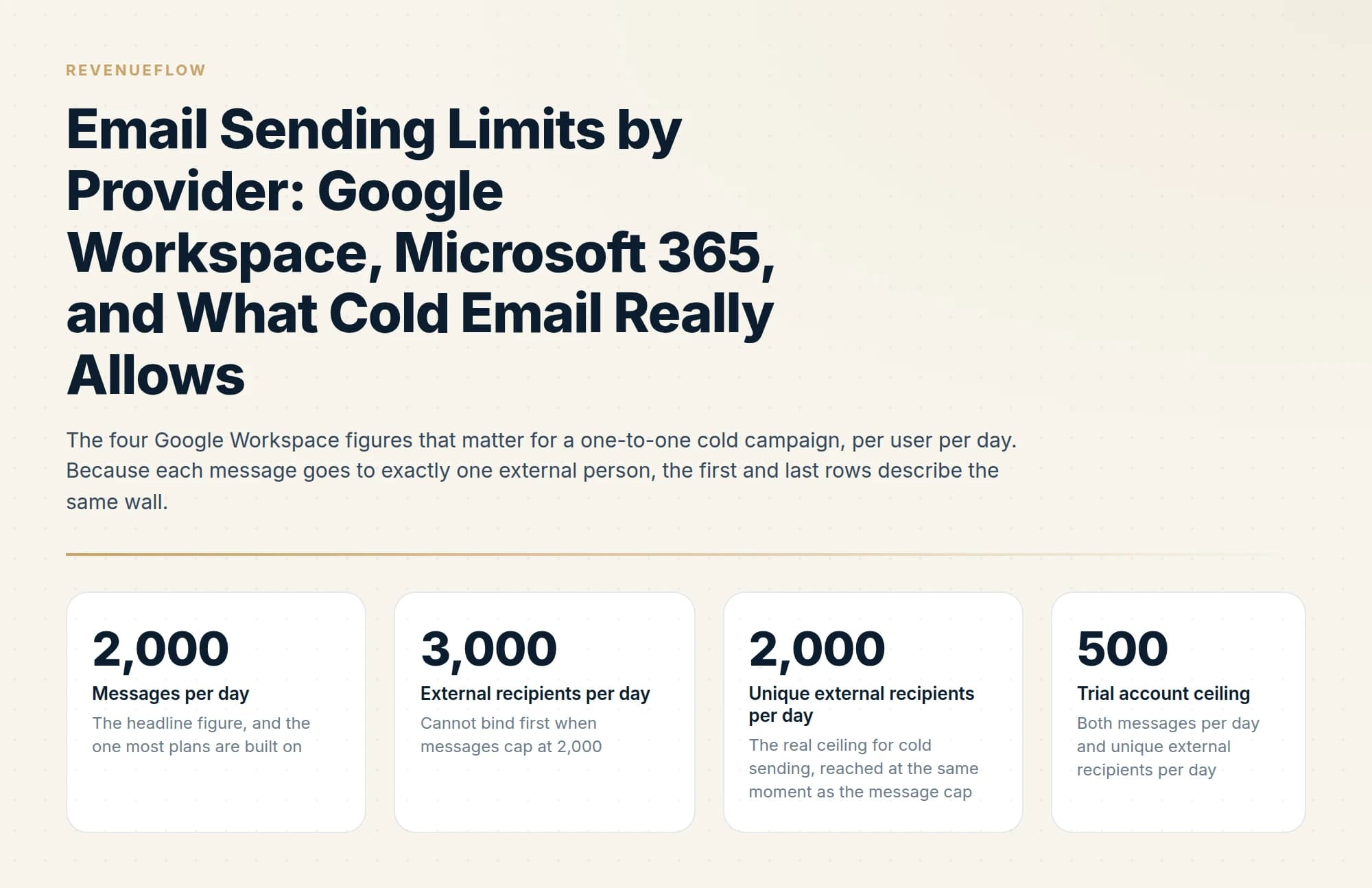
Google Workspace allows 2,000 messages a day but only 2,000 unique external recipients, and Microsoft 365 allows 10,000 recipients a day per user while capping external recipients tenant-wide through TERRL. The external limits bind cold email long before the headline message limits do.
Key takeaways
- Google Workspace publishes 2,000 messages per day, but the binding figure for cold email is 2,000 unique external recipients per day.
- Microsoft caps external recipients at the tenant level through TERRL, so adding mailboxes does not increase external sending capacity proportionally.
- Microsoft's per-user recipient rate limit is 10,000 a day with a message rate limit of 30 per minute.
- Both providers apply limits over a rolling 24-hour window rather than resetting at midnight, and trial accounts are capped far lower.
Reviewed and updated September 2, 2026
Google's sending limits page opens with the number everyone quotes: 2,000 messages per day. A team reads it, buys ten Google Workspace mailboxes, and builds a plan around 20,000 sends a day. Four rows further down the same table sits the figure that will actually stop them, which is 2,000 unique external recipients per day. For a cold campaign, where every recipient is external and every message goes to one person, those two limits are the same ceiling counted twice.
Microsoft's version of this trap is worse, because the limit that binds there is not attached to the mailbox at all. It belongs to the tenant, and buying more mailboxes inside that tenant does not raise it.
Here are the published figures for both providers, which limit binds in each case, and what happens when you cross one.
A consumer Gmail account at gmail.com is a different ceiling from a Workspace mailbox and Google documents it separately; the table below is the Workspace figure, and free Gmail sits well under it.' The lead should confirm the consumer figure against Google
The Google Workspace sending limit people quote is the 2,000 messages a day figure; the one that stops a cold campaign is four rows below it.
Google Workspace: the full table
Google publishes these in its Workspace knowledge base. The figures apply per user.
| Limit | Value |
|---|---|
| Messages per day | 2,000 |
| Messages per day, mail merge | 1,500 |
| Messages per day, trial accounts | 500 |
| Recipients per message | 2,000 total, maximum 500 external |
| Recipients per message via SMTP, POP or IMAP | 100 |
| Recipients per message via the Gmail API | 500 |
| Total recipients per day | 10,000 |
| Total recipients per day, mail merge | 1,500 |
| External recipients per day | 3,000 |
| Unique recipients per day | 3,000 |
| Unique external recipients per day | 2,000 |
| Unique external recipients per day, trial accounts | 500 |
Nine of those twelve rows are irrelevant to a cold email programme, and working out which nine is the whole exercise.
Cold email sends one message to one person, and that person is always external. So every per-message recipient limit falls away immediately: 2,000 recipients per message, 500 external per message, 100 over SMTP, 500 over the Gmail API. None of them can bind when the recipient count per message is one. The 10,000 total recipients per day figure is similarly out of reach, because reaching it would require 10,000 messages and you are capped at 2,000.
That leaves three numbers in play, and they converge.
The headline figure, and the one most plans are built on
Cannot bind first when messages cap at 2,000
The real ceiling for cold sending, reached at the same moment as the message cap
Both messages per day and unique external recipients per day
The trial figure deserves attention out of proportion to its size, because of when it bites. New sending domains are typically set up on new Workspace accounts, and a new account is a trial account until it is paid. So the mailbox you carefully warmed for two weeks may be sitting on a 500-message ceiling and a 500 unique-external ceiling that nobody checked, and the campaign silently delivers a quarter of what was planned. Confirm billing status before you count a mailbox as capacity.
Microsoft 365: the same question, a different answer

Microsoft publishes its figures in the Exchange Online limits service description. The per-user numbers look generous.
| Limit | Value |
|---|---|
| Recipient rate limit | 10,000 recipients per day |
| Recipient limit per message | Customizable up to 1,000 recipients |
| Message rate limit | 30 messages per minute |
| Tenant External Recipient Rate Limit, trial tenants | 5,000 external recipients per day |
A recipient rate limit of 10,000 per day per user reads like five times Google's allowance. Then you reach the Tenant External Recipient Rate Limit, which Microsoft abbreviates to TERRL and describes as "the maximum number of external recipients a tenant can send to per day (24-hour sliding window)".
Three properties of TERRL change how you plan.
It is tenant-wide. Every mailbox in the tenant draws from one shared pool of external recipients. The per-user 10,000 is a ceiling on an individual mailbox inside a budget the whole organisation shares.
It scales with licences rather than with mailboxes. Microsoft states that the limit "depends on the number of licenses a tenant has", and that admins can find their tenant's figure in the Tenant Outbound External Recipients report under EAC Reports and Mail flow. Microsoft does not publish a general formula, so the only trustworthy number is the one in your own report. Go and read it before planning against an assumption.
It counts distribution group members individually. Microsoft is explicit: "if someone sends a message to a group in the tenant that has 1,000 external recipients, it will be counted as 1,000 external recipients", counted "after the group (and its nested groups) is fully expanded to individual recipients". A single message can therefore consume a meaningful share of the tenant's daily external budget.
- 2,000 unique external recipients per day, per user
- Each additional licensed user brings its own allowance
- Capacity grows in step with mailbox count
- No published organisation-wide external ceiling on this page
- Planning arithmetic is mailboxes multiplied by the per-user figure
- 10,000 recipients per day, per user, for all outbound and internal mail
- TERRL caps external recipients for the entire tenant
- The tenant figure depends on licence count, not mailbox count
- Trial tenants are capped at 5,000 external recipients per day
- Adding mailboxes inside one tenant does not raise the shared ceiling
The practical consequence is a planning rule rather than a preference. On Google, capacity is a multiplication. On Microsoft, capacity is whatever the EAC report says, and the per-mailbox arithmetic only tells you how that shared budget can be distributed.
The rolling window, and why it is not a midnight reset
Both providers meter over a moving window rather than a calendar day. Google's page states it plainly: "Limits per day are applied over a rolling 24-hour period, not a set time of day."
Microsoft illustrates the same behaviour with a worked example in its own documentation, and it is the clearest explanation of the mechanic anywhere in either vendor's docs.
- 09:005,000 recipients
A user sends to 5,000 recipients. The trailing 24-hour count stands at 5,000.
- 10:002,500 recipients
A second send. The trailing count reaches 7,500 of the 10,000 daily allowance.
- 11:002,500 recipients
A third send hits the 10,000 recipient rate limit exactly.
- MidnightNothing happens
The window is a trailing 24 hours, so the calendar date changing releases no capacity at all.
- 09:00 next dayCapacity returns
Microsoft: the user cannot send again until 09:00 the following day, when the first block of 5,000 falls out of the trailing window.
Read that timeline as a scheduling instruction. A programme that fires its whole daily volume in a burst at the same hour every morning permanently pins itself against the ceiling: capacity only returns at the hour it was consumed, so the burst and the reset chase each other around the clock and any overrun compounds into the next day. Spreading the same volume across the sending window keeps capacity rolling back continuously instead of in one lump, which is also what pacing for deliverability requires. The scheduling machinery that governs this sits in your sending tool, and how it behaves is covered in email sequencing tools.
What happens when you exceed a limit

The consequences differ by provider and by which limit you crossed, and none of them is a quiet failure you can ignore.
On Google, exceeding a sending limit produces error messages and the user cannot send new messages for up to 24 hours. Account access continues and incoming mail still arrives, so the mailbox looks healthy while it is unable to send. After the suspension period, Google resets the limits and sending resumes.
On Microsoft, the recipient rate limit blocks further sending until the trailing 24-hour count drops back below the threshold, which is the mechanic in the timeline above. The message rate limit behaves differently. Microsoft states that submissions over the rate via SMTP client submission "will be rejected and the client will need to retry", and its footnote adds that excess submission "will be throttled and successively carried over to the following minutes", typically without blocking the sender's account. The same footnote is worth quoting for what it says about intent: "Exchange Online isn't suited to accommodate bulk-mailing scenarios."
The pattern across both: a rate breach is a temporary rejection your tool must handle, and a daily breach is a suspension you cannot work around. Neither is a warning shot at reputation, which is a separate system entirely.
Blocklist rows belong to that separate system, and the listing a reverse DNS name triggers usually names an address the sender does not operate.
The ceiling that binds before any of these
Everything above describes what a provider permits. Permission is the loosest constraint on the page.
A single mailbox sending 2,000 cold messages a day is comfortably inside Google's published limits and far outside anything a receiving mail system will tolerate from a young domain. Receivers judge volume, ramp rate, complaint rate and engagement history, and they make that judgement per domain and per sending IP rather than against your Workspace licence. The provider ceiling and the reputation ceiling are two different systems, and the second one sits far below the first without publishing a number.
That is why sending capacity in practice comes from many mailboxes each operating well under their permitted rate, on domains kept separate from the primary company domain, warmed before they carry campaign traffic. Get the authentication underneath it right first, which is covered in SPF, DKIM and DMARC for cold email, watch what Gmail actually records about your sending in Google Postmaster Tools, and treat the wider infrastructure question as its own project using the cold email deliverability guide.
The ZeroBounce alternatives pricing guide explains how to weigh bundled verification tools against your actual monthly usage before locking in a plan.
- Step 1Start from the daily contact target
Decide how many new people the programme needs to reach per day. This is the only number that comes from the business rather than from a vendor.
- Step 2Divide by an operating rate, not the provider ceiling
Use a conservative per-mailbox daily figure that reputation will tolerate. The published limit is a hard stop, never a target.
- Step 3Check the tenant ceiling on Microsoft
Read your TERRL from the Tenant Outbound External Recipients report under EAC Reports and Mail flow. On Google, multiply the per-user figure by licensed users instead.
- Step 4Confirm every mailbox is paid, not trial
Trial Workspace accounts cap at 500 messages and 500 unique external recipients per day. Trial Microsoft tenants cap at 5,000 external recipients per day.
- Step 5Spread the volume across the window
The 24-hour window is rolling, so capacity returns at the hour it was spent. Even pacing keeps it returning continuously and keeps you clear of per-minute rate limits.
The short version
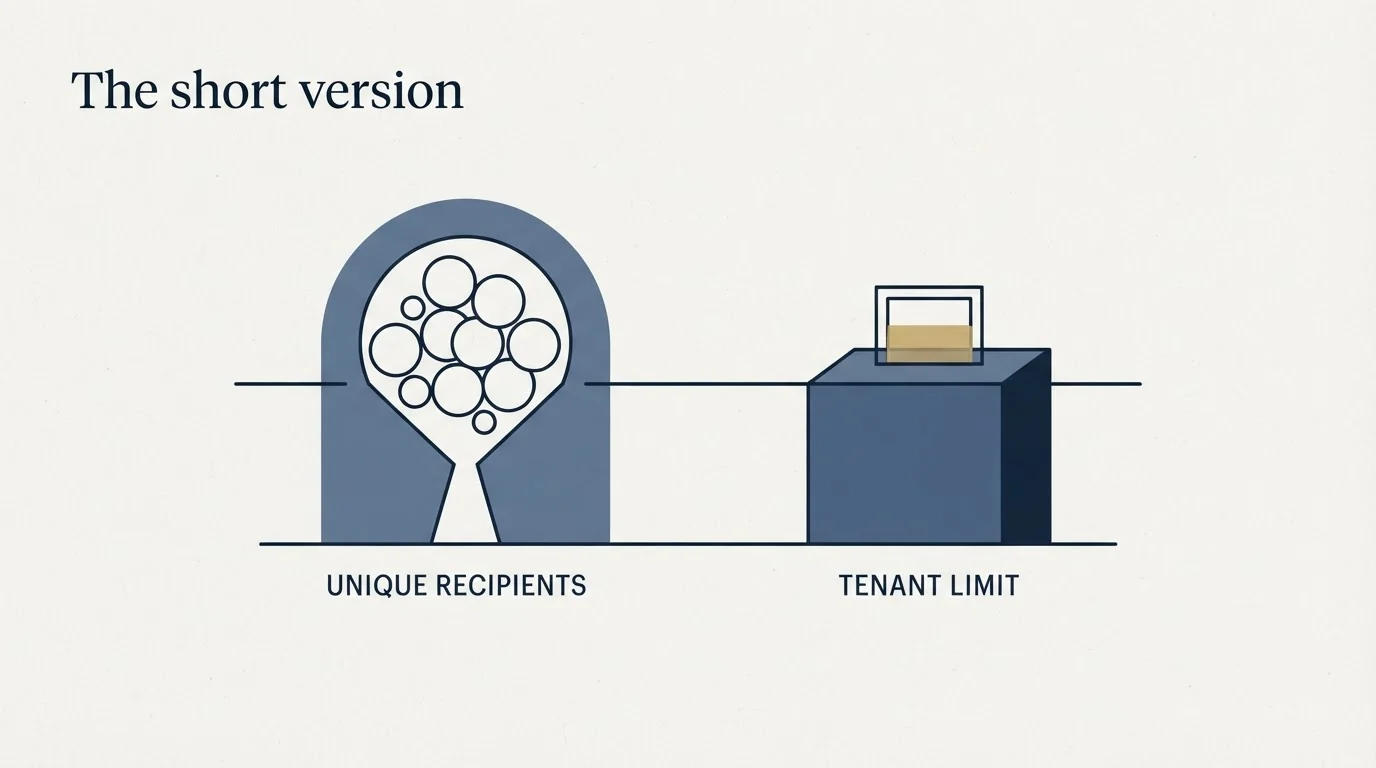
Google Workspace allows 2,000 messages per day per user, 3,000 external recipients per day, and 2,000 unique external recipients per day, dropping to 500 messages and 500 unique external recipients on trial accounts. For one-to-one cold sending, the message cap and the unique-external cap describe the same wall, and every per-message recipient limit is irrelevant. Capacity scales with mailbox count.
Microsoft 365 allows 10,000 recipients per day per user and 30 messages per minute, with a recipient limit customizable up to 1,000 per message. Above all of that sits TERRL, the Tenant External Recipient Rate Limit, which caps external recipients for the whole tenant on a 24-hour sliding window and depends on licence count rather than mailbox count. Trial tenants are capped at 5,000 external recipients per day, distribution group members are counted individually after full expansion, and the only reliable figure is the one in your own Tenant Outbound External Recipients report. Adding mailboxes inside a tenant does not raise it.
Both providers meter over a rolling 24 hours. Microsoft's own example has a user hit 10,000 recipients by 11:00 and stay blocked until 09:00 the next morning, because capacity returns at the hour it was consumed. Exceeding a daily limit costs up to 24 hours of sending on Google and blocks Microsoft sending until the trailing count falls; exceeding the per-minute rate gets submissions rejected for the client to retry.
None of these is the constraint that decides whether the campaign works. Receiver reputation sits far below every published figure, judged per domain, and it is the number to plan against.
Receiver reputation depends partly on list hygiene, and the pricing split for email verification tools explains why many teams misjudge what a verification vendor actually charges for.
We run client sending across dedicated mailboxes on domains separate from the client's primary domain, paced well under provider ceilings. You can see what a campaign would look like for your market.
Provider limits verified against Google's and Microsoft's own documentation as of mid-2026; the Microsoft service description page is dated 7 April 2026. Verify current limits with the provider before relying on them.
Sources: Gmail sending limits in Google Workspace, Exchange Online limits, Microsoft Learn
Frequently asked questions.
Frequently asked questions- How many emails can you send per day with Google Workspace?
- Google publishes 2,000 messages per day for standard accounts and 500 for trial accounts. For cold outbound the tighter constraint is unique external recipients, capped at 2,000 per day, alongside a 3,000 external recipients per day limit and 10,000 total recipients per day.
- What is the Microsoft 365 sending limit?
- Exchange Online applies a recipient rate limit of 10,000 recipients per day per user, a recipient limit customisable up to 1,000 per message, and a message rate limit of 30 messages per minute. External recipients are additionally capped tenant-wide by TERRL.
- What is TERRL in Microsoft 365?
- The Tenant External Recipient Rate Limit, the maximum number of external recipients an entire tenant can send to per day on a rolling 24-hour window. It scales with licence count and is capped at 5,000 for trial tenants. Because it is tenant-wide, adding mailboxes does not raise it proportionally.
- Do sending limits reset at midnight?
- No. Both providers apply limits over a rolling 24-hour window rather than a fixed daily reset, so exceeding a limit does not clear at the start of the next calendar day. Google states that exceeding limits can suspend sending for up to 24 hours.
About the author.

Tim Carden is CMO / CTO at RevenueFlow, which builds and operates outbound revenue engines for B2B companies. Studied at McGill University.
Tim Carden · CMO / CTO
Connect on LinkedIn →Explore more.
Ready to scale your outreach?
We build GTM engines that book real meetings. See the receipts.
Related articles.
Email Address Capitalization: What It Changes for Senders
Capitalization in an email address does not decide delivery. It decides whether two rows are one person, and that is where a suppression list quietly fails.
Graymail vs Spam: What the Difference Costs a Sender
Graymail is a claim about a sending pattern. Spam is a claim about intent. They respond to different repairs, and confusing them sends teams to rewrite copy.
Kickbox Pricing: The Ladder and the Opt-In Rule
Kickbox publishes a complete thirteen-step verification ladder, and an anti-spam policy that rules out purchased and harvested lists entirely.
Mass Email From Outlook: The Limits Microsoft Publishes
Microsoft publishes the ceiling on one mailbox and, a few paragraphs later, recommends that bulk commercial mail go to a specialist provider instead.
The ZeroBounce API: Auth, Rate Limits and What to Store
ZeroBounce publishes three different answers to its own rate-limit question. Here is which one to build against, plus the statuses no API can decide for you.
ZeroBounce Pricing: The Three Things Buyers Miss
What the ZeroBounce pricing page actually publishes, which billing state it shows by default, and the credit rules that decide what a buyer really pays.