Email Sequencing Tools: Branching, Stop-on-Reply, Scheduling
A teardown of what sequencing software does mechanically: reply detection, branching, send windows, and how sequences interact with suppression.
Email sequencing tools automate a series of messages with rules governing when each one sends and when the series stops. The mechanics that matter are reply detection accuracy, conditional branching, send-window and timezone handling, and whether suppression applies across every campaign or only within one.
Key takeaways
- Stop-on-reply is the most consequential mechanism, because a detection failure means messaging someone who already answered.
- Reply detection has to classify auto-responders, out-of-office notices and bounces separately, and tools differ enormously in how well they do it.
- Send windows and timezone handling decide whether a sequence arrives during working hours or overnight.
- Suppression that applies per campaign rather than globally will eventually contact someone who unsubscribed elsewhere.
Reviewed and updated September 2, 2026
HubSpot documents a quirk of its own sequences tool that says most of what you need to know about this category. An out-of-office reply sent from Outlook and landing in an Outlook inbox is recognised as automated, so the contact stays enrolled. The same Outlook auto-reply landing in a Gmail inbox is also recognised. A Gmail out-of-office landing in an Outlook inbox is not recognised, and it unenrolls the contact. One autoresponder, three provider pairings, two different outcomes.
That is reply detection working as designed. "Did this person answer me" is a question no mail protocol answers directly, so every sequencing tool ends up as a stack of inferences built on top of a mailbox. Knowing which inference is doing the work is the difference between evaluating one properly and reading a feature list.
Our own position on sequences for cold outbound is short: we run one message per campaign and never bump, and the reasoning behind that is set out in email sequence software. This piece is about the machinery itself, which matters whether you use the follow-up engine or not, because the same components run your suppression, your scheduling and your send pacing.
Stop-on-reply, and what the software thinks a reply is
The stop condition is the load-bearing feature. Everything else in a sequencing tool degrades gracefully when it misfires. This one does not, because its failure mode is a message going to somebody who already answered.
Detection works by watching the mailbox you connected. The tool sends through your account, then reads incoming mail and tries to match each message back to a step it sent. Matching is usually done on the standard threading headers, In-Reply-To and References, which a well-behaved mail client populates when someone hits reply. Where those are absent or broken, tools fall back on softer signals: the sender address, the subject line, the recipient it was addressed to.
Layered on top is the question of whether the reply came from a person. RFC 3834 defines the header field that is supposed to settle this. Auto-Submitted carries a value of auto-generated for things like cron output or auto-replied for messages "sent in direct response to another message by an automatic process", and the RFC instructs responders not to answer anything carrying a value other than no. That is the reliable signal, and vendors describe using various others alongside it. HubSpot says its sequences tool "can detect certain automated replies based on the response code from the email server". Salesloft goes further and reads the content: its out-of-office detection "uses natural language processing to identify the date the buyer will return", then "reschedules cadence activities for the day after the buyer is set to return", without asking for confirmation.
- Step 1Read the connected mailbox
The tool polls or subscribes to the mailbox it sends from. Anything that never reaches that mailbox is invisible to it.
- Step 2Match the message to a sent step
Threading headers first, then softer fallbacks like sender address and subject line when those headers are missing or rewritten.
- Step 3Decide whether a human sent it
The Auto-Submitted header defined in RFC 3834 is the standard signal. Vendors supplement it with server response codes and language analysis of the body.
- Step 4Apply the exit rule
Unenroll, pause, reschedule to a return date, or continue. Bounce, unsubscribe and meeting-booked rules are evaluated at the same point.
Both directions of error exist and they cost different amounts.
A false stop removes someone from the sequence who never replied. An unrecognised autoresponder, a bounce misread, a colleague's forward that threads oddly. You lose a contact from a campaign. That is recoverable and cheap.
A false continue is the one to design against. The tool sends the next step to somebody who has already answered you, which reads to them as either incompetence or automation they had not realised they were talking to. The common causes are all structural rather than buggy. The reply goes to a different address than the one you sent from, which happens with role aliases and forwarding rules. A colleague answers on the prospect's behalf from their own mailbox, so nothing links it to the thread. The prospect replies from a phone client that rewrites the subject and drops the threading headers. Or the reply is sitting in the mailbox and the next step fires before the sync that would have seen it, which is a plain race between two clocks.
Every tool in the category stops on reply, so asking whether it does tells you nothing. The useful questions are how it matches a reply to a thread, what it does with a message it cannot match, and how long the gap is between a reply arriving and the next step being blocked.
Branching, and where it actually lives
"Conditional branching" in this category is rarely a flowchart with forks in it. In Outreach, sequence steps run in order, and the conditional logic sits in a separate Triggers layer under Workflow Automations. Outreach's documentation describes branching conditions as being "linked to specific actions", where "the trigger will fire the action associated with the branch, only when the condition associated with that specific branch is met", and notes they are "evaluated only after the main conditions have been evaluated but before any action is fired". HubSpot's branching is expressed as unenrollment options, including one that unenrolls every contact at the same company when any one of them replies or books a meeting.
That architecture is worth understanding before you plan around it. The sequence is a queue. The branching is an event-driven rules engine watching that queue and mutating it. Two consequences follow. Rules evaluate on events, so a condition that becomes true quietly, without an event firing, may never be noticed. And rules are usually global to the workspace rather than owned by the sequence, so the person who writes a new trigger changes the behaviour of every campaign at once.
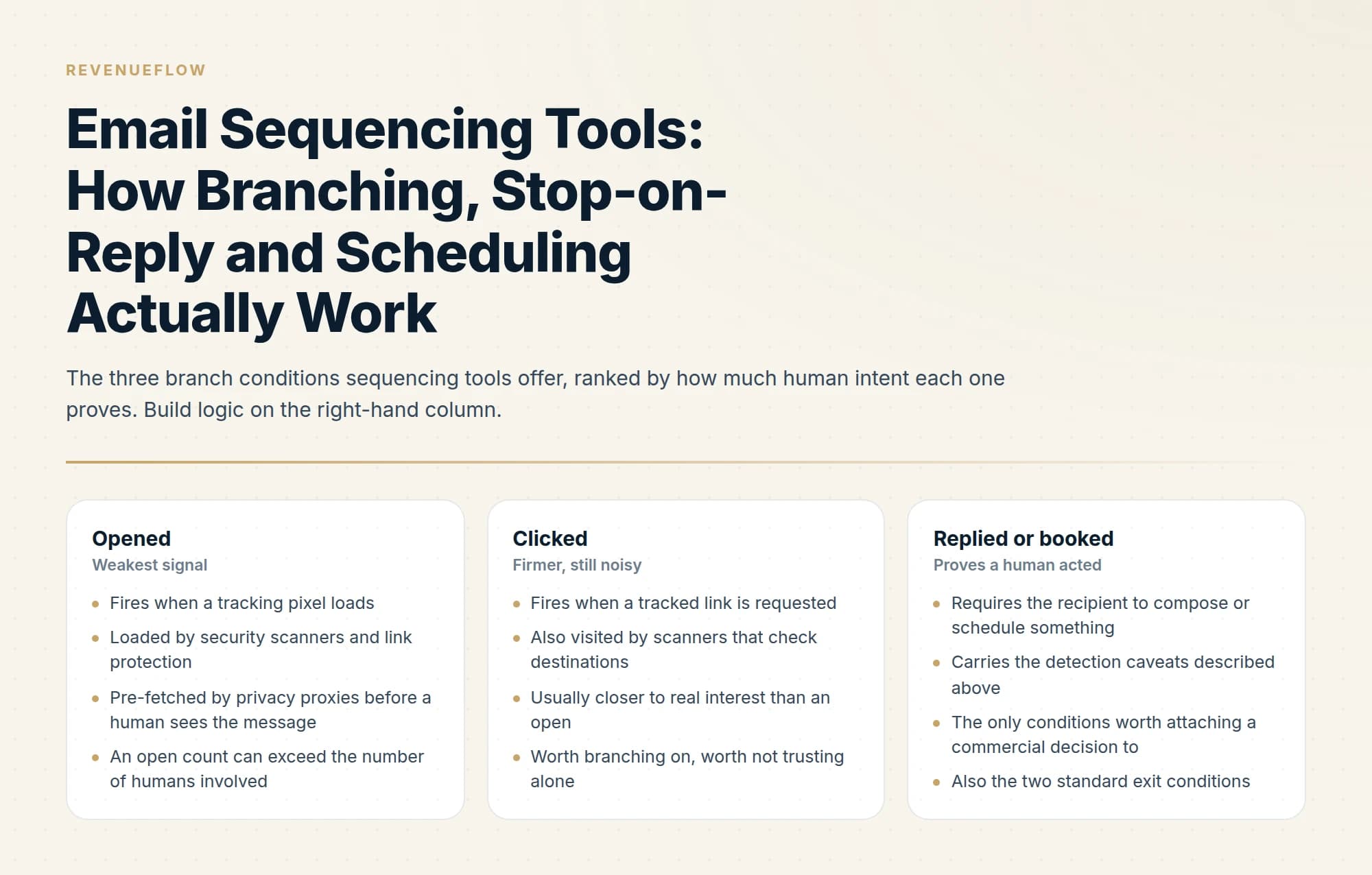
The conditions available are the ones the tool can observe: replied, bounced, clicked, opened, meeting booked, and CRM field values where a sync exists. Opens deserve a warning. An open is recorded when a tracking pixel loads, and pixels are loaded by security scanners, link protection services and privacy proxies that pre-fetch images before a human sees anything. Branching on an open means branching on the least trustworthy signal the platform produces. Clicks are firmer, though the same scanners visit links. Replies and bookings are the only two conditions where a human demonstrably did something.
Bounce conditions depend on the address resolving in the first place, and why executive addresses are the thin band explains where a database runs out.
- Fires when a tracking pixel loads
- Loaded by security scanners and link protection
- Pre-fetched by privacy proxies before a human sees the message
- An open count can exceed the number of humans involved
- Fires when a tracked link is requested
- Also visited by scanners that check destinations
- Usually closer to real interest than an open
- Worth branching on, worth not trusting alone
- Requires the recipient to compose or schedule something
- Carries the detection caveats described above
- The only conditions worth attaching a commercial decision to
- Also the two standard exit conditions
Scheduling, send windows and the timezone problem
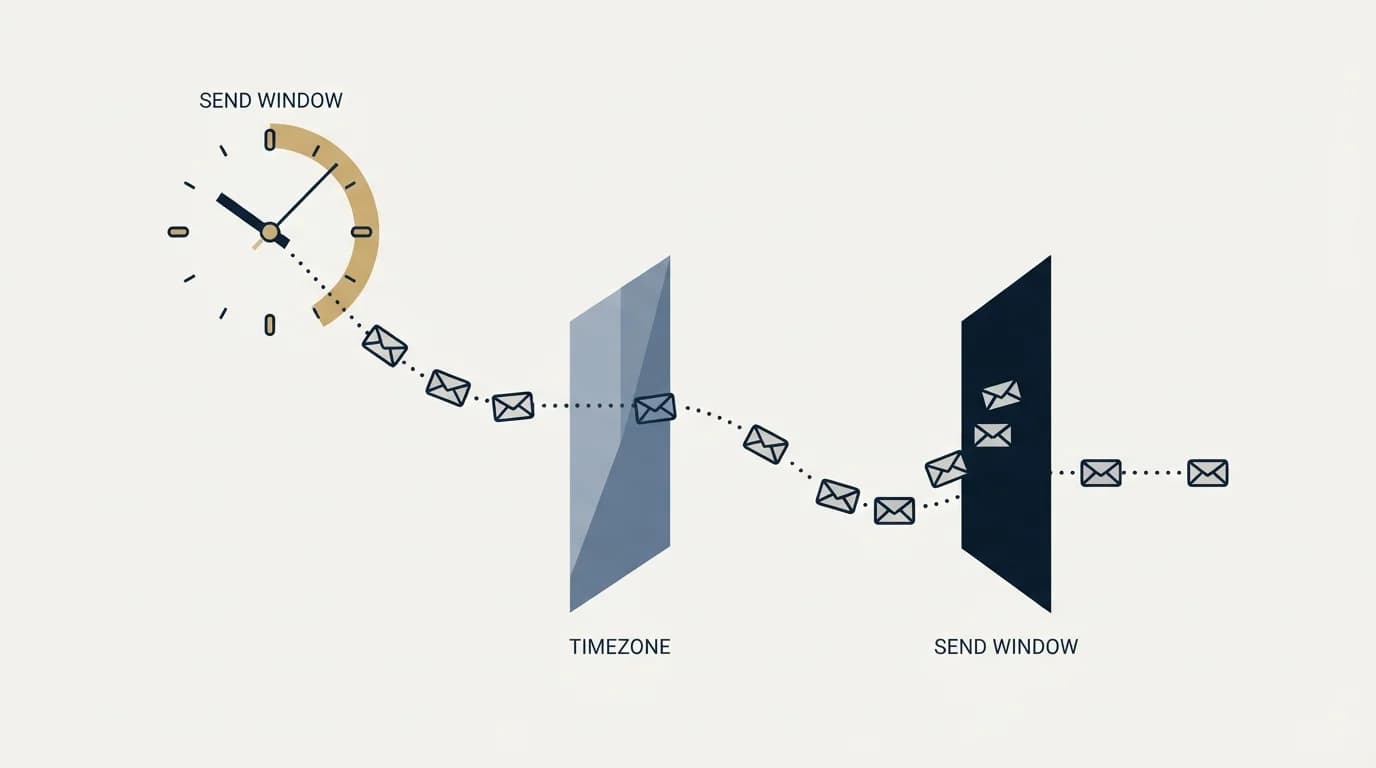
Scheduling is where sequencing tools are most opinionated and least examined. HubSpot's defaults are a fair illustration of the shape. Follow-up emails are only sent on business days by default, delays count business days between steps, an email can be delayed up to 90 business days, and you set a time range with send-window pickers inside which HubSpot "will review previous email opens and the set timezone to automatically determine the best time to send in this range". Tasks are created at the start of the account's calendar day, based on the timezone selected when the contact was enrolled.
Read that last line carefully, because it names the thing that goes wrong. There are three candidate timezones in any send decision: the sender's account, the timezone attached to the contact record, and the timezone the human being is actually in. Tools schedule against one of the first two. The third is the one that determines whether your message arrives at breakfast or at two in the morning, and it is frequently unknown, because contact timezones are inferred from a country, a state or a phone area code, and remote work has made that inference much worse than it used to be.
Which published studies sit behind the best time to send a sales email, and what each of them actually measured, is traced in best time to send a sales email.
There is a second, quieter conflict. A narrow send window concentrates volume, and mail providers meter volume over time. Microsoft applies a message rate limit of 30 messages per minute per user, and states that submissions over the rate via SMTP client submission "will be rejected and the client will need to retry". Tell a tool to deliver a day's queue inside a two-hour window across several mailboxes and the throttle, rather than your schedule, decides what actually leaves. The full set of provider ceilings, and which of them binds first, is in email sending limits by provider.
So the useful mental model of a send is a pipeline with four gates after the step comes due, and a tool can stall at any of them while the interface still shows the step as scheduled.
- Yes: How does it match an incoming reply to a sent step when threading headers are missing
- Yes: What is the maximum delay between a reply arriving and the next step being blocked
- Yes: Which autoresponder types are recognised, and what does it do with ones it cannot classify
- Yes: Is suppression scoped to the sequence, the account, or the whole workspace
- Yes: Is suppression re-evaluated at send time or only at enrollment
- Yes: Which timezone drives the send window, and where does the contact timezone come from
- Yes: What happens to the queue when a provider rate limit rejects a submission
- Depends: Does it branch on opens by default, and can that be turned off
Suppression is the feature that decides whether any of this is safe
Sequencing tools handle two different things under similar-looking settings, and conflating them is the most expensive configuration mistake in the category.
Exit conditions remove a person from one sequence. Suppression prevents a person from being contacted at all. A tool that only implements the first will happily let a prospect who replied "not interested" to campaign A be enrolled in campaign B next week by a different rep, because nothing about that "no" was recorded above the campaign. The scope you want is workspace-wide, so that a negative reply, an unsubscribe, a hard bounce or a blocklist entry ends contact everywhere rather than in one place.
Timing matters as much as scope. Suppression evaluated only when a contact is enrolled is already stale by the time step three fires days later, because the exclusion that matters most is usually one that arrived in the interim. Re-checking at send time is the behaviour to ask about explicitly, and it is not a given.
The related trap is enrollment overlap. One person sitting in two active sequences receives two unrelated pitches in the same window, and neither sequence's stop-on-reply saves you, because answering one has no bearing on the other. If the tool cannot enforce one active enrollment per person, that constraint has to live in your list building instead. How the wider platforms differ on suppression scope is covered in cold email platforms, and where a sequencing engine sits relative to everything else you need is in the cold email tool stack.
What this means for cold outbound specifically
Most of the machinery above was designed for a rep working a CRM, where the person on the other end has some prior relationship with the company and the sequence is a way of being organised about following up. That is a good use of it. The heavier platforms wrap all of it in dialers, forecasting and rep workflow, which is a different purchase again, compared in sales engagement platforms.
For cold outbound to strangers, we use the same components with the follow-up engine switched off. The stop-on-reply logic still matters, because a reply has to end contact instantly and permanently. The suppression scope matters more, because it is the only thing preventing a second message. Scheduling and rate handling matter most of all, because they decide whether the one message you are allowed lands at a sensible hour and leaves the mailbox at all.
A different concern arises once an AI agent, not a rep, holds these same sequencing controls, a shift examined in launching campaigns through an AI agent.
The short version
Reply detection is a chain of inferences rather than a fact the mail protocol supplies. Tools read the connected mailbox, match messages using the In-Reply-To and References headers with softer fallbacks, and classify automation using the Auto-Submitted header defined in RFC 3834 plus server response codes and language analysis. The failures are asymmetric: a false stop loses you a contact, and a false continue sends a message to somebody who already answered. HubSpot's documented out-of-office behaviour, where recognition depends on the pairing of sending and receiving provider, shows how narrow the margins are.
Branching mostly lives in a separate rules layer rather than in the sequence itself, as it does in Outreach's Triggers. Build branch logic on replies and bookings, treat clicks with caution, and avoid branching on opens, which are triggered by scanners and privacy proxies as well as by people.
Scheduling runs on the sender's or the contact record's timezone, neither of which is reliably the timezone the human is in, and a narrow send window collides with provider rate limits such as Microsoft's 30 messages per minute per user. Suppression is the feature that decides whether the rest is safe: ask whether it is scoped to the workspace rather than the sequence, and whether it is re-evaluated at send time rather than at enrollment.
We run one message per campaign for every client, with the angle carrying the work rather than a follow-up step. You can see what a campaign would look like for your market.
Vendor documentation and platform limits verified against the vendors' own pages as of mid-2026. Verify current behaviour with the vendor before relying on it.
Sources: Unenroll contacts from a sequence, HubSpot, Create and edit sequences, HubSpot, RFC 3834, Recommendations for Automatic Responses to Electronic Mail, Out-of-Office Detection, Salesloft, How to Use Branching Conditions in Triggers, Outreach, Exchange Online limits, Microsoft Learn
Frequently asked questions.
Frequently asked questions- What does email sequencing software do?
- It sends a predefined series of messages to each contact on a schedule, advancing or stopping based on rules. The core mechanisms are reply detection to halt the series, conditional branching on behaviour, send windows that control timing, and suppression rules governing who is excluded from receiving anything.
- How does stop-on-reply work?
- The tool monitors the connected mailbox for responses and halts the sequence for that contact when one arrives. The difficulty is classification: an out-of-office notice, an auto-responder and a genuine reply look similar to naive detection, and treating an auto-reply as a real one stops a sequence that should continue.
- What is sequence branching?
- Conditional logic that sends different follow-ups depending on what a contact did, such as opening without replying or clicking a link. It adds configuration complexity and depends on tracking signals that are increasingly unreliable, since open tracking in particular is distorted by privacy proxies.
- Should suppression be global or per campaign?
- Global. Per-campaign suppression prevents duplicate sends within one sequence while allowing a second campaign to contact someone who already replied or unsubscribed. That is the most damaging error the software can make, and it is not usually visible on a feature list.
About the author.

Ben Carden is CRO at RevenueFlow, which builds and operates outbound revenue engines for B2B companies. Previously at Gartner Enterprise. Studied at London School of Economics.
Ben Carden · CRO
Connect on LinkedIn →Explore more.
Ready to scale your outreach?
We build GTM engines that book real meetings. See the receipts.
Related articles.
ABM Personalization at Scale: Automated vs Manual
Retrieval automates well and judgement does not. The three tiers of personalization, what we automate in every build, and the failure modes worth designing against.
BASHO Email: Four Sentences Built on One Insight
A BASHO email is four or five sentences built on one researched insight about a specific person. The format is documented, and it cannot be produced at volume.
Email Tracking Software: Six Tools, Priced and Capped
Streak, Mailsuite, Right Inbox, Mixmax, Yesware and HubSpot compared on free-tier caps and published prices, plus what an open event still proves.
Cold Email Frameworks: Which One Fits Your Offer
AIDA, PAS and Before-After-Bridge arrange the same four elements in different orders. What each one assumes about the reader, and what none of them fix.
What a Cold Email Is, and What Separates It From Spam
A cold email is a first business email to somebody with no prior relationship with you. What that one condition rules in, rules out, and demands technically.
Can Buyers Tell an Email Was Written by AI?
Buyers are not running a classifier on your cold email. What they react to is a message containing nothing only somebody who looked could have written.