The lemlist MCP Server: When the Agent Can Launch Campaigns
lemlist's MCP server can create, start and pause campaigns, not just read them. The OAuth path, the credit meter, and the three database figures its pages disagree on.
lemlist publishes a Model Context Protocol server at app.lemlist.com/mcp whose documented tools include creating, starting and pausing campaigns. It supports OAuth with one-hour access tokens and thirty-day refresh tokens, or an API key in a header. Enrichment actions consume credits at lemlist's published per-action rates.
Key takeaways
- lemlist's developer documentation lists campaign create, update, start and pause among the server's tools, which makes the connection a delegation of sending authority rather than a reporting convenience.
- The OAuth path avoids creating an API key at all: the client is pointed at the server URL, a browser consent page names the team, and the documentation gives an access token lasting one hour with a refresh token lasting thirty days.
- Enrichment through the agent spends real money, because lemlist's pricing page publishes one credit as one cent, five credits per verified email and twenty per phone number.
- The vendor's own surfaces carry three different database sizes for the same thing, at 650 million in the site navigation, more than 600 million in the product headline, and more than 450 million in both the FAQ and the developer documentation.
Reviewed and updated September 1, 2026
Most vendor integrations let software read your data. lemlist's Model Context Protocol server lets an AI assistant create a campaign, add leads to it, and start it. That is a different kind of connection, and the setup instructions take about the same two minutes either way, which is precisely the problem.
lemlist publishes the server on its own developer documentation and markets it on a product page whose headline invites you to stop doing outbound and start prompting it. Both surfaces were fetched on 16 August 2026 and everything below comes from them. We run Email Bison for sending, so this is a documentation read of another vendor's integration rather than an account of running it.
The tool list is the risk assessment
lemlist's developer documentation lists what the server currently exposes, with the caveat that the set evolves and the honest suggestion that you ask your assistant what it can do. The current capabilities are grouped into six areas: campaign management covering create, update, start and pause for campaigns and sequences; lead management covering add, search and update across campaigns; lead sourcing against the B2B database by role, industry, company size and location; email enrichment covering finding and verifying addresses; team and stats; and webhook subscription management.
Read that list as a permission grant rather than a feature table. Three of those six groups change the state of a live sending account. Start a campaign is a send. Add leads to a campaign is a send with a list attached. Update a sequence is a change to copy that is already going out.
The product page's own FAQ puts the total at more than forty actions and describes the scope plainly: everything you do in lemlist, your agent can do too. That sentence is the most useful one on either page, because it sets the correct mental model. This is not a reporting connector with a chat interface. It is delegated access to the account.
Since lemlist's own scope is cold email execution rather than cross-channel orchestration, teams weighing a broader workflow tool may want a side by side platform comparison.
Deciding whether lemlist even belongs in the stack alongside a broader outreach tool is the subject of a category comparison with Apollo.io.
- Create, update, start and pause campaigns and sequences
- Add and update leads across campaigns
- Manage webhook event subscriptions
- Email finding and verification
- Phone enrichment
- The documentation states the assistant warns before using these
- Lead search against the B2B database
- Team information
- Campaign performance metrics
The authentication model is the better one, and worth understanding
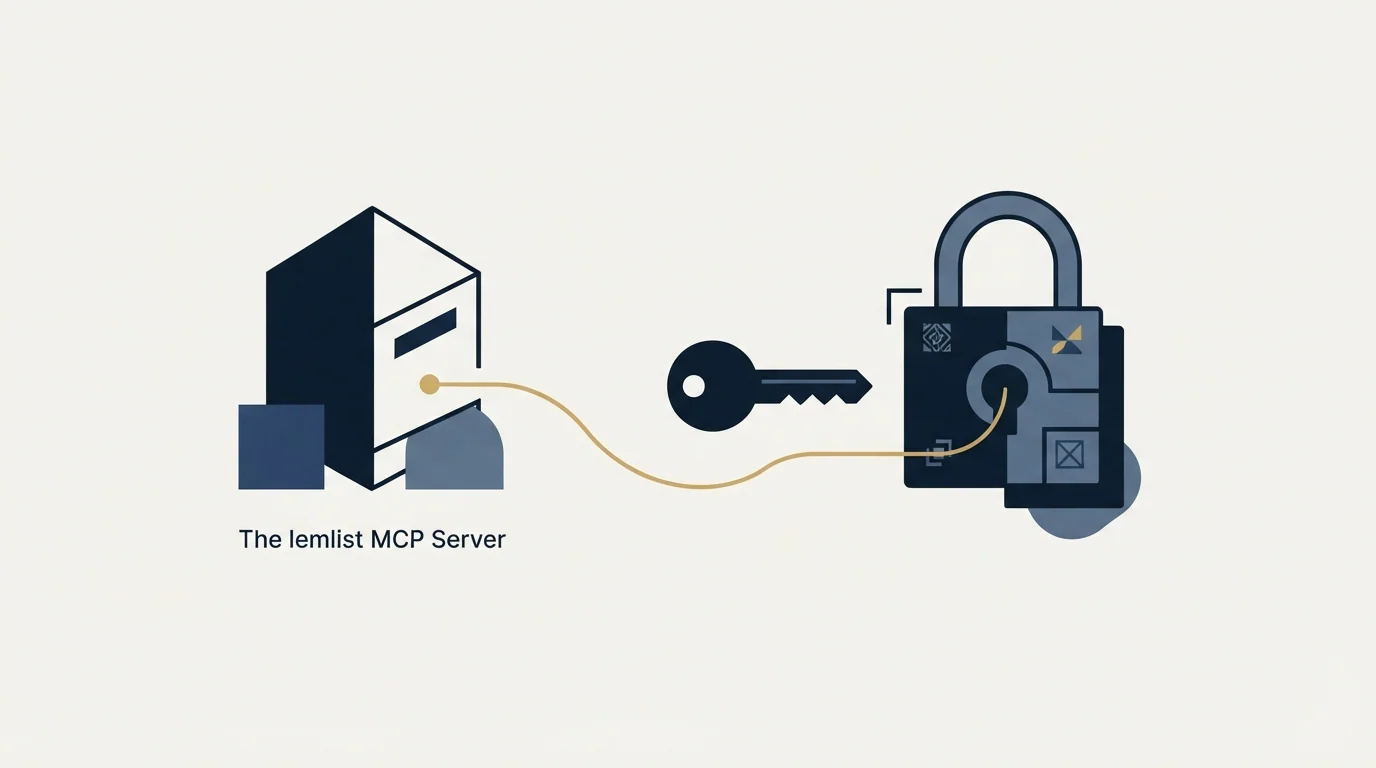
lemlist documents two ways to connect, and recommends the stronger of them.
With OAuth, no API key is created at all. The client is pointed at https://app.lemlist.com/mcp and the mcp-remote module handles discovery, client registration, browser-based consent, token exchange using PKCE, and token refresh. The first time a tool is called, a browser consent page opens where you select the team and authorise access. The documentation gives the token lifetimes: an access token lasting one hour and a refresh token lasting thirty days.
The alternative is an API key, created in the application under Settings, then Team, then Integrations, and passed to the server in an X-API-Key header.
Both details matter for a security conversation. A consent screen that names the team makes the grant visible at the moment it is made, which a pasted key never does. Short-lived access tokens with refresh mean revoking access at the source actually ends it, rather than ending it whenever someone remembers which config files hold the key. And a credential carried in a header, rather than in the connection URL, stays out of shell history, process listings and pasted troubleshooting output. Vendors in this category vary on that last point, and it is worth checking per server rather than assuming.
The vendor's own security answer on the product page is that the key stays local on your machine and that the AI client stores no data, passing instructions to lemlist's API and returning results. That is a statement about the client's role, and it is accurate as far as it goes. It says nothing about who at your company holds the grant, which is the question your access review will ask.
Credits are the cost surface nobody models
The developer documentation notes that email finding, verification and phone enrichment consume credits, and that the assistant warns before using them. lemlist's pricing page publishes the rates behind that warning: one credit is one cent, a verified email costs five credits, and a phone number costs twenty. The same page states the arithmetic itself, that a thousand credits buys two hundred emails or fifty phone numbers for ten dollars, and that credits are only charged when an action succeeds.
Work an illustrative example, invented here to show the shape rather than drawn from any account. An agent asked to build and enrich a list of two thousand prospects, at the published five credits per verified email, would spend ten thousand credits, which is one hundred dollars at the published rate. That is not a large number. It is also not a number anybody approved, and the request that produced it was one sentence long.
The gap between how easy an instruction is to give and how much it costs to execute is the genuinely new thing about this integration. A person building that list in the interface passes several screens that make the scale visible. An agent passes none of them. Setting a spending expectation before the connection is made, rather than reading it off an invoice, is the whole of the mitigation.
- Yes: Prefer the OAuth path, so the grant is consented to explicitly and can be revoked at the source.
- Yes: Decide who may hold the grant, since it covers everything the person can do in the account.
- Yes: Agree in advance whether starting a campaign is ever an agent action rather than a person's.
- Yes: Set a credit expectation, since enrichment actions spend real money at published per-action rates.
- Depends: Check which figures your prompts rely on, because the vendor's own surfaces disagree on database size.
- No: Assume a warning before a credit-consuming action is the same as an approval step.
The database figure disagrees with itself, on the vendor's own pages

Anyone planning to prompt against lead volume should know that lemlist publishes three different numbers for the same database, and two of them sit on one page.
The product page's headline offers access to more than six hundred million leads. The navigation on that same page advertises a 650 million-plus lead database. The FAQ further down, answering what an agent can actually do, says lead search runs across more than 450 million contacts, and the developer documentation's capability list gives the same 450 million-plus figure.
None of those is presented as superseding the others, and this is ordinary rather than sinister: marketing surfaces and documentation drift apart at every vendor. The doctrine that follows is the useful part. A figure belongs to the page it appears on, so quote it that way, and where a vendor's own pages disagree, say so instead of picking a winner. For a buyer, the number that matters is the one the search actually runs against, which is the documentation's figure rather than the hero's.
The productivity claims beside them deserve the same treatment. The product page states that reps lose twelve minutes per prospect, spend more than twenty copy-pastes per sequence, and take forty-five minutes to launch a campaign that agents on its MCP cut to ninety seconds. Those are the vendor's assertions about a problem the vendor sells the solution to, and they are worth reading as positioning rather than as measurement.
- Step 1Connect with OAuth
Consent names the team, tokens expire, and revocation at the source is real.
- Step 2Use the reading half first
Lead search, campaign metrics and team information carry no state change.
- Step 3Draft, then stop
Let the agent assemble the list and the copy, and leave the campaign unstarted.
- Step 4Review the rendered output
Read finished messages against real rows, since a template review proves the template only.
- Step 5Start it yourself
Activation stays a person's decision, whatever the tool permits.
What we would and would not delegate
Our operating policy is straightforward and it maps cleanly onto this tool list. Approval gates for anything that leaves the building stay with a person: external sends, list loading and campaign activation are not delegated, whatever an integration makes possible. Research, list assembly, analysis and drafting are a different class of work, and they are where an agent connection earns its keep.
There is a second reason to be careful with the campaign-creation half specifically. We run one message per campaign, with no bumps and no thread replies, and re-approaching an audience means a new campaign with a genuinely different angle rather than another step under the first. On LinkedIn the constraint is stronger, because a second message lands directly beneath the one the recipient already ignored, so we do not run LinkedIn no-reply retargets at all. A tool that generates multichannel sequences on request will happily produce the shape we decline to send, and LinkedIn automation tools covers the account-level limits that apply regardless of what generated the sequence.
The lead-sourcing half raises the ordinary question too. Addresses an agent finds are still addresses that need verifying before they meet a sending domain, which email verification tools covers, and volume still has to be spread across mailboxes, which inbox rotation describes.
The short version
lemlist's MCP server is well documented, sensibly authenticated and genuinely capable. The capability list includes creating, starting and pausing campaigns, which makes it a delegation of sending authority rather than a reporting convenience, and the setup for both is identical in effort.
Use the OAuth path, keep activation with a person, agree a credit expectation before the first enrichment run, and quote database figures from the documentation rather than the headline, because lemlist's own surfaces carry 650 million, 600 million and 450 million for the same thing. If the underlying evaluation is about the platform rather than the integration, lemlist pricing covers the plan ladder and the credit meter, and the alternatives roundup covers the field. For the category shapes, cold email software sets them side by side.
If what you actually want is meetings on the calendar rather than a faster way to launch campaigns, see what a first campaign looks like, booked against a qualification standard agreed in writing before launch.
Integration capabilities, authentication details and credit rates verified as of mid-2026 against lemlist's developer documentation, its MCP product page and its pricing page, each figure attributed above to the surface it appears on. Verify current terms with the vendor before relying on them.
Frequently asked questions.
Frequently asked questions- What can lemlist's MCP server actually do?
- Its developer documentation groups the tools into campaign management, lead management, lead sourcing, email enrichment, team and stats, and webhook subscriptions. Campaign management explicitly covers create, update, start and pause. The product page puts the total above forty actions and says everything you do in lemlist your agent can do too, which is the right mental model for the grant.
- Should I use OAuth or an API key?
- OAuth, which lemlist itself recommends. It creates no long-lived credential, the consent screen names the team being authorised, and revoking access at the source genuinely ends it. An API key sits in a config file until somebody remembers to remove it, though lemlist at least passes it in a header rather than in the connection URL.
- How much does running outbound through an agent cost in credits?
- It depends on the enrichment, and the rates are published. A verified email is five credits and a phone number is twenty, with one credit costing a cent, and credits are charged only when the action succeeds. The risk is not the rate but the ease of the instruction: one sentence can authorise thousands of lookups nobody approved.
- Which lead database figure should I plan against?
- The documentation's figure, since it describes the search the tool actually runs. lemlist's developer docs and its MCP FAQ both say more than 450 million contacts, while the product headline says more than 600 million and the navigation says 650 million. Quote whichever figure you use with the page it came from rather than treating one as the company position.
About the author.

Ben Carden is CRO at RevenueFlow, which builds and operates outbound revenue engines for B2B companies. Previously at Gartner Enterprise. Studied at London School of Economics.
Ben Carden · CRO
Connect on LinkedIn →Explore more.
Ready to scale your outreach?
We build GTM engines that book real meetings. See the receipts.
Related articles.
The Smartlead MCP Server: What an AI Agent Can Reach
Smartlead's MCP server puts campaign status, lead data and deliverability behind a chat interface. The transport limit, the client limit, and where the key travels.
Lemlist API: What You Can Automate, and What You Cannot
The lemlist API uses HTTP Basic auth with a leading colon, limits every route to 20 requests per 2 seconds per key, and ships on every published plan.
Lemlist Pricing: Plan Tiers and Credit Costs vs Instantly
Lemlist prices per user with a sender cap where Instantly gives unlimited mailboxes. Which is cheaper depends on whether your constraint is headcount or mailboxes.
How to Write a Third Follow Up Email, Line by Line
A third follow up email belongs only in a thread where the person replied or agreed to something. When to send one, and how to write it line by line.
How to Write a New Year Outreach Email, Line by Line
A new year outreach email works only where January is a fact about the account. Who that is, the structure line by line, and two worked examples.
CMO Email List: What You Are Actually Buying
Seven of the ten results for this phrase sell a file filtered on a title that describes forty percent of the market. What to build instead, and why.