SMTP Server: What Breaks First When You Scale Sends
Four different things get called an SMTP server, and each one fails differently at volume. The limits that appear between 1,000 and 10,000 sends a day.

An SMTP server in a cold email stack is one of five things: a mailbox provider's submission server, a transactional relay, mail software you run, the receiving MX host, or done-for-you inboxes such as Scalesends. Per-user limits, authentication thresholds and per-domain reputation bind before raw capacity does.
Key takeaways
- Five different things get called an SMTP server in cold email: a mailbox provider's submission server, a relay, your own mail server, the receiving MX host and done-for-you inboxes.
- Scalesends sells done-for-you inboxes; its homepage prices them at $1.97 a month against $7 for a Google or Outlook seat, with plans at $49, $197 per domain and $299.
- Google's relay limits each user to 10,000 messages and 10,000 unique recipients a day, and senders above 5,000 a day to Gmail face stricter authentication rules.
- Bigger campaigns reply less: in RevenueFlow's benchmark, campaigns of 500 to 2,000 sends replied at 0.88% against 0.33% for 25,000 or more.
Reviewed and updated September 21, 2026
Scalesends, which sells done-for-you inboxes for B2B cold email, is one answer to a question most teams reach at the same point: what to send from once volume outgrows a handful of mailboxes. The rest of this page is the question underneath it.
A team that has been sending 500 cold emails a week from five mailboxes decides to go to 5,000. They buy more domains, spin up more mailboxes, and the campaign starts. Two weeks later, delivery is worse than it was at 500. Nothing in the copy changed, nothing in the list changed, and the sending tool reports no errors worth reading. What changed is that a set of limits nobody was near before are now the thing deciding how many messages arrive.
Most of those limits sit at the SMTP layer, and almost none of them announce themselves. This is what an SMTP server actually is in a cold email stack, which of the four different things people call one you are probably running, and what each of them does first when volume climbs.
Choosing SMTP for cold email comes down to one question the throughput comparisons never ask: what happens after somebody replies.
Four different things get called an SMTP server
The protocol is defined in RFC 5321, and it describes a conversation rather than a product: a client connects, identifies itself, names an envelope sender with MAIL FROM, names recipients with RCPT TO, and hands over the message. Any software on either side of that conversation can be called an SMTP server, which is why the phrase means four different things depending on who says it.
Your mailbox provider's submission server. smtp.gmail.com or smtp.office365.com. You authenticate as a user and the provider sends on your behalf. This is what almost every cold email tool is using when you paste in a mailbox.
A relay or transactional service. Brevo, Mailjet, SMTP2GO, Amazon SES. You authenticate as an account rather than a person, and the service sends from its own infrastructure. Built for password resets and receipts.
Mail server software you run yourself. Postfix, hMailServer, Xeams, Exim. You own the machine, the IP address, and every reputation consequence that follows.
The receiving side. The MX host that accepts mail for a domain. When somebody says a message was rejected by the SMTP server, this is usually the one they mean.
These are not interchangeable, and the differences only start to matter at volume. At five mailboxes any of them appears to work.
Authenticates to a submission server as the mailbox owner, usually on port 587.
Applies per-user and per-account limits, then queues the message.
Opens a connection to the recipient domain's MX host on port 25.
Checks authentication, reputation and content, then accepts, defers or rejects.
Inbox or spam, decided by the receiver rather than the sender.
Scalesends and done-for-you inbox infrastructure
Scalesends sells done-for-you inboxes for B2B outbound. Its homepage prices an inbox at $1.97 a month against $7 for a Google or Outlook seat, lists private IPs at $1 a month, and shows plans at $49, $197 per domain and $299, each described as done for you. Its "80-99% Deliverability" is the vendor's own claim rather than a measurement anyone can check.
This is a fifth arrangement that has grown up specifically for cold outreach, sitting between the mailbox providers and your own server: the inboxes are real mailboxes, so replies land somewhere a person can answer, but the infrastructure, the IP reputation and the support belong to the vendor. That shifts the questions a buyer asks. Who owns the domains and the IPs, what happens to the inboxes and their history if you leave, and which figures the vendor will put in a contract. Its homepage shows the per-inbox price as both $2 and $1.97 a month, which is a small inconsistency and a good reason to take every figure from the order form rather than the marketing page.
Ports, and the one that is probably blocked
Port 587 is submission: an authenticated client handing a message to a server that will send it onward. Port 465 is the same job over an implicit TLS connection. Port 25 is server to server, which is the hop your provider makes on your behalf.
If you were planning to run your own mail server on a cloud instance, port 25 is where that plan meets reality. AWS documents that it blocks outbound traffic on port 25 for all EC2 instances by default and requires a request to lift the restriction. Other cloud providers apply similar defaults. The block exists because a fresh cloud IP with no sending history is what spam operations are made of, which is the same reason a fresh IP delivers badly even after the block is lifted.
The limits that appear between 1,000 and 10,000 a day

Per-user and per-account sending limits. These are provider policy rather than protocol, and they are usually the first hard stop. Google's own documentation for its SMTP relay service publishes a limit of 10,000 messages per user in a 24 hour period and 10,000 unique recipients per user in the same window, plus a 100 recipient limit per SMTP transaction against smtp-relay.gmail.com. Exceeding one returns an SMTP error rather than a silent drop, which is the good case. The published limits for ordinary Workspace and Microsoft 365 mailboxes are different again, and we have written those up in full in email sending limits by provider.
Authentication requirements that change at a volume threshold. Google's sender guidelines set a floor for everyone and a stricter set for anyone sending more than 5,000 messages a day to Gmail accounts: SPF and DKIM and DMARC on the sending domain, valid forward and reverse DNS, TLS in transit, and spam rates reported in Postmaster Tools kept below 0.30%. A stack that was compliant at 1,000 a day can be out of compliance at 6,000 without anybody touching the DNS. The setup itself is covered in SPF, DKIM and DMARC for cold email.
A separate but related pitfall is domain authentication itself, since merging SPF includes rather than adding a duplicate record is exactly the fix explained in SPF setup on Namecheap.
Reputation, which is counted per domain rather than per account. Google's Postmaster Tools documentation notes that the domain reputation dashboard only displays messages sent from the exact domain used for DKIM and SPF authentication. Split your sending across eight domains and you have eight reputations, each built and damaged separately. That is the mechanism behind running a pool rather than a single hard-working domain, and it is why domain reputation is the number that actually gates a cold email programme.
Beyond reputation math, a message that reaches the inbox can still land in spam, and that outcome has its own separate set of causes and fixes worth understanding in the guide to fixing spam placement.
Throttling, which looks like an error and is not one. A temporary failure is the receiver slowing you down rather than refusing you. A well built sending tool backs off and retries. A badly built one treats the deferral as a bounce and burns a good address. Email throttling is the receiver managing you, and the correct response is to send less, not to retry harder.
What scaling actually does to results
Volume is not free even when every message is delivered. Our own published cold email benchmark report, built from 1,413,405 sends across 356 campaigns, groups campaigns into cohorts by their own send volume. Campaigns sending between 500 and 2,000 messages returned a human reply rate of 0.88%. Campaigns sending 25,000 or more returned 0.33%.
That gap is not primarily a deliverability effect. Bigger campaigns reach further down a list, into companies that fit the profile less well and people who are a worse match for the offer. The practical reading is that adding sending capacity does not add proportional replies, and a stack sized for a number nobody has justified is expensive in a way the invoice does not show.
| Option | Where replies land | What binds at volume |
|---|---|---|
| Mailbox providers (Google Workspace, Microsoft 365) | A real mailbox somebody answers | Per-user limits; reputation per sending domain |
| Relay or transactional service (SES, Brevo, Mailjet) | Nowhere by default; you build it | Acceptable-use terms that usually exclude cold outreach |
| Your own mail server (Postfix, Exim) | Wherever you route them | Port 25 blocks, PTR records, IP warm-up, blocklists |
| Done-for-you inboxes (Scalesends and similar) | Mailboxes on the vendor's infrastructure | The vendor's reputation and support, and your exit |
The question that decides which server you need
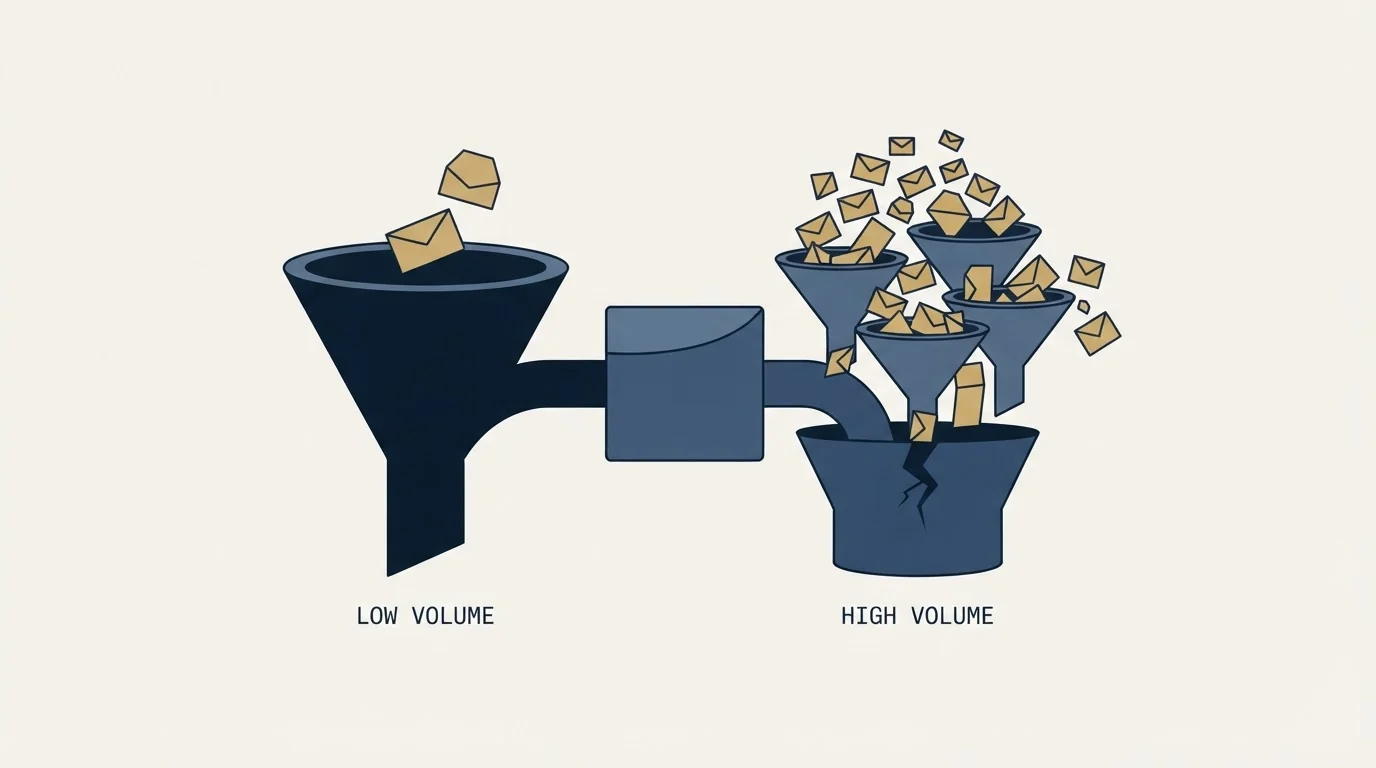
Ask what happens after somebody replies. A transactional relay is built to push messages out at high throughput and has no opinion about the answer coming back, because password reset emails do not get answered. Cold outbound is the opposite shape: the entire value of the send is the reply, and the reply has to arrive somewhere a person reads and can respond from, under an address the recipient will recognise if they check.
That single requirement rules out most of the relay category before price or throughput enters the discussion. It also explains why acceptable-use terms at transactional services generally exclude unsolicited outreach. They are not being squeamish. A relay pools many customers behind shared sending infrastructure, so one customer's complaint rate lands on everyone else's delivery, and cold outreach carries a complaint profile that a receipts pipeline does not.
Reading SMTP errors instead of guessing
The protocol is unusually honest for something people find opaque. A 4xx response is temporary and the sending server should retry. A 5xx response is permanent and the address or the policy will not change on a retry. The text after the code is written by the receiving organisation and frequently names the actual reason: a blocklist, a missing PTR record, a policy against the content, or a mailbox that no longer exists.
Two habits are worth more than any tool here. Read the full text of a rejection rather than the classification your sending platform applied to it, because platforms compress several genuinely different failures into the word "bounce". Our benchmark report found that 12.59% of the bounce notifications in that dataset were delay notices rather than failures at all, which is enough to move a bounce rate from acceptable to alarming for no real reason. And check whether the failure is concentrated in one receiving organisation, which points at a filter, or spread evenly, which points at your own setup. The mechanics of that read are in email blacklist checks and recovery.
Before adding sending capacity, check the limits that bind before the provider ceiling does: which of these SMTP roles your stack actually uses; whether SPF, DKIM and DMARC are aligned on every sending domain rather than only the main one; whether forward and reverse DNS resolve for every sending host; whether you can see spam rate per domain rather than one blended number; whether your tool backs off on 4xx deferrals instead of retrying immediately; and whether somebody reads and answers replies the day they arrive. The last check is whether the volume target comes from a pipeline number rather than a round figure.
The shape that holds

The stack that survives scale is a lot of ordinary mailboxes sending modest volumes from separate authenticated domains, rather than one server sending hard. It costs more per message than a relay and it is the arrangement receiving filters are least hostile to, because it looks like what it is.
That shape also constrains the campaign design. We run one message per campaign and no follow-up sequences, so the send count is the number of people we are contacting rather than a multiple of it. In the benchmark dataset, 346 of 356 campaigns were single-message, and the reply rate across that subset was statistically indistinguishable from the whole. Capacity planning is simpler when a campaign of 2,000 leads means 2,000 sends.
If you want the arithmetic run against your own list size and offer before you buy anything, we will build the first campaign with you and you can see the numbers on real sends.
Provider limits are from Google's and AWS's own documentation and Scalesends' figures from its homepage; the benchmark figures are from RevenueFlow's own cold email benchmark report. Verify current terms with the vendor before relying on them.
Frequently asked questions.
Frequently asked questions- What is Scalesends?
- A provider of done-for-you inboxes for B2B cold email. Its homepage prices an inbox at $1.97 a month against $7 for a Google or Outlook seat, lists private IPs at $1 a month and shows plans at $49, $197 per domain and $299. Its deliverability range is the vendor's own claim, so take figures from the order form.
- What is an SMTP server for cold email?
- Usually your mailbox provider's submission server, such as smtp.gmail.com, which sends on your behalf once you authenticate. The same phrase also covers transactional relays, mail software you run yourself, the receiving MX host and done-for-you inbox vendors. For cold email the deciding question is where replies land, since the reply is the point of the send.
- What limits apply when you scale cold email sends?
- Per-user provider limits come first: Google's relay allows 10,000 messages and 10,000 unique recipients per user a day and 100 recipients per transaction. Above 5,000 messages a day to Gmail, stricter authentication and a spam-rate ceiling apply. Reputation is counted per sending domain, and receivers throttle with temporary failures.
- Can you run cold email through Amazon SES or another relay?
- Relays are built for receipts and password resets, and their acceptable-use terms usually exclude unsolicited outreach, because one customer's complaints affect everyone on shared infrastructure. They also have no answer for replies. AWS blocks outbound port 25 on EC2 by default, so running your own server there needs a request to lift it.
About the author.

Tim Carden is CMO / CTO at RevenueFlow, which builds and operates outbound revenue engines for B2B companies. Studied at McGill University.
Tim Carden · CMO / CTO
Connect on LinkedIn →Explore more.
Ready to scale your outreach?
We build GTM engines that book real meetings. See the receipts.
Related articles.
SMTP for Yahoo: The Settings and the Sender Requirements
Yahoo publishes its outgoing settings in six lines. It also publishes sender requirements enforced since February 2024, and refuses to name the volume that triggers them.
GMass SMTP Test: What a Passing Connection Cannot Prove
GMass publishes a free SMTP connection tester that anyone can use. What its four stages separate, why the last one gets misdiagnosed, and where the tool's boundary is.
Mass Email From Outlook: The Limits Microsoft Publishes
Microsoft publishes the ceiling on one mailbox and, a few paragraphs later, recommends that bulk commercial mail go to a specialist provider instead.
IMAP or SMTP: One Sends, One Reads, and the Ports
A mail setup pane asks for two servers because the two protocols run in opposite directions. The RFCs define both jobs, and the ports are where providers disagree.
Sending Cold Email From the CRM You Already Pay For
A CRM sequence tool sends from your primary domain and your own mailbox, and vendor terms usually require documented consent. What a separate cold stack buys.
SMTP Ports: What 25, 465, 587 and 2525 Are Registered For
Three of the four ports in circulation are registered to mail and one is not. What the IANA registry and the RFCs say, and why none of it moves placement.