DMARC Policy Not Enabled: What It Means and How to Fix It
The warning means your DMARC record is published at p=none. What that costs you, what changed in the 2026 specification, and how to reach enforcement safely.
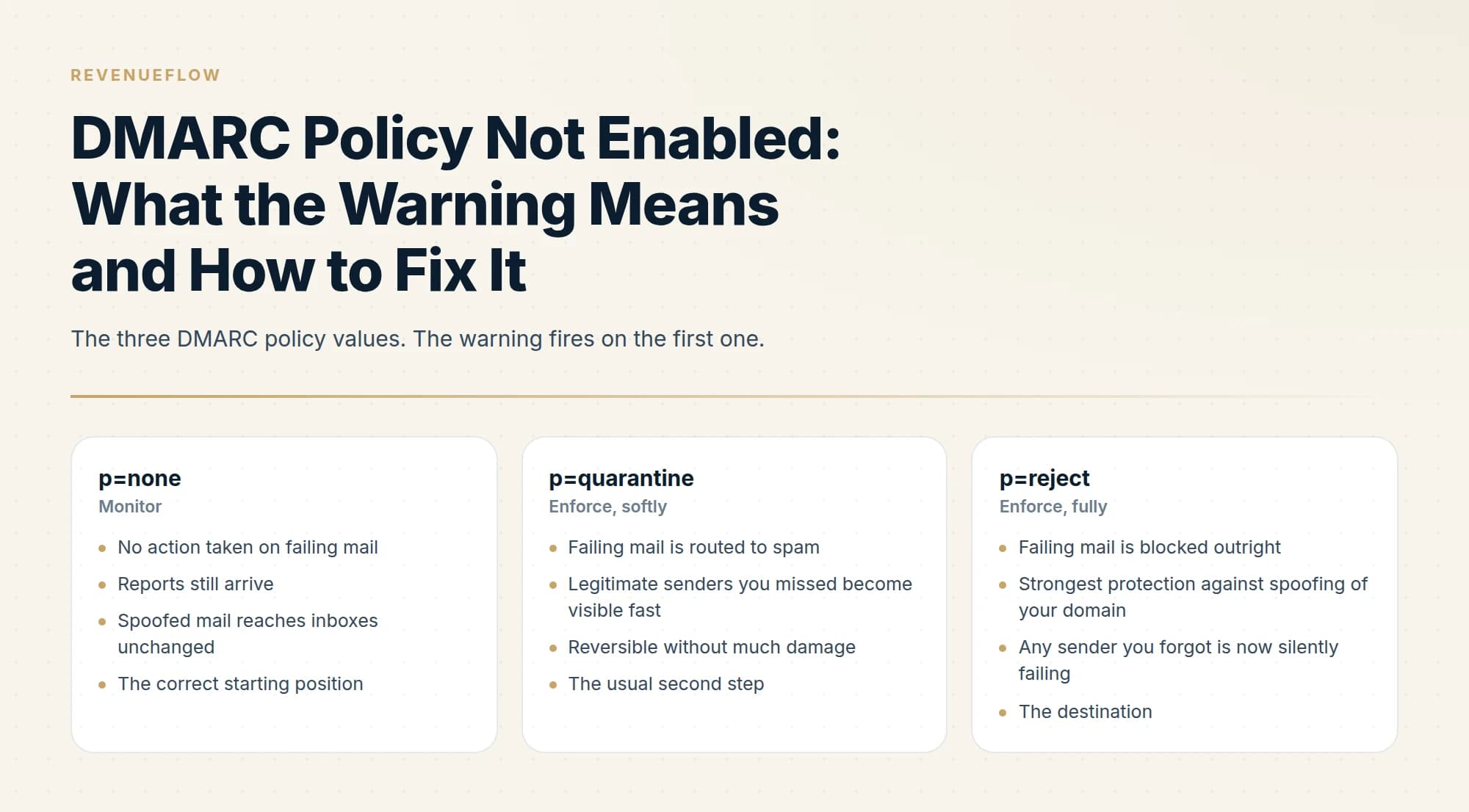
DMARC policy not enabled means your domain is not asking receivers to act on mail that fails authentication. Checkers print the warning when the DMARC record says p=none, when it has no p tag, which the specification treats as p=none, or when no record exists. It clears at p=quarantine or p=reject, after a month of reading reports.
Key takeaways
- The warning fires on a p=none record, on a record with no p tag, which RFC 9989 treats as p=none, and on a domain with no DMARC record at all.
- RFC 9989 defines the three policy values as the domain owner's preference: none states no preference, quarantine marks failing mail as suspicious, and reject treats every failure as invalid use of the domain.
- The specification has a domain publish p=none for at least a month, then p=quarantine for an equally long period, comparing the aggregate reports before going further.
- RFC 9989 says domains used for general-purpose email should not deploy p=reject because it breaks mailing lists and forwarders, so p=quarantine is a legitimate stopping point for a primary company domain.
Reviewed and updated September 18, 2026
A scanner flags your domain with "DMARC quarantine/reject policy not enabled" and the wording suggests something is missing. Usually nothing is missing. You have a DMARC record, it published correctly, and it is set to p=none, which tells receiving servers to take no action on messages that fail authentication. The record exists and does nothing, which is exactly what p=none is for.
Whether that is a problem depends on how long it has been that way and what you are sending.
What "DMARC quarantine/reject policy not enabled" means
The warning means your domain's DMARC policy is not asking receivers to act on mail that fails authentication. A checker prints it in three cases: the record says p=none, the record has no p tag at all, or no DMARC record exists. It clears when the record reads p=quarantine or p=reject, and the DMARC policy not enabled wording is the same finding under a shorter name.
The second case surprises people. RFC 9989, the current DMARC specification, lists the p tag as recommended rather than required, and says that when it is missing from an otherwise valid record, the record is treated as if it included p=none. A record that only asks for reports is therefore a monitoring record whether or not it says so.
Before: the warning fires
v=DMARC1;p=none;rua=mailto:dmarc@example.com
Reports arrive. Failing mail is handled as if no preference had been stated.
After: the warning clears
v=DMARC1;p=quarantine;np=reject;rua=mailto:dmarc@example.com
Failing mail is flagged as suspicious, and non-existent subdomains get their own stricter policy.
What the warning is reading
DMARC is a policy layered on top of SPF and DKIM. It does two things: it tells receiving mail servers what to do with messages that fail authentication, and it asks them to send you reports about it.
The p= tag carries the instruction, and it has three values.
The scanner is telling you that you are in column one. That is a finding, not a fault. Publishing p=none first is what the specification itself describes: RFC 9989 has a domain publish p=none for at least a month and study the aggregate reports before going further, because that is how you discover which legitimate services send on your behalf before you start blocking things.
Not every flag on a report carries the weight it appears to, and the administrators' own list of opinions states plainly that it blocks no mail itself.
The failure mode is not starting at p=none. It is staying there for two years because nobody scheduled the next step.
How DMARC actually decides
The part that trips people up is that DMARC does not require both SPF and DKIM to pass. It requires either one to pass and to align.
Alignment is the word doing the work. A message can pass SPF outright and still fail DMARC, because the domain that passed SPF is not the domain in the visible From header. This is the standard behaviour of many third-party senders: they send from their own infrastructure with their own return path, so SPF passes for their domain and aligns with nothing you own. DKIM signing with your domain is what fixes that, which is why every sending platform asks you to publish DKIM records.
What changed in 2026
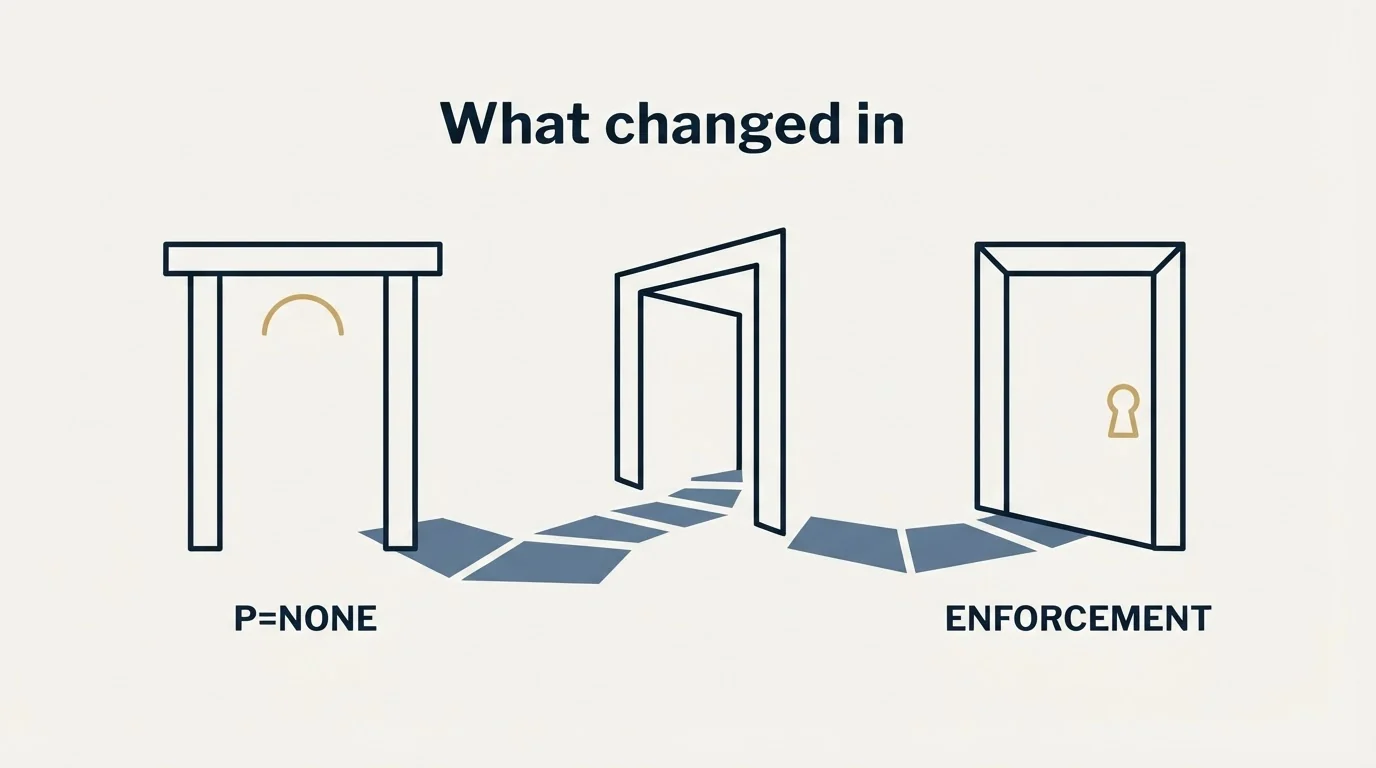
If you are reading older guidance, some of it is now out of date. The IETF published an updated DMARC specification on 20 May 2026: RFC 9989 (core protocol), RFC 9990 (aggregate reporting) and RFC 9991 (failure reporting). Together they obsolete RFC 7489, the original DMARC specification, and RFC 9091.
Three changes matter for anyone doing a rollout now.
The pct tag is historic. The classic advice was to enforce gradually by percentage, publishing p=quarantine; pct=25 and stepping upward. pct= is deprecated in the new specification, along with rf= and ri=. Receivers ignore deprecated tags rather than rejecting the record, so an existing record with pct= keeps working, but you should not build a new rollout plan around it.
np= is new. It sets a policy for non-existent subdomains, which is the surface attackers use most often when spoofing a domain that has enforcement on the main name. It is worth publishing.
SPF evaluation narrowed. DMARC now uses only the MAIL FROM address, with no fallback to the HELO identifier. If any of your mail was passing DMARC via HELO, it is not any more.
The sp= subdomain policy tag and the adkim= and aspf= alignment tags keep their previous meanings, so those parts of an existing record are unaffected.
Should you enforce at all
For cold outbound specifically, the answer is more nuanced than security scanners imply. Enforcement protects your domain from being spoofed by other people. It does not, by itself, improve your own deliverability, because your own mail should be passing DMARC either way.
What enforcement does buy you with mailbox providers is a signal that the domain is properly administered. And what p=none costs you is that anyone can send mail claiming to be your domain and receiving servers will deliver it.
Google's bulk sender requirements are the concrete threshold. If you send 5,000 or more messages a day to Gmail, you must have SPF, DKIM and DMARC in place. Notably, Google states that the DMARC enforcement policy can be set to none, so p=none satisfies the requirement as written. The same guidance requires keeping spam rates in Postmaster Tools below 0.30% and supporting one-click unsubscribe on marketing and subscription messages.
So the compliance bar is a published record, not enforcement. Enforcement is the security decision layered on top.
Getting from none to enforcement
The sequence is the same for everyone and the only real variable is how long you spend in each stage. RFC 9989 puts a floor under two of them: at least a month at p=none, then an equally long period at p=quarantine, comparing what the reports show before going any further.
The stage worth protecting is the reading stage. Aggregate reports are XML, they arrive daily from every major receiver, and reading them by hand is unpleasant enough that people skip it and enforce blind. Enforcing blind is how a payroll provider or an old marketing tool starts silently failing three weeks later. Either use a report parser or budget real time for it.
Whether p=reject is your destination
Older guidance treats p=reject as the finish line for every domain, and the updated specification withdraws that. RFC 9989 makes explicit that domains used for general-purpose email should not deploy p=reject, and its interoperability section gives the reason: rejection can be incompatible with indirect mail flows, and it names "alumni forwarders", role-based email aliases and mailing lists. When someone at your company posts to a mailing list, the list relays the message, and a strict policy on your domain becomes the list's problem and its subscribers'.
That splits the decision in two. A primary company domain whose people send routine email, including to lists and aliases, can treat p=quarantine as a legitimate place to stop, and the scanner warning is already gone at that point. A dedicated sending domain with no human users posting anywhere is the case p=reject fits.
One condition applies to any domain that does go to p=reject. The same section says such a domain must not rely on SPF alone for a DMARC pass and must apply valid DKIM signatures, because relayed mail will most likely fail SPF while DKIM signatures generally remain valid.
Reading an aggregate report without a parser

The reports arriving at your rua address are gzipped XML, one per receiver per day. They contain no message content, which is worth knowing before you worry about privacy: an aggregate report is counts and authentication results, not mail.
Each report is a list of records. A record groups messages by sending IP and tells you, for that IP: how many messages, what DMARC verdict was applied, whether SPF passed and for which domain, and whether DKIM passed and for which domain.
What you are looking for on the first pass is a list of sending IPs you cannot account for. Some will be obvious once you see the associated domain: a marketing platform, a helpdesk, an invoicing tool. Some will be genuinely unknown and turn out to be a department that signed up for something. A few will be forwarding, which is the most confusing category, because legitimate mail forwarded through a mailing list often breaks SPF while DKIM survives, and the record shows a partial failure that is not an attack.
Two habits make this bearable. Sort by message volume rather than reading top to bottom, because the long tail of one-message-per-day IPs is mostly noise while the top five sources are almost all of your mail. And resolve the unknowns before enforcing rather than while enforcing, because after enforcement the same unknown source is a support ticket instead of a line in a report.
Where DMARC failures usually come from
In practice the same handful of causes account for most of what you will find.
Third-party senders without aligned DKIM. The service sends from its own infrastructure, SPF passes for the service's domain, and nothing aligns with yours. The fix is publishing the DKIM records the platform gives you, which most provide and many customers never complete.
SPF records over the lookup limit. SPF permits a maximum of ten DNS lookups when evaluating a record, and each include: can consume several. Accumulate enough vendors and the record silently exceeds the limit, at which point SPF returns an error rather than a pass. This is common on domains that have collected tools over years.
Subdomains nobody thought about. A policy on the parent domain does not automatically govern how strictly subdomains are treated once you start using sp=, and non-existent subdomains were unprotected entirely until np= arrived.
Forwarding. Not fixable by you, and not usually a reason to delay enforcement, because DKIM typically survives forwarding while SPF does not, and one aligned pass is enough.
The cold email angle

Two points specific to outbound sending.
First, if you send from separate domains rather than your primary domain, each of those domains needs its own DMARC record. The policy on your main company domain does not extend to yourbrand-mail.com. This is routinely missed, and a sending domain with no DMARC record at all is a worse signal than one at p=none.
Domains that collect sending tools also tend to accumulate unverified addresses, so if list quality is the next concern, see this comparison of alternatives to a verification vendor.
Second, enforcement on your primary domain is a reason to keep outbound on separate domains, not an obstacle to it. A strict policy on the domain your invoices and contracts come from is exactly right. Outbound sending domains are separate so that a reputation problem in one place cannot reach the other.
The mechanics of publishing the underlying records are covered in our SPF, DKIM and DMARC setup guide for cold email. For reading what receivers report back about your sending, Google Postmaster Tools is where the spam rate threshold above is measured. If mail is already failing to land, the blacklist check and recovery guide covers diagnosis, and the cold email deliverability guide covers the ongoing maintenance side.
Fixing the warning
If you want the scanner to stop flagging it, the change is one DNS record edit: p=none becomes p=quarantine. That takes thirty seconds and is the wrong first move.
Do the monitoring work first. Publish rua, read what comes back for a month, authenticate everything legitimate, then enforce. The warning is not urgent. A payroll notification silently quarantined because nobody checked the reports is.
If you would rather not own this layer at all, it is one of the more defensible things to outsource, because the work is continuous rather than one-off and the cost of learning it on your own domain is reputational. We run sending infrastructure as part of our outbound engagements, and you can see what a campaign would look like for your market.
Since outsourcing this layer still means comparing vendors, one worth examining is Folderly's modular pricing breakdown, which unpacks what each module actually costs.
DMARC specification details are per RFC 9989, 9990 and 9991, published 20 May 2026. Google bulk sender requirements are per Google's published sender guidelines as of mid-2026. Verify current requirements with the official sources before making DNS changes.
Sources: RFC 9989, the DMARC specification, IETF publishes updated DMARC specification, dmarc.org, Google email sender guidelines
Frequently asked questions.
Frequently asked questions- What does DMARC quarantine/reject policy not enabled mean?
- It means your DMARC policy is not asking receivers to act on failing mail. The checker found a record set to p=none, a record with no p tag, or no record at all. Under RFC 9989 a missing p tag is treated as p=none. The warning clears once the record reads p=quarantine or p=reject.
- How do I fix DMARC policy not enabled?
- Change p=none to p=quarantine in the DMARC TXT record, but only after the monitoring work. Publish a rua address, read the aggregate reports for at least a month, and add aligned DKIM signing for every legitimate sender you find. Enforcing blind is how a payroll or invoicing tool starts failing silently weeks later.
- Is p=none bad for email deliverability?
- Not by itself. Google's sender guidelines require bulk senders of 5,000 or more messages a day to Gmail to have SPF, DKIM and DMARC, and state that the DMARC enforcement policy can be set to none. What p=none costs is protection: anyone can send mail claiming to be your domain and receivers have no stated preference to apply.
- Should every domain move to p=reject?
- No. RFC 9989 makes explicit that domains used for general-purpose email should not deploy p=reject, because rejection breaks indirect flows such as mailing lists, alumni forwarders and role-based aliases. A primary company domain can stop at p=quarantine. A dedicated sending domain with no human users is the case p=reject fits, with DKIM signing on everything.
About the author.

Tim Carden is CMO / CTO at RevenueFlow, which builds and operates outbound revenue engines for B2B companies. Studied at McGill University.
Tim Carden · CMO / CTO
Connect on LinkedIn →Explore more.
Ready to scale your outreach?
We build GTM engines that book real meetings. See the receipts.
Related articles.
SPF Softfail vs Hardfail: Which One to Publish
Google recommends the soft fail qualifier and Microsoft recommends the hard one for the same two characters. What each claims, and what a hard fail hides.
Why Your DMARC Is Failing: The Six Causes
Six causes of DMARC failure, ordered by how often they occur, with the symptom in reports and the fix for each. Alignment accounts for most of them.
How to Read a DMARC Report Without a Parser
The aggregate report XML field by field, and the one distinction that matters most: policy_evaluated includes alignment, auth_results does not.
Graymail vs Spam: What the Difference Costs a Sender
Graymail is a claim about a sending pattern. Spam is a claim about intent. They respond to different repairs, and confusing them sends teams to rewrite copy.
Email Address Capitalization: What It Changes for Senders
Capitalization in an email address does not decide delivery. It decides whether two rows are one person, and that is where a suppression list quietly fails.
Kickbox Pricing: The Ladder and the Opt-In Rule
Kickbox publishes a complete thirteen-step verification ladder, and an anti-spam policy that rules out purchased and harvested lists entirely.