How to Read a DMARC Report Without a Parser
The aggregate report XML field by field, and the one distinction that matters most: policy_evaluated includes alignment, auth_results does not.
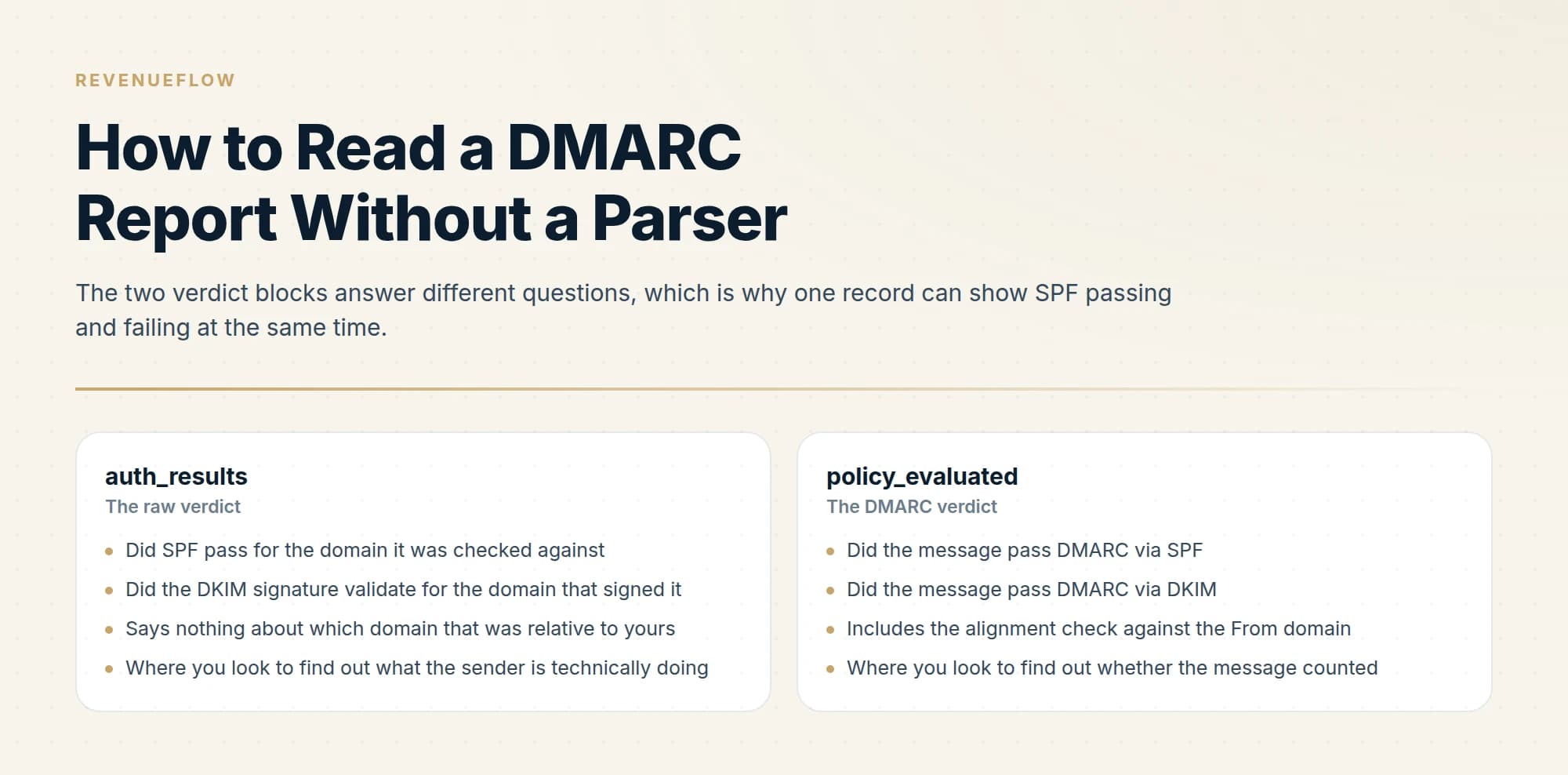
A DMARC aggregate report is XML with three parts: report_metadata identifying the sender and period, policy_published showing your record as evaluated, and one record per sending source. The critical distinction is that policy_evaluated includes alignment while auth_results reports raw SPF and DKIM verdicts.
Key takeaways
- policy_evaluated reports whether the message passed DMARC via each mechanism, meaning it accounts for alignment, while auth_results reports the raw verdict.
- A single message can show spf=pass in auth_results and spf=fail in policy_evaluated, and that gap is alignment.
- Aggregate reports contain counts and authentication results only, never message content, so they carry no privacy exposure for recipients.
- Sort records by count and resolve the largest sources first, because the long tail of single-message IPs is mostly noise.
Reviewed and updated September 5, 2026
The first DMARC aggregate report lands in your inbox as a gzipped XML attachment with a filename like google.com!yourcompany.com!1754870400!1754956800.xml.gz, and the natural reaction is to go looking for a tool that will turn it into a dashboard. You can read it directly. The format is small, the fields are few, and one hour spent reading raw XML teaches you more about your own mail than any dashboard will, because it forces you to notice the one distinction the dashboards paper over.
Element names appear below without their angle brackets for readability. In the file, each is an ordinary XML tag.
The shape of the file
Every aggregate report has one root element, feedback, containing exactly three kinds of branch. Two of them appear once. The third repeats.
feedback
  report_metadata          who sent this report and for what period
    org_name
    email
    report_id
    date_range  ->  begin, end
  policy_published         the DMARC record as this receiver read it
    domain, p, sp, pct, adkim, aspf
  record                   one per sending source, repeated
    row               ->  source_ip, count
    policy_evaluated  ->  dkim, spf
    auth_results      ->  the raw SPF and DKIM verdicts
That is the whole schema you need. The reporting format is now specified in RFC 9990, published on 20 May 2026 alongside RFC 9989 for the core protocol and RFC 9991 for failure reporting, which together obsolete the original RFC 7489.
A DMARC report example is that tree with values filled in, so once these branches are familiar every sample reads the same way whichever receiver sent it.
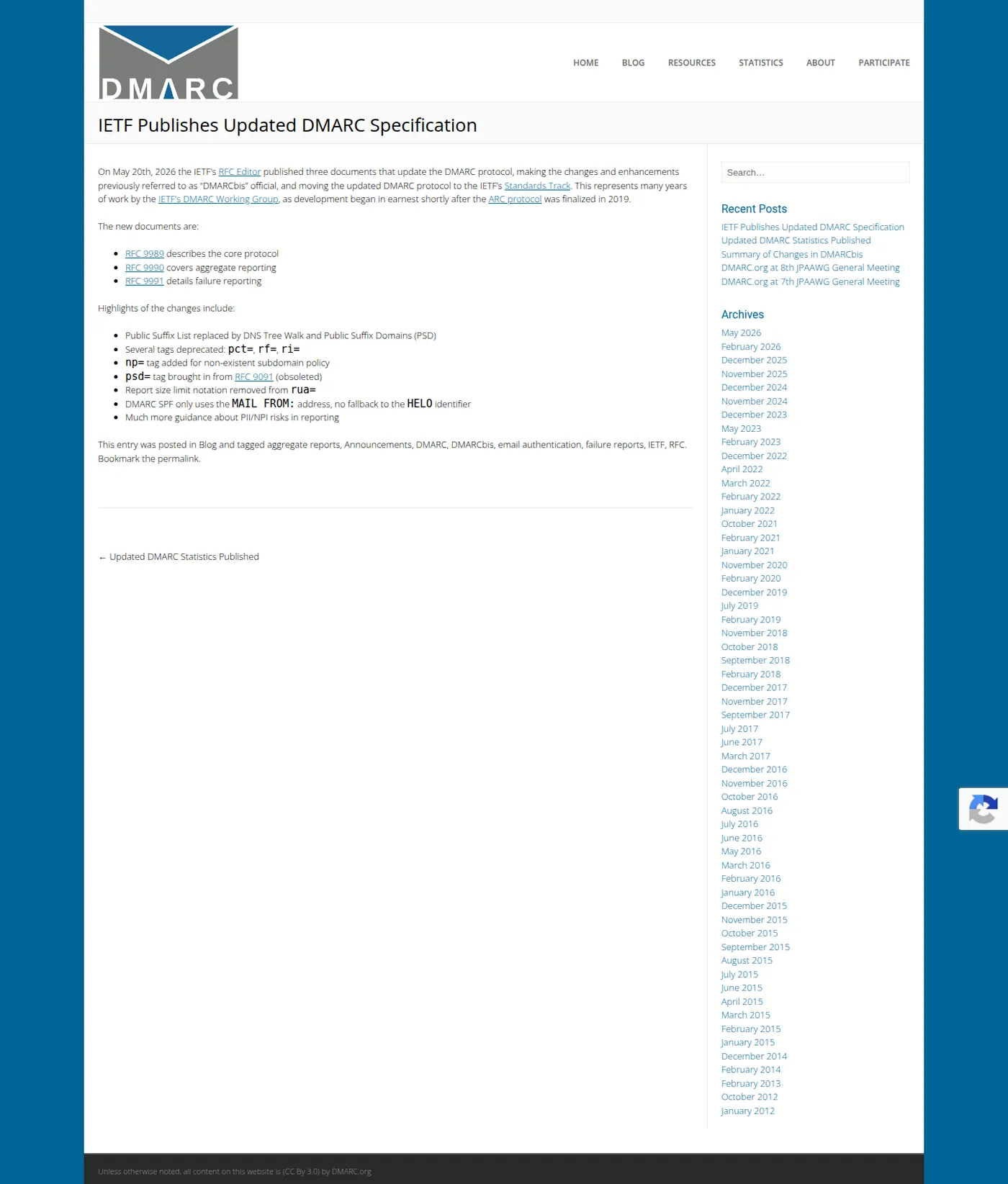
dmarc.org confirming the three RFCs published on 20 May 2026. Aggregate reporting is now specified in RFC 9990. Captured 11 August 2026.
report_metadata: who is telling you this
org_name is the receiver generating the report, typically a large mailbox provider. email is their contact address. report_id is a unique identifier for this specific report, useful when you are corresponding with a provider about one.
date_range carries begin and end as Unix timestamps, which is the first thing that catches people out because they read as ten-digit integers rather than dates. Convert them. The window is normally 24 hours, and the report arrives after the window closes, so everything you are reading is retrospective by at least a day.
That lag matters for a practical reason: a DNS change you made this morning cannot appear in a report you receive this morning. When you are verifying a fix, look at the date range before concluding it did not work.
policy_published: what the receiver actually saw
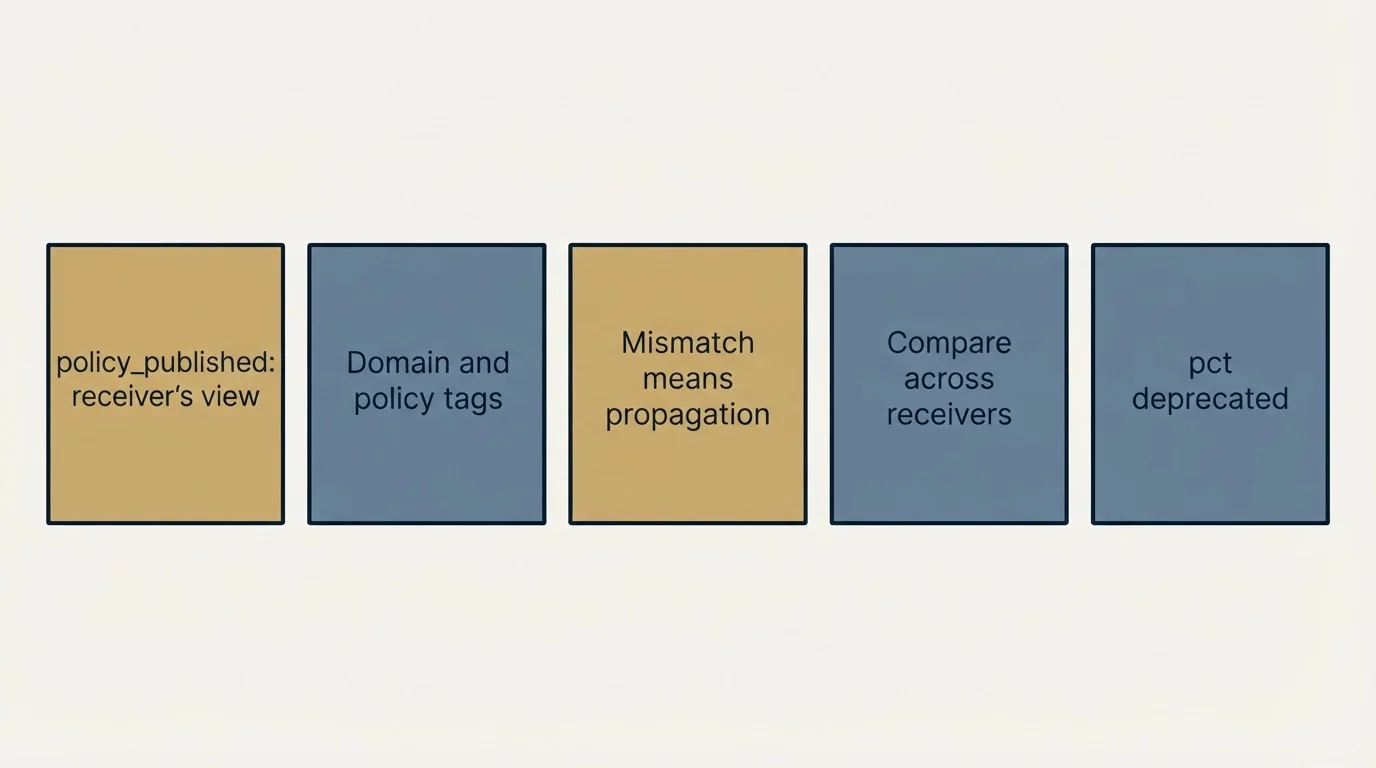
This branch shows domain, p, sp, pct, adkim and aspf, as evaluated by that receiver during that window. The alignment tags take r for relaxed or s for strict.
The value of this branch is confirmation. It is the receiver telling you what your DMARC record looked like from the outside, so if you believe you published p=quarantine and the report says p=none, you have a propagation or publishing problem rather than an authentication problem. Comparing this branch across several receivers on the same day is a cheap way to catch a record that only partly propagated.
Because alignment between authentication and the visible From header is what DMARC actually checks, what the policy layer requires and protects explains why one aligned pass is sufficient.
pct still appears in the schema, and the 2026 specification deprecates it along with rf= and ri=. Seeing it in a report is normal and is not something to act on.
record: one per sending source
Everything else in the file is a repeating record element, one for each source IP that sent mail claiming to be your domain during the window. This is where the answers are.
row holds source_ip and count. The count is how many messages that IP sent during the window, and it is the number you sort by.
policy_evaluated holds a dkim result and an spf result.
auth_results holds a dkim result and an spf result too.
Those last two look like duplicates of each other. They are not, and the difference between them is the single most misread thing in the format.
The distinction that explains everything
auth_results reports the raw verdicts. Did SPF pass for whatever domain it was checked against, and did the DKIM signature validate cryptographically for whatever domain signed it.
policy_evaluated reports whether the message passed DMARC via SPF or via DKIM, which means it includes alignment.
So a single message can show spf=pass in auth_results and spf=fail in policy_evaluated, and both are correct. SPF passed, for a domain that does not align with the one in the visible From header. The raw check succeeded and it did nothing for DMARC.
- Did SPF pass for the domain it was checked against
- Did the DKIM signature validate for the domain that signed it
- Says nothing about which domain that was relative to yours
- Where you look to find out what the sender is technically doing
- Did the message pass DMARC via SPF
- Did the message pass DMARC via DKIM
- Includes the alignment check against the From domain
- Where you look to find out whether the message counted
Read the two together and each record tells you a small story. Raw pass with evaluated fail means a third-party sender authenticating as itself instead of as you. Raw fail with evaluated fail means the check genuinely did not succeed. Both evaluated results failing on a source you recognise is a configuration gap. Both failing on a source you do not recognise is either a service somebody signed up for or a spoofing attempt, and the source IP is how you tell.
One more thing worth knowing before you go hunting: aggregate reports contain no message content. They are counts and authentication results. You cannot read the subject line, the body, or the recipient, so a report will never tell you who received a spoofed message, only how many there were and which IP sent them.
A reading order that finishes
Reports from every major receiver arrive daily, and read top to bottom they are unmanageable, because most of the records are one or two messages from an IP you will never see again. Read them in this order instead.
- Step 1Sort every record by count, descending
Sending volume concentrates heavily. The top few sources are usually almost all of your mail.
- Step 2Work down until the counts go small
Identify each source and whether its policy_evaluated results pass. Stop when the counts stop mattering.
- Step 3For each failing source, read auth_results
A raw pass with an evaluated fail is an alignment problem. A raw fail is a configuration or signing problem.
- Step 4Leave the long tail alone
Single-message sources are mostly forwarding and noise. Revisit them only if one grows.
Identifying a source is usually straightforward and occasionally not. Start with a reverse DNS lookup on the IP, which resolves to a hostname often naming the platform outright. If that comes back empty, a whois lookup on the address gives you the organisation the block is allocated to, which is enough to recognise a large mail provider or a hosting company. Where both are ambiguous, the domain that appears in the auth_results SPF or DKIM entry for that record is the strongest clue you have, because it is the domain the sender authenticated as. That is frequently the only thing that identifies a small vendor sending on your behalf through a shared platform.
Sources you still cannot place after all three checks fall into two groups. Something inside the company signed up for a tool and nobody logged it, which you resolve by asking rather than by investigating further. Or somebody is sending as your domain without permission, which is precisely what DMARC exists to surface, and the answer is to finish authenticating your legitimate senders so you can enforce a policy against everything else.
Teams that resolve DMARC sources by hand often also want spam filter placement checked, and what GlockApps actually tests and charges covers that ground.
The temptation to resist is chasing a source that sent three messages because you cannot identify it. The long tail is genuinely mostly forwarding: a recipient with an auto-forward rule, a mailing list, an alumni address. Those records show SPF failing and DKIM passing, because forwarding preserves the signature while changing the sending IP, and they need no action from you. Learn the shape once and you can skip it every time after.
- Yes: date_range converted from Unix timestamps, so you know which day you are reading
- Yes: policy_published matches the record you believe you published
- Yes: Records sorted by count, and the top sources named
- Yes: Every top source with a failing policy_evaluated has been traced to a tool or a team
- Yes: Sources with raw SPF passing and evaluated SPF failing marked as alignment problems
- No: Every single-message source in the long tail chased down
- Depends: A second receiver's report for the same day compared against this one
Doing this without a parser, sustainably
Reading raw XML is the right way to learn the format and the wrong way to run it for a year. The reports arrive daily from every receiver, so the volume grows past manual reading quickly, and the failure mode is that people stop opening them entirely and enforce blind.
The workable compromise is to read raw reports by hand during the monitoring phase, when you are enumerating your senders and the work is investigative, then move to a parser for ongoing monitoring, when the work is watching for change. By that point you know what the fields mean, so you can tell when a tool is presenting something misleadingly, which is a genuine risk with any interface that collapses auth_results and policy_evaluated into one pass or fail column.
Two things that no report will tell you, and both are worth knowing you have to get elsewhere. Reports show authentication, not placement, so a message can pass DMARC at every receiver and still land in spam. That side is measured in Google Postmaster Tools. And reports show what happened, not what to do about it, which is a diagnosis job: the ordered list of causes and how to confirm each one is in why your DMARC is failing.
Where the reading leads
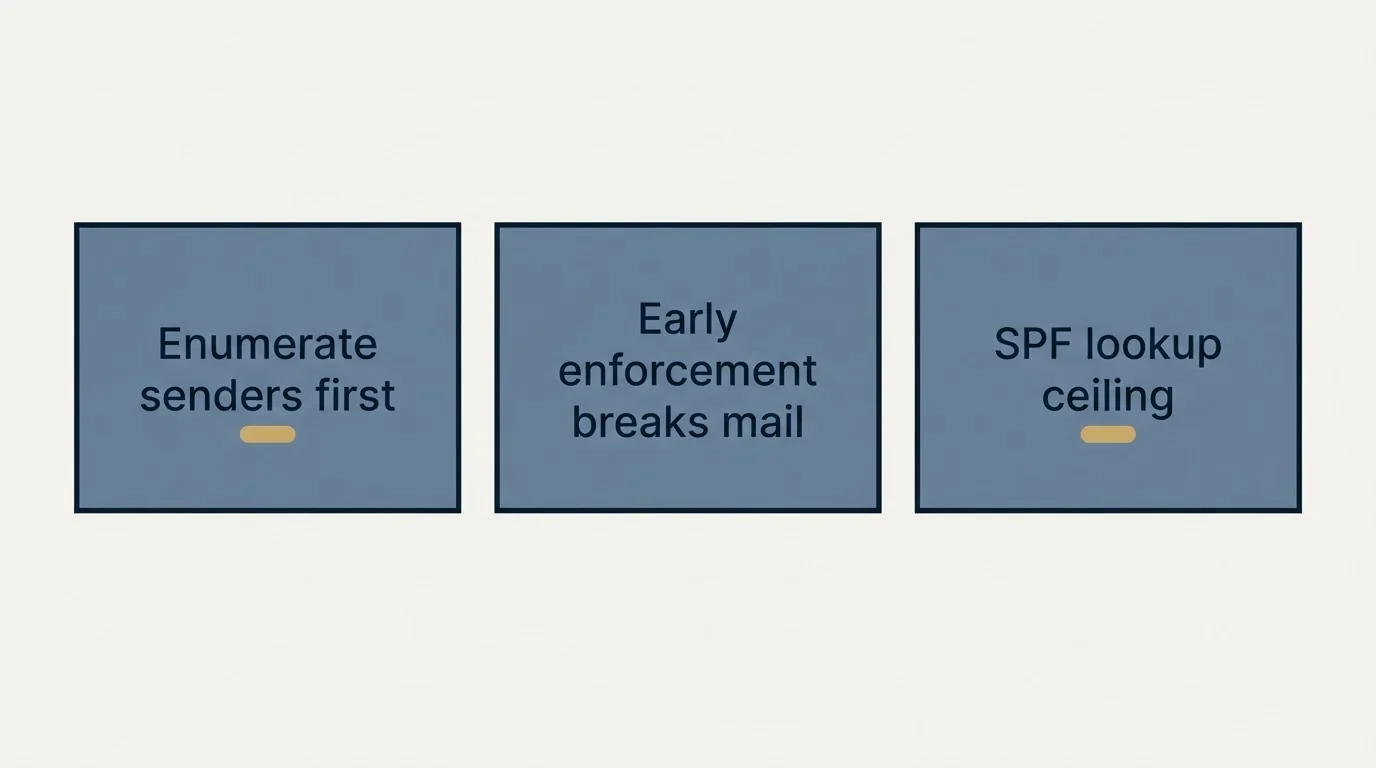
The purpose of reading reports at all is to enumerate every legitimate sender before you tighten your policy, so that enforcement does not silently break a payroll notification or an invoicing tool. That sequence, and what each policy value actually instructs receivers to do, is covered in DMARC policy not enabled.
If your top failing source turns out to be an SPF problem rather than a per-sender one, the tell is that SPF fails across every source at once, which usually means the record has gone over its DNS lookup ceiling. That is covered in SPF records for cold email.
The short version
An aggregate report is one feedback root with three branches: report_metadata for who sent it and over what period, with date_range as Unix timestamps you need to convert; policy_published for the record as that receiver read it; and a repeating record for each sending source, containing row with source_ip and count, plus policy_evaluated and auth_results.
The distinction to hold on to is that auth_results gives the raw SPF and DKIM verdicts while policy_evaluated gives the DMARC verdicts, which include alignment. That is why one record can honestly show SPF passing in one block and failing in the other. Sort by count, resolve the top sources, leave the long tail alone, and remember that reports contain counts and authentication results with no message content in them.
We run authentication and sending infrastructure as part of our outbound engagements, including the reporting side, which tends to be the part that gets set up once and never read again. You can see what a campaign would look like for your market.
Aggregate report structure follows RFC 9990, published 20 May 2026, which together with RFC 9989 and RFC 9991 obsoletes RFC 7489. Verify against the current specification before relying on field behaviour.
Sources: IETF publishes updated DMARC specification, dmarc.org
Frequently asked questions.
Frequently asked questions- How do I read a DMARC aggregate report?
- Open the XML and work through three sections. report_metadata says who sent it and for what period. policy_published shows your DMARC record as the receiver read it. Then each record covers one sending source, with a count of messages, the DMARC verdict, and the underlying SPF and DKIM results.
- What is the difference between policy_evaluated and auth_results?
- policy_evaluated reports whether the message passed DMARC through each mechanism, which includes the alignment test. auth_results reports the raw SPF and DKIM verdicts without alignment. They disagree whenever a mechanism passes for a domain that does not match the visible From header.
- Do DMARC reports contain message content?
- No. Aggregate reports carry counts and authentication results grouped by sending source, with no subject lines, bodies or recipient addresses. That is why they can be sent by receivers at scale without privacy concerns, and why they cannot tell you what any individual message said.
- Do I need a DMARC report parser?
- Not to read one report, and the raw XML is worth reading once to understand the structure. At scale a parser becomes practical, because major receivers send daily reports and manually reading dozens of XML files is the step people quietly skip, which is how enforcement gets rolled out blind.
About the author.

Tim Carden is CMO / CTO at RevenueFlow, which builds and operates outbound revenue engines for B2B companies. Studied at McGill University.
Tim Carden · CMO / CTO
Connect on LinkedIn →Explore more.
Ready to scale your outreach?
We build GTM engines that book real meetings. See the receipts.
Related articles.
SPF Softfail vs Hardfail: Which One to Publish
Google recommends the soft fail qualifier and Microsoft recommends the hard one for the same two characters. What each claims, and what a hard fail hides.
Why Your DMARC Is Failing: The Six Causes
Six causes of DMARC failure, ordered by how often they occur, with the symptom in reports and the fix for each. Alignment accounts for most of them.
Set Up DMARC on Microsoft 365: Records, Rollout and Gotchas
Microsoft manages DMARC for onmicrosoft.com domains and not for your custom ones. The records, the rollout order, and the subdomain rule that differs from SPF.
How Lemwarm Works: The Network, the Ramp and the Score
What lemwarm's pool of real inboxes does, how the ramp is sized in the vendor's own numbers, what the score is made of, and where the tool stops.
ZapBL: A List of Opinions, and How Yours Clears
ZapBL says it does not block email and is not calling anyone a spammer. What actually gets listed, why three neighbours can catch you, and the four-rung removal ladder.
Backscatterer Blacklist: Two Causes, One Four-Week Clock
Backscatterer lists addresses for misdirected bounces and for sender callouts, never for spam. The listing expires after four weeks, so the work is finding the system.