GlockApps: What the Five Filters Test and What It Costs
GlockApps names five filters including two enterprise gateways a B2B list actually meets. Its own pricing page shows two ladders, and the credit columns need reading.
GlockApps' spam-testing page publishes five filters: SpamAssassin, Barracuda, Microsoft Exchange Online Protection, Proofpoint and a Google filter. Its pricing page opens on an annual view at $59, $99 and $129 a month, with a monthly view at $85, $142 and $185. The credit unit is not defined on that page.
Key takeaways
- The spam-testing page names five filters, and Microsoft Exchange Online Protection plus Barracuda are the two a cold B2B list is most likely to meet.
- The homepage names only three filters where the spam-testing page names five, so the vendor's own surfaces disagree on the count.
- Pricing opens on an annual view at $59, $99 and $129 per month, footnoted $708, $1,188 and $1,548 paid annually; the monthly view shows $85, $142 and $185.
- Every consumable allowance is exactly twelve times larger on the annual view, while sending accounts and monitor counts are identical across both.
Reviewed and updated September 1, 2026
Open GlockApps' pricing page and the Essential tier costs $59 a month. Switch the billing toggle and the same tier costs $85 a month. Read a third-party roundup of the same product and you may get a third number again. None of this is a trick, and all of it is on the vendor's own site, but it does mean the first question about this tool is usually the hardest one to answer from the outside.
The reason B2B senders look at this product in the first place is narrower than the marketing suggests, and it comes down to which filters a test runs through. Where that matters for a business list, and how to set up and read a placement test at all, are covered on inbox placement testing for B2B teams. What follows is the part that page does not cover: what the five filters actually are, where the vendor's own pages contradict each other, and what the thing costs.
GlockApps is what most people mean when they search for a spam checker: the free inbox tester and the paid seed-list runs are the same five-filter instrument at different volumes.
Open on the reader or the team and the situation they are in, since anyone comparing spam checkers should first sort out which mail tester product fits their task before comparing prices.
What the five filters are
The spam-testing page states it directly: "Inbox Insight tests your emails through 5 major filters: SpamAssassin, Barracuda, Microsoft Exchange Online Protection (EOP), Proofpoint, and an exclusive Google filter."
For a cold B2B list, two of those five carry most of the weight. Microsoft Exchange Online Protection is the filtering layer built into Microsoft 365, so it sits in front of corporate mailboxes rather than personal ones. Barracuda sells gateway filtering into the same corporate market. Those two are the kind of thing standing between your message and a working buyer, and neither one is a consumer spam folder. SpamAssassin is the open-source rule engine that generic scoring tools already run, so it is the least novel of the five, and a Google filter and Proofpoint round out the list.
One thing to note before quoting the figure to anyone. The GlockApps homepage describes a shorter list, saying you can "Know your Spam Score by the main spam filters: Google, Barracuda, and SpamAssassin." That is three, and the spam-testing page says five. Both pages are live and current, so the honest reading is that the vendor's own surfaces disagree about the count. The spam-testing page is the more specific of the two, and it is the one to cite.
SpamAssassin, Barracuda, EOP, Proofpoint and a Google filter, per the spam-testing page
Homepage describes a complete test across 115 seed addresses and 5 spam filters
Homepage describes checking a sending IP and monitoring a domain against 50+ blocklists
The blocklist monitoring is a separate job from placement testing and overlaps with what a dedicated checker does, covered in email blacklist checks and recovery.
What it actually costs
The pricing page opens on its Bundle tab with Annual selected, and that tab is labelled "Annual (Save 30%)". Those are the numbers most visitors see first.
| Tier | Annual view | Monthly view | Spam test credits, annual view | Spam test credits, monthly view |
|---|---|---|---|---|
| Free | $0 | $0 | 2 | 2 |
| Essential | $59/month | $85/month | 360 | 30 |
| Growth | $99/month | $142/month | 1080 | 90 |
| Enterprise | $129/month | $185/month | 1800 | 150 |
The annual column carries footnotes of "$708 paid annually", "$1,188 paid annually" and "$1,548 paid annually" for the three paid tiers, plus a note that taxes may apply. Each of those totals is twelve times the per-month figure printed directly above it, so the annual view is quoting a monthly rate and billing it once a year. Set the two views side by side and the annual rate lands at roughly 70% of the monthly one on all three tiers, which is the advertised discount doing what it says.
The credit columns need reading carefully

The credit counts look alarming side by side. Essential shows 360 on one view and 30 on the other, and it would be easy to read that as twelve times more product for less money.
The arithmetic says otherwise, and it is worth walking through because the page does not explain it. Every consumable allowance on the annual view is exactly twelve times its monthly counterpart, on every paid tier: 360 against 30, 1080 against 90, 1800 against 150. The same ratio holds for the DMARC message allowances, where the annual view publishes 600,000, 1,200,000 and 12,000,000 against the monthly view's 50,000, 100,000 and 1,000,000. Meanwhile the limits that behave like seats rather than consumables are identical across both views: sending accounts at 1, 1, 10 and 20, uptime monitors at 5, 15, 25 and 30, and IP reputation monitors at 1, 10, 20 and 25.
- Spam test credits: 360 vs 30 on Essential
- DMARC messages: 600,000 vs 50,000 on Essential
- Every paid tier differs by exactly 12x
- Consistent with annual totals against monthly ones
- Sending accounts: 1, 1, 10, 20 on both
- Uptime monitors: 5, 15, 25, 30 on both
- IP reputation monitors: 1, 10, 20, 25 on both
- Free tier gets 2 spam test credits on both
The reading most consistent with that pattern is that the annual view states allowances for a year while the monthly view states them for a month, so the underlying rate is the same and only the billing period changes. The page labels neither column with a period, so this is an inference from the numbers rather than something the vendor states. If the distinction matters to your budget, it is worth asking their sales team to confirm in writing before committing to twelve months.
The sending-account limit deserves a second look for anyone running cold outbound at volume. Essential publishes 1 sending account, which is the same allowance the free tier gets, and the count only reaches 10 at Growth and 20 at Enterprise. An outbound programme spread across a rack of inboxes and several domains does not fit inside a single sending account, so the tier that matches your testing appetite may not be the tier that matches your sending setup. Work out how many distinct sending identities you need to test before pricing the credits, because on this table it is the seat-like limits rather than the consumables that push you up a tier.
Nobody publishes what one credit buys
The pricing page carries a FAQ heading asking what a single Email Spam Test entails. The answer to it loads after the page does and is not present in the page as served, so this article cannot tell you what it says.
That gap matters more than it sounds. Credits are the unit you are buying, they are the main thing that changes between tiers, and the definition of the unit is the one thing the pricing page does not put in front of you. Whether a single credit covers one message sent to the full seed set, or is consumed per seed address, or per filter, changes the value of a 360-credit plan by orders of magnitude. Spam test credit packs are sold on a third tab of the same page, and that tab renders after load too, so this article does not quote pack prices either. Ask before you buy, and get the answer in writing.
Why the published figures disagree

Search for this product's pricing and most of the results are review articles published by competing vendors. Those summaries do not agree with the vendor's current pricing page, and they do not agree with each other. That is not necessarily bad faith. Pricing pages change, roundups are written once and rarely revisited, and a competitor has little incentive to keep a rival's numbers current.
The practical rule is simple: for any vendor, read the pricing page itself, note which toggle state it opened on, and treat every third-party figure as a lead rather than a fact. That applies to this article too, which is why every number above is attributed to the specific page it came from and dated at the foot.
What the free tier is good for
The free tier publishes 2 spam test credits, 1 sending account, 10,000 DMARC messages, 5 uptime monitors and 1 IP reputation monitor. The spam-testing page frames the entry point as "Get Started with 2 Free Spam Tests".
Two credits is a sampling budget, and it rewards deciding what you are testing before you spend either one. It answers a specific, pre-formed question about a single message. Tracking anything over weeks needs a different budget, and the blocklist and uptime monitors in the same tier are the part of the free offer that keeps running once the credits are gone. If the goal is a one-off answer about a particular campaign, the free tier can genuinely provide it, which makes it worth spending deliberately rather than on the first draft that comes to hand.
What it still cannot see
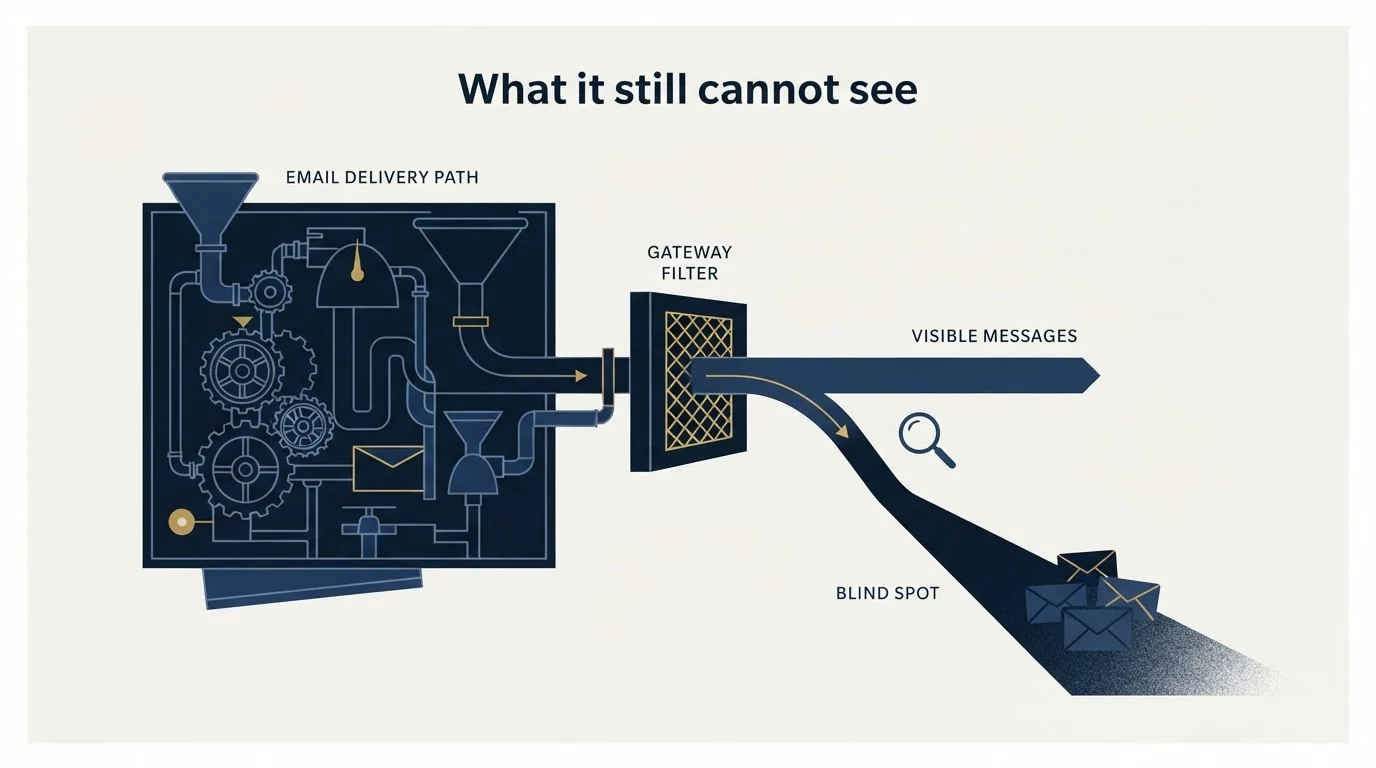
A placement test reports where a seed mailbox received your message, and a seed mailbox is not one of your prospects. It has no conversation history with you, nobody there has ever replied to you or moved you out of spam, and its filtering was never trained on your relationship with that company. The estimate that comes back is a real measurement of a proxy, which is covered under inbox placement, and the same caveat applies to any score-shaped output, defined at spam score.
The layers that a test cannot reach are usually the ones worth fixing first: authentication records, which are worked through in SPF, DKIM and DMARC for cold email, and the accumulated standing of your sending domain and IP, covered in how to check sender reputation.
- Yes: Your recipients are corporate Microsoft 365 or Barracuda-protected mailboxes
- Yes: You have one specific message and one specific question about it
- Yes: You want blocklist and uptime monitoring alongside placement
- Depends: You want to watch placement continuously on a small budget
- No: Your real problem is list quality or a cold sending domain
The short version
GlockApps' spam-testing page publishes five named filters, and two of them are the gateways a B2B list actually meets. Its pricing page opens on the annual view at $59, $99 and $129 a month, with a monthly view at $85, $142 and $185. The credit counts differ by exactly twelve times between those views, consistent with one being an annual allowance and the other monthly, though the page does not say so. The unit those credits buy is not defined anywhere on the page, so ask before you commit.
A test tells you where a message landed. Getting replies from the people behind those gateways is a different job, and it is the one we do: prepay one qualified meeting, and if we do not book it within 30 days you get a full refund. Before buying any instrument, it is also worth reading what a deliverability audit covers, because the answer is often cheaper than a subscription.
Pricing and features verified as of mid-2026. Verify current terms with the vendor before relying on them.
Frequently asked questions.
Frequently asked questions- How much does GlockApps cost?
- Its pricing page opens on the annual view, showing Free at $0 and paid tiers at $59, $99 and $129 a month, footnoted as $708, $1,188 and $1,548 paid annually, with taxes possibly applying. Switching to the monthly view shows $85, $142 and $185 a month for the same three tiers. Third-party summaries of this pricing frequently disagree with the vendor's page.
- Which spam filters does GlockApps test against?
- Its spam-testing page states that Inbox Insight tests through five major filters: SpamAssassin, Barracuda, Microsoft Exchange Online Protection, Proofpoint and an exclusive Google filter. The homepage names a shorter list of three. For a business list, the Microsoft and Barracuda entries matter most, because those gateways sit in front of a large share of corporate mailboxes.
- What is one spam test credit?
- The pricing page asks that question in its own FAQ and loads the answer after the page itself, so it is not available in the page as served. Whether a credit covers one message to the full seed set, or is consumed per seed address or per filter, changes what a plan is worth considerably. Ask the vendor to confirm in writing before buying.
- Is the free tier enough to test with?
- The free tier publishes two spam test credits, one sending account, 10,000 DMARC messages, five uptime monitors and one IP reputation monitor. Two credits answers one specific question about one message, so decide what you are testing before spending either. The monitors keep running after the credits are used, which is the more durable part of the free offer.
About the author.

Tim Carden is CMO / CTO at RevenueFlow, which builds and operates outbound revenue engines for B2B companies. Studied at McGill University.
Tim Carden · CMO / CTO
Connect on LinkedIn →Explore more.
Ready to scale your outreach?
We build GTM engines that book real meetings. See the receipts.
Related articles.
Mail Tester: Four Products Share the Name
Four vendors answer to the mail tester name and they do three different jobs. What mail-tester.com scores, what it costs, and which product you actually wanted.
Graymail vs Spam: What the Difference Costs a Sender
Graymail is a claim about a sending pattern. Spam is a claim about intent. They respond to different repairs, and confusing them sends teams to rewrite copy.
Email Warmup Tools: What Actually Moves Placement
Warmup pools are now free in every major sending tool. What the mechanism actually is, why nobody publishes controlled placement data, and the levers that do work.
How Lemwarm Works: The Network, the Ramp and the Score
What lemwarm's pool of real inboxes does, how the ramp is sized in the vendor's own numbers, what the score is made of, and where the tool stops.
ReachInbox Pricing: The Page Loads on Its Yearly Rate
ReachInbox's pricing toggle loads on the yearly side. Both ladders, the four meters behind unlimited accounts, and the fair use question the page leaves open.
Manyreach Pricing: Credits Buy Sends and Warmup Alike
Manyreach prices in credits rather than seats: a one-time pack or a monthly refill. What a credit buys, the two IP figures on one page, and where a pack beats a plan.