How to Run Your Own Email Deliverability Audit
Fourteen checks you can run today, what each one looks at, what a pass looks like, and what to do when one fails. No tools beyond free diagnostics required.
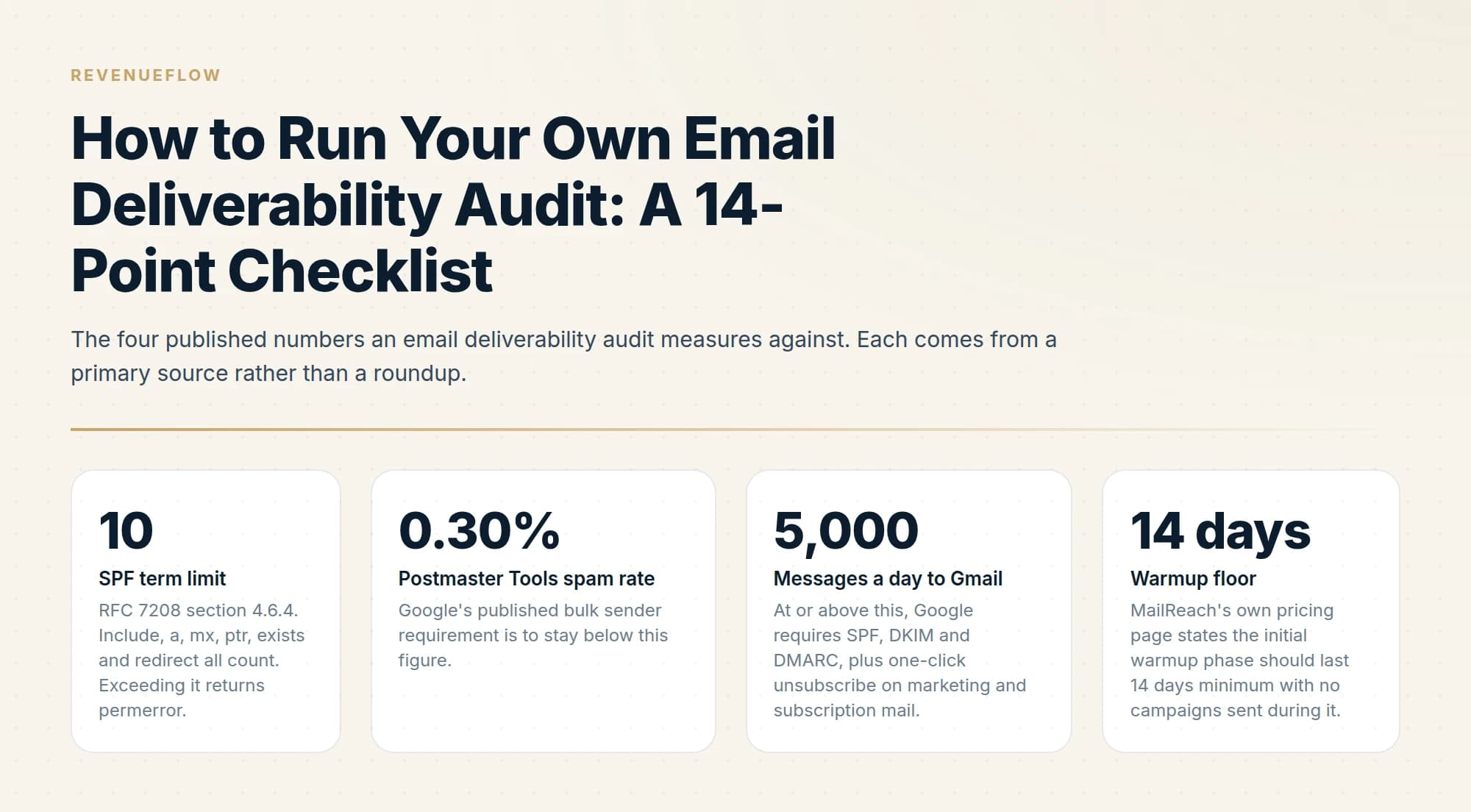
A do-it-yourself deliverability audit covers fourteen checks: SPF presence and lookup count, DKIM signing and alignment, DMARC record and alignment, reverse DNS, blacklist status, spam rate, bounce rate, list verification, unsubscribe handling, volume against domain age, placement testing and domain separation.
Key takeaways
- Count your SPF DNS lookups explicitly, because exceeding ten returns permerror and SPF then contributes nothing to DMARC at all.
- Google's threshold is a spam rate below 0.30% in Postmaster Tools, which is a specific number you can check rather than a vague target.
- Checking that DMARC passes is different from checking that a DMARC record exists, and the second is what most audits stop at.
- Outbound sending belongs on domains separate from your primary company domain, so a reputation problem cannot reach your invoices and contracts.
Reviewed and updated September 5, 2026
Most deliverability problems are visible from outside your network in about ninety minutes, using tools that cost nothing. They go undiagnosed because nobody has a list, so the check that would have found the problem is the one nobody thought to run.
Here is a list. Fourteen checks in the order worth running them, with what each one inspects, what a pass looks like, and what to do on a fail.
- Yes: Exactly one SPF record exists at the domain, and it resolves
- Yes: SPF evaluates within the ten-term DNS lookup limit
- Yes: Outgoing mail carries a DKIM signature whose domain aligns with the From header
- Yes: A DMARC record exists on every domain that sends, not only the primary one
- Yes: DMARC reports show alignment passing, not only raw SPF and DKIM verdicts
- Yes: Sending IPs resolve to a hostname and back again
- Yes: No listings on widely consumed blacklists
1. SPF exists and resolves
People search this as test SPF, SPF checker or SPF lookup, and every one of those tools is running the same two checks this section describes: does the record resolve, and does it stay inside the ten-lookup limit.
What it inspects: a TXT record at the domain apex starting v=spf1. Pass looks like exactly one such record, returned cleanly by a DNS query. Two SPF records on the same name is a self-inflicted failure, usually caused by a second vendor onboarded by a different team, and the fix is merging the mechanisms into one record rather than deleting either at random. A missing record is worse than a permissive one, because a receiver has nothing to evaluate.
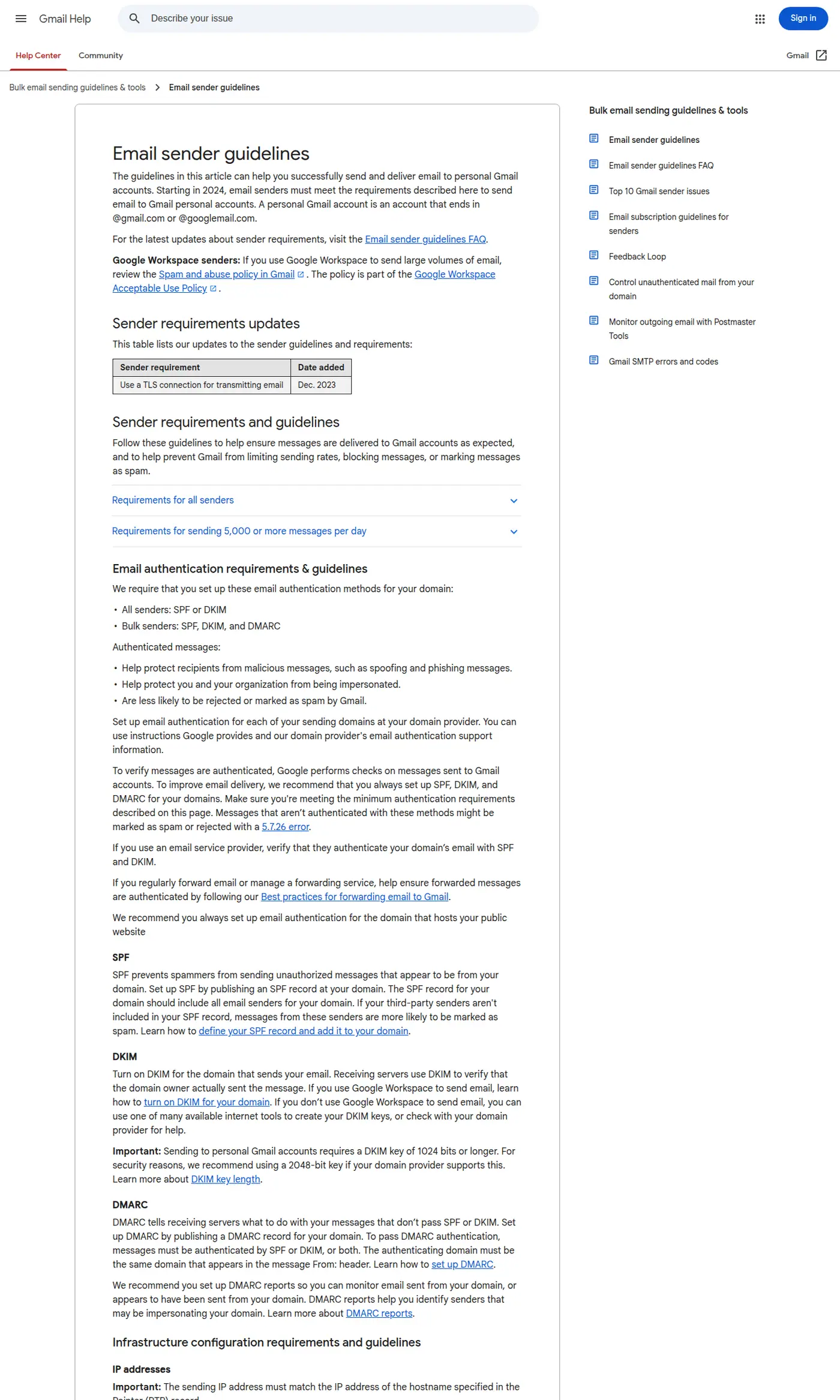
Google separates requirements for all senders from those for bulk senders, which is the distinction the authentication checks in this audit turn on. Captured 11 August 2026.
2. SPF is within the ten-lookup limit
This is the check most often skipped and most often failing. RFC 7208 section 4.6.4 states that "SPF implementations MUST limit the total number of those terms to 10 during SPF evaluation."
The terms that count are the include, a, mx, ptr and exists mechanisms, plus the redirect modifier. The terms that do not count are all, ip4 and ip6, plus the exp modifier. So a record stuffed with IP addresses is fine, and a record with eleven vendor includes is broken. Exceeding the limit returns a permerror, which is a hard failure rather than a warning nobody sees.
Two related limits sit in the same section. Each mx evaluation must not query more than ten address records, and exceeding that also produces a permerror. And implementations "SHOULD limit 'void lookups' to two", meaning lookups that return nothing, which is what an include pointing at a decommissioned vendor becomes.
On a fail, count the includes and delete the dead ones first. That is usually enough. Flattening the record into raw IP ranges also works and creates a maintenance burden, since those ranges change without telling you. Mechanics: our SPF record guide for cold email.
3. DKIM is signing, and the signature aligns
Two separate questions hide inside this one. First, does outgoing mail carry a DKIM-Signature header at all. Second, does the d= domain in that signature match the domain in the visible From header.
Send yourself a message from each sending platform and read the raw headers. Pass looks like a signature that validates and a d= value on your own domain. Signing with the platform's domain is common and is a partial pass at best, because alignment is what DMARC evaluates. On a fail, publish the selector records the platform hands you during setup, a step many customers never complete.
4. A DMARC record is present on every sending domain
What it inspects: a TXT record at _dmarc.yourdomain.com. Pass is a record that resolves and contains a p= value and a rua= reporting address.
The trap is scope. A policy on your primary domain does not extend to a separate outbound domain, so a company with a strict policy on its main name and no record at all on its three sending domains has the audit finding backwards. Check each sending domain individually. A sending domain with no DMARC record is a weaker signal than one sitting at p=none.
5. DMARC alignment is actually passing
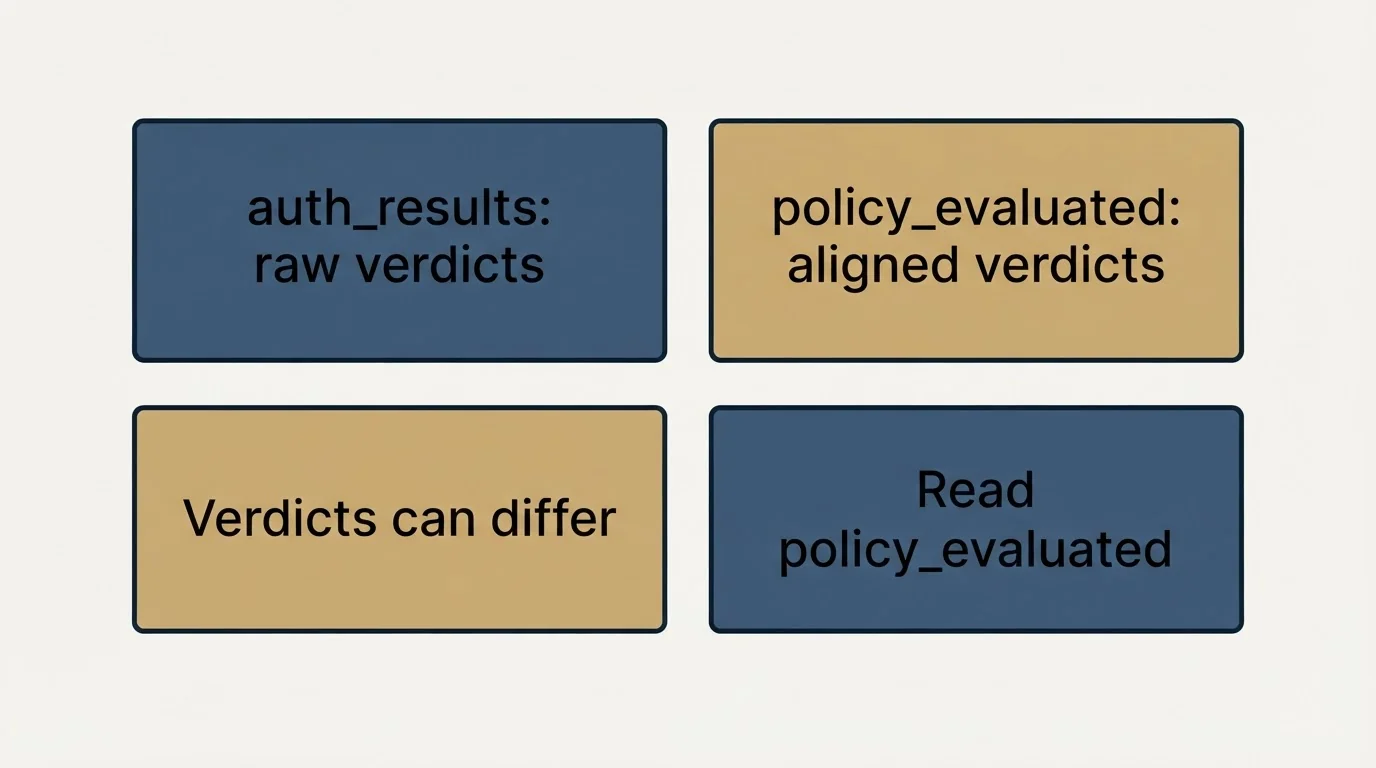
Having a record and passing it are different states, and this is where an audit earns its time.
DMARC passes when either SPF or DKIM passes and aligns with the From domain. It does not require both. Aggregate reports show you which, and the two relevant sections disagree more often than people expect. auth_results reports the raw SPF and DKIM verdicts. policy_evaluated reports whether the message passed DMARC via SPF or DKIM, which means it includes alignment. A message can show spf=pass in auth_results and spf=fail in policy_evaluated, because SPF passed for a domain that does not align with the From header.
Read policy_evaluated. Reading the raw verdicts and concluding everything is fine is the single most common misreading of these reports, and the walkthrough is in how to read DMARC reports.
6. Reverse DNS resolves for the sending IPs
What it inspects: whether the IP sending your mail resolves to a hostname, and whether that hostname resolves back to the same IP. Pass is a matching pair.
Who owns this depends on your setup. On Google Workspace or Microsoft 365 the provider owns the IPs and it is handled. On self-hosted infrastructure or a dedicated IP it is yours to configure, and a missing or mismatched PTR record is a real finding. Note that the ptr mechanism in an SPF record counts against the ten-term limit from check 2.
7. Blacklist status across every domain and IP
MXToolbox's blacklist check states it tests a mail server IP address against over 100 DNS based email blacklists in one query. Run it for every sending IP and every sending domain, not just the primary.
Pass is either clean or listed only on lists nobody consumes. That distinction matters: obscure listings are common and largely harmless, while a listing on a widely used list changes where your mail lands today. On a fail, name the specific list, follow its published delisting process, and fix the cause before requesting removal. Delisting without fixing the cause buys a few days. The recovery process is covered in email blacklist check and recovery, and interpreting the wider MXToolbox output is covered in reading MXToolbox output.
RFC 7208 section 4.6.4. Include, a, mx, ptr, exists and redirect all count. Exceeding it returns permerror.
Google's published bulk sender requirement is to stay below this figure.
At or above this, Google requires SPF, DKIM and DMARC, plus one-click unsubscribe on marketing and subscription mail.
MailReach's own pricing page states the initial warmup phase should last 14 days minimum with no campaigns sent during it.
- Yes: Postmaster Tools is verified and the spam rate sits below 0.30%
- Yes: Bounce rate is stable against your own trailing baseline
- Yes: Every address was verified at the time the list was built
- Yes: One-click unsubscribe is present on marketing and subscription messages
- Yes: Daily volume per mailbox is a volume the domain has already sustained
- Yes: A recent seed test shows which folder you land in at each provider
- Yes: Cold outbound runs on domains separate from the primary company domain
8. Postmaster Tools spam rate against 0.30%
Google's sender guidelines set the requirement as keeping the spam rate in Postmaster Tools below 0.30%. The same guidance applies SPF, DKIM and DMARC requirements at 5,000 or more messages a day to Gmail, and notes that the DMARC enforcement policy can be set to none, so a published record satisfies the requirement as written.
Pass is a rate comfortably under the line with no upward trend. Postmaster Tools reports only on domains you have verified, so an unverified domain fails this check by default: there is no data to read. Verification is the first action on a fail, and the reading is covered in the Google Postmaster Tools guide.
9. Bounce rate
There is no universally published bounce threshold to measure against, so measure against yourself. Pull the bounce rate per sending domain across the last several sends and read the shape rather than the number.
A stable rate is a pass whatever its level. A step change is the finding, and its timing usually names the cause: a jump coinciding with a new list points at the list, a jump with no list change points at the infrastructure. Separate hard bounces from soft ones first, because only one of the two is about the address.
10. List verification at build time
What it inspects: when each address was last verified, relative to when it was sent to. Pass is verification at build time, immediately before the send.
Verifying a list once and reusing it for six months is a slow failure, because addresses decay as people change jobs. The audit question is a process question rather than a data question: is verification a step in your build, or an event that happened once. Options are compared in email verification tools.
11. Unsubscribe handling, including one-click
Google's bulk sender guidance requires one-click unsubscribe on marketing and subscription messages. Pass is a working one-click header plus a visible opt-out in the body, and an opt-out that is actually processed rather than logged.
Test it end to end yourself. Send a message, click the link, then confirm the address is suppressed across every campaign in your sending platform rather than only the one it came from. A suppression scoped to a single campaign is the version of this that fails quietly.
12. Sending volume against domain age
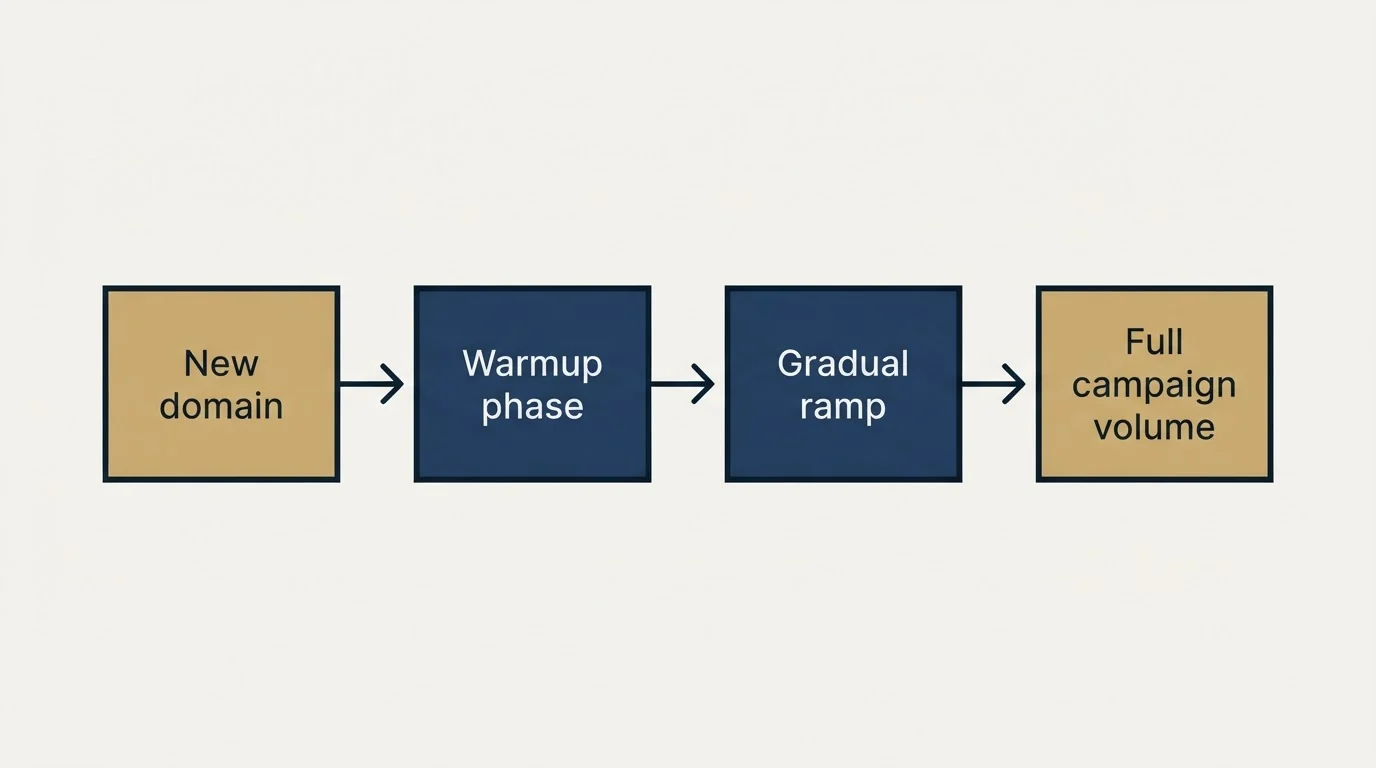
What it inspects: the daily volume per mailbox, compared with what that domain and mailbox have previously sustained. Pass is a volume the domain has already handled without a reputation change.
There is no published universal ramp curve, and the warmup vendors do publish a floor. MailReach states the initial warmup phase should last fourteen days minimum with no campaigns sent during that phase, and advises keeping warming running for as long as you send campaigns and between them. A new domain moved to full campaign volume in its first week is the most common self-inflicted deliverability failure and the easiest to avoid.
13. Placement testing
What it inspects: which folder you land in at each major provider. A seed list is a set of real monitored inboxes across Gmail, Outlook, Yahoo and others, and sending to it reports the folder per provider. GlockApps is a common example.
Pass is the primary inbox at the providers your recipients actually use. The value is in the divergence: inbox at one provider and spam at another narrows the cause considerably, because a DNS problem tends to fail everywhere while a reputation problem fails unevenly. Run this before concluding anything from reply rates, since a low reply rate and a spam folder look identical from your sending dashboard.
14. Outbound is separated from the primary domain
The last check is structural. Cold outbound belongs on domains separate from the domain your invoices, contracts and support mail come from. Reputation attaches to the sending domain, so separation means a problem in one place cannot reach the other.
Pass is outbound running on its own domains with their own authentication records, each of which needs to satisfy checks 1 to 7 independently. A fail here is worth fixing before the others, because repairing authentication on a primary domain that should not be carrying cold volume is work you will redo once the separation happens.
The short version
Fourteen checks, all runnable from outside your own network in an afternoon. Seven cover DNS and authentication: one resolving SPF record, SPF inside the ten-term limit from RFC 7208, DKIM signing with an aligned domain, a DMARC record on every sending domain, alignment actually passing in policy_evaluated rather than just auth_results, working reverse DNS, and a clean blacklist sweep. Seven cover reputation and hygiene: spam rate under Google's 0.30%, a stable bounce trend against your own baseline, verification at build time, working one-click unsubscribe, volume the domain has already sustained, a current seed test, and outbound separated from the primary domain. The check that finds your problem is usually check 2 or check 5, and both are free.
If you would rather see the whole thing running against a live campaign, you can see what a campaign would look like for your market.
SPF term limits are quoted from RFC 7208 section 4.6.4. Google bulk sender requirements, the 0.30% spam rate threshold and the one-click unsubscribe requirement are per Google's published sender guidelines as of mid-2026. The blacklist count is per MXToolbox's own page and the warmup floor per MailReach's own pricing page, both verified mid-2026. Verify current requirements with the primary sources before making changes.
Sources: RFC 7208 section 4.6.4, Google email sender guidelines, MXToolbox blacklist check, MailReach pricing
Frequently asked questions.
Frequently asked questions- How do I audit my own email deliverability?
- Work through authentication first, checking that SPF resolves within ten lookups, DKIM signs and aligns, and DMARC both exists and actually passes. Then check reverse DNS, blacklist status, your Postmaster Tools spam rate against the 0.30% threshold, bounce rate, list verification and inbox placement on a seed list.
- What is a good email bounce rate?
- Lower is better and the specific target depends on your list source, but a rising bounce rate matters more than any absolute number because it signals list decay or a verification gap. Persistent hard bounces damage reputation directly, which is why verification before sending is cheaper than remediation after.
- How do I check if DMARC is actually passing?
- Publishing a record is not the same as passing. Read your aggregate reports and look at the policy_evaluated section, which reflects alignment, rather than auth_results, which reports raw SPF and DKIM verdicts. A message can pass SPF outright and still fail DMARC when the passing domain does not align.
- Should cold email use a separate domain?
- Yes. Keeping outbound on domains separate from the one your contracts and invoices come from means a reputation problem in one cannot reach the other. Each sending domain needs its own authentication records, since a policy on the primary domain does not extend to them.
About the author.

Tim Carden is CMO / CTO at RevenueFlow, which builds and operates outbound revenue engines for B2B companies. Studied at McGill University.
Tim Carden · CMO / CTO
Connect on LinkedIn →Explore more.
Ready to scale your outreach?
We build GTM engines that book real meetings. See the receipts.
Related articles.
Email Warmup Pricing in 2026: What 20 Tools Charge, and What 10 Mailboxes Cost
Email warmup tools start at a median of $29 a month, but warming ten mailboxes costs from $7.50 to $1,190 depending on how the vendor prices a mailbox.
Mailwarm Pricing: The Page Opens on Its Yearly Tab
Mailwarm's pricing tabs open on yearly and the plans meter daily volume rather than mailboxes. Both tabs, the overage rate, the no-trial rule and the per-mailbox cost.
Warmup Inbox Pricing: Per Inbox, Annual Loads First
Warmup Inbox prices per inbox and its page opens on the annual switch. Both states for all three plans, the reply ceiling meter, the trial and how a fleet bill is built.
MailReach Pricing: The Headline Rate Is the Second Band
MailReach prices warmup on a slider with four mailbox bands and two billing states. Every band at both states, and why the printed rate is not the entry rate.
SMTP Ports: What 25, 465, 587 and 2525 Are Registered For
Three of the four ports in circulation are registered to mail and one is not. What the IANA registry and the RFCs say, and why none of it moves placement.
Reading MXToolbox Like a Deliverability Engineer
What each MXToolbox check actually inspects, what a failure implies, and which findings are urgent versus cosmetic for a cold email sender specifically.