Set Up DMARC on Microsoft 365: Records, Rollout and Gotchas
Microsoft manages DMARC for onmicrosoft.com domains and not for your custom ones. The records, the rollout order, and the subdomain rule that differs from SPF.
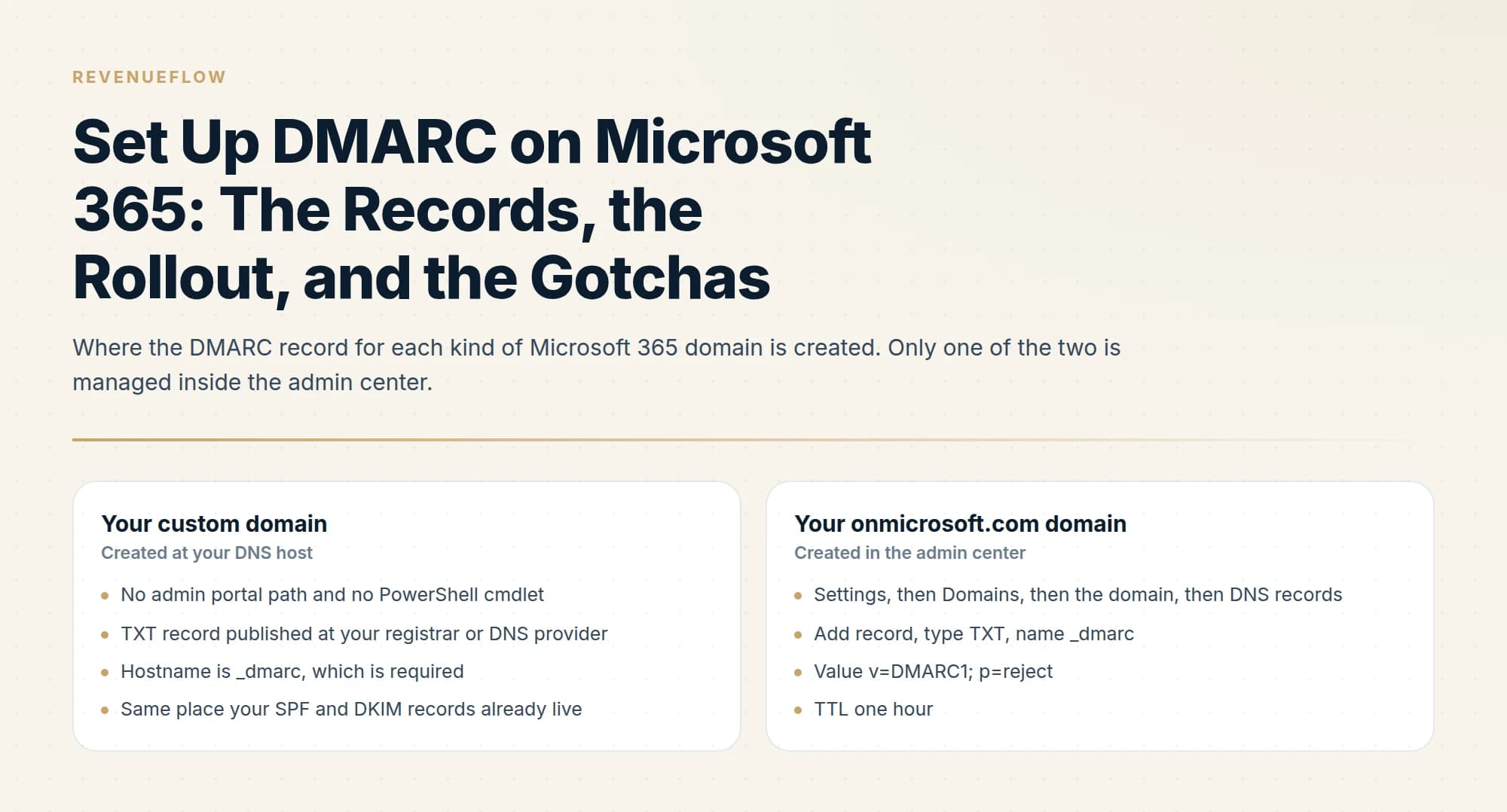
DMARC for Office 365, now Microsoft 365, is a TXT record on the hostname _dmarc created at your DNS host. Microsoft states there are no admin portals or PowerShell cmdlets for managing it on custom domains. Set up SPF and DKIM first, with DKIM enabled in the Defender portal. Only the onmicrosoft.com domain gets its record in the admin center.
Key takeaways
- Microsoft 365 has no admin portal path and no PowerShell cmdlet for DMARC on custom domains, so the TXT record is created at your registrar or DNS host on the hostname _dmarc.
- Microsoft says to create SPF records and configure DKIM signing first; DKIM is enabled in the Defender portal on the Email authentication settings page, under the DKIM tab.
- The onmicrosoft.com domain is the one exception: its record is added in the Microsoft 365 admin center as a TXT record named _dmarc with the value v=DMARC1; p=reject and a TTL of 1 hour.
- A DMARC record covers every subdomain without its own record, while SPF and DKIM do not inherit, so tightening the parent can break a subdomain that never got its own authentication.
Reviewed and updated September 18, 2026
Setting up DMARC for Office 365, which Microsoft now calls Microsoft 365, starts with a surprise. You open the Microsoft 365 admin center to switch on DMARC for your company domain, and the setting is not there. There is no toggle, no wizard, and no PowerShell cmdlet either. That is by design rather than an oversight, and understanding why is the fastest route to setting it up correctly, because it tells you where the record actually lives and who owns it.
Microsoft manages authentication for domains it controls. Your custom domain is not one of those, so the DMARC record for it belongs at your registrar or DNS host, alongside your SPF and DKIM records. Microsoft's own documentation is explicit that no admin portal path and no cmdlet manages DMARC for custom domains.
DMARC for Office 365 and Microsoft 365: where it is set up
DMARC for Office 365, now Microsoft 365, is a TXT record on the hostname _dmarc at your DNS host. Microsoft's documentation says so in one sentence: "There are no admin portals or PowerShell cmdlets in Microsoft 365 for you to manage DMARC TXT records in your custom domains." SPF and DKIM come first, with DKIM switched on in the Defender portal, and only the onmicrosoft.com domain gets its record in the Microsoft 365 admin center.
Microsoft is specific about the order. Before configuring DMARC for a custom domain or subdomain, it says to create SPF TXT records and configure DKIM signing for every custom domain and subdomain that sends mail. DKIM is the step people hunt for, because it lives in a different portal from everything else: in the Defender portal at security.microsoft.com, under Email and collaboration, then Policies and rules, then Threat policies, then Email authentication settings, on the DKIM tab.
At your DNS host.
Defender portal: Email and collaboration, Policies and rules, Threat policies, Email authentication settings, DKIM tab.
At your DNS host, on a low-volume subdomain first.
Microsoft 365 admin center: Show all, Settings, Domains, the domain, DNS records, Add record.
Back at your DNS host.
The two places a record can live
There is exactly one domain in your tenant that Microsoft does manage, and it is the one most rollouts forget about.
The onmicrosoft.com domain deserves a moment because it is easy to dismiss as internal plumbing. It is a real sending identity, and it does not cover your brand domain. In Microsoft's own alignment examples, a message with a From address of user@contoso.com authenticated against contoso.onmicrosoft.com fails alignment under both relaxed and strict modes. So mail that authenticates as the onmicrosoft domain is doing nothing for contoso.com, and that domain needs a policy of its own.
What goes in the record
The record is a TXT record on the hostname _dmarc. Microsoft documents the basic form as v=DMARC1; followed by a p= policy value of none, quarantine or reject, an optional pct= between 0 and 100, and rua=mailto: and ruf=mailto: addresses for reports.
Two notes on that shape before you publish it.
The pct= tag is where Microsoft's documentation and the current specification disagree, and it is worth knowing rather than discovering later. Microsoft's page still recommends percentage staging and still cites RFC 7489. The IETF published RFC 9989, 9990 and 9991 on 20 May 2026, obsoleting RFC 7489, and in that revision pct= is deprecated along with rf= and ri=. Both statements are accurate. Deprecated tags are ignored rather than rejected, so nothing breaks, but a new rollout is better staged by domain and by time than by percentage. The reasoning behind that, and the choice between the two enforcement values, is in DMARC quarantine vs reject.
The ruf= address is optional and mostly theoretical inside Microsoft 365, because Microsoft 365 does not send forensic reports at all, even when a valid ruf address is published. Microsoft's advice is to start with rua only, and to point it at a dedicated shared mailbox rather than a user mailbox. There are further conditions on whether reports arrive at all, including a cross-domain authorisation record that silently blocks them, covered in DMARC aggregate reports.
The rollout order Microsoft actually recommends
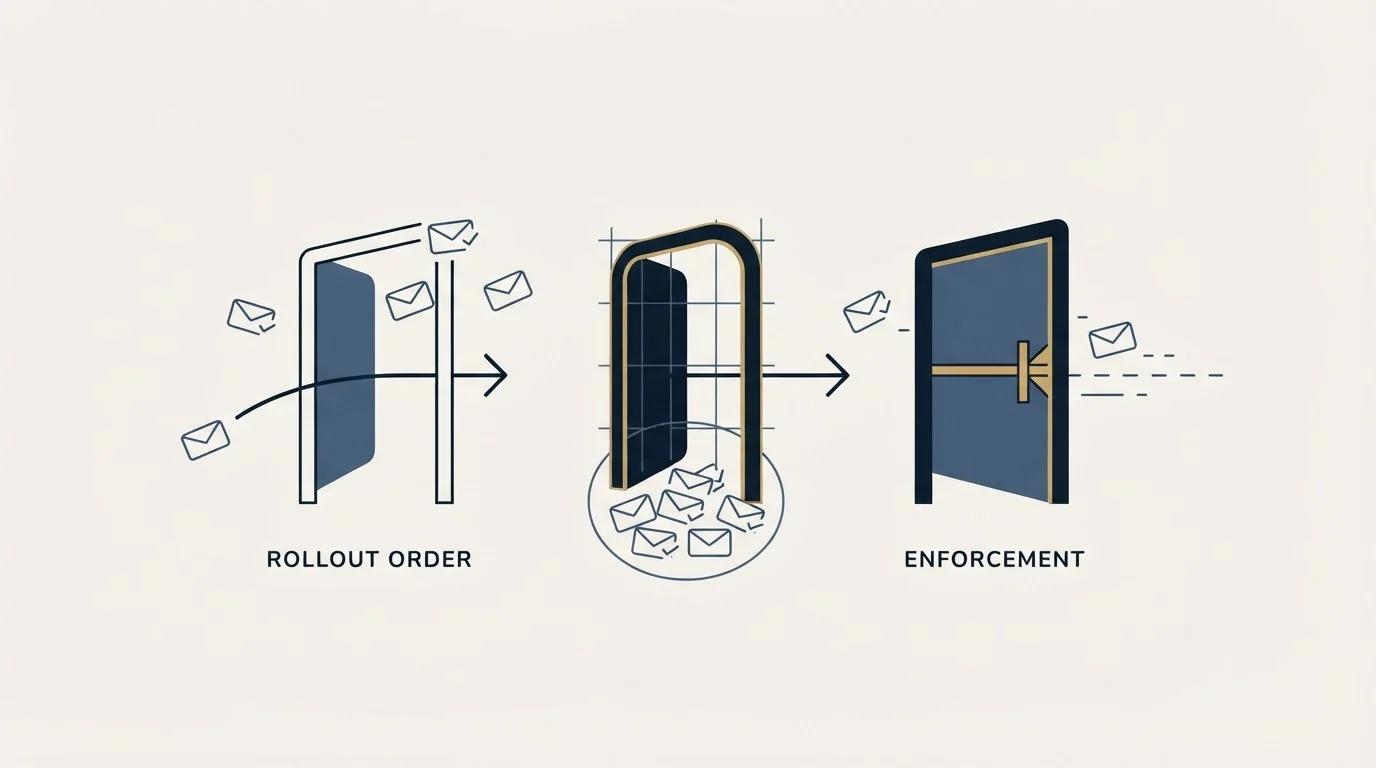
The sequence is p=none, then monitoring, then p=quarantine, then p=reject. What makes Microsoft's version of it worth following is the ordering advice attached to it: start with a low-volume subdomain and save the parent domain for last.
Microsoft's stated goal is a p=reject policy for all of your custom domains and subdomains, and that is the second place its page and the current specification part ways. RFC 9989 is cautious about exactly the kind of domain a Microsoft 365 tenant holds. It says domains used for general-purpose email, where people post to mailing lists and write to forwarding aliases, should not deploy p=reject, because rejection breaks those indirect flows. Both positions are defensible. If staff on the domain use mailing lists, p=quarantine is a reasonable place to hold the parent.
That ordering has a specific interaction with how DMARC treats subdomains, and it is the trap that catches Microsoft 365 tenants most often.
The inheritance rule that differs from SPF and DKIM
This is the single most important Microsoft 365 gotcha, and it is counterintuitive precisely because the neighbouring records behave the opposite way.
A domain's DMARC record automatically covers all of its subdomains, including subdomains that do not exist, unless a given subdomain publishes its own DMARC record. Each subdomain still needs its own SPF and DKIM records.
DKIM setup on Google Workspace covers the parallel case of a platform that also requires its own per domain key generated and published before mail authenticates.
Read those two sentences together and the failure mode falls out. Publishing p=reject on _dmarc.contoso.com immediately enforces reject on mail.contoso.com, notifications.contoso.com and every other subdomain that has not published its own policy. A subdomain with its own SPF and DKIM keeps passing, and one without them does not. Those subdomains did not inherit any authentication, because SPF and DKIM do not work that way. So a subdomain sending real mail with no SPF or DKIM of its own goes from delivering to being refused, at the moment you tighten the parent, without you having touched the subdomain at all.
The coverage of non-existent subdomains is the useful half of the same rule. Spoofing a name like billing.contoso.com that was never created is a standard technique, and the parent record covers it automatically. The 2026 specification adds np= to set a distinct policy for non-existent subdomains, and sp= remains available for setting a subdomain policy that differs from the parent.
Parked domains

Domains you own and never send from are the easiest decision in the whole exercise. Microsoft's guidance for parked and unused domains is to publish v=DMARC1; p=reject; and be done with it. There is no legitimate mail to break, so there is no monitoring phase to run and nothing to stage.
This matters more than it sounds for anyone buying domains in batches for outbound, where a set of registered but not yet activated domains is a standing spoofing surface that nobody is watching. Publish reject on them at registration.
The alignment table, worked
Alignment is the concept that decides whether an authentication pass counts. The adkim= and aspf= tags each take r for relaxed, which is the default, or s for strict. Relaxed requires the organizational domain to match and permits subdomains. Strict requires the fully qualified domain name to match exactly.
Microsoft publishes a worked table for a From address of user@contoso.com, which is the clearest way to see the difference.
| From domain | SPF MAIL FROM or DKIM d= domain | Relaxed | Strict |
|---|---|---|---|
| contoso.com | contoso.com | Pass | Pass |
| contoso.com | bounces.contoso.com | Pass | Fail |
| marketing.contoso.com | contoso.com | Pass | Fail |
| contoso.com | contoso.onmicrosoft.com | Fail | Fail |
| contoso.com | adatum.net | Fail | Fail |
The second and third rows are why relaxed is the sensible default. Sending platforms routinely use a bounce subdomain for the return path, and internal senders routinely use a subdomain in the From address, and both of those pass under relaxed while failing under strict. The last two rows are the ones that describe real problems: a third-party sender authenticating as itself, and mail from your tenant authenticating as the onmicrosoft domain, neither of which does anything for your brand domain.
Strict alignment is worth reaching for only when you control every sender on the domain and want to close the subdomain path deliberately. On a domain with any third-party senders on it, strict is a way to break working mail for no security gain you could not get from enforcement plus proper DKIM.
Where cold email fits

Outbound sending belongs on domains that are separate from your primary company domain, which changes this procedure in one useful way: those sending domains are not in your Microsoft 365 tenant at all, so the entire portal question disappears. Each one is a TXT record at whichever registrar holds it, and each needs its own SPF, its own DKIM from the sending platform, and its own DMARC record.
The blacklist IP search guide explains why the address worth checking is the one quoted in a rejection message, since senders on shared platforms connect from provider-owned addresses they cannot delist.
None of them inherits anything from your Microsoft 365 configuration. That is the point of the separation, and it is also the reason a fleet of sending domains is where unpublished DMARC records accumulate: nobody audits twenty registrar zones. The underlying record mechanics for all three protocols are in our SPF, DKIM and DMARC setup guide, and the policy ladder from monitoring to enforcement is in DMARC policy not enabled.
The short version
Microsoft 365 has no admin portal path and no PowerShell cmdlet for managing DMARC on custom domains, so the TXT record is created at your registrar on the hostname _dmarc. The one exception is your onmicrosoft.com domain, which is managed in the admin center under Settings, then Domains, then DNS records, adding a TXT record named _dmarc with the value v=DMARC1; p=reject and a TTL of one hour. That domain needs its own record because it fails alignment against your brand domain.
Microsoft's rollout order is p=none, monitor, p=quarantine, p=reject, starting on a low-volume subdomain and saving the parent domain for last. The rule that catches people is that a DMARC record automatically covers all subdomains including non-existent ones, while SPF and DKIM do not, so enforcing on a parent can break a subdomain that never got its own authentication. Parked domains go straight to v=DMARC1; p=reject;. Relaxed alignment is the default and the right choice on any domain with third-party senders. Microsoft still recommends pct= staging while the May 2026 RFCs deprecate the tag, so stage by domain and by time instead.
We run sending domains, authentication and the reporting behind them as part of our outbound engagements, which keeps this off the list of things your IT team owns without much context. You can see what a campaign would look like for your market.
Microsoft 365 procedures, values and recommendations are per Microsoft's DMARC configuration documentation as of mid-2026. Specification details are per RFC 9989, 9990 and 9991, published 20 May 2026. Verify current guidance with the official sources before making DNS changes.
Sources: Set up DMARC to validate the From address domain for cloud senders, Microsoft Learn, Set up DKIM to sign mail from your cloud domain, Microsoft Learn, RFC 9989, IETF publishes updated DMARC specification, dmarc.org
Frequently asked questions.
Frequently asked questions- How do I set up DMARC for Office 365?
- Create SPF TXT records and turn on DKIM signing first, then add a TXT record on the hostname _dmarc at your DNS host, starting at p=none with a rua address. Microsoft's documentation states there are no admin portals or PowerShell cmdlets for DMARC on custom domains, so none of it happens inside Microsoft 365.
- Where do I enable DKIM in Microsoft 365?
- In the Defender portal at security.microsoft.com. Microsoft's documentation gives the path as Email and collaboration, then Policies and rules, then Threat policies, then the Email authentication settings page, where you select the DKIM tab. It is a different console from the Microsoft 365 admin center, which is why people look for it in the wrong place.
- Does my onmicrosoft.com domain need a DMARC record?
- Yes. It is a real sending identity, and in Microsoft's own alignment examples mail authenticated as contoso.onmicrosoft.com fails alignment for contoso.com. Microsoft hosts that zone, so the record is added in the Microsoft 365 admin center under Settings, Domains, DNS records, as a TXT record named _dmarc with the value v=DMARC1; p=reject.
- Should a Microsoft 365 domain go to p=reject?
- Microsoft's stated goal is p=reject for all custom domains and subdomains. RFC 9989, the current DMARC specification, is more cautious: it says domains used for general-purpose email should not deploy p=reject, because rejection breaks mailing lists and forwarding aliases. If staff post to mailing lists, holding the parent at p=quarantine is reasonable.
About the author.

Tim Carden is CMO / CTO at RevenueFlow, which builds and operates outbound revenue engines for B2B companies. Studied at McGill University.
Tim Carden · CMO / CTO
Connect on LinkedIn →Explore more.
Ready to scale your outreach?
We build GTM engines that book real meetings. See the receipts.
Related articles.
SPF Softfail vs Hardfail: Which One to Publish
Google recommends the soft fail qualifier and Microsoft recommends the hard one for the same two characters. What each claims, and what a hard fail hides.
Why Your DMARC Is Failing: The Six Causes
Six causes of DMARC failure, ordered by how often they occur, with the symptom in reports and the fix for each. Alignment accounts for most of them.
How to Read a DMARC Report Without a Parser
The aggregate report XML field by field, and the one distinction that matters most: policy_evaluated includes alignment, auth_results does not.
Mass Email From Outlook: The Limits Microsoft Publishes
Microsoft publishes the ceiling on one mailbox and, a few paragraphs later, recommends that bulk commercial mail go to a specialist provider instead.
SMTP for Yahoo: The Settings and the Sender Requirements
Yahoo publishes its outgoing settings in six lines. It also publishes sender requirements enforced since February 2024, and refuses to name the volume that triggers them.
GMass SMTP Test: What a Passing Connection Cannot Prove
GMass publishes a free SMTP connection tester that anyone can use. What its four stages separate, why the last one gets misdiagnosed, and where the tool's boundary is.