Blacklist IP Search: Whose IP the Lookup Is Checking
The address your browser reports is almost never the one a receiving server refused. What a blocklist lookup queries, and which IP to run it against.

A blacklist IP search is a DNS query against a published list, built by reversing the address octets and appending the list zone. The address worth checking is the one quoted in a rejection message, because senders on Google Workspace, Microsoft 365 or a relay connect from provider-owned addresses they cannot delist.
Key takeaways
- RFC 5782 defines the lookup: reversed octets plus the list zone, an A record meaning listed, and a TXT record carrying the reason that receiving servers often reuse as the SMTP error text.
- The address to search is the one quoted in the rejection, and Microsoft prints it inside its published 5.7.606-649 error rather than leaving you to guess.
- An MX record describes where mail is delivered to you, so checking it answers a question about receiving rather than about the address you send from.
- Weight a multi-list report by whether a receiving server consults the list at all, and confirm serious hits at the operator's own lookup rather than an aggregator's cached row.
Reviewed and updated September 2, 2026
Blacklist IP Search: What the Lookup Returns, and Whose IP You Are Checking
A campaign starts being refused on a Tuesday. Somebody pastes the address their browser reports into a blacklist IP search, gets a clean row on every list the tool queries, and reports back that the infrastructure is fine. The rejections keep arriving, and the address named inside them belongs to nobody on the team. Both facts are true at once, and the gap between them is the whole subject of this page.
An IP blacklist search is a cheap, useful diagnostic that answers a narrower question than most people think they are asking. It is worth knowing what the query does, which address it should be run against, and what a hit is actually worth once you have one.
The lookup is a DNS query, and its shape explains the answers
Blocklists are published through the DNS. RFC 5782, the IRTF's informational specification for DNS blacklists and whitelists, sets out the structure that every list follows.
An entry's name is built by reversing the order of the octets of the IP address and appending the list's domain. The RFC's own example: if the list is called bad.example.com and the address to be listed is 192.0.2.99, the entry is named 99.2.0.192.bad.example.com. Every entry must carry an A record, and the specification says blocklists should also carry a TXT record describing the reason for the listing.
Two consequences follow directly from that shape.
The first is that the answer is binary at the point of query. A client, the RFC says, must interpret any returned A record as meaning the address is listed. There is no partial listing and no score in the response itself. The A record's value conventionally is 127.0.0.2 and the standard is explicit that its contents must not be used as an IP address: the number is a sublist identifier, so a combined list such as Spamhaus ZEN can answer one query while telling a sophisticated client which of its component lists matched.
The second is that the TXT record is the part worth reading. The RFC notes it is often used as the text of the SMTP error response the receiving server sends back. That means the reason for a listing and the reason inside your bounce message are frequently the same sentence, published by the same operator. Plenty of aggregated checkers show a red row and never surface it.
- Step 1Take the address
The IP that connected to the receiving server, not the one your browser reports
- Step 2Reverse the octets
192.0.2.99 becomes 99.2.0.192
- Step 3Append the list's zone
99.2.0.192.bad.example.com, then resolve it
- Step 4Read the answer
An A record means listed. The value identifies which sublist. The TXT record carries the reason
Whose IP is in the rejection
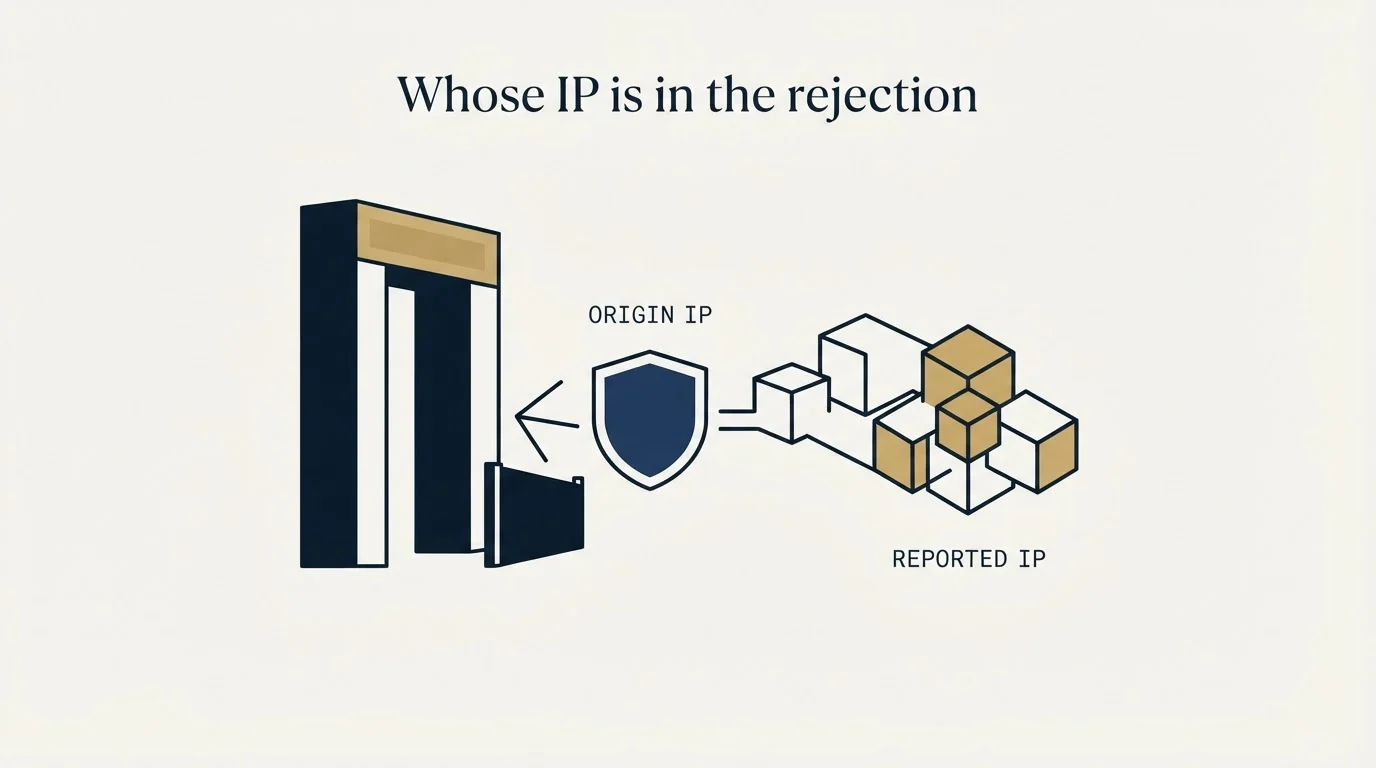
This is where most searches go wrong, and it is a question about your architecture rather than about blocklists.
If you send through Google Workspace, Microsoft 365, or a relay of any kind, the address that connects to the receiving server belongs to that provider. It is shared with an enormous number of other senders, you cannot delist it, and its standing is not a proxy for yours. Running a blacklist IP search against it tells you something about your provider's egress estate on the day you asked.
The providers' own error text reflects that split. Google publishes 421 4.7.0 This message is suspicious due to the very low reputation of the sending IP address and 550 5.7.28 There is an unusual rate of unsolicited email originating from your IP address in its Workspace SMTP error reference, and neither names a public list, because Gmail runs its own private view rather than publishing one. Microsoft, in its Exchange Online non-delivery report reference, publishes 5.7.606-649 Access denied, banned sending IP [IP1.IP2.IP3.IP4], which prints the address in the error itself.
That last one is the tell worth internalising. The address you should be searching is the one quoted in the rejection. It is authoritative, it is free, and it removes the guessing entirely. Where no rejection names an address, there is no evidence an IP listing is your problem, and the more likely subject is domain reputation, which is a private score rather than a published list and is covered in what a domain reputation check can and cannot see.
- The connecting IP is yours to check and yours to delist
- Reverse DNS and PTR are your responsibility
- A listing here is directly actionable
- The connecting IP is shared with a very large sender population
- You cannot request delisting for it
- Your standing lives at the domain and account level instead
- Quoted verbatim by the system that refused you
- Microsoft prints it inside 5.7.606-649
- No rejection naming an address means no evidence of a listing
Your MX record is not your sending address
A related search that reaches the same tools is the one for a blacklisted MX. The confusion is understandable and the answer is short.
An MX record tells other people's mail servers where to deliver mail addressed to your domain. It describes your inbound path. Unless you run your own mail server for both directions, the host in your MX record has nothing to do with the address you send from, and checking it answers a question about your ability to receive.
The distinction matters because the remedies diverge completely. An inbound host with a listing affects mail reaching you. An outbound address with a listing affects mail reaching prospects. A single checker screen shows both under one heading, and the label rarely says which one it just queried.
Reading a multi-list report without over-reacting

Every free IP blacklist checker tool queries dozens of zones in one pass, which makes them useful and makes their output easy to misread. The honest answer to "am I on a blacklist" is almost never a single yes or no, because a long report routinely carries two or three hits alongside a clean Spamhaus row. A handful of habits turn that report into evidence.
One of those zones behaves differently from the rest, since SURBL tests the domains inside a message rather than the address that connected to the receiving server.
Weight by who consults the list. Spamhaus publishes SBL, XBL, CSS and PBL free, combined for querying through ZEN, and a Spamhaus hit is the one that changes a delivery outcome. Most of the aggregated zones on a long report are consulted by very little real receiving infrastructure, and a hit on one that no rejection string has ever named has probably never cost a send.
One pair on that report is worth telling apart before acting on either, because ivmSIP names a single address while its sibling list names the range around it, as which invaluement list listed you sets out.
Confirm at the operator, not the aggregator. Spamhaus's own terms make the reason plain: use of its blocklists is free for low-volume, non-commercial users, and commercial use requires an annual subscription, per its DBL policy page. Public mirrors throttle, aggregators cache, and the operator's own lookup is the current answer as well as the place delisting starts.
Apply the test-entry check to the checker. RFC 5782 requires every IPv4 list to contain an entry for 127.0.0.2 and forbids one for 127.0.0.1, precisely so a client can prove a zone still holds real data. The specification's security section records what happens otherwise: operators winding a list down have removed all entries or installed a wildcard listing everything, and an abandoned list domain has been re-registered with a wildcard pointing at a web server. A checker still reporting on a zone in either state produces confident rows about nothing.
The tools themselves separate along one axis worth knowing before choosing between them. Some run a one-off query and show you a screen, which is what almost every free spam blacklist check is. Some watch a set of addresses on a schedule and alert on a change, which is the paid tier that monitoring vendors and infrastructure suites such as Site24x7 sell alongside their uptime products. A third group sits inside an email platform and checks the addresses it already sends from. The reason the distinction matters is timing rather than accuracy: they query the same public zones and get the same answers, and the value of the paid tier is entirely in finding out on the day it happens rather than during the post-mortem of a bad week. For a team sending from provider infrastructure it can also be the wrong purchase, because the addresses being watched are not the ones you could act on.
The Email Bouncer breakdown explains the split between verification credits and the separate deliverability monitoring add-on that buyers often mistake for one product, as covered in the Bouncer pricing breakdown.
- Yes: The address you searched is the one quoted in a rejection message
- Yes: The hit is on a list a receiving server actually consults, Spamhaus above all
- Yes: You have read the TXT reason at the operator's own lookup, not the aggregator's cached row
- Yes: The underlying cause is identified and fixed, because a delisting without one invites a faster relisting
- Depends: Rows on zones you have never seen named in a bounce are noted and left alone
RBL, DNSBL, blocklist: one mechanism, several names
The vocabulary is a small obstacle in its own right. RFC 5782 states plainly that the conventional term is now DNS blacklist or blocklist, or DNSBL. RBL, for realtime blackhole list, is the older name and survives in tool menus, configuration files and the occasional rejection string. A search for an RBL check and a search for a DNSBL lookup reach the same mechanism described above.
One useful distinction hides under the shared vocabulary. A list that answers on IP addresses is the common case. RFC 5782 also describes name-based lists, sometimes called right-hand-side blacklists, whose entries are a domain name followed by the list's zone, and it notes these are far less common than address-based lists. They behave differently enough that they belong to a separate diagnosis, and a checker mixing both into one screen is one more reason to read which identifier each row belongs to.
Name-based lists raise a related question worth separate treatment, since which domains actually get flagged explains why a tracking or shortener domain often carries the listing instead of the sender.
What a confirmed listing is worth

A confirmed hit on a list that matters is genuinely useful, because it converts a vague delivery problem into a named cause with a published remedy. The delisting routes differ by operator and the order they are worked in matters, and the full walkthrough of checking and recovery, list by list, lives in email blacklist check and recovery. Reading the wider tool output around it is covered in how to read MXToolbox like a deliverability engineer.
A refusal that names no list is the more common finding, and it is a different problem. Microsoft's 5.7.513, published as Service unavailable, Client host [$ConnectingIP] blocked by $recipientDomain using Customer Block list, is one organisation's private rule about you, and Microsoft's guidance for it is to contact the recipient directly. It reads exactly like a blacklist result and no public list is involved. Where the pattern is broader, the subject is your standing rather than a listing, and what a sender reputation check can actually see is the better starting point.
Our own operating practice is built around never needing a delisting request to be urgent. Sending domains stay separate from the corporate domain, volume ramps rather than steps, and spare warmed capacity exists so that one address going bad is an inconvenience instead of an outage.
If you would rather have the infrastructure built that way from the start, we plan the first campaign for free.
Standards and vendor documentation references verified as of mid-2026. Verify current terms with the vendor before relying on them.
Frequently asked questions.
Frequently asked questions- How do I check my IP, and am I on a blacklist?
- Take the address quoted in a rejection message and look it up at the operators that matter, Spamhaus above all, rather than pasting in whatever address your browser reports. An IP blacklist checker tool is a reasonable first pass, but confirm anything serious at the list operator's own lookup, because that answer is current and delisting starts there anyway.
- What is the difference between an RBL, a DNSBL and a blacklist?
- They name the same mechanism. RFC 5782 records that the conventional term is now DNS blacklist or blocklist, abbreviated DNSBL, while RBL, for realtime blackhole list, is the older name that survives in tool menus and configuration files. A check against an RBL and a check against a DNSBL query the same kind of published DNS zone.
- Why does my IP look clean when my email is still bouncing?
- Most likely because no public list is involved. Gmail keeps a private view rather than publishing one, a recipient organisation can maintain its own block list, and a domain listing is a separate mechanism from an address listing. If no rejection you have received names a list, there is no evidence an address listing is the cause.
- Can I delist an IP address I do not own?
- No. Delisting requests come from the network operator responsible for the address, which is why a team sending through Google Workspace, Microsoft 365 or a relay cannot file one for the address they connect from. On provider infrastructure your standing lives at the domain and account level, and that is where the remedies are.
About the author.

Tim Carden is CMO / CTO at RevenueFlow, which builds and operates outbound revenue engines for B2B companies. Studied at McGill University.
Tim Carden · CMO / CTO
Connect on LinkedIn →Explore more.
Ready to scale your outreach?
We build GTM engines that book real meetings. See the receipts.
Related articles.
Graymail vs Spam: What the Difference Costs a Sender
Graymail is a claim about a sending pattern. Spam is a claim about intent. They respond to different repairs, and confusing them sends teams to rewrite copy.
Email Warmup Tools: What Actually Moves Placement
Warmup pools are now free in every major sending tool. What the mechanism actually is, why nobody publishes controlled placement data, and the levers that do work.
Instantly.ai Review: What the Plans Include and Who It Suits
Instantly gives unlimited inboxes on every paid plan and meters contacts and send volume instead. What that changes, where each tier runs out, and who it fits.
Migrating Cold Email Tools Without Losing Domain Reputation
Domain reputation survives a platform switch. Warmup schedules, sending caps and suppression lists do not. How to sequence a migration so mailboxes come through intact.
Smartlead Review: Unlimited Mailboxes and What the Plans Cap
Smartlead includes unlimited mailboxes on every plan and bundles verification on the upper tiers. What rotation does, what it cannot do, and where the ceilings bite.
Email Address Capitalization: What It Changes for Senders
Capitalization in an email address does not decide delivery. It decides whether two rows are one person, and that is where a suppression list quietly fails.