DMARC Aggregate Reports (RUA): What They Cannot Tell You
Setting up rua correctly, who actually sends reports, the cross-domain record that silently blocks them, and the coverage gap nobody mentions.
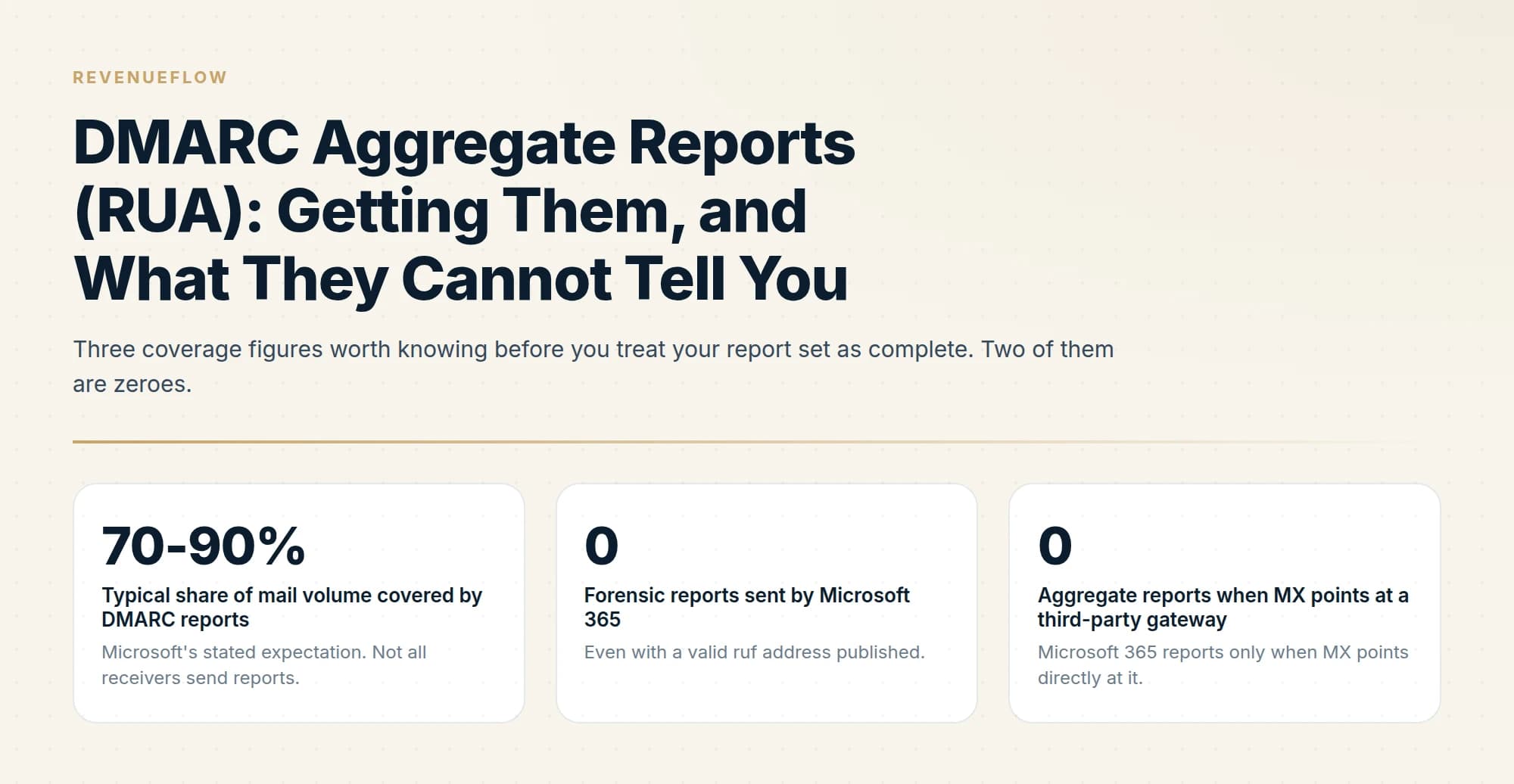
DMARC aggregate reports arrive daily from receivers that choose to send them, covering typically 70 to 90 percent of mail volume. Setting rua on a different domain requires an authorisation record at the receiving domain, and without it reports are silently never delivered.
Key takeaways
- Coverage is partial by design. Microsoft puts it at typically 70 to 90 percent of total mail volume, so absence of a sender from your reports is not proof it did not send.
- If rua points at a different domain, that domain must publish a record at <monitored-domain>._report._dmarc or receivers will not deliver the reports at all.
- Microsoft 365 sends no forensic reports whatsoever, and sends no aggregate reports when the domain's MX points at a third-party gateway.
- Use a dedicated shared mailbox for rua rather than a person's inbox, and start with rua alone because ruf volume can be large.
Reviewed and updated September 2, 2026
You publish a DMARC record with rua=mailto:dmarc@yourcompany.com, wait a week, and three reports arrive from two receivers. Or none arrive at all. Both outcomes are common, neither produces an error message anywhere, and the difference between a reporting pipeline that works and one that quietly does not is a handful of configuration details that nothing in the process will tell you about.
This is the getting side of DMARC reporting. Once the files are landing, the field-by-field walkthrough of what is inside them is in how to read DMARC reports, which covers the XML structure and the alignment distinction that makes the numbers mean something. What follows stops at the mailbox door.
What the rua tag is asking for
A DMARC record without a rua tag is a policy with no feedback loop. Receivers evaluate your mail against it and tell you nothing, which is fine if you already sit at enforcement and never intend to change anything, and useless during the monitoring phase that enforcement depends on.
Microsoft documents the basic record form as v=DMARC1; followed by a p= policy value of none, quarantine or reject, an optional pct= between 0 and 100, and rua=mailto: and ruf=mailto: destinations. It is published as a TXT record on the hostname _dmarc, which is required and is not configurable.
The rua destination is where aggregate reports go. Each one is a gzipped XML file covering a 24-hour window, sent by a receiving mail provider, containing counts of messages by sending IP together with the authentication verdicts for each. There is no message content in them, which is worth knowing before anyone raises privacy: an aggregate report is arithmetic about your mail, not your mail.
The two places reports silently fail to arrive
Almost every "we published rua and nothing came" case is one of two problems, and neither surfaces as an error.
The first is cross-domain authorisation. If the address in rua sits on a different domain than the one being monitored, that receiving domain has to explicitly authorise the reports. The record goes on the receiving domain, at a hostname made of the monitored domain followed by ._report._dmarc, and its value is v=DMARC1;. Monitoring contoso.com while sending reports to a mailbox on reports.example, for instance, means publishing contoso.com._report._dmarc on reports.example. Without it, receivers will not deliver the reports. Nothing bounces, nothing warns you, and the reports simply are not sent.
This catches nearly everyone who routes reports to a third-party analytics service or to a shared operations domain, because the natural instinct is that publishing an address is enough. It is enough only when the address is on the same domain as the record.
The second is where your own tenant sits in the mail flow, and it is Microsoft-specific.
Microsoft 365 sends no forensic reports at all. You can publish a perfectly valid ruf address and Microsoft will not send failure reports to it. Not fewer, not sampled, none.
Microsoft 365 sends aggregate reports only when the domain's MX points directly at Microsoft 365. If mail routes through a third-party security gateway before reaching your tenant, Microsoft does not send aggregate reports for that domain. This is a common architecture and it removes one of the largest reporting sources from your data set without any indication that it happened.
- Step 1You publish rua on the _dmarc hostname
A TXT record on _dmarc.yourdomain.com carrying a mailto destination for aggregate reports.
- Step 2A receiver evaluates your mail
Only receivers that generate reports at all will get this far, and not all of them do.
- Step 3The receiver checks cross-domain authorisation
If the rua address is on another domain, that domain must publish the monitored domain followed by ._report._dmarc, with the value v=DMARC1; or the report is never sent.
- Step 4The report is emailed to your address
A gzipped XML file per receiver per day, arriving after the reporting window has closed.
- Step 5Somebody opens it
The stage that most often stops happening around week three, which is why a shared mailbox rather than a personal one matters.
Coverage: reports are a sample, not a census

The most useful thing to internalise about aggregate reports is that they never describe all of your mail.
Microsoft's stated expectation is that DMARC report coverage is typically 70 to 90 percent of total mail volume, because not all receivers send reports. Large mailbox providers generally do. Small corporate mail servers, appliances and plenty of regional providers generally do not.
Address-level diagnostics sit outside that pipeline entirely, and a listing keyed on reverse DNS shape is resolved by reading one record rather than by waiting for a report.
That number reframes what the reports can prove. A source with real volume that appears in your reports is definitely sending as your domain. A source that does not appear in your reports has not been ruled out. It may simply be sending exclusively to receivers who never report, which is a realistic pattern for mail aimed at a narrow set of corporate recipients.
Microsoft's stated expectation. Not all receivers send reports.
Even with a valid ruf address published.
Microsoft 365 reports only when MX points directly at it.
The practical consequence for a rollout is about confidence rather than mechanics. Reading a month of reports and finding no unexplained senders is good evidence, not proof, that you have enumerated everything. That is one of the better arguments for spending a full cycle at p=quarantine before p=reject, since quarantine turns an unlisted sender into a recoverable message in a junk folder rather than into nothing at all. The tradeoff between the two is in DMARC quarantine vs reject.
Aggregate versus forensic, and why you should start with rua only
The two report types answer different questions and carry very different costs.
- One gzipped XML file per receiver per day
- Counts of messages grouped by sending IP
- SPF and DKIM verdicts plus the DMARC evaluation
- No message content of any kind
- Predictable, low volume, safe to route to a mailbox
- Generated per failing message rather than per day
- Can carry message headers and identifying detail
- Volume is unpredictable and can be very high
- Many receivers do not send them, including Microsoft 365
- Microsoft advises starting with rua only for this reason
- Whether a passing message landed in the inbox or in spam
- Who received a message
- What any message said
- Anything at all about receivers that do not report
Microsoft advises starting with rua only, on the grounds that failure report volume can be high. That is the right default for a second reason as well: forensic reports can contain identifying detail from real messages, so routing them to a mailbox is a data handling decision rather than a technical one. Aggregate reports carry no such exposure.
The placement gap in the third column is the one that catches people out during a deliverability investigation. A message can pass DMARC at every receiver in your report set and still land in spam at all of them, because authentication and placement are separate questions. Placement for Gmail is measured in Google Postmaster Tools, not in your rua mailbox.
Where to send the reports
Microsoft's operational advice is to use a dedicated shared mailbox for rua rather than a user mailbox, and that advice earns its place for reasons beyond volume.
A shared mailbox survives the person who set it up leaving the company, which matters because the reporting pipeline outlives every individual rollout. It has no personal inbox rules to silently file gzipped attachments from unknown senders into a folder nobody opens. It can be granted to more than one person, so report reading is a role rather than a habit. And it accepts mail from a wide range of external senders by design, which a hardened individual mailbox sometimes does not.
Two further details are worth deciding deliberately rather than by accident.
If the mailbox is on a different domain than the one being monitored, publish the ._report._dmarc authorisation record described above on the mailbox domain before you do anything else. This is the single most common cause of an empty reports mailbox.
If you run outbound from domains separate from your primary company domain, each of those sending domains needs its own DMARC record and therefore its own rua destination. Pointing them all at one shared reporting mailbox is fine and usually preferable, but it does mean every one of those domains needs the cross-domain authorisation record published, not just the first one you set up.
- Yes: The DMARC record is published on the _dmarc hostname, not the root domain
- Yes: rua points at a dedicated shared mailbox rather than a person
- Yes: If rua is on another domain, that domain publishes the monitored domain plus ._report._dmarc with the value v=DMARC1;
- Yes: Every sending domain you own has its own record and its own rua destination
- Yes: You know whether your MX points directly at your mail provider or via a gateway
- No: ruf is published on day one alongside rua
- No: Reports are expected to cover all of your mail volume
- Depends: A parser is worth introducing once the monitoring phase is over
Reading what arrives, and how long to keep it
Reports arrive after their window closes, so everything you read is retrospective by at least a day. A DNS change made this morning cannot appear in a report received this morning, and forgetting that produces a lot of unnecessary panic about fixes that appear not to have worked.
The other habit worth forming early is retention. Aggregate reports are small and the value in them is comparative: the useful question during an incident is which sources changed, and that needs a baseline. Keeping a year of raw files somewhere cheap costs almost nothing and converts a confusing snapshot into a trend.
Retention and trend tracking of this kind are exactly what commercial deliverability platforms try to sell as separate modules, and the pricing breakdown of Folderly's modules shows how those costs are structured.
What none of it does is tell you what to do. The reports show what happened. Turning that into a rollout means enumerating your senders, authenticating them, and then tightening the policy, which is the sequence in DMARC policy not enabled. If your mail lives in Microsoft 365, the tenant-specific setup and its inheritance rules are in setting up DMARC on Microsoft 365.
The short version
Aggregate reports go to the address in the rua tag of the TXT record on your _dmarc hostname. Two configuration details decide whether they ever arrive. If rua is on a different domain than the one being monitored, that domain must publish a record at the monitored domain followed by ._report._dmarc, with the value v=DMARC1;, or receivers will not deliver the reports. And Microsoft 365 sends no forensic reports at all, and sends no aggregate reports for a domain whose MX points at a third-party gateway rather than directly at Microsoft.
Coverage is typically 70 to 90 percent of mail volume by Microsoft's own estimate, so a source missing from your reports has not been ruled out. Start with rua only, because failure report volume is unpredictable and the content is identifying. Send them to a dedicated shared mailbox rather than a person, keep the raw files, and remember that reports show authentication rather than inbox placement.
We run authentication, sending domains and the reporting pipeline behind them as part of our outbound engagements, which is usually the layer that gets configured once and never checked again. You can see what a campaign would look like for your market.
Microsoft 365 reporting behaviour and recommendations are per Microsoft's DMARC configuration documentation as of mid-2026. Aggregate reporting is specified in RFC 9990, published 20 May 2026. Verify current guidance with the official sources before making DNS changes.
Sources: Set up DMARC to validate the From address domain, Microsoft Learn, IETF publishes updated DMARC specification, dmarc.org
Frequently asked questions.
Frequently asked questions- How do I set up DMARC aggregate reports?
- Add a rua tag to your DMARC record pointing at a mailbox that can absorb daily XML attachments, ideally a dedicated shared mailbox rather than an individual's inbox. If that mailbox is on a different domain from the one being monitored, the receiving domain must also publish an authorisation record.
- Why am I not receiving DMARC reports?
- The most common cause is cross-domain reporting without authorisation: if rua points at another domain, that domain must publish a record at your-domain._report._dmarc or receivers silently decline to send. Other causes are a mailbox that rejects the attachments, or routing mail through a gateway that suppresses reporting.
- Do all email providers send DMARC reports?
- No. Coverage is typically 70 to 90 percent of mail volume, and smaller receivers frequently send nothing. Microsoft 365 in particular sends no forensic reports at all, and sends no aggregate reports when a domain's MX record points at a third-party gateway rather than directly at Microsoft.
- What is the difference between rua and ruf?
- The rua tag receives aggregate reports, which are daily summaries of authentication results grouped by sending source and contain no message content. The ruf tag receives failure reports, sent per failure and potentially containing message headers. Support for ruf is limited and its volume can be high.
About the author.

Tim Carden is CMO / CTO at RevenueFlow, which builds and operates outbound revenue engines for B2B companies. Studied at McGill University.
Tim Carden · CMO / CTO
Connect on LinkedIn →Explore more.
Ready to scale your outreach?
We build GTM engines that book real meetings. See the receipts.
Related articles.
How to Read a DMARC Report Without a Parser
The aggregate report XML field by field, and the one distinction that matters most: policy_evaluated includes alignment, auth_results does not.
SPF Softfail vs Hardfail: Which One to Publish
Google recommends the soft fail qualifier and Microsoft recommends the hard one for the same two characters. What each claims, and what a hard fail hides.
Why Your DMARC Is Failing: The Six Causes
Six causes of DMARC failure, ordered by how often they occur, with the symptom in reports and the fix for each. Alignment accounts for most of them.
Set Up DMARC on Microsoft 365: Records, Rollout and Gotchas
Microsoft manages DMARC for onmicrosoft.com domains and not for your custom ones. The records, the rollout order, and the subdomain rule that differs from SPF.
How Lemwarm Works: The Network, the Ramp and the Score
What lemwarm's pool of real inboxes does, how the ramp is sized in the vendor's own numbers, what the score is made of, and where the tool stops.
Woody's SMTP Blacklist: The Delisting Route Refuses
Every page about this list tells you to file a delisting request. Measured on 2 September 2026, the operator's removal endpoint returned HTTP 403.