Mixmax Pricing: Sequences Cost $20 More Than the Headline
Mixmax sells four products that share an inbox. The rates in both billing states, which tier actually sends sequences, and the add-ons the seat price leaves out.
Mixmax publishes per-user rates in two billing states: Inbox Copilot and Meeting Copilot at $29 monthly billed annually, Engagement Copilot at $49, and Mixmax Suite at $89, each rising when billed monthly. Sequences live in Engagement Copilot, so the sequence-capable price is $49 rather than the $29 the page advertises.
Key takeaways
- The $29 headline belongs to Inbox Copilot, which does tracking and scheduling and does not send sequences. Campaign work starts at Engagement Copilot, $49 per seat annually or $65 billed monthly.
- Mixmax labels both billing states in its own comparison table, so there is no toggle ambiguity: the monthly premium runs from about 17 percent on the entry copilots to roughly 33 percent on Engagement Copilot.
- Removing the Sent with Mixmax footer and using a custom scheduling domain are add-ons at $9 per seat annually or $11 monthly on every self-serve tier, so the seat price is a floor rather than a total.
- The licence scales with people rather than with mailboxes, which makes it a poor fit for volume sending across a rotation and a reasonable one for named reps sending from their own inbox.
Reviewed and updated September 1, 2026
Mixmax stopped selling one product in tiers and started selling four products that happen to share an inbox. The pricing page now lists a free plan, three separate copilots and a suite that bundles them, and the practical consequence is that the headline price and the price a sales team actually pays are two different numbers with a gap of sixty dollars a seat between them.
Working out which one applies to you takes about a minute once the structure is visible. It takes considerably longer if you start from the number on the page header.
Everything below is verified against mixmax.com/pricing, fetched 15 August 2026, and the annual and monthly states are named separately throughout because both are rendered into the same document.
Mixmax Inc is the company behind the product, and the question behind most searches for it is whether the thing is a CRM or a layer on top of one, which the tier structure answers more honestly than the marketing does.
Mixmax publishes an integrations directory covering CRM, calendar and messaging tools, and the tier a given integration needs is the part the directory does not settle.
The published rates, in both billing states
Mixmax prints a comparison table that labels its two billing states explicitly, which removes the usual toggle ambiguity. Per user:
| Plan | Billed annually | Billed monthly |
|---|---|---|
| Free | $0 per month | $0 per month |
| Inbox Copilot | $29 per month | $34 per month |
| Meeting Copilot | $29 per month | $34 per month |
| Engagement Copilot | $49 per month | $65 per month |
| Mixmax Suite | $89 per month | $105 per month |
| Mixmax for Teams | Custom | Custom |
The page's own title advertises plans from $29 per user per month, and that is accurate as far as it goes: $29 is the annual rate for Inbox Copilot, the tracking-and-scheduling product. The monthly premium runs from about 17 percent on the entry copilots to roughly 33 percent on Engagement Copilot, so annual billing is doing real work in the headline.
Two things are also published beside the plans and are easy to miss: custom branding, meaning removal of the Sent with Mixmax footer, and custom scheduling domains are both add-ons at $9 per seat annually or $11 monthly on every paid tier below Teams. On a twenty-seat deployment that is a line worth pricing before it surprises somebody.
The tier that matters is the one with sequences in it

The structure is the whole story, so it is worth being blunt about which product does what.
Inbox Copilot at $29 is tracking, inbox categorisation, smart reminders and meeting scheduling. Meeting Copilot at the same price is meeting prep, instant notes and drafted follow-ups. Neither of them sends sequences. Engagement Copilot at $49 annually is where email and multichannel sequences live, along with the AI sequence builder and sequence personalisation. Mixmax Suite at $89 is all three plus the platform's CRM depth.
So the answer to what Mixmax costs for outbound work is $49 per seat per month on an annual commitment, or $65 billed monthly, and the $29 in the page title belongs to a product that does not send campaigns. That is not a hidden fee, it is a genuine product split, and it is the single most consequential fact on the page for anyone budgeting a sales team rather than an individual mailbox.
Open tracking follows the same split in a way worth checking against your use case: the free plan and Meeting Copilot each cap tracked emails at 20, while Inbox Copilot, Engagement Copilot and the Suite carry unlimited tracking.
- Email open and click tracking, unlimited
- Inbox categorisation and filtering
- Smart signals and reminders
- Meeting scheduling
- No sequences
- Email and multichannel sequences
- AI sequence builder
- Sequence personalisation
- Unlimited tracked emails
- The practical floor for campaign work
- Every copilot in one seat
- The deepest CRM integration tier
- Marked as the most popular plan
- Custom branding still an add-on
- Teams pricing above it is quote-only
Reading the per-seat model against a rotation
The per-seat shape is the structural point of comparison, and it decides whether Mixmax belongs in a stack at all.
Mixmax lives inside a mailbox. It is a Chrome extension on Gmail plus a platform behind it, so a seat is a person with an inbox, and the price scales with headcount. That is the correct model for a team of account executives who each send from their own name and want tracking, scheduling and light sequencing where they already work.
Weighing a broader multi-channel alternative, some teams compare Apollo.io's outreach across channels against Mixmax's Gmail-only sequencing focus.
It is the wrong model for volume outbound, and the arithmetic makes the reason plain rather than a matter of taste. A programme that spreads sending across thirty mailboxes at conservative per-mailbox volume needs thirty seats under a per-seat licence. At the Engagement Copilot annual rate that is a five-figure annual bill before a single domain or mailbox is bought, and the platform is not designed to rotate sends across those mailboxes as a pool in the first place. Tools priced per mailbox at zero and metered on volume exist precisely because that architecture is what high-volume sending wants. Cold email software sets the two shapes side by side, and the Instantly.ai review covers the unlimited-inbox end of the same axis.
Deciding whether Mixmax fits an outbound stack often raises a related question about domain warmup, which InboxAlly's complementary role in cold outreach addresses directly.
The honest summary is that Mixmax prices itself as sales engagement for named reps, and it should be evaluated against Salesloft, Outreach and Groove rather than against a sending platform. Comparing it to a rotation tool on cost per email produces a number that means nothing, because the two are selling different things.
Groove versus Mixmax compared lays out how the Salesforce-native, multi-channel platform stacks up against Mixmax's lighter, Gmail-centric approach.
Counting the seats properly
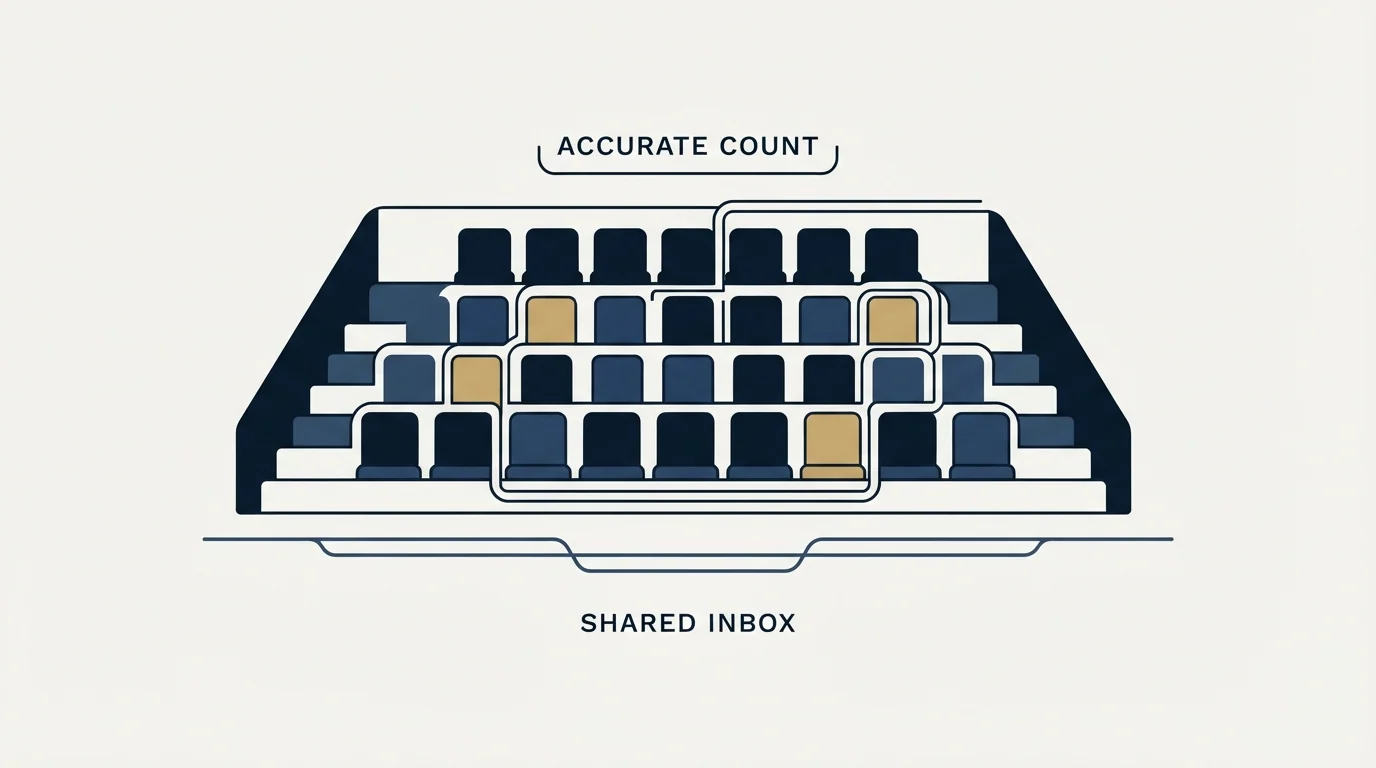
Per-seat pricing looks simple and gets estimated wrong in the same two ways at almost every company.
The first is counting only the people who send. A sales engagement platform is usually bought for the reps, and then a sales manager wants visibility into sequences, an operations person needs access to configure them, and a marketer wants to see engagement data. Each of those is a seat, and none of them appeared in the original estimate. The question worth asking before a quote is who needs to see the data rather than who needs to send from it, because the answer is reliably larger.
The second is forgetting that seat counts move upward and rarely move down mid-term. Annual billing is what makes the headline rate attractive, and an annual commitment sized for today's team is a commitment to pay for that team for a year. Teams that grow mid-year add seats at the prevailing rate; teams that shrink mid-year usually keep paying. That asymmetry is worth pricing explicitly rather than assuming an average.
There is also a floor effect worth naming for small teams. At the sequence tier a five-person team is a meaningful annual commitment before a single domain, mailbox or list is bought, and the same money spent on sending infrastructure buys a lot of mailboxes. That is not an argument against the tool. It is an argument for being honest about what the tool is replacing: if it is replacing manual follow-up tracking by named reps working named accounts, the maths works easily. If it is being bought in the hope of generating volume, the seat model is fighting the objective.
The free tier, capped at 20 tracked emails, is genuinely useful for settling one question before any of this arithmetic matters: whether the extension coexists with everything else already installed in your team's browsers.
What the pricing page does not settle
Two figures are worth chasing before a purchase, because the pricing page raises them without resolving them.
The dialer price is not published on the pricing page at all, and the CRM sync depth varies by tier in ways the feature table describes in prose rather than in numbers. Salesforce sync appears on Inbox Copilot with an activity qualifier attached, which is exactly the sort of line that means something specific in the product and something vaguer on the page. Anyone whose reason for buying is CRM logging should get the sync scope in writing rather than from the comparison grid.
Mixmax for Teams is quote-only, so the enterprise price is unpublished by design. That is ordinary. What is worth noting is that custom branding and custom domains remain add-ons right up to that boundary, so the seat price is a floor rather than a total on every self-serve tier.
- Step 1Name the job
Tracking and scheduling, or sequences; they are different products at different prices
- Step 2Take the sequence tier
Engagement Copilot at $49 annually or $65 monthly is the floor for campaign work
- Step 3Multiply by seats
The licence scales with people, so a mailbox rotation multiplies the bill rather than the volume
- Step 4Add the branding line
Removing the Mixmax footer and using your own scheduling domain are $9 or $11 per seat add-ons
- Step 5Ask for the unpublished parts
Dialer pricing and CRM sync scope are not settled on the page
Where this sits against how we run outbound

Mixmax sells multi-step sequences and drafted follow-ups, and both are described above as the vendor describes them. Our own practice is different and worth stating so nobody reads the section above as a recommendation: we send one message per campaign and never bump or send thread replies, so a second contact at RevenueFlow is a new campaign with a genuinely new angle rather than another step under the first. A team applying the seat arithmetic to a single-message programme will find the sequence tier buys capability it does not use.
The free tier is genuinely usable for its stated purpose, capped at 20 tracked emails, which makes it a reasonable way to check whether the extension conflicts with anything else in the browser before money changes hands. The Mixmax Chrome extension covers that installation path and the extensions Mixmax names as conflicting with it. If the evaluation is heading toward a category comparison instead, best Mixmax alternatives is the shortlist, and email tracking against sender reputation is worth reading alongside any tracking-heavy tool.
If the real question is what an outbound programme costs to run rather than what a seat costs to license, see what a first campaign looks like.
Pricing and features verified as of mid-2026. Verify current terms with the vendor before relying on them.
Frequently asked questions.
Frequently asked questions- How much does Mixmax cost per user?
- Billed annually the published per-user rates are $0 for Free, $29 for Inbox Copilot, $29 for Meeting Copilot, $49 for Engagement Copilot and $89 for Mixmax Suite. Billed monthly the same plans are $0, $34, $34, $65 and $105. Mixmax for Teams is quote-only, and custom branding is a separate per-seat add-on.
- Which Mixmax plan includes sequences?
- Engagement Copilot is the lowest tier carrying email and multichannel sequences, the AI sequence builder and sequence personalisation, at $49 per seat annually. Inbox Copilot and Meeting Copilot cost less and do not send sequences at all. Mixmax Suite includes Engagement Copilot alongside the other two products.
- Is Mixmax good for high-volume cold email?
- Its pricing model works against that use. Mixmax licenses per user and runs inside a single mailbox, so spreading volume across thirty mailboxes means thirty seats rather than a shared sending pool. Platforms built for volume charge nothing per inbox and meter monthly sends instead, which is a structurally different architecture.
- Does Mixmax have a free plan?
- Yes. The pricing page lists a free tier at $0 per month, capped at 20 tracked emails, alongside a 14-day free trial of the paid products with no credit card and no sales call required. The free tier is a practical way to check for browser extension conflicts before committing to a seat licence.
About the author.

Ben Carden is CRO at RevenueFlow, which builds and operates outbound revenue engines for B2B companies. Previously at Gartner Enterprise. Studied at London School of Economics.
Ben Carden · CRO
Connect on LinkedIn →Explore more.
Ready to scale your outreach?
We build GTM engines that book real meetings. See the receipts.
Related articles.
The Mixmax Chrome Extension: Five Scopes and Ten Conflicts
Mixmax publishes the exact Google scopes its extension requests and the extensions it collides with. What to check before a rollout, and the error that needs an admin.
Amplemarket Publishes One Price: What to Ask
Amplemarket's pricing page names $600 a month for two users and Custom for everything above. What that tier includes, and the six questions the page leaves open.
Yesware Pricing: The Tier Where Outbound Actually Starts
Yesware's $19 Pro tier caps campaigns at 20 recipients a month. The first plan that lets you run real outbound volume is Premium at $45 per seat.
QuickMail Pricing: Volume Bands, Not Seat Counts
QuickMail charges on monthly sends and stored contacts rather than seats. The three bands, the missing annual option, and the inbox billing its own pages disagree about.
Salesforge Pricing: Where the Meter Actually Sits
Salesforge charges nothing per mailbox and meters five other things instead. What the two plans cost, how the credit pools drain, and where the inbox bill reappears.
Is GMass Free? The Trial Cap and the 2026 Prices
GMass has a free trial rather than a free plan: seven days, 50 messages a day, no external SMTP. Here is what the paid plans cost per mailbox after January 2026.