Close vs Outreach: Cross-Category Comparison
Compare Close (crm platform) and Outreach (sales engagement platform) side by side. Understand how these tools fit different stages of your sales workflow.
Close records the relationship and Outreach runs the touches, so these two sit at different points in one outbound run rather than competing. Close enters at $19/mo and Outreach publishes no rate at all. Their published capability lists still collide on 3 classes, so decide which system owns the send before connecting them.
Key takeaways
- The entry price is not the price of the capability being compared. Close lists "Power dialer" on Growth and "Predictive dialer" on Scale, and both Solo and Essentials carry the line "Workflows not included". "Send bulk email" appears from Growth up, so an outbound team is looking at Growth at $109/mo rather than the $19/mo on the front of the page.
- Outreach publishes no rate on any surface reached today, so half of this budget arrives from a sales call. That is the half more likely to be the larger of the two.
- "Minimal feature overlap" does not hold on this pair. The two published lists collide on 3 classes, starting with deal pipeline management, which is a decision about which system owns that job rather than a feature win for either.
- Agree which system owns contact status before connecting them, and match on email address. Two tools both convinced they own that field is how somebody who already replied keeps being mailed.
Reviewed and updated August 29, 2026
Close vs Outreach: Cross-Category Comparison
Sequencing does not appear on Outreach's cheapest package. It starts at Amplify Core, which is also the point at which the price stops being public, so the Close against Outreach decision has a number missing exactly where it matters most.
The Short Answer
Buy for the gap you can name. If deals are being worked and nobody can describe the pipeline, Close is the purchase. If the pipeline is fine and the top of it is empty, Outreach is the purchase. If both are true, the pipeline goes first.
Only one of the two publishes a rate. Outreach ends at a form, so the pair cannot be costed without a sales call, which is a reason to buy the side you can price first and get the quote while it runs.
Why Compare These Two Tools?
CRMs track the entire customer lifecycle and deal pipeline, while sales engagement platforms focus on the outreach phase. Many teams debate whether to invest in a CRM with built-in engagement features or use separate best-of-breed tools.
Close is a CRM platform focused on customer relationship management. A CRM built specifically for inside sales teams, with built-in calling, SMS, and email functionality. Close focuses on reducing manual data entry and increasing sales velocity with features like Power Dialer, predictive dialing, and workflow automation.
Outreach is a sales engagement platform focused on multi-channel sales outreach. Enterprise sales engagement platform with multi-channel sequences, AI-powered deal insights, revenue forecasting, and conversation intelligence for scaling outbound sales teams.
Where Each Tool Fits in Your Workflow
- Step 1Outreach orchestration
Outreach covers multi-channel sales outreach.
- Step 2Pipeline and deal tracking
Close covers customer relationship management, from $19/mo.
| Aspect | Close | Outreach |
|---|---|---|
| Category | CRM Platform | Sales Engagement Platform |
| Workflow Stage | Pipeline and deal tracking | Outreach orchestration |
| Primary Focus | Customer relationship management | Multi-channel sales outreach |
| Starting Price | $19/mo | Contact Sales |
| Features Listed | 8 | 10 |
| Integrations | 8 | 12 |
What Each Side Does in a Cold Outbound Run
Neither of these tools sends cold volume for you. Close is where a conversation gets recorded once it exists, and Outreach is where the touch is orchestrated and measured. Cold sending itself happens on separate, warmed sending inventory, which is a different purchase again.
The house rule behind that is one message per campaign. No bump sequences, no thread replies. A second email under the one somebody already ignored reads as a bump whatever the tool calls it, so the lever is a better list and a better first message rather than more touches.
Bounce rate is the reason list quality is the lever. Cold volume goes out over shared sending inventory, so a dirty list costs reputation that every other campaign on that inventory pays for, not just the one that sent it.
Meetings are the other place the two categories separate. A meeting counts when it matches criteria agreed in writing before launch, and neither tool decides that. Close is where the agreed definition gets recorded against the account so the same standard survives a rep change.
Pricing Comparison
Close Pricing
| Plan | Price |
|---|---|
| Solo | $19/mo |
| Essentials | $49/mo |
| Growth | $109/mo |
| Scale | $149/mo |
Billed annually the same four tiers run $9, $35, $99 and $139 per user per month.
Billed annually the same four tiers run $9, $35, $99 and $139 per user per month, and the page labels that column "SAVE UP TO 50%".
Solo is capped at one user and "Limited to 10k leads".
Source: Close Pricing
Outreach Pricing
| Package | Price | AI credits | Sequencing on the card |
|---|---|---|---|
| Amplify Essentials | Request pricing | 10,000 | Not listed |
| Amplify Core | Request pricing | 25,000 | Listed |
| Amplify Plus | Request pricing | 50,000 | Listed |
| Amplify Pro | Request pricing | 100,000 | Inherited |
The last column reads each card as Outreach publishes it. Essentials lists an Engagement block containing "Meeting Scheduling & Tasks", "Mobile App" and "Slack App Integration"; Core is the first card whose block is titled "Sequencing & Engagement"; and Pro opens "Everything in Plus, and:".
Every Amplify card lists "Data Enrichment", and the page publishes platform limits usually left to a contract: "250,000 API Calls", "5 Custom Objects" and "500 MB Knowledge" on Essentials and Core, rising to "1,000,000 API Calls" on Pro.
Source: Outreach Pricing
Pricing Context
A direct price comparison is not available here, because only one of the two publishes a rate on the pages fetched for this page. Outreach publishes four packages and no rate for any of them. Its pricing page states the model in one line: "Outreach uses a combination of seat-based pricing and consumption-based pricing powered by AI credits." Every package button reads "Request pricing".
What the Entry Price Does Not Buy
Close lists "Power dialer" on Growth and "Predictive dialer" on Scale, and both Solo and Essentials carry the line "Workflows not included". "Send bulk email" appears from Growth up. So the $19/mo on the front of the page buys a place to keep records, and the tier that does outbound work is Growth at $109/mo.
Outreach splits the same way, and more sharply. Amplify Essentials is the conversation intelligence package: its Engagement block lists "Meeting Scheduling & Tasks", "Mobile App" and "Slack App Integration", and carries no sequencing entry anywhere on the card as fetched for this page. Amplify Core is the first card whose block is titled "Sequencing & Engagement" and lists "Multi-Channel Engagement & Sequences". A team buying Outreach to send is therefore looking at the second package up, not the one at the front of the page.
The practical consequence is the same either way. Take the number for the tier that carries the capability being compared, not the number at the top of the page, before either tool goes into a budget.
What the Pair Costs at a Realistic Team Size
The team below is invented, not a client. Five sellers, all needing a seat in both systems, no add-ons, no onboarding fee.
| Line item (illustrative team of five) | Per month | Twelve months |
|---|---|---|
| Close Growth, 5 seats at $109 | $545 | $6,540 |
| Outreach, 5 seats | not published | not published |
| Illustrative total | cannot be computed | cannot be computed |
The Close rate above is the monthly rate; $99 billed annually. Seat count is the variable that moves this most, and it moves it linearly, so the arithmetic scales cleanly in both directions.
The second line is the point. Every one of the 3 Outreach pages fetched for this page carries no price at all, so half of this budget is a quote and it is usually the larger half. A plan that pencils in a number for it is guessing, and the guess is what gets the business case signed off before anyone has seen the real figure.
Feature Highlights
Close Key Capabilities (CRM Platform)
- Built-in calling with Power Dialer
- Native SMS messaging
- Email sequences and templates
- Automated workflows
- Predictive dialing
- AI Email Assistant
- Pipeline and activity reporting
- Role-based access and permissions
Outreach Key Capabilities (Sales Engagement Platform)
- Multi-Channel Engagement and Sequences
- AI-powered email generation and optimization
- Conversation intelligence with call recording
- Deal health scoring and pipeline management
- Revenue forecasting with scenario planning
- Real-time analytics and reporting dashboards
- Sales rep coaching and performance insights
- Automated task management and reminders
- A/B testing for email templates
- Governance and compliance controls
Feature Overlap
The published lists collide on 3 classes, so the two sit closer together than a category label suggests:
- Deal pipeline management. Close lists "Pipeline and activity reporting", and Outreach lists "Deal health scoring and pipeline management".
- Outbound email. Close lists "Email sequences and templates", and Outreach lists "Multi-Channel Engagement and Sequences".
- Workflow automation. Close lists "Automated workflows", and Outreach lists "Automated task management and reminders".
Read that as a decision rather than a feature win. On a house that sends one message per campaign, two systems able to mail the same list is something to settle once, by picking which one owns the send and turning the other one off for that job. The caveat is the important half: this compares the exact wording of two vendor lists, so it says what each vendor chose to publish, not what either product can be made to do.
Integration Ecosystem
Close Integrations
Close connects with: Zapier, Slack, Gmail, Microsoft Outlook, Zoom, HubSpot, Segment, Calendly.
Outreach Integrations
Outreach connects with: Salesforce, Microsoft Dynamics 365, HubSpot, Gmail, Microsoft Outlook, LinkedIn Sales Navigator, Gong, Chorus, Drift, 6sense, Zoom, Slack.
Shared Integrations
Both tools integrate with: Slack, Gmail, Microsoft Outlook, Zoom, HubSpot. This shared ecosystem means they can work together in your tech stack.
Do You Need Both, and in Which Order?
Both on day one is rarely the right shape, and the order matters more than the answer either way. Buy the side that closes the gap you can name, run it for a quarter, then decide whether the second one is still worth its seat cost.
Outreach publishes no rate on any of the 3 Outreach pages fetched for this page, so the second half of the budget is a quote. Buy the half you can price first and get the quote while it runs, rather than holding the whole decision behind a sales call.
The failure to avoid is buying the second tool to fix a problem the first one was never going to solve. A pipeline nobody updates does not get fixed by better sequencing, and a list that bounces does not get fixed by a tidier deal board.
- Yes: Deals are progressing but nobody can say what is in the pipeline
- No: The pipeline is clean and the top of it is empty
- Depends: Two systems are already mailing the same people
- Depends: Nobody agrees what counts as a qualified meeting
A yes on the first line points at Close. A yes on the second points at Outreach. A yes on the third means the next purchase is a decision about ownership rather than a tool at all.
When to Choose Close
- Your biggest gap is in pipeline and deal tracking
- You already have a solid sales engagement platform and need specialized customer relationship management capabilities
- You want an affordable entry point ($19/mo)
- Your team's primary bottleneck is customer relationship management
When to Choose Outreach
- Your biggest gap is in pipeline and deal tracking
- You already have a solid sales engagement platform and need specialized customer relationship management capabilities
- You want an affordable entry point ($19/mo)
- Your team's primary bottleneck is customer relationship management
- Your biggest gap is in outreach orchestration
- You already have a CRM platform and need better multi-channel sales outreach
- You need enterprise-grade multi-channel sales outreach features
- Your team's primary bottleneck is multi-channel sales outreach
- Your biggest gap is in outreach orchestration
- You already have a CRM platform and need better multi-channel sales outreach
- You need enterprise-grade multi-channel sales outreach features
- Your team's primary bottleneck is multi-channel sales outreach
Rolling the Second Tool In Without Breaking the First
Write down which system owns each field before anything is connected. The common mess is two tools both claiming to own contact status, so a rep marks somebody as replied in one place and the other keeps mailing them.
Pick a matching key and stick to it. Email address is the only key that survives a job change badly but joins reliably; company name does not join at all across two systems that normalise it differently.
Run one segment through the connected pair before the whole list goes near it. Fifty records is enough to read by hand, and reading them by hand is what catches a mapping that looks right in a settings screen and is wrong in the data.
- Days 1 to 3Agree field ownership
One system owns contact status, one owns activity history. Write it down.
- Days 4 to 7Connect on one segment
Fifty records, matched on email address, read by hand.
- Days 8 to 10Read the coverage
Count the records that matched, the ones that duplicated, and the ones that silently did neither.
- Days 11 to 14Widen or stop
Widen only after the fifty read clean. A bad mapping at fifty records is a bad mapping at fifty thousand.
Set a refresh cadence for whichever side holds the contact data, and put a date on it. Records decay whether or not anybody is looking.
Using Both Together
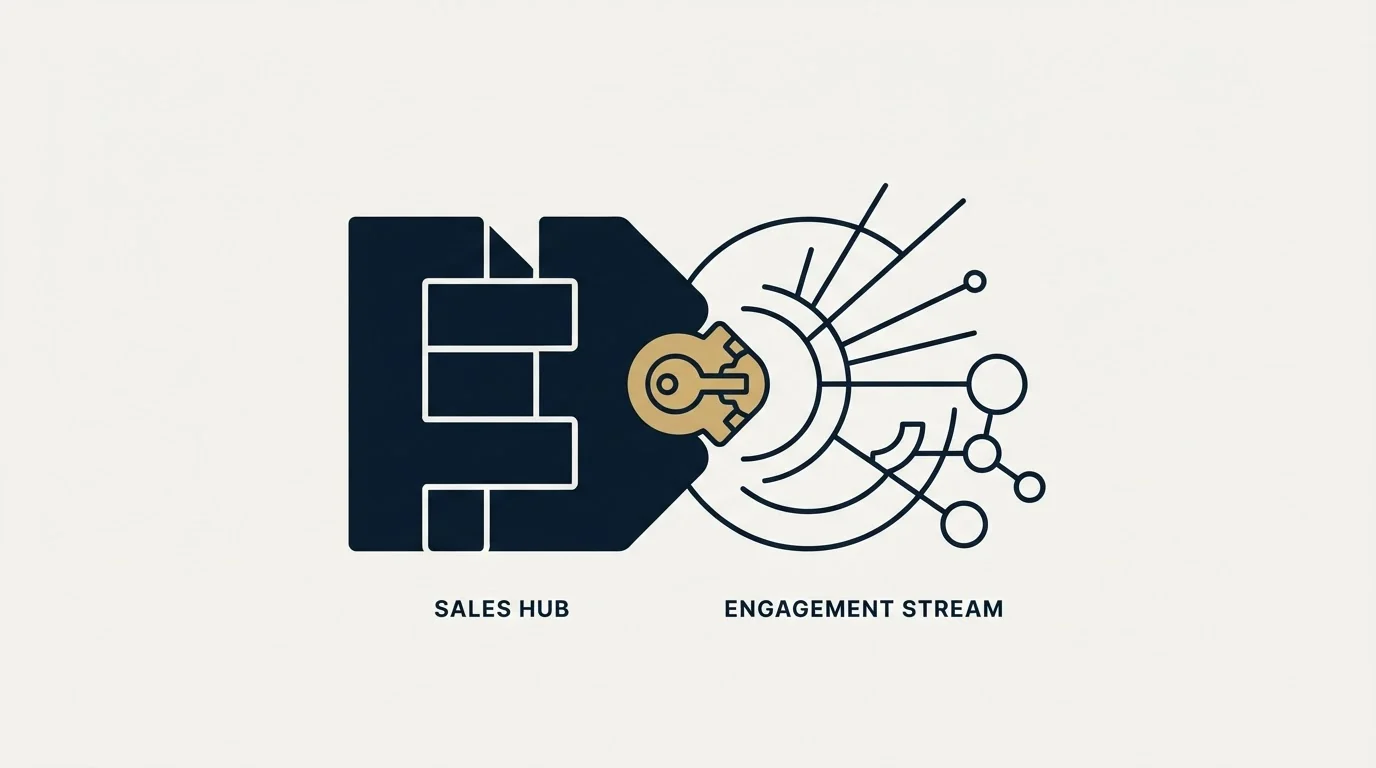
Many sales teams use both a CRM platform and a sales engagement platform as part of their complete workflow. Close handles pipeline and deal tracking while Outreach covers outreach orchestration.
Since both tools integrate with Slack, Gmail and Microsoft Outlook, connecting them in your workflow is straightforward.
The part worth deciding before they are connected is which system owns contact status. Two tools both convinced they own it is how somebody who replied keeps getting mailed.
The Decision Shortcut
If the pipeline is the thing nobody can describe, buy Close. If the top of the pipeline is empty, buy Outreach. If both are true, the pipeline goes first, because an outbound push into a system nobody maintains produces conversations that get lost rather than deals that close.
If neither is clearly true, buy neither this quarter and fix the list instead. That is the cheapest of the three options and it is the one most likely to move the number.
How These Figures Were Checked
Vendor figures on this page are attributed to the page they appear on, because vendors contradict themselves across their own surfaces.
- Close. Every figure on this page was matched against Close's pricing page as it renders today.
- Outreach. Every figure on this page was matched against Outreach's pricing page as it renders today.
Any arithmetic above is this page's own, done on those inputs and labelled illustrative where it appears.
Related Reading
- Best Close Alternatives in 2026
- Best Outreach Alternatives in 2026
- Close vs Salesforce: CRM Platform Comparison
- Close vs HubSpot CRM: CRM Platform Comparison
- Outreach vs Salesloft: Sales Engagement Platform Comparison
If you would rather have this run for you, RevenueFlow books qualified meetings on a pay-per-meeting basis and publishes client results.
Pricing and features are taken from the vendors' own pages. Verify current terms with the vendor before relying on them.
Frequently asked questions.
Frequently asked questions- Do I actually need both Close and Outreach?
- Not on day one. Buy the side that closes the gap you can name, run it for a quarter, then decide whether the second one is still worth its seat cost. Teams running continuous outbound usually end up with both, joined on email address, rather than choosing between them once and never revisiting it.
- Which one should I buy first?
- Neither, at the price on the front of the page. Close lists "Power dialer" on Growth and "Predictive dialer" on Scale, and both Solo and Essentials carry the line "Workflows not included". "Send bulk email" appears from Growth up, so the tier that does outbound work on Close is Growth at $109/mo. Take the number for the tier carrying the capability you are comparing, then decide.
- What does the pair cost for a small team?
- Only half of it can be answered. Close publishes a ladder, so five seats is simple arithmetic. Outreach publishes no rate on any surface reached today, so the second line is a quote. Any total that pencils a number in for it is a guess, and it is usually the larger half of the two.
- How much do these two overlap in practice?
- More than the category labels suggest. The two published lists collide on 3 classes, including deal pipeline management. That is a comparison of what each vendor chose to publish rather than of what either product can do, and the useful response is to pick one owner for the overlapping job.
About the author.

Tim Carden is CMO / CTO at RevenueFlow, which builds and operates outbound revenue engines for B2B companies. Studied at McGill University.
Tim Carden · CMO / CTO
Connect on LinkedIn →Explore more.
Ready to scale your outreach?
We build GTM engines that book real meetings. See the receipts.
Related articles.
Kommo vs Luru: CRM Platform vs Sales Engagement Platform Comparison
Compare Kommo (CRM platform) and Luru (sales engagement platform) side by side. See pricing, features, and integrations to decide which one, or both, your stack needs.
Dripify vs Membrain: Sales Engagement Platform vs CRM Platform Comparison
Compare Dripify (sales engagement platform) and Membrain (CRM platform). See pricing, features, and integrations to decide which one, or both, your stack needs.
Close vs Membrain: CRM Platform Comparison
Compare Close and Membrain side by side. See pricing, features, and integrations to choose the right CRM platform for your needs.
AroundDeal vs Leadspicker: Data Enrichment Tool vs Sales Engagement Platform Comparison
Compare AroundDeal (data enrichment tool) and Leadspicker (sales engagement platform) side by side. See pricing, features, and integrations to decide which one, or both, your stack needs.
AroundDeal vs Salesflare: Data Enrichment Tool vs CRM Platform Comparison
Compare AroundDeal (data enrichment tool) and Salesflare (CRM platform) side by side. See pricing, features, and integrations to decide which one, or both, your stack needs.
GetSales.io vs Yet Another Mail Merge: Sales Engagement Platform vs Cold Email Platform Comparison
Compare GetSales.io (sales engagement platform) and Yet Another Mail Merge (cold email platform) side by side. See pricing, features, and integrations to decide which one, or both, your stack needs.