Klenty vs Outplay: Cold Email Platform Comparison
Compare Klenty and Outplay side by side. See pricing, features, and integrations to choose the right cold email platform for your needs.
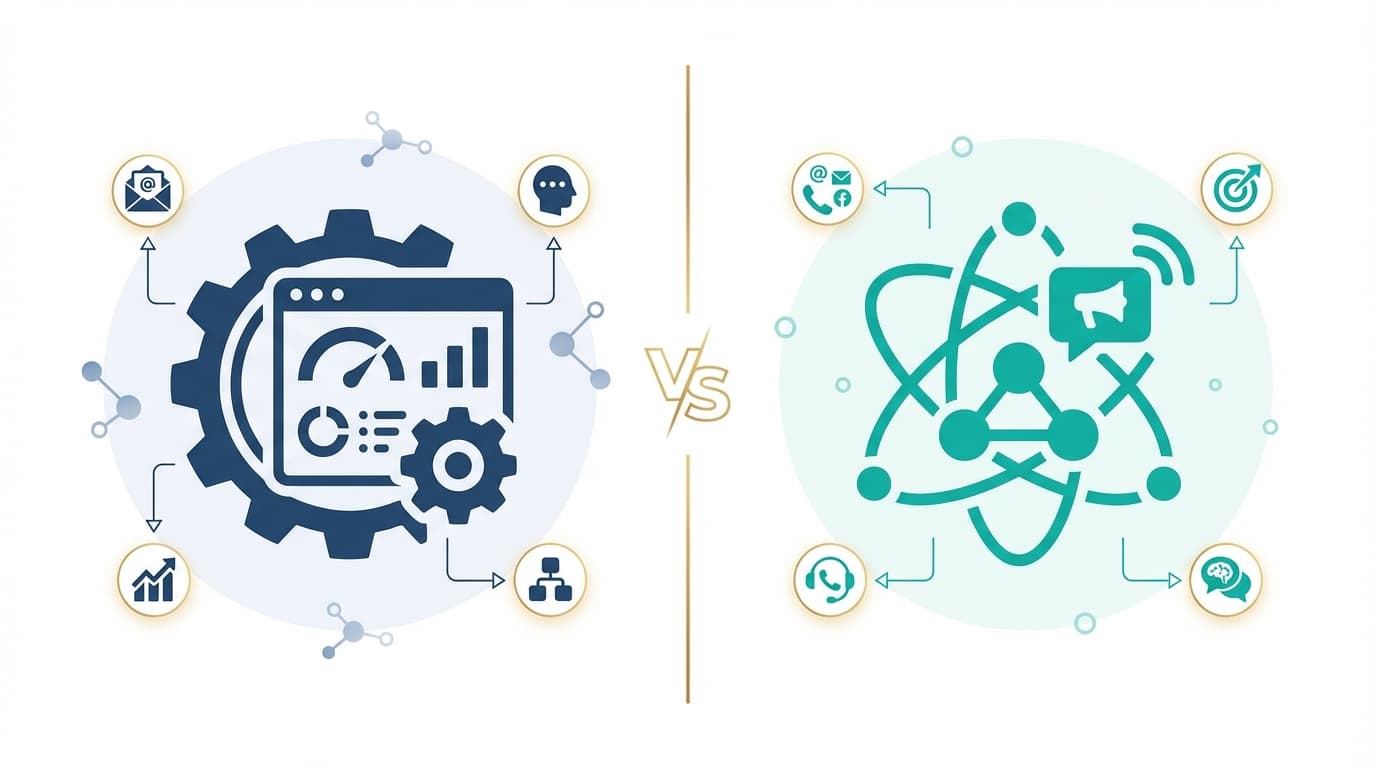
Klenty's Starter rung is $50 a month billed annually for the account, with Growth at $70 per user including 200 calling minutes. Outplay is free at 2000 active prospects, then $39 for one user and $89 per user on Growth, with most channels sold as add-ons.
Key takeaways
- Outplay sells email warm-up from $15 a mailbox, extra mailboxes from $6, LinkedIn automation at $25 a month and calling minutes from $25, all on top of the plan.
- Klenty includes 200 calling minutes per user on Growth and 1,000 on Plus, and sells one parallel and power dialer add-on at $45 per user.
- Outplay's $39 Starter rung is a single user, email-only plan, so team comparisons begin at Growth's $89 per user.
- Klenty's Starter rung is priced for the whole account at $50 a month billed annually rather than per user.
Reviewed and updated August 29, 2026
Klenty vs Outplay: Cold Email Platform Comparison
Outplay's plan price is only part of an Outplay bill. Email warm-up, extra mailboxes, LinkedIn automation, WhatsApp, calling minutes and conversation intelligence are all listed as add-ons with their own rates. Klenty folds calling minutes into its tiers and sells one dialer add-on. Comparing the headline rates without that in mind produces the wrong answer more often than not.
The Quick Answer
Both open cheap and diverge fast. Klenty's Starter rung is $50 a month billed annually for the whole account, with Growth at $70 and Plus at $99 per user. Outplay has a free forever tier at 2000 Active Prospects per month, then Starter at $39 a month for one user, Growth at $89 per user and Enterprise at $139 per user. Pick Klenty when calling is core and the bill should be predictable; pick Outplay when a free tier and a pick-your-channels model suit the team better.
Understanding the Core Difference
Klenty is a sales engagement platform with multi-channel cadences, AI-powered prospecting, intent-based follow-ups, and built-in dialer.
Outplay is a multi-channel sales engagement platform with email sequences, dialer, LinkedIn automation, conversation intelligence, and AI SDR capabilities.
Klenty prices channels into its rungs, so a Growth seat includes 200 minutes of calling and a Plus seat includes 1,000. Outplay prices channels as power-ups, so a Growth seat is multi-channel in principle and each channel arrives with its own line item. The first is easier to forecast; the second is easier to start small with and easier to underestimate.
Pricing Comparison

Starter, whole account, billed annually
Free Forever, 2,000 active prospects a month
Klenty Pricing
| Plan | Price | Contacts and emails | Calling |
|---|---|---|---|
| Starter | $50/mo billed annually | 15000 monthly contacts, 75000 monthly emails | Not included |
| Growth | $70 per user/mo billed annually | Everything in Starter | 200 minutes included |
| Plus | $99 per user/mo billed annually | 4000 credits, phone plus email | 1,000 minutes included |
| Parallel and Power Dialer | $45 per user/mo add-on | Layered on any plan | Dialer only |
The shape of this ladder matters more than the entry rate. Starter is priced for the ACCOUNT and the two rungs above it are priced per user, so the cost of a second rep is zero on Starter and $70 or $99 a month on Growth and Plus. The billing toggle on the page offers annual and quarterly rather than monthly, with a saving of up to 20 percent advertised on the annual side, and the trial is 14 days with no credit card and a 200 email cap.
Source: Klenty Pricing
Outplay Pricing
| Plan | Price | Active prospects | Mailboxes |
|---|---|---|---|
| Free Forever | Free | 2000 Active Prospects per month | 2, one user |
| Starter | $39/mo billed annually | From 5,000 a month | 5, one user, email only |
| Growth | $89 per user/mo billed annually | Unlimited | 5 per user, multichannel |
| Enterprise | $139 per user/mo billed annually | Unlimited | 15 per user |
Starter is a single seat priced for the account and Growth is priced per user, so the step from one rep to three is the expensive one rather than the step from free to paid. The page runs a monthly and annual toggle advertising a saving of up to 20 percent, and the trial is 7 days with no credit card.
Almost everything beyond email sits in the add-on column: email warm-up from $15 a mailbox, extra mailboxes from $6 each, LinkedIn automation at $25 a month, WhatsApp at $25 a month, calling minutes from $25 and conversation intelligence from $69. A quoted Outplay bill is the plan plus whichever of those the team actually turns on.
Source: Outplay Pricing
How these figures were checked
Klenty's three tiers, the per account versus per user split, the contact and email allowances, the calling minutes, the dialer add-on rate and the trial terms were all grepped out of a dated snapshot of the Klenty pricing page taken for this comparison. Outplay's four tiers, prospect allowances, mailbox counts, add-on rates and trial terms were grepped out of a dated snapshot of outplayhq.com/pricing taken for this comparison.
Two habits sit behind those sentences and both are worth borrowing when you check a vendor price yourself. A figure belongs to a page rather than to a company, because vendors contradict themselves across their own surfaces, so the page is part of the fact. And a pricing page that renders a monthly and an annual state into the same document will hand a careless reader a rate no visitor is shown, which is why the billing basis is named beside every number above rather than left implied.
What the two cost at a realistic volume
The arithmetic below is illustrative and uses list prices. The team shape is invented for the comparison rather than measured.
Take three reps who email and call. On Klenty that is Growth at $70 per user a month billed annually, which is $210, with 200 minutes included per user. On Outplay it is Growth at $89 per user a month billed annually, which is $267 before any add-on, and calling minutes are bundled separately from $25.
Now add warm-up on two mailboxes each, and LinkedIn steps where the platform offers them. On Outplay that is LinkedIn automation at $25 a month and warm-up from $15 a mailbox, so the illustrative bill climbs by roughly $115 a month before extra mailboxes. Klenty's own pages publish email, calls and SMS and no LinkedIn channel, so there is no equivalent LinkedIn line to add.
So the two entry rates are close and the realistic bills are not. That is not a criticism of the add-on model, which lets a team pay for what it uses; it is a warning against comparing $70 with $89 and stopping there.
Reading the price ladders against each other
Outplay's Starter rung deserves a second look because it is a single user plan at $39 a month billed annually, email only, starting from 5,000 active prospects. That is genuinely cheap for one person and it is not a team plan, so the real team comparison starts at Growth's $89 per user.
Klenty's shape is the mirror image. Its cheapest rung covers the whole account at $50 a month billed annually and its per user pricing starts one step up. Both vendors advertise a saving of up to 20 percent for annual billing, and both offer a trial: 14 days with no credit card on Klenty, 7 days with no credit card on Outplay.
Features Breakdown
- Multi-channel outreach (email, calls, SMS)
- Intent-based follow-ups
- AI-powered list building and enrichment
- AI sequence creation
- Sales playbooks
- Power dialer and call recordings
- and 3 more listed below
- A/B testing
- Multi-channel outreach (email, phone, LinkedIn, SMS, chat)
- AI sequence writer
- Conversation intelligence
- Power dialer with auto voicemail drop
- Website visitor tracking
- Auto email rotation
- and 3 more listed below
Klenty key features
- Multi-channel outreach (email, calls, SMS)
- Intent-based follow-ups
- AI-powered list building and enrichment
- AI sequence creation
- Sales playbooks
- Power dialer and call recordings
- Voicemail automation
- A/B testing
- 14-day free trial
- Advanced reporting and performance digests
Outplay key features
- Multi-channel outreach (email, phone, LinkedIn, SMS, chat)
- AI sequence writer
- Conversation intelligence
- Power dialer with auto voicemail drop
- Website visitor tracking
- A/B testing
- Auto email rotation
- Spintax support
- AI objection handling
- Chrome extension
The live diagram on this page claimed multi-channel outreach was exclusive to Klenty while listing an almost identical capability under Outplay, which is the false-exclusivity defect this batch repaired. Both platforms run email, calls and SMS in a cadence, and Outplay adds LinkedIn automation as a priced power-up; the difference is packaging rather than presence.
Where they genuinely differ is depth of calling. Klenty sells a parallel and power dialer as a $45 per user add-on and includes minutes in its tiers, which is a serious calling product. Outplay places its power dialer at the Enterprise rung and sells minutes separately, which suits a team that calls occasionally rather than constantly.
Integration Ecosystem
Klenty connects with: Salesforce, HubSpot, Pipedrive, Zoho CRM, MS Dynamics, Zapier, Slack, Hippo Video.
Outplay connects with: Salesforce, HubSpot, Pipedrive, Microsoft Dynamics 365, Gmail, Outlook, Zapier, Slack, Calendly.
Both tools integrate with: Salesforce, HubSpot, Pipedrive, Zapier, Slack.
Both cover the main CRM set, and Outplay states plainly that only one CRM may be connected at a time, which is worth knowing before a migration that involves two. Klenty syncs bidirectionally across Salesforce, HubSpot, Pipedrive, Zoho CRM and MS Dynamics.
Outplay's add-on model shows up here too: Slack deal rooms and slash commands sit at the Enterprise rung. If notifications into Slack are part of how the team works, check which rung carries the version you actually want.
Who Should Pick Which
Pick Klenty when calling is a daily activity and the finance team wants a number that does not move. Minutes in the tier, one dialer add-on and a flat account-priced entry rung make the bill predictable.
Pick Outplay when the team is small, the channels are uncertain, or a free tier matters. Free Forever at 2000 Active Prospects per month is a real evaluation rather than a token, and the add-on model lets a team add WhatsApp or LinkedIn without changing plan.
For anyone modelling a year, price the add-ons first and the plan second. An Outplay quote that leaves out warm-up, mailboxes and LinkedIn is not a quote for the product the team intends to run.
Where Each One Sits in a Cold Outbound Stack
- Step 1Build the list
Decide who belongs on it at all. Klenty is a multi-channel cadence and dialer platform aimed at an SDR team rather than at a mailbox.
- Step 2Resolve or load the contact
Turn a name into an address you can send to. Outplay is a multi-channel engagement platform with most channels sold as add-ons.
- Step 3Verify before sending
Check the address separately from whoever supplied it, because a bounce costs sending reputation.
- Step 4Send one message
One message per campaign, no bumps and no thread replies, so each address gets a single attempt.
Both platforms send and both dial, so they occupy the sending box and part of the calling one. Neither sources contacts, and only Klenty puts data credits on the ladder, at 4000 covering phone and email on its Plus rung.
Whichever sends, the deliverability question sits underneath both. Read the cold email infrastructure side before deciding how many mailboxes a wave needs, because a bounce costs sending reputation across every campaign on the same domains. Then one message per campaign, no bumps and no thread replies, and treat a call as a separate motion rather than a follow-up.
Switching Between Them
These two are close enough in shape that a migration is mostly mechanical: contacts export, sequences get rebuilt, mailboxes reconnect. The part that catches teams is the add-on inventory. Moving off Outplay means listing every power-up currently active and checking which of them Klenty includes and which simply disappear.
Moving off Klenty means the reverse exercise. Calling minutes included in a tier become a metered add-on, and a team that called freely because the minutes were already paid for will change behaviour or change the budget.
In both directions, note Outplay's single connected CRM rule before planning a phased move that runs two systems at once.
Feature Comparison Summary
| Comparison | Klenty | Outplay |
|---|---|---|
| Entry rung | $50/mo | Free |
| First paid rung | $50/mo | $39/mo |
| What that paid rung is | Starter, whole account, billed annually | Starter, one user, email only, billed annually |
| Where it sits in a stack | A multi-channel cadence and dialer platform aimed at an sdr team rather than at a mailbox | A multi-channel engagement platform with most channels sold as add-ons |
Getting Started Checklist
- List every channel the team will actually use, then price the add-ons on Outplay before comparing plan rates.
- Count callers and check Klenty's included minutes, 200 per user on Growth and 1,000 on Plus.
- Note that Outplay's $39 Starter rung is a single user plan, so team comparisons start at $89 per user.
- Use Outplay's Free Forever tier at 2000 Active Prospects to test before committing.
- Check Outplay's single connected CRM limit against your migration plan.
- Model Klenty at Starter first, since it is priced for the account rather than per user.
Final Thoughts
Klenty is the more predictable purchase and the stronger calling product. Outplay is the more flexible one, with a genuine free tier and a pay-for-what-you-use shape that rewards a team which knows exactly which channels it wants.
Price the add-ons before the plans. That single step decides this pair more often than any feature does.
Related Reading
- Best Klenty Alternatives in 2026
- Best Outplay Alternatives in 2026
- Instantly vs Klenty: Cold Email Platform Comparison
- Klenty vs Smartlead: Cold Email Platform Comparison
- Instantly vs Outplay: Cold Email Platform Comparison
If you would rather have this run for you, RevenueFlow books qualified meetings on a pay-per-meeting basis and publishes client results.
Pricing and features are taken from the vendors' own pages. Verify current terms with the vendor before relying on them.
Frequently asked questions.
Frequently asked questions- Which is cheaper for three reps who call?
- On plan rates alone Klenty's Growth rung at $70 per user is $210 a month against Outplay Growth's $89 per user at $267. The gap widens once Outplay add-ons are counted, since calling minutes bundle from $25 and warm-up starts at $15 a mailbox, while Klenty includes 200 minutes per user in the tier.
- Is Outplay's free plan usable?
- It is a real evaluation rather than a token. Free Forever carries 2000 Active Prospects per month, one user and two mailboxes, with multichannel outreach, A/B testing and the AI mail writer included. That is enough to run a genuine test campaign before deciding, which Klenty's 14 day trial also allows in a different shape.
- Do both tools do LinkedIn?
- Yes, and the live diagram on this page implied otherwise, which was a template defect rather than a fact. Klenty runs LinkedIn as a cadence step inside the platform. Outplay sells LinkedIn automation as a $25 a month add-on. The capability exists in both; the packaging and the cost differ.
- Can I connect more than one CRM to Outplay?
- Its pricing page states that only one CRM is allowed at any point in time. That matters most during a migration or for an agency running several client systems, and it is worth confirming before planning a phased move. Klenty syncs across Salesforce, HubSpot, Pipedrive, Zoho CRM and MS Dynamics.
About the author.

Tim Carden is CMO / CTO at RevenueFlow, which builds and operates outbound revenue engines for B2B companies. Studied at McGill University.
Tim Carden · CMO / CTO
Connect on LinkedIn →Explore more.
Ready to scale your outreach?
We build GTM engines that book real meetings. See the receipts.
Related articles.
GetSales.io vs Yet Another Mail Merge: Sales Engagement Platform vs Cold Email Platform Comparison
Compare GetSales.io (sales engagement platform) and Yet Another Mail Merge (cold email platform) side by side. See pricing, features, and integrations to decide which one, or both, your stack needs.
Enginy vs Success.ai: Sales Engagement Platform vs Cold Email Platform Comparison
Compare Enginy (sales engagement platform) and Success.ai (cold email platform) side by side. See pricing, features, and integrations to decide which one, or both, your stack needs.
Artisan vs Yet Another Mail Merge: Sales Engagement Platform vs Cold Email Platform Comparison
Compare Artisan (sales engagement platform) and Yet Another Mail Merge (cold email platform) side by side. See pricing, features, and integrations to decide which one, or both, your stack needs.
Growbots vs MailHeat: Cold Email Platform vs Email Warmup Tool Comparison
Compare Growbots (cold email platform) and MailHeat (email warmup tool) side by side. See pricing, features, and integrations to decide which one, or both, your stack needs.
Hexospark vs JustCall: Cold Email Platform vs Sales Engagement Platform Comparison
Compare Hexospark (cold email platform) and JustCall (sales engagement platform). See pricing, features, and integrations to decide which one, or both, your stack needs.
EmailBison vs Emelia: Cold Email Platform Comparison
Compare EmailBison and Emelia side by side. See pricing, features, and integrations to choose the right cold email platform for your needs.